










Introduction
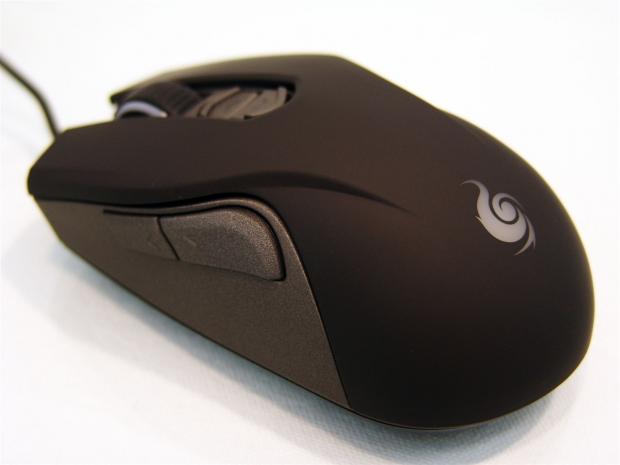
Out of all the mice I see monthly, it is rare that I get a review sample submission based off of an optical sensor versus a laser sensor. In reality with the gaming I do day to day, there is very little difference to the functionality between the two, but there is one huge difference I can distinguish, laser jitter. While all of the latest and greatest of the Avago laser sensor based mice I receive, when you are watching a movie or playing a game, the bass from my receiver and speakers will make most laser mice "walk" from the vibrations, and is something I have yet to see with any of my optical sensor based mice. Outside of that aspect, given the proper software and DPI settings, most users wouldn't be able to tell the difference, if they weren't allowed to see the mouse that they were using.
This is where CM Storm or Cooler Master steps in with a new optical sensor based submission. Along with things like a rubberized comfort grip applied to the top and fully customizable LEDs found on the mouse, it makes for a more comfortable and attractive package. I don't want to give away all the finite specifics, but Cooler Master uses a combination of an Avago sensor, Omron and TTC switches, and some very well appointed software to give you a very customizable way of utilizing this new mouse to the fullest of extents. One last major design benefit is that we are dealing with an ambidextrous design with this mouse so that the left handed users also get a new product to add to their potential arsenal of tools.
Very soon we will be going into much finer detail of the ins and outs of the CM Storm Recon gaming mouse that Cooler Master has sent me to look at, play with, and tell you what I thought about it. At this point, with a bit of usage under my belt with the Recon, I am very pleased. So much so that the CM Storm Sentinel II that spent so much time as my go to mouse has now been replaced by the Recon, and ever since I began testing, I never looked back.Hopefully by the end of all of what is to come in the following pages I convey what sold the Recon to me, and why you should be adding it to your must see list, or even your holiday gift list, since we are soon arriving at that time of year again.
Specifications, Availability and Pricing
Looking at the Recon and getting your first impressions well before you can try out any of the electronic features of it, you are given a medium sized mouse that will support both palm grip and claw grip users. Since we are dealing with the ambidextrous design, both sides of the Recon are exactly the same to offer both right handed and left handed users a chance to enjoy what it offers. On these sides you see a gunmetal grey front side piece that holds the forward and back buttons found on both sides of the Recon. Above that panel, and it sweeps back under your palm on the heel of the mouse, you see a matte black, rubberized panel that gives you the right and left clicks, surrounds the scroll wheel and DPI selection buttons, and also gave Cooler Master a place to put the CM Storm logo. You also get some aggressive looking lines and an aesthetically appealing LED backlighting system, but a picture is worth a thousand words so you will have to wait for the images to see exactly what I am on about here.
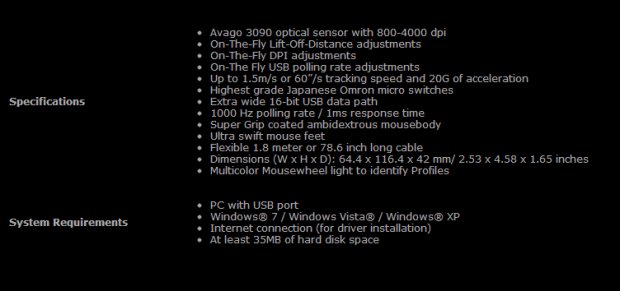
On the technical side of the Recon, the feature set offered with the software is going to be very appealing to most users. While based off the Avago 3090 optical sensor, it offers the Recon the option to move at 800 DPI up to 4000 DPI in four jumps (800 to 1600 to 3200 to 4000 DPI). Along with setting the DPI, at that time you can also adjust the LOD and polling rate for each of the DPI levels, and with the use of the buttons by the scroll wheel, you can change all of these on the fly without skipping a beat. The optical sensor can track up to 1.5 m/s or 60"/s with up to 20G of acceleration, so you really have to have super spastic movements to make the sensor lose track of your mouse position. The right and left click buttons are backed with Omron switches for accurate clicks and longevity of life, but the other buttons in the Recon are backed by TTC switches. To traffic all of the information between the mouse and the PC, Cooler Master employs a 16-bit data path to keep all of the information flowing smoothly.
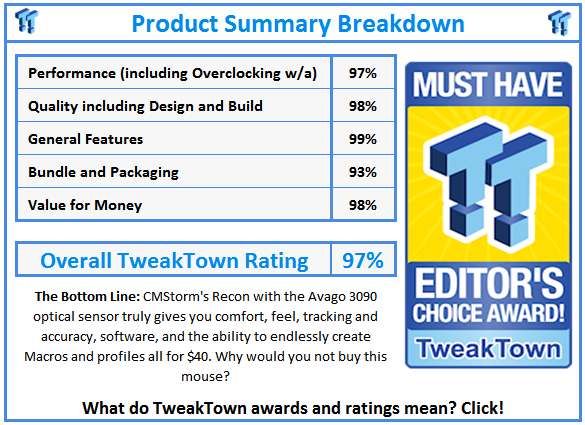
What truly amazed me about the CM Storm Recon mouse is that you can acquire one for under $50 inside of the US. As of this moment as I try to shop for one, I can only find two listings showing where I can buy one. One of these locations is EBay, and the other is Newegg, both with the exact same base price of $39.99 and $5.99 of shipping added in.It has been a long time since I have seen a mouse at this price point, once you add in the "feel" of the Recon and the software to run things as you want them, I can't deny the awesome deal you get for your money with the Recon wired gaming mouse with Avago 3090 optical sensor.Stick it out and enjoy what you are about to see, as I strongly believe CM Storm is delivering one of the best "bang for the buck" options on the market today.
Packaging
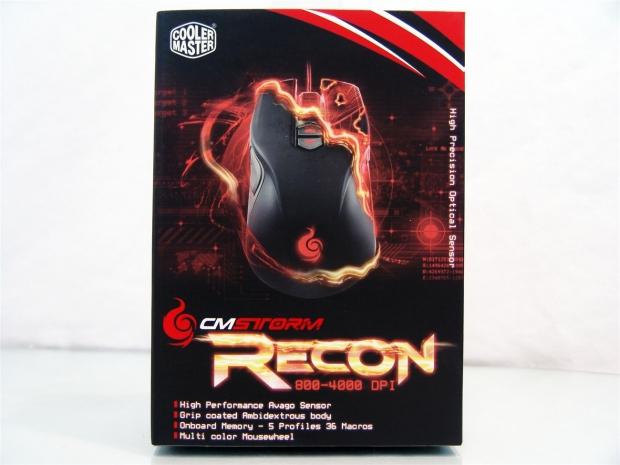
As with anything CM Storm I have received in the past, the red on black packaging is again the basic theme. On top of that you get an image of the Recon with some orange field engulfing the mouse. Under the gold Recon name there are the DPI options and four key features to attract the eye to the box.
Our Latest Mice Review Coverage
- Razer Viper V4 Pro Wireless Gaming Mouse Review - Built for Competition
- Corsair SABRE v2 PRO CARBON FIBER Wireless Gaming Mouse Review - The Premium Option
- Corsair SABRE v2 PRO Wireless MG Gaming Mouse Review - A Strong Contender
- Logitech G PRO X2 SUPERSTRIKE Wireless Gaming Mouse Review - Competitive Gaming Perfected
- ASUS ROG Harpe II Ace Wireless Gaming Mouse Review - Performance, Comfort, and Versatility
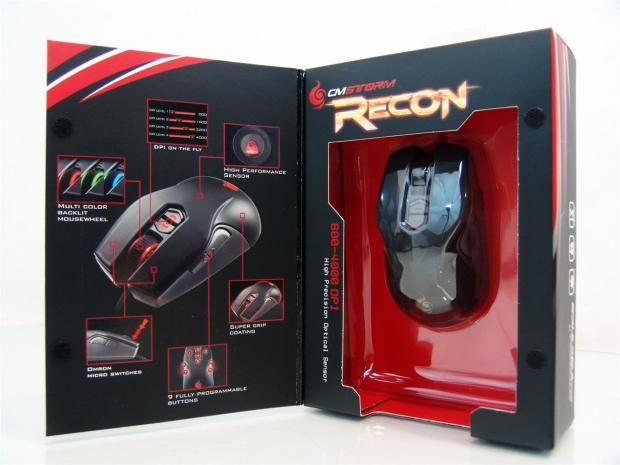
You can release the pair of Velcro pads to open the front panel to display six features like the multi-color LEDs, the on-the-fly DPI buttons, the Avago sensor, the super grip coating, nine programmable buttons, and the Omron switches used inside. On the right you can see the Recon in all of its glory under the form fitting plastic covering.
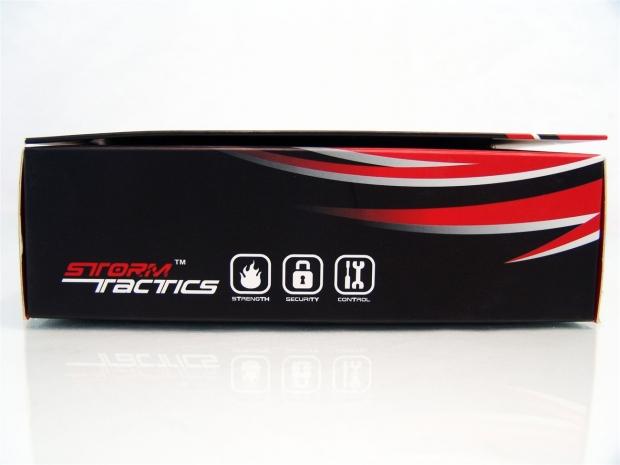
The thin right side of the box offers the Storm Tactics logo and the Strength, Security, and Control icons on top of the same red design that is continued from the front of the packaging.
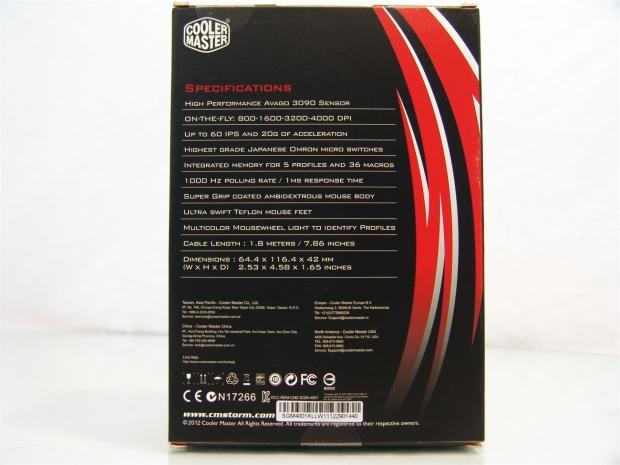
On the back of the Recon box you will find a simplified specifications list to the one we covered on the last page. Under the chart you will find regional office information along with the compliance and care icons.
This side is taken up with the words "Gaming mouse - RECON" in 21 different languages. At the bottom to the left of the barcodes you can see the system requirements of any Windows OS since XP, and even x64 versions.
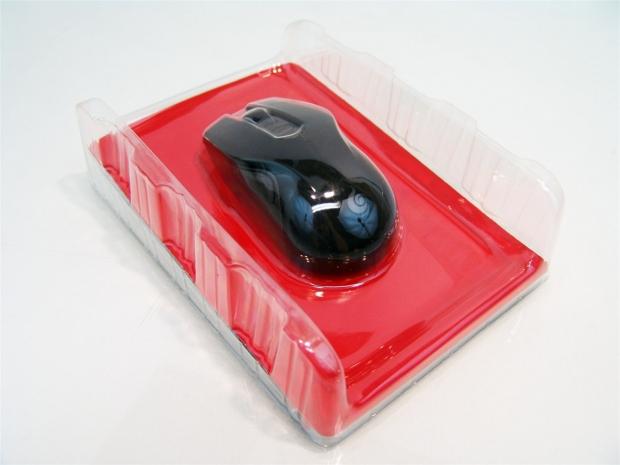
Inside of the box you will find the Recon is packed tightly in the form fitting plastic cover that also raises on both sides to take impact before the mouse would if this was to get dropped in transit. You also will find some paperwork slid in under this packaging.
CM Storm Recon Optical Gaming Mouse

Getting right into it, and now looking at the left side of the Recon, you now see the textured gunmetal grey side with the forward and back buttons positioned high for easy access. You do get a hint of the styling lines at the top, but you definitely notice the contrast between the side piece and the rubberized mid section of the Recon.
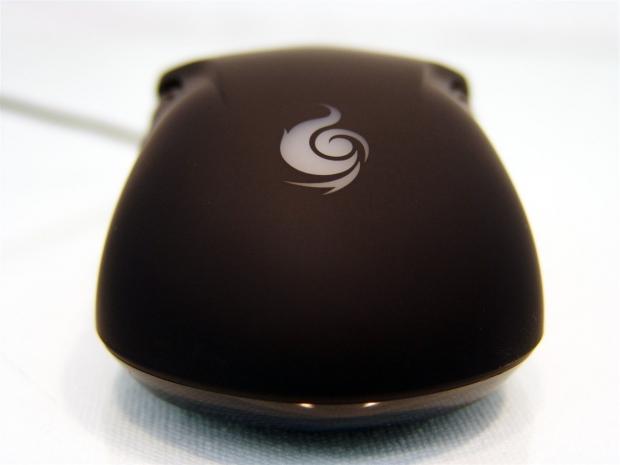
The heel of the mouse or where your palm will rest for most users, there is a flattened top and a wide base to give proper support to your wrist without any funny points on the top to dig into your palm when used for long gaming sessions. You can also see the white CM Storm logo added here.
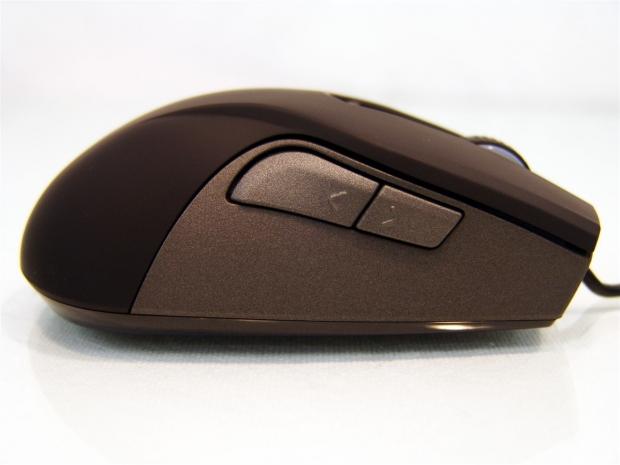
Since the Recon is an ambidextrous design, the right side matches exactly to the left. No matter if right or left hander, the buttons that would be accessed by fingers rather than the thumb can have their functionality reprogrammed via the software.
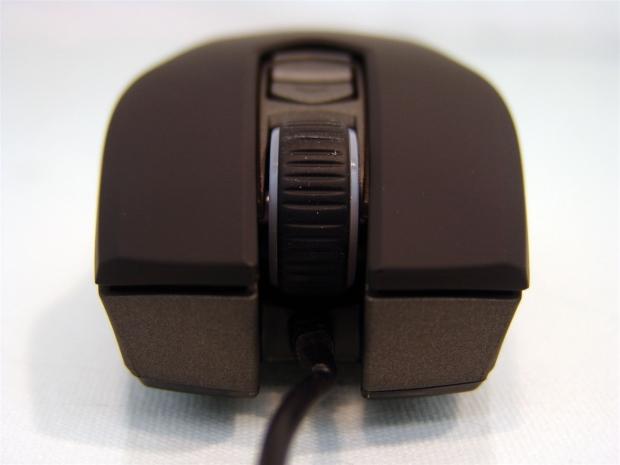
The front of the mouse protrudes on both sides of the USB cable. This is for looks as the main design, but it will also keep accidental drops from ripping the cord out of the front of the mouse. The scroll wheel in the middle is rubberized, has plastic sections that illuminate, and needs a bit of force to activate the next point on the wheel for accurate switches in weaponry.
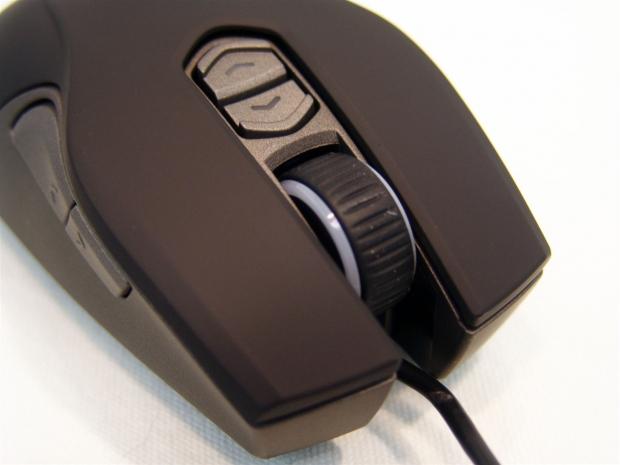
The top of the Recon, between the right and left click buttons, you will find more of the textured gunmetal grey painted plastic with a pair of buttons inset there. These are your on-the-fly DPI buttons to get the exact feel you need at the right time with the push of a button.
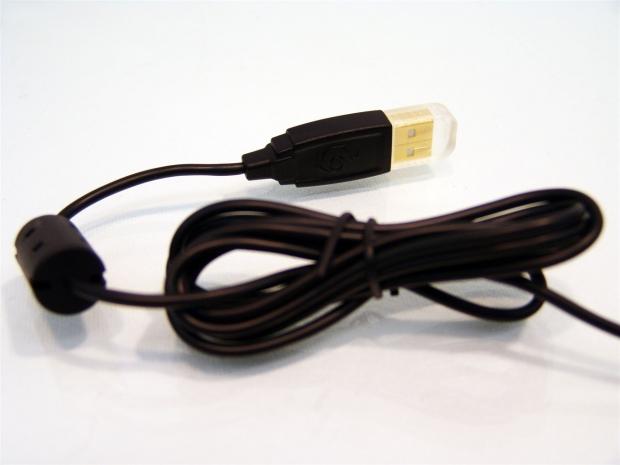
The USB cable used with the Recon is a plasticized rubber coated cable that is 1.8 meters on total length from the gold plated UBS connection, through the ferrite choke, all the way to the front of the Recon.
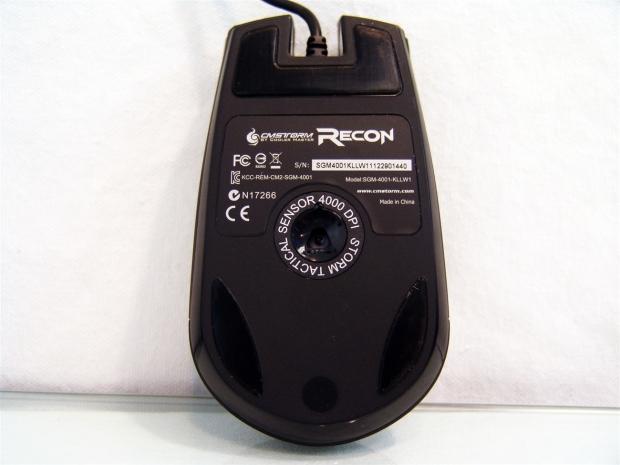
Under the Recon you are given three "Ultra Swift" mouse feet which look like the same PTFE used by many manufacturers. There is a larger one at the front to take the brunt of the sliding force, while the two on the back will also support the weight of your wrist while gliding smoothly. Smack right in the middle you find the Storm Tactical Sensor 4000 DPI written around the eye of the Avago sensor.
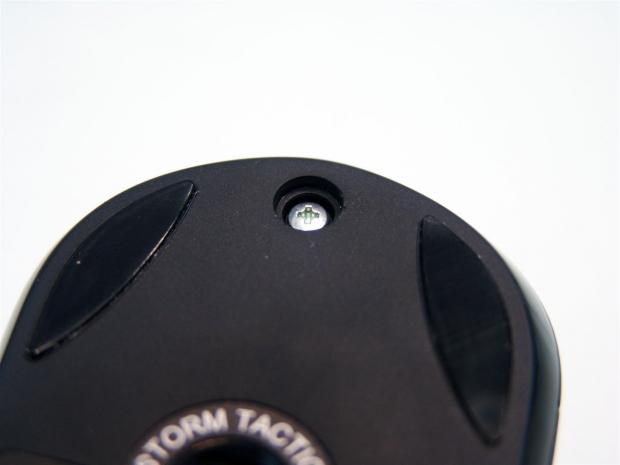
In the last image, the plug between the two feet in the rear of the Recon can be removed to allow the removal of this single screw that will allow for the opening of the Recon. Unless you plan to mod something, voiding your warranty, or dunked your Recon in a glass of beer, you really shouldn't be opening them.
Inside the CM Storm Recon
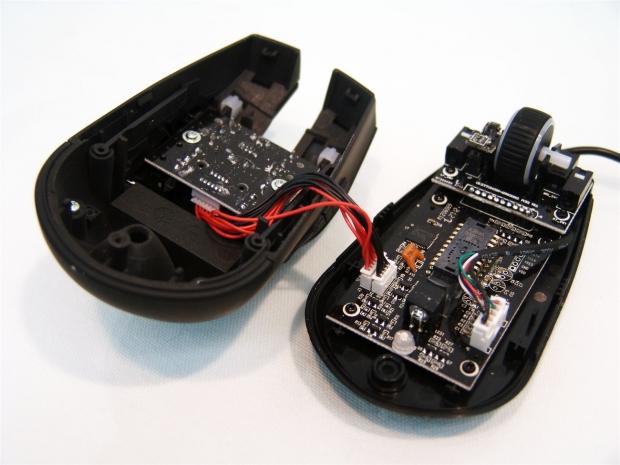
After removing the screw and gently working my way around the outside edge separating the top from the bottom, this is what I found in the end. Be very careful removing the top, the wiring is kept very short between the top halves PCB for the six buttons there and the PCB in the base with the sensor and LEDs.
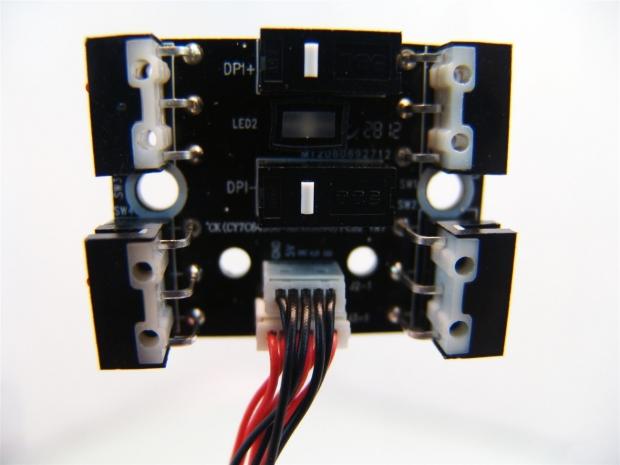
Removing the PCB from the top of the Recon shows that all six of the buttons, DPI, and the two buttons on both sides, are all backed with TTC switches. There is also an LED between the two center switches to illuminate the DPI buttons.
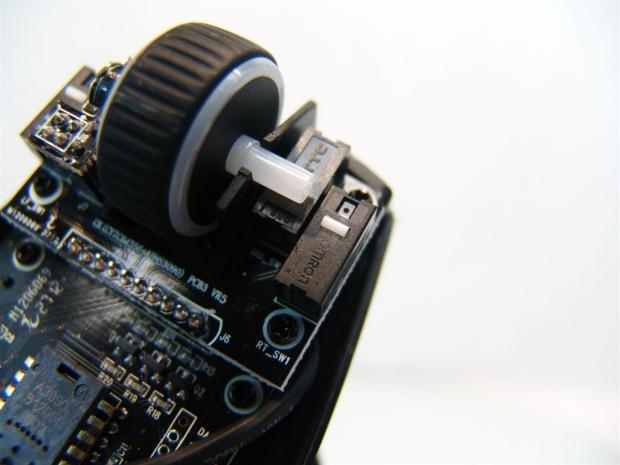
The scroll wheel also uses a TTC switch, but the right and left clicks are backed by higher quality Omron switches.
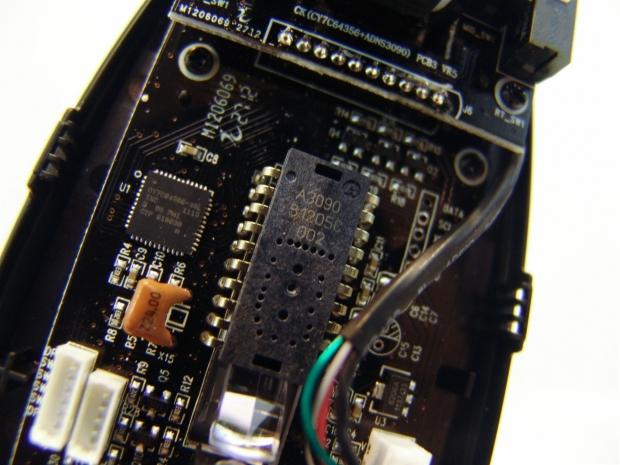
There is a plastic prism at the bottom of the Avago 3090 sensor that directs the sensors beam to the mousing surface to be able to tell where you are on the mat, and thus where you are on the screen.
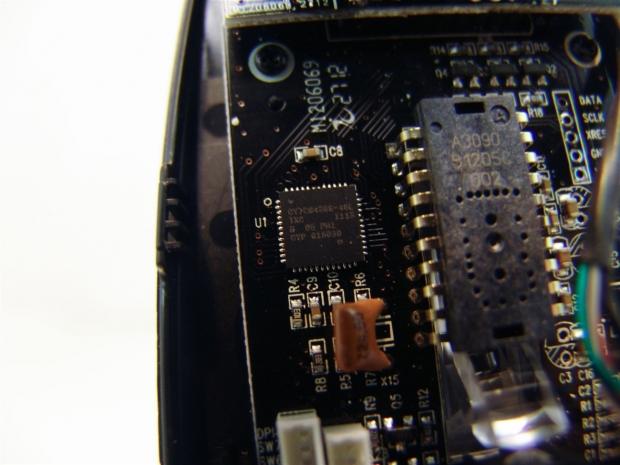
This is the 16-bit chip that does the cross talking between the inputs of the user and the PC. As much as I tried, with a couple of the letters a bit marred and touch to read, I wasn't able to track down the manufacturer of this chip.
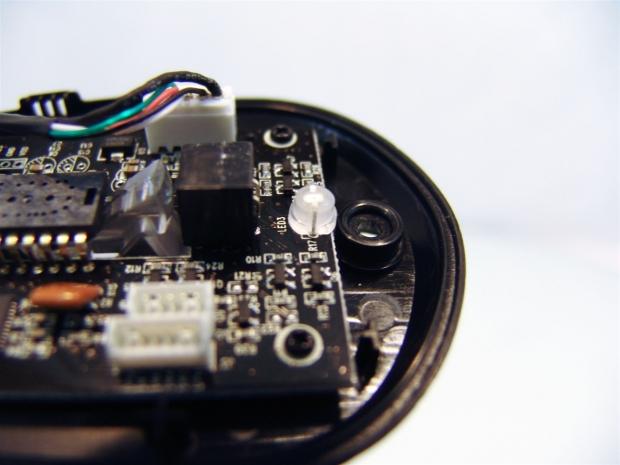
In this angle you can get a better sense of the prism used for the sensor, and I also wanted to show off the large LED that will be backlighting the CM Storm logo found on the heel of the Recon.
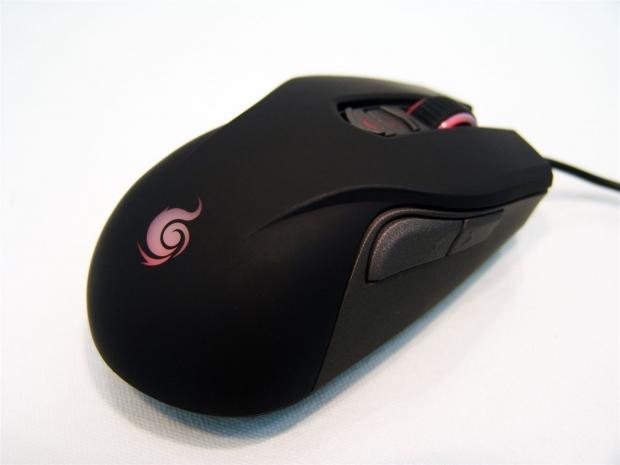
After a bit of reassembly and plugging the USB connector in, the Recon will glow in the factory red LED lighting. From the back you can see the logo, the DPI buttons, and the scroll wheel all come to lighted life.
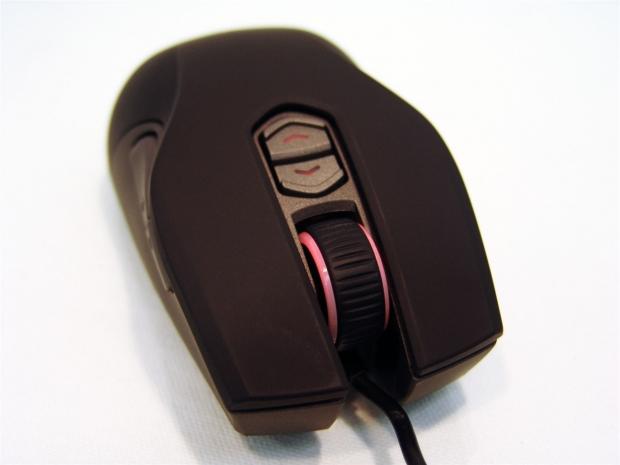
Looking at the Recon from the front when it is powered up, I am pleased to see with as bright as the wheel and logo are, there no leakage of light around the wheel or any of the backlit components for that matter, making what does light up really pop against the matte finish.
Documentation
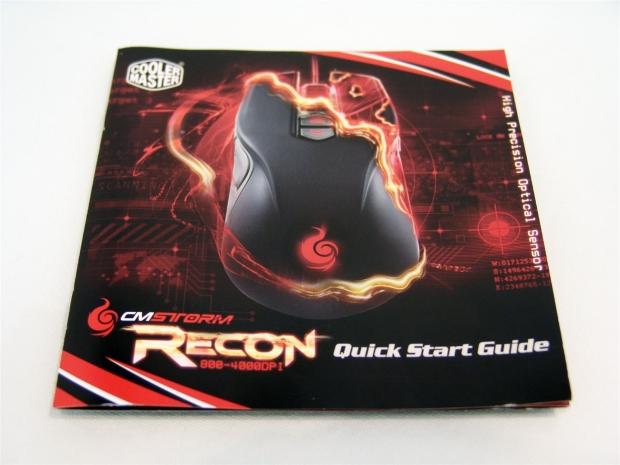
The CM Storm Recon quick start guide matches the outer packaging, so let's open it up to see what is offered in here.
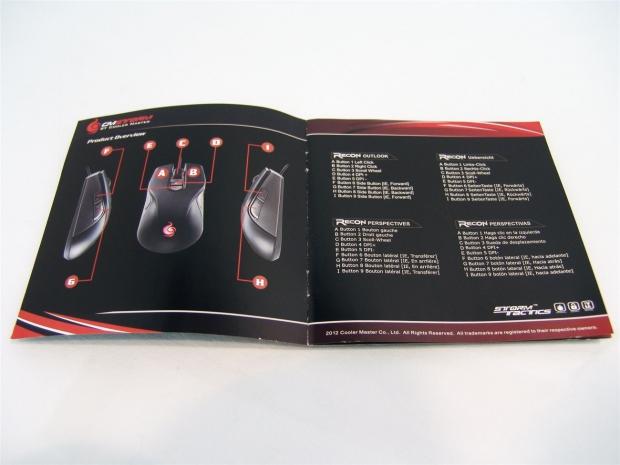
The first thing they give you is three labeled images of the Recon with the letters A through I. Then on the right side they show the Recon Outlook, which is the default function of any of the buttons. So without any tinkering in the software or without it all together, this is how the mouse will function.
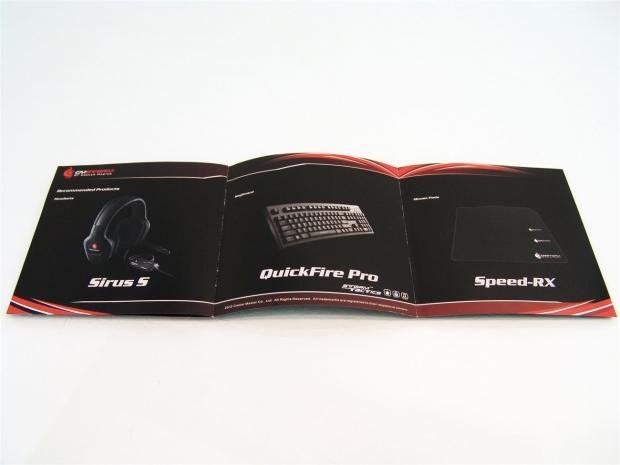
Folding out the rest of the guide you can see it is more of a product showcase to give you an idea of what headset, keyboard, and mouse pad you should get to go along with the Recon you just purchased for the matching set.
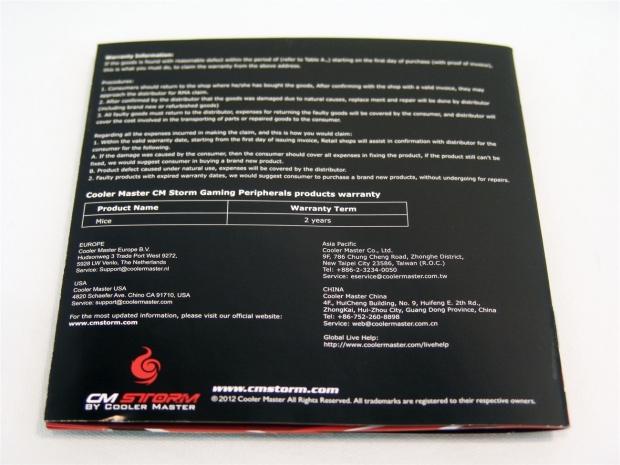
On the back you will find the terms and conditions of the warranty of the Recon. The terms are a bit out of focus, but you get the standard lines of if you broke it or modded it the warranty is void, but if something should go wrong or quit working with the Recon, you are covered for a period of two years for parts and labor.
CM Storm Speed-RX L Gaming Mouse Pad
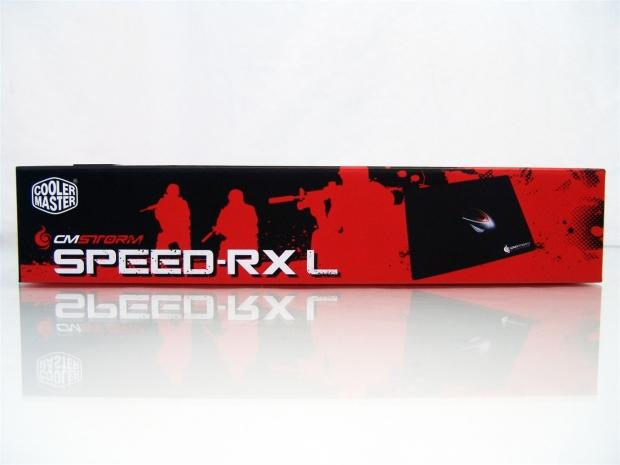
The packaging for the mouse pad stays with the red on black theme too, but this time uses the outline of soldiers to drive home the point of the gaming origin for this type of mouse pad. Along with the name of the pad, you get an image of the unrolled surface with the CM Storm Zero-G mouse on it.
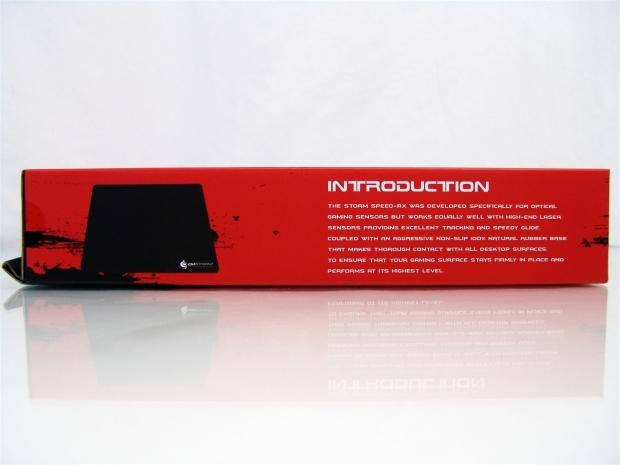
With the introduction to the Speed RX pad, it states that this pad is specifically designed to work best with optical sensors, but will work well with laser sensors as well. It also states that this pad uses a 100% natural rubber base with an aggressive non-skid bottom with cloth glued to the top of it.
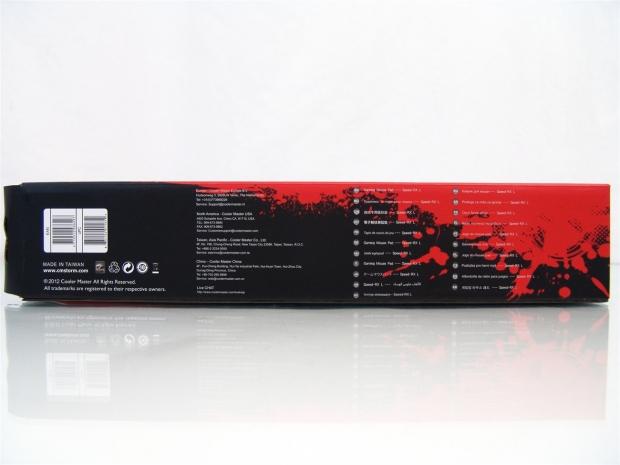
Here is the panel chosen to display that this is a "Gaming mouse pad".
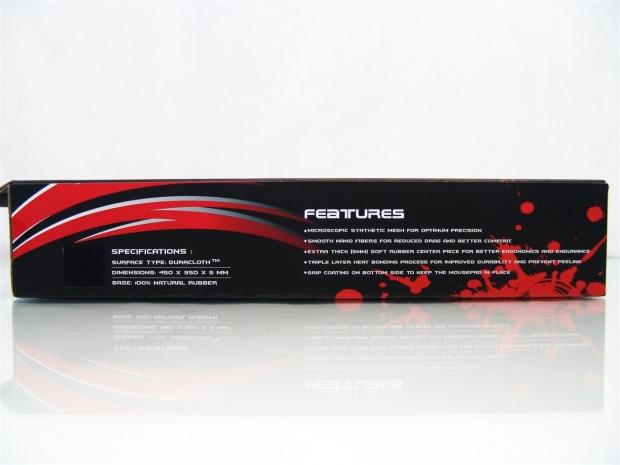
This side will allow you to touch the mat and see what it feels like next to a mall specifications list. On the right side are four features that should help sell you on the need to buy this pad when purchasing the Recon mouse.
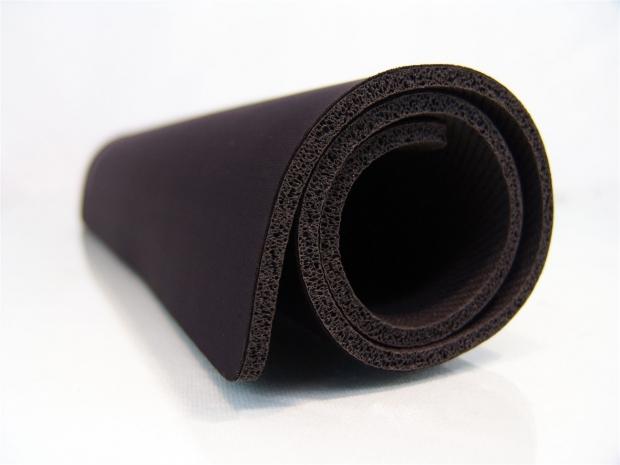
When you pull the pad out of the box, you will need to unroll it and let it lie flat for a day or so to allow the memory of this curl to relax.
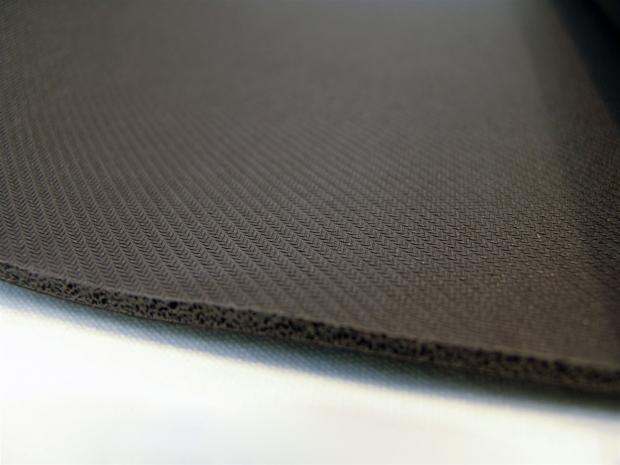
There is an angled chevron pattern used on the back of the thick foam backing of the pad to allow it to gain excellent traction against any surface, including glass.
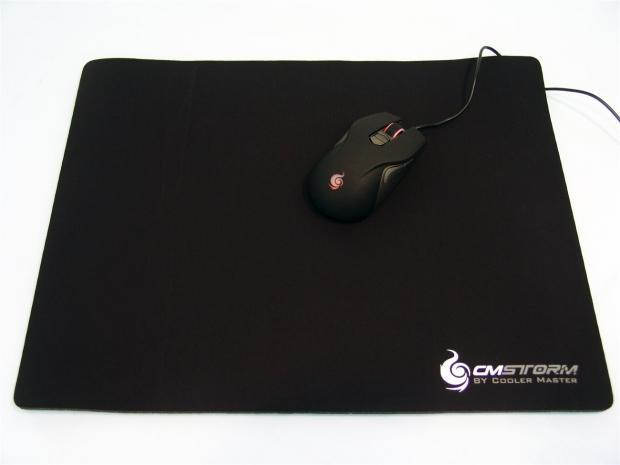
The top of this pad offers the CM Storm name and logo in grey and white paint at the bottom right corner, and I added the Recon to the image to give perspective on the amount of area you can command on the Speed-RX L gaming mouse pad.
Software
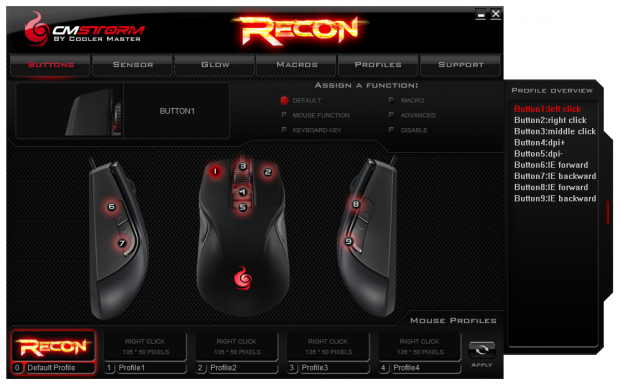
After you install the software for the Recon, once opened you are given this screen first. This is the Buttons screen where you can change the functionality of each of the nine buttons found on the Recon. At the bottom you can see there are five profiles that can be kept active at any point while using the Recon, but the zero slot is always the default as a way to reset the mouse and start over.
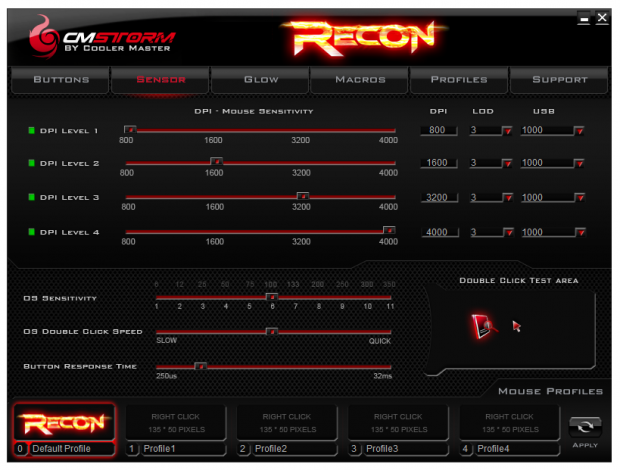
The Sensors page gives you control of the DPI, Lift Off Distance, and the polling rate for each of the four DPI levels on each of the profiles. The bottom half offers a sensitivity slider, a double click slider, and a button response time slider to obtain the perfect fit for your needs.
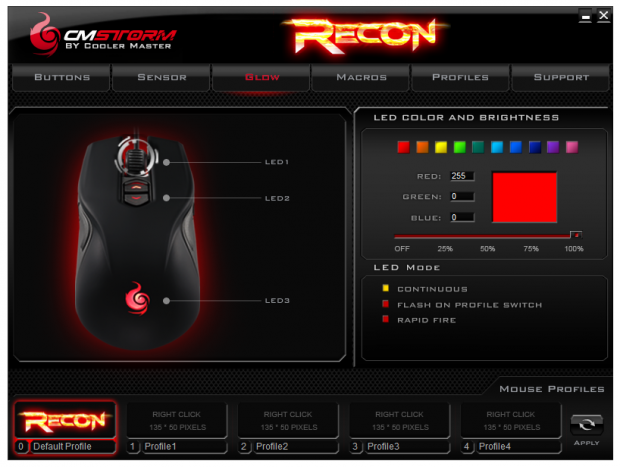
The Glow tabbed page gives you the option to change the LED lighting and effects for each of the profiles and DPI settings. There easy to change, you just click on the LED on the left, and on the right, click on a preset color or add your RGB code to the desired color, even the intensity can be controlled. If you want the LEDs to flash or notify you of changes to profile swaps, even a rapid fire mode that lights when you click the left click button.
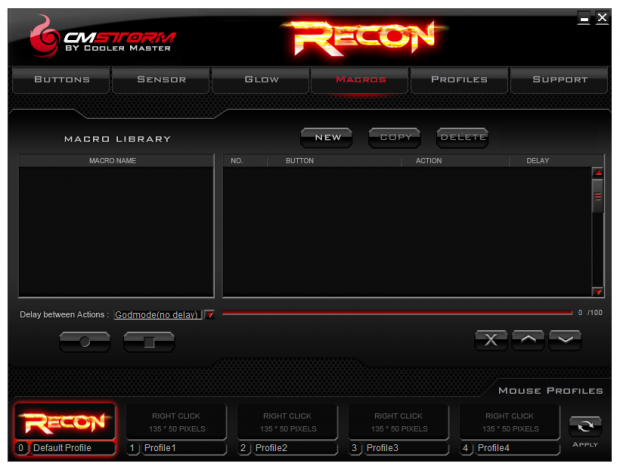
The Macro page is laid out well and is very intuitive to use. Click the NEW button, and in the left box a line will appear to name it. Then click the record button at the left and program the macro and then use the stop button when done.
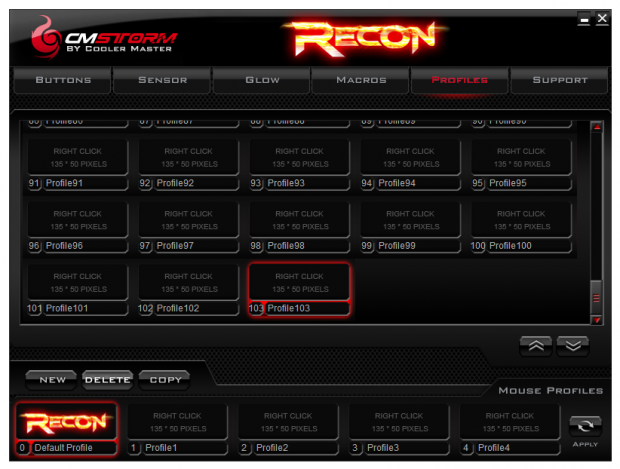
Just to give you an idea of the sheer amount of profile possibilities, the Recon offers this page to store, refine, and add profiles that you may not like at the moment, or aren't for your current games. No need to delete partial setups either. These are saved on the hard drive, and this is where you can select from for the other four profiles at the bottom of each page. You also see that it will save an image for each profile. I toyed around a bit to make one the right size just to realize that it has an auto resize built in as well.
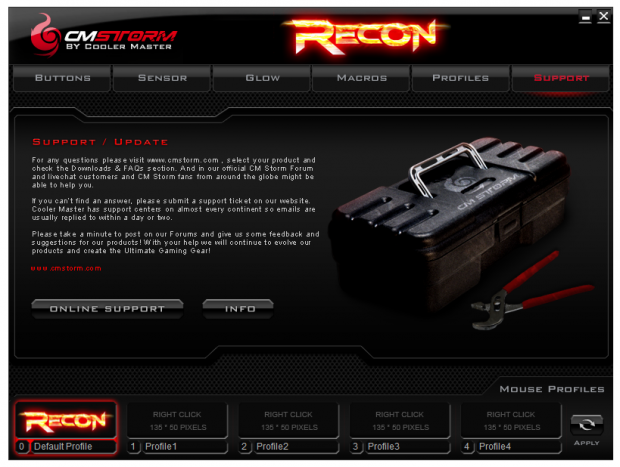
On the Support page you will find an address of where to go online for help. If that doesn't work out you can submit a support ticket. By clicking on the Online Support button, it takes you right to the downloads and FAQs page for the Recon. Clicking on the INFO button will deliver a little popup window that shows the Hardware version, the Sensor version, the Firmware version, and the Software version of the attached device.
Final Thoughts
I found the combination of the CM Storm Speed RX L and the Recon optical gaming mouse to be a perfect match for me with my lazy style of holding a mouse, and is still designed to fit comfortably with all the buttons within easy reach for demanding control in a game. The contrast of the textured gunmetal grey surfaces on the sides and surrounding the DPI buttons against the matte finish of the black rubberized coating is not only attractive, but both offer great traction against your hand as to not lose control of the Recon even with the hottest of battles being played. Once plugged in the Recon then comes to an illuminated state with the LEDs as guidance to what you need to see most in the dark room you are gaming in.
I like that the DPI buttons, scroll wheel, and the logo are all that light up and there is no bleeding of the light, just clean sharp blasts of color where it is meant to be. All of that topped with the fact that it really just feels great in your hand even within minutes of being out of the box, so your stats won't have to suffer as you get used to button position or feel, the Recon just fits.
With quite a bit of use, and it now staying on my desk as the mouse to beat, the Recon needs some assistance in what it is able to do, and that is from the benefit of the loads of options in the software portion of the Recon. This is where you can literally go nuts. There is a total of five profiles that can be saved on the mouse to be ready at any time, there is also a page to pre-load profiles, or store ones you currently aren't using or still need to tweak the Macros in said profile, but these stay on the hard drive. The amount of control with the Avago 3090 optical sensor gives you the option to select one of four DPI settings, and while picking that, you can set the LOD, polling rate to each of the DPI sliders. As if complete functionality control isn't enough, the Recon also comes with three programmable LEDs with the use of the pre-set selections or use of the RGB scale to set them so that you get full aesthetic control as well.
During my time with the Recon, I found it very natural in its feel as well as the motion on any gaming surface I have on hand. 800 DPI is very precise and great for a "sniper" setting for where you need that sort of thing. I find myself using the 1600 DPI at desktop and it makes me have to move very little, but still delivers enough accuracy not to make slight moves of the hand obnoxious. I was able to game well at the 3200 DPI level, but at the desktop I was finding myself overshooting icons. At 4000 DPI, even in games it is a bit tough to get used to, but I was able to get pretty comfortable with it in a couple of days of use. At the desktop level though I was not really able to double click the icons as even the slightest movement of the hand would make double clicking near impossible. Any way you look at it, if you want precise movement for the perfect headshot, or even for image manipulation, the Recon is a great choice. If you have the need to game at high DPI levels, the Recon doesn't fall here at all, and the 4000 DPI of the Recon has the feel of around 6500 DPI on some laser mice.
Even now after I have seen, manipulated, added macros, and changed the LED colors until I was just sick of trying things, I have absolutely no complaints to bring forth in the CM Storm Recon. There is still one up shot to this mouse that will seal the deal for almost any buyer, and that is the price. Too many times mice similar in offerings are demanding $80 to $100 to get what we see here, and I don't think I gave any of them as glowing of a review as this is turning out to be. So the fact that I can get the Recon at Newegg right now for only $39.99 makes the CM Storm Recon optical gaming mouse a really amazing deal.
It is rare that feel, function, aesthetics, and software all come together like this, but somehow Cooler Master pulled off what is likely going to be the mouse that will appear in our Holiday Gift Guide, even for the most discerning gamers out there, this package is simply going to be hard to beat.


 IQUNIX Magi96 Pro Aluminum Low Profile Mechanical Keyboard Review - Premium Build, Satisfying Sound
 Razer Pro Type Ergo Wireless Split Ergonomic Keyboard Review - Built for Comfort and Support
 ASUS ROG Strix Morph 96 Wireless Gaming Keyboard Review - Great Performance, More Affordable
 Corsair MAKR PRO 75 Hall Effect DIY Keyboard Review - Pre-Built and Ready for Action
 Razer Viper V4 Pro Wireless Gaming Mouse Review - Built for Competition
 Anthropic says Alibaba used 25,000 fake accounts to query Claude 28.8 million times and train Qwen off the results
 IBM announces world's first sub-1 nanometer chip with nanostack technology doubling transistor density
 Apple raises prices across the board, MacBook Neo now $699 while MacBook Pro sees a $300 increase
 The MacBook Ultra just lost its chip as Apple skips M6 Pro and M6 Max entirely
 DRAM prices surged by up to 89% in Q2 2026, destroying the consumer segment
 Most of Destiny team laid off, new Bungie leader steps down
 Adrenalinn hotfix driver 26.6.3 fixes Windows 10 bug preventing 26.6.2 driver from running on Windows 10
 GTA 6 disc copy may be sold in December, new reports indicate
 Xbox console prices increased again starting August 1, Microsoft announces
 A trip down memory lane: A visit to Lexar's impressive memory museum in Zhongshan, China
 UGREEN NASync DXP4800 GT Review: powerful 4-bay NAS with AMD Ryzen and dual 10GbE ports
 Dell XPS 14 (2026) Laptop Review - Premium Quality, Impressive Performance
 Ocypus Sigma F36 BK ARGB Cooling Fan Review: high airflow and unified design in one frame
 PCCooler CPS RZ820 Display Review: a flagship-level CPU air cooler with an LCD screen
 UGREEN FineTrack Mini 2 Air Tracker Tag Review - Long battery life, lesser performance
 Speed Racer (2008) 4K Ultra HD Blu-ray Review: a stunning remaster of the cult classic
 MOAIPLAY ORA PRO G1 850W ATX 3.1 PSU Review: high efficiency and 10-year warranty for $119.99
 Navman MiVue Smart True 4K Surround Dashcam Review - Seeing In All Directions At Once
 Asetek Forte S-Series Racing Simulator Bundle Review
 6 underrated Microsoft Word features worth using to boost your productivity
 Level Up Your PC Gaming with these Fantastic ASUS Prime Day Deals on GPUs, Motherboards, and More
 GIGABYTE Wants to Kickstart Your New Gaming PC or Upgrade with These Limited-Time Deals
 7 Windows settings to change right after installation for better privacy, security, and performance
 I stopped Windows 11 notifications from interrupting me with Do Not Disturb, Focus, and a priority list
 7 ways to transfer data from Android to Windows PC quickly and easily
 I read the Windows Backup app screen carefully, and it does not back up what most people think
 Low Sound Volume on Windows 11? How to fix audio issues and restore normal volume
 8 Critical Warning Signs You Should Never Ignore in Windows 11
 This Windows security feature protects Documents from ransomware, but it is off by default