
Our Verdict
Pros
- Powerful VRM
- Three PCIe x16 slots
- 5G LAN
- 27W USB PD
- Fast USB complement
Cons
- Needs a price drop
- Primary SSD cooling could be better
Should you buy it?
Introduction, Specifications, and Pricing
Though the sun is setting on the LGA 1851 socket, Z890 boards are still appealing thanks to strong multi-threading performance, improved gaming performance, and the bang-for-buck offered by Intel's Core Ultra Plus CPUs. Affordability is sorely needed in the PC market! MSI's Tomahawk motherboards are usually well-priced and appealing thanks to their mix of strong features and subtle looks. The MSI MAG Z890 Tomahawk WiFi II looks like another capable entry, though the competition is strong at its $229 price.
The Tomahawk WiFi II supports Arrow Lake Refresh processors right out of the box. It supports up to 256GB of memory and features a 16+2+1-phase VRM with beefy-looking heatsinks. It comes with 5G LAN, Wi-Fi 7, Thunderbolt 4, a refreshed BIOS, and it incorporates EZ-DIY features. But it's important to note from the outset that it omits a couple of features found on the Z890 Tomahawk WiFi. Thankfully, it's cheaper as a result.
Popular Now: Redditor buys an RTX 5070 Ti for $1,099 from Walmart, receives four graphics cards instead| Item | Details |
|---|---|
| Model | MSI MAG Z890 Tomahawk WiFi II |
| CPU Socket | LGA 1851 |
| Chipset | Intel Z890 |
| CPU Support | Intel Core Ultra 200 series |
| Memory | 4x DDR5 DIMM slots, up to 256GB, up to 9200+ MT/s (OC), Non-ECC, Clocked Unbuffered DIMM (CUDIMM) |
| Expansion slots | 1x PCIe 5.0 x16, 2x PCIe 4.0 x16 (x4) |
| Storage | 4x M.2, 4x SATA |
| Ethernet | Intel Killer E5000 5G |
| Wireless & Bluetooth | MediaTek MT7925 Wi-Fi 7, Bluetooth 5.4 |
| USB | Up to 1x TB4, 1x USB 20Gbps, 4x USB 10Gbps, 6x USB 5Gbps, 4x USB 2.0 |
| Audio | Realtek ALC1220P |
| Form Factor | ATX |
| MSRP | $229 |
The original Z890 Tomahawk is $259, which is $30 more than the second iteration. The extra money gets you an additional Thunderbolt 4 port and 320MHz Wi-Fi 7. The Tomahawk II supports 160MHz. It's up to you whether the extra money is worth it. I'd say it's not unless you are one of the relatively few that have a Wi-Fi 7 network.
Many competitors sit in its price range, such as the ASRock Z890 Lightning WiFi and GIGABYTE Z890 Eagle WiFi 7 Plus. Still, on paper, the $229 MSI Tomahawk WiFi II looks like a decent competitor. Let's take a closer look.
Packaging, Accessories, and Overview

The Z890 Tomahawk WiFi II comes in a compact box. MSI is obviously keen to highlight the board's networking capabilities.

Best Deals: MSI MAG Z890 Tomahawk WiFi II
Prices last scanned 15 hours and 59 minutes ago

7 days ago: $229.99 USD

7 days ago: $230.98 USD
7 days ago: $294.99 CAD
7 days ago: $319.99 CAD
7 days ago: £214.63


The rear of the box gives you a comprehensive rundown of the board's key features and specifications, along with a view of the rear I/O.

The board includes a decent set of accessories: a Wi-Fi antenna, two SATA cables, a quick start guide, stickers, M.2 accessories, and regulatory notices. The final cable, called the EZConn cable, connects to the JAF_2 header on the motherboard. It combines a system fan, a 5V ARGB header, and a front USB 2.0 header into one, making it a good way to cut down on case cable spaghetti.
Our Latest Socket LGA 1851 Review Coverage
- ASUS ROG Strix Z890-I Gaming Wi-Fi Review - Innovative Mini-ITX
- ASRock B860 Challenger Wi-Fi Review - An entry-level challenger
- ASUS ROG Maximus Z890 Hero Review - The Hero Resurrected
- MSI Z890 Gaming Plus WIFI6E Review - Z890 for under $200
- ASRock Z890 Taichi Aqua Motherboard Review - Flagship features without the flagship price
Motherboard Overview

The board features a neutral, mostly black theme. I think MSI tends to go a bit overboard with its dragon logo, which is missing from this board. Overall, I think it is the best-looking of the 800-series Tomahawks, though personally, I am not averse to green splashes. I have fond DFI memories!

Frequently Asked Questions
Open a question for an answer from TweakTown's coverage of this review, or ask your own below.
How does the MSI MAG Z890 Tomahawk WiFi II's 160MHz Wi-Fi 7 support affect speeds compared with the original Z890 Tomahawk WiFi?
How do the MSI MAG Z890 Tomahawk WiFi II's PCIe lanes work when multiple M.2 drives and expansion cards are installed?
What BIOS settings and DDR5 kits are needed to approach 9200 MT/s on the MSI MAG Z890 Tomahawk WiFi II?
What devices and data rates does the MSI MAG Z890 Tomahawk WiFi II's rear Thunderbolt 4 port support?
Have a question that isn't listed here? Ask below, and TweakBot will answer it.

Surprisingly, in this day and age, the board lacks built-in RGB, but it includes three ARGB headers and a 12V RGB header for lighting strips. I'm very impressed to see eight 4-pin fan headers, making it a great option for water cooling or cases with a high fan count.
The front USB complement comprises a single Type-C 20Gbps port, which supports 27W USB PD, two 5Gbps ports, and four USB 2.0 ports. 27W PD isn't the highest you'll see, but I'm always content to give a phone or tablet some extra juice.

There's not a lot to note on the back of the board.

Four DIMM slots support DDR5-9200+ speeds and up to 256 GB of capacity. I'm genuinely frightened to check how much a quality 256GB kit costs these days! A strong yet mega-expensive CUDIMM kit should reach 9200 MT/s without too much difficulty.
To the left of the ATX power connector is the JAF_2 header, which connects the EZ-Conn cable. We also have a debug LED and a PCIe quick-release mechanism.

The Z890 Tomahawk II features a 16+1+1+1 (VCore, SA (system agent), GT (integrated graphics), and VNNAON (always-on voltage) phase VRM with 90A stages. It's easily enough to handle a 270K Plus, and surely a 285K too, whether overclocked or not.
The brushed-metal heatsinks have ample surface area and deep grooves. The metal plate atop the main heatsink looks classy, too. A 20-minute Cinebench R24 loop yielded a peak VRM temperature of 59 degrees Celsius, which isn't the lowest we've seen with a 270K Plus, but it's well within the limits of modern VRM systems. As always, if you have at least some case airflow, modern boards will seldom struggle. We're not talking about nuclear 14900KS CPUs here.

The board has four M.2 slots mounted on the PCB. The topmost slot supports PCIe 5.0 x4 drives and has its own dedicated heatsink with a toolless retention mechanism. The other three support PCIe 4.0 x4. MSI doesn't list any lane-sharing compromises, as you would expect if the board had a fifth slot. There are four SATA ports too.
The Z890 Tomahawk II features three physical PCIe x16 slots. The primary slot supports PCIe 5.0 x16 electrically and is reinforced for heavy graphics cards. The other two slots are PCIe 4.0 x4 electrically. The board is a good option if you plan to install expansion cards.

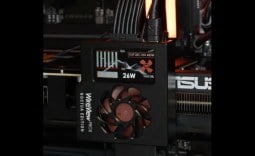
The primary M.2 heatsink features a quick-release mechanism, but it lacks the surface area of some competing boards. The middle heatsink is attached with screws, while the bottom-most heatsink cools two drives and also features a quick-release design.
MSI omits underside thermal pads; be aware of this if you use high-capacity double-sided SSDs.

The board's rear I/O is well equipped. The USB complement includes a single Thunderbolt 4 port (with USB4 20Gbps support, not the full 40Gbps), four USB 10Gbps ports, and four USB 5Gbps ports. It's a good high-speed complement, though a pair of USB 2.0 ports would be welcome, as they are useful for devices like keyboards, mice, and printers that don't need high-speed ports.
A BIOS flashback button is a welcome inclusion, though given we are nearing the end of the LGA 1851 socket's life, it may not be needed. Who knows? Maybe Intel will release more Arrow Lake models down the line. A CMOS clear button is placed next to it.
The board's networking capabilities are strong, with an Intel Killer E5000B 5G controller and a MediaTek MT7925 Wi-Fi 7 controller. However, it only supports 160MHz connections, a downgrade from the 320MHz supported by the first-release Z890 Tomahawk.
Next are the audio ports, which consist of 3.5mm line-in and line-out ports and S/PDIF. A Realtek ALC1220P codec drives these. A single HDMI 2.1 port rounds things out.
UEFI and Test System
UEFI


MSI introduced a new BIOS layout with its 800 series boards. It's been tweaked to reflect the board's design. It combines the simplicity of old-school BIOS layouts with a fresh, easy-on-the-eye design. I'm particularly impressed by the Hardware Monitoring page. A fifth control step would be welcome, though.
The EZ Mode page has almost every setting a user will need. You can access all set-and-forget features, such as XMP, automatic overclocking, boot priority, and fan controls, from this page.
As it's a Z890 refresh board, the Z890 Tomahawk II supports Core Ultra 200 Plus CPUs out of the box.
Test System
- CPU: Intel Core Ultra 7 270K Plus - Buy from Amazon
- GPU: MSI GeForce RTX 4070 Ti Super Ventus 3X - Buy from Amazon
- RAM: G.Skill Trident Z Neo RGB 2x16GB DDR5-6000 CL30 - Buy from Amazon
- Cooler: Cooler Master MasterLiquid PL360 Flux - Buy from Amazon
- OS Storage: Teamgroup T-Force Z540 2TB - Buy from Amazon
- Power Supply: Super Flower Leadex Titanium 850W - Buy from Amazon
- OS: Microsoft Windows 11 Pro - Buy from Amazon
Benchmarks - Rendering and Encoding
Cinebench 2024
Cinebench 2024 is a reliable, widely used benchmark that measures both single- and multi-threaded performance. Note that all our benchmark testing used the latest available Windows updates.

The Z890 Tomahawk II scored 2,481 in the nT test and 144 in the 1T test. That's just a hair's width away from the ASUS boards.
Blender
A rendering application like Blender is just one of many reasons a user might consider a 270K Plus. We use the Whitelands demo file and record how long it takes to render the image.

Only a few seconds separate the boards over this near seven-minute test.
Handbrake
HandBrake is a simple-to-use video encoding and transcoding application. Here, we convert a 4K movie trailer to 1080p. The results below show the average FPS, where higher values indicate the task will take less time to complete.

A result of 182.1 FPS shows the capabilities of a 270K Plus. The MSI is only fractionally behind the fastest boards. For comparison, a 9950X scores around 160 FPS.
Benchmarks - File Compression and Memory Latency
7Zip
7Zip is a commonly used free file compression and decompression app. It's very sensitive to memory speed and latency and scales with the number of CPU threads.

A score of 191.64 BIPS is a mid-pack result for the Tomahawk.
AIDA64 Memory Latency
Memory latency has been an area where Intel has traditionally held an advantage. Chiplet architectures inevitably add some latency compared to monolithic chips. The real-world benefits aren't that important, though.

Just look at how the 270K Plus destroys the 285K! There's no reason to buy one anymore.
Benchmarks - 3DMark
3DMark Storage
UL's newest 3DMark SSD Gaming Test is the most comprehensive SSD gaming test ever devised. It is superior to testing against games themselves because, as a trace, it is much more consistent than variations that will occur between runs of the actual game.

A score of 4,397 is decent, but random background SSD accesses can influence this test, and a half-second here or there in loading times will not be noticed.
3DMark Time Spy Extreme
Time Spy Extreme is losing favor as a graphics benchmark to Speed Way and Steel Nomad, but its CPU test still measures multi-core performance well.

The differences between the boards are minor, with only a few hundred points separating them in CPU score.
Benchmarks - Gaming
Cyberpunk 2077
Cyberpunk 2077 is brutal on graphics cards, but when things like ray tracing are removed, it becomes more sensitive to CPU and memory performance differences.

With the same GPU and CPU, it's no surprise that the motherboard makes little difference in graphically limited scenarios.
Horizon Zero Dawn
When using the 'favor performance' preset, Horizon Zero Dawn can achieve high frame rates with powerful graphics cards.

The differences here are negligible in percentage terms, though again, the 270K Plus is a superior gaming chip to the 285K.
Metro Exodus Enhanced Edition
Metro Exodus received an update that added improved DLSS support, enhanced ray tracing features, and variable rate shading. Still, with a powerful graphics card, it is affected by CPU and memory performance at 1080p, though less so with a card like the RTX 4070 Ti Super.

All the tested motherboards perform pretty much within a margin of error of one another.
VRM and SSD Temperatures
These tests highlight the differences between each motherboard's cooling assemblies. For VRM testing, each board runs a 20-minute Cinebench loop, while the SSD test records the peak temperature during the lengthy 3DMark Storage test.

A peak temperature of 59 degrees is marginally behind, but not by much. The ASUS ROG Hero and ASRock Z890 Taichi Aqua are much more expensive boards.

This result is likely due to the Z890 Tomahawk II's low-surface-area primary M.2 heatsink. The 3DMark Storage test isn't overly demanding, so you'll need good case airflow if you plan to frequently move multi-terabyte files. An underside thermal pad would also help with double-sided drives. MSI could do better here.
Final Thoughts
MSI's Tomahawk boards usually impress with capable feature sets and affordable mid-range prices. The MAG Z890 Tomahawk WiFi II is another solid Tomahawk entry, but as we move into the twilight of the LGA 1851 socket, its value proposition isn't as strong as it once was.
Production of Z890 boards is certainly winding down, and competing manufacturers are starting to offer hefty discounts as they seek to clear stock before the release of 900 series boards. However, discounts can be fleeting, so I won't judge the Tomahawk II against clearance boards that may not be in stock for long. In time, the Tomahawk II will likely see discounts too, especially as we approach Thanksgiving and end-of-year sales.
The Z890 Tomahawk WiFi II stands out as a no-frills board with a strong core feature set. It has 5G LAN, Wi-Fi 7, a strong VRM, Thunderbolt 5 (though only one port), and USB 20Gbps with PD support.
I also like that it has four M.2 slots and three PCIe slots, all of which can run simultaneously. Expansion slots aren't as important as they once were, but if you have devices you want to carry over to a new build, the MSI is a great option.
I've long been a fan of MSI's UEFI. It is easy to navigate and easy on the eyes. MSI's software has also come a long way. You can choose the modules you want to install without unnecessary bloat.
The board's SSD cooling is less impressive. A thin metal plate just doesn't impress when tasked with a hot-running PCIe 5.0 SSD under sustained loads. It's not a significant problem; I just feel MSI could do better. A tower-style heatsink would not cost much to include.
The MSI MAG Tomahawk WiFi II is a capable motherboard with strong expansion and connectivity options. It'll happily serve as the foundation of a 270K Plus system. It's just a shame you can't pop in a next-gen processor. The board is still listed at its original $229 launch price. Keep an eye out for discounts before Nova Lake launches. Just $20 or so off would add bang-for-your-buck to what is a capable, feature-rich Z890 option.