Our Verdict
Pros
- Physical design
- Contrast ratio
- Gaming performance
- Brightness
Cons
- Price vs competition
- HDMI limited to 2560 x 1440p at 240Hz
- USB-C only 15W and doesn't support video
- HDR performance
Should you buy it?
Introduction & Specification Details and Close-up
The Alienware AW3426DWM is a 34-inch VA panel with a 240Hz refresh rate and a 1500R curved display. The AW3426DWM features 450-nit peak brightness, making it brighter than current-gen OLED panels, along with three response-time modes ranging from 4ms GTG to 1ms GTG.

The AW3426DWM is clearly aimed at the mid-range, as Alienware has priced the panel at $399. The direct competitor to the AW3426DWM is the MSI MPG 346CQRF, which offers nearly identical performance specs (resolution, refresh rate, response time) but costs less and includes key features Alienware seemingly omitted.
Specifications
| Item | Details |
|---|---|
| Model | AW3426DWM |
| Size | 34-inch |
| Resolution | 3440 x 1440p |
| Pixels Per Inch (PPI) | 110 |
| Panel Type | VA |
| Refresh Rate | 240Hz |
| Response Time | 1ms (GTG), 2ms (GTG), 4ms (GTG) |
| Brightness | 450 nits peak |
| Contrast Ratio | 3,000:1 |
| Aspect Ratio | 21:9 |
| Viewing Angle | 178 degrees |
| Color Coverage | 95% DCI-P3 (CIE 1976) |
| HDR Support | VESA DisplayHDR 400, Dolby Vision HDR |
| Video Ports | 2x HDMI ports (HDCP 1.4 and HDCP 2.3) (Supports up to 2560 x 1440, 240Hz, FRL, DSC, HDR, VRR as specified in HDMI 2.1), 1x DisplayPort 1.4 port (HDCP 1.4 and HDCP 2.3) |
| USB Ports | 1x USB 5Gbps Type-B upstream port, 1x USB 5Gbps Type-A downstream port, 1x USB-C 5Gbps downstream port (Power Charging up to 15 W) |
| VESA Mounting | 100x100 |
| Adjustments | Height, Tilt, Pivot |
| Warranty | 3-years |
Close-up


Best Deals: Alienware AW3426DWM 34 Gaming Monitor
Prices last scanned 21 hours and 2 minutes ago


Design
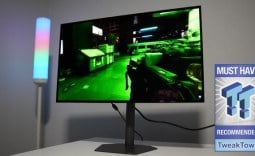
The AW3426DWM's physical design is its most eye-catching feature: the 34-inch curved ultrawide is both visually appealing and subtle. Additionally, Alienware hasn't outfitted the AW3426DWM with flashy LEDs, only the Alienware logo on the left-hand side of the backplate. From the front, the monitor looks almost entirely matte black, with slim top and side bezels only slightly thicker than the display's chin.

You really notice the 1500R curvature at the back of the monitor, which is quite aggressive for a 34-inch display, but I didn't find it a problem at all during testing. In fact, I came to really enjoy the 1500R curvature by the time I finished with the AW3426DWM, as the edges curve into your peripherals, creating that wrap-around effect ultrawide monitors are designed to deliver.
The stand is a clean part of the monitor, with a nice, single, rounded rectangular foot. Above the foot is a circular cutout for routing cables from the monitor's connectivity options on the underside of the panel. Notably, Dell lists the monitor at a 232mm depth with the stand attached, which may help anyone working on a shallow desk.

The stand does quite a good job of maintaining the AW3426DWM, and throughout testing I didn't notice any unusual monitor wobbling when the desk was knocked or bumped. For those who want to dodge the stand entirely, perhaps if you have a shallow desk or are just in need of more desktop space, Alienware has included 100x100 VESA mounting support.
Moving to the back of the monitor, the rear shell is finished in a dark grey/black plastic that is extremely minimal. Encircling where the stand connects to the back of the panel are ventilation holes that have been baked into the AW3426DWM's design. The On-Screen Display (OSD) options can be navigated by the multi-directional joystick located beneath the Alienware branding found on the chin of the display.
Our Latest Monitors Review Coverage
- ASUS ROG Strix OLED XG34WCDMS Review: Tandem OLED Takes Ultrawide Gaming Further
- GIGABYTE MO27Q2A Gaming Monitor Review: 1440p, 280Hz, and QD-OLED is a winning combination
- ASUS ROG Strix XG129C Review: A $199 Gaming Monitor You Don't Play Games On
- KTC H49S66 5K2K (5120x1440) 49-inch 180Hz Gaming Monitor Review
- GIGABYTE GO27Q24G Gaming Monitor Review: Glossy OLED Gaming at 240Hz

As for connectivity options, Alienware has equipped the AW3426DWM with 2x HDMI ports that support up to 2560 x 1440p at 240Hz, meaning you don't get the monitor's full native resolution of 3440 x 1440p at 240Hz over these ports. There is 1x DisplayPort and a USB hub with 1x USB 5Gbps Type-B upstream port, 1x USB-A 5Gbps downstream port, and 1x USB-C with up to 15W of power delivery. The USB-C port doesn't come with DisplayAlt Mode, meaning you won't be able to plug in devices over USB-C and display out on the AW3426DWM.

Frequently Asked Questions
Open a question for an answer from TweakTown's coverage of this review, or ask your own below.
Does the AW3426DWM need DisplayPort to run at 3440 x 1440 and 240Hz?
How useful is the AW3426DWM's USB-C port if it only provides 15W charging?
What devices or setups would benefit from the monitor's lack of DisplayPort Alt Mode over USB-C?
Which overdrive mode gives the best balance of speed and image quality on the AW3426DWM?
Have a question that isn't listed here? Ask below, and TweakBot will answer it.

These are two really disappointing aspects of the AW3426DWM, as 15W in 2026 is fine for charging your smaller devices, but when my iPhone is capable of 25W, along with tablets and laptops exceeding far past 25W, it would have been good to at least see 90W over the USB-C port. Additionally, the lack of full resolution support over HDMI means PC gamers are required to use DisplayPort with the AW3426DWM, and while that is going to be the case for the majority of users, there are still some users whose setups require or benefit from having full resolution across both ports.
Panel Breakdown
The AW3426DWM uses a 34-inch VA panel with a 3440 x 1440p native resolution, meaning pixel density comes in at 110PPI, which is a good fit for this size monitor as text clarity is more than passable and UI elements remain sharp. However, it isn't close to a 4K image when it comes to crispness.

One of the biggest advantages of having a VA panel is the contrast, which Alienware states is 3:000:1. This means blacks on the AW3426DWM should appear much darker than IPS-based competitors, particularly if the monitor is being used in a dark room. Unfortunately, these black levels are nowhere near what is produced on a QD-OLED panel, as that pixel technology is in a league of its own when it comes to blacks.
The AW3426DWM is rated for 400 nits, with 450 nits peak brightness. There is also support for Dolby Vision HDR and DisplayHDR 400. Neither of these modes really assists in the HDR performance, which is quite depressingly poor, but that is to be expected at this price point and 450-nit peak brightness. While it is nice to have access to HDR, it really isn't the reason anyone should be considering purchasing the AW3426DWM. What we are really here for is the 3440 x 1440p resolution at a 240Hz refresh rate.
Interestingly, Alienware has included three response time modes in the form of separate overdrive settings. Fast puts the AW3426DWM at a 4ms GTG response time, Super Fast at 2ms GTG, and Extreme at 1ms GTG. Throughout testing, I found the 2ms GTG mode to produce the most favorable results, as moving to Extreme produced some noticeable overshoot. This was particularly an issue in low-light scenes. The difference between 4ms and 2ms is hardly an issue, so I landed on Super Fast for the remainder of my testing experience.
Performance
So, how does the AW3426DWM fare in what matters most - games? Firstly, with every monitor I test, I like to include several different genres of games to see where the monitor performs best and to hopefully give a gamer an idea of what their experience will be like if they play their favorite type of game on the display under the spotlight.

For the AW3426DWM, I tested the following games: League of Legends, Apex Legends, Overwatch 2, Black Myth: Wukong, Cyberpunk 2077, The Witcher 3, God of War Ragnarok, Valorant, DOOM: The Dark Ages, Age of Mythology: Retold, Borderlands 4, Counter-Strike, Battlefield 6, and Forza Horizon 6.
Right off the bat, the AW3426DWM did provide quite an impressive gaming experience for its price point. For example, titles such as Overwatch 2, Cyberpunk 2077, Battlefield 6, Forza Horizon 6, and Age of Mythology: Retold were great demonstrations of how ultrawide gaming monitors can provide a more immersive gaming experience than standard 16:9 displays. The curvature, particularly in Forza Horizon 6, Cyberpunk 2077 during intense firefights, and the expansive top-down view you get in Age of Mythology: Retold, can only be achieved on an ultrawide.
Additionally, Overwatch 2 and Battlefield 6 having native ultrawide support, and the ability to push up close to the maximum refresh rate, were two further examples of incredible ultrawide gaming experiences. Where the AW3426DWM fell short is in titles such as League of Legends, Counter-Strike, Black Myth: Wukong, and The Witcher 3. These titles either displayed the limitations of the VA panel or simply aren't suited for ultrawide gaming.
Final Thoughts
So, should you buy the Alienware AW3426DWM? Unfortunately, the AW3426DWM is quite a tough sell at $399 when the MSI MPG 346CQRF X24 is currently listing for $379.99 and features identical performance specifications (resolution, refresh rate, size), but is $20 cheaper and comes with 98W charging over its USB-C port with DP Alt Mode support.

So, effectively, the MSI MPG 346CQRF X24 beats out the AW3426DWM in every major category, while maintaining a better price. The only reason I'd recommend the AW3426DWM is if Alienware's physical design language is the big appeal, and you wouldn't use the 98W charging or DP capabilities on the MSI variant anyway.