













Our Verdict
Pros
- Excellent overclocking potential
- DIMM.2 card
- Feature-packed BIOS
- 60W front panel USB PD
Cons
- Expensive
- Limited appeal outside of OC
Should you buy it?
Introduction, Specifications, and Pricing
ASUS Apex motherboards are sure to appear on the shortlists of overclocking enthusiasts. For many years, Apex motherboards have been favorites among overclockers using Intel platforms under the Maximus name; however, this is the first time an Apex board has been released under the Crosshair name for AMD platforms.
It's undoubtedly a high-end motherboard with a premium price. It doesn't come with every conceivable option of a board like the Crosshair Extreme, but it does come with a wide array of overclocking-focused features. Whether you're using air or liquid nitrogen cooling, this is a board purpose-built to extract every last drop of performance from your CPU and memory.
Popular Now: Assassin's Creed Odyssey becomes the highest-rated entry in the franchise, thanks to Nolan's 'The Odyssey'Like all X870E and X870 motherboards, the ROG Crosshair X870E Apex offers numerous ease-of-use improvements, native support for Ryzen 9000 series CPUs, enhanced memory support, and ongoing BIOS updates. Apex boards are always seeded to extreme overclockers, and their feedback is frequently used for BIOS refinement, sometimes for many years after a board is released.
The X870E Apex is a lovely-looking motherboard with a high level of attention to detail. For starters, it is heavy, indicating its heatsinks are very hefty indeed. Its brushed metallic finishes look great. A full-cover backplate adds to its weight.
| Item | Details |
|---|---|
| Model | ASUS ROG Crosshair X870E Apex |
| CPU Socket | AM5 |
| Chipset | AMD X870E |
| CPU Support | AMD 7000, 8000 & 9000 series |
| Memory | 2 x DDR5 DIMM slots, up to 128GB, up to 9600+ MT/s (OC) |
| Expansion slots | 2x PCIe 5.0 x16, 1x PCIe 4.0 x4, 1x PCIe 3.0 x1 |
| Storage | 5x M.2, 4x SATA |
| Ethernet | Realtek RTL8126 5G |
| Wireless & Bluetooth | MediaTek MT7927 WiFi 7, Bluetooth 5.4 |
| USB | Up to 2x USB4, 2x USB 20Gbps, 6x USB 10Gbps, 6x USB 5Gbps, 4x USB 2.0 |
| Audio | Realtek ALC4080 |
| Form Factor | ATX |
| MSRP | $699 |
Alongside a host of overclocking features, including a top-spec VRM, the board features dual PCIe 5.0 x16 slots, two memory slots, five M.2 slots, WiFi 7, 5G LAN, and plenty of speedy USB ports, including dual USB4 ports.
At the time of writing, the ASUS ROG Crosshair X870E Apex is available for a hefty $699, though that's actually $50 below its original launch price.

Best Deals: ASUS ROG Crosshair X870E APEX Motherboard
Price Trend:
Prices last scanned 3 hours and 54 minutes ago

7 days ago: $726.49 USD30 days ago: $726.99 USD

7 days ago: $735.99 USD30 days ago: $743.99 USD
7 days ago: $1119.99 CAD30 days ago: $949.95 CAD
7 days ago: $1149.99 CAD30 days ago: $1173.99 CAD
7 days ago: £913.5830 days ago: £919.48

7 days ago: $119930 days ago: $1199
Packaging, Accessories, and Overview

The ROG brand is the most recognizable in the PC market. ASUS's box designs and fonts have remained largely unchanged for many years. If it ain't broke, don't fix it.
Our Latest Socket AM5 Review Coverage
- ASRock X870E Taichi White Review: a premium AM5 motherboard with 10G LAN and WiFi 7
- ASUS ROG Strix X870E-A Gaming WiFI7 Neo Review - A New Enticing Option
- GIGABYTE X870E Aero X3D Dark Wood Review - A woody goody
- ASUS TUF Gaming X870-Pro WiFi7 W NEO Review - Tuffed up
- ASUS ROG Strix X870E-E Gaming WiFi7 NEO - A Crosshair by any other name

The rear of the box showcases the board's numerous features. This is a board for overclockers and PC enthusiasts. I don't think users will buy this board for AI functionality.

The X870E Apex includes a comprehensive list of bundled accessories. The DIMM.2 daughter card is the obvious highlight. The WiFi antenna is adjustable and feels well-built. There's also a bundled flash drive with software and utilities. That's becoming a rare thing on motherboards these days.
The board also comes with a memory fan, which is a 60mm fan that attaches to the middle part of the board. Of course, its primary function is to cool overclocked memory, but even if you use the board as a daily system, it could come in useful depending on the airflow characteristics of your case, as the DIMM.2 slot next to the memory slots may hinder airflow over the memory.
Additional accessories include several M.2 pads and screws, a quick start guide, a set of stickers, a thank-you card, and a bottle opener.
It's worth noting that no SATA cables or thermistor probes are included. ASUS correctly assumes that an ultra-enthusiast buying this type of motherboard likely already has a box full.
Motherboard Overview

The Crosshair X870E Apex looks like a ROG board through and through. It's an ATX offering, and given the number of onboard buttons, switches, and headers, it's hard to imagine how ASUS could cram much more onto the PCB without resorting to the E-ATX form factor, as seen in the Crosshair X870E Extreme.

The backplate covers the entire rear of the board, except for the area surrounding the CPU. It's not just cosmetic. It protects the rear components and acts as a secondary heatsink for the VRM subsystem of the board.
ASUS didn't go too overboard with fancy silk-screened graphics. There are two small RGB-lit areas inside the main VRM heatsink and adjacent to the primary PCIe slot. Some might say it's a little plain-looking. Still, a somewhat subtle design can be blinged to the hilt with three ARGB headers and a single RGB header. Half of the board would be covered anyway once you add a GPU, cooling, and memory.

The X870E Apex includes a huge array of onboard headers, buttons, and switches. A large number of these are aimed at overclockers, as you'd expect. There are nine 4-pin fan headers, one of which can supply up to 36W/3A of power. There's a power button, a debug LED readout, and what ASUS calls the FlexKey. By default, it resets the system, but it can be programmed to perform a Safe Boot or toggle the RGB on or off.
Overclockers will appreciate functionality that includes Ln2 and slow mode switches, a thermal sensor header, base clock up and down buttons, OC retry button, and a set of voltage read points.
The USB header complement will provide up to four additional USB 2.0 ports, four 5Gbps ports, and two Type-C 20Gbps ports. One of them supports 60W PD, which will appeal to users wanting to charge devices from their PC. To get 60W support, you must connect an 8-pin PCIe power connector, which is located right next to the header.

You'll note that there are just two RAM slots, which is a common feature of OC boards, where shorter traces and cleaner signals are regarded as more important than maximum capacity for superior DRAM overclocking.
The X870E Apex officially supports speeds of up to 9600 MT/s when used with a Ryzen 8000 series processor. Ryzen 9000 chips support 8200+ MT/s. Of course, the speeds you can reach will depend on the capabilities of your memory and CPU. The silicon lottery applies bigly.
I had a crack with a set of G.Skill 7600MHz 2x16GB memory and was able to hit DDR5-8200, but it wasn't stable. With more time and tweaking, I'm sure it could be made so.
But high speeds on the AM5 platform are mostly for prestige. Such speeds require switching the memory clock and the memory controller clock from their default 1:1 mode to 1:2 mode. This allows the memory to run faster, but it introduces a minor latency penalty that cannot be overcome without substantially higher memory clocks. This is why AMD recommends memory in the DDR5-6000 to DDR5-6400 range, with tight timings, for optimal performance. However, the gap is closing as faster DDR5-8000+ memory with tighter timings becomes available on the market.
It's also worth noting that CUDIMM memory is not supported on the AM5 platform except in bypass mode. That may change with Zen 6. That's where the memory overclocking prowess of the X870E Apex should really shine. Though an X970E Apex will surely arrive at that time to further test your wallet!

Storage-wise, the X870E Apex features up to five M.2 slots, with three supporting PCIe 5.0. They are all located on the motherboard PCB. If you use all three with a Ryzen 9000 processor, the second PCIe expansion slot will be disabled, and the primary slot will be reduced to 8x mode. It's a little complicated, so it's worth using the DIMM.2 add-in card unless you absolutely must have multiple PCIe 5.0 SSD support.
The DIMM.2 daughter card is a long-running ASUS feature found on many Apex and Extreme models. It can be installed in the dedicated slot next to the RAM slots. It's wired to the chipset (actually dual chipsets for X870E), and it supports PCIe 4.0 x4 drives. It's a clever solution, as it allows you to install a pair of SSDs away from a heat-dumping GPU. In a standard system build, it will be positioned in the path of airflow from the front to the back of a case. Four SATA ports join the five M.2 slots.
There are four expansion slots. The metal reinforced slots are capable of PCIe 5.0 x16 or x8/x8 modes. The other two slots are connected to the chipset and support PCIe 4.0 x4 and PCIe 3.0 x1, respectively.

The primary M2_1 PCIe 5.0 slot, located above the topmost expansion slot, features its own hefty heatsink with a simple and well-designed retention mechanism. The other two slots are cooled by a plate attached with screws. The DIMM.2 card has removable heat plates on either side of its PCB.

The X870E Apex features a powerful VRM, one of the strongest implementations available on any X870E motherboard. It's an 18+2+12 design with 110A stages. Given that this board is built to chase extreme OC records with liquid nitrogen, it's safe to say regular users will not be hindered in any way by more down-to-earth cooling.
The X870E Apex's VRM cooling is solid, but doesn't actually have the huge surface area of some boards, particularly those with true finned designs. While it's true that these will be removed for extreme overclocking, some optional active cooling may be beneficial. Thankfully, AMD CPUs are not as demanding as Intel's 13th and 14th-generation processors. With decent airflow, the heatsinks are easily capable of handling the demands of an overclocked system using typical air or water cooling.

The X870E Apex's I/O panel is well-equipped, but it doesn't really dazzle for a board at this price. The USB complement begins with dual USB4 Type-C ports with DP support. Another 10Gbps Type-C port joins these. There are an additional five Type-A 10Gbps ports and two 5Gbps ports, totaling ten ports.
A Realtek RTL8126 controller controls the single 5G LAN port. 10G would be nice to see at this price, but its absence can be forgiven on a board with a heavy focus on overclocking.
The X870E Apex supports WiFi 7, and it's nice to see 320MHz connection support. Our sample came with a MediaTek MT7927 controller. Some variants come with a Qualcomm QCNCM865 controller.
Next are the audio ports, which consist of 3.5mm line-in and line-out ports, as well as S/PDIF. A Realtek ALC4080 codec drives these. The inclusion of a Savitech SV3H712 headphone amplifier bolsters the audio section.
Finally, we have a single PS/2 port, a CMOS clear button, and a BIOS flashback button. Some overclockers still favor PS/2, as it allows the USB to be completely disabled, thereby freeing up CPU cycles.
UEFI, Software and Test System
UEFI


You'd expect ASUS to pack the BIOS of an Apex board with features and esoteric settings. The first Apex for any AMD platform is no different. The advanced pages tend to have a steeper learning curve than some, but a general user will find most of what they need without even having to navigate into the advanced section. Serious overclockers won't need me to tell them that this is a board with an incredible array of things to tweak.
I've long been a fan (pun intended) of ASUS' fan control page, particularly in terms of its simplicity and design. The Q-Dashboard page is also a handy feature to have. It lists the headers, slots, and ports, and whether they've been populated or not. It's an easy way to troubleshoot a problematic component or peripheral.
I try to avoid installing motherboard manufacturers' complete software suites, but in fairness to ASUS, its Armory Crate software offers the option to install some notable extras, including AIDA64 Extreme with a full-year license. You'll probably need to download ASUS' Aura Sync app for RGB control, and the ASUS-themed HWINFO and CPU-Z apps are must-haves for any PC builder.
Test System
- CPU: AMD Ryzen 9 9950X - Buy from Amazon
- GPU: MSI GeForce RTX 4070 Ti Super Ventus 3X - Buy from Amazon
- RAM: G.Skill Trident Z Neo RGB 2x16GB DDR5-6000 CL30 - Buy from Amazon
- Cooler: Cooler Master MasterLiquid PL360 Flux - Buy from Amazon
- OS Storage: Teamgroup T-Force Z540 2TB - Buy from Amazon
- Power Supply: Super Flower Leadex Titanium 850W - Buy from Amazon
- OS: Microsoft Windows 11 Pro - Buy from Amazon
Benchmarks - Rendering and Encoding
Cinebench 2024
Cinebench 2024 is the latest version of Maxon's reliable and frequently used benchmark, which measures both single- and multi-threaded performance. Note that all our benchmark testing used the latest available Windows updates.

The X870E Apex performed well, achieving results of 2,307 in the nT test and 140 in the 1T test. That's a strong result for a Ryzen 9 9950X with our test settings.
Blender
A rendering application like Blender is just one of many reasons a user might consider a high-core-count CPU, such as the Ryzen 9 9950X. We use the Whitelands demo file and record how long it takes to render the image.

A result of 434 Seconds for this test puts the ASUS in the middle of the boards we've tested so far.
Handbrake
Handbrake is a simple-to-use video encoding and transcoding application. Here, we convert a 4K movie trailer to 1080p. The results below show the average FPS, where a higher result means the task will take less time to complete.

A result of 158.4 FPS is right on par with what a 9950X should achieve in this test.
Benchmarks - File Compression and Memory Latency
7Zip
7Zip is a commonly used free file compression and decompression app. It's very sensitive to changes in memory speed and latency, and scales with the number of CPU threads.

A result of 232.41 BIPS is a strong result for the X870E Apex.
AIDA64 Memory Latency
Memory latency has been an area where Intel has traditionally held an advantage. Chiplet architectures inevitably add some latency compared to monolithic chips. The real-world benefits aren't that important, though.

With the X870E Apex topping the charts in both the memory-sensitive 7zip test and the memory latency test, we have an indicator that the memory performance of the board is solid. Is this a result of its dual-DIMM design?
Benchmarks - PCMark and 3DMark
PCMark 10 Productivity
We'd love to use our PCs solely for leisure, but some of us have to work too! The PCMark 10 productivity test performs a series of tests using office productivity applications.

Ultimately, all the tested boards are within a fraction of each other.
3DMark Storage
UL's newest 3DMark SSD Gaming Test is the most comprehensive SSD gaming test ever devised. It is superior to testing against games themselves because, as a trace, it is much more consistent than variations that will occur between runs of the actual game.

The X870E Apex performs strongly again, although only a small margin covers the field, as is expected from a now mature platform.
3DMark Time Spy Extreme
Time Spy Extreme is losing favor as a graphics benchmark in favor of Speed Way and Steel Nomad, but its CPU test is still a good measure of multi-core performance.

The differences between the boards are minor, but the Apex sits in the top spot, which is the place to be!
Benchmarks - Gaming
Cyberpunk 2077
Cyberpunk 2077 is brutal on graphics cards, but when things like ray tracing are removed, it becomes more sensitive to CPU and memory performance differences.

It's no big surprise to say the motherboard makes little difference in graphically limited scenarios. The minimum FPS result looks good for the X870E Apex, though.
Horizon Zero Dawn
When using the 'favor performance' preset, Horizon Zero Dawn can achieve high frame rates with powerful graphics cards.

The differences here are minor, but it's better to be near the front than the rear.
Metro Exodus Enhanced Edition
Metro Exodus received an update that added improved DLSS support, enhanced ray tracing features, and variable rate shading, among other things. Still, with a powerful graphics card, it is affected by CPU and memory performance at 1080p, though less so with a card like the RTX 4070 Ti Super.

All the tested motherboards perform essentially identically.
VRM and SSD Temperatures
These tests are performed to show off the differences between each motherboard's cooling assemblies. In the case of VRM testing, each board is subjected to a 20-minute Cinebench loop, while the SSD test records the peak temperature recorded during the lengthy 3DMark Storage test.

The ASUS is a little surprisingly a touch behind here, but not alarmingly. An embedded fan would drop it a few degrees, but is that really necessary? Extreme overclockers would remove the whole assembly anyway. And besides, this result is well within acceptable limits.

The primary M.2 heatsink of the X870E Apex is big and chunky, and this is reflected in the test result here. As with any PCIe 5.0 SSD, it's vital to ensure you have good case airflow. Having a gigantic heat-dumping GPU adjacent to an SSD heatsink is never optimal.
I didn't test temperatures with the DIMM.2 card, but I'd almost certainly place secondary PCIe 4.0 drives in it, and not underneath the graphics card.
Final Thoughts
The AM5 platform has been a little neglected when it comes to top-tier overclocking options. That's changing now, with ASUS releasing the ROG Crosshair X870E Apex. ASRock is also readying the X870E Taichi OCF, while GIGABYTE has its X870 AORUS Tachyon ICE. MSI is also set to release the interesting MATX B850 Mpower. AMD overclocking has always been available, but the AM5 platform is now receiving the attention it deserves after years of Intel-exclusive options.
Anyone who's overclocked with an ASUS Apex motherboard will already have a fair idea of what to expect, even without reading any reviews. With few exceptions, they have all the necessary tools for air, water, or extreme overclocking.
However, $699 is a lot to pay for a motherboard. The ROG Crosshair X870E Apex is very much a horse-for-courses type of affair. You can get many of the same 'regular' features on cheaper motherboards. But overclockers are a unique group of customers. There's a reason companies like ASUS put out press releases almost daily with a new world record CPU or memory overclock. Such records matter little to regular users, but they make excellent PR.
Central to the board is its strong VRM solution, which is more than sufficient to power an overclocked Ryzen 9 9950X even with liquid nitrogen cooling. The dual memory slot design makes it one of the few options for maximizing your memory.
The layout and functionality of the X870E Apex BIOS will be familiar to long-time ROG fans. The advanced pages offer comprehensive tweaking options for users seeking to optimize their CPU and memory performance. It's also a strong performer, as seen in our benchmark testing.
The X870E Apex still features common X870 elements, including USB4, WiFi 7, and a range of ease-of-use functionalities. But you can add to that 5G LAN, 320MHz WiFi support, a good-quality audio solution, and a somewhat subtle yet attractive design. The 60W PD option for the front USB-C port is also a nice feature.
Those who love tweaking and testing and then tweaking and testing some more will love the ROG Crosshair X870E Apex. It's a powerful board for deep-pocketed users and overclocking enthusiasts. However, if you're more interested in a set-and-forget build with PBO on an EXPO memory kit, it's worth considering other options at this price. ASUS's own ROG Crosshair X870E Hero is one such option.


 MSI Z890 Gaming Plus WIFI6E Review - Z890 for under $200
 ASRock X870E Taichi White Review: a premium AM5 motherboard with 10G LAN and WiFi 7
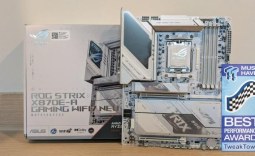 ASUS ROG Strix X870E-A Gaming WiFI7 Neo Review - A New Enticing Option
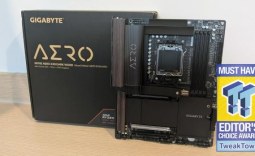 GIGABYTE X870E Aero X3D Dark Wood Review - A woody goody
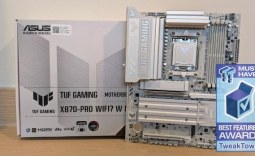 ASUS TUF Gaming X870-Pro WiFi7 W NEO Review - Tuffed up
 Giveaway: 12 Winners Will Score MONTECH NX400 and NX600 CPU Coolers
 Windows 11 update has broken some PC games, and RGB lighting could be the issue
 Assassin's Creed Odyssey becomes the highest-rated entry in the franchise, thanks to Nolan's 'The Odyssey'
 PlayStation gamers' planned week-long 'PS Blackout' begins today
 Nintendo Switch 2 will rise to £419.99 in the UK, starting September 1
 One retailer says 91% of attempts to buy DDR5 memory are coming from bots
 Jensen Huang signed NVIDIA RTX Pro 6000 graphics card sells for $57,450 at auction
 GTA 6 leaks have reportedly led to a morale drop at Rockstar, with Netflix frustrated as well
 The Blood of Dawnwalker won't hit 60 FPS on any console, PS5 Pro tops out at 40 FPS
 AMD claws back ground against Intel in the CPU market, climbs to 35% share in desktop CPUs
 Redditor receives not one but TWO empty boxes of Ryzen 5 9600X from Amazon
 Cooler Master MasterFan A120 Fan Review
 GIGABYTE MO27Q2A Gaming Monitor Review: 1440p, 280Hz, and QD-OLED is a winning combination
 Cooler Master V8 ACE 3DHP BLACK CPU Cooler Review
 ASUS ROG Strix XG129C Review: A $199 Gaming Monitor You Don't Play Games On
 Cooler Master HAF II 500 Mid-Tower Chassis Review
 Corsair HS35 v3 Wireless Gaming Headset Review - An Affordable Winner
 D-Link F518 5G Wi‑Fi 6 AX1800 Mobile Hotspot Review: All-Day Mobile Hotspot
 Bose Lifestyle Ultra Speaker Review - Impressively Detailed Room-Filling Sound
 Mortal Kombat (1995) 4K Ultra HD Blu-ray Review
 Using Multiple Monitors? Change these Windows settings for a Better Experience
 Windows Sandbox is The Windows Security Feature Most People Never Use
 I ditched the Windows 11 context menu for this open-source tool, and here's why
 Windows 11 may be encrypting your drive already, and I checked where my recovery key went
 GIGABYTE's 40 Days of INFINITY celebrates 40 Years of Innovation with stunning GeForce RTX graphics cards and rewards
 I swapped File Explorer for this free file manager and finally got the layout I wanted
 How to tell if someone has been using your Windows PC without your permission
 6 Task Manager tips for troubleshooting Windows performance problems
 ASUS ROG's 20th Anniversary Line-up of Premium PC Gaming Gear has Arrived - Here's Everything You Need to Know
 Six File Explorer tips every Windows user should know