
Our Verdict
Pros
- Four 120mm ARGB fans included
- Low price point of $59.99
- Front and top magnetic dust filters
Cons
- Thin steel used, feels very flimsy
- Cheap PSU filter
- No USB Type-C port on front I/O
Should you buy it?
Introduction, Specifications, and Pricing
So, XPG has sent over their newest version of the Valor, the Valor Air Plus, in white. Priced at a staggeringly low price of $59.99, I am quite surprised to see four included 120mm ARGB fans. Why don't we look at XPG's newest offering, install some components, and see what Valor Air Plus is made of? Let's go.
| Item | Details |
|---|---|
| Model | XPG Valor Air Plus |
| Form Factor | ATX Mid-Tower |
| Dimensions | 482 x 200 x 400mm |
| Weight | 6.1 kg / 13.45 lb |
| Materials | SPCC, 3mm Tempered Glass |
| Color | Black or White |
| Motherboard support | Mini-ITX, M-ATX, ATX |
| Cooling Compatibility | Front: 120mm x 3 or 360mm Radiator | Top: 120mm x 2 or 240mm Radiator | Rear: 120mm x 1 or 120mm Radiator |
| Pre-Installed Fans | Front: 120mm ARGB x 3 | Rear: 120mm ARGB x 1 |
| Drive bay internal | 3.5"": 2 | 2.5"": 2 |
| CPU cooler height (max.) | Up to 160mm |
| VGA card length (max.) | Up to 340mm |
| PSU Length (max) | Up to 170mm |
| Warranty | 2 Years |
Packaging

Packaged in the standard brown cardboard box, XPG has some detail and graphics of what's inside. Relatively compact for an ATX chassis, the Valor Air Plus measures 482x200x400mm.

One of the sides of the packaging shows the specifications of the XPG Valor Air Plus.

Best Deals: XPG Invader Mid-Tower Brushed Aluminum PC Case
Prices last scanned 9 hours and 36 minutes ago


The backside of the box shows blown-out images of the Valor Air Plus with a lettered key showing the individual components.

Now, taking the Valor Air Plus out of the cardboard coffin it arrived in, we see that XPG has upgraded its foam to open-cell black foam, which protects the case much better than closed-cell foam. The Valor Air Plus is also enclosed in a plastic bag to keep debris away.
Outside the XPG Valor Air Plus ATX Mid-Tower Case

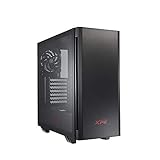
With all the packing materials removed from the Valor Air Plus, we can see its taller stance and compact design. In the front, a mesh front panel, along with slits, is made to help air move more freely.

Again, the front is fully meshed with a magnetic dust filter, which, despite its name, does not offer much airflow.
Our Latest Mid-Tower Cases Review Coverage

The backside panel doesn't have much going on, so I am moving on.

The bottom shows a cheap, flimsy dust filter for the PSU intake; I wish this were slide-out or magnetic like the rest. Four foam feet are in each corner; again, if I were XPG, I would have opted for rubber instead of foam. Also, two screws are present to adjust the HDD cage position. The front panel is also held into place via a single thumbscrew.

The rear of the Valor Air Plus shows an elongated top section to allow for clearance for AIO coolers; however, only 240mm radiators are supported up top. The rear fan, which supports 120mm fans, is somewhat height adjustable and has a circular mesh pattern restricting airflow. We have the seven PCIe slots below the rear fan, which are bent out. Come on, it's 2025. Why do we still have bend-out PCIe tabs?

Now we come to the front I/O, which is located on the top panel. It starts off with two USB 3.1 Type-A ports, a combo 3.5mm headset/microphone jack, a small circular reset button, and lastly, a triangular power button. Oddly enough, a USB Type-C port has been omitted, something of a standard here in 2025. We also have a magnetic dust filter, which is used as an exhaust, but it is pointless to have since the front is filtered anyway.
Inside the XPG Valor Air Plus ATX Case

Moving inside the Valor Air Plus, we see three of the four, which included 120mm ARGB fans with the model number VENTO120ARGB. Each fan runs on 12V with .18a.

Looking at the rear of the inside of the Valor Air Plus, we spotted the last of the four included 120mm ARGB fans.

Finally, we have the Valor Air Plus with the rear side panel removed, which shows the mess of ARGB cabling that is all daisy-chained together. Yay! Also, 2.5" SSD/HDDs can be installed either on the mounting plate behind the motherboard tray or on the left of the tray behind the motherboard. Additionally, two 3.5" HDDs can be installed in the basement via the HDD cage.

Tied to all the front I/O cabling, we found a little baggy with PCIe slot covers, screws, standoffs, the user manual, and a few zip ties.
Test System, Installation, and Finished Product
| Item | Details |
|---|---|
| Motherboard | GIGABYTE Z690 AORUS Pro (Buy at Amazon) |
| CPU | Intel Core i5-12600K (Buy at Amazon) |
| RAM | Corsair Dominator Platinum 32GB DDR5-7200 (Buy at Amazon) |
| GPU | ZOTAC GeForce RTX 3090 Trinity (Buy at Amazon) |
| Display | Samsung Odyssey G9 Dual QHD 240Hz (Buy at Amazon) |
| SSD | Kingston Fury Renegade 1TB (Buy at Amazon) |
| PSU | Enermax PlatiGemini 1200w 80 PLUS Platinum |
| Cooler | Cooler Master PL360 Flux (Buy at Amazon) |
| OS | Microsoft Windows 11 Pro (Buy at Amazon) |
Final Thoughts

Building in XPG's Valor Air Plus can be a bit of a challenge. The thin steel used, the bend-out PCIe slot covers, and the tangle of fan and ARGB wires can be a bit frustrating. However, with some patience and cable management, the build started to take shape. The build quality of the Valor Air Plus is not exceptional, but it's decent. Let's now move on to temperature testing.

For testing, I used the Intel Core i5 12600K on a Z690 AORUS Pro motherboard to test XPG's Valor Air Plus ATX mid-tower case. For the memory, two DDR5 sticks of Corsair Dominator Platinum RGB were run at DDR5-7200M/T. Zotac's NVIDIA RTX 3090 Trinity GPU was run at stock power limits and clocks via MSI's Afterburner GPU Overclocking and Monitoring utility for the test GPU. For the fan configuration, the XPG Valor Air Plus's fans are set up by default with three 25mm thick 120mm ARGB fans mounted directly to the Cooler Master PL360 Flux on the front as intake and another ARGB 120mm fan as the exhaust in the rear fan location. This kind of fan configuration makes for a very positive case pressure scenario.
Temperatures for the 12600K rose to a max temperature of 68C but managed to average out to 61C while maintaining a boost clock of 4.3GHz. Zotac's NVIDIA RTX 3090 Trinity did hit a maximum temperature of 86.1C but only lowered the average temperature down to 83.4C. Overall, the temperatures quite were suitable for the CPU, but the GPU ran hotter due to having to install the 360mm radiator as the front air intake, thus dumping all the hot CPU air right at the GPU. While testing, I did omit the top dust filter, mainly because the dust buildup doesn't work that way and would hinder the fan's performance.
All testing was completed using Aida64 Engineer's System Stability Test version v7.60.7300 for over 8 hours; the ambient temperature was 19C. Other monitoring software used was HWiNFO64 v8.07-5515, TechPowerUp GPU-Z v2.64.0, and CPU-Z 2.14.0.x64.

Overall, the Valor Air Plus is a very compact reiteration of the original Valor with a low price tag of $59.99, including four 120mm ARGB fans. Where the XPG Valor Air Plus seems to fall short is in the build quality, which is mainly made from very thin steel, as well as using bend-out PCIe slot covers, but it seems like it was later redeemed a bit by including PCIe slot covers, which does seem more like an afterthought more than anything.
Another standard feature nowadays is the inclusion of a front I/O USB Type-C port, which, in this case, was omitted entirely; while this would have added a few bucks to the overall cost, it would be worth it, IMO. For what it is, the Valor Air Plus is a decent budget-minded ATX case that won't break the bank.