



The world's most significant IT outage is happening right now, and numerous countries and critical infrastructures are still recovering from or suffering from the dreaded Windows Blue Screen of Death (BSOD).
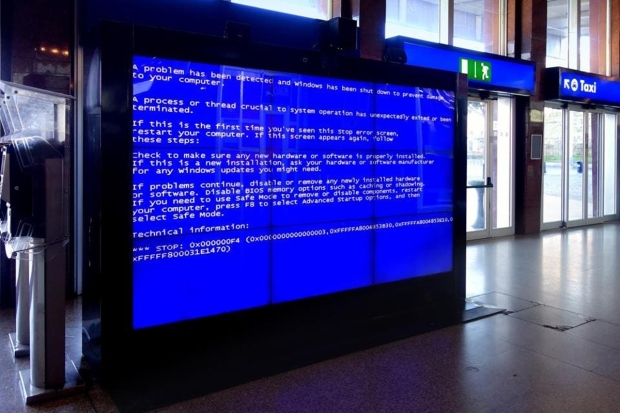
Millions of Windows PCs across the planet are being hit with the BSOD, with the affected systems disrupting banks, airlines, emergency services, supermarkets, payment systems, telecommunications, businesses, hospitals, stock exchanges, and more. The problem was traced back to CrowdStrike, a cybersecurity software company that issues solutions to Microsoft for its Windows operating system. CrowdStrike issued an update on Friday to its security platform, Falcon, which caused the "Falcon Sensor" component critically failing.
More specifically, a faulty driver update identified as "C-00000291.sys" is the culprit behind the outage. This driver addressed invalid memory space, causing Windows to boot incorrectly and, ultimately, the BSOD. Luckily, there is already a fix for the issue, but it appears it will have to be done manually, as it involves booting the affected PC in Windows Safe Mode or Windows Recovery.
CrowdStrike has recognized the fault and the gravity of the situation in a new blog post published on its website, where it also outlined various fixes depending on the affected system.
Workaround steps for individual hosts:
- Reboot the host to give it an opportunity to download the reverted channel file. We strongly recommend putting the host on a wired network (as opposed to Wi-Fi) prior to rebooting as the host will acquire internet connectivity considerably faster via ethernet.
If the host crashes again, then:
- Boot Windows into Safe Mode or the Windows Recovery Environment
- NOTE: Putting the host on a wired network (as opposed to Wi-Fi) and using Safe Mode with Networking can help remediation.
- Navigate to the %WINDIR%System32driversCrowdStrike directory
- Note: On WinRE/WinPE, navigate to the WindowsSystem32driversCrowdStrike directory of the OS volume
- Locate the file matching "C-00000291*.sys" and delete it.
- Boot the host normally.
- Note: BitLocker-encrypted hosts may require a recovery key
Workaround steps for public cloud or similar environment including virtual:
Option 1:
- Detach the operating system disk volume from the impacted virtual server
- Create a snapshot or backup of the disk volume before proceeding further as a precaution against unintended changes
- Attach/mount the volume to a new virtual server
- Navigate to the %WINDIR%System32driversCrowdStrike directory
- Locate the file matching "C-00000291*.sys" and delete it.
- Detach the volume from the new virtual server
- Reattach the fixed volume to the impacted virtual server
Option 2:
- Roll back to a snapshot before 0409 UTC
If you are looking for more solutions to fix the problem, check out the CrowdStrike blog post here.
![Photo of the $10 -PlayStation Store Gift Card [Digital Code]](https://m.media-amazon.com/images/I/41MT2s0Gm2L._SL160_.jpg)