NVIDIA has just launched its new GeForce RTX 3080 graphics cards, and with it we have some new GeForce 456.38 WHQL drivers right here.
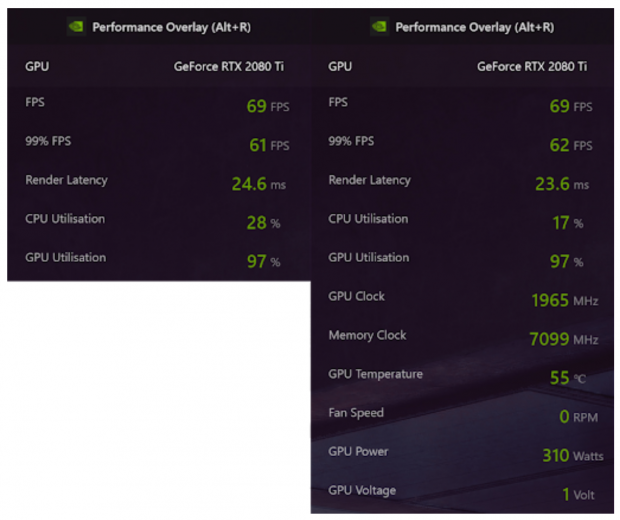
It's not just the new drivers that you should be interested in, but the latest GeForce Experience update and its 'experimental features' tick box needing to be clicked. Once you've done that, restarted GeForce Experience -- you'll then be greeted with the option for the new in-game performance overlay.
Once you've done that, simply press Alt+Z and you'll have the Share overlay show up. Inside of that, you'll notice a Performance button in the top right -- click that and you'll be greeted with the Performance Monitoring tab.
- Read more: Modders figure out how to enable Windows taskbar in GeForce NOW session
- Read more: Playing Assassin's Creed Shadows on a Radeon GPU? Grab the latest Adrenalin Edition Beta Driver
- Read more: Microsoft is finally fixing Windows Update, letting you skip updates during setup, extend pauses, and avoid forced restarts
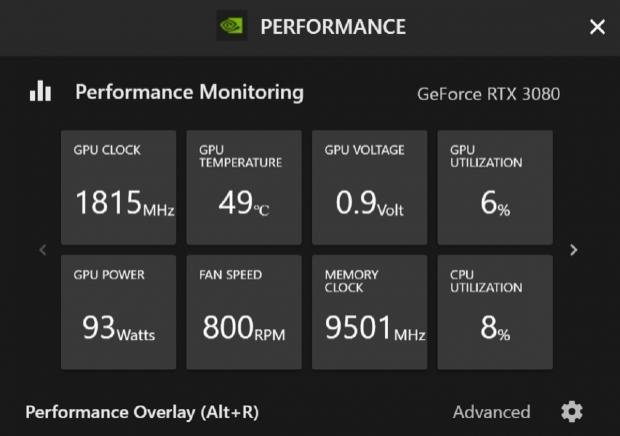
It's here that you'll be able to choose between the Basic and Advanced Performance Overlay, where you can also do some automatic tuning of your graphics card -- and manual adjustment at the bottom. It's actually pretty nifty if you want to keep a close eye on your graphics card.
Grab the new GeForce 456.38 WHQL drivers here, while inside of that you can choose to install GeForce Experience -- and then once it's installed, it's experimental feature function.