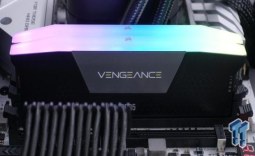
At a time when buying DDR5 RAM is a tough call given current prices, ASUS is making it easier to mix DDR5 memory on its Intel Z890 and B860 motherboards. In a Reddit post, ASUS community manager MKTLeeM highlighted the company's automatic overclocking tool, AEMP, and why it could be worth trying for users running mixed memory setups.
For those unfamiliar with JEDEC RAM, these modules don't come with fancy lighting or aluminum heatsinks. They are bare green PCBs with DRAM ICs stacked on top, which is why they are often called "green" RAM. They typically run at lower clock speeds out of the box than Intel XMP- or AMD EXPO-enabled modules, and operate at fixed frequencies, timings, and voltages.
The main drawback of JEDEC modules isn't the transfer rate - it's the memory timings. Even compared to cheap XMP kits, JEDEC modules run incredibly loose timings. A DDR5-6000 kit might have a CAS latency of 34, while JEDEC timings for DDR5-5200 can be 46 cycles or higher, resulting in memory access latencies that can noticeably hurt gaming performance.

Manual overclocking can help push JEDEC modules past their rated speeds, but not everyone wants to tweak timings by hand. This is where ASUS's AEMP comes in. With the latest UEFI BIOS versions 3002 and 3103 for Z890 and B860 motherboards, ASUS AEMP II and III make it easy for users to mix JEDEC modules without XMP profiles on a single motherboard and to automatically apply optimized settings.
All users have to do is head to Extreme Tweaker, select AI Overclocker Tuner, and choose AEMP II or III depending on your memory type. AEMP II covers U-DIMM modules, and AEMP III handles CU-DIMM DDR5. The system then spends a few minutes testing and tuning the memory to find stable limits. Worth noting that U-DIMM and CU-DIMM modules cannot be mixed in the same system, and the same applies to single-rank and dual-rank modules.

ASUS demonstrated the feature on an ROG Maximus Z890 Extreme paired with an Intel Core Ultra 7 265K. They used four JEDEC-compliant modules from Samsung, SK Hynix, and Lexar with capacities of 8GB, 12GB, 16GB, and 24GB, all rated at either 4800 MT/s or 5600 MT/s. After a five-minute optimization process, DRAM transfer speed climbed from 4800 MT/s to 5200 MT/s, and CAS latency dropped from 48 cycles down to 36, a 33% improvement.
AEMP II and III are currently exclusive to Intel boards, as ASUS says AMD motherboards simply do not require the same level of memory optimization. For Intel XMP users, ASUS also offers DIMM Fit and DIMM Fit Pro, more advanced tools that optimize XMP DIMMs to improve stability and compatibility across mixed configurations. If you're interested in AEMP, ASUS has a full guide and demo available on Reddit.