












Microsoft seems to be hard at work trying to (finally) improve Windows 11 for the end user. Granted, the move might be a bit late, and Microsoft seems to have already lost the trust of a large section of its user base, but it is still an appreciable step in the right direction. Microsoft has already laid out a major plan to improve Windows 11, and now it seems like the changes are rolling out slowly.
We apparently have some movement from Microsoft this week, with Copilot integration being removed from a bunch of Windows apps, such as Notepad, Snipping Tool, Photos, and Widgets. This aligns with Microsoft's earlier promise to scale back unnecessary Copilot integration in its native apps.
The change has been rolled out in the latest Notepad preview for Windows Insiders, version 11.2512.28.0. Users of the preview have noted that the Copilot icon has now been replaced with a new pen icon, labeled "Writing tools". Although earlier builds allowed users to disable the Copilot icon, they disliked its placement and wanted it removed altogether.

It seems like the AI writing features are still available; however, you can access them from Settings under "Advanced Features". Therefore, this change seems more like a step to make AI features less "in your face", rather than removing them outright. A similar change has been observed in Snipping Tool, where a Copilot button appeared after selecting an area with Quick Markup. Now, it seems the integration has been silently removed from this feature.
While these are small changes in the grand scheme of things, it does give us confidence that Microsoft is working to improve the feel of Windows 11. They seem to have accepted that their integration of AI was too heavy-handed and are now working to dial it back. They have also made big promises regarding native apps and Windows Search, so we will be watching closely to see what they can deliver on that front.


 Microsoft continues to improve Windows 11 with storage menu fixes and changes to FAT32
 Microsoft plans to bring Windows 11 closer to SteamOS with Project K2
 After years of complaints, Microsoft is finally working to improve Windows 11 Search
 Microsoft is improving the responsiveness of Windows 11 with WinUI 3
 New Windows 11 feature may speed up app launches by maxing out CPU frequency
 Giveaway: 12 Winners Will Score MONTECH NX400 and NX600 CPU Coolers
 Assassin's Creed Odyssey becomes the highest-rated entry in the franchise, thanks to Nolan's 'The Odyssey'
 PlayStation gamers' planned week-long 'PS Blackout' begins today
 Nintendo Switch 2 will rise to £419.99 in the UK, starting September 1
 One retailer says 91% of attempts to buy DDR5 memory are coming from bots
 Jensen Huang signed NVIDIA RTX Pro 6000 graphics card sells for $57,450 at auction
 GTA 6 leaks have reportedly led to a morale drop at Rockstar, with Netflix frustrated as well
 The Blood of Dawnwalker won't hit 60 FPS on any console, PS5 Pro tops out at 40 FPS
 AMD claws back ground against Intel in the CPU market, climbs to 35% share in desktop CPUs
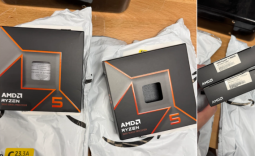 Redditor receives not one but TWO empty boxes of Ryzen 5 9600X from Amazon
 Xbox Series X25 Limited Edition Console is priced at $900, arrives November 2026
 Cooler Master MasterFan A120 Fan Review
 GIGABYTE MO27Q2A Gaming Monitor Review: 1440p, 280Hz, and QD-OLED is a winning combination
 Cooler Master V8 ACE 3DHP BLACK CPU Cooler Review
 ASUS ROG Strix XG129C Review: A $199 Gaming Monitor You Don't Play Games On
 Cooler Master HAF II 500 Mid-Tower Chassis Review
 Corsair HS35 v3 Wireless Gaming Headset Review - An Affordable Winner
 D-Link F518 5G Wi‑Fi 6 AX1800 Mobile Hotspot Review: All-Day Mobile Hotspot
 Bose Lifestyle Ultra Speaker Review - Impressively Detailed Room-Filling Sound
 MSI Z890 Gaming Plus WIFI6E Review - Z890 for under $200
 Mortal Kombat (1995) 4K Ultra HD Blu-ray Review
 Using Multiple Monitors? Change these Windows settings for a Better Experience
 Windows Sandbox is The Windows Security Feature Most People Never Use
 I ditched the Windows 11 context menu for this open-source tool, and here's why
 Windows 11 may be encrypting your drive already, and I checked where my recovery key went
 GIGABYTE's 40 Days of INFINITY celebrates 40 Years of Innovation with stunning GeForce RTX graphics cards and rewards
 I swapped File Explorer for this free file manager and finally got the layout I wanted
 How to tell if someone has been using your Windows PC without your permission
 6 Task Manager tips for troubleshooting Windows performance problems
 ASUS ROG's 20th Anniversary Line-up of Premium PC Gaming Gear has Arrived - Here's Everything You Need to Know
 Six File Explorer tips every Windows user should know