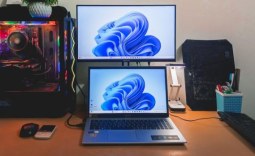
Thinking about getting a Windows device but unsure whether to choose a laptop or a desktop? Both are designed for different use cases, each offering its own advantages while having certain limitations. The right choice ultimately depends on how you plan to use it. Below, I've broken down their differences across key factors to help you decide.
Performance and Speed

For the best performance and speed, you need powerful hardware - especially a capable GPU. Desktop computers can house full-sized graphics cards, which are more powerful than the compact "mobile" GPUs designed for laptops. This means desktops naturally deliver better raw performance compared to laptops.
Even when two GPUs share the same model, desktop versions deliver better performance than their laptop counterparts.
However, powerful hardware alone doesn't guarantee top performance. Your system also needs to make full use of that hardware without throttling. Laptops, with their compact designs, have limited cooling, which can lead to performance drops. Desktops, by contrast, use larger cases with air or liquid-cooling systems, making them less prone to thermal throttling.
When it comes to demanding tasks that require top-tier performance and speed, desktops come out ahead of laptops.

Best Deals: ASUS ROG Strix G18 (2025) Gaming Laptop
Price Trend:
Prices last scanned 14 hours and 8 minutes ago

7 days ago: $1478.75 USD

7 days ago: $1699 USD30 days ago: $1899 USD
7 days ago: £1737.2030 days ago: £1745.13

Portability and Mobility

Laptops are built for portability, allowing you to take them wherever you go. They come with a built-in battery that can last for several hours without needing to be plugged in. Additionally, since components like the keyboard, trackpad, speakers, and microphone are all integrated, there's no need to carry extra peripherals, making them highly convenient for use on the move.
In contrast, desktop computers are heavier and designed to stay in one place. They don't have a battery and rely entirely on a constant power source, which limits their use to a fixed setup. Moreover, since peripherals like the keyboard, mouse, and speakers are separate, desktops aren't easy to move around, even within the same house.
Our Latest TweakTown Guides
- Snipping Tool handles most of my screenshots, but this open-source app still does the jobs it can't
- I almost uninstalled 7-Zip after File Explorer learned RAR, and then I hit the gaps
- Your Windows PC is enforcing policies you never set, and one command lists them
- Here's the four Windows 11 components I only add when a job calls for them
- I stopped reaching behind my monitors after PowerToys added this brightness control
Laptops are a better fit for students, remote workers, and anyone who needs a device they can easily carry between home, school, or travel.
Upgradeability and Customization Options
Laptops come in many models designed for different needs, but you're restricted to the configuration you choose at purchase. Once bought, upgrade options are limited-CPUs and GPUs are typically soldered, RAM is often non-upgradable, and only some models offer expandable storage.
On the other hand, a desktop PC can be built exactly according to your needs and budget. You can select components from different brands and customize every part of the system. Even after building it, upgrading is much easier-you can swap out or upgrade components like the CPU, GPU, RAM, and storage with relatively little effort.
Because of this, keeping a laptop up to date often means replacing it entirely, whereas a desktop PC can be upgraded gradually over time.
If a fixed configuration is enough, a laptop is a solid choice. For those who want full customization and the ability to upgrade later, a desktop PC is the better option.
Battery Life and Power Backup

Laptops come with a built-in battery, allowing you to use them anywhere without being tied to a power outlet. While battery life can vary significantly depending on the CPU, display, and workload, many ultrabooks offer around 8-14 hours of battery life, making them ideal for those living in areas with frequent power outages.
However, laptops often reduce performance and lower screen brightness when the battery runs low to extend usage time.
In contrast, desktops require a constant power connection, and a power outage can shut them down instantly, causing data loss if your work isn't saved. While you can use a UPS, it only offers short-term backup and doesn't last nearly as long as a laptop battery. That said, desktops have an advantage in that they don't limit performance since they're always plugged in.
In terms of battery life and power backup, laptops have a clear advantage-especially if you deal with frequent or extended power outages.
Cost and Overall Value
When it comes to power, performance, and overall value for money, desktop computers have the edge over laptops. A laptop can cost 50% or more than a desktop with similar specs. Plus, upgrading a desktop is more cost-effective-you can sell individual components and replace them, whereas keeping a laptop up to date often requires buying a whole new device.
Even after years of use, desktop components can still be sold for a reasonable price. In contrast, a laptop's value drops as soon as it's unboxed, and buyers can be more cautious when considering used laptops. The only drawback of desktops is the need to buy peripherals like a keyboard and mouse separately.
For the best value for money, desktops are hard to beat. However, if portability is a higher priority, a laptop may be worth the extra cost.
Comfort and Ergonomics

With a desktop PC, you can customize not just the system itself but your entire workstation. You can choose a monitor size that suits your needs, position it at the ideal height, select a mechanical keyboard that allows comfortable long typing sessions, and use an ergonomic mouse to reduce strain. You can also adjust your chair to maintain good posture.
Laptops, on the other hand, offer a more limited ergonomic experience. Using a laptop on a desk often leads to a hunched posture, limited screen height adjustment, and reliance on the built-in keyboard and trackpad, which may not be comfortable for long use. To improve comfort, you would need to invest in a laptop stand, an external keyboard, and similar accessories.
Desktops allow for a more ergonomic workspace, which can help reduce neck and back strain and promote better posture than laptops.
Additional Costs and Space Requirements
A desktop isn't just the cost of the tower-you also need to account for a desk, chair, and the peripherals we mentioned earlier, which can quickly add up. In contrast, laptops can be used anywhere-on a couch, in bed, or on your lap-so you aren't required to invest in a dedicated desk or chair setup if you don't want to.
Also, desktops need a fixed space in your room, whereas a laptop's portability removes that constraint. If you want backup power, you might also need a UPS, so factor that cost in as well.
While desktops outperform laptops in performance and speed, customization and upgrade flexibility, and comfort and ergonomics, laptops excel in portability, mobility, and built-in battery backup. To choose the right device, weigh the advantages and disadvantages of each, compare them against your budget and needs, and make an informed decision.