Cable management is something many of us ignore until it becomes a tangled mess of wires that's hard to deal with. Besides looking messy, tangled cables can block airflow, collect dust, and affect your device's performance. Here are a few telltale signs that your cable management is out of control.
You Can't Tell Which Cable Goes Where

The first sign of poor cable management is when you can't tell where one cable begins or ends. If you have to play detective just to find the power cable or trace a wire all the way from your device to its port before plugging or unplugging it, it's a clear sign your setup has become a tangled mess and is overdue for some proper organization.
This clutter also turns troubleshooting into a nightmare when something stops working, wasting your time as you try to figure out which cable belongs to which device. Worse, tugging on a hard-to-reach cable can damage its port or connector. To avoid this, use Velcro ties to separate power, display, and data cables, label both ends with stickers or tags, and group them together.
You Struggle to Close Your PC Case

Do you often struggle with a bunch of stubborn cables when trying to close your PC case? Inside the case, wires could be crammed behind the motherboard, blocking the side panel. On the outside, thick power cables, peripheral wires, or adapters can obstruct the panel and keep it from closing properly.
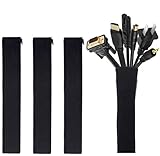
Best Deals: JOTO Cable Management Sleeve 4 Pack
Price Trend:
Prices last scanned 9 hours and 11 minutes ago

7 days ago: $9.99 USD30 days ago: $9.99 USD
7 days ago: $16.99 CAD30 days ago: $16.99 CAD
7 days ago: $16.99 AUD30 days ago: $16.99 AUD


So, avoid stuffing all the cables in at once. Forcing the panel shut can bend connectors, damage cables, or even harm the panel itself. Instead, use cable channels, tie-down points, and Velcro straps inside the case to neatly route and flatten cables against the back panel. Outside, use cable sleeves, adhesive clips, or under-desk trays to keep cords out of the way.
If cables are crowding your setup, take a few minutes to reorganize before closing the panel-you'll thank yourself later.
Bad Airflow Is Making Your PC Run Hot

Poor cable management can also restrict airflow inside your computer case. If cables are sprawled across the fans, the area around the PSU is packed with clutter, or wires outside the case are blocking air vents, your system won't get enough airflow to stay cool. As a result, the internal temperature is bound to rise quickly.
Our Latest TweakTown Guides
- Using Multiple Monitors? Change these Windows settings for a Better Experience
- Windows Sandbox is The Windows Security Feature Most People Never Use
- I ditched the Windows 11 context menu for this open-source tool, and here's why
- Windows 11 may be encrypting your drive already, and I checked where my recovery key went
- I swapped File Explorer for this free file manager and finally got the layout I wanted
When the temperature climbs, your system has to work harder to maintain safe levels, which often makes the cooling fans roar like a jet engine. If you've started noticing higher temperatures, louder fan noise, or slower performance, you should reroute cables away from vents and, inside the case, keep them clear of components that produce heat, like the PSU.
You Hide the Back of Your Setup From Everyone

If you've spent a good amount on upgrading your PC's looks and high-end components, you likely enjoy showing off your glowing keyboard, clean monitor setup, and that stylish GPU or premium case. But would you still share a photo if it showed the back side of your desk or case? If not, chances are you've got a tangled mess of cables you'd rather no one ever see.
That's a clear sign it's time to tackle the dreaded "don't look there" zone. Aside from being an eyesore, clutter like this can make future upgrades difficult-you'll have neither the space nor the patience to add another cable. So, tidy things up: shorten excess cable length with wraps or coils, and apply the cable management techniques mentioned earlier.
You can only be sure your cable management is truly perfect when you go from hiding the back of your setup to proudly showing it off.
One Tug Moves the Whole Setup

Does your entire setup shift the moment you unplug a single device? If so, your cable management has likely turned into a tangled web where every wire is so intertwined that pulling one makes the rest move along with it. It's the classic "domino effect," and before you know it, you've got a full-blown cable ball hiding behind your desk.
Beyond being frustrating, this can loosen connectors, damage ports, or even yank other peripherals out of place - sometimes sending them tumbling off your desk. To fix this, leave a bit of slack in each cable for flexibility, and use cable clips or anchors to hold cords firmly in place. You should also route cables separately or in tidy bundles rather than a single massive tangle.
And always keep power cables apart from others, since they're the ones you tend to move or unplug most often.
While cable management might not be the most exciting part of your setup, it's easily one of the most rewarding changes you can make. It not only makes your workspace look cleaner but also improves airflow and prevents wear or damage to your cables. So if your wires are spilling out in every direction, take an afternoon to tidy them up.