









Introduction and Package

We've been using the GIGABYTE Z77X-UD5H motherboard for a while now and you would've seen it in a lot of our Ivy Bridge coverage over the last month. We started off with a look at the Intel Core i5 3570k where in that article we had a good look at the board itself. It was then featured in our preview article on the Intel Core i7 3770k.
After that it was also the board we used when we overclocked both Ivy Bridge processors along with it also being used when we previewed the upcoming 2666MHz DDR G.Skill kit. Today, though, we finally run the board through our standard motherboard benchmark line up while also taking the time to see how overclocking looks with the latest BIOS.
While normally we'd move onto the package before taking a closer look at the board, because we received this board so early the bundle is almost nonexistent with just a pair of SATA cables and a driver CD that just had Z77X-UD5H hand written on it.
Additionally, while we'd then normally move onto taking a closer look at the board itself, we covered the board top to bottom in our original i5 3570k preview. If you missed that coverage, you can head on over to original article starting at page 2. What we haven't looked at, though, on the Z77X-UD5H is the BIOS so from here that's the first thing we're going to be doing.
Once we've checked out the latest BIOS from GIGABYTE, we'll move onto our testbed and cover the overclocking side of things to see just what we could get out of the Z77X-UD5H today. From there it's all about the performance of the board before we finally wrap everything up. Let's go!
BIOS
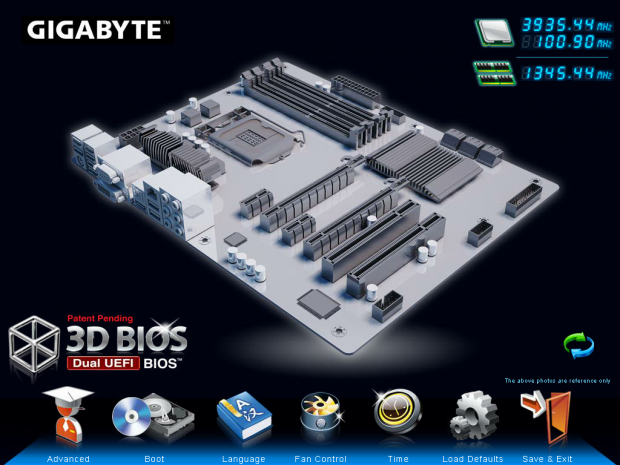
The first BIOS screen you're greeted with is the 3D BIOS which GIGABYTE implemented a little back. Because of the sheer amount of screenshots that are needed to cover all aspects of the 3D BIOS, if you want to have a bit of a closer look at it in detail, I recommend you head on over to the BIOS page in our G1.Assassin 2 Review we did last year.
The main difference between the 3D BIOS back then and the latest one is that GIGABYTE have dropped the huge amount of color on the board. What this has done is made the 3D BIOS a lot faster and nicer to use. Most people, though, will probably find themselves heading into Advanced Mode like us.
Our Latest Socket LGA 1155 Review Coverage
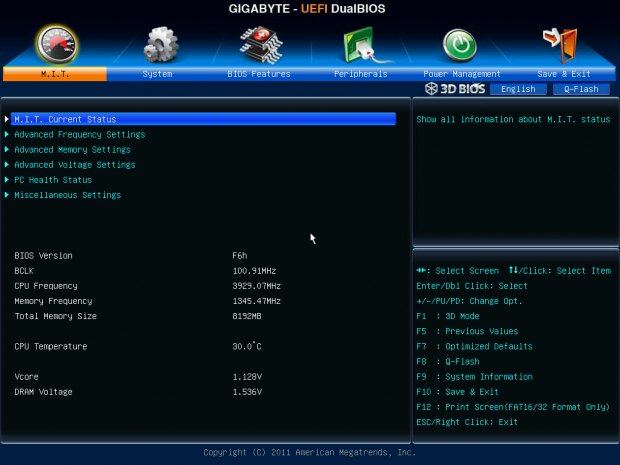
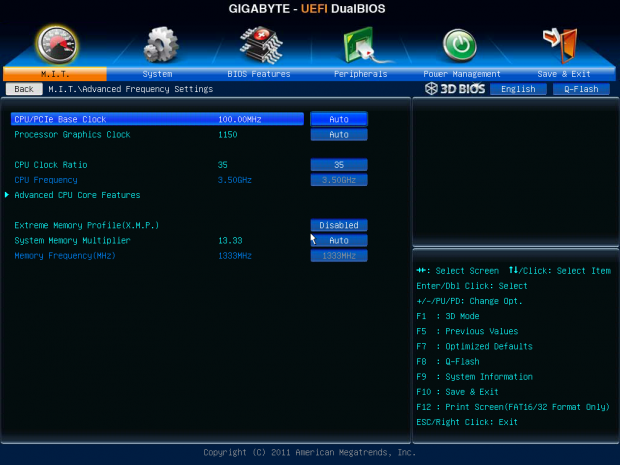
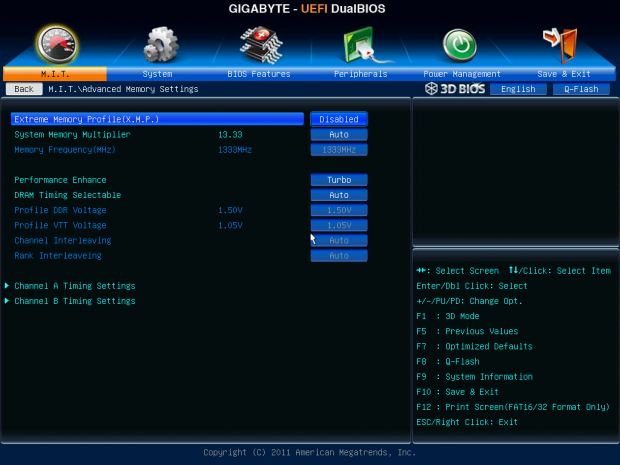
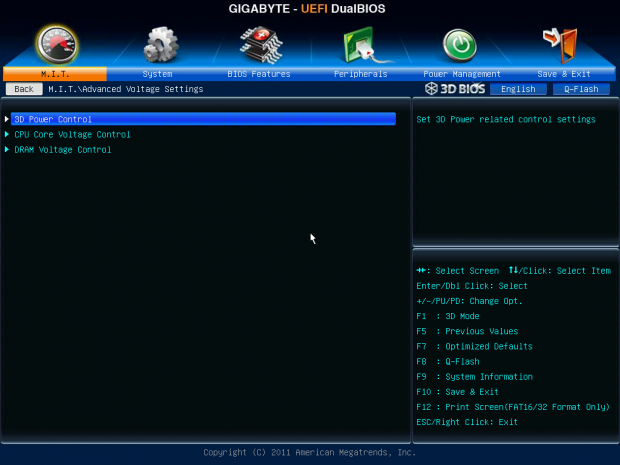
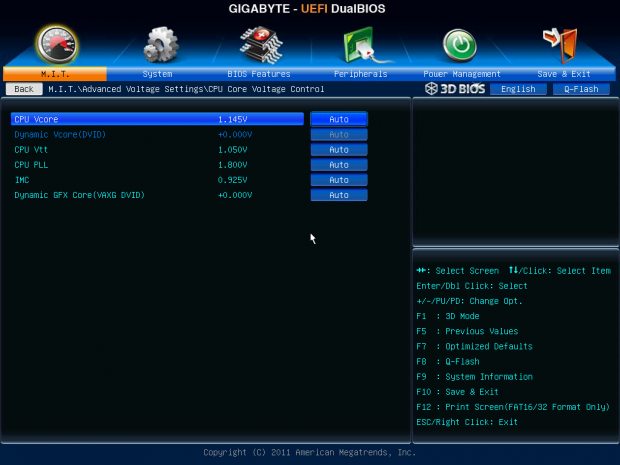
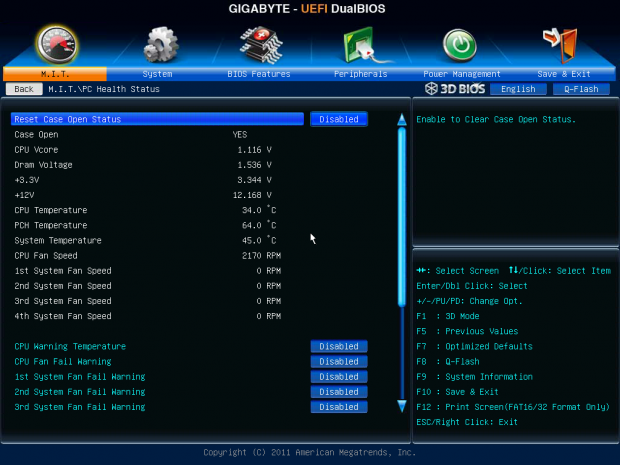
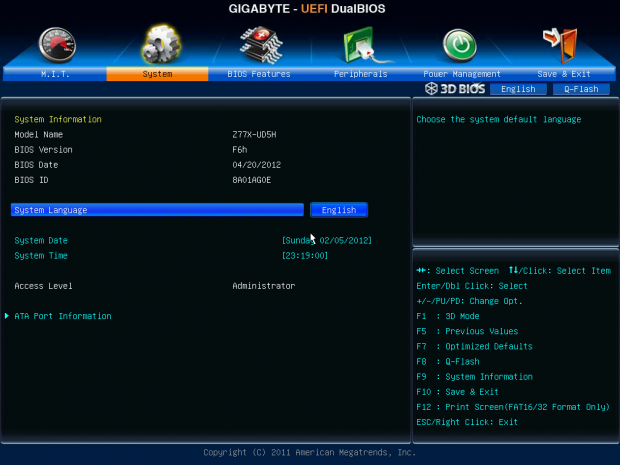
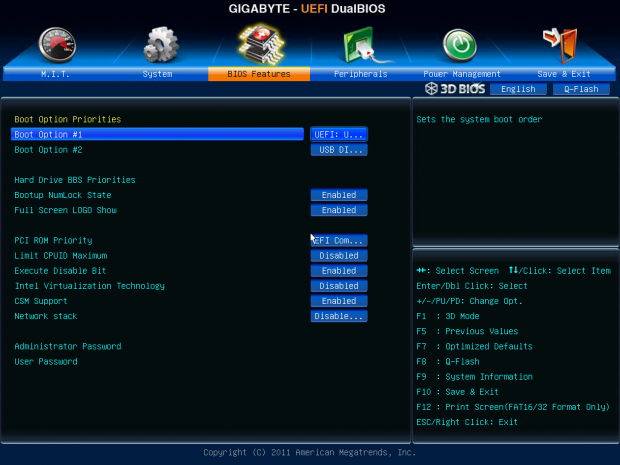
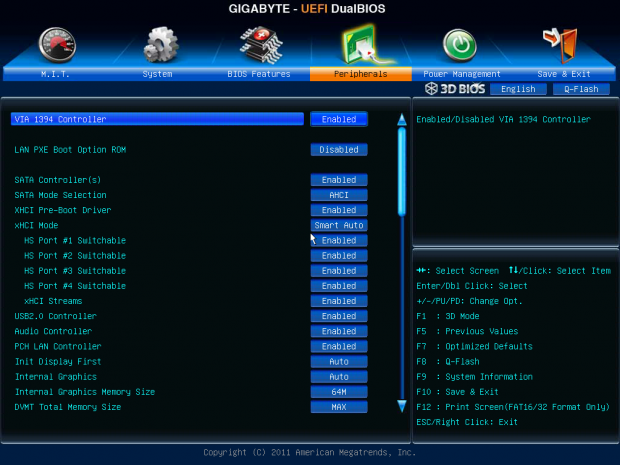
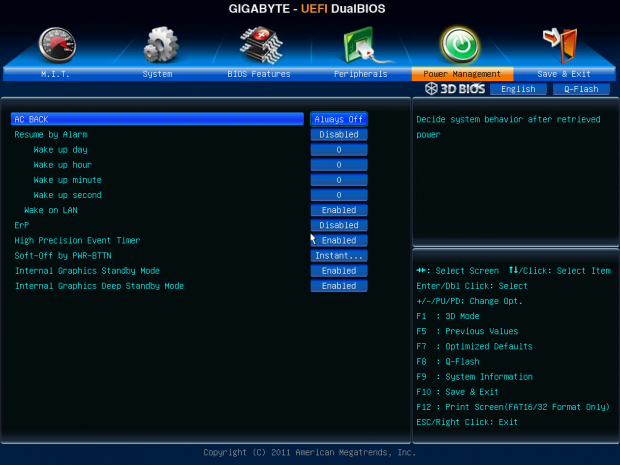
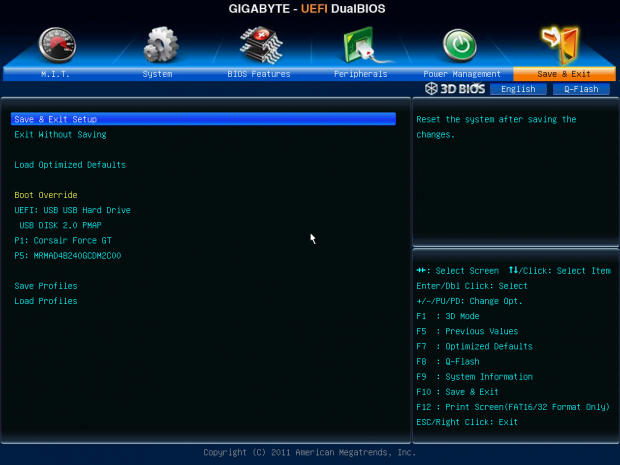
Moving into Advanced Mode you've got all the main options here with the M.I.T. area covering everything that is overclock related. If you're in the BIOS the chances are this is where you'll be hanging out. As for the rest of the tabs, as you can see above we've got all the normal options available.
Benchmarks - Test System Setup and Overclocking

We would like to thank the following companies for supplying and supporting us with our test system hardware and equipment: Intel, ASUS, MSI, Western Digital, MemoRight and Corsair.
While for the most part there are no serious changes to the testbed, we do today have an addition to it in the forms of storage. Because the GIGABYTE Z77X-UD5H offers mSATA, we'll be using our new MemoRight MS701 240GB SATA III mSATA drives. These will be making an appearance in all motherboards reviews where mSATA is offered. The one thing that needs to be noted at the moment, though, is that mSATA ports on boards are still SATA II and we're using a SATA III drive.
Before we get into the performance side of things we need to take a look at what's going on with the overclock. Heading into the BIOS we head on over to the multiplier section and boost that up to 46x. Before we leave we also head on over to the voltage area and bump them up to where they need to be.
While we've found other boards boot no problem with a 46x multiplier, the GIGABYTE Z77X-UD5H in this case didn't want to play as nicely. So we headed back into the BIOS and moved to a 45x multiplier. With a 100 BCLK this brings our CPU clock in at 4.5GHz. A bit shy of the 4.7GHz we've seen out of other boards.
With a 45x multiplier working well, though, we headed back into the BIOS and thought we'd try our luck with the BCLK and see if we could get closer to that 4.7GHz clock we've seen out of other motherboards.
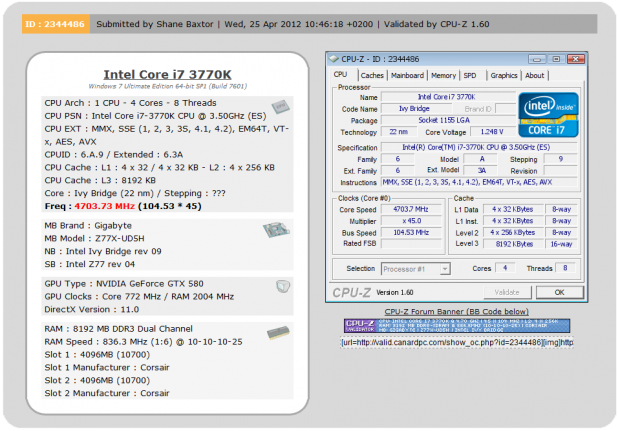
As you can see above we ended up coming in at that 4.7GHz mark we wanted to achieve with a 104.5 BCLK to complement the 45x multiplier. It's not uncommon that we see some boards prefer to go for the higher multiplier while others prefer the BCLK tweaking. In the end if our overclock is strong enough, that's what matters to us.
Let's get started!
CPU Benchmarks
HyperPi 0.99
Version and / or Patch Used: 0.99
Developer Homepage: www.virgilioborges.com.br
Product Homepage: www.virgilioborges.com.br

AIDA64
Version and / or Patch Used: 1.00.1035BETA
Developer Homepage: http://www.aida64.com
Product Homepage: http://www.AIDA64.com


Looking across all our graphs we can see that performance on the GIGABYTE Z77X-UD5H is strong with it coming out ahead of our Z77 Extreme6 from ASRock. Moving up to 4.7GHz gives us a strong boost in performance as we see our HyperPi time come down nicely and overall CPU performance is up under AIDA64.
System Benchmarks
PCMark 7
Version and / or Patch Used: 1.04
Developer Homepage: http://www.pcmark.com
Product Homepage: http://www.pcmark.com

MediaEspresso
Version and / or Patch Used: 6.5
Developer Homepage: http://www.cyberlink.com/
Product Homepage: http://www.cyberlink.com/products/mediaespresso/overview_en_AU.html?fileName=overview&r=1

PCMark 7 and MediaEspresso both show the GIGABYTE Z77X-UD5H coming out ahead of the ASRock Z77 Extreme6 here at stock with some good numbers. Overclocked we see a strong boost in performance and MediaEspresso paints a great picture of the real-world benefits of overclocking.
USB 2.0 and 3.0 Benchmarks
AIDA64
Version and / or Patch Used: 1.70.1400
Developer Homepage: http://www.aida64.com
Product Homepage: http://www.AIDA64.com


Looking at USB 2.0 and USB 3.0 performance you can see the numbers line up as we'd expect.
While we're a little behind the ASRock offering thanks to that XFast technology that comes into play when testing USB 2.0 drives, we can see USB 3.0 performance lines up with all our other setups.
SSD Benchmarks
AIDA64
Version and / or Patch Used: 1.70.1400
Developer Homepage: http://www.aida64.com
Product Homepage: http://www.AIDA64.com

HD Tune Pro
Version and / or Patch Used: 4.61
Developer Homepage: http://www.hdtune.com
Product Homepage: http://www.hdtune.com

Looking at SATA III SSD performance we can see our numbers are solid under both AIDA64 and HD Tune Pro with the GIGABYTE Z77X-UD5H lining up with the ASRock Z77 and X79 motherboard.
mSATA Benchmarks
HD Tune Pro
Version and / or Patch Used: 4.61
Developer Homepage: http://www.hdtune.com
Product Homepage: http://www.hdtune.com

At the moment we really don't have anything to compare our mSATA performance against. They will come soon enough.
The numbers on a whole do look pretty good, though, thanks to the MemoRight SATA III drive doing a good job of flooding the SATA II bus that is on offer here.
Memory Benchmarks
AIDA64
Version and / or Patch Used: 1.00.1035BETA
Developer Homepage: http://www.aida64.com
Product Homepage: http://www.AIDA64.com
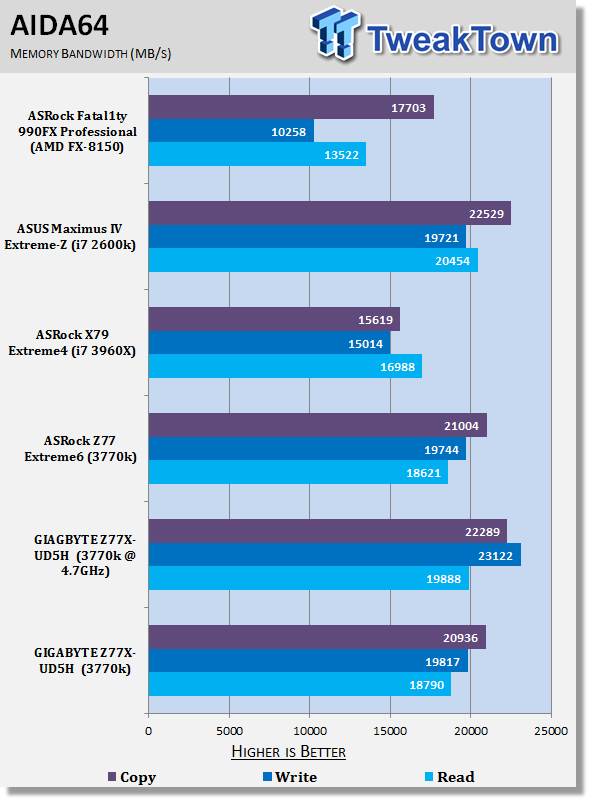
Memory performance on the Z77X-UD5H sits where we would expect with it coming in line with the Z77 Extreme6.
Overclocked as always helps boost performance overall with the best gains being seen in the write speed department.
Gaming Benchmarks
3DMark 11
Version and / or Patch Used: 1.0
Developer Homepage: http://www.futuremark.com
Product Homepage: http://www.3dmark.com/3dmark11/

Metro 2033
Version and / or Patch Used: Latest Steam Update
Timedemo or Level Used: Built in Benchmark
Developer Homepage: http://www.4a-games.com//
Product Homepage: http://www.thqnordic.com/

Gaming performance is just what you'd expect for the most part.
The performance preset under 3DMark 11 sees a slight boost when overclocked and at the lower resolutions Metro 2033 is seeing a bump in performance on the Ivy Bridge platform when it comes to overclocking.
Temperature and Power
Power Consumption

Looking at power draw we can see that the GIGABYTE offering sits a little higher than the ASRock motherboard in both idle and load. Overclocked, though, we see that idle power draw sits at the same level while only load is bumped up.
Core Temperature

On the heat front the GIGABYTE puts out some strong numbers at idle with the overclock not effecting idle temps. Load numbers are up, though, and we can see overclocked we're tipping over 90c.
This is probably a bit too warm for most people. You'll no doubt want to drop the voltage back a little and the overclock to try and sit closer to the 70c area, which is where most people feel comfortable when it comes to overclocked CPUs.
Final Thoughts
GIGABYTE has put together a really nice Intel Z77 Express based motherboard with the Z77X-UD5H and it does a good job of ticking all the boxes. Coming in at $189.99 it falls under that important $200 mark and instantly becomes a hit for a lot of people who aren't interested in blowing out their bank accounts.
Cosmetically the board looks fantastic. The black PCB looks great and combined with that UD5H blue that I've always been a big personal fan of, you end up with something that looks really good. While you might not look at it every day, there's no denying that you'd rather have something that looks great verse something that doesn't sitting inside your pride and joy computer case.
3D BIOS is running great these days and the decision to tone back from having a fully colored motherboard to a greyscale design has worked wonders for overall speed. Initially we had that little bit of lag moving through the BIOS when 3D BIOS first launched. Fortunately now that's an issue of the past.
Performance on the board is strong. You can see out of the box it performs a little quicker than the ASRock Z77 Extreme6 board we tested and on the overclocking front we managed to get the 4.7GHz number that we've reached with other boards. Unfortunately our 3770k was running a little warmer in this case; we'd probably opted to shave a 100MHz off the clock and drop down the voltage slightly to bring those temps down.
In the end we've got a really nice motherboard from GIGABYTE. It's that typical UD5 kind of board and for us that's a good thing. It's a quality board that looks great and comes in under that $200 price tag. It's one for you to consider.

 ASRock Z890 Taichi Aqua Motherboard Review - Flagship features without the flagship price
 GIGABYTE Z890I AORUS Ultra Motherboard Review - Mini-ITX with surprisingly good thermals
 GIGABYTE Z890 AORUS Elite WiFi7 Plus Motherboard Review - Right in the sweet spot
 ASUS ROG Strix X870E-E Gaming WiFi7 NEO - A Crosshair by any other name
 MSI MAG B850 Tomahawk Max WiFi II Motherboard Review - Leveling up
 Kingdom Hearts IV release date possibly leaked online following Switch 2 confirmation
 Anthropic releases state-of-the-art AI model Claude Fable 5, and it's safe to use
 Nintendo showcase FromSoftware's next title 'The Duskbloods' in new mysterious trailer
 Razer Seiren V3 Pro is a new professional-grade microphone for gamers and creators
 Xbox is rethinking its Project Helix strategy as memory prices continue to soar
 Control Resonant arrives in September with DLSS 4.5 and Path Tracing on PC
 NZXT unveils aesthetically pleasing cases, fans and coolers at Computex 2026
 NVIDIA GeForce Hotfix 610.52 driver released, fixes issues related to G-SYNC, Smooth Motion, and stability
 3DMark adds native Windows on Arm support for ray-tracing benchmarks
 MSI showcases its next-gen GPU cooling tech and it could be for the GeForce RTX 60 Series
 Navman MiVue Smart True 4K Surround Dashcam Review - Seeing In All Directions At Once
 IQUNIX Magi96 Pro Aluminum Low Profile Mechanical Keyboard Review - Premium Build, Satisfying Sound
 Asetek Forte S-Series Racing Simulator Bundle Review
 Razer Pro Type Ergo Wireless Split Ergonomic Keyboard Review - Built for Comfort and Support
 ASUS ROG Strix Morph 96 Wireless Gaming Keyboard Review - Great Performance, More Affordable
 SAPPHIRE Radeon RX 9070 GRE PULSE OC Review - A New 1440p Challenger Has Arrived
 NZXT H6 RGB+ Compact Dual-Chamber Chassis Review
 ASRock Radeon RX 9070 GRE Steel Legend Review - The RDNA 4 Mid-Range Reshuffle
 The PowerToys utilities I keep enabled on every Windows 11 PC, and the ones I turned off within a week
 TweakTown's Best of Computex 2026 Awards - The Best Hardware, Gaming Gear, and AI
 Phison E37T SSD Controller Exclusive Preview - The Fastest DRAMless SSD Platform Yet
 USB Ports Not Working in Windows 11? Try These Fixes
 ASUS WiFi Routers and Networking Solutions Deliver Long-term Security and Reliability with No Additional Cost
 Second Monitor Not Detected in Windows 11? Try These Fixes
 Turn Your Old Smartphone Into a Dedicated Webcam for Your Windows PC
 The Send To menu is the right-click feature on Windows 11 that nobody bothers to customize
 Windows 11 will not let you pin a folder to the taskbar, but a 30-second workaround does
 ASUS ProArt Displays Unlock Creativity with Professional Monitors for Everyone