









introduction
Introduction
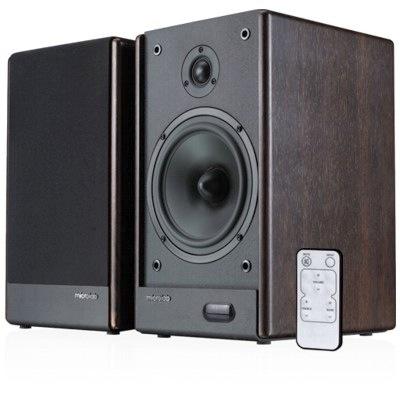
Microlab are a company operating out of China that we had simply never heard of up until now, which does seem strange because they are rather good at what they do. But more on that later.
In the world of Hi-Fi audio small sized stereo speakers for a couple of hundred go by the dozen. In fact, there are so many options out there that it's nearly impossible to hear everything on offer when making a decision.
Luckily, however, in the world of multimedia audio we do not have nearly the amount of confusion to deal with. In fact, we cannot think of any system we have tested to even compare the Microlab SOLO6C against.
That's how rare it has become to find a proper powered 2.0 system with a high quality finish. This is largely because of the crossover effect caused by the afore mentioned competition in the Hi-Fi world, making it almost not worth the effort by a company starting out to design a system from scratch.
However, having said that, the market for POWERED multimedia systems is not in competition with Hi-Fi speakers and thus is an opening for some really nice speakers.
Package and Contents
- 2x Satellite speaker
- Quick start guide/product manual
- 1x speaker cable
- 1x Stereo Mini Jack cable
- 2x speaker cover cloth
- 1x Power cable fixed
- 1x remote
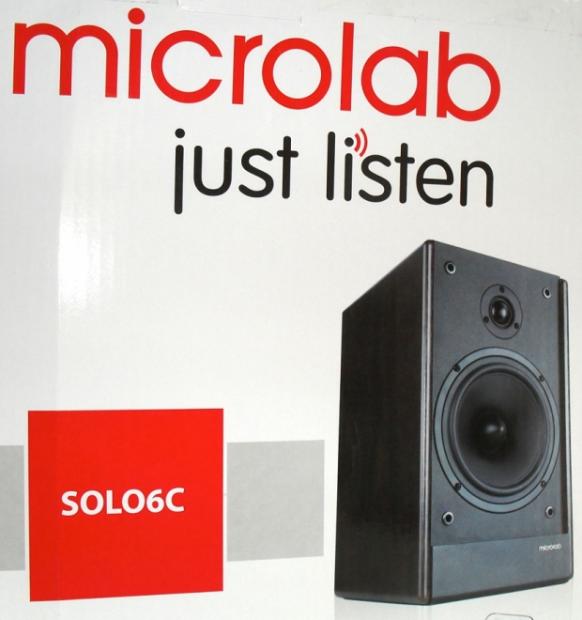
This system was delivered to us in a very large white box, which frankly came as a surprise because in the literature we studied they looked so much smaller. The design of the box is well done and executed, with a nice simple layout and not too much in the way of figures to clutter everything up, just a web address and product name. Good job.
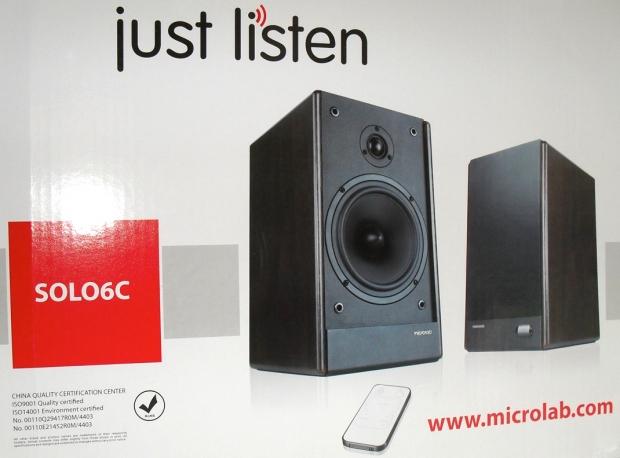
Inside everything is well laid out and easy to remove and get into place. It must be said, though, that the initial impression upon opening the package for the first time is a very strong one, with both of the speakers having a no-nonsense, serious and well built vibe to them.
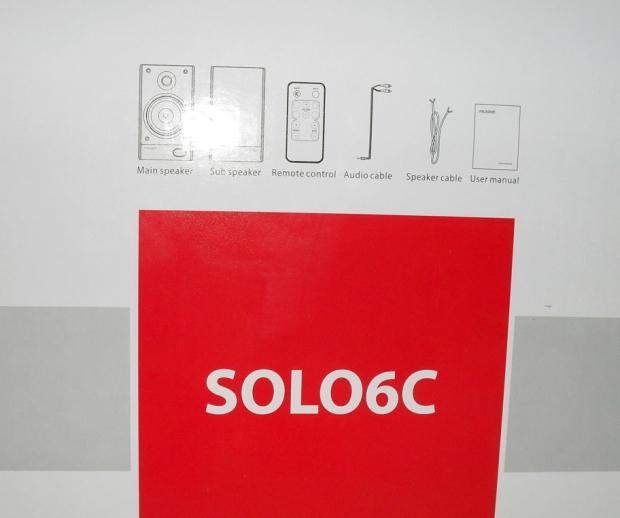
Overall, the Microlab SOLO6C package is competent and well laid out - we cannot think of any issues we had with the way it was presented. Good job once again.
Technical Overview
Amplifier:
Output power: 100 Watt RMS
Power distribution: 50 Watt x 2
Harmonic distortion: < 0.3% 1W 1kHz
Frequency response: 55Hz - 20kHz
Signal/Noise ratio: > 85dB
Separation: > 55dB
Input sensitivity: 440mV
Nominal impedance: 4 ohm
Speakers:
Tweeter driver type: 1"
Tweeter rated power: 10 Watt 6 ohm
Bass driver type: 6.5"
Bass rated power: 30 Watt
Frequency range: 55Hz - 20kHz
Interface:
Output: Terminals
Input: 2RCA
Aux input: 2RCA
Dimensions:
Product dimension: 210 x 270 x 361mm
Product net weight: 13.70kg
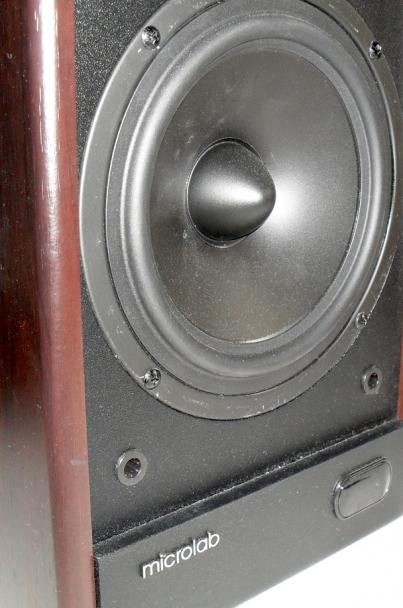
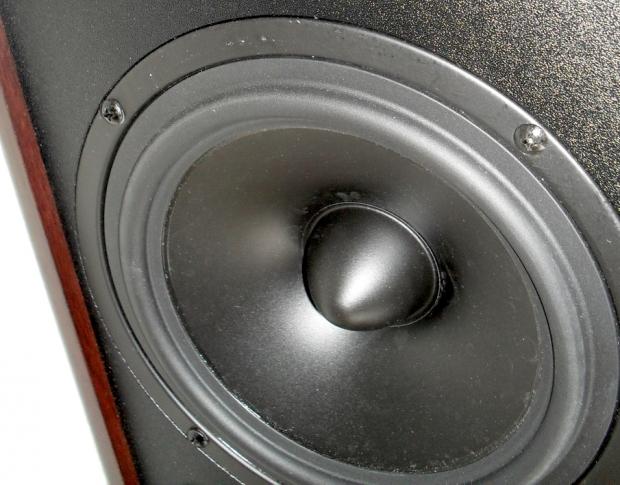
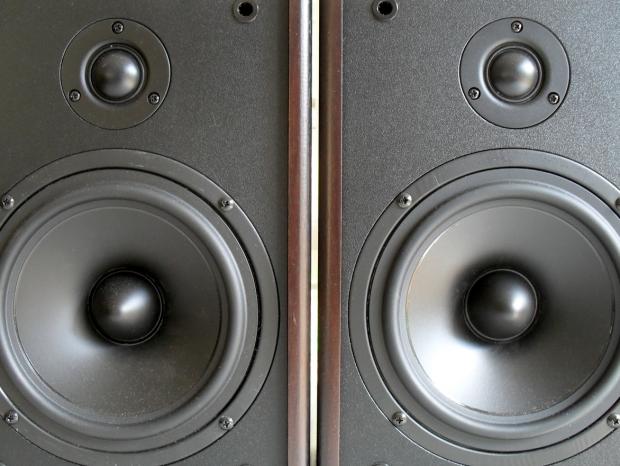
Taking a quick glance over the numbers and things look pretty good to start out. There's a decent power delivery figure of 50 watts RMS to each of the speakers and the choice of a large 6.5" driver which is well complemented by a 1" silk dome tweeter.
The amplifier does not claim any special feats, with numbers being about where they should be for THD, S/N ratio and frequency response. However, we know well enough that these numbers will only represent a fraction of how it sounds to our ears and also the way it talks with the drivers chosen in the speakers.
On paper we like how the SOLO6C comes across, at least initially things do seem to be in order. However, there is something we have not mentioned yet, which we thought particularly impressive; that being the enlisting of a master of sorts. Now let's explain with a quote.
Microlab is where it is today because of its special partnership with world-renowned audio specialist and Denmark-native Peter Larsen. One-time Chief Engineer for speaker powerhouse Vifa-Speak and consultant to both Dynaudio and JBL, Larsen's influence can be heard in the highest quality sound systems available in the world today.
Larsen's role at Microlab--Chief Consultant--allowed him the opportunity to design for us a speaker driver considered by many to be the very best in the industry. Peter's unique perspective and input have allowed Microlab to create and deliver state-of-the-art sound systems at everyday, affordable prices. Perfect sounds for everyone.
Now, we think this move was a pretty smart one and not just because it aided in producing a better product, but because it provides something that is so sorely lacking from these new manufacturer reputations. And that is simply, credibility. It's precisely this that gives the big speaker companies big sales every year and Microlab figured this out.
Now that we know that the engineering side of things has been seen to, it's really going to come down to the quality of materials selected by Microlab that either make or break how this system really sounds.
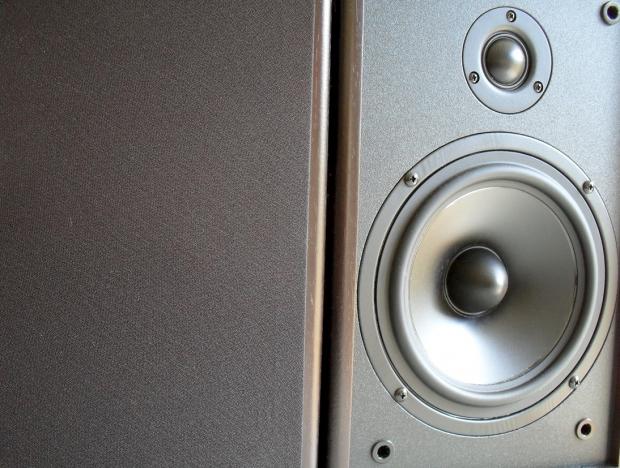
Aside from huge reputations, the largest speaker manufacturers in the world use only the very highest quality materials to ensure the strictest of linear frequency response curves. And like it or not, these materials cost an absolute truck load to buy, which is why the best loudspeakers cost so much in the shops.
Installation
The installation process for the SOLO6C is very basic, so nothing to mull over here. Just place the two speakers an equal distance apart, forming an equal-lateral triangle with the top most point being the users head.
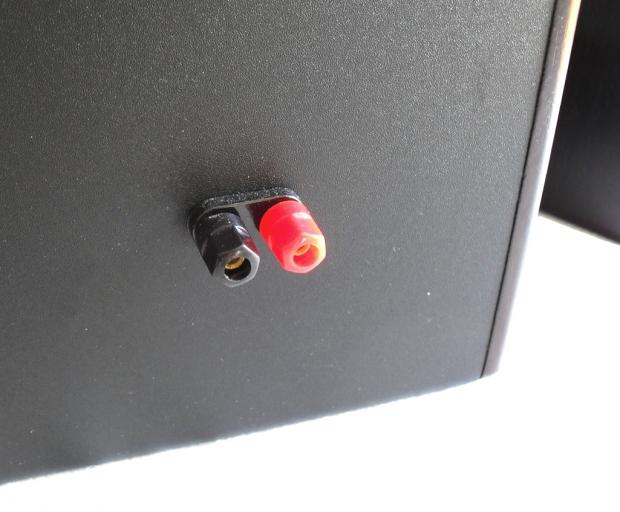
Now, in terms of cabling, there is one cable that links the two speakers together. Another connects the master control speaker with the user's sound card. Really easy stuff here. Overall control of the system is taken care of by a master volume dial on the left hand speaker and also by a small credit card sized remote. Our only issue here was not having access to input/treble/bass controls from the master speaker.
Of interest here, though, is one issue we had with the supplied cable that connects the two speakers. Care must be taken here to be sure that the insulation on the cable has been sufficiently cut back to provide a decent connection with the terminal. Should we remember to breathe also, we hear you ask? - Well, obvious as it may be here and now, it appears as though there was a factory issue with the cable stripping, resulting in only half of the insulation being taken off when the cable was prepped for shipping. No big issue, but mystifying on initial setup of the system. And if you do not know much about speakers, then an unnecessary store return would result from this probably.
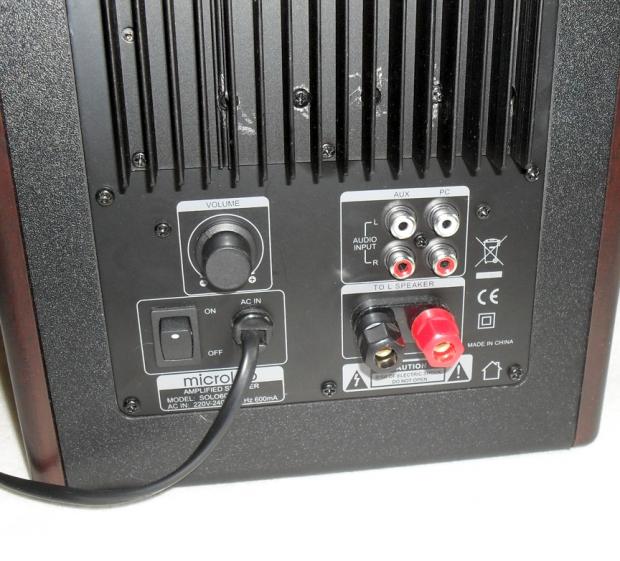
Here is what we did. We completely scraped the original cable and used a better one which cost $2.50 (approx) from an electrical store. And while we were at it, also scraped the included stereo mini jack cable and replaced it with a higher quality unit costing $9.95. Now, obviously if you are going to buy this system then you do not have to replace these cables, but often a very worthy performance increase can result, because cables are usually used to cut back on manufacturing costs and it's thus very rare to find a system that ships with high quality copper cables included.
Testing
Testing was conducted using an ASUS Xonar Xense PCI-E sound card without any processing turned on. This card was running on an AMD/ASRock Phenom dual core platform @ 3.00GHz, 2GB DDR3 (1333). No other hardware was installed on this test bed.
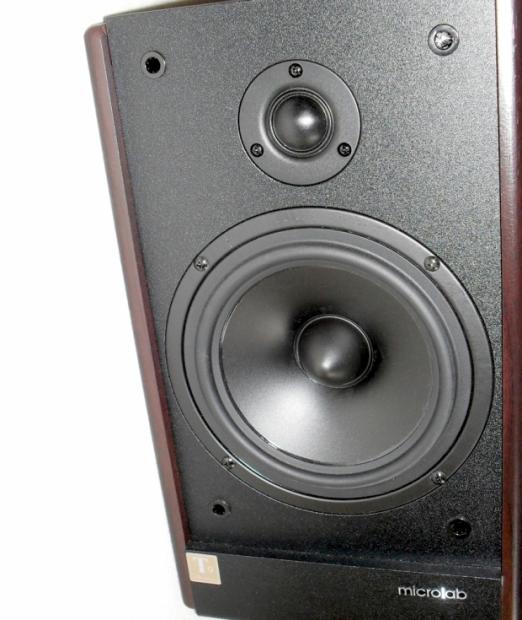
We found the Microlab SOLO6C to offer great overall sound quality combined with a high level of build quality. But what really makes this a great solution is the fact that an amplifier is included for the price you would ordinarily pay for just a pair of entry level book shelf speakers. Pair these with a reasonable sound card and you get a mini Hi-Fi for a steal.
- High-end:
Thanks to the use of a dedicated 1" silk dome tweeter, the SOLO6C are already amongst the best in the multimedia speaker realm. During testing we found the high end to be very well balanced and integrated into the mix. During extensive listening tests, the high end frequencies were delivered with clarity and poise. Symbols and guitars sounded rich and alive, as they should sound, with complex pieces of music remaining coherent and lively.
What we really enjoyed the most, though, was the feeling of control and overall balance experienced as a result of the tweeters used in the SOLO6C. This balance is well and truly present right up until the upper most limits of the volume dial.
- Mid Frequencies:
Thanks to the use of a large 6.5" driver, the SOLO6C breezes through nearly anything we threw their way to test mid range performance. This is largely because Microlab has thrown the concept of compact desktop speakers out the window, where it should be.
What has basically happened is that rather than having a sub woofer which means extra everything in terms of manufacturing demands, Microlab has simply gone the traditional route (which we totally agree with); that being to forget the 'sub' and build decent sounding satellite speakers and be done from the get go.
How difficult is that? Which begs the question, why has no one else done this in the way Microlab has with the SOLO6C? But we digress. What's on offer here is some stunning mid range performance which made percussive instruments sound fantastic. Drums and other skinned instruments sounded musical and rich, with good tonality as well from a speaker not costing a bundle.
We would extend our praise even further by saying that for the playback of complex big band music with lots of symbols and drums, the SOLO6C is probably top three out of what we have tested over the years. But that's not totally fair, because the majority of systems out there use a sub in order to get away with 'small footprint' desktop speakers.
- Low End:
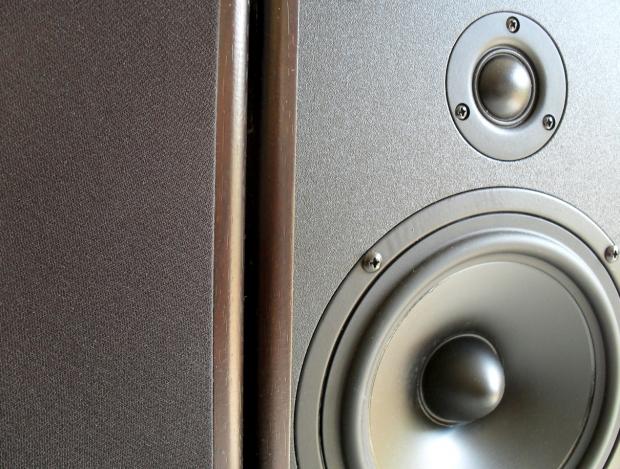
The first thing to remember here is that the SOLO6C is going to need a break-in period in order for the low end to sound its best. "Say what?" we here you murmuring to yourselves. Well, that's because of the stiff rubber surrounds which need to be gradually softened through use to allow the rubber to reach its normal state of flexibility, like a new pair of shoes, except not leather... and not for your feet.
Anyway, once this break-in period has been reached, some really good low bass can begin to be heard through the SOLO6C. No matter our test material, the low end held up well, even managing a decent amount of non-directionality which gave us the feeling of having a small sub woofer without actually having one. This is of course what any good speaker should be capable of, because if a speaker needs a sub just to 'get up in the morning', then it's probably not a very nice sounding speaker.
Just a quick reminder, good speaker technology does not require a sub woofer in order to produce deep non-directional bass. This is a popular misconception getting passed around over the last few years. Generally sub woofers are used for large scale reproduction where big crowds of people soak up low end like no tomorrow and it must be reinforced to create a balance in the sound. For 99.9% of people sitting at home, grab a decent pair of bookshelf speakers and enjoy. Don't buy into the hype that everyone must use a sub these days, because it's just not true.
Games/Movies:
Given that this is a 2.0 system, surround sound is not going to be an option, so we will not spend a lot of time dwelling on this criteria. However, during our testing we found the experience of movies and games through the SOLO6C to retain the high level of performance found above when listening to music.
For testing we left the treble and bass controls at their factory settings so as to not influence the way the speaker actually sounds. But in all honesty, we never needed to make any changes to the bass and treble during testing. However, we were using a high end sound card and this might have precluded the use of these controls.
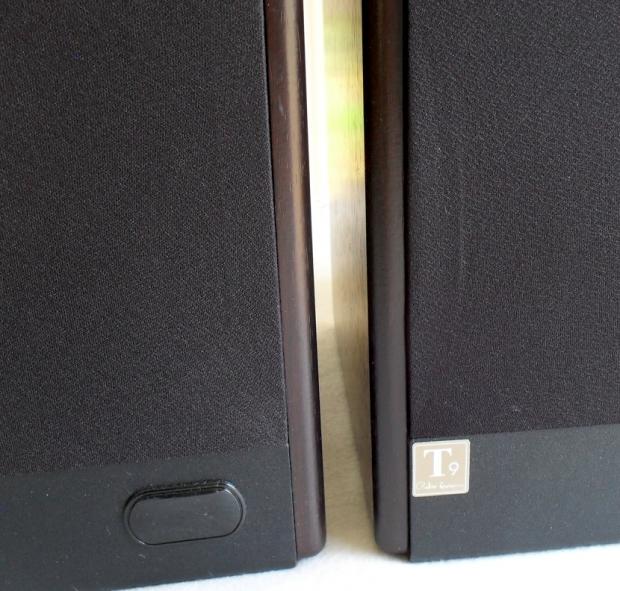
Dialogue sounded crisp and clear with a good central stereo image forming a detailed sound stage. We also found off axis listening (not in front of speakers) to also be very impressive. We even did some listening from completely behind the speakers, totally out of position. And we still heard detailed audio.
There was also a filtering effect we heard during dialogue playback which seemed to give the feeling of having the voices 'guided' down a channel of audibility. In reality, what we were hearing was the balance of having mid range frequencies played back evenly across this part of the audible spectrum.
Final Thoughts
What we have seen today with the arrival of the Microlab SOLO6C is a much and long awaited trend away from traditional sub woofer based multimedia audio systems. Rather, these favor the method of using large powerful full range drivers to achieve a full spectrum audio experience.
Microlab has also sought the design and production methods held by a veteran of the industry, one Peter Larsen. This was in order to insure that their efforts were not in vein when producing the SOLO6C. And for us this was a key move by Microlab which also added much needed street credibility for the Chinese based company still looking to make an inroad into the speaker business.
However, what really makes the SOLO6C such a strong product in our view is the combination of amplifier and speaker in a single package for a price that would ordinarily just buy an amp or a set of speakers. Now, we are not saying that this system will sound the same as buying a stereo amplifier and a pair of speakers from a Hi-Fi store, but when paired with a good quality sound card, you can get a whole lot closer than ever before.
Bottom line, though, for music lovers with a small budget who simply cannot afford the twelve hundred+ for a 'proper' brand name Hi-Fi, and whom have invested in a sound card previously for their system - We would recommend the SOLO6C very highly, because finding something of equal performance and build quality with an amp thrown in for the same price...well... good luck sir!


 ASUS ROG Kithara Gaming Headset Review - Audiophile Sound for PC Gamers
 Logitech G325 LIGHTSPEED Wireless Gaming Headset Review - A Lightweight, Affordable, Winner
 Edifier NeoBuds Planar Review - Affordable Wireless Earbuds for Audiophiles
 SteelSeries Arctis Nova Elite Wireless Gaming Headset Review - Unbeatable Audiophile Sound
 Dell Pro Plus Earbuds EB525 Review - Productivity Buds
 Anthropic releases state-of-the-art AI model Claude Fable 5, and it's safe to use
 Nintendo showcase FromSoftware's next title 'The Duskbloods' in new mysterious trailer
 Razer Seiren V3 Pro is a new professional-grade microphone for gamers and creators
 Xbox is rethinking its Project Helix strategy as memory prices continue to soar
 Control Resonant arrives in September with DLSS 4.5 and Path Tracing on PC
 NZXT unveils aesthetically pleasing cases, fans and coolers at Computex 2026
 NVIDIA GeForce Hotfix 610.52 driver released, fixes issues related to G-SYNC, Smooth Motion, and stability
 3DMark adds native Windows on Arm support for ray-tracing benchmarks
 MSI showcases its next-gen GPU cooling tech and it could be for the GeForce RTX 60 Series
 'Radically different' business models coming to Xbox, CEO Asha Sharma says
 Navman MiVue Smart True 4K Surround Dashcam Review - Seeing In All Directions At Once
 IQUNIX Magi96 Pro Aluminum Low Profile Mechanical Keyboard Review - Premium Build, Satisfying Sound
 Asetek Forte S-Series Racing Simulator Bundle Review
 Razer Pro Type Ergo Wireless Split Ergonomic Keyboard Review - Built for Comfort and Support
 ASUS ROG Strix Morph 96 Wireless Gaming Keyboard Review - Great Performance, More Affordable
 SAPPHIRE Radeon RX 9070 GRE PULSE OC Review - A New 1440p Challenger Has Arrived
 NZXT H6 RGB+ Compact Dual-Chamber Chassis Review
 ASRock Radeon RX 9070 GRE Steel Legend Review - The RDNA 4 Mid-Range Reshuffle
 ASRock Z890 Taichi Aqua Motherboard Review - Flagship features without the flagship price
 GIGABYTE Z890I AORUS Ultra Motherboard Review - Mini-ITX with surprisingly good thermals
 The PowerToys utilities I keep enabled on every Windows 11 PC, and the ones I turned off within a week
 TweakTown's Best of Computex 2026 Awards - The Best Hardware, Gaming Gear, and AI
 Phison E37T SSD Controller Exclusive Preview - The Fastest DRAMless SSD Platform Yet
 USB Ports Not Working in Windows 11? Try These Fixes
 ASUS WiFi Routers and Networking Solutions Deliver Long-term Security and Reliability with No Additional Cost
 Second Monitor Not Detected in Windows 11? Try These Fixes
 Turn Your Old Smartphone Into a Dedicated Webcam for Your Windows PC
 The Send To menu is the right-click feature on Windows 11 that nobody bothers to customize
 Windows 11 will not let you pin a folder to the taskbar, but a 30-second workaround does
 ASUS ProArt Displays Unlock Creativity with Professional Monitors for Everyone