Introduction and Overclocking the Cards
Introduction

The GTX 460 Cyclone 768MB cards in SLI have already impressed us, and in more ways than one. Not only does the model perform great in SLI, but it also performs great by itself. We also saw in our $210 Video Card Showdown that its overclock performance was also very strong.
Outside of just the normal FPS numbers and 3DMark scores, though, we see that the MSI Cyclone version in itself is very impressive. It's not the highest overclocked model when pulled out of the box, but its overclock is still impressive. To date we can say that the Cyclone cooler which the series is named after has been our favorite.
There's only one left thing to do; overclock the configuration and run it through our whole mass of benchmarks. The SLI GTX 460 768MB Cyclone setup has been the best valued SLI setup we've ever tested when it comes to out of the box performance. While we'll no doubt be able to increase the value of the setup even more through overclocking, how will it compare to some of the other single GPU cards we have?
Because we've looked at the model from MSI in a bit of detail already, we'll just be getting stuck into the overclock we achieved before going straight into the benchmarks. So skip forward to the next page to see what overclock we ended up with.
Overclocking the MSI GTX 460 768MB Cyclone in SLI
Out of the box the GTX 460 768MB Cyclone from MSI comes in at 728MHz on the core. This is almost 50MHz up on the default 675MHz of the model. As always, we use Afterburner to bump up the voltage, in this case to 1.087v and we overclock the core, Shader and memory clock.
Out of the box the 768MB of GDDR5 memory carries with it a 3600MHz QDR memory clock. We just rounded that off to 4GHz QDR. What you have to remember is when we bump the voltage all we're touching is the core voltage and not the memory one. Ultimately this means adjusting the voltage has little to no effect on our overall memory speed.

As for the core, we moved that to 850MHz which is over 100MHz higher than the default out of the box core that MSI offer us, and compared to NVIDIA it's over 150MHz higher. This of course pushes up the Shader clock which went from 1455MHz to 1700MHz.
These clocks where achieved on both cards, so hopefully we'll see quite the performance boost over the default SLI setup we tested recently. Today we opted to leave the fans at Auto as opposed to 100% which we normally do, only because we wanted to see what clocks we could achieve with the fan set like this.
Test System Setup and 3DMark Vantage

We would like to thank the following companies for supplying and supporting us with our test system hardware and equipment: Intel, ASRock, Kingston, Western Digital, Noctua and Thermaltake.
We've included a number of setups which are all important to the setup we're looking at today. We've included the MSI GTX 460 768MB Cyclone cards in SLI at their default speed. We've also got the Gainward GTX 470 Golden Sample, GIGABYTE GTX 480 and our GTX 470 SLI Setup with the help of a Palit and Galaxy card.
It came as no surprise in our SLI testing that the GTX 460 SLI setup did lag behind the GTX 470 SLI one, but overclocking on the model has shown us some very impressive performance gains when compared to a single GTX 470. Hopefully we'll be able to knock off the GTX 470 SLI setup in a few places.
Let's get started!
3DMark Vantage
Version and / or Patch Used: 1.0.1
Developer Homepage: http://www.futuremark.com
Product Homepage: http://www.futuremark.com/products/3dmarkvantage/
Buy It Here

3DMark Vantage is the new industry standard PC gaming performance benchmark from Futuremark, newly designed for Windows Vista and DirectX10. It includes two new graphics tests, two new CPU tests, several new feature tests, and support for the latest hardware.
3DMark Vantage is based on a completely new rendering engine, developed specifically to take full advantage of DirectX10, the new graphics API from Microsoft.

Overclocked, the performance from the SLI setup is very strong. You can see we're only just behind that GTX 470 SLI setup which is a lot more expensive. This is only 3DMark Vantage, though; we'll have to see what happens when we begin to get into some real world games.
Unigine Heaven Benchmark
Version and / or Patch Used: 1 and 2
Developer Homepage: http://www.unigine.com
Product Homepage: http://unigine.com/press-releases/091022-heaven_benchmark//
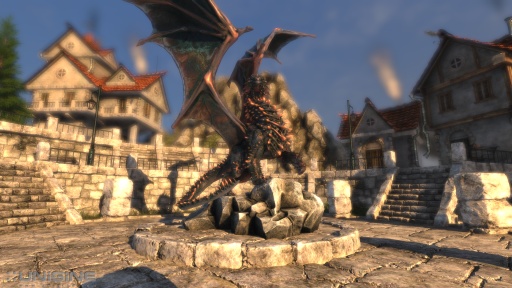
New benchmark grants the power to unleash the DirectX 11 potential in the gift wrapping of impressively towering graphics capabilities. It reveals the enchanting magic of floating islands with a tiny village hidden in the cloudy skies. With the interactive mode emerging experience of exploring the intricate world is ensured within reach. Through its advanced renderer, Unigine is one of the first to set precedence in showcasing the art assets with tessellation, bringing compelling visual finesse, utilizing the technology to the full extend and exhibiting the possibilities of enriching 3D gaming.
Note: If a card doesn't support DirectX 11 the benchmark will be left out, if it does it will be included along with the DirectX10 results.

We can again see that the setup performs just behind that GTX 470 SLI one. Compared to the stock clocked setup performance is very strong.
Benchmarks - CINEBENCH
CINEBENCH
Version and / or Patch Used: Release 10 and Release 11.5
Developer Homepage: http://www.maxon.net/
Product Homepage: http://www.maxon.net

CINEBENCH is a real-world test suite that assesses your computer's performace capabilities. MAXON CINEBENCH is based on MAXON's award-winning animation software, CINEMA 4D, which is used extensively by studios and production houses worldwide for 3D content creation. MAXON software has been used in blockbuster movies such as Spider-Man, Star Wars, The Chronicles of Narnia and many more.
MAXON CINEBENCH runs several tests on your computer to measure the performance of the main processor and the graphics card under real world circumstances. The benchmark application makes use of up to 16 CPUs or CPU cores and is available for Windows (32-bit and 64-Bit) and Macintosh (PPC and Intel-based).

CINEBENCH doesn't hold any surprises. In not making use of SLI or the overclock, performance is as we would expect.
Benchmarks - Resident Evil 5
Resident Evil 5
Version and / or Patch Used: Demo Benchmark
Developer Homepage: www.residentevil.com/
Product Homepage: http://www.residentevil.com/
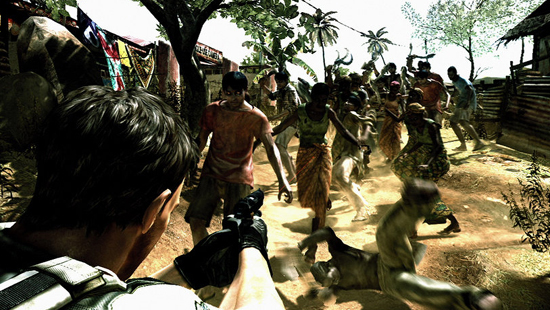
Resident Evil 5 is a survival horror video game developed and published by Capcom. The game is the seventh installment in the Resident Evil survival horror series, and was released on September 18. Resident Evil 5 revolves around Chris Redfield and Sheva Alomar as they investigate a terrorist threat in Kijuju, a fictional town in Africa.

Big numbers across the board. Compared to the stock setup performance is very good. It's not quite up to the GTX 470 SLI setup yet, however.
Benchmarks - BattleForge
BattleForge
Version and / or Patch Used: Auto Patched at Load
Timedemo or Level Used: Built-in Test
Developer Homepage: http://www.battleforge.com/
Product Homepage: http://www.battleforge.com/
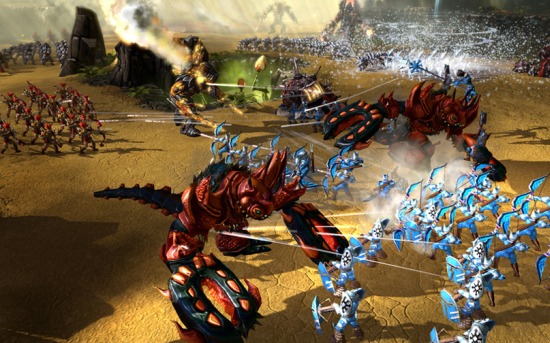
The Gods have disappeared and the old sun has died, letting a vile twilight engulf the world of Nyn. In exchange for all treasures the mortals possessed, the evil giants agreed to forge a new sun and hurl it into the sky.
But the deal was betrayed, the treasure stolen and now the mortals flee the wrath of the giants. Under the light of a new sun the mortals stumble into a world changed and twisted by an age of twilight. The long journey home has become a conquest of survival.
Note: Supporting DirectX 11 we have seperated the graphs for NVIDIA and ATI cards. While the numbers between the two brands can be compared you have to make note that ATI based HD 5000 series cards are running DirectX 11.

We again see some good gains in performance when overclocked. These are some interesting numbers that 120Hz gamers should be taking note of.
Benchmarks - Tom Clancy's H.A.W.X.
Tom Clancy's H.A.W.X.
Version and / or Patch Used: Benchmark Demo
Timedemo or Level Used: Built-in Test
Developer Homepage: http://www.ubi.com/UK/default.aspx
Product Homepage: http://www.hawxgame.com/

Tom Clancy's H.A.W.X is an arcade-style flight simulator video game developed by Ubisoft Romania and published by Ubisoft for Microsoft Windows, Xbox 360, PlayStation 3, and iPhone OS.
The fundamental gameplay mechanics are similar to those of other console-based flight series. Players take on enemies with over 50 aircraft available. Each mission is at real world locations in environments created with commercial satellite data. A cockpit, first person, and third person view are selectable. The third person view gives the player an external view of both their plane and the target.
Set above the skies of a near-future world, increasingly dependent on private military companies with elite mercenaries who have a relaxed view on the law. As these non-governmental organizations gain power, global conflict erupts with one powerful PMC attacking the United States.

We again see a very good performance boost from the overclocked setup. Not quite at the GTX 470 SLI level, but really, we're not far from it.
Benchmarks - Darkest of Days
Darkest of Days
Version and / or Patch Used: 1.4
Timedemo or Level Used: Built-in Test
Developer Homepage: http://www.darkestofdays.com/index.php
Product Homepage: http://www.darkestofdays.com/index.php
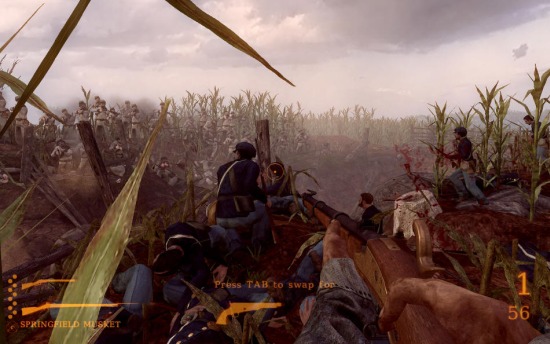
Darkest of Days takes the player through time into historic battles in an effort to save key individuals from certain death. The battles range from Custer's Last Stand at the Battle of the Little Bighorn in 1876 to fighting in Pompeii as ash and fire rain down from an erupting Mt. Vesuvius in 79 AD. Other locations include the battles of Antietam and Tannenberg, and a German World War II P.O.W. camp. There are different missions in every time period and the game takes about 4 hours to complete.
The game features over twenty weapons, both from the original time period as well as those brought back from the future. In addition, there are artillery weapons from different time periods to assist in battle.
Note: With the PhysX set to Medium or High Darkest of Days take advantage of the NVIDIA PhysX abilities. For that reason we will test ATI cards at the Low preset, NVIDIA based cards though will be tested at Low and High.


Very strong performance here; the gains are strong and we're extremely close to the GTX 470 SLI setup in this instance. The value to this setup looks to be killer, indeed.
Benchmarks - Far Cry 2
Far Cry 2
Version and / or Patch Used: 1.01
Timedemo or Level Used: Ranch Long
Developer Homepage: http://www.ubi.com/
Product Homepage: http://www.farcry2.com/
Buy It Here
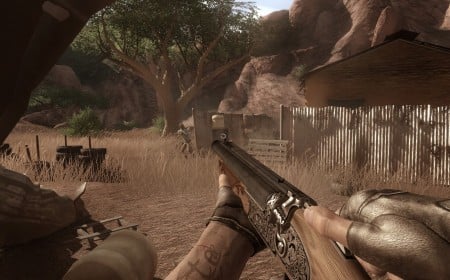
The Dunia Engine was built specifically for Far Cry 2 by the award-winning Ubisoft Montreal development team. It delivers the most realistic destructible environments, amazing special effects such as dynamic fire propagation and storm effects, real-time night-and-day cycle, dynamic music system, non-scripted enemy A.I. and so much more.

Massive numbers across the board. Here they're actually way ahead of the GTX 470 SLI setup in the minimum department which is very impressive. Compared to the card at its stock clocks as well, the performance increase is very impressive at the higher resolutions.
Benchmarks - Batman Arkham Asylum
Batman Arkham Asylum
Version and / or Patch Used: 1.1
Timedemo or Level Used: Built-in Test
Developer Homepage: http://www.batmanarkhamasylum.com/
Product Homepage: http://www.batmanarkhamasylum.com/

Batman: Arkham Asylum exposes players to a unique, dark and atmospheric adventure that takes them to the depths of Arkham Asylum - Gotham's psychiatric hospital for the criminally insane. Gamers will move in the shadows, instigate fear amongst their enemies and confront The Joker and Gotham City's most notorious villains who have taken over the asylum.
Using a wide range of Batman's gadgets and abilities, players will become the invisible predator and attempt to foil The Joker's demented scheme.
Batman: Arkham Asylum features an original story penned exclusively for the game by famous Batman author and five-time Emmy award winner Paul Dini, whose credits include Lost season one and Batman: The Animated Series.
Note: With support for PhysX NVIDIA based cards will be tested with the technology on and off, ATI cards will be tested with the technology off due to it not being supported on their cards.


Without PhysX we're not going to run into any problems. With PhysX on unfortunately our 2560 x 1600 number is still at an unacceptable level. 1920 x 1200 with PhysX set to High looks good, though.
Benchmarks - Dark Void
Dark Void
Version and / or Patch Used: Benchmark Demo
Timedemo or Level Used: Built-in Test
Developer Homepage: http://www.airtightgames.com
Product Homepage: http://www.darkvoidgame.com/
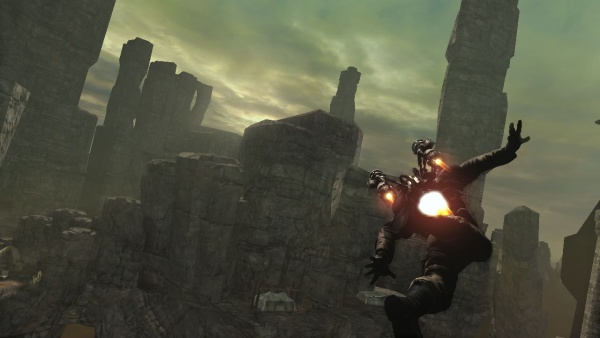
The game's story takes place during World War II and centers around a cargo pilot named William Augustus Grey (voiced by Nolan North) who is teleported to another world while flying through the Bermuda Triangle. In this world, known as the 'Void', Will encounters an alien race as well as other humans, which are known as the Watchers and the Survivors respectively.
Will reluctantly joins the Survivors who are engaged in a feud with the alien race to satisfy his desire to return to Earth. While aiding the Survivors, Will discovers that the Void is a middle ground that connects both the Watchers homeworld and Earth. It also becomes apparent that the Watchers are supplying the Axis powers with various supplies for reasons unknown. With the help of Nikola Tesla, Will utilizes retrofited Watcher technology to combat the Watchers and eventually find a way to escape the Void.


Dark Void across the board sees big numbers. With PhysX on we're well above 30 FPS in the minimum department at all resolutions as well.
Benchmarks - High Quality AA and AF
High Quality AA and AF
Our high quality tests let us separate the men from the boys and the ladies from the girls. If the cards weren't struggling before they will start to now.
Far Cry 2

We see a bit of a bump in the minimum, but quite a large jump in the average which is higher than the GTX 470 SLI setup in this instance.
Resident Evil 5

Compared to the non-overclocked setup we've got a great performance increase, one that manages to put it well ahead of the HD 5970 in this instance. We're a bit behind the GTX 470 SLI setup, but we're seeing very good numbers none the less.
Tom Clancy's H.A.W.X.

We continue to see that AA issue with H.A.W.X. on the 768MB MSI card. We're not sure what it is, but it's consistent.
Benchmarks - Elcomsoft Wireless Security Auditor
Elcomsoft Wireless Security Auditor
Version and / or Patch Used: 1.51
Timedemo or Level Used: Sample File
Developer Homepage: http://www.elcomsoft.com/
Product Homepage: http://www.elcomsoft.com/ewsa.html
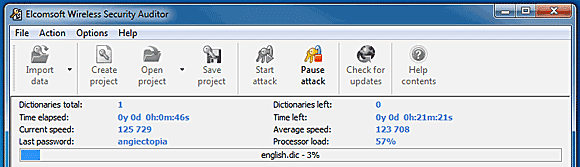
ElcomSoft has pioneered many software innovations that have made it easier to recover passwords protecting various types of resources. For the first time in the industry, the company's patent-pending GPU acceleration makes its way into Wi-Fi password recovery, reducing the time required to recover Wi-Fi passwords up to a hundred times.
Supporting up to four NVIDIA boards such as GeForce 8, 9, and 200, as well as ATI video cards such as RADEON HD 4000 Series and up, Elcomsoft Wireless Security Auditor allows building servers with supercomputer performance at a fraction of the price.

While we don't see SLI support here, WSA does make use of the extra MHz on offer which helps boost the models performance.
Benchmarks - Badaboom
Badaboom
Version and / or Patch Used: Release 1.2.1.7
Developer Homepage: http://www.nvidia.com//
Product Homepage: http://www.badaboomit.com/

Badaboom eliminates the frustration of video conversion by providing users with speed, efficiency, quality, and a sleek interface. In a practice that used to take several hours, Badaboom converts feature-length movies in a matter of minutes while keeping the videos looking crisp and clear.
By harnessing the power of NVIDIA CUDA-enabled GPUs, Badaboom offloads the CPU to allow users to continue browsing the Internet or checking email without decreased system performance, making transcoding high-quality video fast, easy, and painless.
Note: With the requirement for a CUDA enabled graphics card to run Badaboom, this means that we can only use NVIDIA based cards for this test.

No SLI support here means there are no surprises.
Temperature Test

With the TES 1326 Infrared Thermometer literally in hand we found ourselves getting real-world temperatures from the products we test at load (3D clock speeds).
There are two places we pull temperature from - the back of the card directly behind the core and if the card is dual slot and has an exhaust point we also pull a temperate from there, as seen in the picture.

Even in SLI the cards ran very cool which is a real testament to the cooler that MSI are using; it continues to be one of our favorites.
Sound Test

Pulling out the TES 1350A Sound Level Meter we find ourselves quickly yelling into the top of it to see how loud we can be.
After five minutes of that we get a bit more serious and place the device two CM away from the fan on the card to find the maximum noise level of the card when idle (2D mode) and in load (3D mode).

Noise levels aren't bad. Compared to the non-overclocked SLI setup they're pretty much identical which is impressive considering the extra performance we're seeing out of the setup.
Total Performance Rating (TPR)
Total Performance Rating
The TPR graph is a combination of all our benchmarks in which NVIDIA and ATI are on an even playing field. This includes benchmarks where PhysX can be forced off like Dark Void and Batman: Arkham Asylum, but not Darkest of Days.
The TPR number is a combination of:
3DMark Vantage, Heaven Benchmark V2, CINEBENCH R11.5, Resident Evil 5, BattleForge, Tom Clancy's H.A.W.X., Far Cry 2, Batman: Arkham Asylum (PhysX Off), Dark Void (PhysX Off) and our three High Quality tests which include Far Cry 2, Resident Evil 5 and Tom Clancy's H.A.W.X.
All of the benchmark results achieved are then combined into a single number. As this graph will grow over time and cards won't be re-tested, next to each model you'll find the driver version that was used when the card was benchmarked.

Performance out of the setup is huge. You can see it's the sixth fastest setup we've tested since we've introduced the TPR graph system. It sits only just behind the GTX 470 SLI setup. And really, everything that's in front of it is much more expensive.
Total Value Rating (TVR) and Final Thoughts
Total Value Rating
The TVR graph is the TPR score divided by the price of the video card. The price of the video card is based on the list price of the model on Newegg.com. In the event the card isn't listed, it will be based on the U.S. $ MSRP given to us by the manufacturer.
In the event we can't source a price from either, the product will not receive a TVR rating. As with our TPR graph, the amount of video cards on the list will grow over time and the price of the model won't change from what it was when first reviewed. For this reason the U.S. $ price that the card is based off will be included next to the name of the model.
In the event you want to find the TVR rating yourself based on the current price, all you have to do is simply divide the TPR number by the list price.
TVR numbers are rounded to the nearest whole number; 100.3 will be 100; 100.8 will be 101 and 100.5 will be rounded down to 100.

We again see that SLI doesn't mean Value has to go out the window; the performance we're getting for that low $400 price tag is amazing. Really, every card that is above this offers performance that is almost 1/2 of what we're seeing from the SLI setup, because the other setups are all single card ones.
Final Thoughts
The 768MB version of the GTX 460 continues to be an awesome buy. While we didn't see the same kind of overclock from the model as we did when we ran it in single card form, the clocks we ended up with were still huge, especially when compared to the default 675MHz that NVIDIA offer on reference cards.
While the setup did lag ever so slightly behind the GTX 470 SLI setup, the price on the setup we tested today is in just another realm; you're talking about a setup is that just slightly slower, but hundreds of dollars cheaper.
For the price of the setup today you're not even able to get a single GTX 480. And this setup can't even be compared to a single GTX 480 because it just kills that single card. There's no reason for SLI to be a deterrent either. As far as I'm concerned, NVIDIA has put a lot of time and money into the technology over the years and it shows.
Combine the performance gains of SLI, the fact that we don't get those horribly backwards performance issues that plagued the technology years ago, the price of the setup and the ease of overclocking with programs like Afterburner and this is just a killer setup.
Few configurations are able to outperform the GTX 460 768MB Cyclone SLI Overclocked setup we tested today. Out of those few, none are able to offer this value and value isn't a word I thought we would ever be saying when talking about SLI. There's value here and there's an absolute bucket load of it.
NVIDIA called in back-up when they were pinned down by ATI. That back-up is laying down an ass whopping to the red team in the price sector that matters to both companies.
Our Latest NVIDIA SLI Articles Article Coverage