Our Verdict
Pros
- Build quality
- SimHub integration
- Well-rounded feature set
Cons
- A little expensive for some
Should you buy it?
Introduction, Specifications, and Pricing
If you have been looking for a new sim racing Digital Display Unit (DDU) recently, you will see that a wide variety are becoming available. This is a growing segment of the sim racing market, with the likes of MOZA and their CM2 Dashboard, then there's Grid Engineering with the DDU5 and their Porsche offering, the Bavarian SimTec DDU5, and, of course, many other manufacturers, and DIY routes to explore. Picking a DDU then means it has to quite possibly meet a specific set of requirements, not just be a screen. With this in mind, let's set some criteria of what I believe a comprehensive dashboard should include:
- A single connection to the PC via USB
- It needs to have a fairly large screen, 5" or more.
- SimHub compatibility to benefit from all the features that the software provides
- RPM and additional LEDS for event indication
- Easy setup and installation
- Good price/feature balance
With the criteria set, it was time to look more closely at what was available, and eventually, I think I found the one that ticked all the boxes without compromising in any area. Today, I will be checking out the CONSPIT CSD Dashboard, which includes SimHub integration, a single USB connection, a 5" touchscreen, onboard controls, and enough included LEDS to light up the night sky. Coming in at an RRP of $309, it's certainly not the cheapest DDU on the market, but given it ticked so many boxes, I added it to the basket from my local UK stockist and waited for it to land on my doorstep.
Popular Now: PS5 emulator running GTA 5 shows GTA 6 might be possible on PC before official releaseBeing honest, I have heard of CONSPIT, but I haven't used any of their products before. They are perhaps not as well-known or established here in the UK, with other brands being more mainstream in sim racing products. CONSPIT was established in 2019, according to their company bio, and is based in China. They manufacture wheels, pedals, and a range of other sim-related products. So then, even though I have actually purchased this DDU, I will remain, as I always am, impartial and I will give you the straight and narrow on this product, lets jump in to what I like, what I don't like, and whether the CONSPIT CSD Dashboard is the right fit for you, and potentially your next sim racing upgrade.
Packaging

The front of the packaging features full-color printing with images of the CONSPIT CSD Dashboard and social icons, and it denotes SimHub compatibility.

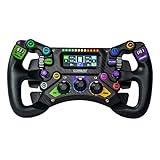
Best Deals: Conspit 300GT Wheel for PC
Price Trend:
Prices last scanned 10 hours and 8 minutes ago


The back of the box shows another image of the dashboard with the CSD logo running down the side.

The long side of the packaging gives more information on the dashboard itself, denoting key features, general information, and connectivity details.

Finally, on the external packaging, more social links are provided via QR codes along with tech support and the CONSPIT website.
Our Latest Racing Review Coverage
- Simagic Zeus Sport Steering Wheel Review
- Asetek Initium Pedal Modular Upgrades Review
- Simagic Zeus Formula Steering Wheel Review: premium build and advanced inputs for F1 racing
- Next Level Racing ERS3 Haptic Seat Review: immersive sim racing comfort with integrated haptics
- Asetek Forte S-Series Racing Simulator Bundle Review
Unboxing the CONSPIT CSD Dashboard

Opening the box, I was greeted first by the CONSPIT Quick Guide, which will help us get up and running in SimHub, and a layer of open-cell foam to protect the contents underneath.

Removing the foam layer, CONSPIT includes a selection of stickers to slap on your rig. I'm starting to build quite a large sticker collection, so I might start sticker-bombing the rear of my Trak Racer seat!

Finally, before we reveal the DDU itself, CONSPIT includes a warranty card and a business card-style QR code to join their Discord server. CONSPIT provides a 12-month warranty for all its products to cover any issues you may encounter in your first year; hopefully, though, we won't run into any.


Here we have it then: the display itself tucked comfortably in the protective lower layer of open-cell foam. Around the dash, there is a USB cable and a bag containing the mounting screws. The included USB cable is long, around 1.8m, so that it can be connected to your PC on the side of your setup.

Removing the dash from the packaging, I get my first real look at the unit itself. The display housing is made from 6061-T6 aluminium alloy and uses CNC machining to provide the form, while the shell features a fine sandblasted and anodised finish for a long-lasting, robust dashboard. The CONSPIT CSD Dashboard measures 191mm x 107 mm x 43mm, so while packed full of features, it remains fairly compact. It's heavy too, given the housing material, coming in around 1.2kg.
In terms of the technical features, the CONSPIT CSD Dashboard incorporates an impressive lineup:
- 5" IPS (854 x 480) 350 Lumens Display
- Touchscreen: Auxiliary page navigation
- Side rotary knobs: LED / Screen brightness adjustment
- Front rotary knobs: Dashboard page navigation
- 11 LED RPM Cluster
- 2x 2x2 Side LED Indicators
- Four auxiliary LED bars
- Front-mounted central power button
- Choice of two rear USB ports for connectivity, depending on the mounting configuration


Looking closer at the unit, the overall build quality is certainly impressive, with the top and side LEDs recessed slightly into the main body while the border around the display is raised. CONSPIT is using the 5" IPS (854 x 480) 350 lumens display touchscreen I mentioned in the specs above, and it seems a perfect size for a dashboard.

The four auxiliary LED bars sit flush with the main body, with the centrally mounted power button protruding by about 5mm. Both front-mounted rotary knobs are raised from their casings and feature depressible buttons to switch between dashboard package features and secondary interfaces. All four rotaries and the power button feel nice and tactile, requiring a solid push or turn to activate, with distinctive thuds to the detent when rotated.


CONSPIT uses anodised black and purple knurled knobs for the CSD Dashboard, and while some people will like the purple, I am tempted to replace these with red to match the rest of the setup, possibly being able to source via eBay, Amazon, or perhaps other sim enthusiasts who offer accessories such as these. All four rotaries are held in place with a grub screw, so if you want to change them out, you certainly could.


Looking at the dashboard from the side, you can see the unit's profile. I like that this isn't a simple flat panel; it adds character and a feeling that it was made for a real race car. CONSPIT, in fact, states this on their product page for the CSD Dashboard, commenting, "Exemplifying precision and modernity, the design philosophy of CONSPIT relentlessly pursues the seamless integration of modern technology with racing industry aesthetics, and the CSD dashboard is no exception." That, to me at least, then, says we tried to make it look like a proper race dash.

Printed at the top are the CONSPIT and SimHub logos, should you forget the integration here. As far as I know, the CSD isn't compatible with other software to get it up and running, and I see no reason to use anything but SimHub, given how comprehensive a package it is. CONSPIT does have its own software, CONSPIT Link, but it offers no dashboard functionality.

Moving our attention around the back, you can see the two USB ports for connecting to your PC. Only one of these is required to get up and running, with CONSPIT giving you the option of where to connect the unit to work around mounting options. In the centre is a rubber cap covering a ¼ thread mounting point, while below are two M4 mounting holes spaced 55mm apart to allow mounting to a bracket.


Speaking of mounting, on the CONSPIT website, you can select from a number of mounting options: MOZA, Simagic, or CONSPIT. I didn't get this option when I ordered from the Overclockers website here in the UK, but the package arrived with a range of brackets included. I am not sure if this is the standard compliment, or if Overclockers just throw an assortment into the bundle. I would advise checking before ordering to ensure you get the right bracket for your particular setup, but with what I have in front of me, it will be fine for how I plan to get this up and running.
Two thumbscrews are used to attach the dash to the included stand, and I will use double-sided tape to place it on top of the Simagic Alpha Evo base. Of course, you don't have to mount this dash front and centre; you could have this off to one side of your setup, again down to individual preference.
Installation & Software

Adding the CONSPIT CSD Dashboard to the Trak Racer TR120S V2 was very simple. Given the unit's width, it doesn't quite sit between the central mounting points for the universal wheel deck, but I wanted it closer to the front of the wheel base anyway. Simagic has done away with front-mounting options on the wheelbase, so some double-sided sticky tape will hold the dash in place just fine. From here, it was a simple matter of plugging the USB cable into my hub, and everything was ready to go.


It's time to jump into SimHub and add the CONSPIT CSD Dashboard to our connected devices. Powered on, the dashboard is detected, and I can now review its configuration options.


The first page to cover is the LCD itself, and things can quickly get very deep given how comprehensive SimHub is as a device management system. From here, you can control brightness, sleep settings, screen rotation and refresh rates, which dashboard you want to use as your default, and even margin or split-screen adjustments.


Moving over to the LED tab, again, things go even further. SimHub, of course, lets you import or export profiles and create your own. Here, CONSPIT offers two profiles for Formula or standard-style LED implementation. You can literally spend hours building your own profile for the RPM strip and auxiliary LEDS to denote actions within a sim. From a low fuel warning light to flags, DRS, or even using the additional LEDs as a spotter to indicate if a car is alongside you, there's plenty to play around with. On top of this, the colour of each individual LED can be changed to suit your needs, and you can adjust the brightness and place the indication where you want it.

The final tab to cover is the controls tab. The CONSPIT CSD Dashboard includes the four rotary controls I mentioned earlier, and by default, these are how you change pages or settings on the dashboard, along with the touchscreen. However, with SimHub, these can also be mapped to a button box or your steering wheel for quick changes without taking your hands off the wheel, allowing you to focus on what's happening on track. If you find the display is too bright, for example, you can tone it down, switch to a different dash page to find the information you are looking for, or map any other action you wish to a control here.
Kris' Sim Racing Test System Specifications
| Item | Details |
|---|---|
| CPU | Intel Core Ultra 7 265K (Buy at Amazon) |
| Motherboard | MSI B860 Tomahawk Wifi (Buy at Amazon) |
| RAM | Team Group T-Force Delta DDR5 32GB (2x16GB) 6000MHz CL30 x2 (Buy at Amazon) |
| SATA SSD | Samsung 870 QVO 1TB (Buy at Amazon) |
| NVMe SSD (Primary) | Samsung 990 EVO Plus 4TB (Buy at Amazon) |
| NVMe SSD (Secondary) | Seagate FireCuda 540 2TB (Buy at Amazon) |
| HDD | Seagate BarraCuda 2TB 3.5-inch (Buy at Amazon) |
| GPU | ASUS ROG Strix RTX 4080 OC Edition (Buy at Amazon) |
| Power Supply | be quiet! Pure Power 13 M 1000W (Buy at Amazon) |
| Cooler | be quiet! Pure Loop 3 360mm (Buy at Amazon) |
| Case | Corsair Frame 4500X (Buy at Amazon) |
| Keyboard | be quiet! Dark Mount (Buy at Amazon) |
| Mouse | Logitech G502 HERO (Buy at Amazon) |
| Sim Rig | Trak Racer TR120S V2 |
| Haptics | Trak Racer Haptic Kit 2x 100W Puck |
| Display 1 | Acer XV322QK KV (Buy at Amazon) |
| Display 2 | Acer VG272U V3 (Buy at Amazon) |
| Lighting | Govee H6056 Flow Plus Light Bar x2 (Buy at Amazon) |
| Macro Pad | Mountain Display Pad (Buy at Amazon) |
Final Thoughts

My dashboard of choice is the Lovely Dashboard, and I have it installed via the Lovely Sim Racing Plugin in SimHub, version V2.3.0.0. If you are in any way into sim racing, you have likely heard of the Lovely Dashboard and its features, and I have to say I love how it is laid out for quick, easy-to-find information at a glance.

Time to jump on track and see how the CONSPIT CSD Dashboard performs in its natural habitat. With the Lovely Dashboard sat idle and ready to go, I fired up Assetto Corsa, put in some hot laps around Mugello, then had a few races against AI rivals. One thing I can't do is race and take photos of the dash, so after spending a few days with it set up, it's time for my thoughts on this product.


The first thing to cover as I wrap up this review is the screen. It's a fantastic little display, clear, and even with my poor eyesight, I could read everything clearly. There is a slight reflection in my photos, but when racing, it isn't noticeable, and I usually race in the evening with the lights off. This also depends on what dashboard you run, of course, as a black background will show more reflection than lighter colours. Text is nice and crisp on the Lovely Dashboard, but this may vary from dashboard to dashboard, depending on how well they have been designed and built. Touchscreen responsiveness was spot on, but given the physical controls available, it wont be used too often.
On colours, I am happy to report that the contrast and colour seem very good, and I didn't have any dead pixels with my unit. Black reproduction could be a little better, but this isn't a $1000 screen, so display enthusiasts might have something to say about it. For its intended use case, it's certainly more than adequate. With a 60Hz refresh rate set in SimHub, everything was smooth and responsive. While you're not constantly watching the dashboard, when your attention is on it, I didn't encounter any issues at all. I have turned the brightness down quite a bit, though, as I don't want it to distract me from the action. Using the rotary to control brightness, I counted 8 steps from off to full brightness, but, of course, this can be refined in SimHub.

The LED implementation is also really nice, and while it's hard to show them in action on camera, the way CONSPIT has designed this unit makes sense in terms of LED placement and the number included to provide additional information to the driver. Again, as with the display itself, I have turned the brightness down on these, too, as they can get really bright. All LEDs show no bleed around their respective casings, and the four LED bars around the lower portion of the display show even illumination throughout.


Of course, Lovely Dashboard wasn't the only dashboard I tested the CONSPIT CSD Dashboard with, and I threw others onto the display to try them out. From the Bosch DDU8, System Info, MYTEC C127, and AIM GS-DASH, to name just a few, all performed as they should on the main dash page and on the secondary pages where they are included. I didn't take a photo, but the GPS for ETS2 was also an option, so it's not just for the race track; you can use the CONSPIT CSD Dashboard in other scenarios, too.

To wrap it up then, is the CONSPIT CSD Dashboard worth considering, and did I make the right choice by ordering this unit? Given we haven't covered any other sim DDUs here at TweakTown at this moment in time, I have nothing to compare it to, so let's just break it down and look at value, performance, and build quality.
First, for what you are getting, in terms of cost and value, the CONSPIT CSD Dashboard delivers a comprehensive package with plenty of LEDs to assign to a function, a screen that is more than capable, and, for the cost, the build quality is very good indeed, with that CNC-machined aluminium housing. Native SimHub integration is also adding value here, with a plug-and-play solution that you know will just work, given SimHub's excellent reputation. Yes, $309 is a lot of money, but chances are, if you are looking at a dashboard like this, your existing setup is already in the $1000s, so it's a reasonable additional cost to add a lot of features to your rig.
On performance, I can't think of anything this DDU is missing in terms of features, controls, or how it works within a sim. Overall, it does everything you ask of it, and the only limitation is that it can only display what SimHub tells it. With the right dashboard, and some time spent getting it set up just the way you want it, there isn't anything else you could need in terms of information to race with. Mounting options and USB placement are sensible, with brackets and adapters available depending on how you plan to add this to your setup. Also, having the power button on the front makes sense, something I moan about with wheelbases, where the power button is located around the back. I do think that having the touchscreen is a nice-to-have, not a need-to-have, so maybe some cost could be saved. Having said that, if you are using this for something like ETS2, where you have time to tap away at the screen, it could be really beneficial.
Finally, the build quality is excellent, and given that I am not familiar with CONSPIT, from what I have seen here, I would like to think their other products are built just as well. I would put the CONSPIT CSD Dashboard up there with the sort of quality you would expect from Asetek or Simagic, if I were to compare it to one of their wheels, for instance. If I had not known the brand of this dashboard, and you told me it was an Asetek product, for example, then I wouldn't have doubted you for a second.
So then, credit to CONSPIT for producing a highly capable dashboard, with good build quality, a great feature set, and a more than justifiable price tag. Did I make the right choice? I certainly think so. There isn't anything I can really pick up on that it's missing, or that I wish were different, or that I'd like located somewhere else; it does exactly what it sets out to do, and does it extremely well. The only thing I can think of is the colour of the rotaries. I am not a huge fan of purple, so maybe CONSPIT should offer other colour choices as an extra accessory in their store. As I mentioned earlier, the touchscreen will be a plus point for some and not needed at all for others, so that's a bit of a mixed bag, but at least it's there if you need it. Overall, though, it's a great dashboard that should last a long time and deliver all the information you need.