



Learn how to maintain your PlayStation 5 console with this informative video.
Whether you got a new PlayStation 5 console for Christmas or you're like me and have a launch 2020 model, odds are that you're going to clean out the system at some point. Unfortunately for PS5 owners, the console's unique ventilation design makes it a kind of dust trap and often you'll see dust build up on the vents in the back of the console and the intake fins on the sides of the unit.
Luckily repair expert TronicsFix, who has brought many a broken console back to life, shows us the most efficient and safe way to clean PlayStation 5 consoles.
The tech whiz breaks PS5 cleaning into three stages of difficulty and time requirement.
Stage 1 is your basic dust-off and clean-up job. Users are guided to pop off the PS5's face plates and use a bristled brush to loosen and push away dust and dirt off of the fins, followed up with a spray of canned air. Don't forget to clean the inside parts of the plates, too.
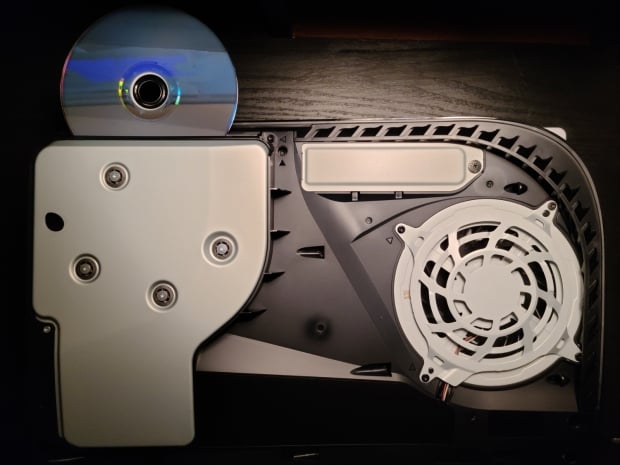
Stage 2 is more involved. You'll be taking the intake fins off, popping the fan grill off, and removing the actual fan itself. This stage requires some precision and care, but once the fan is out, you'll also clean it separately from the console. This gives you access to the heatsink, too, and you can pop a small tech vacuum in there to pull out any dust.
Stage 3 is much more involved. You're going to essentially be a PS5 surgeon and undo 41 screws, the actual disc drive itself, and clean the heatsink separately from the rest of the unit.
And voila! You now have a clean PS5. Hopefully this guide will help you avoid any potential mishaps and costly repairs.