












We all know the pain of reinstalling or getting your Windows installation on a new OEM "clean" install of your OS, but Microsoft has just made this a million times easier with their new Windows 10 refresh tool.

Microsoft's new tool lets you "reset" the entire operating system, removing the bloatware that comes on some PCs from big brand companies like Lenovo (sorry for picking you out of the bunch, Lenovo - so how about I add Samsung, Dell, and others). The new tool can be downloaded right here, where Windows will reinstall itself to the same state as if you were to install it from the USB flash drive or DVD - without all that OEM bloatware crap.
Rob Williams from HotHardware (and TechGage!) says: "First and foremost, you don't have to lose your files by doing this; you'll be provided the option to keep them. Second, you may run into some roadblocks with regards to app licenses (eg: the preinstalled apps that are no longer preinstalled). That even includes vendor-specific drivers, so if your notebook or desktop has special hardware that Windows 10 can't install on its own, you'll need to hit up the vendor's website to download and install the drivers manually".
 You can debloat Windows 11 in just 2 clicks with this new intuitive tool
 Opinion: Game Pass tier with first-party games won't fix the subscription's biggest problem
 Microsoft adds a native way to remove Windows 11 bloatware from new installations
 YouTuber makes tool to debloat Windows in just 2 clicks
 Microsoft proves Windows 11 bloatware impacts gaming performance
 Giveaway: 12 Winners Will Score MONTECH NX400 and NX600 CPU Coolers
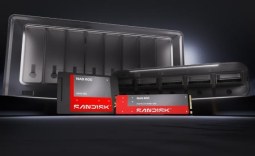 Sandisk NAS 800 NVMe SSD delivers PCIe Gen5 speeds for demanding NAS environments
 RayNeo announces new iO Smart Glasses and GT Series with 'cinema-grade' display
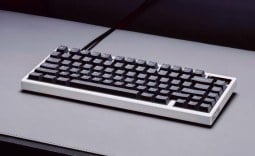 IQUNIX launches premium EC75 Hall Effect keyboard with 0.01mm Rapid Trigger
 AVerMedia announces new pro-grade HDMI capture devices with up to 4K RGB24 True Color support
 Beyerdynamic announces new affordable MMX 100 and MMX 130 wireless gaming headsets with studio-grade sound
 AMD's latest Radeon driver adds support for Star Wars Zero Company, Call of Duty, and Radeon RX 9050 4GB GPU
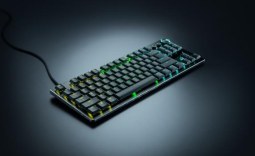 Razer's new Huntsman is the 'world's first low-profile analog optical esports keyboard'
 GTA 6 appears to have leaked from Rockstar India, also suspected to be a PC version
 Xbox struggles to move physical discs, accounts for only 4% of disc sales in the US this year
 Samsung Foundry raises manufacturing prices, may impact the Nintendo Switch 2
 GIGABYTE MO27Q2A Gaming Monitor Review: 1440p, 280Hz, and QD-OLED is a winning combination
 Cooler Master V8 ACE 3DHP BLACK CPU Cooler Review
 ASUS ROG Strix XG129C Review: A $199 Gaming Monitor You Don't Play Games On
 Cooler Master HAF II 500 Mid-Tower Chassis Review
 Corsair HS35 v3 Wireless Gaming Headset Review - An Affordable Winner
 D-Link F518 5G Wi‑Fi 6 AX1800 Mobile Hotspot Review: All-Day Mobile Hotspot
 Bose Lifestyle Ultra Speaker Review - Impressively Detailed Room-Filling Sound
 MSI Z890 Gaming Plus WIFI6E Review - Z890 for under $200
 Mortal Kombat (1995) 4K Ultra HD Blu-ray Review
 CPS PCCOOLER YS1200 ATX 3.1 80 PLUS Gold PSU Review
 Using Multiple Monitors? Change these Windows settings for a Better Experience
 Windows Sandbox is The Windows Security Feature Most People Never Use
 I ditched the Windows 11 context menu for this open-source tool, and here's why
 Windows 11 may be encrypting your drive already, and I checked where my recovery key went
 GIGABYTE's 40 Days of INFINITY celebrates 40 Years of Innovation with stunning GeForce RTX graphics cards and rewards
 I swapped File Explorer for this free file manager and finally got the layout I wanted
 How to tell if someone has been using your Windows PC without your permission
 6 Task Manager tips for troubleshooting Windows performance problems
 ASUS ROG's 20th Anniversary Line-up of Premium PC Gaming Gear has Arrived - Here's Everything You Need to Know
 Six File Explorer tips every Windows user should know