


Introduction
 37
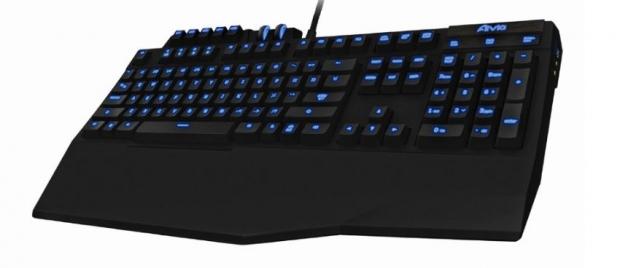
37While I wasn't privy to sampling the Aivia K8100, as it was a little before my time in peripherals, I did know a couple of guys that did get one and I was a fan of the Ferrari yellow one they released with the red version coming in a close second. Looking back at it again today, I can see where our latest submission got a lot of the design cues and styling. Even when the K8100 was released, it had things most buyers look for today. Things like Macro software, multimedia keys and a look that was like no other on the market at that time and the same can be said for this latest version which we're looking at here today.
With all the keyboards I have had the pleasure of looking at the ones with mechanical switches get the most attention, as the latest trend is to make mechanical keyboards affordable for the masses. Beyond that most users want full control of the system through either pre-set shortcut keys or customizable Macros that are easy to use and set up. Profiles seem to be another nice addition to allow you to keep the Macros is order for say an individual game or desktop application, so that it isn't just a jumble when you need to find and use them. Great software can definitely help to sell a mechanical gaming keyboard, but what takes most over the top and into the hearts of buyers is the fact of weather it is backlit or not. In this instance, you get all of the above included in the package along with what I think is a great looking keyboard.
GIGABYTE has delivered the Aivia Osmium gaming keyboard for testing and this Cherry MX Red switch based offering has everything that most other mechanical keyboards offer from the likes of Corsair, Cooler Master and other OEMs that are now delivering mechanical keyboards. Of course there are going to be some changes to things between brands, such as this GIGABYTE product offers a full layout of mechanical switches, where others use mechanicals only where they feel they are most needed. There are no shortcuts with the Osmium.
What you are delivered is a top notch product that offers everything most users are looking for, along with things you may not have thought you needed until it was offered right in front of your face like it is with the GIGABYTE Aivia Osmium. Let's take a closer look.
Specifications, Availability and Pricing
 37
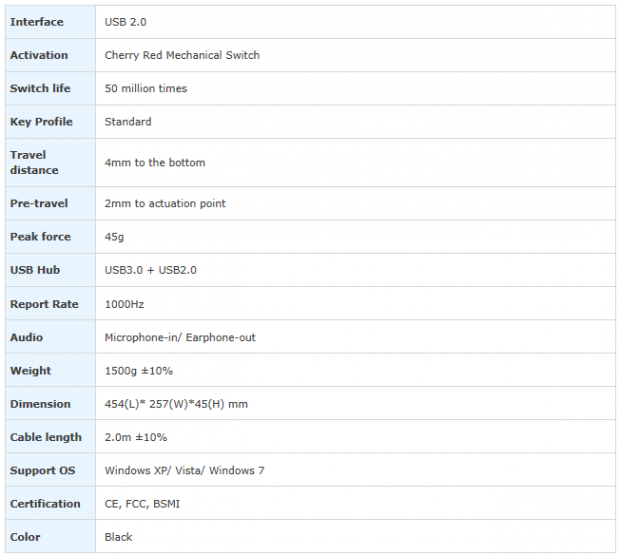
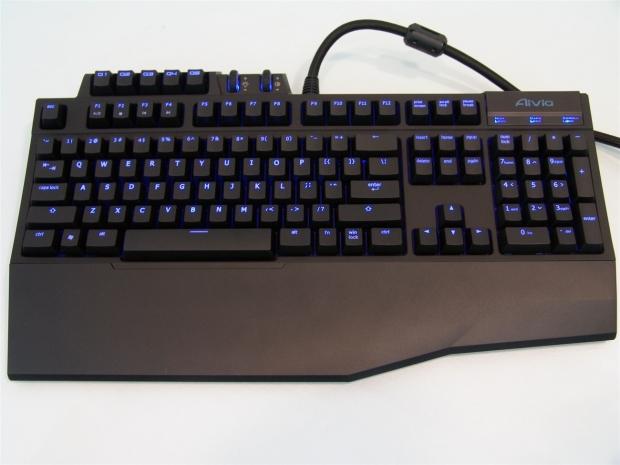
37The Aivia Osmium is delivered in black only. It offers raised and contoured keycaps that are laser etched to allow for the blue LED backlighting of each individual key to shine through. The Osmium on its own has a regular rectangular shape with the addition at the top of the G-keys, LED intensity wheel and a volume wheel that does bump out from the straight line across the top of the keys. Nearest to the user, the front of the keyboard takes on an angular look with the wrist wrest being clipped onto the front. Personally I prefer to type with my keyboard on my lap and I was pleased to see that it was easily removable and doesn't leave the keyboard looking like it is missing something if it isn't in place.
Inside the keyboard there are 110 Cherry MX Red switches with blue LEDs under all but three controls on the keyboard. The scroll wheels for the volume and LED intensity along with the profile button with the Aivia series name on it were not possible to be based on a Cherry MX switch. On the right side of the back of the keyboard you will find a USB 2.0 pass-through port and on the right side of the keyboard you will find two 3.5mm jacks for headphones and a microphone with a USB 3.0 pass-through port next to them. To pass all of the keystrokes, USB information and the audio signals GIGABYTE uses a thick braided cord that terminates with four connections.
From what I can see, at least in the USA, the Osmium is somewhat limited to locate. While Newegg is a big player in the US market and this is available there, I would like to see more offerings, if only to help save a few dollars. The listing at Newegg has this keyboard priced at $129.99 with free two day shipping. Even here GIGABYTE seems to be on point, as most of the "affordable" mechanical keyboards fall in this price range.
At this point in the game, the only think I can say bad is that it isn't more available, but even then with a e-tailer like Newegg carrying your products, you are covering the majority of my market and we all know who Newegg is, so to even try to make a standing point on the limited availability is sort of moot.
Packaging
 37
37GIGABYTE offers a large, almost life-sized image of the Osmium on the front with things like the USB 3.0 port, the 45 grams of activation pressure of the keys, the anti-ghosting capability and the LED backlit illumination.
 37
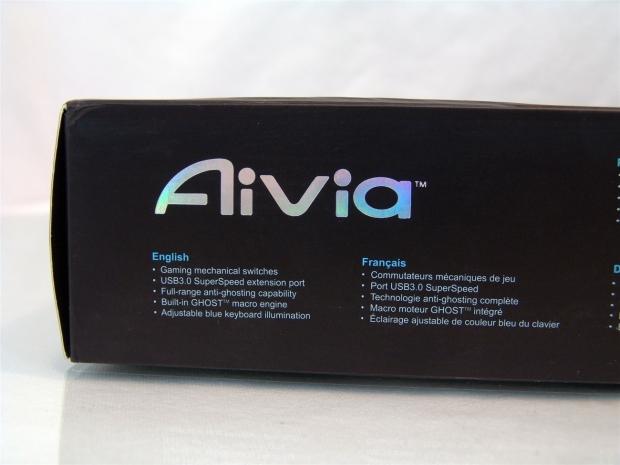
37Under the front, on the long skinny side of the box, you find five features that are repeated down the entire length of the box in 14 total languages.
 37
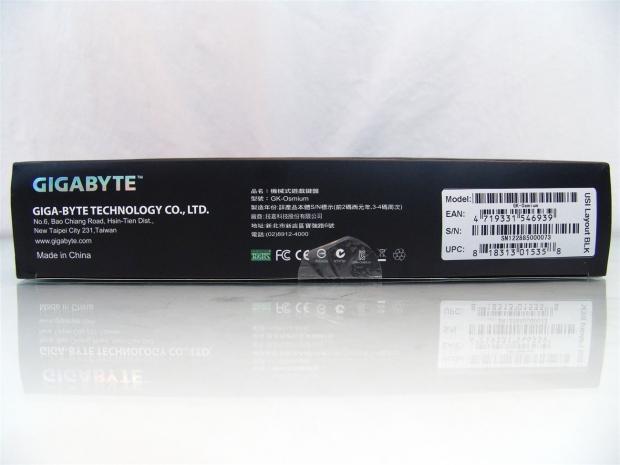
37This is what you find on the smaller left side panel. This covers the company information and where is it located along with the product information for the Osmium I was sent.
 37
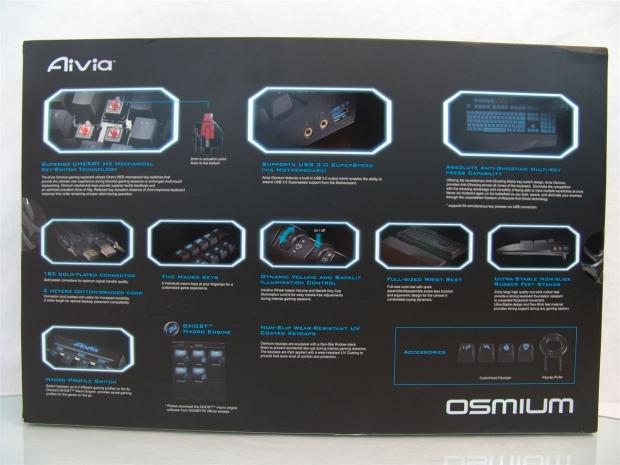
37The back is where you get to see a lot about the Osmium. Here the switches, ports, lighting, connections, Macro keys, scroll wheels, wrist rest, the feet, profile button, software and the keycaps are all defined and explained here.
 37
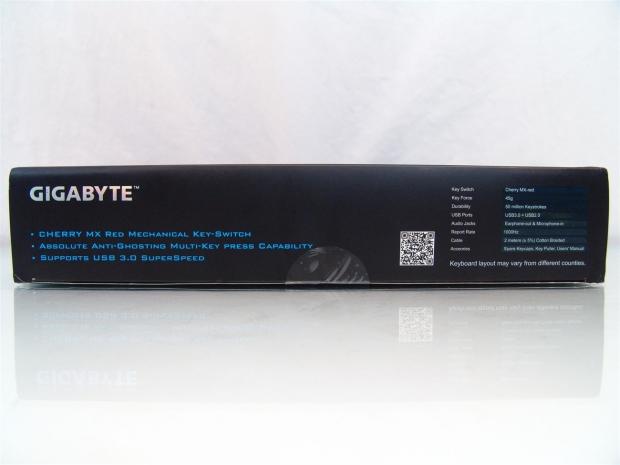
37The right side panel offers three features listed on the left with a basic specification chart to the right.
 37
37The other long panel, this one being at the top, shows the Aivia name on the left (not pictured) with the Osmium name and Mechanical Gaming Keyboard hidden with a play on flat and shiny packaging.
 37
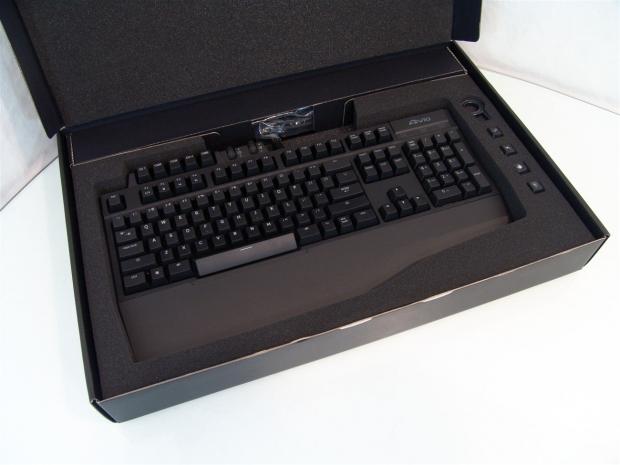
37I have never seen a keyboard packaged so well for shipping. GIGABYTE chose to use high density foam with snug compartments for the keyboard and extra pieces found on the right. With this sort of packaging it would really take the delivery truck running over the box to cause damage, this thing can easily survive a four foot fall.
GIGABYTE Aivia Osmium Mechanical Gaming Keyboard
 37
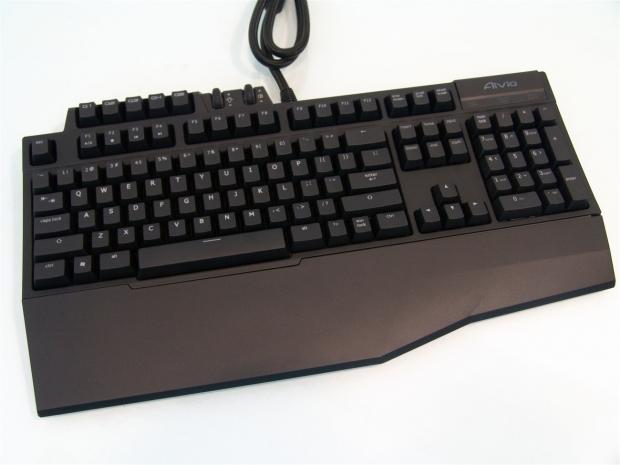
37With the Osmium now out of the box, you can see there is a bit of a play on angles in the wrist wrest and with the bump out at the top, but overall this is a clean looking solution to get your typing on with.
 37
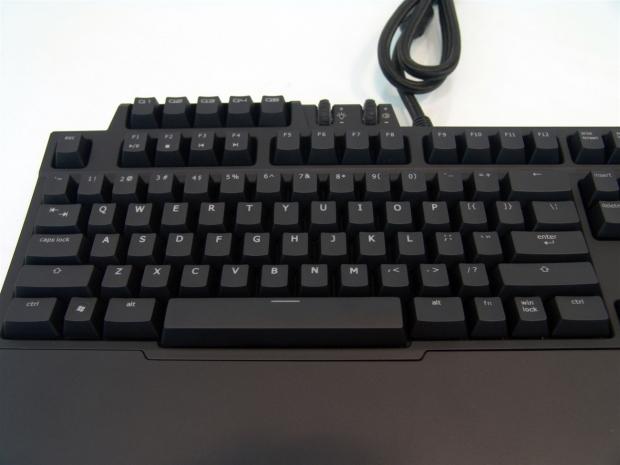
37The left section of the keyboard offers the standard 74-key layout. All of the key caps are laser etched to allow the back lit illumination pass through the keys while the letters, numbers and icons won't wear off over time.
 37
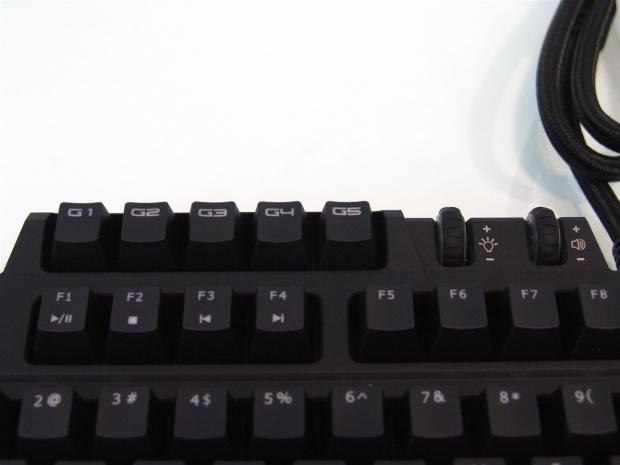
37Above the standard layout is a set of five G-keys that work for presets or Macros with two scroll wheels placed just off to the right. Keep in mind there are five profiles you can run and with the five G-keys, that leaves a constant selection of 25 Macros right at the click of a button or two. The wheels control the LED intensity and the volume of the PC.
 37
37The right side contains 31 keys in the command and number keys, including the arrows too. At the top where it says Aivia, that is the profile button I keep talking about. The whole plate presses down and the logo will change through five colors to denote which profile is in use.
 37
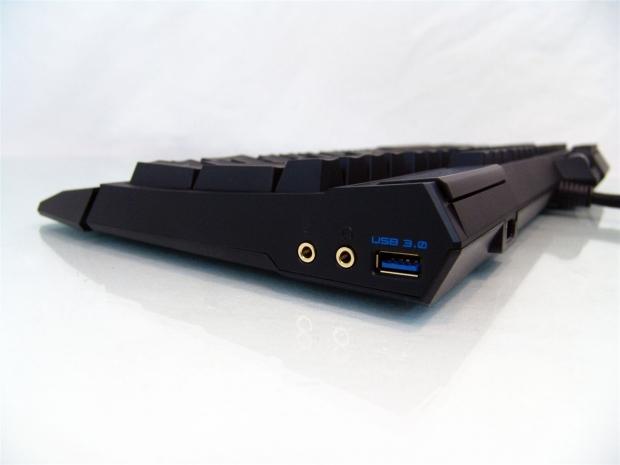
37With all of the feet being flat, the angle of the keys is slightly tipped to the back for use. Also on this side you can see both the audio and microphone pass-through and the USB 3.0 pass-through port for uploading files and swapping PC BIOS files.
 37
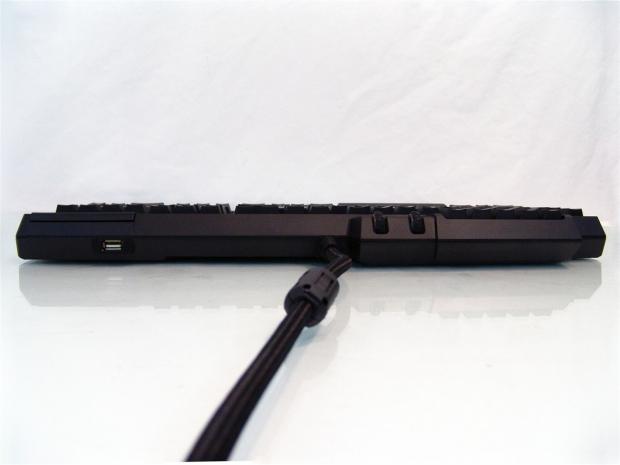
37Along the back you will find the fat braided cable coming out of the center of the board and to the users right (left side in this image) there is also a USB 2.0 port for a mouse or headset that doesn't use 3.5mm jacks.
 37
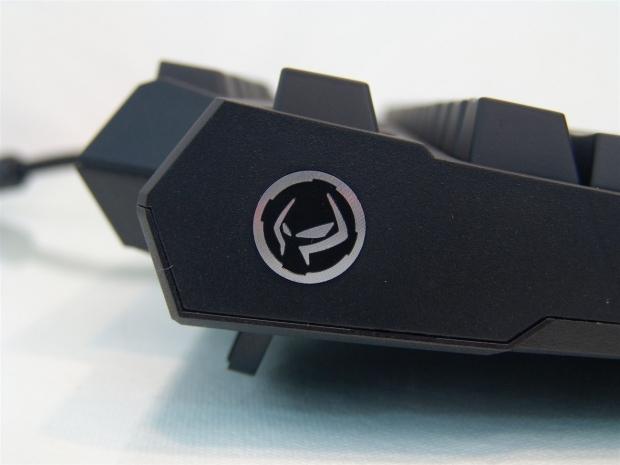
37I went and raised the feet on the back to elevate the rear of the keyboard a half of an inch more to make the keys lean forward toward the user for a better feel across the keys. Also found on the left is the "Ghost" icon that you will find in the software.
GIGABYTE Aivia Osmium Continued
 37
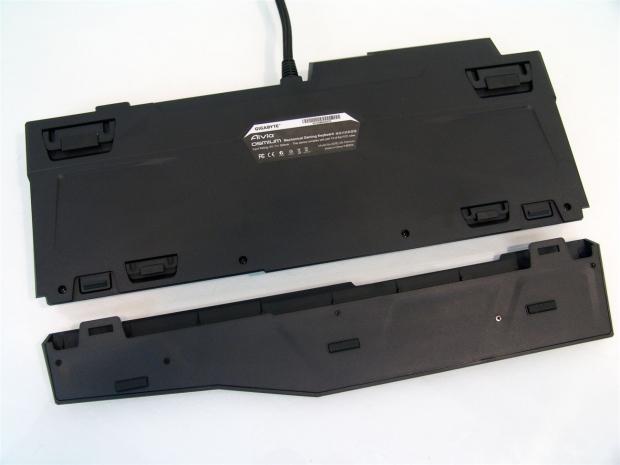
37Flipping the Osmium onto the keys, you can see the wrist wrest simply clips onto both side of the front edge. It also encases the front edge of the keyboard and is pretty solid and shouldn't come lose during the heat of a battle.
 37
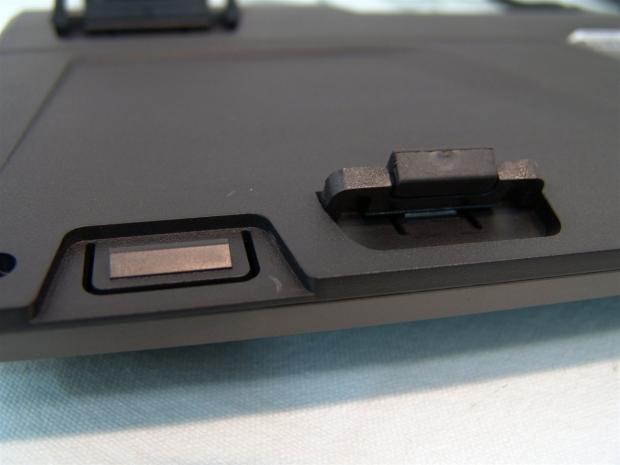
37Next to each of the clips for the wrist rest there are also risible feet in the front. These can be used with the rest in place to help change the angle if the flat layout bothers you. They are also rubber padded so that you don't slide around.
 37
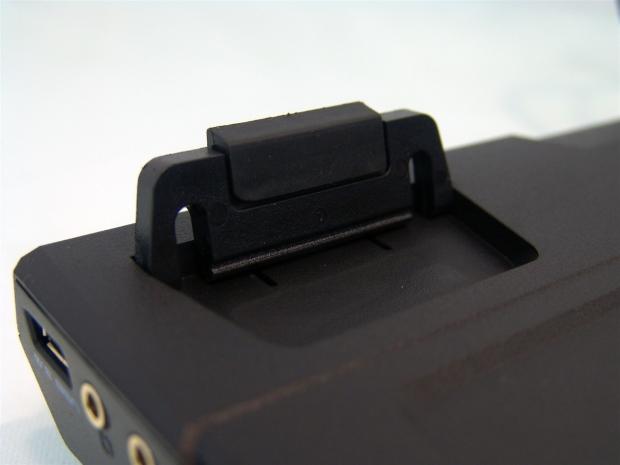
37The feet near the back edge of the keyboard are much bigger and taller than those on the front, but they also get the rubber pad on them to keep the Osmium in place on any surface, even glass.
 37
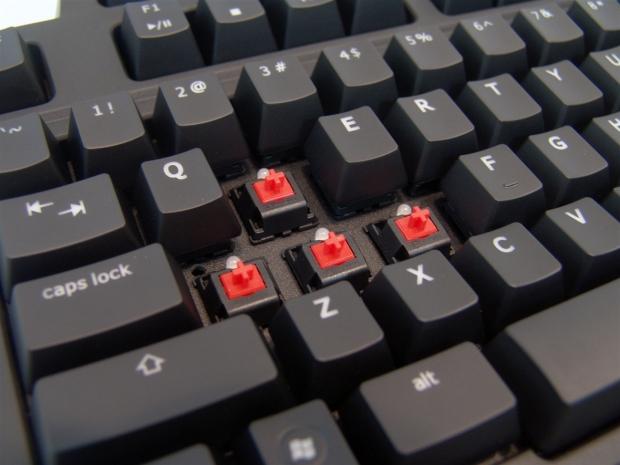
37Removing the W, A, S and D keys you can see the keys are in fact backed with Cherry MX Red Switches that each contain their own LED to illuminate the keys.
 37
37I also pulled random keys from all of the other sections of the Osmium and just as it was stated, the entire layout is backed with these switches and their own LEDs.
 37
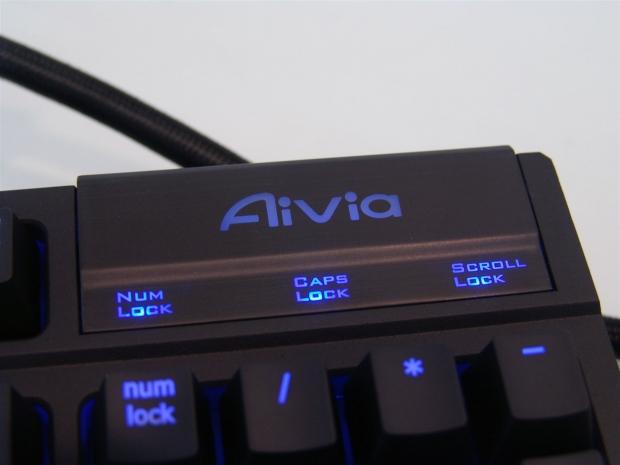
37Back together and powered on, you can see the Aivia logo illuminated and I applied all of the locks to be sure to show them in this as well. This section has one color of LED, if you change the profile color, the "lock" color changes with it.
 37
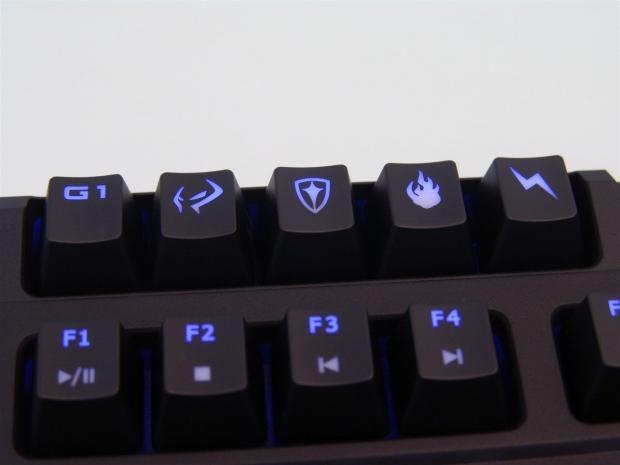
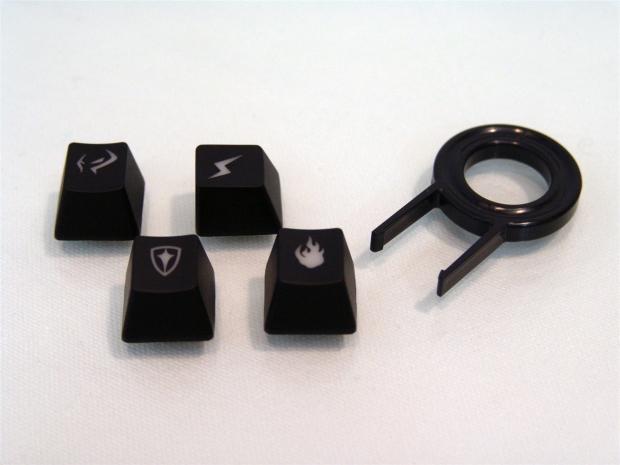
37I went ahead and grabbed the extra keycaps and replaced a few of the G-keys with them. Illuminated you can see that there is the ghost, a shield, fire and lightning key caps for your customizing pleasure.
 37
37Now we can see the entire Aivia Osmium from GIGABYTE lit up and ready for action. I am happy to say that all of the LEDs work and the keyboard is fully functional. Now is the time to put some use on it and see what I think about it.
Accessories and Documentation
 37
37On the right side of the keyboard in the inner foam packaging you will find the key puller and the four optional keycaps. As you saw I used them on the G-keys, but nothing says the Windows key or the ESC key can't use these caps too.
 37
37As the cable extends its two meters of length, it terminates into four separate connections for the rear I/O of the PC. You have the microphone jack, USB 3.0, USB 2.0 and the headphone jack; all of which are gold plated.
 37
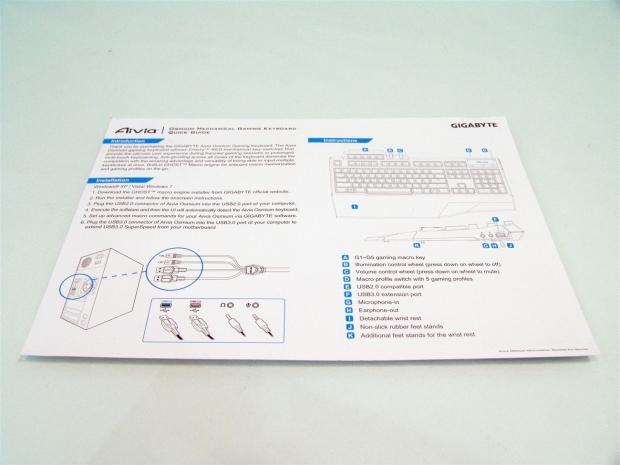
37To locate the paperwork, I found mine under the foam insert inside of the box. On the front of it, GIGABYTE covers the keyboard with an introduction, the installation and the layout of all of the keys and features found around the Osmium.
 37
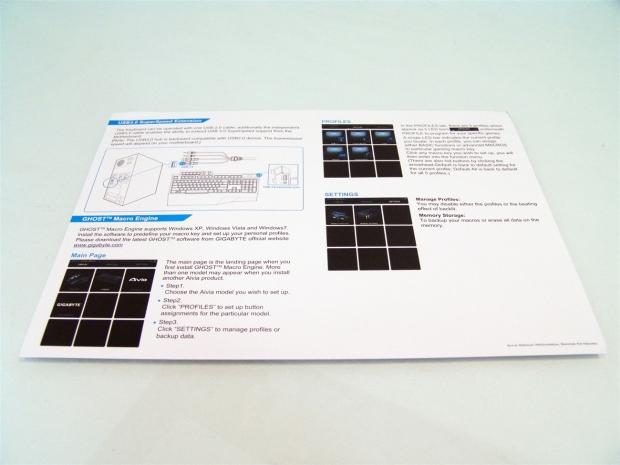
37On the reverse it starts by discussing the USB 3.0 pass-through and where to connect it. From there is a brief description of the software and what is contained, but it does take a bit of time to sort out the finer details of the Ghost software.
The Ghost Software
 37
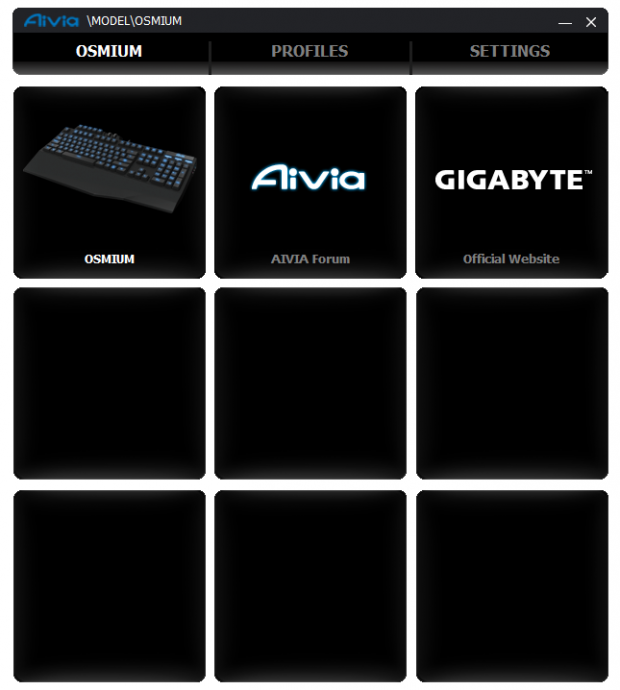
37After installing the GIGABYTE Ghost software and running it, I was first greeted with this window. It shows the keyboard along with the Aivia forums and the GIGABYTE website. It was also shown in the paperwork, that if I had more GIGABYTE devices, they would show in here as well.
 37
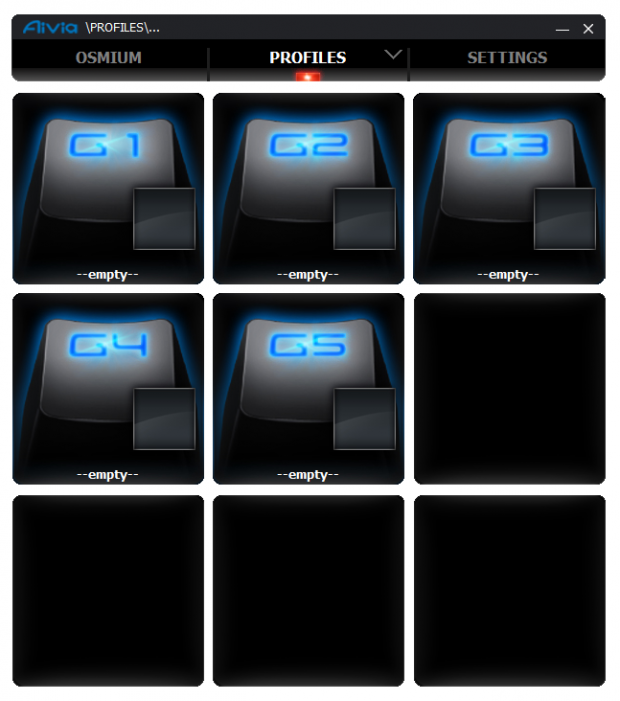
37Under the profiles tab you are shown at the top which color you are programming for and in the blocks you can see the five G-keys that you can customize the function of.
 37
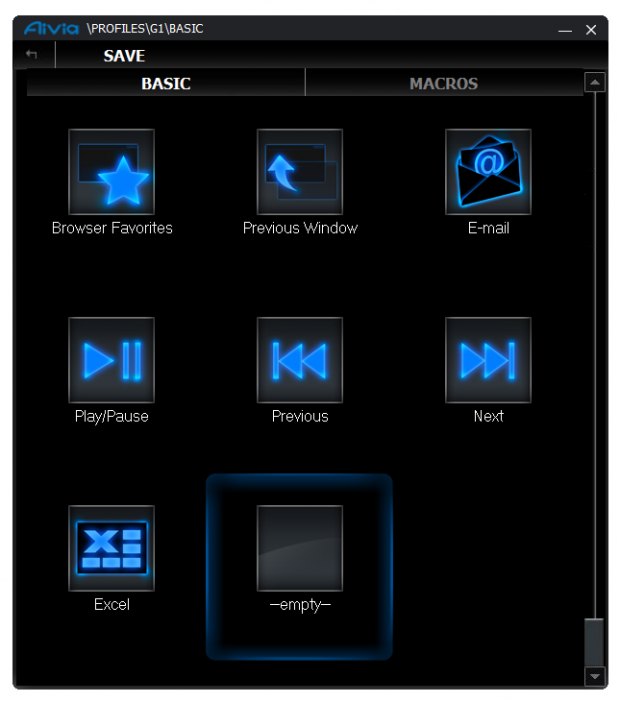
37Clicking on the G1 key brings you to a sub menu, where under the basic tab you can set multimedia functionality to them with these preset functions shown here.
 37
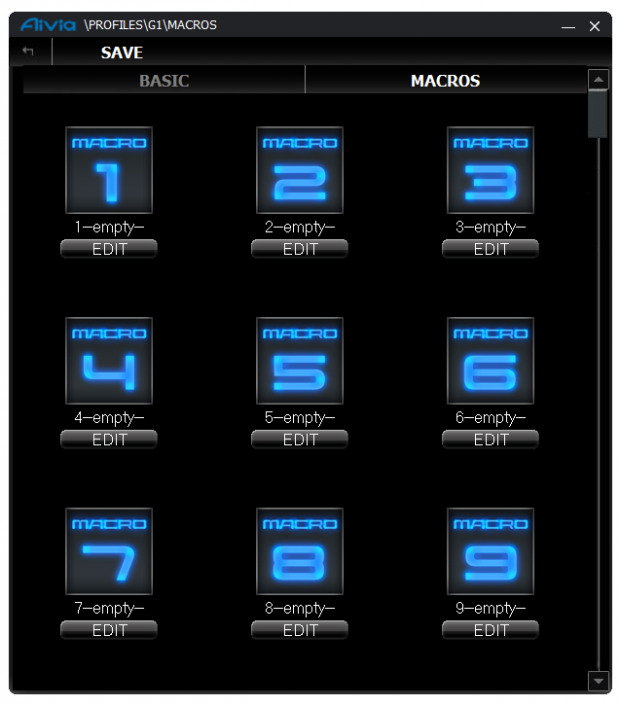
37Swapping over to the Macros tab starts you off with a list of slots to load them into. You can only see numbers one through nine here, but if you scroll down, you can keep up to 100 Macros in the library and you can just swap them out on the various profiles and G-keys as needed.
 37
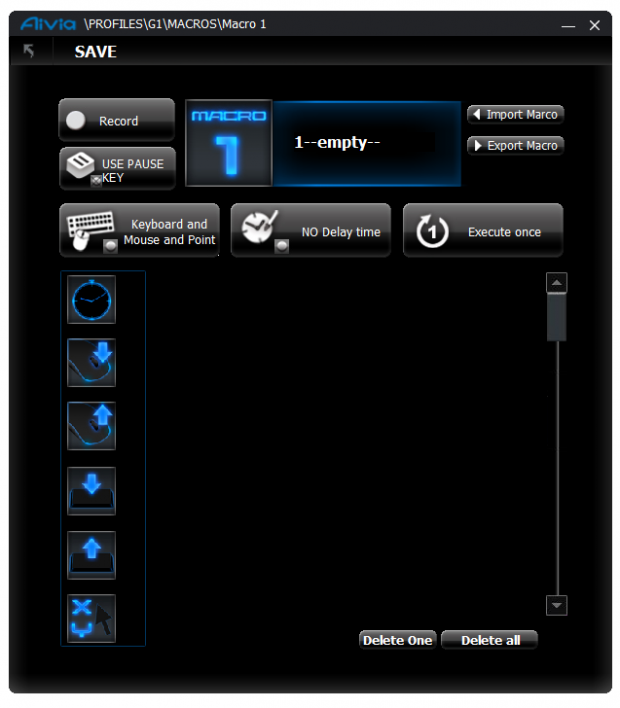
37Clicking on the Macro 1 slot, it then drops you into another menu to get the Macro programming under way. This can be as simple as hitting the record button and starting an app with your mouse. The software picks up the moves and drops them into the blank area at the right. For full customization, you can select the functions and key strokes, with and without timers and plenty of other options like looping the command.
 37
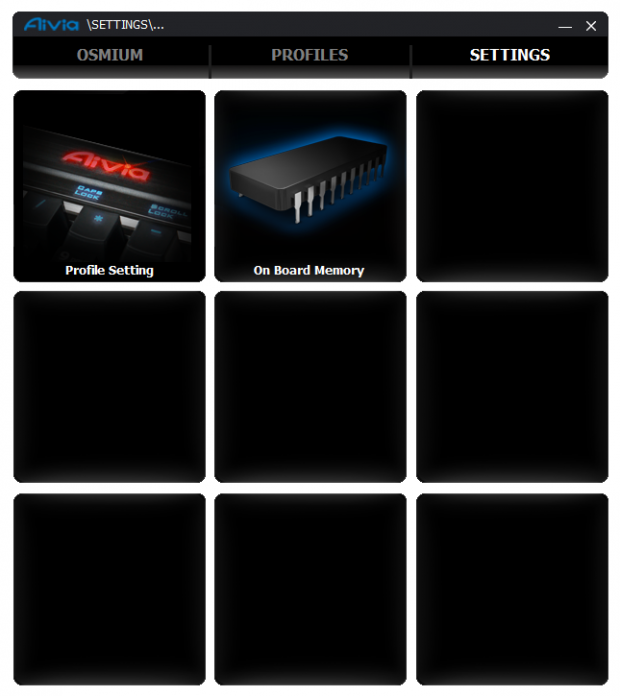
37Moving on to the settings tab at the top you are now given the option to jump into the profile settings or deal with the onboard memory.
 37
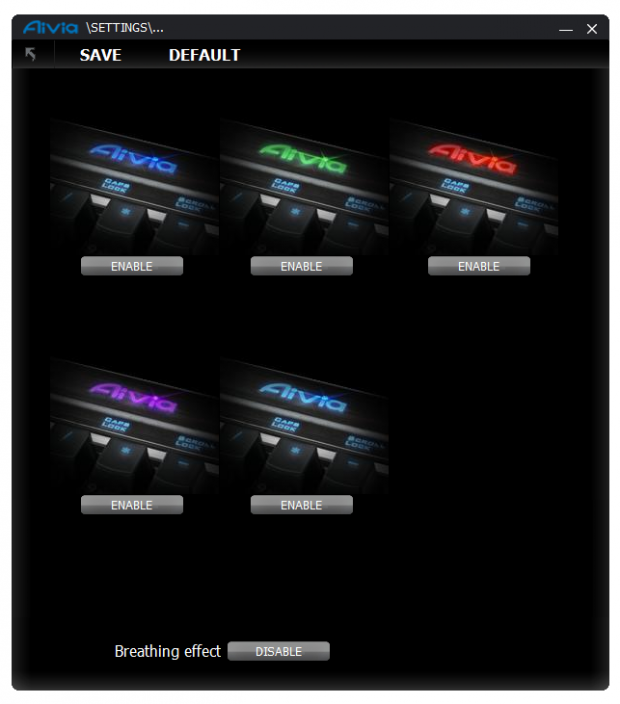
37These are the five colors I said each profile will use. If you don't want all five, you can disable profiles by clicking on the enable button below each one. Now with five profiles and five G-keys, we can have a maximum of twenty-five of the 100 Macro slots functional at any time.
 37
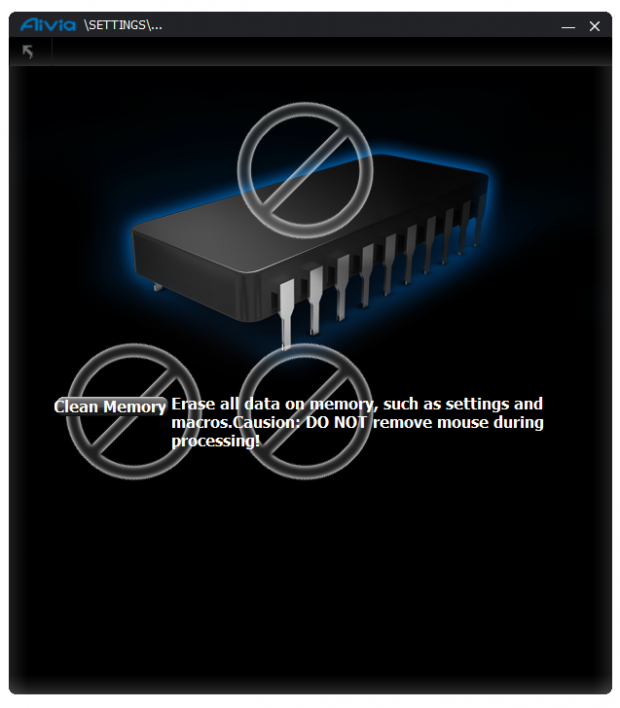
37If you ever do go to sell the keyboard or maybe you really have messed up the configuration and just want to start over, here you have the option to do a clean wipe of the onboard memory and resetting things to default status. Be careful here, one wrong click and your Macro library is gone for good.
Final Thoughts
After a couple of weeks of use, I find myself liking the Osmium over the Corsair K90 that is sitting to my left as I type this. While the Osmium doesn't have a brushed aluminum top, the Osmium is tougher, heavier and feels better than both Corsair submissions with Cherry MX Red keys. Personally I like the tactile feedback of Brown and Blue switches, even the Alps white switches on the Matias, as I don't tend to fully press the keys and my typing speeds up because of their use. The Red switches do in fact have the same intermediary position of activation of the switch, but I tend to find myself bottoming out the Red's a lot more than other offerings. Even with the longer key travel from other mechanical boards I use more regularly, the way this board is designed, the key strokes don't make as much noise as the Corsair switches do with the sound reverberating onto the aluminum plate.
I am able to take my eight fingers and mash the board to produce "ahfsdjkl" all in pushed at the same time and I have yet run into any instances where my typing exceeds the NKRO support this board boasts. Taking that even further, with the use of the G-Keys and the Macros you assemble into the Ghost Software, you can spam WoW commands or open three apps at one time on the desktop too, this keyboard really doesn't miss a stroke of any key.
At first the software was a bit confusing. I thought there were 500 slots in the library and possibly unlimited Macro buttons. Playing around in the software I found the library is the same 100 for all of the profiles and there are only the G-Keys that can be set for Macro or multimedia functionality. Even so, I do believe that 25 Macros and multimedia keys are enough to make any user of Macros pleased with these offerings.
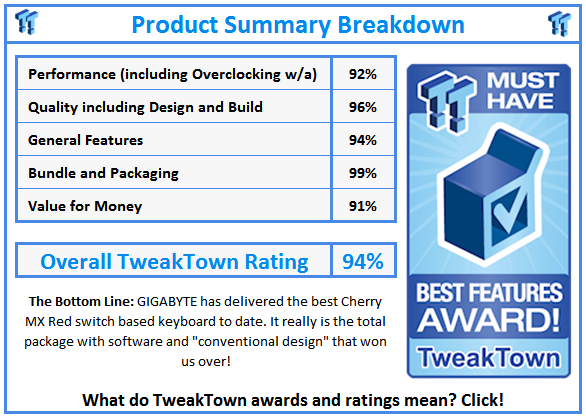
From my initial reaction when this huge box arrived to my door and I lugged it into the house, through the actual packaging and in a detailed look over the Aivia Osmium, I have to say GIGABYTE really got this one right. It offers the full package of what gamers and typists alike can appreciate, leaving no stone unturned. With full NKRO support, Macro programmability, onboard memory, the back lighting, pretty intuitive software and a keyboard that is designed slightly "outside of the box", but doesn't take things to a point of being gaudy in appearance because of it. Considering the $129.99 price tag, this to me is the better call over Corsair and it even fees better on the whole than the thicker Cooler Master offerings.
I won't say this is as nice as my Matias, but this is driven to gamers where my Matias is geared for typists. Either way, in the end, I really enjoyed my time with GIGABYTE's Aivia Osmium mechanical gaming keyboard and I feel that you all will enjoy it just as much as I did.
 United
States: Find other tech and computer products like this
over at
United
States: Find other tech and computer products like this
over at  United
Kingdom: Find other tech and computer products like this
over at
United
Kingdom: Find other tech and computer products like this
over at  Australia:
Find other tech and computer products like this over at
Australia:
Find other tech and computer products like this over at  Canada:
Find other tech and computer products like this over at
Canada:
Find other tech and computer products like this over at  Deutschland:
Finde andere Technik- und Computerprodukte wie dieses auf
Deutschland:
Finde andere Technik- und Computerprodukte wie dieses auf 


 LG's 32-inch gaming OLED monitor with 480Hz refresh rate is imminent, with pre-orders live now
 Google Pixel 8a leak boasts 7 years of security updates but leaves one question unanswered
 Apple has plummeted from first to fifth place in the Chinese smartphone market, analysts warn
 You can blame Tim Cook for 8GB Macs, it seems
 Apple removes three AI apps capable of creating nude images of people from the App Store
 SteelSeries Arctis Nova 4X Wireless Gaming Headset Review
 ACEMAGIC AD08 "Core i9 11900H" Mini PC Review
 Lenovo ThinkPad X1 Carbon Gen 12 Review
 ASUS ROG Swift Pro PG248QP Gaming Monitor Review - Frames, frames, and more frames
 FlexiSpot C7B-Mesh Ergonomic Office Chair Review
 Samsung G8 34-inch QD-OLED Gaming Monitor Review - 175Hz for $900
 ASRock NUCBOX-155H Mini PC Review
 NuPhy Air96 V2 Wireless Mechanical Keyboard Review
 TEAM T-FORCE Siren DUO360 RGB Liquid CPU Cooler Review
 AVerMedia Live Streamer ULTRA HD Review
 Building the Ultimate Home Entertainment Server with an ASUSTOR NAS and Viper Gaming NVMe SSDs
 Everything you need to know about the latest ASUS NUC Mini PCs - NUC 14 Pro and ROG NUC
 How to Overclock Your GPU and Boost Your PC Gaming with ASUS GPU Tweak III
 ASUS's AMD Radeon RX 7000 Series GPU lineup has something for every gamer
 ASUS OLED Premium Care defends the ROG Swift OLED PG32UCDM gaming monitor from burn-in