If first impressions made the review, the Razer Onza would win multiple awards. The box, the controller itself, the buttons; it is all pure quality. But sinking teeth into it, I don't think it is all what it's cracked up to be. Because I cover peripherals, I get to have my hands dirty in all sorts of different quality products. It's a blessing and a curse, as it becomes hard to pick and choose and it comes down to just a few features that can truly define a product.
The Onza is no exception. At first glance, it is a home run - but it has its fair share of issues too. Not to say they're proper issues, but controllers and peripherals, as I've always said, are a very, very personal choice. What is good for one, is bad for another. What is an amazing, 10/10 product for one, is a throw away 3/10 for many others.
The biggest test for me was the super-responsive, Super Meat Boy on PC. Adjusting the resistance on the controllers? Nice work Razer. But after thrashing what seems 3,132 buttons in 30 seconds, it (the Onza) begins to feel, cheap.
Now, don't throw me to the sharks just yet. Razer is known for quality products and this is no exception, but I am just telling you how it is. Let's move onto the D-Pad. The D-Pad can sometimes stick, and as you can imagine, this can become annoying, quickly. There is a slight lag sometimes when you press a button directly after a previous press. Say, quick right, then left - there is just the slightest lag.
Let's talk buttons. The pressure-sensitive original Xbox 360 buttons are an absolute joy to press. But the Razer Onza features mechanical buttons, which are very 'click, click, click' and not a soft press like the original 360 controller. Sometimes they don't feel as responsive as the original 360 controller which is quite a shock to the system for me.
The thumbsticks are a joy to press -they're great. There is also a second set of shoulder buttons that have the ability of being remapped to any of the existing buttons. Under the two thumbsticks is also a dial that allows the adjusting of the tension of each stick. For someone who wants to truly tweak their hearts away, you have the option.
Our Latest Game Controllers Review Coverage
- ASUS ROG Raikiri II Xbox Wireless Controller Review - Ready to Take Control
- SCUF Valor Pro Wireless Performance Controller Review - A Pro Pad for PC and Xbox
- Turtle Beach Recon Wired Gaming Controller Review
- ATEN Phantom S UC3410 Gamepad to Keyboard Emulator Review
- Microsoft Xbox One Elite Wireless Gaming Controller Review
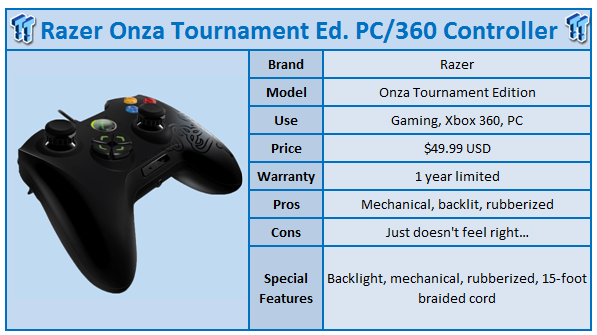
The Razer Onza Tournament Edition includes backlighting, which the original Onza does not. It also features adjustable resistance analog sticks; again, the original Onza doesn't offer this. The surface texture of the Onza TE is rubberized and includes a 15-foot braided cable.
These are the usual features in the high-end Razer PC gaming gear, which is just a normal thing Razer offer - high quality goods from a high quality, gaming-orientated company.
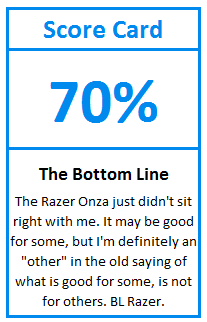
Do I recommend the Onza? At $49.99 it's not too expensive and as I always say with gaming hardware, it's a personal decision. I may not have loved it, but it was still a great device to use and in some ways it creamed the original 360 controllers. I think I am just an old school gamer who doesn't quite like these new fandangled devices. Am I showing my age? Possibly.
If you're after a new 360 controller or a gaming controller for your PC, the Razer Onza Tournament Edition definitely should be on your list. It's something I would suggest trying before buying, though, if you have the opportunity.