









Introduction
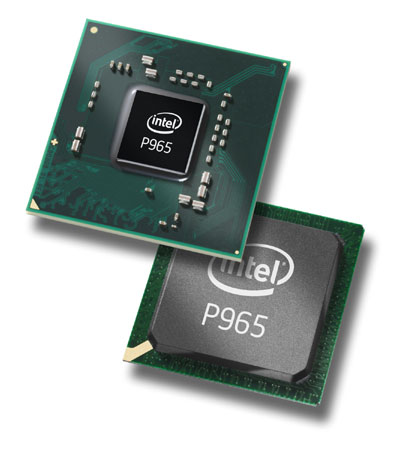
This time around we are looking at a double whammy of a review. Rather than putting out a couple of reviews (one of the chipset and one of the product we are testing), today we are doing a 2-in-1 review of both the new Core 2 Duo supporting Intel P965 Express chipset and the first retail P965 motherboard we have in our labs, the Gigabyte 6-Quad which we first saw at Computex earlier this year.
Intel and its Core architecture has now got the hardware community a stir, just like AMD had when the Hammer CPU was released to the market at Computex 2003. Core Architecture is finally a unified architecture for Desktop, Server/Workstation and the mobile sector all in one unique design, only the extra feature discern what sector the CPU goes to.
Core 2 Duo and Core 2 Extreme are the desktop versions of the Core architecture and to go with them are either the older 975X chipset or the newest member to the Intel family, the P965 Express chipset. Shortly you'll have some other new options including nVidia's nForce 590 SLI Intel Edition as well as several boards based on ATI's RD600 chipset.
Today we test out what the Intel P965 has compared to the Intel 975X chipset as well as the features of the high-end Gigabyte 6-Quad P965-DQ6 motherboard. The feature list from Gigabyte's latest motherboard is very extensive, so prepare yourself.
Intel P965 vs. 975X
Intel's new generation chipset

Intel's P965 chipset is aimed at the mainstream market for the Core 2 Duo as well as Core 2 Extreme processors. Intel has used what it learnt in the past with the 975X chipset and upgraded a few of the features. One of the main features of the P965 chipset is that it complies with Intel's ViiV technology requirement.
The FSB (Front Side Bus) supports 1066/800/533MHz which means this chipset can support the full Core 2 range as well as the Pentium D and Celeron D range of processors.
P965 also gets Crossfire support due to the ability to split the PCI Express x16 lane down to two PCI Express x8 slots - dual x16 slots would have been better, but Intel still hasn't caught onto this yet. There are rumours floating around that certain P965 boards can also support SLI but we haven't done any testing yet to prove that. Now that ATI and AMD are joining forces, nVidia and Intel announced support for SLI on some Intel chipset based boards but there is nothing too concrete in place yet.
Next is the DDR-2 memory controller. Intel has given up fully on DDR now; in fact the last of the DDR/DDR-2 chipsets was the 915 series. The P965 has put an upgraded memory controller supporting a 128-bit DDR2-400/533/667/800MHz controller with Intel's new Fast Memory Access Technology to reduce the memory latencies and this is all in the Northbridge, now we get onto the new Southbridge.
Intel has gone with the new I/O controller hub version 8 or ICH8 as Intel calls it. Again Intel has evolved on the ICH7 series with a few extra features. First off is a 6 channel PCI Express x1 lane which can be multi configured to run different speed slots. Next is a 10 port USB 2.0 controller system with Dual EHCI setup. In the past, Intel has used a single EHCI setup where all 8 USB 2.0 ports would share the same EHCI port. When all 8 ports were in use with USB 2.0 devices, 480MB/s was shared amongst 8 ports. With the Dual EHCI system, five ports are running on one of the EHCI controllers and the last five are on the second EHCI controller. This means 480MB/s is shared with five ports and another 480MB/s is shared with the other five, hence providing you with more USB bandwidth.
Intel HD Audio makes its appearance again in the ICH8 series for 8 channel sound systems for the Digital Home environment. Intel's ICH8 also has an upgraded Serial ATA-II controller system with 6 ports as opposed to the 4 ports on the ICH7. These 6 ports support Intel Matrix Storage for RAID 0, 1, 0+1 and RAID 5.
Intel Quiet System Technology is the software control system that allows the chipset to control the fans and voltages allowing the system to be put into power saving states. The ICH8 is connected to the Northbridge using the same Digital Media Interface at 2GB/s bandwidth that the ICH7 introduced.
It is interesting to see the P965 (the mainstream chipset) has more features than the 975X chipset, which Intel has set for the Performance and Enthusiasts segments. Now that we've covered the new P965 chipset itself, let's move onto the Gigabyte motherboard.
Specifications of Gigabyte 965P-DQ6
Specifications of the Gigabyte P965-DQ6
CPU
Supports Intel Core 2 Duo Series CPU
Supports Intel Core 2 Extreme Series CPU
Supports Intel Pentium D 800-900 Series CPU
Supports Intel Pentium 4 Series CPU
Supports Intel Celeron D Series CPU
Chipset
Intel P965 Express Chipset
P965 Northbridge
P965GR Southbridge
DMI @ 2GB/s
System Memory
4 DDR2 SDRAM 240pin DIMM Sockets
Supports DDR2-400/533/667/800
64/128Bit Dual Channel
Supports up to 8GB Total Memory (4x 2GB)
Bus Frequency
133/166/200/266MHz Internal
533/667/800/1066MHz External
Core Architecture.
Expansion Slots
2 PCI Express x16
3 PCI Express x1
2 PCI
Connectivity
1 Parallel ATA port supporting 2 IDE Drives
6 Serial ATA ports
1 Gigabit Ethernet Port
Expansion Ports
1 PS2 Keyboard Port
1 PS2 Mouse Port
10 USB 2.0 Ports (4 rear accessible, 6 via expansion bracket)
1 Serial Ports
1 Parallel Port
6 Stereo Audio Ports
1 RCA SPDIF Output
1 Toslink SPDIF ports
2 Firewire Ports (1 rear accessible, 1 via expansion bracket)
The Package

Now we start to look at our P965 candidate motherboard and before we look at the board itself, we take a look at the package and exactly what extras you get for your dollars.
The size of the box is extremely large, implying there is a lot for your dollars. On the front there is a small window that shows you some of the goods you get. On the front there is some info on what the motherboard supports.

On the front there is a flap that shows you more of the board itself inside the packaging as well as explaining more of the features.

On the back is even more information on the boards features so you know what you're getting into.

When it comes to documentation and software, Gigabyte doesn't skimp here. You get a single user manual that explains all the details of installing the board and two quick installation pamphlets. A single CD with all the latest drivers and software package that Gigabyte supports are also provided but as always, we recommend you go online and download the latest drivers.

Since the introduction of the ATX standard about eight years ago, new ports have become standard with these new boards, and the cases these days can't support all the ports on a single back plate. To this end every board you buy these days come with their own I/O shield plate.

Now we get to some of the port expanders that Gigabyte put into the fray. First up are two PCI riser slot covers with two e.SATA ports and a power port x2. These allow you to have four e.SATA ports on your motherboard, more than any other on the market currently and because they plug into the standard SATA-II ports on the motherboard, you can hook them up to any SATA controller card you want to add into the system.

Lastly on the list we get four SATA-II cables, 1 IDE and 1 FDD parallel cable.
The Motherboard
The Motherboard in all its glory

Gigabyte has made a monster of a motherboard and has used all of the 30x30cm dimensions that the ATX specification allows.
Placement of the primary connectors is a mixed bag - quite a lot of good has come up with only a couple of sour points. The 24-pin ATX power connector along with the FDD connectors are located behind the colour coded DDR-2 memory slots on the right of the board in mid point. The 4/8-pin ATX-EPS power plug is placed right behind the LPT port, while this is better than previous places Gigabyte has located this port, it would be better near the ATX power plug. The IDE port is located at the bottom right of the board near the SATA-II ports. This is because it is not controlled by the Southbridge but more on this later.

Gigabyte has done a fantastic job on power regulation and cooling of the additional components of the motherboard itself. First off on power distribution and regulation, Gigabyte has put in a Quad 3 phase voltage system in parallel - that's 12 phases in total. To keep this sort of extreme voltage system cool, Gigabyte has put an amazing cooling system that covers the 12 phases of Mosfets, Northbridge and Southbridge with heatpipes routed through the board's circuits - not only is it effective but silent at the same time.
Gigabyte also uses a new feature called "Crazy Cool". On the back of the motherboard under the CPU socket area is a cooling device which helps keep the reserve side of the motherboard at lower temperatures. This is just yet another feature Gigabyte has added to aid in higher overclocking.

The rear I/O ports are a mixed bag of goodies. First off the two PS/2 ports colour coded purple for keyboard and green for mouse, as always. Next are two SPDIF ports, one is an RCA port and the other a Toslink (optical) port. Next to this is a single Serial port but didn't they go the way of the dodo ages ago? Above the SPDIF ports and the Serial port is a single Parallel port for older printers. Next to them are two USB towers with two ports per tower. On to top of the closest tower to the Parallel port is a single Firewire port. On the USB tower furthers from the parallel port is a RJ45 Gigabit Ethernet. Lastly are 6 colour coded Stereo Audio jacks for 7.1 channel audio output through the Intel High Definition audio.
The Motherboard Continued

Now on to the expansion ports and the controlling force of the board. First off we have the slots - two PCI Express x16 slots are provided for Crossfire graphics. If you have only a single graphics card, place it into the blue slot. This will give the graphics card the entire 16 PCI Express lanes. When a second graphics card is inserted into the yellow slot, 8 of the PCI Express lanes from the blue slot are routed to the second PCI Express slot. Along with the x16 slots are three PCI Express x1 slots for additional add-in components. Lastly are the two PCI slots for adding in older TV tuners and sound cards, which still use PCI slots.
The chipset used is the new Intel P965 Northbridge combined with the ICH8R Southbridge. The Northbridge support Intel's new Core series CPU along with the older Pentium 4, Pentium D and Celeron D processors. Along with this is an upgraded DDR-2 memory controller supporting up to DDR2-800 and up to a total of 8GB of RAM.
The ICH8R Southbridge is the latest instalment for the Intel ICH series. It adds in two more SATA-II ports, two extra USB 2.0 ports which are routed through two EHCI controllers. One thing that has been removed entirely from the ICH8R series is the IDE controller, which we think was a bad move. Why? How many SATA based ATAPI DVD drivers are out there? Not many at all. 99% of ATAPI drives are still IDE based, so Intel has lucked out here.

Now it comes to the IDE dilemma. Since the ICH8R doesn't support any IDE channels, how can we install IDE CD or DVD drives? This is where the JMicron PCI Express chip comes in. This chip supports two SATA-II ports which are the purple coloured and a single Parallel ATA channel, which is the green IDE port. This chipset runs through the PCI Express x1 bus, so there is no bottleneck of the PCI bus here. The two SATA-II ports on this chipset support RAID 0, 1 and 0+1. Behind the SATA-II ports of the JMicron chip is a Texas Instruments PCI Firewire controller chip. This chipset supports three Firewire port - one is on the rear I/O, the last two are headers on the board for front panel Firewire.
BIOS and Overclocking

Not much has changed when it comes to the look and feel of the BIOS that the Gigabyte 965P-DQ6 uses. For the choice of BIOS, Gigabyte has gone with the traditional Award BIOS version 6.0. These BIOS's uses the blue screen with the simple navigation menus which we are used to.
One nice feature of the latest BIOS on the 6-Quad is the elimination of the need to press the CTRL+F1 key like you have to do in the other boards. This is because this board is aimed at the overclockers and power users, who want these options rather than having to enter BIOS each time and press the keystroke.
We used the latest F3 BIOS revision from Gigabyte with our review which was the most recent at the time of writing. To get to the overclocking options you need to navigate to the MB Intelligent Tweaker (M.I.T) menu which you will find all the tweaking options for both the CPU and memory.

When you enter the M.I.T menu there is a complete set of overclocking settings for you to get your grubby mitts on. First off the return of the Gigabyte Auto overclocking feature called C.I.A.2 which Overclocks the CPU to a certain percentage when the system load increases.

First on the list is the CPU Clock Ratio. This allows you to set your CPU Multiplier from its maximum (depending on what CPU speed you have defines the maximum ratio you can select) or down to 6x for Core 2 Duo processors. Core 2 Extreme you can set any multiplier you want as all Core 2 Extreme processors are multiplier unlocked for maximum overclocking potential.
Next we come to the Host Clock Frequency. In order to change the Host Clock Frequency you need to set the Host Clock Control Option to Enable. You can adjust the Host Clock Frequency from 100MHz up to 600MHz in 1MHz increments.
PCI Express Frequency give you control over the PCI Express Bus. Locking this to 100MHz will give you a stable PCI Express bus. If you want to play with overclocking the PCI Express bus you can adjust it from 100MHz to 150MHz in 1MHz increments.
DIMM Overvoltage control is your gateway to DRAM voltage selections. In BIOS you can set it from +0.0V to a maximum of 0.775v in 0.025v increments. This provides you from 1.8v up to 2.575v. It would be nice if Gigabyte would simply give you the actual voltage numbers of the memory to help you rather than having to do math to get the voltages.
PCI-E Overvoltage Control you will only want to play with if you plan to overclock the PCI-E bus - you can adjust this from +0.0v to +0.35V in 0.05v increments. This is from 1.5v default to 1.85v.
(G)MCH Overvoltage controls the voltage supplied to the Northbridge. This is again available from +0.0v to 0.75v in 0.05v increments. This is from 1.5v to 2.25v
Next is the FSB Overvoltage. This supplied extra bit of juice to the link between the MCH and the CPU. This goes from +0.0V to +0.35v in 0.05v increments. This gives you 1.2v default to 1.55v.
Lastly on the list is the CPU Overvoltage. This is definitely the mother of all settings from Gigabyte. You can go as low as 0.6875V up to a maximum of 2.375v in 0.025v increments. Core 2 processors run around 1.325v normal voltage. So you have a LOT of voltage to play with.
Overclocking
Our overclocking attempts with Gigabyte's motherboard were extremely impressive.
With a Core 2 Extreme we lowered the CPU multiplier down to 6x to eliminate the overall CPU clock as the bottleneck as much as possible, since we are mostly just interested in the highest possible FSB.
From here we managed an FSB of 443MHz stable. This gave us 2.26GHz with the CPU voltage at default, DRAM voltage at 2.2v, MCH at +0.25v, PCI E at defaults, FSB overvoltage at +0.3v and our DRAM at 1:1 Divider rating.
Benchmarks - Test Systems and Sandra
Intel P965 Test System
Processor: Intel Core 2 Extreme X6800 (1066MHz FSB) (Supplied by Intel)
Motherboard: Gigabyte 965P-DQ6 (Supplied by Gigabyte)
Memory: 2x 1GB DDR2-1066 Corsair
Hard Disk: Seagate 7200.9 500GB SATA (Supplied by Seagate)
Graphics Card: nVidia GeForce 7800GT (Supplied by ASUS)
Operating System: Microsoft Windows XP Professional SP2
Drivers: Intel INF 8.1.1.1001, nVidia ForceWare 91.31 and DX9c
Intel 975X Test System
Processor: Intel Core 2 Extreme X6800 (1066MHz FSB) (Supplied by Intel)
Motherboard: Intel I975XBX (Supplied by Intel)
Memory: 2x 1GB DDR2-1066 Corsair
Hard Disk: Seagate 7200.9 500GB SATA (Supplied by Seagate)
Graphics Card: nVidia GeForce 7800GT (Supplied by ASUS)
Operating System: Microsoft Windows XP Professional SP2
Drivers: Intel INF 8.1.1.1001, nVidia ForceWare 91.31 and DX9c
Now for this review, we are actually putting more of an emphasis on the P965 vs. I975X performance which we will be doing at stock clock speeds with the DDR-2 speeds clocked in BIOS at their maximum.
This means we ran the DDR-2 on the P965 at 800MHz and the 975 at 667MHz as defined by its maximum supported speed. We will be doing an upcoming P965 Shootout where we will focus more on the overclocking results of the board. For now it's purely P965 vs. 975X performance that we are interested in.
Let's get this show on the road, as they say!
SiSoft Sandra
Version and / or Patch Used: 2007
Developer Homepage: http://www.sisoftware.co.uk
Product Homepage: http://sisoftware.jaggedonline.com/index.php?location=home&a=TTA&lang=en
Buy It Here
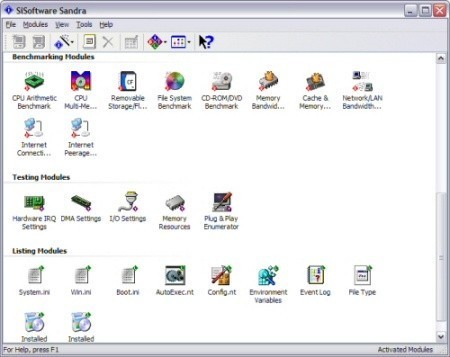
SiSoft Sandra (System ANalyser, Diagnostic and Reporting Assistant) is a synthetic Windows benchmark that features different tests used to evaluate different PC subsystems.

Memory results shows that the new P965 with its tweaked memory controller and faster DDR-2 supported speeds enabled it to lead in Sandra's raw memory performance test.
Benchmarks - PCMark05
PCMark
Version and / or Patch Used: 2005
Developer Homepage: http://www.futuremark.com
Product Homepage: http://www.futuremark.com/products/pcmark04/
Buy It Here
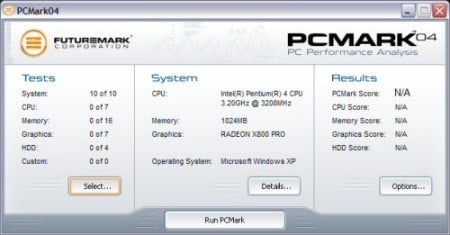
PCMark is a multipurpose benchmark, suited for benchmarking all kinds of PCs, from laptops to workstations, as well as across multiple Windows operating systems. This easy-to-use benchmark makes professional strength benchmarking software available even to novice users. PCMark consists of a series of tests that represent common tasks in home and office programs. PCMark also covers many additional areas outside the scope of other MadOnion.com benchmarks.


As expected the memory result is the main leader for the P965. While it does score slightly better in HDD results, it's nothing fantastic. Graphics performance is identical, so it seems no tweaks to the MCH on the PCI-E front.
Benchmarks - Media Encoding
MPEG2 to DivX Encoding with Power Director
Version and / or Patch Used: 5.0
Developer Homepage: http://www.cyberlink.com
Product Homepage: http://www.cyberlink.com/multi/products/main_4_ENU.html
Buy It Here
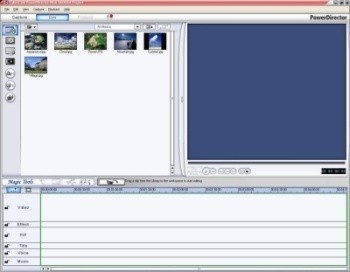
CyberLink Power Director produces video files for creating DVD, DivX, XviD and WMV files for use on your PC. Using the built in software we encode files from MPEG2 (DVD) format to DivX format and use the time taken, average FPS and CPU usage for our benchmarking usage.


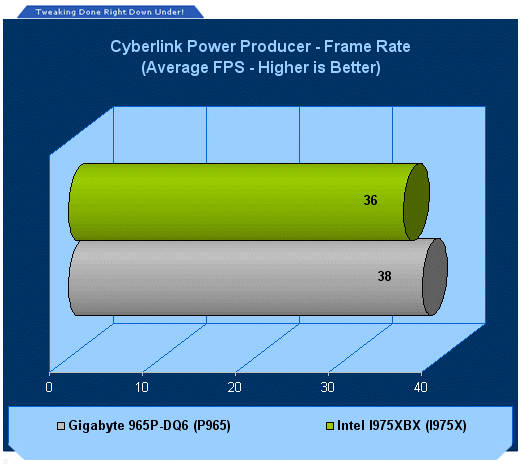
With a bit more bandwidth to play with, the P965 and Core 2 is a match made in heaven for encoding media.
Benchmarks - ScienceMark 2.0
ScienceMark 2.0
ScienceMark 2.0 is a mathematical program designed to stress the memory subsystems of both desktop/workstation and server environments to determine the read/write latency as well as the overall memory bandwidth available between the CPU and the memory controller.


ScienceMark puts the P965 in a better light again with lower latencies and higher bandwidth.
Benchmarks - HD Speed
HD Speed
Version and / or Patch Used: 1.5.1
Developer Homepage: http://www.steelbytes.com
Product Homepage: http://www.steelbytes.com/?mid=20
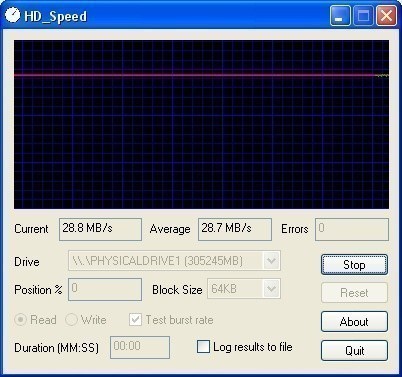
Measures both sustained and burst data transfer rates of your hard disks, cd/dvd-roms and floppy.


There is a slight gain on the ICH8R's SATA controller over the ICH7R, but its nothing amazingly different.
Benchmarks - 3DMark05
3DMark05
Version and / or Patch Used: Build 120
Developer Homepage: http://www.futuremark.com
Product Homepage: http://www.futuremark.com/products/3dmark05/
Buy It Here

3DMark05 is now the second latest version in the popular 3DMark "Gamers Benchmark" series. It includes a complete set of DX9 benchmarks which tests Shader Model 2.0 and above.
For more information on the 3DMark05 benchmark, we recommend you read our preview here.

3DMark05 makes good use of the extra bandwidth of the P965 as well as the reduced memory latencies thanks to Intel Fast Memory Access Technology.
Benchmarks - 3DMark06
3DMark06
Version and / or Patch Used: Build 102
Developer Homepage: http://www.futuremark.com
Product Homepage: http://www.futuremark.com/products/3dmark06/
Buy It Here

3DMark06 is the very latest version of the "Gamers Benchmark" from FutureMark. The newest version of 3DMark expands on the tests in 3DMark05 by adding graphical effects using Shader Model 3.0 and HDR (High Dynamic Range lighting) which will push even the best DX9 graphics cards to the extremes.
3DMark06 also focuses on not just the GPU but the CPU using the AGEIA PhysX software physics library to effectively test single and Dual Core processors.

3DMark06 is identical to 3DMark05 in testing, just heavier on the system. P965 shows its true power here.
Benchmarks - Doom 3
Doom 3
Version and / or Patch Used: 1.1
Timedemo or Level Used: Custom Timedemo
Developer Homepage: http://www.idsoftware.com
Product Homepage: http://www.doom3.com
Buy It Here
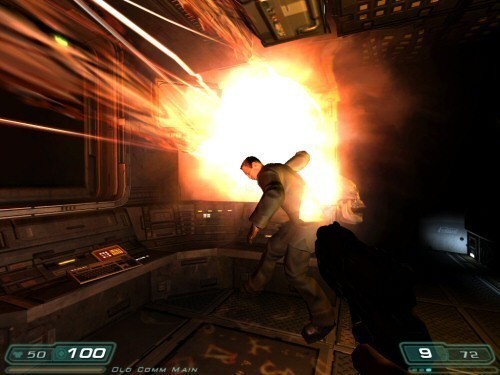
Doom 3 is still one of the most popular games at the moment and is quite intensive in the 3D department, even though it is starting to age. With our own custom time demo we are able to give a realistic rating on what kind of FPS you will be achieving.
For more information on benchmarking Doom 3 we recommend you check out our extensive article regarding it here.

Doom 3 with a little extra bandwidth shows a few extra FPS in favour of the P965 system.
Benchmarks - Quake 4
Quake 4
Version and / or Patch Used: Unpatched
Timedemo or Level Used: Custom Timedemo
Developer Homepage: http://www.idsoftware.com
Product Homepage: http://www.quake4game.com
Buy It Here
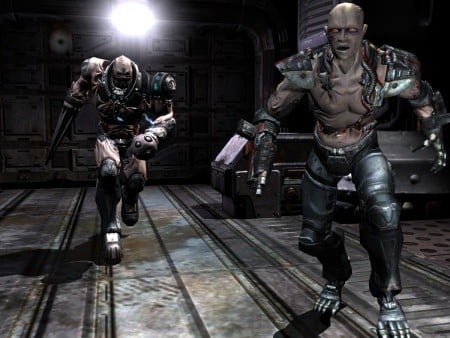
Quake 4 is one of the latest new games to be added to our benchmark suite. It is based off the popular Doom 3 engine and as a result uses many of the features seen in Doom. However, Quake 4 graphics are more intensive than Doom 3 and should put more strain on different parts of the system.

Quake 4 is more stressful than Doom 3 and the extra bandwidth goes further.
Benchmarks - F.E.A.R.
F.E.A.R.
Version and / or Patch Used: Unpatched
Timedemo or Level Used: Default
Developer Homepage: http://www.vugames.com
Product Homepage: http://www.whatisfear.com/us/
Buy It Here
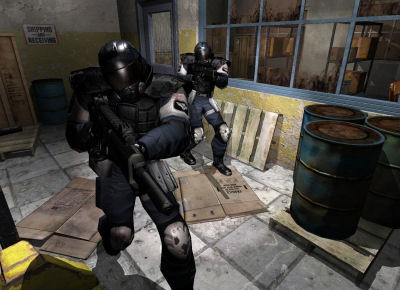
F.E.A.R. (First Encounter Assault Recon) is an intense combat experience with rich atmosphere and a deeply intense paranormal storyline presented entirely in first person. Be the hero in your own spine-tingling epic of action, tension, and terror...and discover the true meaning of F.E.A.R.

F.E.A.R. is more limited to the graphics card than the memory; however, we do see a few FPS jump in the P965's favour.
Benchmarks - Far Cry
Far Cry
Version and / or Patch Used: 1.3
Timedemo or Level Used: Custom Timedemo
Developer Homepage: http://www.crytek.com
Product Homepage: http://www.farcrygame.com
Buy It Here

While Far Cry is now one of our older benchmarking games, it is still able to put pressure on most computers systems. Utilizing PS2.0 technology with the latest versions supporting Shader Model 3.0 with DX9c and offering an exceptional visual experience, there is no denying that even some of the faster graphics cards get a bit of a workout.

Our last test is more CPU dependant than memory, but a slight jump towards the P965 is shown.
Final Thoughts
Intel's Core 2 platform is extremely popular in terms of its early performance; those who want to stay on the top of the FPS game will want to ditch those AMD boxes and start to migrate to the Core 2 side of things. The only question is what platform to take - 975X board or P965?
While Intel does maintain the 975X is the enthusiast chipset, it not only lacks support for DDR2-800, which the P965 now supports but it also has the lesser ICH7R Southbridge. It is outperformed by the P965, its mainstream brother, in all of our tests and with a price tag on the chipset less than 975X, it's clear to see that the P965 is set to be the Core 2's best friend until nVidia's SLI rocket hits the shores.
It should already be clear from our comments, Gigabyte has done a fantastic job in terms of their first Intel P965 motherboard with all the latest features, great overclocking potential and simply great looks; we have absolutely no hesitations in recommending the 965P-DQ6 motherboard to potential Core 2 buyers - two thumbs up!
- Pros
Fast
DDR2-800 Support
ATI Crossfire support
Extremely high FSB overclocking
e.SATA
Onboard Digital Audio support
Upcoming Vista OS support
Future-proof with support for upcoming Quad Core processors
12 phase voltage system
A tone of extras
Best silent cooling system for onboard components
- Cons
Placement of IDE connector
Expensive but you get what you pay for!
Rating - 9.5 out of 10 and TweakTown's "MUST HAVE" Editor's Choice Award


 ASRock Z890 Taichi Aqua Motherboard Review - Flagship features without the flagship price
 GIGABYTE Z890I AORUS Ultra Motherboard Review - Mini-ITX with surprisingly good thermals
 GIGABYTE Z890 AORUS Elite WiFi7 Plus Motherboard Review - Right in the sweet spot
 ASUS ROG Strix X870E-E Gaming WiFi7 NEO - A Crosshair by any other name
 MSI MAG B850 Tomahawk Max WiFi II Motherboard Review - Leveling up
 NZXT unveils aesthetically pleasing cases, fans and coolers at Computex 2026
 NVIDIA GeForce Hotfix 610.52 driver released, fixes issues related to G-SYNC, Smooth Motion, and stability
 3DMark adds native Windows on Arm support for ray-tracing benchmarks
 MSI showcases its next-gen GPU cooling tech and it could be for the GeForce RTX 60 Series
 'Radically different' business models coming to Xbox, CEO Asha Sharma says
 GEEKOM's new GeekBook M16 brings a Core Ultra 9 and a 99.9Wh battery to the business laptop market for $899
 AMD warns DDR5 prices won't recover until 2028 as AI demand continues pulling supply away from consumers
 SEGA under fire for using gen AI in new Crazy Taxi game
 Halo Studios quietly establishes innovative new business model for legacy game remakes
 Zelda Ocarina of Time remake confirmed for 2026 launch on Switch 2
 Navman MiVue Smart True 4K Surround Dashcam Review - Seeing In All Directions At Once
 IQUNIX Magi96 Pro Aluminum Low Profile Mechanical Keyboard Review - Premium Build, Satisfying Sound
 Asetek Forte S-Series Racing Simulator Bundle Review
 Razer Pro Type Ergo Wireless Split Ergonomic Keyboard Review - Built for Comfort and Support
 ASUS ROG Strix Morph 96 Wireless Gaming Keyboard Review - Great Performance, More Affordable
 SAPPHIRE Radeon RX 9070 GRE PULSE OC Review - A New 1440p Challenger Has Arrived
 NZXT H6 RGB+ Compact Dual-Chamber Chassis Review
 ASRock Radeon RX 9070 GRE Steel Legend Review - The RDNA 4 Mid-Range Reshuffle
 The PowerToys utilities I keep enabled on every Windows 11 PC, and the ones I turned off within a week
 TweakTown's Best of Computex 2026 Awards - The Best Hardware, Gaming Gear, and AI
 Phison E37T SSD Controller Exclusive Preview - The Fastest DRAMless SSD Platform Yet
 USB Ports Not Working in Windows 11? Try These Fixes
 ASUS WiFi Routers and Networking Solutions Deliver Long-term Security and Reliability with No Additional Cost
 Second Monitor Not Detected in Windows 11? Try These Fixes
 Turn Your Old Smartphone Into a Dedicated Webcam for Your Windows PC
 The Send To menu is the right-click feature on Windows 11 that nobody bothers to customize
 Windows 11 will not let you pin a folder to the taskbar, but a 30-second workaround does
 ASUS ProArt Displays Unlock Creativity with Professional Monitors for Everyone