Introduction and Rampage IV Extrene Package
Introduction
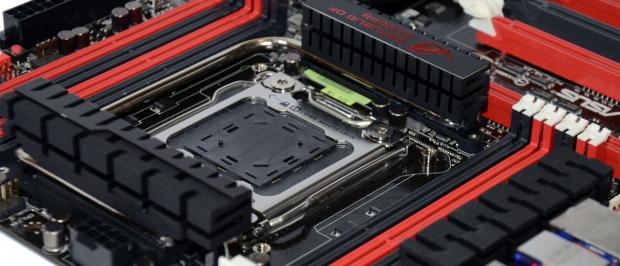
Word of a ROG X79 board was almost nonexistent 'till the other day when we saw someone release a photo of the Rampage IV Extreme. It was at that point we knew that the new X79 chipset was going to be getting the beloved ROG treatment. We had such a small photo to go of, though, until today.
Today we're able to show you what's going on with a bunch of boards from ASUS. We've already looked at the mainstream Pro and Deluxe model, but the board the enthusiasts want to know about is the Rampage IV Extreme.
The NDA as usual is pretty strict from Intel and co. but we're allowed to show you some stuff in our typical preview format. That means we'll be checking out the box, before we dive in deeper looking at the motherboard itself. Once we've done a good look around the motherboard, we'll wrap everything up. But first, let's check out the package.
ASUS Rampage IV Extreme Package
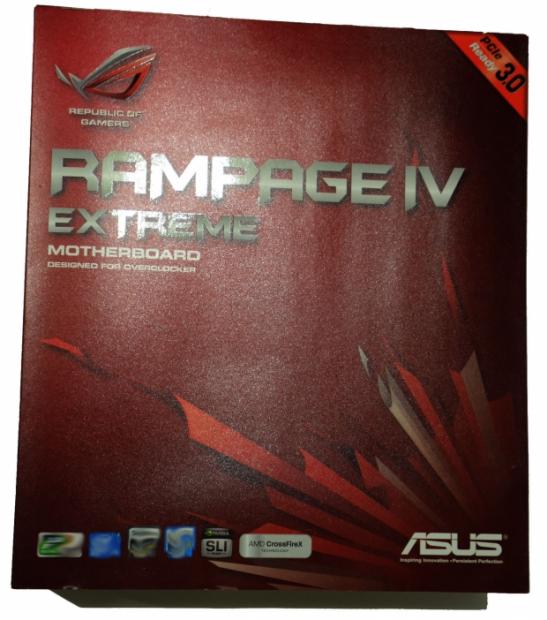
Looking at the front of the box, it's very typical ROG. We've got that dark red color scheme going on, the ROG label, ASUS one and of course the model number in the middle which is the Rampage IV Extreme.

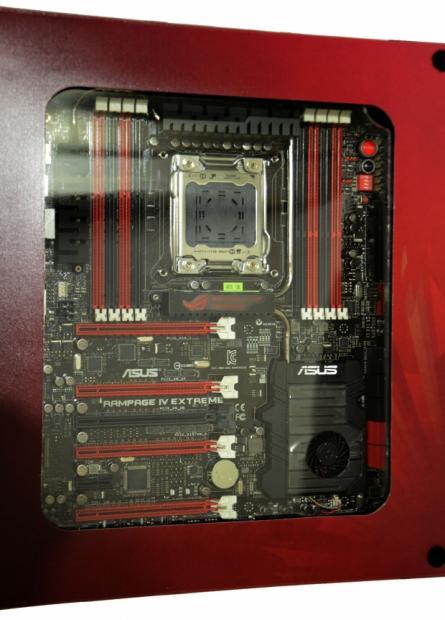
In typical ROG fashion, we can see the box opens up. On the left we've got a really good in depth look at some of the overclocking features that make the board stand out when compared to the competition. On the left we've got our first glimpse of the board which we'll be looking at more soon.
Our Latest Socket LGA 2011 Article Coverage
Turning the box over, we get a few more details on some of the features along with the specification table and a look at what the I/O ports hold. We'll take a closer look at that soon as we move into the motherboard.
While we haven't been able to really show what's going on with the package in our other boards, we can say one thing that's included in the package of the Rampage IV Extreme - The new ROG OC key.
We don't know a lot about this at the moment, as we haven't gotten a chance to use it. What we do know is that it sits between your VGA card and monitor and offers an overlay. What information is in that overlay again isn't known. I'm not too sure, but I'm assuming one of the benefits is that the solution doesn't use any resources and thanks to that, it can be used to follow certain areas while trying to break records. No doubt we'll read about it more soon enough.
ASUS Rampage IV Extreme - The Board
Moving onto the board, you can see that the overall design is that typical ROG one with the black / red setup going on. The one thing that caught my attention instantly was the active cooling fan over the X79 chip. This is the first time we've seen an active fan on all the motherboards we've seen leaked over the last few weeks. No doubt this is going to help aid overclocking.
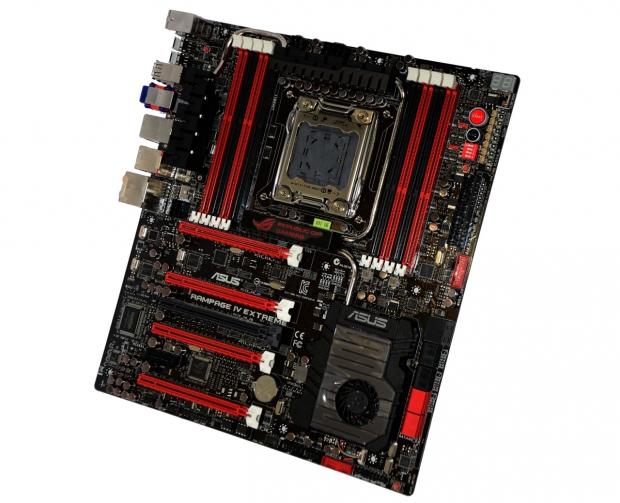
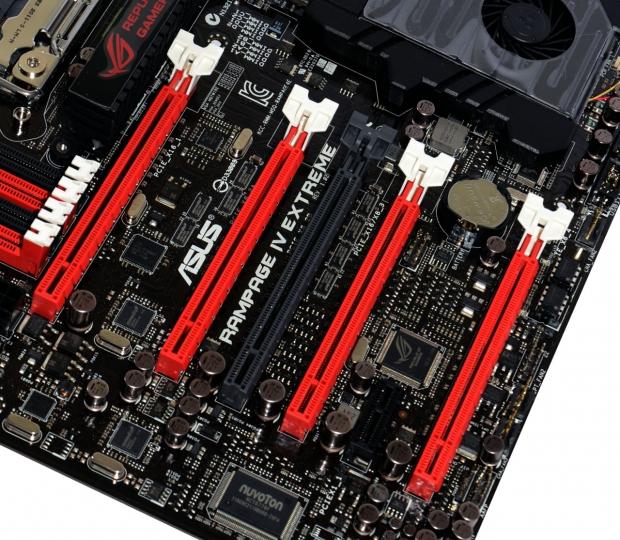
Moving in closer to the board, you can see we've got a single PCIe x1 slot and five PCIe x16 slots. As usual, we can't say what the speeds are, but we do get the idea that quad card setups aren't going to be a problem thanks to the dual spacing between each slot. Some boards we've seen while offering four or more PCIe slots, because of the spacing, we know that four dual slot VGA cards wouldn't be an option.
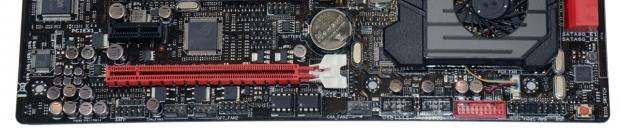
Moving across the bottom of the board, we don't see anything too out of the ordinary with a pair of USB 2.0 headers, front panel connector and a BIOS switch.
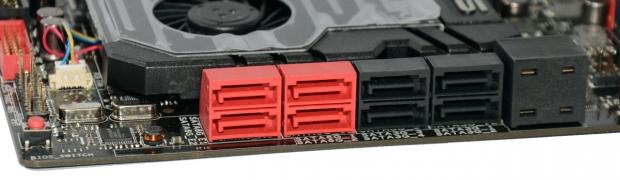
Turning the corner, we've got eight SATA ports here. Four SATA III ones and four SATA II ones, the four black ones are all SATA II and run of the Intel X79 chipset, the two red ones closest to the black also run off the Intel X79 chipset but are SATA III. The two SATA III ports on the far left run off the ASMedia ASM1061 controller.
Something that may stand out a little here is on the far right; this is what ASUS has labled as "Subzero Sense". As the name suggests, it's more orientated at people who will be getting into extreme cooling. With the help of two digital thermometers, temperatures of -200c to +200c can be detected. To be honest, though, you'll probably know if you're at 200c without the help of this bad boy.
ASUS Rampage IV Extreme - The Board Continued
As we move away from the bottom of the board we start to head north, here we can see on the left a USB 3.0 header and our main 24-Pin power connector. On the far right we have our DEBUG and next to that we have the LN2 mode switch we've seen before.
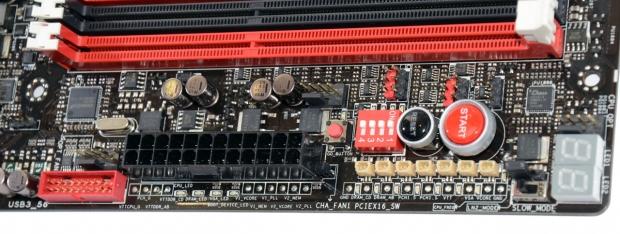
Other little things that stand out are the Start and Reset button and then we've got a few other bits and pieces. Voltage check points, GO button and some switches which are all designed to help in the extreme overclocking side of things.
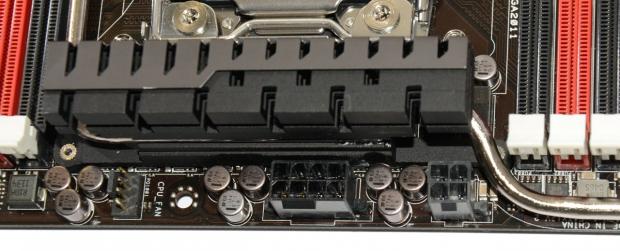
Moving to the top of the board, you can see we've got a normal 8-Pin CPU power connector on the left and a older 4-Pin one. For users who will be going down the more "extreme" path, the use of the 4-Pin connector may come in handy when it comes to keeping voltages stable.
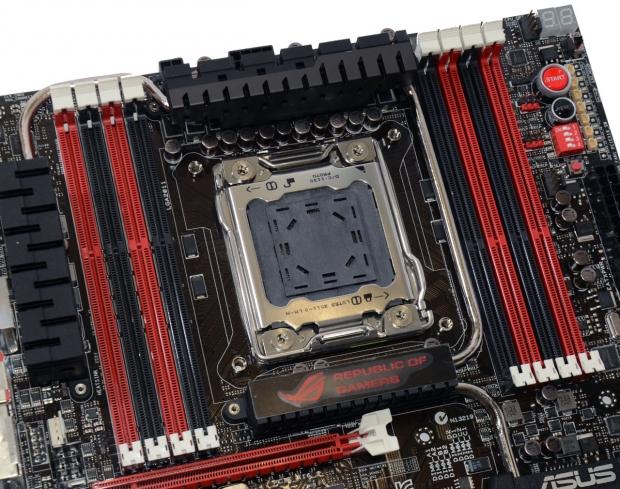
Moving around to the CPU socket side of things, we've got a very clean CPU area. On either side we can see we've got four DIMMs each bring in a total of eight DIMM slots. They're of course DDR3 slots, but we can't really say much more than that at the moment.
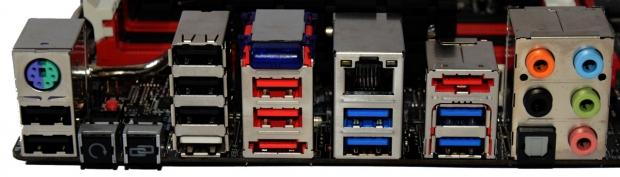
Finally, we finish off with the I/O side of things. We've got eight USB 2.0 ports, PS/2 Combo port, CMOS reset and ROG link, Bluetooth header, two eSATA ports off the ASMedia ASM1061, Gigabit networking off the Intel 82579V controller, four USB 3.0 off the ASMedia 1042 controller and five auxillary ports alongside an optical running off the Realtek ALC898 controller.
Final Thoughts
The ASUS Rampage IV Extreme looks to be an absolute beast of a board and one of the absolute best ROG boards we've seen to date from the company. While it's got so many features that concentrate on the most extreme cooling solutions, the effort that goes into making the board so strong in this area tends to also carry over into our less extreme cooling solutions, be it water or high end air.
Top to bottom, though, the Rampage IV Extreme just yells performance. If you listen carefully you can hear another voice yelling "expensive" too. You just have to look at the feature set on the board to know that it's going to carry a premium; the inclusion of new extras like the OC Key are also going to help push up the price.
We haven't seen a lot of boards in person, but it's probably fairly safe to assume that this is going to be one of the most hardcore options on the market and any true ROG fan is going to absolutely love what ASUS has brought to the table.
As soon as the NDA lifts, the Rampage IV Extreme will be one of the first boards we look at, and that's for two reasons. I want to know how hard it goes and we know that you all want to know as well.
Speaking of yelling, I can hear four Sapphire HD 6970s in the background just gagging to be installed. All in time!