











Our Verdict
Pros
- Pinnacle gaming performance at QHD
- 500Hz refresh rate
- Incredible build quality
- Anti-glare
Cons
- No USB-C port
- Expensive compared to the competition
Should you buy it?
AvoidConsiderShortlistBuyIntroduction & Specification Details and Close-up
The new king of esports-oriented QHD gaming monitors is the new 500Hz QD-OLED panels, pushing the boundaries of what is possible with QD-OLED panel technology, and only a few gaming monitor companies have released such a monitor. Samsung, MSI, ASUS, Acer, and GIGABYTE are leading the pack with this new variant of gaming monitor, and today we are comparing Samsung's and MSI's models.
Samsung's Odyssey OLED G6 (G60SF) is the company's first 500Hz QD-OLED gaming monitor, and it arrives in a QHD resolution (2560 x 1440p), with every other bell and whistle you can think of for a gaming monitor, besides a few, which I will highlight later in the review.
The Odyssey G6 is currently priced at $999 on Amazon and Newegg, while MSI's variant, which rocks the exact same panel and provides identical gaming performance, is currently priced at $749 on Newegg. That is a significant price gap between two displays that provide the same gaming performance.
So, what are the differences? In this review, I will highlight the positives and negatives of the OLED G6, while noting where the MSI variant, the MAG 272QP QD-OLED X50, has excelled or fallen short. Without getting into the nitty-gritty, both displays are the cream of the crop when it comes to competitive gaming monitors, particularly if you are after the best of the best for titles that can take advantage of that juicy 500Hz refresh rate.
Specifications
| Item | Details |
|---|---|
| Model | Odyssey OLED G6 (G60SF) |
| Size | 27-inch |
| Resolution | 2560 x 1440p (QHD) |
| Pixels Per Inch (PPI) | 108 |
| Panel Type | QD-OLED |
| Refresh Rate | 500Hz |
| Response Time | 0.03ms (GtG) |
| Brightness | 300 nits |
| Contrast Ratio | 1,000,000:1 |
| Aspect Ratio | 16:9 |
| Viewing Angle | 178/178 |
| Color Coverage | 99% (CIE1976) |
| HDR Support | VESA DisplayHDR True Black 500 / HDR10+ Gaming |
| Video Ports | 2x HDMI 2.1, 1x DisplayPort 1.4 |
| USB Ports | 2x USB-A downstream, USB- B upstream, 1x 3.5-mm audio jack |
| VESA Mounting | Yes |
| Adjustments | Height: up to 120mm, Tilt: ranges from -2° to +25°, Swivel: ±30° from center, Pivtot: Up to ±90° (landscape and portrait support) |
| Warranty | 3 years |
Close-up


| Today | 7 days ago | 30 days ago | ||
|---|---|---|---|---|
 | $749.99 USD | $799.99 USD | ||
| - | $1734.61 CAD | ||
| $749.99 USD | $799.99 USD | ||
| $749.99 USD | $799.99 USD | ||
 | $1599 | $1199 | ||
* Prices last scanned 6/5/2026 at 7:56 pm CDT - prices may be inaccurate. As an Amazon Associate, we earn from qualifying purchases. We earn affiliate commission from any Newegg or PCCG sales. | ||||

Design
The biggest difference between the two monitors is the physical design. Samsung has always taken a premium approach with its Odyssey line of gaming monitors, ensuring they are distinctly different from any other gaming monitor offering on the market. The Odyssey G6 is no different. Samsung has opted for an exceptionally sleek, minimalist design language that aligns perfectly with its previous Odyssey gaming monitors.

The G6 is slim, ridged, and feels extremely premium in the hand, thanks to its all-metal body finished in a gorgeous, refined silver tone. The design language is ideal for most modern gaming setups, and I can imagine it being a perfect fit aesthetically for a general gaming setup. Moving to the back of the monitor, Samsung has maintained the Infinity Core Lighting, a subtle ambient RGB lighting feature projected from the back of the monitor, specifically around the area where the stand connects to the display's backplate.
Our Latest Monitors Review Coverage
- KOORUI 34E6UC Gaming Monitor Review - UltraWide Gaming at 180Hz on a Budget
- AOC U27G4 Gaming Monitor Review - Affordable Dual-Mode 4K and 320Hz Gaming in One Display
- MSI MPG 272QRF X36 Review - NVIDIA Pulsar Powers the Peak of 1440p Esports Gaming Monitors
- ASUS ROG Swift PG32UCDM3 Gaming Monitor Review - Unbeatable OLED Just Got Even Better
- ASUS ROG Strix Pulsar XG27AQNGV Review - The Bleeding Edge of 1440p Gaming Monitors is Here
Positioned at the back of the monitor, the stand offers impressive adjustability, supporting multiple ergonomic movements to place the display in almost any orientation. It can be adjusted into portrait, but what is even more important than its ability to change orientation is the ease of doing so. The Odyssey G6 has some extremely smooth tilt, swivel, and pivot mobility that doesn't come with any creaking or sharp sounds, as many displays that are constructed of plastic shells are commonly riddled with.

The foot of the stand is quite nice as well, measuring at just 6 inches across; it takes up very limited desktop real estate, which is ideal for a competitive gamer who likes to bring the monitor extremely close to their face and plays on low mouse sensitivity. Monitors with large or wide feet run the risk of gamers with low mouse sensitivity colliding their mouse into the foot of the stand during the heat of battle.
Moving down to the connectivity options, Samsung has equipped the Odyssey G6 with an array of ports, but has somewhat dropped the ball. Firstly, here's what the monitor features in terms of connectivity: 1x DisplayPort 1.4, 2x HDMI 2.1, 2x USB-A (3.2 Gen 1) downstream ports, and 1x USB-B upstream port. While those connectivity options are great, Samsung decided not to equip the Odyssey G6 with a USB-C port.
Why? Unfortunately, I have no idea, but it's certainly a missed opportunity to provide more value to a gaming monitor that is already much more expensive than the competition. The idea behind these USB-C ports is simply to provide the user with an easy-to-reach charging cable for devices such as smartphones, tablets, power banks, etc.

For $999, I expect the monitor I'm buying to come with a USB-C port with Power Delivery charging capabilities, especially when the competition, and in this case, MSI's own cheaper model ($749), features all of the connectivity options on the Odyssey G6, plus a 15W USB-C charging port.
What the Samsung Odyssey G6 does have over MSI's MAG 272QP QD-OLED X50 is the anti-glare coating across the panel. While MSI's variant doesn't produce as much glare as other QD-OLED panels on the market, it does in comparison to Samsung's, highlighting the improvements Samsung has made in this specific area of the panel. The Odyssey G6 also features no noticeable reflections, enhancing visibility in bright rooms with a lot of light behind the user.
Ultimately, in comparison to the MAG 272QP QD-OLED X50, Samsung's Odyssey G6 differentiates itself with its superior build quality, enhanced anti-glare coating, and a more premium overall aesthetic, thanks to its all-metal design. However, it falls short in the area of functionality, as it lacks a USB-C port, whereas the MAG 272QP QD-OLED X50 does have one.
Panel Breakdown
Firstly, the panel with the MAG 272QP QD-OLED X50 and the panel within the Odyssey G6 are identical. Both panels are manufactured by Samsung Display and feature the exact same specifications. Each is a 3rd-generation QD-OLED pixel technology designed for a 27-inch display, and they have the same subpixel layout.
This means the performance between the two gaming monitors will be exactly the same; however, for the sake of the review, I will still delve into what the 3rd generation QD-OLED panel can do and why it represents such a significant step up compared to the previously released QD-OLED gaming monitors. At 500Hz, motion clarity performance is so good that it almost becomes perfect. Here's how it works.

500Hz means 500 frames per second are displayed, and at 500Hz, each of those frames lasts just 2 milliseconds on screen. This is called frame time, or the measurement of how long a frame is present on-screen before it is refreshed for another. For comparison, a 144Hz gaming monitor has 6.9ms of frame time, while a 240Hz monitor has 4.1ms. At just 2ms, the input latency is significantly reduced, meaning the delay between when a user moves their mouse/presses a key and when it shows up on screen is much faster.
This 2ms figure is also a good measurement for motion clarity performance, as 2ms is now approaching the threshold at which the human eye perceives "real motion." In short, 500Hz gaming monitors are providing motion clarity performance that is approaching the natural smoothness of how the human eye tracks real objects, which is absolutely fantastic as it means games that can take advantage of the 500Hz ceiling are now being seen at almost the same level of motion clarity as our eyes, making the in-game motion appear lifelike.
UFO Test
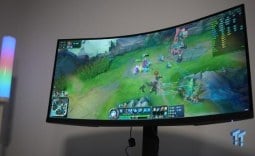
Below are comparisons between 60, 120, 240, 360, and 500 FPS in League of Legends. As you can see, as we get closer to the 360 and 500Hz, the image begins to completely stabilize, and motion clarity becomes almost perfect. It should be noted that the videos don't do the performance justice, and in person, the image quality is much, much better than what was captured at 240FPS in Slow Motion.
Performance
As with all of my gaming monitor reviews, I like to test the monitor I have under the spotlight in a variety of different titles to determine what type of game it performs best in and, ultimately, what type of gamer would be best suited for the display. For the Odyssey G6, I tested it in the following titles: League of Legends, Apex Legends, Overwatch 2, Black Myth: Wukong, Cyberpunk 2077, The Witcher 3, God of War Ragnarok, Valorant, DOOM: The Dark Ages, Overwatch 2, Age of Mythology: Retold, and Battlefield 6.
The Odyssey G6 performed incredibly in every game that I tested on it, and as I mentioned in my MAG 272QP X50 review, there wasn't a single game that I felt the Odyssey G6 was lacking in any regard. However, some titles performed better than others, and, unsurprisingly, those titles were the competitive games that could take advantage of the 500Hz refresh rate. Those titles were: League of Legends, Valorant, Overwatch 2, Counter-Strike, DOOM: The Dark Ages, Apex Legends, and Battlefield 6.

Now, not every one of the games previously mentioned could reach the 500FPS in-game, but the titles that managed to get close felt the absolute best out of all the games tested. As explained in the Panel Breakdown section of the review, the motion clarity performance in the titles that pushed close to 500FPS is second to none. There simply isn't a better panel on the market that can provide this level of motion clarity, while paired with the 0.03ms (GtG) response time, and milky, rich, vibrant colors that OLED pixel technology provides.
In each of the previously mentioned titles, I felt particularly at ease in-game with such a high refresh rate, as fast camera movements while tracking an enemy or target would normally be difficult, but were a breeze on the Odyssey G6. At a resolution of 2560 x 1440p (QHD), the image maintained a nice, crisp level of visual fidelity that I didn't find lacking in any of the fast-paced games I was enjoying most.
To put it into perspective on how big a deal 500Hz is on a QD-OLED monitor, here's a little breakdown. Switching from 144Hz to 500Hz feels like night and day. The difference between 240Hz and 500Hz is still quite noticeable, but not as pronounced as the jump from 144Hz to 500Hz, or more commonly, from 60Hz to 144Hz. The leap to 500Hz from a 144Hz monitor is more similar to the leap from 60Hz to 144Hz in terms of how it feels. But what about 360Hz? Well, that is where I think we have reached diminishing returns, as the feeling isn't nearly as noticeable as the refresh rates before it. For that reason, I believe if you already own a 360Hz monitor, it probably isn't worth making the jump to 500Hz.
Final Thoughts
So, should you buy the Odyssey G6, or MSI's MAG 272QP X50? In short, buy the MAG 272QP X50; it's cheaper and provides identical gaming performance as the Odyssey G6.

However, if you value better anti-glare for nasty reflections, a more aesthetically pleasing monitor, and improved build quality, perhaps that extra money for the Odyssey G6 is worth it to you. But, if you are just after the best-of-the-best when it comes to competitive gaming monitors at QHD, and just care about gaming performance, the MAG 272QP X50 is the one to go for out of the two. Now, what type of gamer would I recommend either of these monitors to in general?
The type of gamer that would get the most out of either of these displays will be someone who predominantly plays competitive games that they know can reach super high framerates. There is no point in buying either of these monitors if the games you play are cinematic-based titles that range between 60FPS and 100FPS. Anyone considering either of these monitors should first check if the games they play the most are capable of reaching, at the very least, above 300FPS.
All in all, the Odyssey G6 now sits at the pinnacle of QHD (1440p) competitive gaming monitors, offering unparalleled gaming performance, but unfortunately, at a price point slightly above that of its competitors.


 KOORUI 34E6UC Gaming Monitor Review - UltraWide Gaming at 180Hz on a Budget
 AOC U27G4 Gaming Monitor Review - Affordable Dual-Mode 4K and 320Hz Gaming in One Display
 MSI MPG 272QRF X36 Review - NVIDIA Pulsar Powers the Peak of 1440p Esports Gaming Monitors
 ASUS ROG Swift PG32UCDM3 Gaming Monitor Review - Unbeatable OLED Just Got Even Better
 ASUS ROG Strix Pulsar XG27AQNGV Review - The Bleeding Edge of 1440p Gaming Monitors is Here
 Unreleased RTX 3050 Ti graphics card spotted in the wild, GA106 GPU with 6GB VRAM
 Brave launches Origin, a $60 browser that removes the features it added without asking you first
 Intel's Nova Lake Q970 chipset motherboard leaks with LGA 1954 socket, vPro support, and 128GB DDR5 CUDIMM
 Tomb Raider: Legacy of Atlantis PC system requirements are out, and Denuvo DRM is confirmed ahead of its 2027 launch
 SEGA's new Virtua Fighter borrows Yakuza's explosive 3D combat
 Intel brings back Raptor Lake with the Core 7 230H and Core 5 205H CPUs with disabled integrated graphics
 Final Fantasy VII Revelation announced, coming spring 2027, launches simultaneously on all platforms
 Former God of War combat designer joins The Witcher 4 development team
 SK Hynix plans to double wafer production capacity by 2030 as chairman warns AI will keep memory tight
 AMD hits an all-time high x86 CPU market share record, now holding a third of the server market
 Asetek Forte S-Series Racing Simulator Bundle Review
 Razer Pro Type Ergo Wireless Split Ergonomic Keyboard Review - Built for Comfort and Support
 ASUS ROG Strix Morph 96 Wireless Gaming Keyboard Review - Great Performance, More Affordable
 SAPPHIRE Radeon RX 9070 GRE PULSE OC Review - A New 1440p Challenger Has Arrived
 NZXT H6 RGB+ Compact Dual-Chamber Chassis Review
 ASRock Radeon RX 9070 GRE Steel Legend Review - The RDNA 4 Mid-Range Reshuffle
 ASRock Z890 Taichi Aqua Motherboard Review - Flagship features without the flagship price
 GIGABYTE Z890I AORUS Ultra Motherboard Review - Mini-ITX with surprisingly good thermals
 Seagate FireCuda X1070 4TB SSD Review - A New Mainstream Contender
 Lian Li HYDROSHIFT II 360P OLED Curved Liquid CPU Cooler Review
 The PowerToys utilities I keep enabled on every Windows 11 PC, and the ones I turned off within a week
 TweakTown's Best of Computex 2026 Awards - The Best Hardware, Gaming Gear, and AI
 Phison E37T SSD Controller Exclusive Preview - The Fastest DRAMless SSD Platform Yet
 USB Ports Not Working in Windows 11? Try These Fixes
 ASUS WiFi Routers and Networking Solutions Deliver Long-term Security and Reliability with No Additional Cost
 Second Monitor Not Detected in Windows 11? Try These Fixes
 Turn Your Old Smartphone Into a Dedicated Webcam for Your Windows PC
 The Send To menu is the right-click feature on Windows 11 that nobody bothers to customize
 Windows 11 will not let you pin a folder to the taskbar, but a 30-second workaround does
 ASUS ProArt Displays Unlock Creativity with Professional Monitors for Everyone