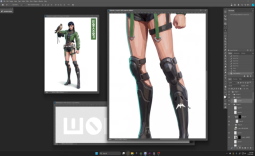
Adobe just brought another AI feature to Photoshop, a smart new capability called 'generative expand' which is now in beta.
This follows the arrival of 'generative fill' and as the name suggests, the new Firefly-based capability taps the power of AI to expand an image.
You can see a demo of how it works in the video in the above tweet. If you have a small image, and you want to make it a larger canvas, you can simply define a new expanded boundary for the image, and Photoshop will literally fill in the blanks.
The app will create new bits of background, extend the subject (as seen in the example), and generally use image creation chops to great effect.
Adobe outlines a bunch of potential use cases for this, including, for example, a photo where you want to shift the subject to be more central (so you can crop one side, then expand out the other).
Or another obvious one that we come across is having to switch a screen grab to 16:9 aspect ratio when provided with an annoying square (1:1 or thereabouts) press shot. That requires a bit of messing around to enlarge the canvas and fill in some kind of background yourself. Using generative expand makes this kind of thing a snap, and gives much better results than our ham-fisted efforts, no doubt.
Of course, right now this is still a public beta test, so the functionality might go a bit wonky. As ever, Adobe is asking for user feedback on generative expand, and other AI features for that matter.
Generative fill, which was introduced just before this, is a similar concept, and can be used to fill in elements in an image. So, say you have an unmarked road, if you want lines down the middle, you can get the AI to put those in.