It's only taken 3 years, but the Switch can now transfer your captured screenshots and video to other devices like PCs, laptops, and mobile phones.
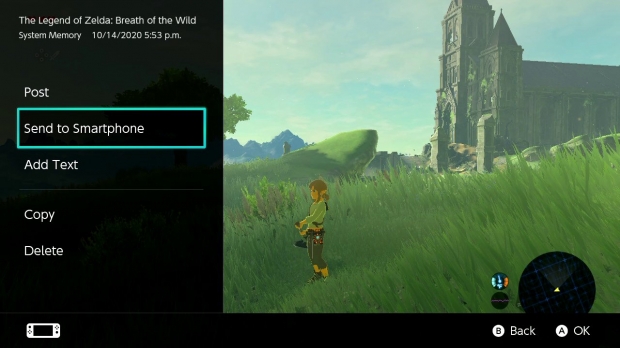
The new Nintendo Switch firmware 11.0.0 patch adds some nifty new features to the handheld console. Users can now transfer video and images to desktops and laptops via USB--a feature I've been wanting since the console launched in 2017. Sadly there's still no way to back up your saves via USB. Nintendo Switch Online is the sole way to back up data.
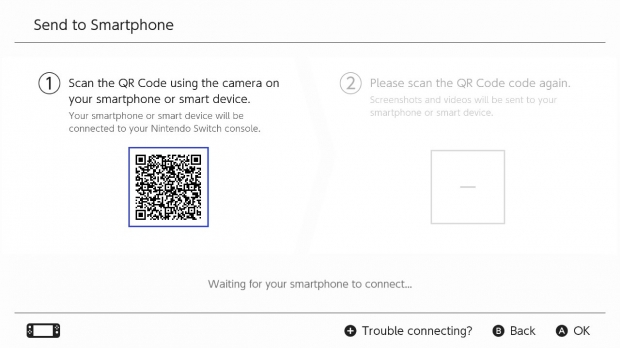
Popular Now: Rockstar's next game after GTA 6 is already confirmed, but it isn't Red Dead Redemption 3You can even hook up the Switch to your phone using Wi-Fi Direct and transfer files that way. I've been able to transfer batches of multiple screenshots and video, but be sure to keep your Switch active or else you'll lose the connection. The Wi-Fi connection is lost when the system enters sleep mode.
- Read more: Nintendo finally fixed the Switch eShop after nearly a decade by replacing its sluggish web wrapper with a native app
- Read more: Pokemon gamer lost '20 years of data' in Switch 2 system transfer - here's how to avoid this
- Read more: Nintendo releases Switch 2 update that increases graphics in handheld mode
The Switch can also now automatically backup your saves to the NSO cloud service. Just go to System Settings > Data Management > Save Data Cloud to adjust the settings.