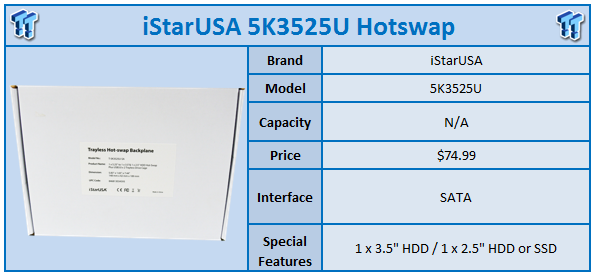
In our last review from iStarUSA, we had the chance to take a look at the 5K25TU, a hybrid solution that allowed us to install a slim optical and 2.5-inch SSD into a single 5.25-inch bay.
Today, we change things up a bit and look at another solution from iStarUSA but with a slightly different layout. This time around, we are taking a look at the 5K3525U, and as you would expect, this solution allows you to install a single 3.5-inch hard drive along with your favourite 2.5-inch SSD or HDD into a single 5.25-inch bay. Similarly to our last product from iStarUSA, we have front mounted USB 3.0 ports on this model that are powered via an internal header.
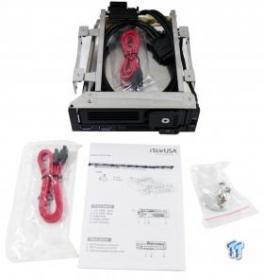
Scope of delivery for the 5K3525U includes a setup guide, dual SATA cables, mounting screws, and keys for both drive trays.
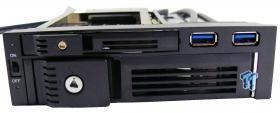
Here we have our first look at the front of the unit. As you can see, we have dual USB 3.0 ports at the right with the 3.5-inch tray holding the bottom slot and the 2.5-inch above.
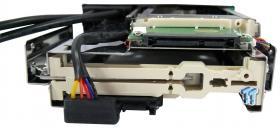
The back of the device carries an open design, which allows single SATA power connection to supply power to both bays.
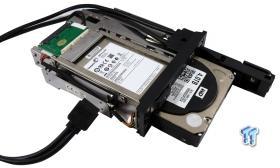
Above, we have loaded the iStarUSA up with a Seagate 600 Pro and 4TB WD_BLACK for testing.
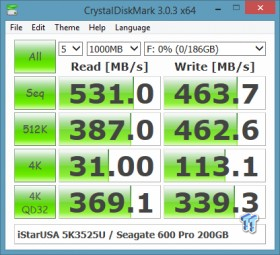
In testing the 2.5-inch slot, we found it to be a simple pass-through, and it gave us native speeds to our SSD.
Our Latest Enclosures/Externals Review Coverage
- TERRAMASTER D1 SSD Pro Thunderbolt/USB Portable Enclosure Review - Incredible Potential
- Orico K20 Mini 2TB Magnetic Portable SSD Review - Ultra-Thin MagSafe Drive
- LaCie Rugged SSD4 2TB Portable SSD Review - 4000 MB/s of Awesome
- Seagate Ultra Compact SSD 2TB Review - A Pocket's Best Friend
- Corsair EX400U 2TB Portable SSD Review - World's Fastest Native USB Storage
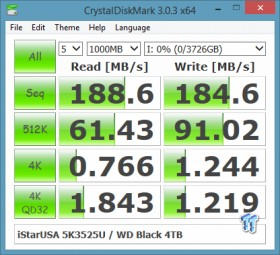
The 3.5-inch tray also gave us native speeds as expected. Here you can see we achieved 188 MB/s read and 184 MB/s write with our WD_BLACK.
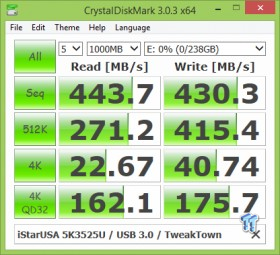
Next up, we have USB 3.0, in which we were able to touch 443 MB/s read and 430 MB/s write, which are native speeds for our USB 3.0 controller.
Like the IStarUSA 5K25TU we reviewed previously, the 5K3525U carries a good deal of functionality along with build quality. The drive trays are tool-less, allowing for easy swapping of drives, and having the steel structure behind the plastic front panel really adds to the strength of the unit as a whole.
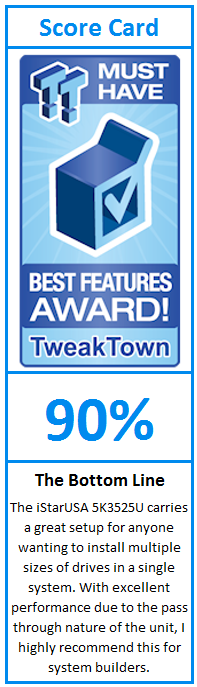
Performance of the 5K3525U was as expected with everything on the unit carrying a native pass-through giving us top performance from every interface. Overall, this is truly an excellent solution for anyone building a machine that would want to install a 2.5-inch SSD for their OS and 3.5-inch HDD for storage capacity.
MSRP of the iStarUSA 5K3525U is set at $74.99 with a one-year warranty.
PRICING: You can find the iStarUSA 5K3525U for sale below. The prices listed are valid at the time of writing but can change at any time. Click the link to see the very latest pricing for the best deal.
United States: The iStarUSA 5K3525U retails for $65.32 at Amazon.