










Introduction
Being as spoiled as I am with keyboard samples lately, I feel I have a really good handle on the types of keyboards available on the market today. While my personal choice, now that I have access to many styles and switch types, is a plain mechanical keyboard, possibly with some back lighting for the keys, I must still be as objective as possible for other boards that may not feel as nice while typing on them and just get beyond that to functionality and offerings in keyboards that use rubber dome switches. Along with the DarkGlider laser gaming mouse and the mats that I looked at recently, I was also shipped a keyboard to complete the theme on my desktop to full on Sharkoon labeling.
It has been a while since I have seen a rubber dome based keyboard, if I remember right it was the G105 from Logitech. That being said, I have been passing time, rather speedily on mechanical keys since then. Sharkoon steps in with a keyboard based on rubber dome switches, but then continues to add software to allow you to remap or program the keyboard to do just about anything, including mouse functionality. Outside of the 107-key layout there are strides made to make this a unique looking keyboard, while also packing in even more functionality with the 20 multimedia keys found on the side and top edges of this board. There is even a bit of lighting, it's just that it isn't the keys that are getting illuminated with this solution.
As the title states, today we are looking at the Skiller gaming keyboard from Sharkoon. This stylized, fully equipped input device offers just about everything the average gamer will desire in a keyboard, especially those who have never had the pleasure of using mechanical switches to back the key caps. On top of all of the features packed into the software and the multimedia functionality, you are soon going to see what has me most excited about the Sharkoon Skiller; the price.
So hang on tight as we go over the specifications and get to the pricing. This fact alone will make many potential buyers look right past things and should make the Skiller fly off the shelves.
Specifications, Availability and Pricing
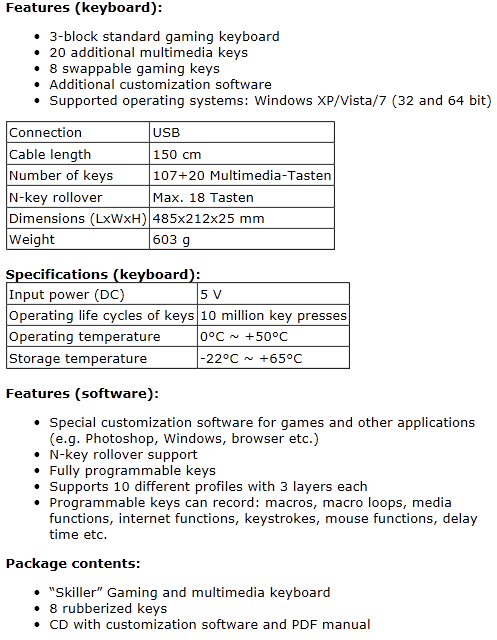
The Skiller uses a three section layout of 107 keys all backed with rubber dome switches. Around the top edge and the sides of the Skiller you will find 20 additional buttons for multimedia purposes. Along with eight light blue interchangeable key caps for the W, A, S, D and arrow keys the keyboard boasts N-Key Rollover support for up to 18 keys at once. Around this 127 key layout there is a mix of shiny piano black plastic and various angles and shapes used to distinguish this board against the competition. The Skiller is also very light at only 603 grams and gets powered via USB connected to 1.6 meters of smooth rubber coated cable.
This isn't just the typical keyboard once you get past the looks and key layout; there is also the software to take into consideration here. There is customization of any key on the board to do anything that makes your heart pump purple peanut butter. There are presets for Word, Windows commands, mouse keys functions, Marcos and you can work with various profiles as well. And by various profiles, I mean there is the possibility of ten profiles that can contain three layers of complexity. Without a joke about Inception, I will just say that this is a fully features keyboard being offered, the only thing it lacks is backlit keys and it would offer the "œcomplete package".
The main consideration with any product is the pricing. While mechanical keyboards are my favorite to use, I don't have to dig in my pocket to try them all out before I find the perfect fit. That being said, when I did buy my keyboards, they were all rubber dome switch boards. The main reason for this was price; I really didn't want to spend over $100 to get a keyboard, as most of you won't either. Sharkoon bounds into the market with the Skiller to give those budget minded users a really good solution to make better use of time with some intuitive software to allow the Skiller to do any command you need.
Our Latest Keyboards Review Coverage
- IQUNIX Magi96 Pro Aluminum Low Profile Mechanical Keyboard Review - Premium Build, Satisfying Sound
- Razer Pro Type Ergo Wireless Split Ergonomic Keyboard Review - Built for Comfort and Support
- ASUS ROG Strix Morph 96 Wireless Gaming Keyboard Review - Great Performance, More Affordable
- Corsair MAKR PRO 75 Hall Effect DIY Keyboard Review - Pre-Built and Ready for Action
- NuPhy Node 100 High Profile Wireless Keyboard Review - A Productivity Winner, for Windows and Mac
I may have joked about the lack of lights, but with a release price of just 14.99 Euros or less than $25 on this side of the pond, it's amazing. For this kind of money I am surprised this keyboard is much more than the yellow keyed monstrosities you see on late night TV infomercials.
I say we get right into the thick of it and see just what $25 gets you in a Sharkoon Skiller gaming keyboard.
Packaging
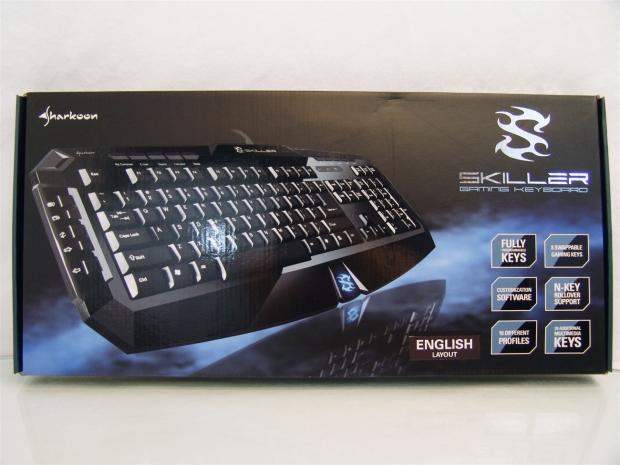
The Skiller is positioned on the left of the front of the packaging amidst some mist and the reflection below it. On the right side there are blocks with features covering the key programmability, the eight swappable gaming keys, the software, N-Key Rollover support, ten profiles and multimedia keys.
Both of the thin sides of the Skiller packaging offer only the product name and that this is a gaming keyboard.
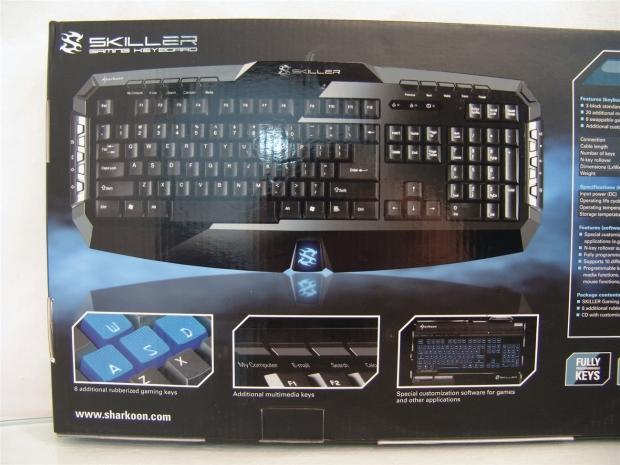
On the back, the left portion of the packaging shows the Skiller at a better angle for viewing all of the keys with three close-up images of the replaceable key caps, the multimedia keys and the software being highlighted at the bottom.
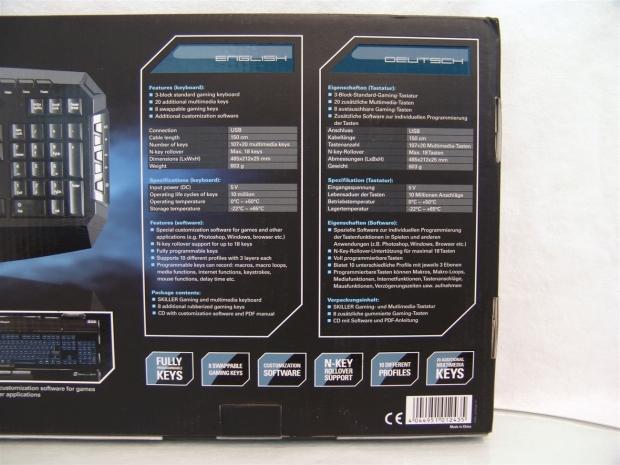
The right third of the back panel offers an English and German chart for the features, specifications and included parts list that doesn't mention the key puller. At the bottom, the same six features we discussed on the front are shown here as well.
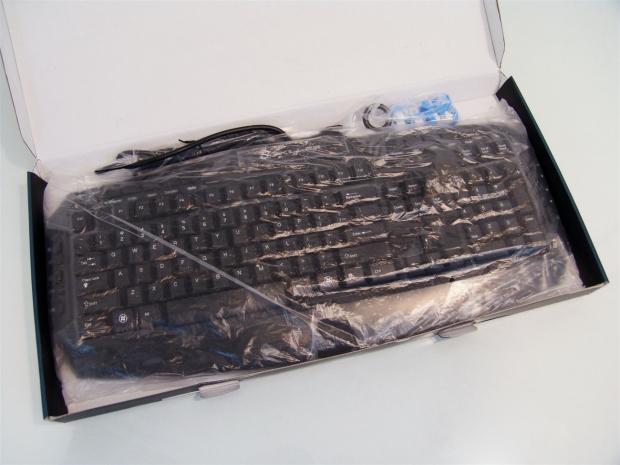
A thin plastic bag is all that really protects the keyboard during transit. Even as far as a fold over portion to secure the USB cable that usually makes for a snug fit of the board is not present. You can also see the additional key caps and puller are set in a bag to float freely around inside.
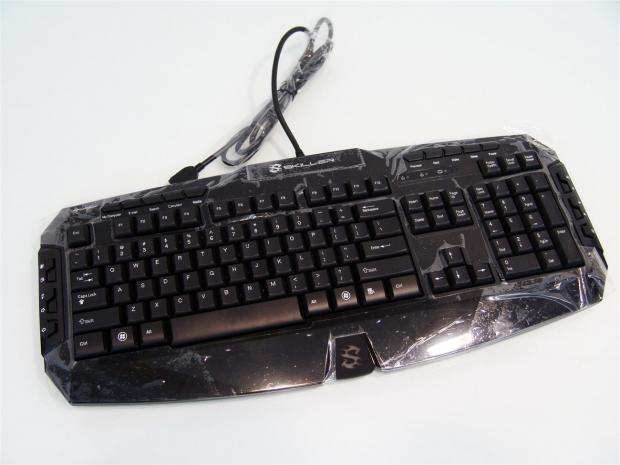
Out of the box and the plastic liner, you can see that all of the shiny bits of the keyboard are also protected with this application of plastic. Between the box, liner and this stuck on layer, the Skiller did arrive in perfect condition.
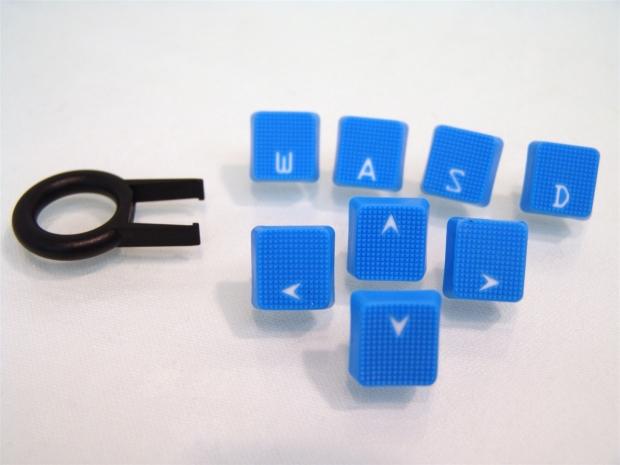
Removing them from the bag, you can see that the light blue replacement gaming key caps are very textured and are much flatter than the other keys on the board. The included key puller will make this job simple to swap them out with ease.
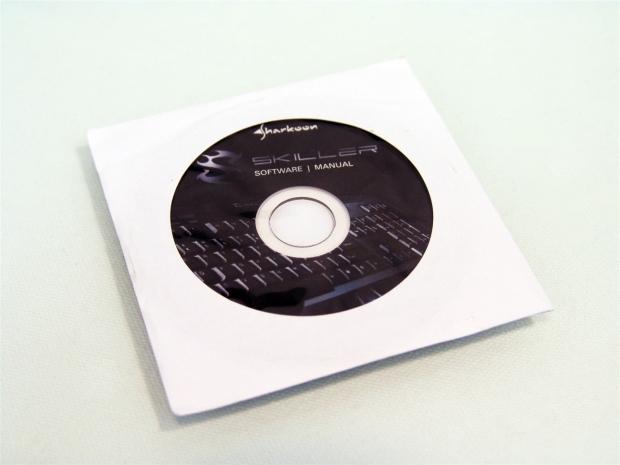
There is also a CD included that contains the instruction manual and the software to make the Skiller a completed package. The keyboard and multimedia keys work by default, but to enjoy the massive level of programmability, you must run the keyboard software.
Sharkoon Skiller Gaming Keyboard
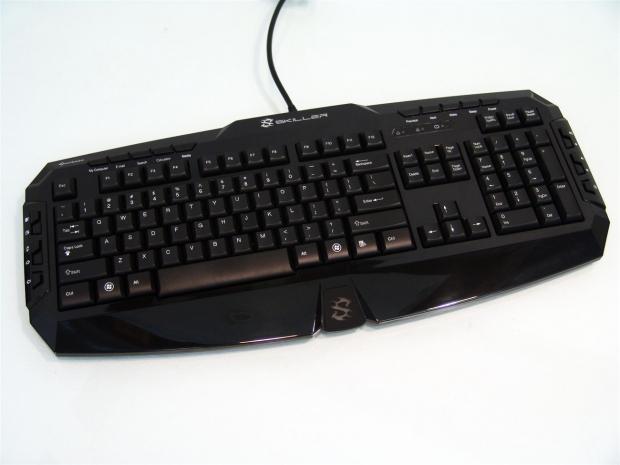
With our first unimpeded view of the Skiller now at hand, you can see the play on angles and the shiny black finish does make for an attractive product. There are keys all around this board and between your hands, in the wrist rest, there is an illuminated logo awaiting power.
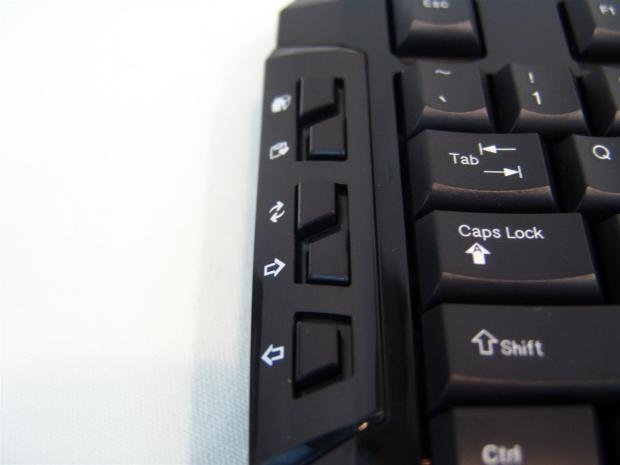
On the extreme left edge of the Skiller you start off the 20 additional keys with these five. There is a Home, Favourites, Refresh, Page Forward and Page Back keys in this section.
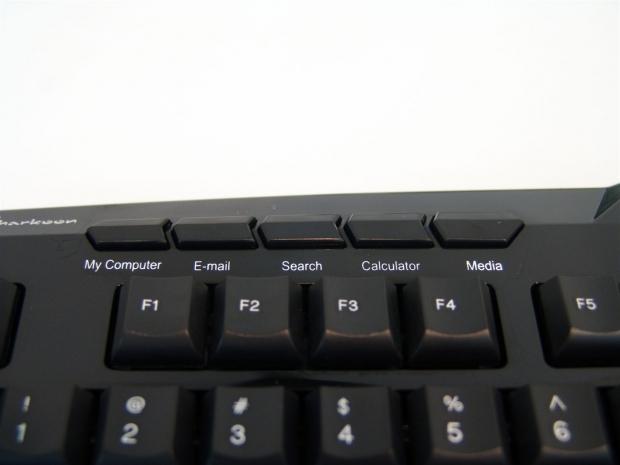
At the top edge, on the left side, there is another five buttons, but this time they are keys for Windows functionality. You get keys for My Computer, E-mail, Search, the Calculator and a Media button.
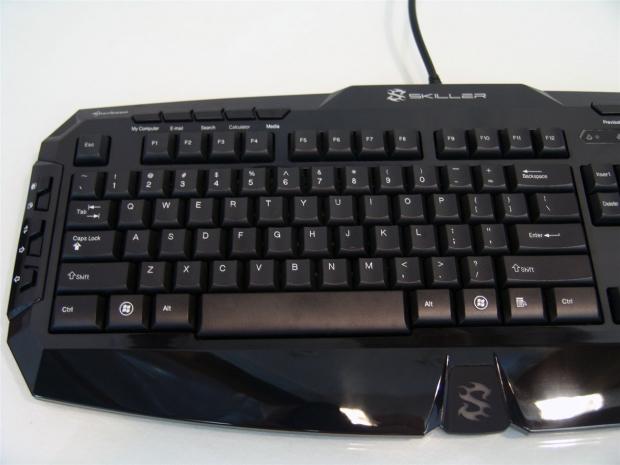
This segment of the three groups contains 74 keys that cover the QWERTY section of the keyboard and the Function keys above it. All of the caps are contoured and fit your fingers well with the slightest feel of texture to them.
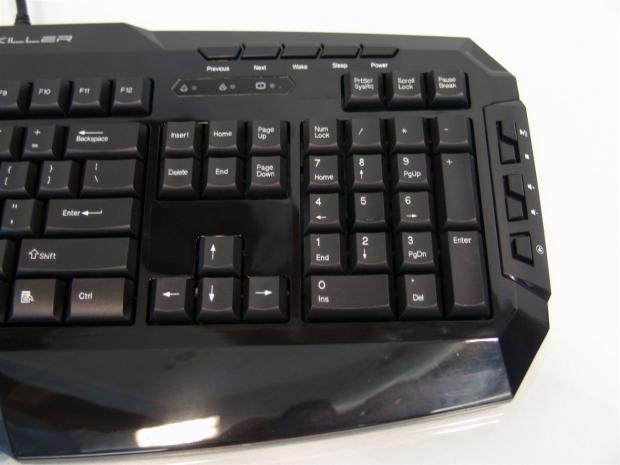
Here is section two and three of this keyboard layout. There is a full number pad and full layout of command keys to be used. One other thing to mention is the three LEDs near the top for the number, scroll and Caps locks.
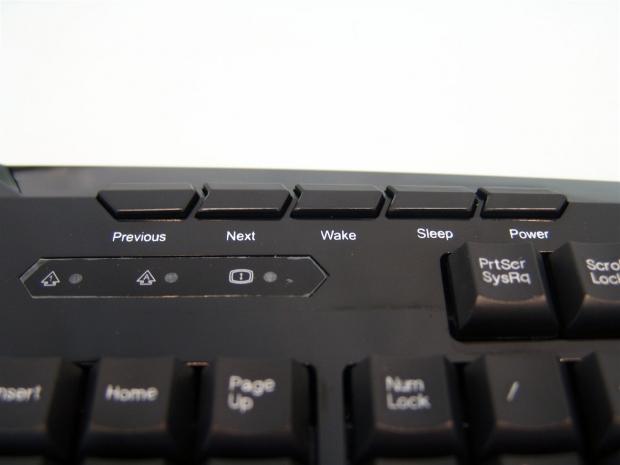
Above the lock LEDs you get a section of five keys for Previous and Next, along with PC Wake, Sleep and Power buttons. It does mention that you do need to make sure your motherboard BIOS is configured for Wake and sleep settings; the Power key works out of the box.
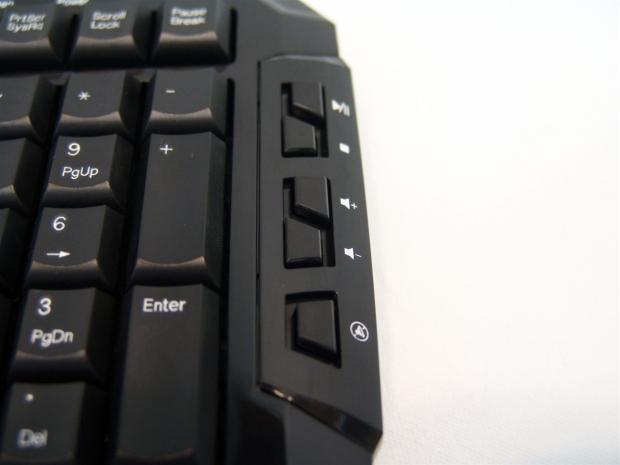
The last of the 20 additional keys offer you control of Play/Pause, Stop, Volume up, Volume down and a Mute key.
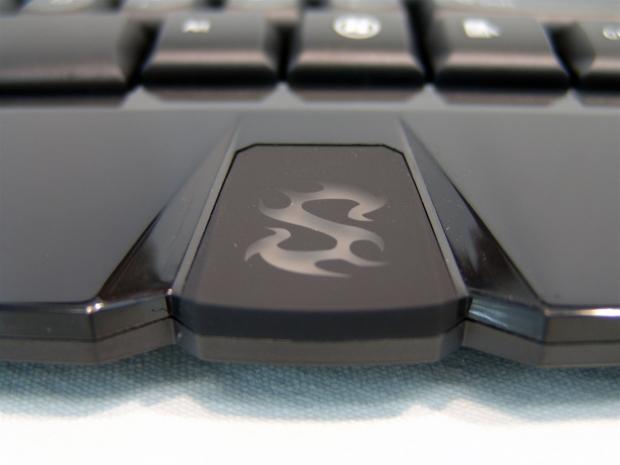
Just so I was sure you saw this, there is a large stylized S that will illuminate blue only when the keyboard is powered on. I do wish it had a red option to match the default color of the Dark Glider mouse, though.
Sharkoon Skiller Gaming Keyboard Continued
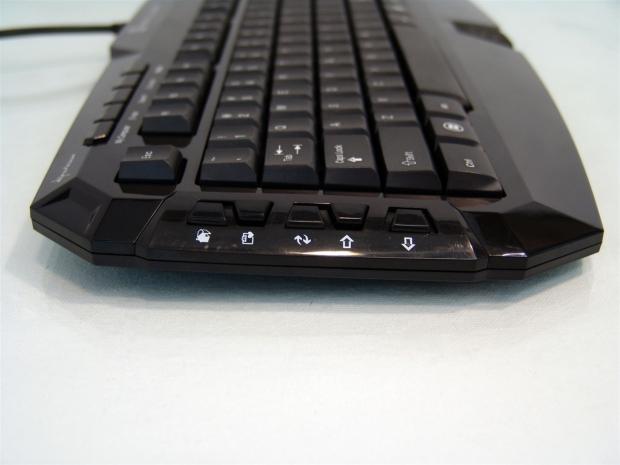
Looking at the Skiller from the side, without the extended feet the keyboard lies rather flat with little elevation at the back of the keyboard. If you would like a more dramatic angle, use the flip out feet to correct the issue.
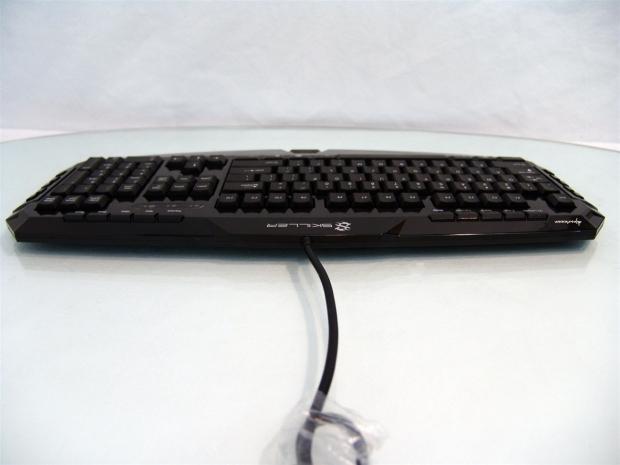
Across the top edge of the keyboard, the only thing found is the centered USB cable coming out. No extra USB pass-through ports or audio jacks.

On the back of the Skiller there is a diamond pattern applied to all the inset areas with thicker bars separating them and offering structural support. There are also eight drain holes mixed in with the 20 or so screw holes. If you accidentally spill a bit of liquid, most of it will run right through the board.
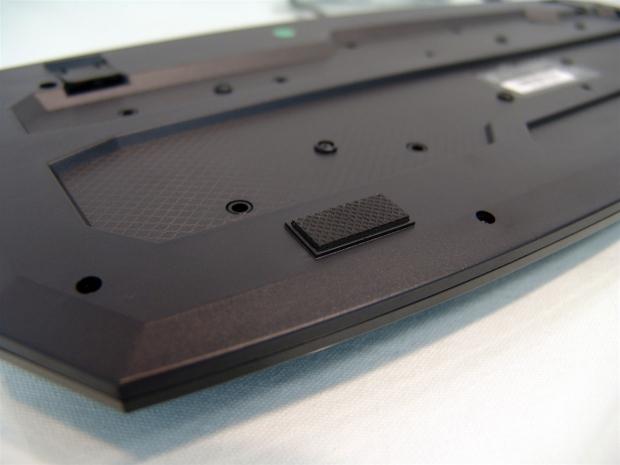
Near the front edge on both the right and left of the Skiller, Sharkoon uses a foam rubber foot with a diamond pattern for traction on any surface.
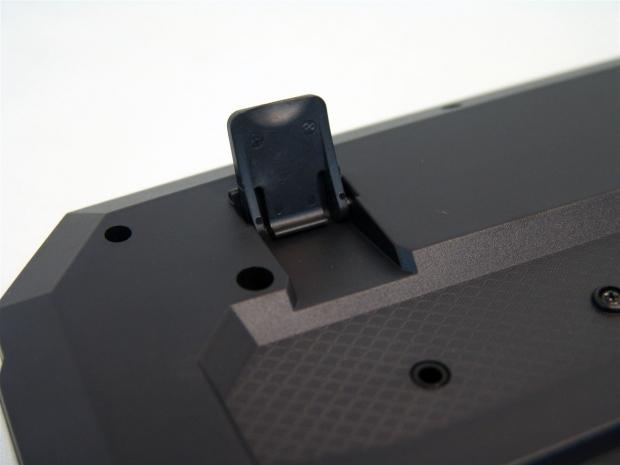
As I mentioned, you can improve the angle at which the Skiller sits just by flipping out this plastic foot. This will raise the back edge of the keyboard three quarters of an inch more than when they are clipped in the board.
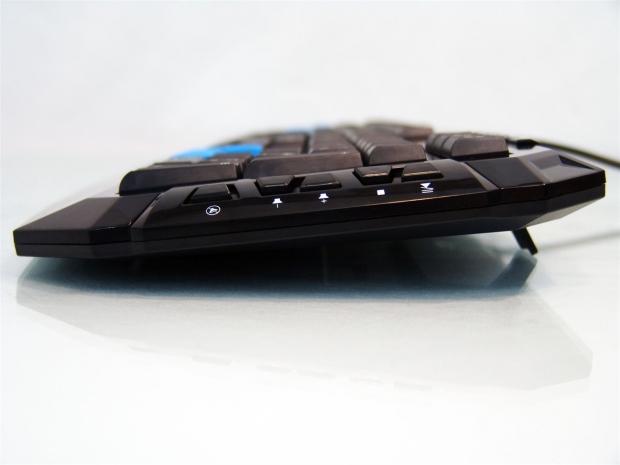
With the feet extended, the Skiller has a much friendlier angle of use and for me is the only way to use this board. With the feet in it was just too flat for my liking.
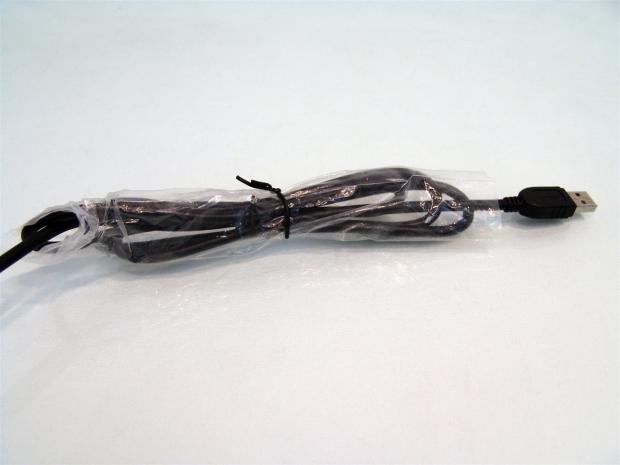
To power the keyboard, slide off the protective plastic sleeve and connect the USB cable that is on the 1.5 meter rubber cable.
Inside the Sharkoon Skiller
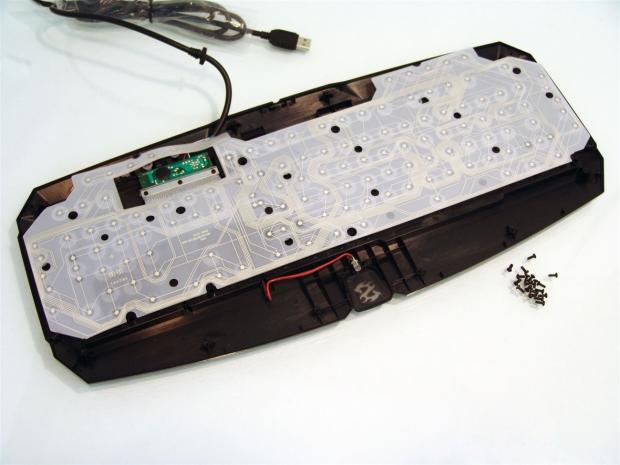
After removing what had to be 20 or so screws, I was able to remove the back half of the keyboard to get a look inside. What you find first is the plastic wiring membrane that the rubber dome switches make contact with. If I were to lift this out of the way you would see that all of the keys have individual switches. For that reason I didn't want to go any further and risk spending another hour placing switches.
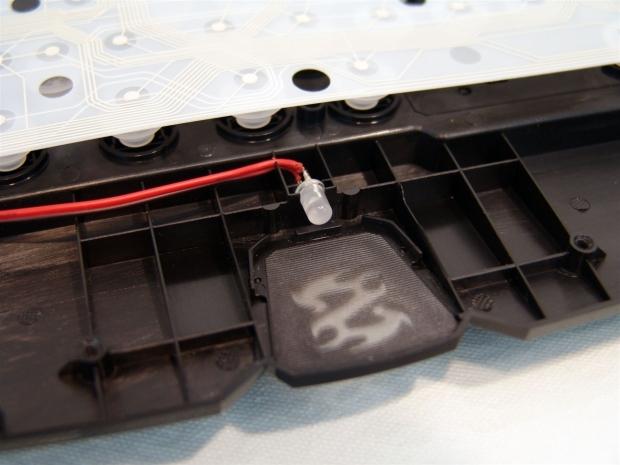
The green PCB in the last image controlled the LEDs for the lock keys, but the S logo at the front of the keyboard gets its own individual LED. You also notice it is offset a bit, that way you get the glow and not the glare from looking directly down on the LED.
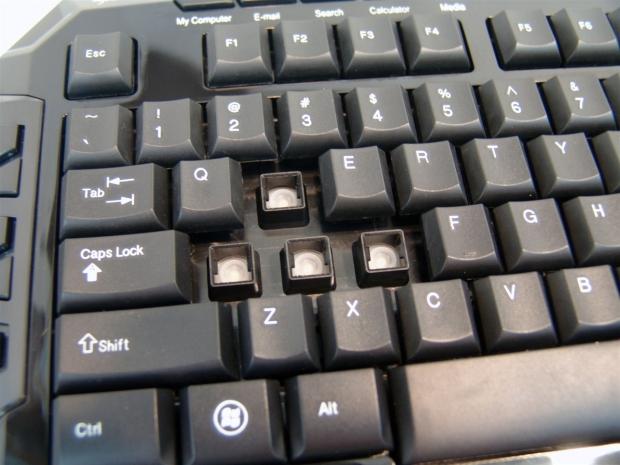
Putting the board back together I figured I would swap out the gaming keys with the regular keys on the keyboard. You can see the rubber domes under each switch and remember, they aren't on a membrane like most, so it may complicate cleaning this later.
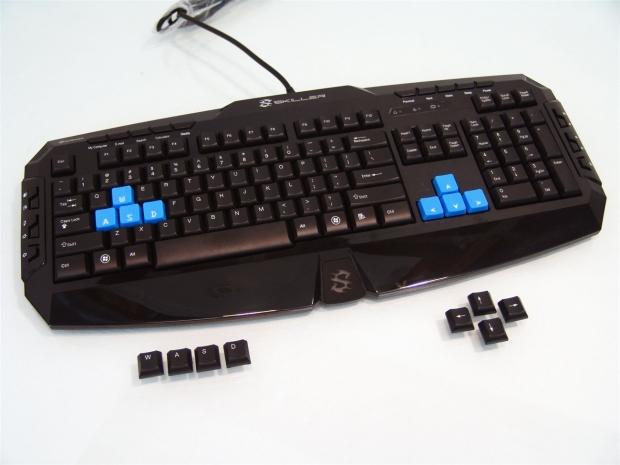
Once all eight keys were on the board I stepped way back to show you the other variation this keyboard offers with only a minute of your time.
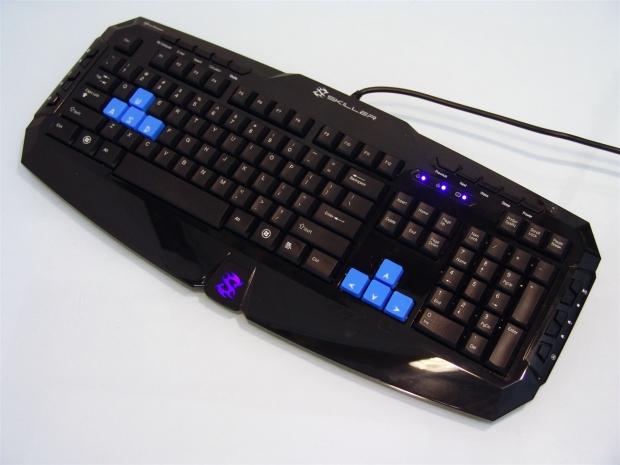
With the keys swapped out and the cable now plugged in, the Skiller comes to life as the LED behind the S activates with its blue cast and I applied all of the lock to illuminate the matching LEDs near the top.
Software
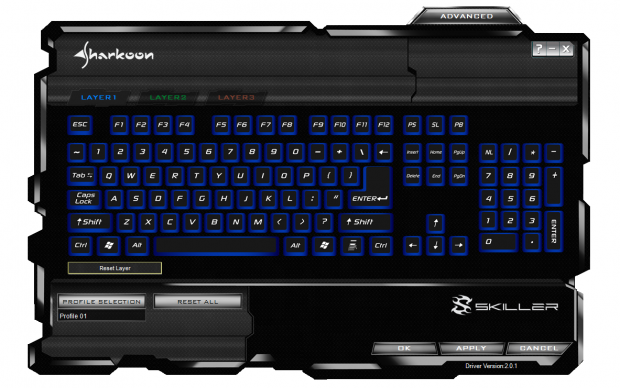
After installing the software and after a reboot, the icon is booted in your taskbar waiting for you to open it. The window you are given at that time is what you see here. Besides the obvious keyboard layout across the image, at the top you see the tabs for the three layers and at the bottom left you can see I am on profile number one of the ten profiles. So essentially, you can set one key to 30 possible other things than say just an H key.
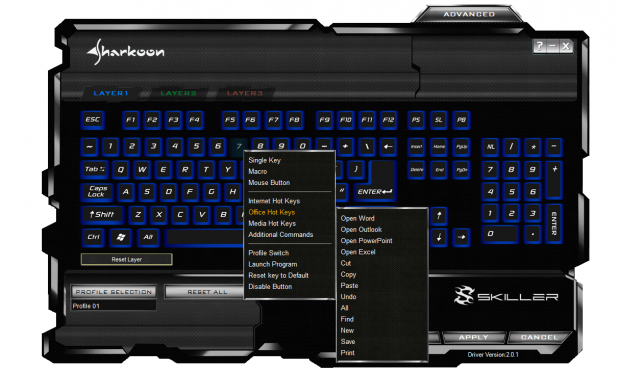
Clicking on the 7 key I was greeted with this sub menu that allows you to choose what you want to do with the re-programming possibilities. The menu is in three groups. The first covers single key swaps like 7 for the W, the Macro and mouse features I will show in a second. In the second grouping there is a ton of presets as the secondary list shows for the Office hot keys. The bottom group allows you to swap the profile you want to program, launch a program, reset the default key setting or even disable keys including the sleep, wake and power buttons.
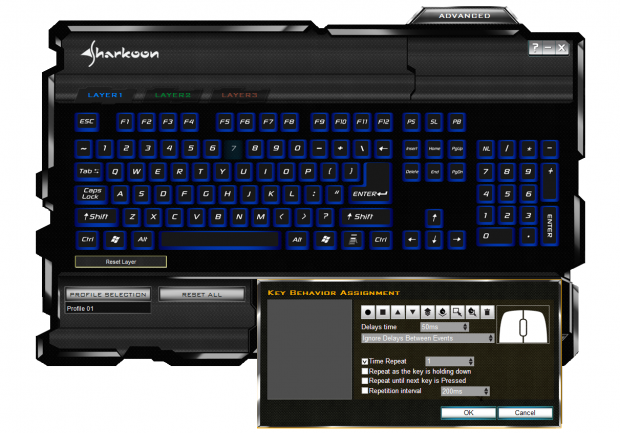
When you select the Macro from the sub menu a window at the bottom pops up to let you have at endless possibilities of one keys functionality. You can record as you go, rewind to a mistake and correct it, add time delays if needed and test them all from this one little window.

Since the Macro assignments were so in depth it swapped me to look at the mouse programmability and I am sad to say all I found was right and left click or scroll wheel assignments. X and Y tracking would have been a cool feature to move around the desktop with the arrow keys or any keys really.
Final Thoughts
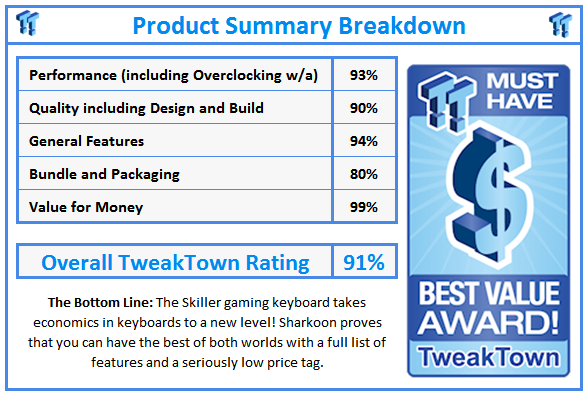
I had to mention the fact that I use mechanical keyboards by choice in here, because it does leave me somewhat biased and knowing what I know now, I typically wouldn't shop for a keyboard with rubber dome switches on it. The biggest reason is that most keyboards that offer anything close to what the Skiller delivers in functionality of the keys by default cost too near mechanical keyboard pricing not to just take the 20 to 30 dollar leap in the realm of some of the lower priced mechanical offerings. That trend stops with the Skiller though; you get everything I just showed you for right around $25. No matter how you convert that monetary figure, the Skiller is bar none the most economic solution I have seen.
To get the default 127 key functionality makes this a good solution for 14.99 Euros for everything from an OEM replacement option all the way up to everyday users that like to game more than they read Facebook or tend to e-mails. There is no denying that. Even if I picked it apart a bit about the color of the LED under the stylized S or that the internal packaging was a bit lacking as far as securing the product, those things can easily be overlooked. Especially once you consider the remapping and levels upon levels of depth over ten profiles, I am pretty sure you can forget all of the things you can make this keyboard do not to mention that each keys has so many possibilities, that all of their presets can be assigned and still leaves you many keys left for Marco assignments. I have seen $80 offerings with software similar, but nowhere as endless as the Skiller offers.
The extras like the rubber keys for gaming and the key puller not only take the Skiller over the top for me, but the puller alone will make maintaining the cleanliness of the board so much easier than trying to disassemble it to shake out or vacuum out the dirt and debris. It is really too bad that a lot of Sharkoon's products, including this one for now is not available in the US. I am hoping this is something that changes soon, because if the Skiller comes to the States, I can see this as the "œgo-to board" of choice for anyone looking for an impressive and very economical solution to keyboards. For those of you lucky enough to have access to the Sharkoon Skiller, I dare you to find me a board with this level of standard features, style, programmability and be even within $10 of the Skiller.
I really think you are going to be offering me OEM or generic 107 key boards and the Skiller has even the higher dollar, aftermarket offerings, quaking in their boots with a release like this, so it will blow the regular offerings out of the water. I really do recommend if you need a keyboard on the cheap and won't settle for the basics, the Skiller definitely deserves your attention amongst any other rubber dome switch based keyboard.


 IQUNIX Magi96 Pro Aluminum Low Profile Mechanical Keyboard Review - Premium Build, Satisfying Sound
 Razer Pro Type Ergo Wireless Split Ergonomic Keyboard Review - Built for Comfort and Support
 ASUS ROG Strix Morph 96 Wireless Gaming Keyboard Review - Great Performance, More Affordable
 Corsair MAKR PRO 75 Hall Effect DIY Keyboard Review - Pre-Built and Ready for Action
 Razer Viper V4 Pro Wireless Gaming Mouse Review - Built for Competition
 Anthropic releases state-of-the-art AI model Claude Fable 5, and it's safe to use
 Nintendo showcase FromSoftware's next title 'The Duskbloods' in new mysterious trailer
 Razer Seiren V3 Pro is a new professional-grade microphone for gamers and creators
 Xbox is rethinking its Project Helix strategy as memory prices continue to soar
 Control Resonant arrives in September with DLSS 4.5 and Path Tracing on PC
 NZXT unveils aesthetically pleasing cases, fans and coolers at Computex 2026
 NVIDIA GeForce Hotfix 610.52 driver released, fixes issues related to G-SYNC, Smooth Motion, and stability
 3DMark adds native Windows on Arm support for ray-tracing benchmarks
 MSI showcases its next-gen GPU cooling tech and it could be for the GeForce RTX 60 Series
 'Radically different' business models coming to Xbox, CEO Asha Sharma says
 Navman MiVue Smart True 4K Surround Dashcam Review - Seeing In All Directions At Once
 Asetek Forte S-Series Racing Simulator Bundle Review
 SAPPHIRE Radeon RX 9070 GRE PULSE OC Review - A New 1440p Challenger Has Arrived
 NZXT H6 RGB+ Compact Dual-Chamber Chassis Review
 ASRock Radeon RX 9070 GRE Steel Legend Review - The RDNA 4 Mid-Range Reshuffle
 ASRock Z890 Taichi Aqua Motherboard Review - Flagship features without the flagship price
 GIGABYTE Z890I AORUS Ultra Motherboard Review - Mini-ITX with surprisingly good thermals
 The PowerToys utilities I keep enabled on every Windows 11 PC, and the ones I turned off within a week
 TweakTown's Best of Computex 2026 Awards - The Best Hardware, Gaming Gear, and AI
 Phison E37T SSD Controller Exclusive Preview - The Fastest DRAMless SSD Platform Yet
 USB Ports Not Working in Windows 11? Try These Fixes
 ASUS WiFi Routers and Networking Solutions Deliver Long-term Security and Reliability with No Additional Cost
 Second Monitor Not Detected in Windows 11? Try These Fixes
 Turn Your Old Smartphone Into a Dedicated Webcam for Your Windows PC
 The Send To menu is the right-click feature on Windows 11 that nobody bothers to customize
 Windows 11 will not let you pin a folder to the taskbar, but a 30-second workaround does
 ASUS ProArt Displays Unlock Creativity with Professional Monitors for Everyone