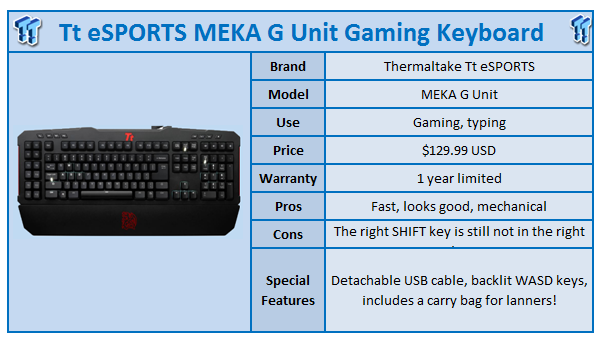
I reviewed the MEKA from Tt eSPORTS not that long ago and while it was a good keyboard, I was just not impressed enough with it. When I heard I'd be getting the new Tt eSPORTS MEKA G Unit keyboard, I held my presumptions back and let the keyboard do the talking for me.
Straight away, the box looks great, the contents are great - the keyboard itself, a wrist rest, a detachable USB cable, a bag for the detachable USB cable, a bag for the keyboard itself, stickers, a manual and a driver CD. I tried looking for the kitchen sink, but it wasn't in the box.
Thermaltake seemed to have thought of everything, even a bag to secure your detachable USB cable (which I'll get to in a minute). A bag for the keyboard itself is a great addition as this keyboard is primarily aimed at gamers and lanners.
I put the MEKA G Unit on my desk and had the absolute joy of plugging in the detachable USB cable; this is something I want to see on all keyboards from now on. It sounds like something that shouldn't even be considered, but it makes a big difference to the use of the keyboard.
Going to a LAN? No problems, instead of wrapping the cable up around the keyboard, you just disconnect it and put it into its own little bag. Once finished, you'd put the keyboard itself into a bag and the keyboard is packed, secure and ready to go. Great work, Thermaltake.
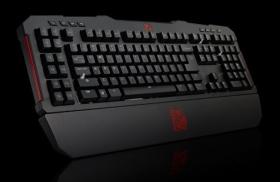
Once the MEKA G Unit is turned on, you're presented with beautiful backlit keys in sections of the keyboard. The WASD, 8,4,6 and 2 buttons on the number pad (up, down, left, right), the space bar has a little backlight too. It's just these little sections that gamers would primarily have their hands or fingers on, which is all you really need.
Maybe a revision of this keyboard (hey, Thermaltake, call it the MEKA Fiddy Cent) could include an optional button to enable the entire keyboard be backlit.
Our Latest Keyboards Review Coverage
- Corsair CLIPPER PRO MINI 60 Hall Effect Gaming Keyboard Review - Small and Mighty
- Logitech G316 X 98 Wired Gaming Keyboard Review - Retro-Inspired Board that Falls a Little Short
- Logitech G512 X 98 Analog Mechanical Gaming Keyboard Review - An Innovative Two-in-One
- IQUNIX Magi96 Pro Aluminum Low Profile Mechanical Keyboard Review - Premium Build, Satisfying Sound
- Razer Pro Type Ergo Wireless Split Ergonomic Keyboard Review - Built for Comfort and Support
Once I started typing on it, I could feel it was no way near the same clunkiness that the MEKA was. This felt great to type on, super-responsive and a little quieter too.
The performance was perfect, I tried out Deus Ex: Human Revolution and Team Fortress 2 for some quick FPS action and I had no issues with performance. Perfection. The keys themselves are Cherry Black Mechanical Switching keys, which have up to 1000Hz polling rate and include a life expectancy of up to 50 million keystrokes. That's a lot of typing and gaming.
The MEKA G Unit includes a USB hub for other devices, which came in handy as I plugged in my mouse for ease of use and it was just something I've become accustomed to with keyboards now. A keyboard without USB ports seems so alien to me.
[img]3[/img]A stand-out feature of the G Unit is it includes 64KB of on-board memory which allows you to save macro key settings. Why is this important? Well, if you take the keyboard and plug it into another system, your macro settings are not forgotten; they're stored in the keyboard itself. Nifty, huh?
There are up to 20 macro keys included, 12 fixed and 8 unfixed per profile with a total of 60 macro keys across 3 profiles.
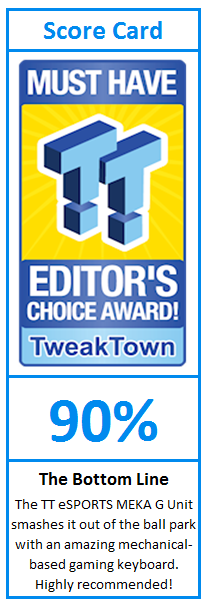
Is the MEKA G Unit something you want on your desk? Yes. Usually I find it hard to recommend mechanical-based gaming keyboards, but this is another tick in that box. It doesn't feel as hard as the original MEKA to use, and there are only little things I'd want fixed. Other than that, it's a near-perfect mechanical gaming keyboard.
What would I fix? I still don't like the right Shift button placement, it's just not right at all and when typing, I found myself correcting my typing too much. The other gripe is just a personal thing, I'd like to have an option for the entire keyboard to be backlit.
Other than that, great work Thermaltake. This keyboard is amazing and I recommend people definitely check it out if they're in the market for a mechanical gaming keyboard. Two thumbs up from me!