











Introduction

Most of the netbooks we see on the market today lack anything to set them apart; emphasis on the word 'most'. There are those few out there which manage to stand out that bit more than the average netbook we're so accustomed to seeing and what we have with us here promises to deliver in that regard.
Today we are going to take a look at the GIGABYTE Booktop M1022 netbook. This little machine has what you expect to see inside a netbook today and also includes a little something extra that makes it stand out from the unwashed masses.
If you want a nice netbook that works equally as well at home or on the road, the special feature that the M1022 offers will make you quite happy indeed. Read on for all of the details on the GIGABYTE Booktop M1022 netbook.
Update:-
Following our review, we've been enlightened by GIGABYTE as to a mass of other hidden but highly useful features worth mentioning that we weren't aware of at the time of publishing. Tim Handley has provided the following information for us.
Nice review, but you guys missed out on the best features:
1. Push the right click button when the system is off and those 6 LEDs show you how much battery you have left.
2. The touch pad may be small, but it uses an ELan tech smart mousepad system:
a. Tap with 2 fingers and it's the same as a right click
b. Tap with 3 fingers and it takes you to your desktop
c. Drag upwards with 3 fingers and it takes you to My Computer
d. Drag downwards with 3 fingers and it's the same as Alt Tab - you can jump between windows
e. Drag left or right with 3 fingers for the arrow functions on Firefox - so if I want to go to a previous page of this review I drag left with 3 fingers
f. Move two fingers apart or together to zoom in or zoom out
g. Tap down onto a Jpeg image with 1 finger and drag the other finger around to rotate the image
h. All of these functions are programmable so you can customize it according to your preference
Check out the touch pad mate, it's really something special.
As we'd already found enough reasons to warrant a Best Features Award in our score summary prior to being kindly handed this extra info, our overall score rating has been left as is. Our apologies to both GIGABYTE and our readers for missing these extra features on initial posting.
Specifications
The M1022 is available with a couple options for hardware. My review sample uses the older Intel Atom N270 CPU and the 945GSE Express chipset. An Atom N280 is optional for the CPU.
My unit also had the 10.1-inch 1024 x 600 resolution screen rather than the optional 1366 x 768 unit.
Check out the rest of the specifications below.

The GIGABYTE Booktop M1022
A box, is a box, is a box. Nothing fancy to see here, just specs and a product shot.

Open the box up and all the accessories are packed away under the netbook itself.

Take the protective wrap off the netbook and you get to see the glossy white and slightly pearlescent netbook.

The front edge of the netbook has little to see other than the headphone / mic ports and LED lights for hardware status.

The left side of the netbook has a heat grate, VGA out and the connector port for putting the netbook into the slick dock we will talk about later.

The right side of the netbook has the memory card reader, RJ-45 port and three USB ports.

The back of the netbook has nothing to see.

Open the cover and you get the first glimpse of the keyboard with all that you expect to find, including a multi-touch track pad. I could do without the Asian characters on the keyboard that clutter things up.

The screen has my favorite -- a glossy coating .

Despite packing in a massive 6-cell battery, the profile of the M1022 is surprisingly thin.

The coolest feature of the M1022 is the slick docking station that it ships with.

The rear of the dock has a VGA out, AC port, RJ-45 connector and a pair of USB ports.

Benchmarks - Battery Life, iTunes Encoding & Movie Encoding
Benchmarks
Now it's time to put the M1022 through our battery of netbook benchmarks. Today we will be using our iTunes encoding test, our movie encoding test and Battery Eater Pro. As you will soon see, the M1022 has very nice performance and found itself very close to the SSD equipped OCZ Neutrino I reviewed a while back in performance.
Battery Eater Pro
Version and / or Patch Used: 2.70
Developer Homepage: http://batteryeater.com/development.html
Product Homepage: http://batteryeater.com
The first test up is Battery Eater Pro. The M1022 has fantastic battery life and is the longest lasting machine we have ever tested. If you want to be able to go for hours on the road, the M1022 is a great machine for the job. Remember, real world results will vary. Check out the graphic below for the battery life score and comparison.

iTunes Encoding
Version and / or Patch Used: 7.1.1.5
Developer Homepage: http://www.apple.com
Product Homepage: http://www.apple.com/itunes

Next up is our iTunes encoding test. For this benchmark I used my Stone Temple Pilots Core album in MP3 format, encoded the tracks to AAC using iTunes and timed the process with a stopwatch. See the chart below for the scores.

Movie Encoding
Version and / or Patch Used: 9
Developer Homepage: http://www.microsoft.com
Product Homepage: http://www.microsoft.com/windows/windowsmedia/forpros/encoder/default.mspx
The final netbook benchmark is our movie encoding test. For this test I used Windows Media Encoder to turn the 1080p Wonder of Flight video into a DVD quality file suitable for streaming. See the chart below for the test results.

Hands on Use
After all the benchmark dust settled, it was time to get some hands on with the M1022. The little netbook is a nice looking machine and the only outward sign that it is more than the mere mortal netbooks in its class is the funky, HDMI looking port on the left side.
This port plugs into the slick docking station that allows you to use the M1022 as both a netbook and a desktop machine without having to disconnect cables each time. The dock has enough USB ports for an external mouse and keyboard and the VGA output will allow you to use a larger screen. The best part is when using the dock you simply pull the netbook out when you are ready to go mobile. This is a great feature and adds greatly to the usability and value of the M1022.
The keyboard is average for a netbook with well-spaced keys, a full size right shift key and good tactile feedback. I am not a fan of the fact that GIGABYTE plastered Asian characters on the keyboard. If the machine was intended for an Asian market I could understand, but for use in America the extra characters mess up the clean looks of the netbook by adding lots of clutter to the keyboard.
The track pad is both good and bad. The good part about the track pad is that it supports multi-touch and gestures and has lots of room to work. The bad part is that the right and left buttons are to each side of the track pad rather than under it. After years and years of using track pads with the buttons underneath, moving them to the sides is annoying. I kept hitting the bottom edge of the palm rest looking for the mouse buttons.
The screen is nice and as I have come to expect, it has a highly glossy coating. That means that the color reproduction is good, but the screen throws glare badly in bright rooms. A webcam is built into the LCD bezel as well. My test unit had the stock LCD, but a higher resolution LCD is an option.
The onboard sound system is average with enough volume to hear music and movies, but not enough bass for my taste. Someday a netbook will hit my desk with a better sound system. Until then the M1022 is average in this department.
Final Thoughts
All I can say is that it is very refreshing to see GIGABYTE actually put some thought into offering usable extra features into its netbooks that set it apart from the pack. The docking station is a fantastic idea and makes real world use of the M1022 much easier.
The M1022 did very well on the benchmarks including that most important of tests -- battery life. With the screen turned down to minimum brightness you can work for over five hours on a single charge. In all the GIGABYTE Booktop M1022 is easily one of the best netbooks in all the land, even if its keyboard looks cluttered and the track pad buttons take some getting used to.
Update:-
Following our review, we've been enlightened by GIGABYTE as to a mass of other hidden but highly useful features worth mentioning that we weren't aware of at the time of publishing. Tim Handley has provided the following information for us.
Nice review, but you guys missed out on the best features:
1. Push the right click button when the system is off and those 6 LEDs show you how much battery you have left.
2. The touch pad may be small, but it uses an ELan tech smart mousepad system:
a. Tap with 2 fingers and it's the same as a right click
b. Tap with 3 fingers and it takes you to your desktop
c. Drag upwards with 3 fingers and it takes you to My Computer
d. Drag downwards with 3 fingers and it's the same as Alt Tab - you can jump between windows
e. Drag left or right with 3 fingers for the arrow functions on Firefox - so if I want to go to a previous page of this review I drag left with 3 fingers
f. Move two fingers apart or together to zoom in or zoom out
g. Tap down onto a Jpeg image with 1 finger and drag the other finger around to rotate the image
h. All of these functions are programmable so you can customize it according to your preference
Check out the touch pad mate, it's really something special.
As we'd already found enough reasons to warrant a Best Features Award in our score summary prior to being kindly handed this extra info, our overall score rating has been left as is. Our apologies to both GIGABYTE and our readers for missing these extra features on initial posting.

Our Latest Standard Laptops Review Coverage
 ASUS ExpertBook Ultra (Panther Lake) 14" Business Laptop Review
 Dell XPS 14 (2026) Laptop Review - Premium Quality, Impressive Performance
 HP OmniBook 7 (Panther Lake) 16" Laptop Review
 GEEKOM GeekBook X14 Pro (Intel Core Ultra Series 1) Laptop Review
 HP OmniBook 5 14" AI PC (Snapdragon X) Laptop Review
 MSI launches its 'DRACO EPIC EDITION' 40th anniversary PC gear
 Lower Xbox and PlayStation sales see AMD's Gaming revenue drop by 31%
 Memory capacity for all of 2027 has reportedly been booked and sold, with no more DRAM or HBM available
 GIGABYTE launches flagship AORUS P1600W power supply that supports up to four graphics cards
 GIGABYTE's GeForce and Radeon GPU prices have reportedly increased by up to 40% in Japan
 Adobe Acrobat Alternative: UPDF AI Workflow for Windows
 Battlefield 6 Season 4 update fixes RTX 50 series crashing without requiring an NVIDIA driver update
 Assassin's Creed Black Flag Resynced's new update will let you hide Edward's blowpipe
 A $10 indie game bundle with 100+ games has raised over $100,000 in three days to support laid-off developers
 Microsoft warns travelers of Russian hackers hijacking hotel Wi-Fi networks to steal account credentials
 Thinkware U3000 Pro Review - Smart Dashcam with Wi-Fi quirks
 Montech TG3 Mid-Tower Chassis Review
 ASUS ROG Strix X870E-A Gaming WiFI7 Neo Review - A New Enticing Option
 Noctua NL-LC1-36 Liquid CPU Cooler Review
 Logitech G316 X 98 Wired Gaming Keyboard Review - Retro-Inspired Board that Falls a Little Short
 Biwin M560 2TB SSD Review - Best Overall Retail-Ready DRAMless SSD
 Logitech G512 X 98 Analog Mechanical Gaming Keyboard Review - An Innovative Two-in-One
 Thrustmaster T.Flight HOTAS 5 MSFS Edition Review
 SteelSeries Arctis Nova Pro Omni Wireless Headset Review - One Headset to Rule Them All
 SteelSeries Arctis Nova 7 Wireless Gen 2 Headset Review - New and Improved, But Is It Enough?
 I swapped File Explorer for this free file manager and finally got the layout I wanted
 How to tell if someone has been using your Windows PC without your permission
 6 Task Manager tips for troubleshooting Windows performance problems
 ASUS ROG's 20th Anniversary Line-up of Premium PC Gaming Gear has Arrived - Here's Everything You Need to Know
 Six File Explorer tips every Windows user should know
 I switched my PC to encrypted DNS in Windows 11, and browsing felt more private
 Printer Not Working in Windows? How to fix detection, print queues and drivers
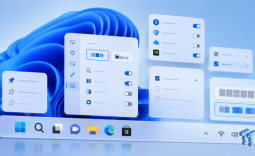 The Ultimate Guide to Personalizing Your Windows 11 Taskbar
 How to Turn Your Windows Laptop Into a Second Monitor with Miracast and Wireless Display in Minutes
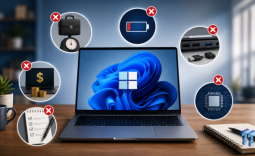 6 Mistakes to Avoid When Buying a Windows Laptop