









Error 404 - Not Found
Yikes, sorry! It looks like the page or resource you're after is MIA. It might've been moved, deleted, or never existed.

You can try searching using the box above or below, or jump to our homepage for the latest content. If this looks like a bug in the system, give us a heads-up and we'll fix it.
Meanwhile, here are some fresh bytes for you to check out:
- ASUS ROG Strix X870E-A Gaming WiFI7 Neo Review - A New Enticing Option
- Noctua NL-LC1-36 Liquid CPU Cooler Review
- Logitech G316 X 98 Wired Gaming Keyboard Review - Retro-Inspired Board that Falls a Little Short
- Biwin M560 2TB SSD Review - Best Overall Retail-Ready DRAMless SSD
- Logitech G512 X 98 Analog Mechanical Gaming Keyboard Review - An Innovative Two-in-One
- Printer Not Working in Windows? How to fix detection, print queues and drivers
- The Ultimate Guide to Personalizing Your Windows 11 Taskbar
- How to Turn Your Windows Laptop Into a Second Monitor with Miracast and Wireless Display in Minutes
- 6 Mistakes to Avoid When Buying a Windows Laptop
- I capped Windows Update's bandwidth with Delivery Optimization, and my downloads stopped choking
- Thrustmaster T.Flight HOTAS 5 MSFS Edition Review
- SteelSeries Arctis Nova Pro Omni Wireless Headset Review - One Headset to Rule Them All
- I use this decade-old free tool that finds files faster than Windows Search does
- I install and update most of my apps with this Windows command now, and I stopped downloading sketchy installers
- Hisense U6SF 65-inch MiniLED TV: High Performance Meets Leisurely Convenience
 Microsoft now identifies exclusives as a way to grow Xbox
 Xbox expected to vaguely 'return to growth' this year in FY27
 KIOXIA introduces the first PCIe 6.0 CM10 enterprise SSDs, up to 92% faster than PCIe 5.0
 GTA 6 trailer 3 expected to drop soon after Rockstar updates website three times in four hours
 Xbox console sales drop to lowest point in a decade as division loses $1.7 billion in FY26
 Hackers breach UK government and police systems, steal passwords and personal data
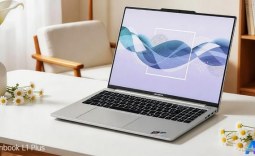 COLORFUL launches thin and lightweight Rimbook L1 Plus laptop
 Tech enthusiast finds RTX Spark-powered Microsoft Surface Laptop Ultra, delivers first 'review'
 AI ports The Legend of Zelda: Ocarina of Time to iPhone and iPad
 Xbox boss admits 200 million new players weren't enough to grow the business
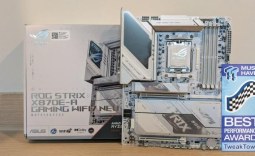 ASUS ROG Strix X870E-A Gaming WiFI7 Neo Review - A New Enticing Option
 Noctua NL-LC1-36 Liquid CPU Cooler Review
 Logitech G316 X 98 Wired Gaming Keyboard Review - Retro-Inspired Board that Falls a Little Short
 Biwin M560 2TB SSD Review - Best Overall Retail-Ready DRAMless SSD
 Logitech G512 X 98 Analog Mechanical Gaming Keyboard Review - An Innovative Two-in-One
 Thrustmaster T.Flight HOTAS 5 MSFS Edition Review
 SteelSeries Arctis Nova Pro Omni Wireless Headset Review - One Headset to Rule Them All
 SteelSeries Arctis Nova 7 Wireless Gen 2 Headset Review - New and Improved, But Is It Enough?
 AMD Ryzen 7 7700X3D Review - Days of Future Past
 Samsung 990 2TB SSD Review - Ninth Gen QLC at PCIe Gen4 Speeds
 Printer Not Working in Windows? How to fix detection, print queues and drivers
 The Ultimate Guide to Personalizing Your Windows 11 Taskbar
 How to Turn Your Windows Laptop Into a Second Monitor with Miracast and Wireless Display in Minutes
 6 Mistakes to Avoid When Buying a Windows Laptop
 I capped Windows Update's bandwidth with Delivery Optimization, and my downloads stopped choking
 I use this decade-old free tool that finds files faster than Windows Search does
 I install and update most of my apps with this Windows command now, and I stopped downloading sketchy installers
 Hisense U6SF 65-inch MiniLED TV: High Performance Meets Leisurely Convenience
 I stopped digging through Windows menus after I set up this one folder
 Don't sell your Windows laptop until you do these things