


Introduction and Specifications, Pricing and Availability
A couple of weeks ago I was granted the joy of reviewing ASUS' higher-end Transformer Pad Infinity tablet, which is the biggest, baddest version of ASUS' Eee Pad range. Today we have the pleasure of looking at the slightly less powerful Transformer Prime.
ASUS have done a great thing in its Eee Pad range, not just offering a single model like the iPad, which gets refreshed every year, or every six months now with the fourth-generation iPad, but offering a bunch of Eee Pad slates.
 24
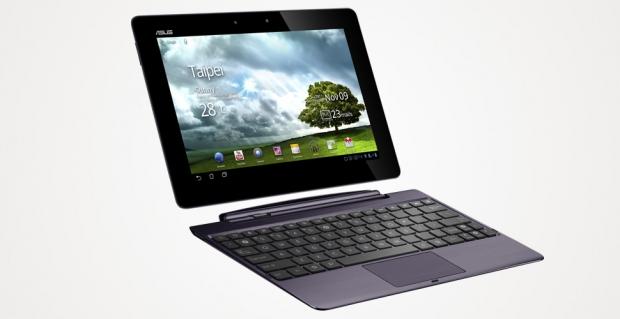
24This comes in the form of two models that we've reviewed now, the Transformer Pad Infinity, which sports a 1920x1080-pixel display, which we reviewed glowingly. ASUS also have the Eee Pad Transformer Prime, which sports the same SoC, NVIDIA's Tegra 3, but ramps down the 10.1-inch screen resolution to 1280x800.
ASUS' Eee Pad Transformer Prime was the world's first Android-based tablet to be released with a quad-core processor inside, which is quite the achievement. It was released in Taiwan in early December 2011, and reached the US later in the month.
There are a few more Transformers in the wild, too, but today we're going to look at the Transformer Prime.
Specifications, Pricing and Availability
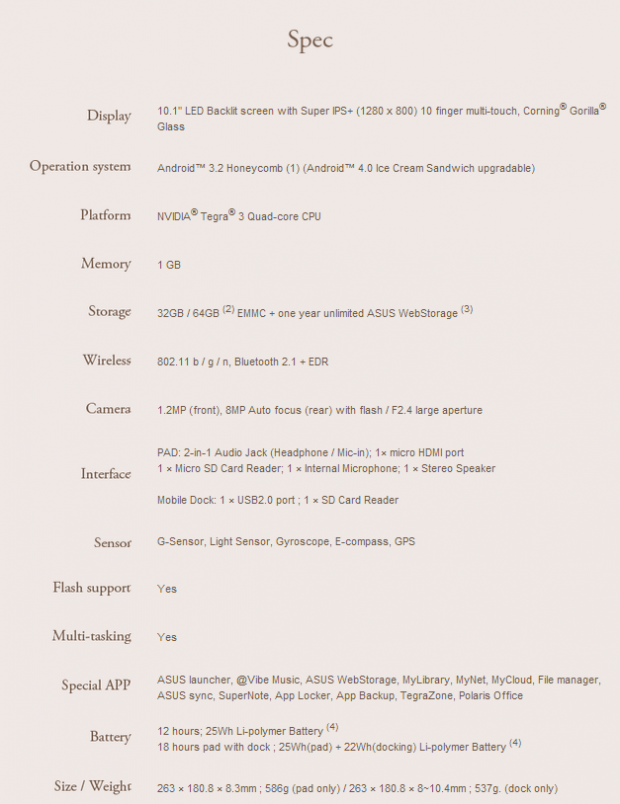
Being the world's first quad-core tablet, it feels like so long ago that we were hearing about quad-core tablets on the horizon and now the market is filled with them. Even for a tablet that is close to twelve months old now, the Transformer Prime is still specced quite well. We're looking at a 10.1-inch Super IPS+ 1280x800-pixel screen sporting Corning's Gorilla Glass, NVIDIA's Tegra 3 quad-core SoC, 1GB of RAM, 32GB or 64GB of internal storage all wrapped up into a device with 12 hours of battery life on a 25Wh Li-polymer battery.
The model we received was the 64GB variant, which goes for $599.99 on Newegg. It's not bad considering the specs, but this all comes down to just how much built-in flash storage you want.
Availability on the Transformer Prime shouldn't be a problem, but the best bit of the Transformer Prime is its guts. The heart and soul of the slate itself, and it's quite powerful, even to this day.
 24
24ASUS' Transformer Prime also includes the usual 802.11 b/g/n Wi-Fi, Bluetooth 2.1 + EDR, an 8-megapixel rear-facing camera with flash, f/2.4 aperture, a 1.2-megapixel front facing camera and runs Android 3.2 Honeycomb out of the box (when released). The unit I received had been updated to Android 4.1 Jelly Bean, which was a pleasant surprise.
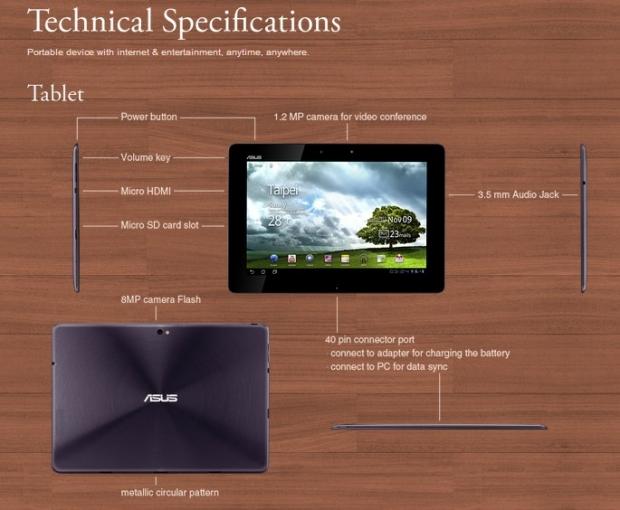
Next up you can see all of the connectors, buttons and goodies that the Prime has to offer. We have a 1.2-megapixel front-facing camera for self portraits and Skype calls, a 3.5mm audio jack on the side for headphones or speaker out. Volume rocker, micro HDMI and microSD card slots are on the left side of the Prime, with the power button nestled in the top left hand side of the tablet itself.
 24
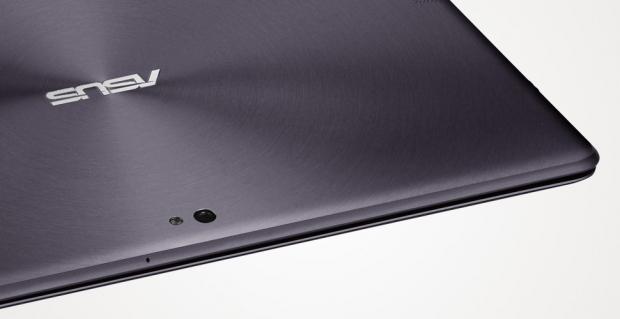
24On the rear we find an 8-megapixel camera with LED flash, which is actually quite a good camera, as most 8-megapixel tablet cameras are. ASUS have chosen to use the 40-pin connector port for connecting it up to your PC, or for charging.
 24
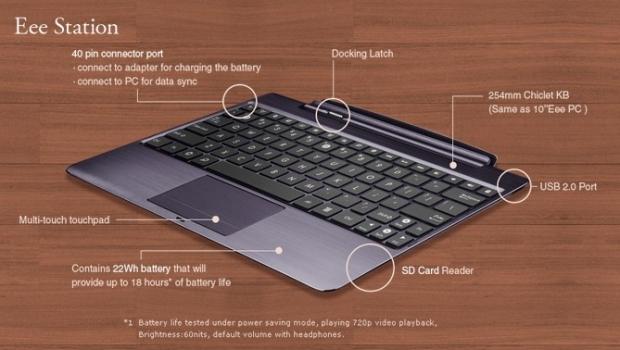
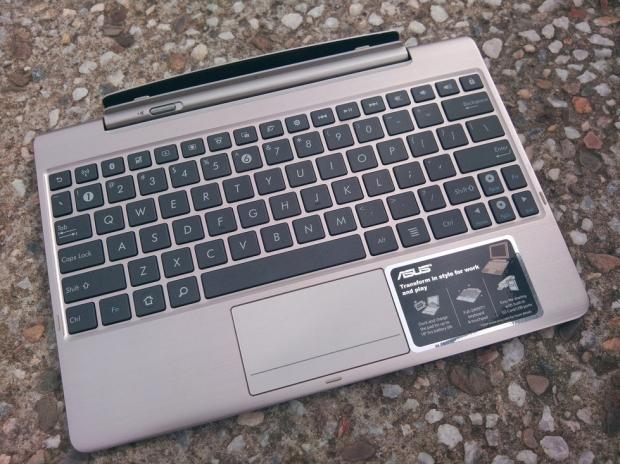
24Above is a picture of the Eee Station and all of its features. We talked about this in our Transformer Pad Infinity review, and not much has changed with the Prime. It still docks in at the rear of the Station, including a docking latch, sports the same 254mm Chiclet keyboard, multi-touch touchpad and an included 22Wh battery that will provide up to 18 more hours of battery life. An SD card reader and USB port are also included with the Eee Station.
This is really something that sets the Transformer range of tablets apart from the competition, the Eee Station. ASUS are onto a real winner here, and I don't see them changing direction any time soon. I loved being able to use the Transformer Prime as a quasi-netbook, with the ability to disconnect the 10.1-inch tablet from the Station and use it as a normal tablet. This is why I love ASUS' use of the "Transformer" name, because the Transformer range of tablets really do transform into different products when used differently.
Look and Feel
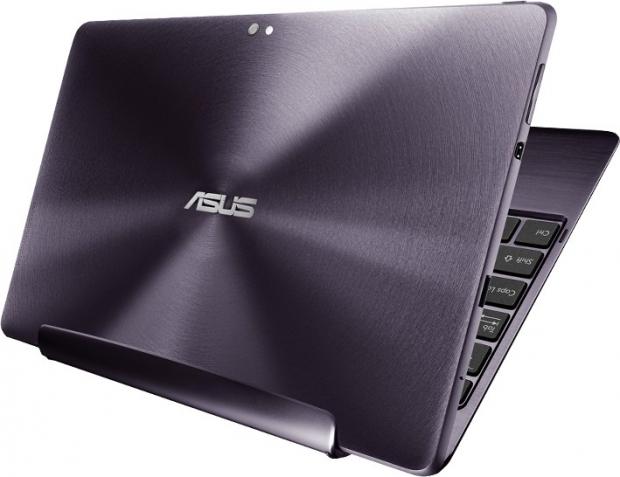
The look and feel of the Transformer Prime is pretty identical to that of the Transformer Pad Infinity, with its metallic circular pattern finish; it feels great in the hand. It's not too heavy and not too light, hitting that perfect middle ground in terms of weight. I truly love the feel of the Transformer Prime, and over time, this feeling only increased. It feels like it weighs as much as it should, and doesn't slide around if you've been using it for extensive periods of time.
 24
24I could actually spend far more time on the feel of the tablet, as it really is one of the best tablets I've ever had the pleasure of holding. I feel dirty when spending so much time about how it feels in my hands, but it really is such a huge point of a tablet. If a tablet feels heavy, cumbersome, or hasn't had the right materials built into it, it can be slippery, too heavy, or hot.
ASUS have struck the perfect balance in virtually every segment in my opinion, and the Prime is one of the best tablets I've ever had in my hands.
ASUS have chosen the same 10.1-inch screen that we found on the Transformer Pad Infinity, but have knocked the resolution down from 1920x1080 - which was gorgeous on the Infinity - to 1280x800. Considering we have a bunch of pixels in difference, it doesn't look all that bad. We're also happy to report there's a Gorilla Glass display on duty here.
The screen is still gorgeous, but just doesn't have that 'zing' to it that the Infinity did. Of course, if I could choose 1080p, I would - but the price difference is what ASUS offer when optioning up the Prime to consumers.
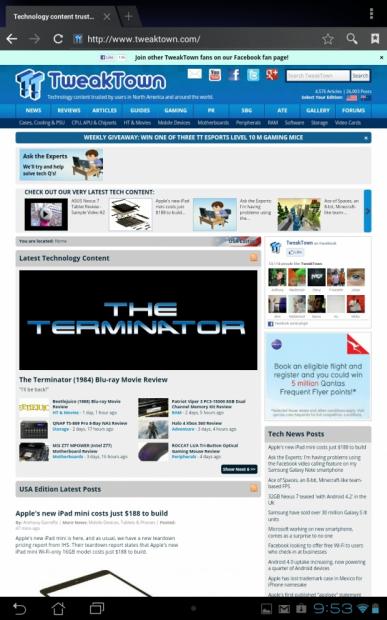
Here's a shot of the Prime's stock browser in portrait.
 24
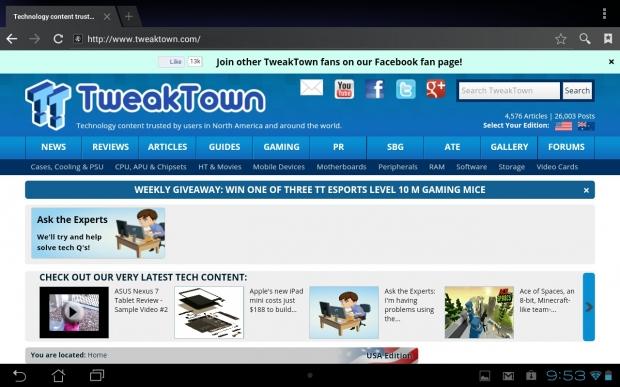
24And again, but in landscape.
 24
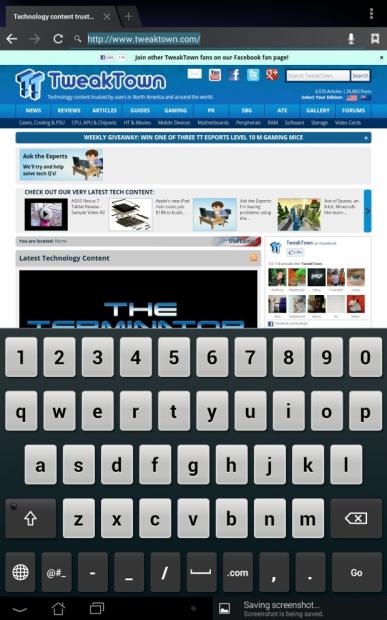
24We've also got a screenshot of the stock keyboard on offer, in portrait.
 24
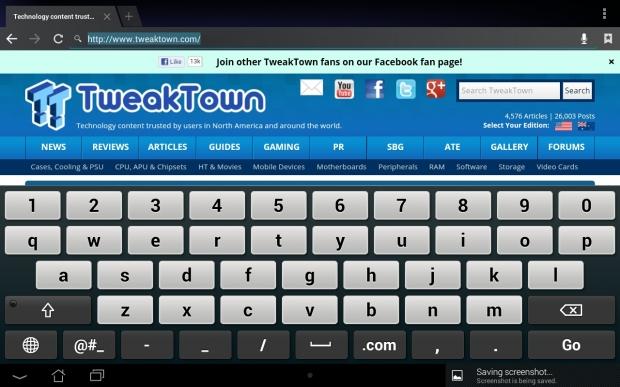
24And once more, but in landscape this time.
 24
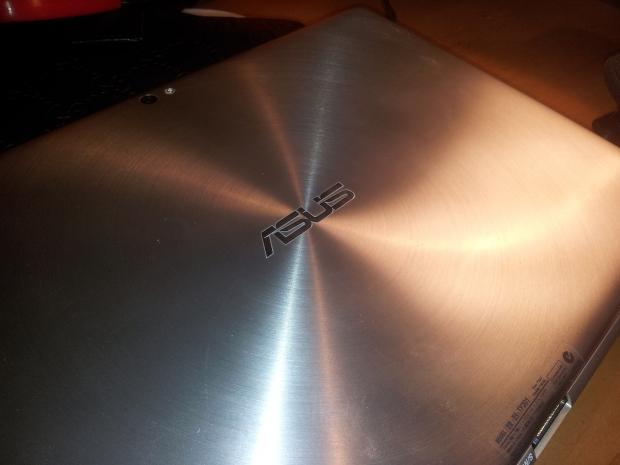
24ASUS use a beautiful aluminum body with a wicked ripple design on the back, as you can see on the picture below. It is quite striking, and compared to competitors, I think ASUS have some of the sexiest looking slates on the market.
 24
24On the right hand side of the Prime we have the 3.5mm audio/headphone jack.
 24
24On the left side, we find the volume rocker, micro HDMI output, micro SD card slot and microphone hole.
 24
24On the bottom of the device we, unfortunately, find the proprietary charging port for the Prime, along with the two dock slots for the Eee Station.
 24
24And finally, on the top of the Prime we find the power button which is used for, well, powering on the device of course!
 24
24Features
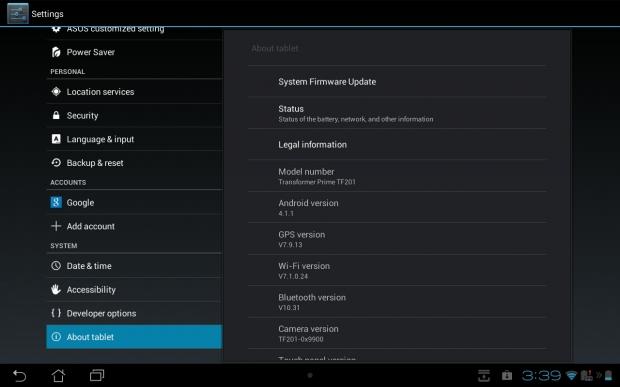
When ASUS first shipped the Transformer Prime it only came with Android 4.0 out of the box, but the unit I received is obviously far longer into its life and we're now in the wonderful world of Android 4.1 Jelly Bean.
As a huge fan of Android, and especially Jelly Bean, this is a great addition. I do wish that Jelly Bean could've been baked into devices from day one, but we can't change the past. Future Android-based devices are going to enjoy this, and it really does make the entire tablet experience that much better.
 24
24Project Butter and its 60 frames per second make the tablet feel buttery smooth, pun intended, and Google Now is just amazing. We've talked about this before in previous reviews, so I won't go too much more into it.
ASUS do have some of its own UI splashed on top, which isn't too bad and it doesn't lag the Prime anywhere, and I mean anywhere near the experience I had on Samsung's Galaxy Note 10.1 tablet. It's just a bit of aesthetics, with some applications thrown in like SuperNote, App Locker, App Backup and more.
I took a look into SuperNote with our Transformer Pad Infinity review, and the same things apply here.
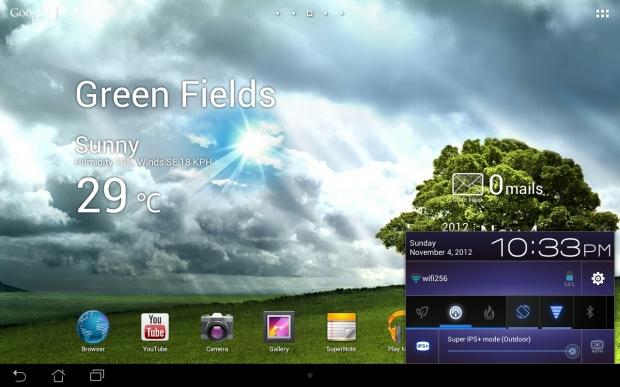
Another great feature ASUS have thrown in, that was also included in the Infinity, are there power settings - "Power Saver", "Balanced" and "Performance". The Prime can be tapped into any of these modes depending on your use, so if you're doing something that is not too heavy on the Tegra 3 processor, you could switch to "Power Saver", but if you were to crank up a game, you would switch to "Performance".
I kept it on Balanced for all of my use and experienced no drops in performance, but I'm not a hugely heavy tablet user. Give me my Google (Gmail, Drive, Maps, Now, etc), Dropbox, Facebook, Instagram and I'm a happy boy. I do like that ASUS don't mess with the core of the tablet experience too much, unlike Samsung.
Also on play here is the Super IPS+ panel, it really is just gorgeous. I was spoiled by the Super IPS+ panel in the Infinity, but the Prime sports the same screen sans the Full HD resolution.
Outdoor use is great, it's not perfect, but it is a huge cut above most of the competition. You can at least see the screen outside, compared to barely being able to see my Galaxy S II's screen in sunlight, for example.
 24
24Again, these modes can be changed - all from the settings pane in the bottom right of the Prime tablet. This is a true treasure amongst the other gold, silver and other precious metals found in ASUS' Transformer Prime tablet.
Performance
Performance wise, ASUS have nothing to worry about as they've included NVIDIA's quad-core Tegra 3 SoC. The Prime is one of the faster (still!) tablets on the market and with Android 4.1 Jelly Bean thrown into the mix, it's a perfect fit.
It does have its slowdowns here and there, but I found that when I was doing a bunch of I/O, such as saving screenshots for the review, flipping the screen back into landscape and taking another screenshot, etc. But, this is not normal use, so I can't really fault the tablet for that specific issue.
I had no issues with the Prime, compared to the bigger brother, the Transformer Pad Infinity. The Infinity had its issues, here and there at least, but the Prime has been faultless for me. I'm putting this down to the upgraded OS, Jelly Bean. This would be the only change and I'm guessing that is most likely the savior in those issues.
I actually had a better experience on the Prime than I did the Infinity overall, and I, as I said above, have to put this down to Jelly Bean. This is why I love Jelly Bean so much - it improves so much of the Android experience.
 24
24The Eee Station is great - bashing away on that keyboard feels fine. Not that I would use a tablet as a professional device, but if it's needed, it's there. ASUS have the "I'm-a-tablet-but-also-a-netbook" market all to themselves right now, with Microsoft really only entering the game with Surface just recently.
The camera on the Prime is just as impressive as it was in the Infinity, and this time my wife took some amazing pictures to show off the Prime's camera muscles.
Next we have a few shots from the camera.
 24
24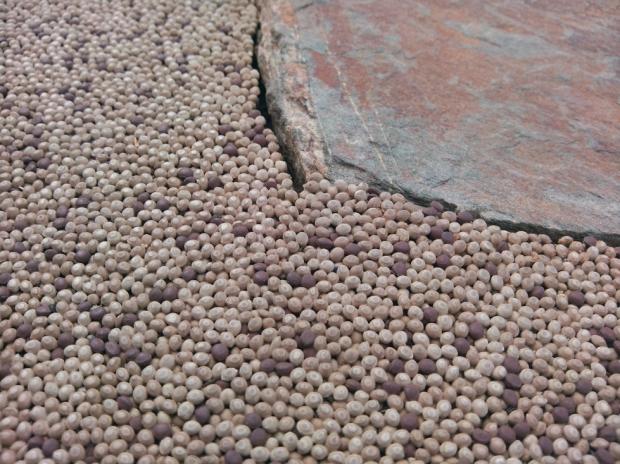 24
24 24
24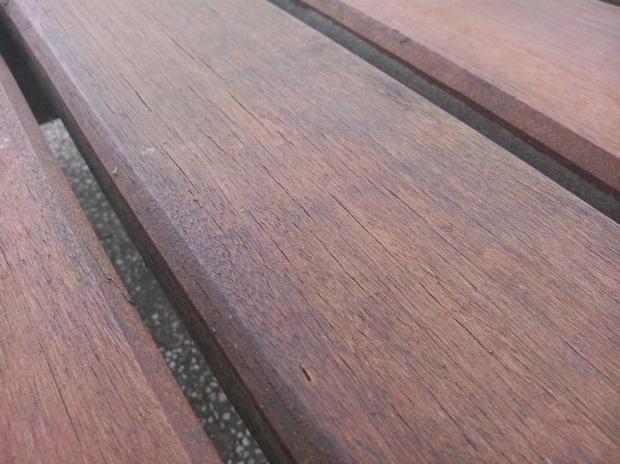 24
24And a couple of videos.
Final Thoughts
Here we are again, another great ASUS tablet. You could go back and read the final thoughts I wrote for the Infinity, because this is pretty much going to be a mirror of that review.
I loved the feel of the Transformer Prime, I think this is one of the best things it has going for it. The 10.1-inch screen still looks great even with its 1280x800 resolution, as the Super IPS+ panel ASUS have opted for is gorgeous.
Being able to use the Prime outside is a great thing, and this is something the Prime has going for it. You might not want to splash out for the Infinity, so ASUS have given consumers the same Super IPS+ panel that is great for outdoor use.
The camera is again, wonderful, and the pictures taken with it are great. Videos come out okay, but I've said it before and I'll say it again - I don't like taking videos with tablets. I know it's not just me, but I feel like a fool holding this huge slate in my hands taking videos. I feel like those older men who tote their iPads everywhere snapping photos at events, and so forth. Not for me, nope.
 24
24Having the Eee Station is also another great feature - it turns the 10.1-inch slate into a near netbook with a USB port and full keyboard. Don't forget the card reader and extra battery life that the dock provides - it's almost too much of a good deal compared to the competition.
The tablet market is getting quite tricky to navigate now, so I'll finish up selling you on the Prime. If you're after a 10-inch (or so, the iPad is 9.7-inch) tablet, the Prime is a great candidate. No, it doesn't have a 1080p or "Retina" display, but what it does, it does very well.
It's light, it's great to hold, and it looks good. The biggest problem I have right now with this whole Android versus iOS thing is that it is fragmenting users. Those who have an iPad have no reason to upgrade to an Android tablet because they have invested in the Apple App Store, and vice versa.
The Prime isn't a good enough tablet to ditch your third-gen iPad for, but if you had the original iPad or iPad 2, then the Prime is definitely a candidate and I would recommend it if you haven't invested too much in the Apple App Store, or don't mind losing some of those apps you've purchased.
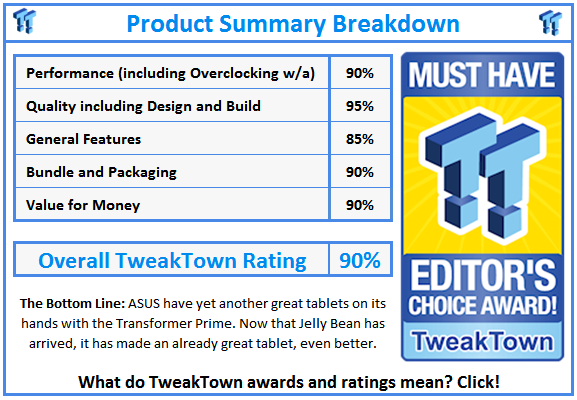
The Prime is ASUS' way of showing its hand to the market, providing a high-end version in the Infinity, with a more mid-range version in the Prime. Even though it's not the best of the Transformers on paper in terms of screen resolution, it still acts like one.
The Prime is well worth your hard-earned cash. Michael Bay would even agree.
 United
States: Find other tech and computer products like this
over at
United
States: Find other tech and computer products like this
over at  United
Kingdom: Find other tech and computer products like this
over at
United
Kingdom: Find other tech and computer products like this
over at  Australia:
Find other tech and computer products like this over at
Australia:
Find other tech and computer products like this over at  Canada:
Find other tech and computer products like this over at
Canada:
Find other tech and computer products like this over at  Deutschland:
Finde andere Technik- und Computerprodukte wie dieses auf
Deutschland:
Finde andere Technik- und Computerprodukte wie dieses auf  Nintendo hits GitHub with DCMA takedown notice for 8,500 repositories
 Microsoft confirms critical security vulnerability exposing billions of users
 Senua's Saga: Hellblade II official PC requirements release ahead of May launch
 This new type of memory was demoed running at a scorching 600C for 60 hours
 Intel's next-gen flagship Core Ultra 9 285K 'Arrow Lake' CPU rumored to hit 5.5GHz
 True Lies (1997) 4K Blu-ray Review
 Fractal Design North XL Full-Tower Chassis Review
 Western Digital WD Gold 24TB HDD Review - High-Capacity Masterpiece
 AOC U27G3X 27-inch Gaming Monitor Review - 4K 160Hz for $500
 MSI Vector GP68HX Gaming Laptop Review
 Dell UltraSharp 40 5K Curved Thunderbolt Hub Monitor (U4025QW) Review
 XPG Core Reactor II VE 850w 80 PLUS Gold ATX 3.0 PSU Review
 SteelSeries Arctis Nova 4X Wireless Gaming Headset Review
 ACEMAGIC AD08 "Core i9 11900H" Mini PC Review
 Lenovo ThinkPad X1 Carbon Gen 12 Review
 Building the Ultimate Home Entertainment Server with an ASUSTOR NAS and Viper Gaming NVMe SSDs
 Everything you need to know about the latest ASUS NUC Mini PCs - NUC 14 Pro and ROG NUC
 How to Overclock Your GPU and Boost Your PC Gaming with ASUS GPU Tweak III
 ASUS's AMD Radeon RX 7000 Series GPU lineup has something for every gamer
 ASUS OLED Premium Care defends the ROG Swift OLED PG32UCDM gaming monitor from burn-in