Introduction and Package
Introduction
The P67 chipset continues to be very present on the market; it shows by the fact that we looked at the Maximus IV Extreme from ASUS just the other week, and if you head on over to Newegg, there's a load of P67 based motherboards not only listed, but also in stock.
Today we're looking at another P67 based board and this one comes from ASRock. The particular board we're looking at today falls into the new Fatal1ty series from ASRock which has so far seen the Fatal1ty P67 Professional. Today we're looking at the Fatal1ty P67 Performance, a board that comes in cheaper than the original Professional version.
While I didn't review the original Fatal1ty P67 Professional, I have had the pleasure of using it as it was the board in our TweakTown Commander PC Benchmarked article we did in April. It was a board that not only looked great, but offered some great performance. Today we'll see if the cheaper "Performance" model can stand out.
Before we get into the Performance of the Performance, though, first we'll check out the package ASRock is offering us. From there we'll take a closer look at the board before getting into the BIOS. Once that's done we'll check out the testbed, the kind of overclock we achieved and then get into the performance side of things.
The Package
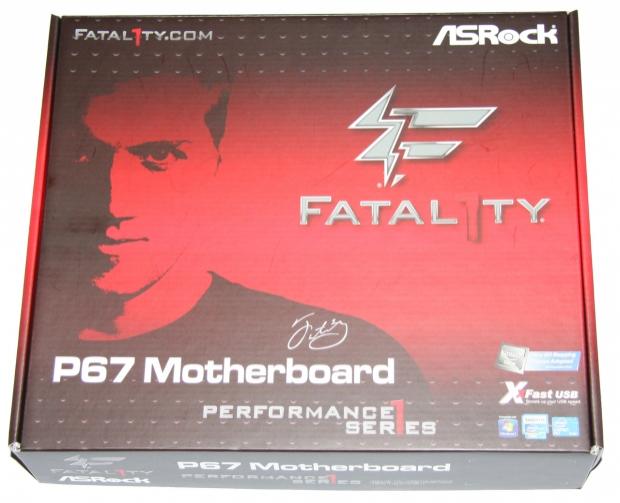
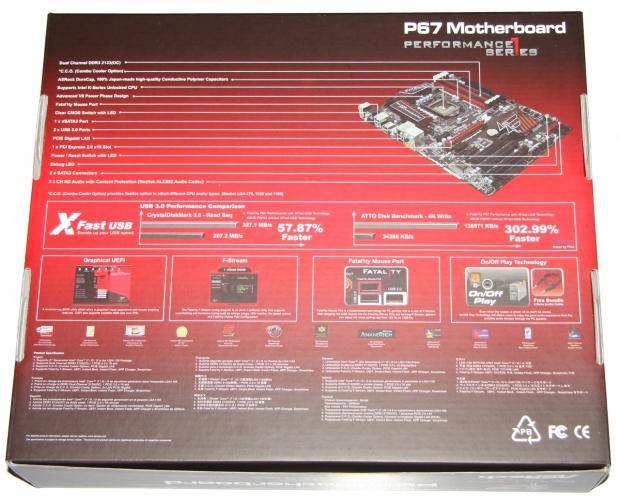
The front of the box highlights the fact that the board is part of the Fatal1ty series. The back of the box shows us a picture of the board and gives us a run down on some of the major features that are on offer.
Our Latest Socket LGA 1155 Review Coverage
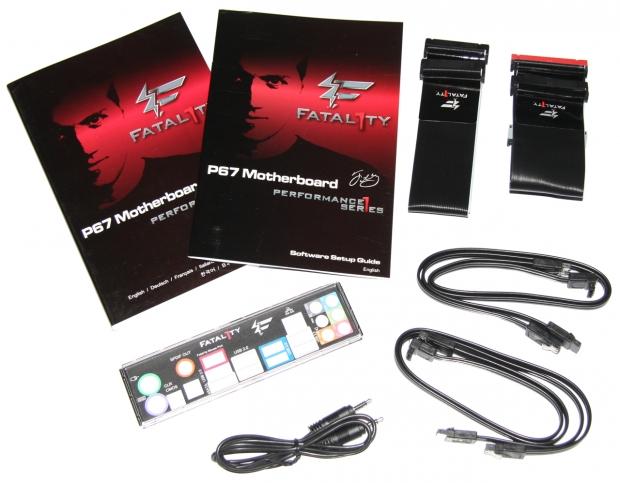
As for the contents of the box, we've got some paperwork, our I/O shield and four SATA cables. Along with this we've got an IDE and Floppy cable; not something we've seen recently. With that said, it's a nice inclusion if they're something you're using because they will match the color scheme going on. Along with all this, we've got a 3.5mm audio jack which is used to play audio through the PC when off. It's a feature we've seen on other ASRock boards, so shouldn't come as too much of a surprise for you.
The Motherboard
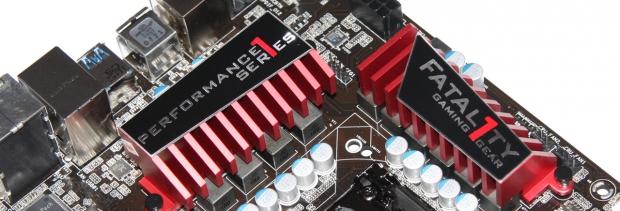
Looking at the board, the design is very similar to the Professional version of the Fatal1ty board with the black / red color scheme going on. The bits that pop out at you, though, would have to be the heatsinks which look great in the color combination ASRock has gone for.
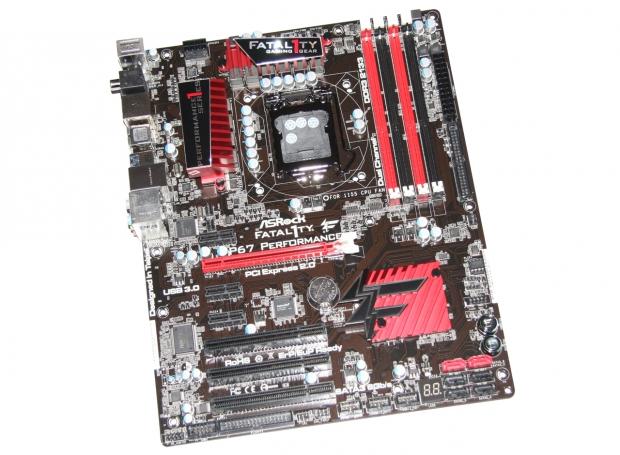
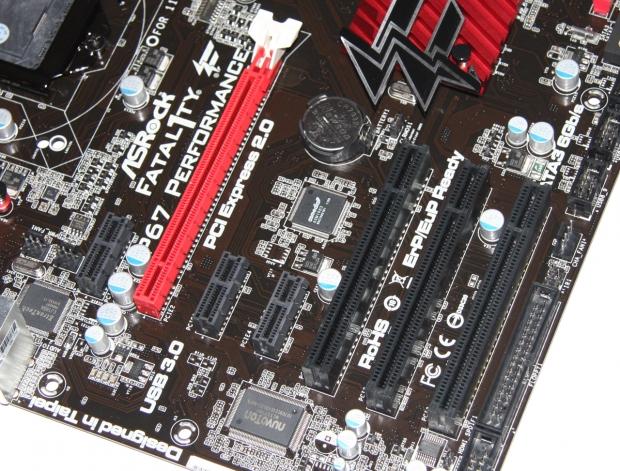
Moving in closer to the board, you can see our expansion slots. The setup is actually a little funny compared to other boards that go heavy on PCI-E slots; in this case we've got a single PCI-E x16 slot and three x1 slots, but also three older PCI legacy slots. I'm not sure I'm a huge fan of this setup; the fact we've only got a single x16 PCI-E slot also means that we're going to be limited to only a single video card. Of course, we always have the option for dual GPU beasts like the HD 6990 and GTX 590.
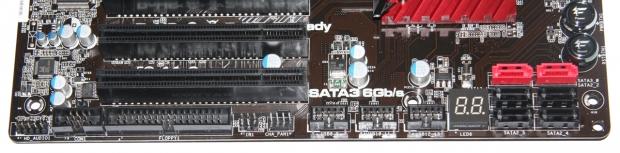
Across the bottom of the board we've got a bunch of headers including HD Audio, Com1, fan and three USB 2.0 ones. We've also got our floppy drive header on one end while the other has an LED debug and our SATA ports which we'll look at closer in a second.
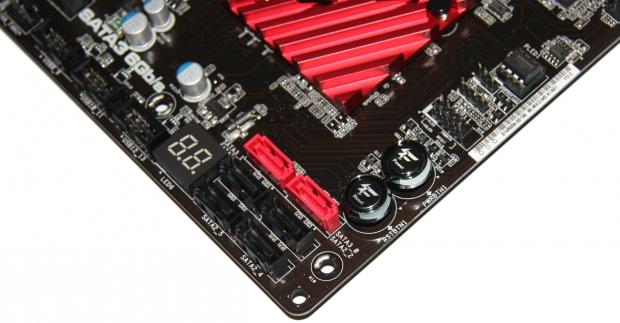
Having a closer look at the bottom corner of the board, you can see our LED Debug display along with our six SATA ports. All six ports run off the Intel P67 chip, but as you may have assumed, the four black ones are SATA II while the two red ones are SATA III.
Also around this area we can see a Fatal1ty branded power and reset button that lights up red. Always a handy addition to people who are maybe testing the board outside of a case or just want to make sure everything is working the first time they put it into the case prior to hooking everything up.
The Motherboard Continued
Moving to the top of the board, we've got our four RAM slots which support like most other P67 / Z68 boards, 32GB of DDR3 at speeds ranging from 1066MHz DDR to 2133MHz DDR via overclocking.
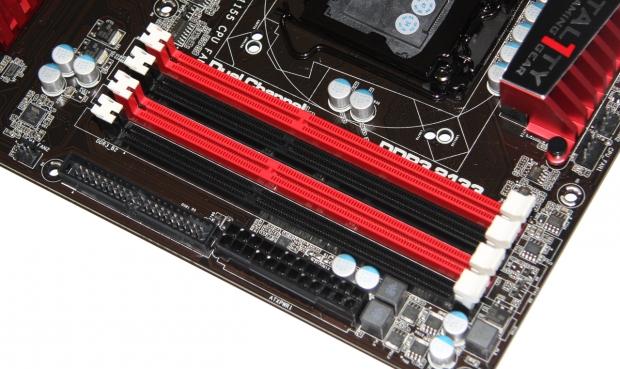
Below the RAM slots we've got our main 24-Pin ATX power connector and next to that we've got our IDE connector. Next to that you can see we've got a little 3-Pin fan header.
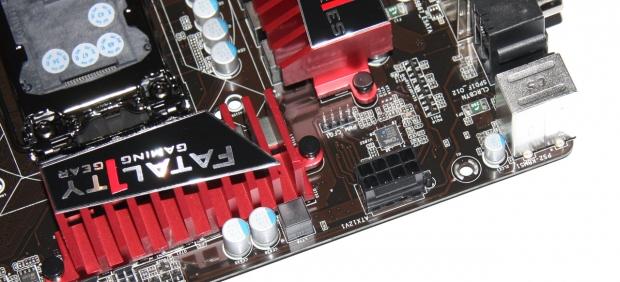
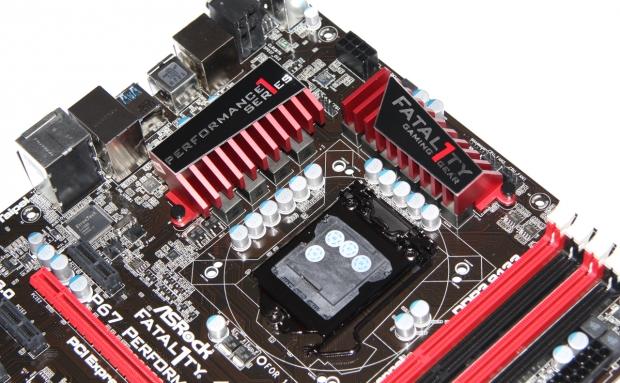
Around the CPU area you can see our 8-Pin CPU connector that sits towards the back of the board. As for the CPU area, you can see we've got a pretty clean setup going on which doesn't come as much of a surprise. You can also get a closer look at the heatsinks that ASRock are using which look pretty good.
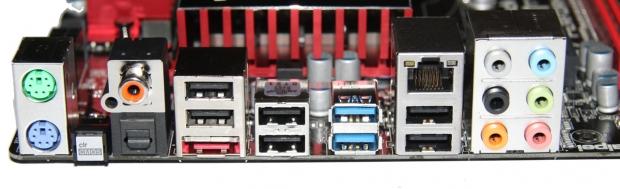
Getting into the I/O side of things, you can see we've got two PS/2 connectors, clear CMOS button, Optical and Coaxial ports and a red eSATA III port that's shared with the onboard SATA3_1 port. Above our eSATA port and moving over, we've got a total of eight USB ports; six are USB 2.0 with one being a Fatal1ty mouse port which allows for a customizable polling rate from 125 Hz to 1000 Hz.
The two blue USB ports are USB 3.0 controlled via the Etron EJ168A controller. We've also got a Gigabit networking port controlled via the Realtek RTL8111E and next to that we've got six audio jacks controlled via the Realtek ALC892 codec.
BIOS
Getting into the BIOS, the overall layout is very similar to that of the Z68 UEFI boards that we've seen and used. It's fairly self-explanatory and getting around is pretty easy. When it comes to overclocking, the majority of your tweaking will be done in the "OC Tweaker" section. As far as options go, you've really got everything you need to hopefully achieve a decent overclock.
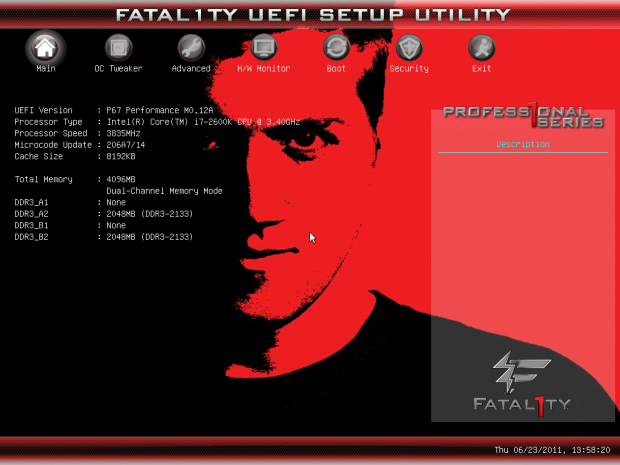
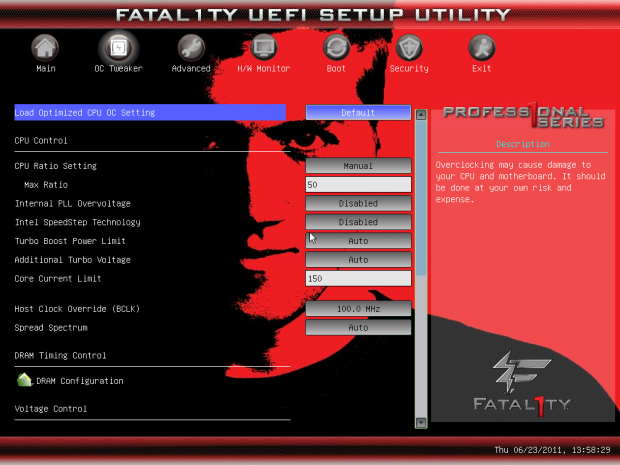
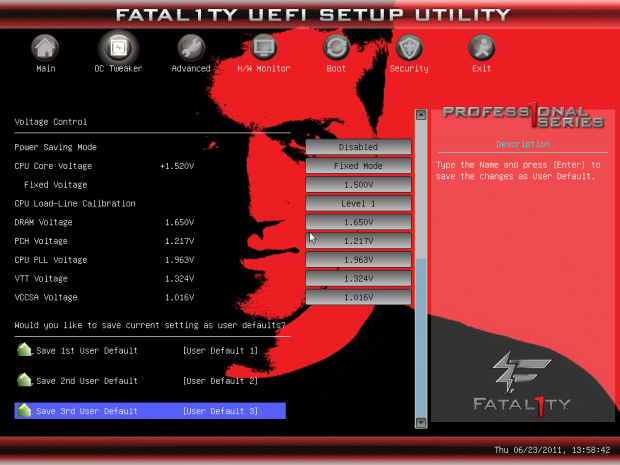
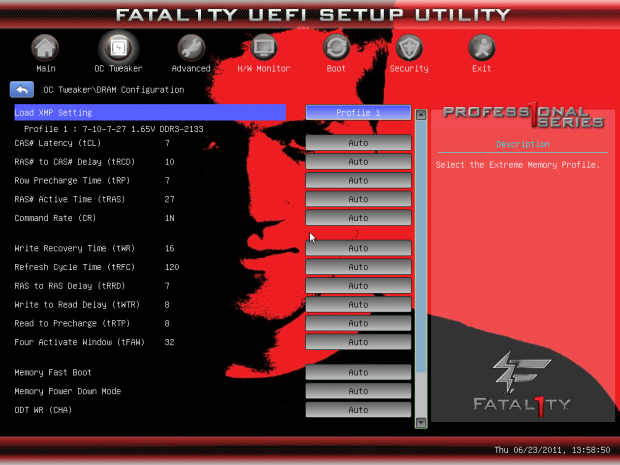
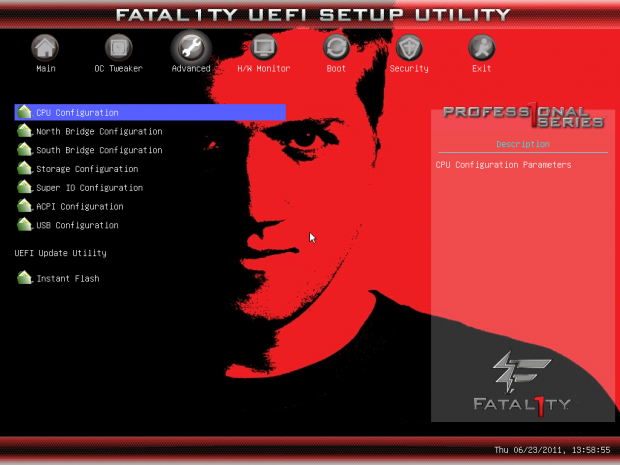
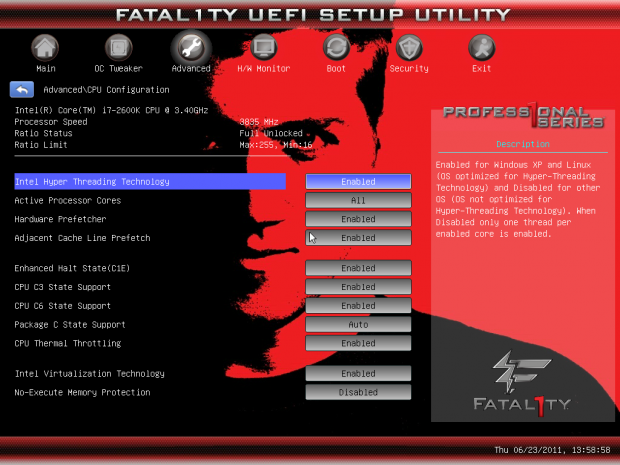

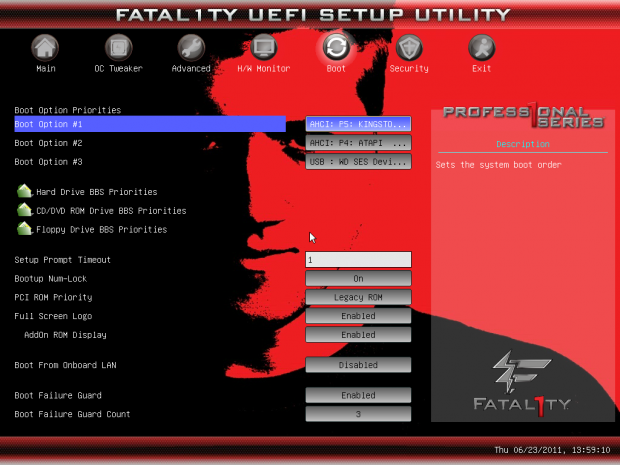
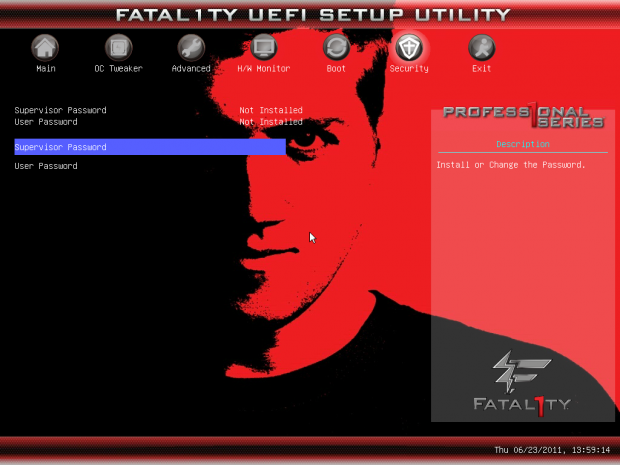
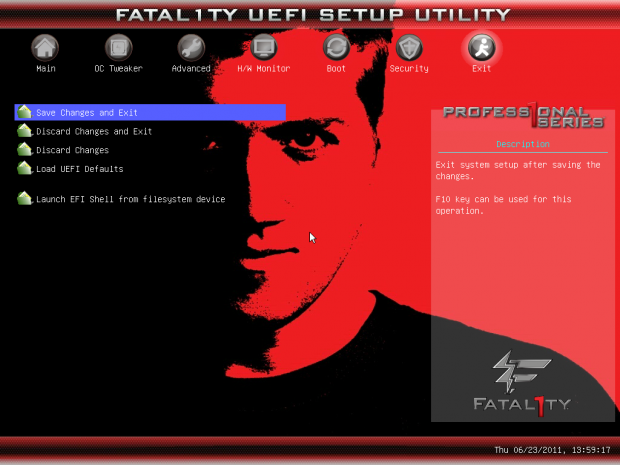
For the most part we've got a pretty strong BIOS on our hands and if you've seen other ASRock UEFI BIOSs then there's not going to be any real surprise. The big difference is of course the Fatal1ty branding that's all over it. I could do without being stared down on every BIOS screen, but it's not the end of the world.
Test System Setup and Overclocking
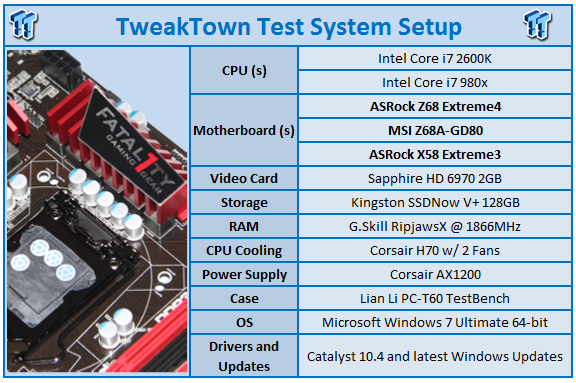
We would like to thank the following companies for supplying and supporting us with our test system hardware and equipment: Intel, ASRock, Kingston, Mittoni, Noctua and Corsair.
Looking at the testbed, there's nothing new going on, so instead we'll just quickly cover what's going on in our graphs today. We've got two Z68 boards, the MSI Z68A-GD80 and ASRock Z68 Extreme4 along with the ASRock X58 Extreme3.
Getting into the BIOS side of things and finding our overclock, we ended up with our 2600k at just over 5GHz coming in at 5.03GHz. This is a similar overclock to what we achieved with the Z68 Extreme4 from ASRock which came in at 5.05GHz.
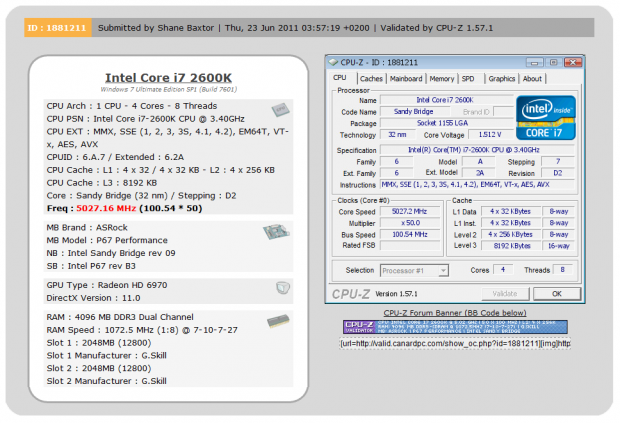
It's not the largest overclock we've seen, but it lines up with other ASRock boards we've looked at, so we're pretty happy with what we've got. Of course, when it comes to the testing side of things, today we'll be looking at the board at stock and overclocked.
Let's get started!
CPU Benchmarks
AIDA64
Version and / or Patch Used: 1.00.1035BETA
Developer Homepage: http://www.aida64.com
Product Homepage: http://www.AIDA64.com
Replacing Everest in our labs is AIDA64. This new testing suite is from the core development team from Lavalys and continues that tradition. The guys have thrown in better support for multithreaded CPUs as well as full 64 bit support. We use this to test memory and HDDs for now, but may find ourselves opening this up to other areas of the motherboard.
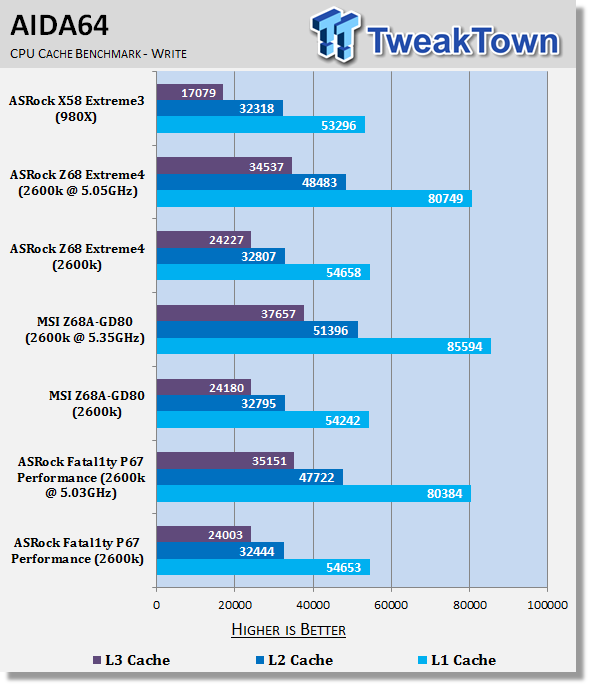

Like we've seen from previous testing, at stock we can see that the CPU performance difference between the Z68 and P67 is almost nonexistent. Overclocked we see that the Fatal1ty P67 Performance performs fairly in line with the Extreme4 which offers us a very similar overclock.
CPU Benchmarks Continued
HyperPi 0.99
Version and / or Patch Used: 0.99
Developer Homepage: www.virgilioborges.com.br
Product Homepage: www.virgilioborges.com.br
HyperPi is a front end for SuperPi that allows for multiple concurrent instances of SuperPi to be run on each core recognized by the system. It is very dependent on CPU to memory to HDD speed. The faster these components, the faster it is able to figure out the number Pi to the selected length.
For our testing we use the 32M run. This means that each of the four physical and four logical cores for the i7 and the four physical cores of the i5 is trying to calculate the number Pi out to 32 million decimal places. Each "run" is a comparative to ensure accuracy and any stability or performance issues in the loop mentioned above will cause errors in calculation.

Checking out Hyper PI performance, you can see the ASRock Fatal1ty P67 Performance offers us some good numbers compared to the competition.
AutoGK
Version and / or Patch Used: 2.55
Developer Homepage: http://www.autogk.me.uk/
Product Homepage: http://www.autogk.me.uk/
AutoGK stands for Auto Gordian Knot; it is a suite of transcoding tools that are compiled into an easy to install and use utility. It allows you to transcode non-protected DVDs and other media to Xvid or Divx format. For our testing purposes we use a non-DRM restricted movie that is roughly 2 hours in length. This is transcoded to a single Xvid AVI at 100% quality.

Under AutoGK we see that performance is again strong from the Performance board and even though the overclock is a little lower than the Extreme4, performance is stronger.
Storage Benchmarks
AIDA64
Version and / or Patch Used: 1.00.1035BETA
Developer Homepage: http://www.aida64.com
Product Homepage: http://www.AIDA64.com
Replacing Everest in our labs is AIDA64. This new testing suite is from the core development team from Lavalys and continues that tradition. The guys have thrown in better support for multithreaded CPUs as well as full 64 bit support. We use this to test memory and HDDs for now, but may find ourselves opening this up to other areas of the motherboard.


Thanks to XFast USB performance is extremely strong. I'm a big fan of XFast; it's really easy to use and as you can see, helps yield some strong gains over the competition. All you have to do after you've installed the software is plug your device in and then when prompted, unplug and plug it in again. As for SSD performance, there are no real surprises and it lines up with our other boards as we'd expect.
Memory Benchmarks
Sisoft Sandra
Version and / or Patch Used: 2011
Developer Homepage: http://www.sisoftware.net
Product Homepage: http://www.sisoftware.net

Under SiSoft Sandra memory performance lines up just as we'd expect.
AIDA64
Version and / or Patch Used: 1.00.1035BETA
Developer Homepage: http://www.aida64.com
Product Homepage: http://www.AIDA64.com
Replacing Everest in our labs is AIDA64. This new testing suite is from the core development team from Lavalys and continues that tradition. The guys have thrown in better support for multithreaded CPUs as well as full 64 bit support. We use this to test memory and HDDs for now, but may find ourselves opening this up to other areas of the motherboard.

Under AIDA64 we get a better idea of memory performance. Again the Fatal1ty Performance is strong and overclocked you can see we continue to see the board perform well against the competition even though it's clocked a little lower.
Gaming Benchmarks
3DMark 11
Version and / or Patch Used: 1.0
Developer Homepage: http://www.futuremark.com
Product Homepage: http://www.3dmark.com/3dmark11/
3DMark 11 is the latest version of the world's most popular benchmark. Designed to measure your PC's gaming performance 3DMark 11 makes extensive use of all the new features in DirectX 11 including tessellation, compute shaders and multi-threading. Trusted by gamers worldwide to give accurate and unbiased results, 3DMark 11 is the best way to consistently and reliably test DirectX 11 under game-like loads.

Aliens vs. Predator
Version and / or Patch Used: Standalone Benchmark
Timedemo or Level Used: Built in Benchmark
Developer Homepage: http://www.rebellion.co.uk/
Product Homepage: http://www.sega.com/games/aliens-vs-predator/

Aliens vs. Predator is a science fiction first-person shooter video game, developed by Rebellion Developments, the team behind the 1999 original PC game, and published by Sega for Microsoft Windows, the PlayStation 3 and the Xbox 360. The game is based on the Alien vs. Predator franchise, a combination of the characters and creatures of the Alien franchise and the Predator franchise. There are three campaigns in the game, one for each race/faction (the Predators, the Aliens and the Colonial Marines), that, while separate in terms of individual plot and gameplay, form one overarching storyline.
Following the storyline of the campaign modes comes the multiplayer aspect of the game. In this Multiplayer section of the game, players face off in various different gametypes in various different ways.

Looking at gaming performance, there's no real surprise as you'd expect. Overclocked and at stock we see performance lines up with all the other boards.
Temperature and Power
Core Temperature

Checking out the core temp, there's nothing out of the ordinary with our 2600k performing similar to the other boards we've tested. There's a little fluctuation, but nothing major. Overclocked we see no movement in our idle temp which is great; under load we do see it jump up, but at just over 60c it's not at a level we're worried about.
Power Draw Tests

Getting into the power draw side of things, we can see like above there's no real surprises with the numbers coming in where we would expect.
Final Thoughts
To be honest, when I came to the end of the Fatal1ty P67 Performance I found myself not really feeling over the moon about the board. It's a good board, but I'm not all that happy about the inclusion of three legacy PCI slots at the cost of an extra PCI-E x16.
Overall performance was good; at stock it lined up with more expensive boards as you'd expect and while the overclock wasn't the highest we've seen, it lines up with other ASRock boards we've tested. The look of the board is also pretty good; the theme is strong with the black and red setup.
The thing is, if you head over to Newegg and look around, the price of the Fatal1ty P67 Performance is $144.99 US and there are not a lot of options when it comes to good looking boards. Most use a fairly boring and playing setup, so you can begin to see the value of the board.
If you want the same kind of look, but the options that make for a more expensive board, then you've got the Professional version of the Fatal1ty board which comes in at $219.99 US. The thing is, if you found yourself liking what was on offer from that board but didn't need something so hardcore, then the Performance version we're looking at today could be the board for you.
While it might feel that ASRock have come a little late to the party with this P67 based board, the bottom line is that the P67 is still a very current chipset and as long as you're dealing with the B3 revision then you've got absolutely nothing to worry about.
Considering the age of the chipset as well, we've got a huge amount of options at a strong price point and we're looking at one of those boards today. At $144.99 US you can get the Fatal1ty look we saw on the Professional without the price tag.