Samsung have just unveiled their Series 7 Gamer notebook, and whilst you might think "Samsung... Gaming notebook... really?", you might want to think twice! It is definitely specced very nicely, and it looks awesome, too.
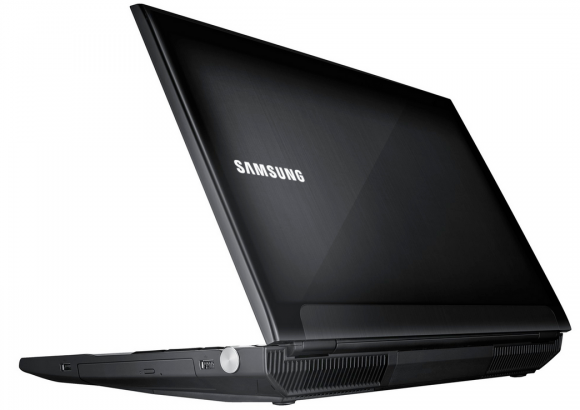
Let's talk some specs, the Series 7 Gamer notebook sports a 17.3-inch next-generation Full HD LCD with Samsung's SuperBright technology which gives a 400-nit screen, which is up to 50-percent brighter than traditional PCs. An Intel Core i7 Ivy Bridge CPU fills out the CPU duties, it supports up to 16GB of RAM, up to a 1.5TB HDD, and comes with an NVIDIA GEFORCE GTX 675M GPU for your gaming needs.
Filling out the specs, we have Dolby Home Theater v4 speakers, Windows 7 Home Premium, a 2.0-megapixel webcam, 802.11 a/b/g/n Wi-Fi, and it weighs in at 13.34lb, as well as a battery life of around 3.7 hours. Price? Just $1899.99.
- Read more: Logitech's new wireless mechanical keyboard offers 12 months of battery life
- Read more: ASUS Zenbook DUO 2026 dual-screen laptop with Core Ultra Series 3 is now available for pre-order at $2,499
- Read more: ASUS ROG Zephyrus G16, G14 gaming laptops upgraded at CES 2026 with new Intel and AMD CPUs
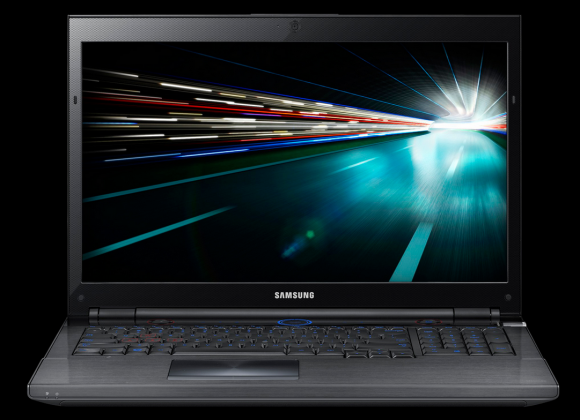
The Series 7 Gamer from Samsung sports a unique dial which lets the user switch between four modes optimized for different uses:
- Gaming Mode - When in gaming mode, a distinctive graphic appears on the screen identifying the active mode. The main gaming keys are highlighted on the keyboard in red, and a light is turned on around the speakers, which pulsates to match the game's sounds. The Windows® key and touchpad are disabled when a game is inserted, eliminating the possibility of accidentally hitting the wrong part of the keyboard while playing. The keyboard also features ergonomic u-shaped key caps, a 2.7mm keystroke and separated arrow keys, enabling you to engage in rapid play with minimal errors.
- General Mode - In this mode, the laptop is optimized for regular computing tasks, such as web surfing, Microsoft® Office computing and photo viewing.
- Quiet Mode - In quiet mode, sounds are disabled and the fan is turned off to result in a quieter experience.
- Power Saver Mode - To save battery life, only the most critical parts of the processor are running when the laptop is in this mode.