

Introduction

We again find ourselves closer to the end of the month and the Catalyst driver from AMD coming in just in time before we tick over to February. If you go over the release notes there's nothing all that exciting going on outside of some fixes when it comes to a number of games.
If we look back to the 11.12 release that made its way to us just before December came to an end, it was one we said to skip, instead we suggested that you skipped the official WHQL driver and jumped onto the 12.1 preview that was released at the same time.
This release sees a similar kind of setup when it comes to the release schedule. Outside of the new WHQL 12.1 driver we're going to be looking at today, AMD have also released a Catalyst 12.2 preview driver.
We'll talk a little about that driver when we wrap everything up, lets first just check out the test system we've got up and running before we move into our Catalyst benchmark line up to see what the latest driver does in turn of performance.
Benchmarks - Test System Setup

 10
10We would like to thank the following companies for supplying and supporting us with our test system hardware and equipment: Intel, ASUS, MSI, Western Digital and Corsair.
Today we'll be looking at the HD 6870 and HD 6970 in our typical Catalyst benchmark line up on our X79 system which we introduced at the launch of the new platform. What is missing this month is the new HD 7970 which is something we'll be adding in hopefully next month's driver article.
The reason we're not using it today is simply the fact the Catalyst 12.1 driver doesn't support the new HD 7900 series. This isn't a huge surprise since quite often we see the WHQL driver following the launch of a new model not include it. The official Catalyst 12.2 driver next month should, though, and if it does we'll throw it into the mix of cards we're testing.
Let's get started!
The FPS Numbers Explained
When we benchmark our video cards and look at the graphs, we aim to get to a certain level of FPS which we consider playable. While many may argue that the human eye can't see over 24 FPS or 30 FPS, any true gamer will tell you that as we climb higher in Frames Per Seconds (FPS), the overall gameplay feels smoother. There are three numbers we're looking out for when it comes to our benchmarks.
30 FPS - It's the minimum number we aim for when it comes to games. If you're not dropping below 30 FPS during games, you're going to have a nice and smooth gaming experience. The ideal situation is that even in a heavy fire fight, the minimum stays above 30 FPS making sure that you can continue to aim easily or turn the corner with no dramas.
60 FPS - It's the average we look for when we don't have a minimum coming at us. If we're getting an average of 60 FPS, we should have a minimum of 30 FPS or better and as mentioned above, it means we've got some smooth game play happening.
120 FPS - The new number that we've been hunting down over recent months. If you're the owner of a 120 Hz monitor, to get the most out of it you want to get around the 120 FPS mark. Moving from 60 FPS / 60 Hz to 120 FPS / 120 Hz brings with it a certain fluidity that can't really be explained, but instead has to be experienced. Of course, if you're buying a 120 Hz monitor to take advantage of 3D, an average of 120 FPS in our benchmark means that in 3D you will have an average of 60 FPS, which again means you should expect some smooth gameplay.
Benchmarks - 3DMark 11
3DMark 11
Version and / or Patch Used: 1.1
Developer Homepage: http://www.futuremark.com
Product Homepage: http://www.3dmark.com/3dmark11/
3DMark 11 is the latest version of the world's most popular benchmark. Designed to measure your PC's gaming performance 3DMark 11 makes extensive use of all the new features in DirectX 11 including tessellation, compute shaders and multi-threading. Trusted by gamers worldwide to give accurate and unbiased results, 3DMark 11 is the best way to consistently and reliably test DirectX 11 under game-like loads.
 10
10HD 6870 - Here we see no real change.
HD 6970 - Here we see no real change.
Benchmarks - Lost Planet 2
Lost Planet 2
Version and / or Patch Used: Benchmark Demo
Timedemo or Level Used: Built in Benchmark - Test A Scene 1
Developer Homepage: http://www.capcom.com/
Product Homepage: http://www.lostplanet2game.com/
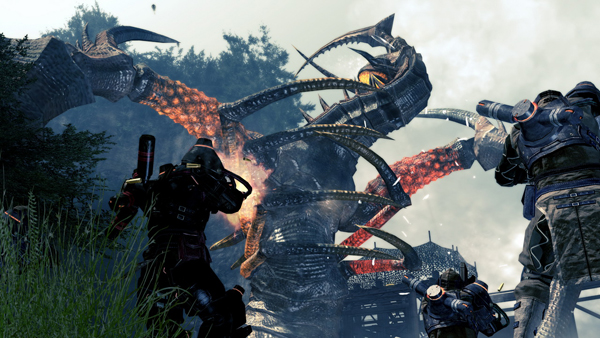
Lost Planet 2 is a third-person shooter video game developed and published by Capcom. The game is the sequel to Lost Planet: Extreme Condition which is also made by Capcom, taking place ten years after the events of the first game, on the same fictional planet. The story takes place back on E.D.N. III 10 years after the events of the first game. The snow has melted to reveal jungles and more tropical areas that have taken the place of more frozen regions. The plot begins with Mercenaries fighting against Jungle Pirates. After destroying a mine, the Mercenaries continue on to evacuate the area, in which a Category-G Akrid appears and attacks them. After being rescued, they find out their evacuation point (Where the Category-G appeared) was a set-up and no pick up team awaited them. The last words imply possible DLC additions to the game, "There's nothing to be gained by wiping out snow pirates... unless you had some kind of grudge."
 10
10HD 6870 - We can see the HD 6870 sees a bit of a boost in performance when it comes to the lower resolution 1680 x 1050 setting. Looking at 1920 x 1200 we can see no real change.
HD 6970 - Here we see no real change.
Benchmarks - Aliens vs. Predator
Aliens vs. Predator
Version and / or Patch Used: Standalone Benchmark
Timedemo or Level Used: Built in Benchmark
Developer Homepage: http://www.rebellion.co.uk/
Product Homepage: http://www.sega.com/games/aliens-vs-predator/
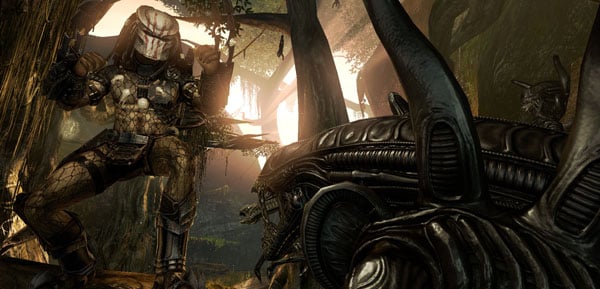
Aliens vs. Predator is a science fiction first-person shooter video game, developed by Rebellion Developments, the team behind the 1999 original PC game, and published by Sega for Microsoft Windows, the PlayStation 3 and the Xbox 360. The game is based on the Alien vs. Predator franchise, a combination of the characters and creatures of the Alien franchise and the Predator franchise. There are three campaigns in the game, one for each race/faction (the Predators, the Aliens and the Colonial Marines), that, while separate in terms of individual plot and gameplay, form one overarching storyline.
Following the storyline of the campaign modes comes the multiplayer aspect of the game. In this Multiplayer section of the game, players face off in various different gametypes in various different ways.
 10
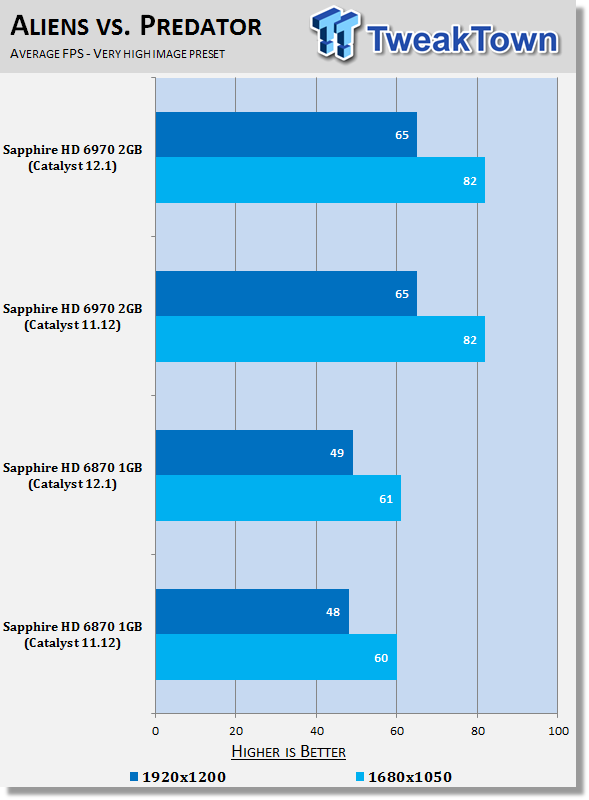
10HD 6870 - Here we see no real change.
HD 6970 - Here we see no real change.
Benchmarks - Just Cause 2
Just Cause 2
Version and / or Patch Used: 1.0.0.2
Timedemo or Level Used: Dark Tower
Developer Homepage: http://www.eidos.com/
Product Homepage: http://www.justcause.com/
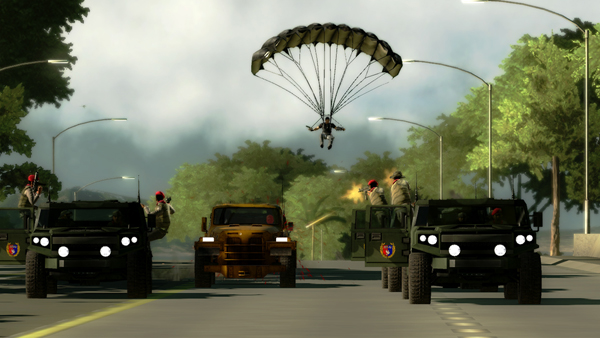
Just Cause 2 employs the Avalanche Engine 2.0, an updated version of the engine used in Just Cause. The game is set on the other side of the world from the original Just Cause, on the fictional island of Panau in Southeast Asia. Panau has varied terrain, from desert to alpine to rainforest. Rico Rodriguez returns as the protagonist, aiming to overthrow the evil dictator Pandak "Baby" Panay and confront his former mentor, Tom Sheldon.
 10
10HD 6870 - Looking at both resolutions we can see a nice little boost in performance with the 1920 x 1200 boost helping us get within a single FPS of hitting that magical 60 number.
HD 6970 - Here we see no real change.
Benchmarks - Metro 2033
Metro 2033
Version and / or Patch Used: Latest Steam Update
Timedemo or Level Used: Built in Benchmark
Developer Homepage: http://www.4a-games.com/
Product Homepage: http://www.thqnordic.com/
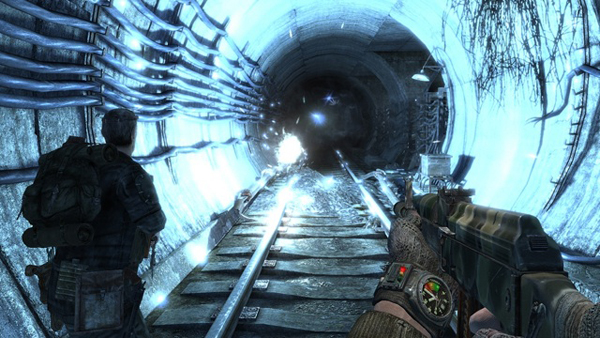
Metro 2033 is an action-oriented video game with a combination of survival horror and first-person shooter elements. The game is based on the novel Metro 2033 by Russian author Dmitry Glukhovsky. It was developed by 4A Games in Ukraine and released in March 2010 for Microsoft Windows and Xbox 360.[3] In March 2006, 4A Games announced a partnership with Glukhovsky to collaborate on the game.[4] The game was announced at the 2009 Games Convention in Leipzig;[5] a first trailer came along with the announcement.[6] A sequel was announced, currently titled Metro: Last Light.
 10
10HD 6870 - Here we see no real change.
HD 6970 - Under Metro 2033 we see a little bit of positive movement, but nothing to major that we probably wouldn't put outside of a bit of fluctuation.
Benchmarks - Dirt 3
Dirt 3
Version and / or Patch Used: Latest Steam Update
Timedemo or Level Used: Built in Benchmark
Developer Homepage: http://www.codemasters.com/
Product Homepage: http://www.dirt3game.com/
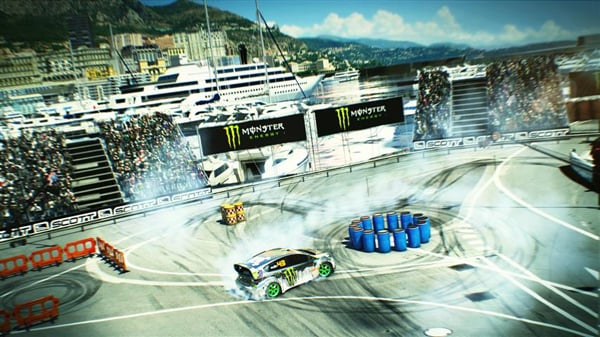
DiRT 3 boasts more cars, more locations, more routes and more events than any other game in the series, including over 50 rally cars representing the very best from five decades of the sport. With more than double the track content of 2009's hit, DiRT 3 will see players start at the top as a professional driver, with a top-flight career in competitive off-road racing complimented by the opportunity to express themselves in Gymkhana-style showpiece driving events.
 10
10HD 6870 - We can see under Dirt 3 there's a significant increase in performance. This is good news considering we saw a significant hit in performance last month under Dirt 3.
HD 6970 - Here we see no real change.
Benchmarks - Far Cry 2
Far Cry 2
Version and / or Patch Used: 1.01
Timedemo or Level Used: Ranch Long
Developer Homepage: http://www.ubi.com/
Product Homepage: http://www.farcry2.com/
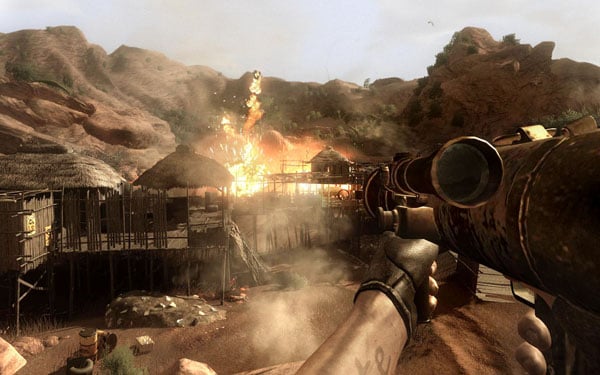
The Dunia Engine was built specifically for Far Cry 2 by the award-winning Ubisoft Montreal development team. It delivers the most realistic destructible environments, amazing special effects such as dynamic fire propagation and storm effects, real-time night-and-day cycle, dynamic music system, non-scripted enemy A.I. and so much more.
 10
10HD 6870 - Across the board we can see a significant increase in performance when it comes to the minimum department.
HD 6970 - Here we see no real change.
Benchmarks - High Quality AA and AF
High Quality AA and AF
Our high quality tests let us separate the men from the boys and the ladies from the girls. If the cards weren't struggling before they will start to now.
 10
10 10
10HD 6870 - Looking at Aliens vs. Predator we can see a nice little boost in performance, FarCry 2 on the other hand doesn't see any real change.
HD 6970 - Looking at Aliens vs. Predator we can see a nice little boost in performance, FarCry 2 on the other hand doesn't see any real change.
Final Thoughts
Unlike the Catalyst 11.12 driver we looked at last month this isn't one we'd say skip. If you made the jump to Catalyst 12.1 Preview that came at the same time you might instead decide to make the jump to the official WHQL one that we've looked at today which is on a whole just a solid driver.
If you made the move to the preview driver last month you might want to do the same again this month with the new Catalyst 12.2 preview that's been released. With that said if you take the time to check out the Release Notes on the Catalyst 12.2 preview you'll see they're less focused on performance and instead the preview brings with it enhancements that focus on Eyefinity.
Unfortunately the HD 7900 series aren't supported in this driver nor the preview - fingers crossed that we'll see the HD 7900 series support be offered in the WHQL version that we'll see in February.
For the most part, though, this is a strong driver with no major issues present in it, combined with the normal line up of bug fixes that are always appreciated. Outside of the performance fix in Dirt 3 I wouldn't expect anything else apart from a little bit of positive moments here and there. For the most part, though, the new 12.1 driver doesn't offer any kind of huge performance gains and instead just brings with it the normal array of fixes we're used to seeing from most Catalyst drivers.
 United
States: Find other tech and computer products like this
over at
United
States: Find other tech and computer products like this
over at  United
Kingdom: Find other tech and computer products like this
over at
United
Kingdom: Find other tech and computer products like this
over at  Australia:
Find other tech and computer products like this over at
Australia:
Find other tech and computer products like this over at  Canada:
Find other tech and computer products like this over at
Canada:
Find other tech and computer products like this over at  Deutschland:
Finde andere Technik- und Computerprodukte wie dieses auf
Deutschland:
Finde andere Technik- und Computerprodukte wie dieses auf  Intel places orders to secure ALL of ASML's High-NA EUV machines built this year
 China's imports from Netherlands skyrocket 32% in April, and we all know what they're buying
 Resident Evil 4 Path Tracing looks incredible running on a RTX 4080, but the performance...
 AMD Ryzen AI 165 'Strix Point' APU teased with 10 cores based on next-gen Zen 5
 Skyblivion is an impressive fan remake of The Elder Scrolls IV: Oblivion coming in 2025
 Corsair MP700 Pro SE 4TB SSD Review - As Fast as They Come
 Corsair MP600 Mini 2024 Edition 1TB SSD Review - Fastest Tiny Drive on the Planet
 Lexar SL500 1TB Portable SSD Review - The best of native USB
 Corsair Platform:6 Elevate Modular Desk Review
 True Lies (1997) 4K Blu-ray Review
 Fractal Design North XL Full-Tower Chassis Review
 Western Digital WD Gold 24TB HDD Review - High-Capacity Masterpiece
 AOC U27G3X 27-inch Gaming Monitor Review - 4K 160Hz for $500
 MSI Vector GP68HX Gaming Laptop Review
 Dell UltraSharp 40 5K Curved Thunderbolt Hub Monitor (U4025QW) Review
 Building the Ultimate Home Entertainment Server with an ASUSTOR NAS and Viper Gaming NVMe SSDs
 Everything you need to know about the latest ASUS NUC Mini PCs - NUC 14 Pro and ROG NUC
 How to Overclock Your GPU and Boost Your PC Gaming with ASUS GPU Tweak III
 ASUS's AMD Radeon RX 7000 Series GPU lineup has something for every gamer
 ASUS OLED Premium Care defends the ROG Swift OLED PG32UCDM gaming monitor from burn-in