

Introduction and The Package
Introduction
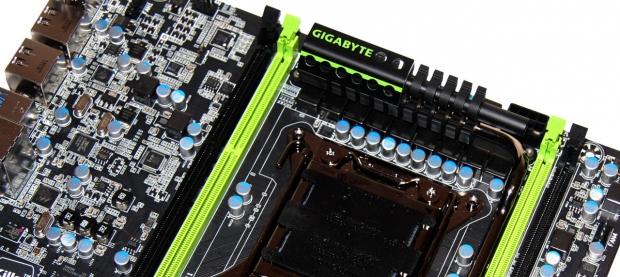
 18
18I'm a big fan of the G1 series from GIGABYTE. I get that some of the design decisions aren't for everyone, but the bottom line is that in the feature department the G1 series are one of the most stacked series on the market. With more and more people pulling away from separate sound and networking cards, the addition of high end components in these areas on board are appreciated.
The latest addition to the G1 series from GIGABYTE comes in the form of the new G1.Assassin 2 and of course carries the much anticipated X79 chipset that we've been waiting for what feels like forever now.
While we're still just a little bit out from NDA, there's as usual a lot of things we can't tell you when it comes to the performance side of things, nor can we tell you some of the particular technologies implemented on the board.
On the other hand, there's a lot we can tell you. As usual, we'll be following our normal preview layout. We'll start by looking at the package of the board and then we'll move into the bundle which we're fortunately able to show you today. Once we've done that we'll then get into the board itself and take a closer look at some of the specifics that the new G1.Assassin 2 is offering.
That just about covers all that, so let's not delay any longer and just get into the package to see what GIGABYTE are offering us out of the box.
The Package
 18
18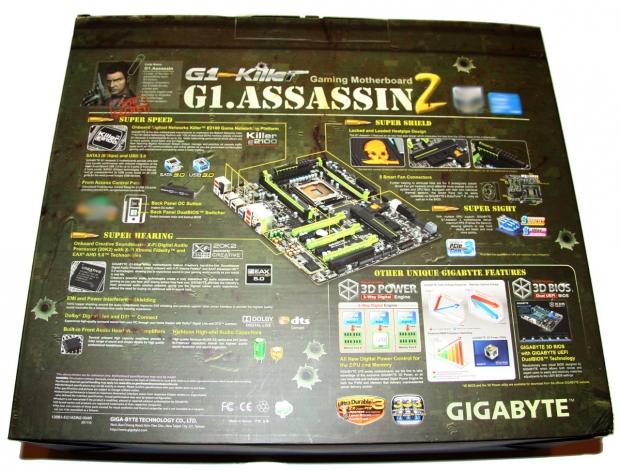 18
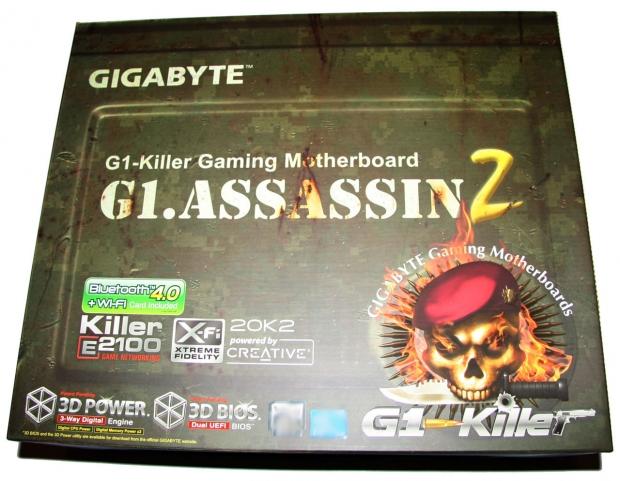
18The box of the G1.Assassin 2 is really big and you can see we've got an absolute wealth of information on the box including the main features that the latest GIGABYTE board offers.
 18
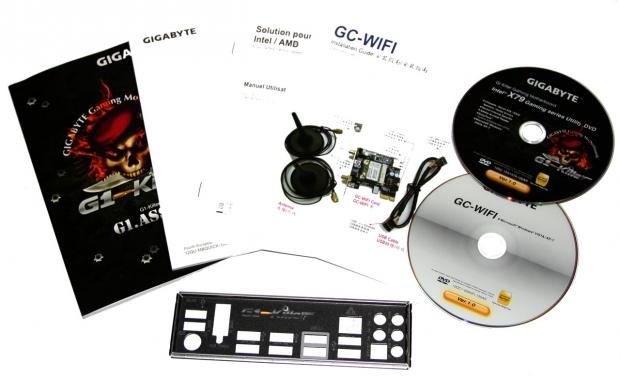
18Moving inside the package, there's a bunch of paperwork included along with the normal Driver CD and a second that is for the WIFI card. Also here you can see our back I/O shield.
 18
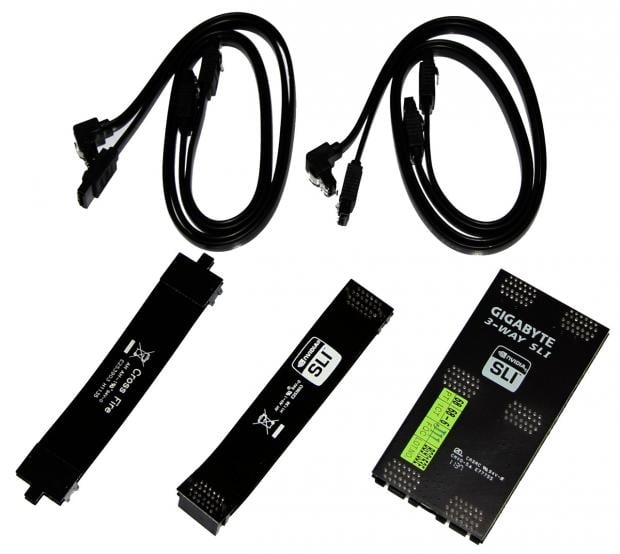
18There's not heaps of cables included in the box with just four SATA cables. Along with that you can see we've got a CrossFire bridge along with an SLI one and a 3-Way SLI one.
 18
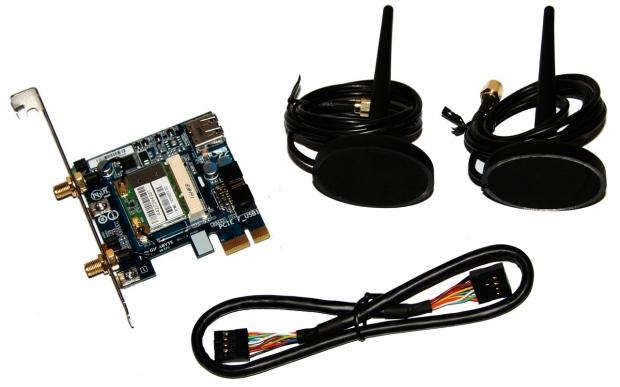
18One of the big new features to the GIGABYTE line of boards comes in the form of the new PCIe x1 card included in the package. The card above offers us both Bluetooth 4.0 and 802.11n wireless technology. The WiFi tech isn't so much a surprise, but the new Bluetooth 4.0 technology is something that iPhone4 S users can enjoy for faster connectivity.
 18
18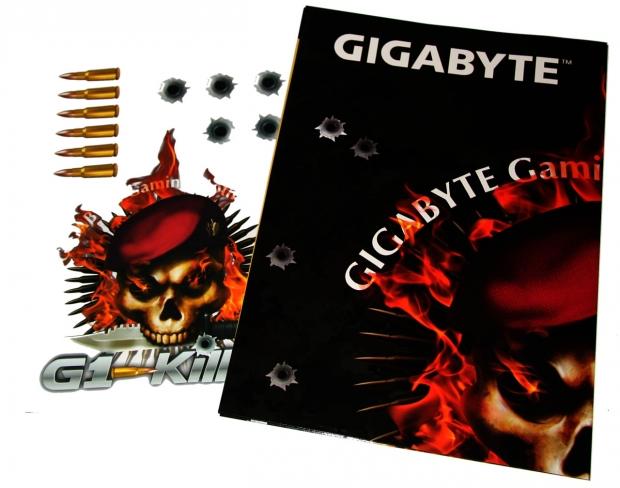 18
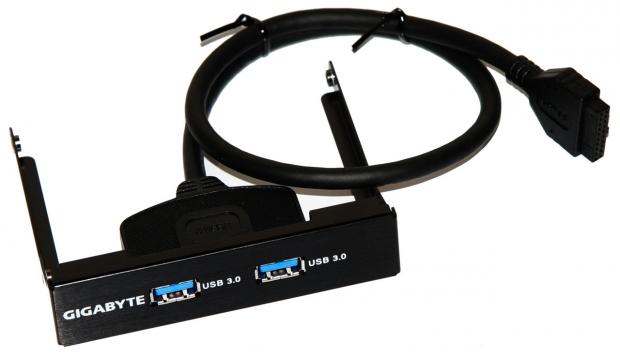
18Along with all that, we've also got a two port USB 3.0 front panel header, a bunch of G1 stickers and a G1 inspired poster in the bundle. All in all, we've got a really strong bundle from GIGABYTE that can't be faulted.
GIGABYTE G1.Assassin 2 - The Board
Moving onto the board, you can see we've got the same Black / Green color scheme on offer we've seen from other G1 boards. The black PCB on the board looks great and that's got a lot to do with the fact it's a matte color rather than the shiny one we see from a lot of other companies.
 18
18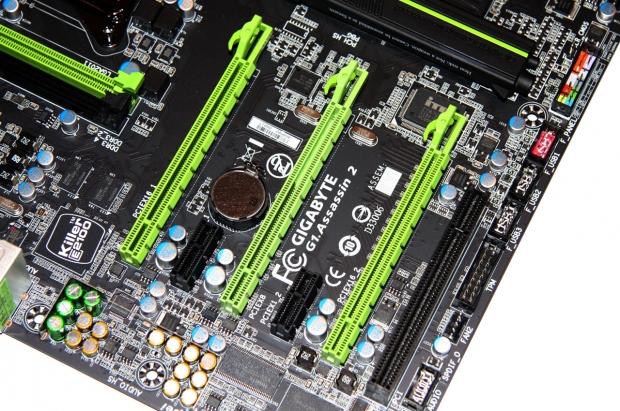 18
18Moving in closer to the board, we can see what's going on in terms of expansion slots. Down the bottom we've got an older legacy PCI slot; along with that we've got two PCIe x1 slots and three PCIe x16 slots. If you're using two video cards you're not going to have a problem installing the bundled WiFi + BT 4.0 card, but if you go down the path of three cards and make use of the middle PCIe x16 slot then you're not going to have room for the PCIe x1 card included in the bundle.
 18
18Moving to the bottom of the board, you can see all our connectors. Starting from the left, we've got our front panel audio header, TMP, three USB 2.0 ports and our main front panel header connector.
 18
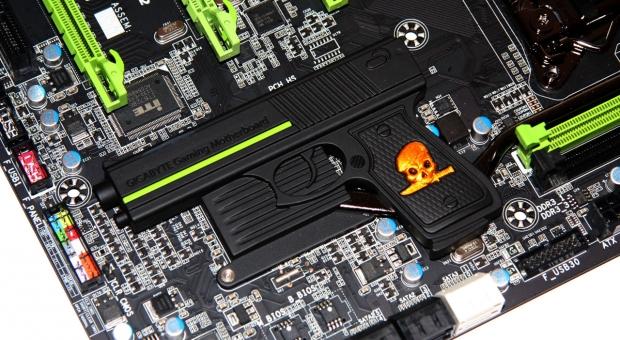
18Turning the corner, we can take a look at the infamous gun heatsink that we saw show up a few weeks ago. The G1 series of boards from a design point of view haven't been the most alluring thing to some people and to be honest, it's us older peeps that probably aren't really feeling the heatsink design some companies use these days. To be honest, though, like the G1.Sniper 2 clip and the Sabertooth color line up, in real life it doesn't look too bad.
 18
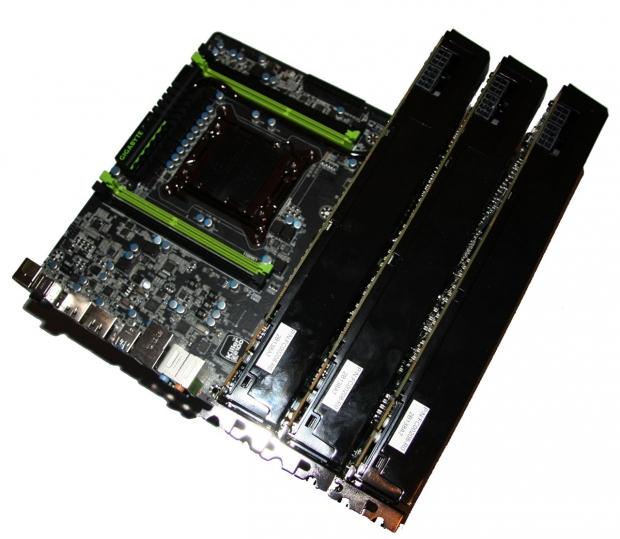
18In the end, though, if you're not a fan of it there's always an option that doesn't void warranty. You just buy a bunch of video cards to install on the board! Not only does it hide the gun, but it also gives you so much power for when you want to game.
 18
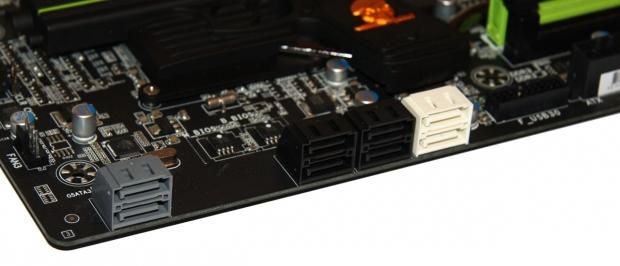
18Moving away from the heatsink and onto the bottom corner of the board, you can see we've got a total of eight SATA ports on offer. The six that sit bunched together all run off the Intel chipset with the four black ones being SATA II and the two white ones being SATA III. The other two ports sitting by themselves are also SATA III, but these two ports run off the Marvell 88SE9172 controller. As always, we'd recommend that you opt to use the Intel controlled ones before the others. If you're moving beyond two SATA III devices, though, you'll want to hook them up to the Marvell controlled ports.
GIGABYTE G1.Assassin 2 - The Board Continued
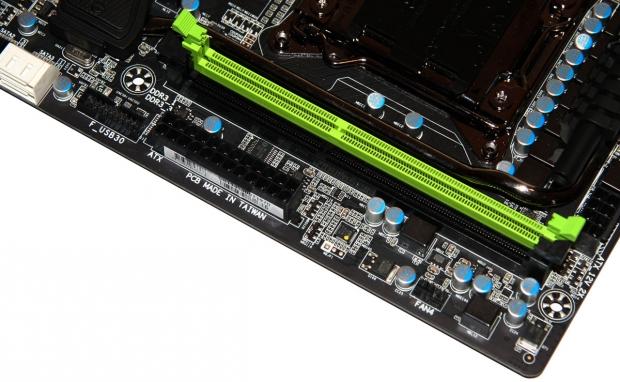
Moving away from the bottom of the board and heading north, you can see we've got a single USB 3.0 front panel header here and our main 24-Pin ATX power connector. Apart from the two RAM slots we can also see which we'll talk about more in just a moment, there's not a whole lot else around here. The only other noteworthy piece is the fan header in the corner.
 18
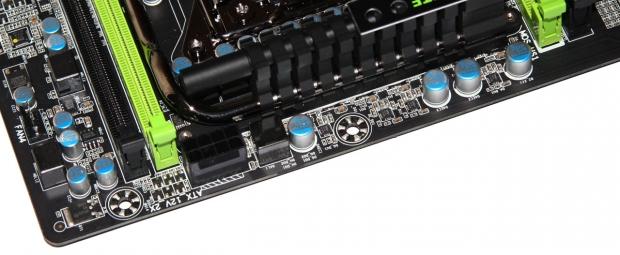
18Turning the corner just ever so slightly, we can see our main 8-Pin CPU power connector. This is in a little bit of a funny position; normally we see it towards the I/O ports, but this puts it very close to the socket and the RAM. This was no doubt done with a purpose.
 18
18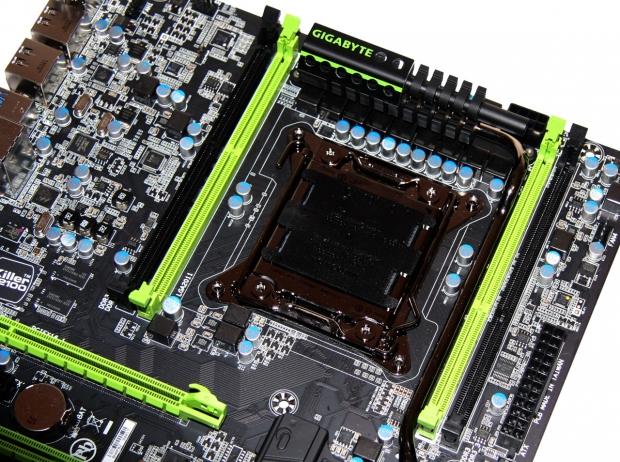 18
18Moving out and looking at the whole socket area, you can see that everything is shifted over to the right with our CPU and that sitting a lot closer to our main power connectors. On the RAM front you can see that GIGABYTE have implemented only four DDR3 DIMM slots and it's kind of humorous to see people whining about this. Considering that four DIMM slots will hold 32GB of memory with no issue, the need to go for eight slots seems a little unnecessary. With all banks full as well, the setup will look very clean.
 18
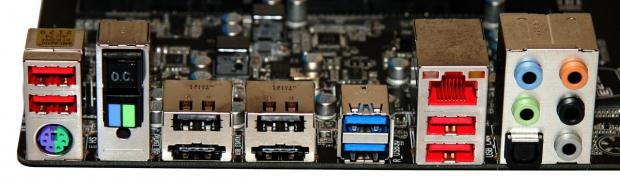
18Finally, we finish up with the I/O side of things and starting from the left, we have our PS/2 combo connector and above that two USB 2.0 ports. Next to that we've got a CPU "OC" Button, BIOS switch and a Clear CMOS button at the bottom. Moving over again, we've got two USB 2.0 ports and two USB 2.0 / eSATA combo ports running off the Marvell 88SE9172 controller.
Next up, we've got two USB 3.0 ports off the Fresco FL1009 chip which is one we haven't seen before. Next to that another two USB 2.0 ports and our Gigabit networking port which runs off the Bigfoot Killer E2100 chip. Finally, we finish up with five auxiliary ports and an optical out which runs off the Creative CA20K2 chip which is so much more superior to the Realtek codec we normally see from most companies.
Final Thoughts
The G1.Assassin 2 is going to be another really popular board for GIGABYTE. The "Gun" heatsink isn't going to be for everyone nor is the green color scheme and prior to using the Z68 based G1.Sniper 2, I wasn't a fan of the green or the bullet clip. The thing is, though, from a feature stand point the G1 series of boards are superior to the competition.
They move away from offering these insane feature sets that focus on people who are overclocking via LN2, and instead opt for these options that everyday people are going to love. The onboard Creative audio means there's just no need for a sound card; the same goes with the Killer E2100 NIC.
That means that you can use your slots for stuff that matters, like more video cards! I'm really looking forward to throwing the G1.Assassin 2 on the testbed to see how the board performs. If past experience is anything to go by, though, I'm sure it will be stellar. The integration of the new 3-Way Digital Engine should also bring more power to the board.
With the launch of the new chipset indeed coming closer and closer, make sure you keep an eye out for a full review on the G1.Assassin 2 to see just what the new GIGABYTE offering can give us when powered with the latest and greatest processor from Intel.
 United
States: Find other tech and computer products like this
over at
United
States: Find other tech and computer products like this
over at  United
Kingdom: Find other tech and computer products like this
over at
United
Kingdom: Find other tech and computer products like this
over at  Australia:
Find other tech and computer products like this over at
Australia:
Find other tech and computer products like this over at  Canada:
Find other tech and computer products like this over at
Canada:
Find other tech and computer products like this over at  Deutschland:
Finde andere Technik- und Computerprodukte wie dieses auf
Deutschland:
Finde andere Technik- und Computerprodukte wie dieses auf  Microsoft is closing down the Xbox 360 Store and Marketplace on July 29, 2024
 Skywind, the Elder Scrolls Morrowind fan remake in Skyrim's engine, shares a massive update
 Apple is working on its own chip to run AI software in its data center servers
 Samsung establishes dream team of engineers to win AI chip orders from NVIDIA
 PureStorage teases 150TB SSD modules are being tested, 75TB modules now shipping
 Corsair Platform:6 Elevate Modular Desk Review
 True Lies (1997) 4K Blu-ray Review
 Fractal Design North XL Full-Tower Chassis Review
 Western Digital WD Gold 24TB HDD Review - High-Capacity Masterpiece
 AOC U27G3X 27-inch Gaming Monitor Review - 4K 160Hz for $500
 MSI Vector GP68HX Gaming Laptop Review
 Dell UltraSharp 40 5K Curved Thunderbolt Hub Monitor (U4025QW) Review
 XPG Core Reactor II VE 850w 80 PLUS Gold ATX 3.0 PSU Review
 SteelSeries Arctis Nova 4X Wireless Gaming Headset Review
 ACEMAGIC AD08 "Core i9 11900H" Mini PC Review
 Building the Ultimate Home Entertainment Server with an ASUSTOR NAS and Viper Gaming NVMe SSDs
 Everything you need to know about the latest ASUS NUC Mini PCs - NUC 14 Pro and ROG NUC
 How to Overclock Your GPU and Boost Your PC Gaming with ASUS GPU Tweak III
 ASUS's AMD Radeon RX 7000 Series GPU lineup has something for every gamer
 ASUS OLED Premium Care defends the ROG Swift OLED PG32UCDM gaming monitor from burn-in