











Google Chrome OS hands-on
Okay, so Google just announced a major update to the Chrome OS project. With this announcement comes a release of the source code for the new browser based OS. Some enterprising people have compiled it and it is ready for use in either VMware Player or Virtual Box (which ever you prefer). We decided to grab a copy and see if this new OS lives up to some of the claims that Google made in their recent Web Cast. You too can grab it over here at gdgt, like we did - thanks guys!

For our testing we used VMWare Workstation version 7. We set it up with a single CPU 512MB of RAM and used the preset VMDK (Virtual Machine Disk Image). Ubuntu was chosen as the OS base as was bridged networking.

Boot up - From pressing the start (power) link until we hit the log in screen was 14.8 seconds. After typing in our log in information (which HAS to be a Gmail account), it took a further 4.4 seconds to get to the "Desktop", so total boot up time is about 20-25 seconds depending on how fast you can enter your Gmail information. Interestingly my laptop takes about that long to boot up running Windows 7 with an SSD in it.

Getting into the OS - I have to say that I was not impressed with the speed of Chrome OS. Even simple tasks such as opening mail in Gmail, opening a new tab or opening the options pages seemed slow and clunky. This is most likely due to it running in a VM. There was no way to install VMware tools at all as Chrome does not allow for native applications. But all that aside moving around the OS was not easy or familiar (unlike Google's claims). It seemed clunky and heavy handed.


When you open up Chrome OS you are greeted by your Gmail account. As far as I could see there is no way to change this in the options menu. Chrome also opens up Google calendar, but for some reason did not automatically log into it like it did with Gmail. We also saw an open tab with theme options I am not sure why as even after applying one I did not see much of a difference to the UI until I opened a new tab. At this stage of the OS themes seem hardly worth the effort.


The very cool "start" menu they showed was not working at all. I was unable to log into it with any of the Google Accounts that I have. They all said that my user name and password was wrong.

As I was not able to test that part of the OS out I really did not have much more to do inside the OS. Browsing the Internet felt slow (again due to being in a VM) but there was nothing exciting or new about doing that. There is probably much more to Chrome OS, but honestly after two hours I could not find it.
Google Chrome OS hands-on continued
What Gives?

If you followed our live blogging from yesterday you know that Google made some really big claims. They claimed a 10 second boot up time and they claimed a quick and easy to use OS. They even showed us that with their demo unit they had working. The problem is that unless the source code we have is not what they were using at the demo Chrome OS is bulky, awkward and about as un-user-friendly as you can get. The snappy OS and fun items were just not there in the version we played with. Finding options and features is not easy; you really have to hunt around for what you are looking for to find it.
To us it felt more like a badly coded browser than an OS we would want to use for an extended period of time. In fact, as I was writing this Chrome OS, rebooted inside VMWare several times and gave the error that it had not been shut down correctly. Speaking of shutting down, after two hours of hunting and searching, we were not able to find any way to properly shut the OS down. The option simply was not there.

The Google side - For Google's part they can sit back and say that this is very early source code. At the event they were very careful to say that Chrome will need certain hardware to run properly. So for all of our commenting it is doubtful that Google will take much note or do anything about the issues we saw. To them these are all "unsupported" configurations that will probably never be covered by their support and technical teams.
Where does that leave us? In the end, what you get here is an early look into what Chrome is right now. The UI is not final, the Apps section is not working (for us and others) and there are no extensions or access to syncing. Our hope is that Google can clean up the code and get more speed into it very soon otherwise with the way bad news and poor reviews get around on the internet Chrome might suffer a "Vista" type launch.
Update - After playing with Chrome OS for most of the day, I was highly annoyed that I could not find the application menu that was shown off at the event. Then out of the blue (I was actually setting up for the included video) the system started showing the menu properly. All of the applications that were shown were there. So at least we have that to look forward to now.
Our Latest Operating Systems Article Coverage
 Ethereum Mining Guide - Part 1: The Basics & Set Up
 Unigine Superposition Benchmark: The New GPU Crusher
 3DMark Time Spy - DX12 Benchmarking for the Masses
 AMD Radeon Software Crimson Edition (RSCE) 16.4.2 Overview
 AMD makes game development easier with its new GPUOpen initiative
 Xbox servers go down just days after PlayStation outage, giving us a glimpse into our digital-only future
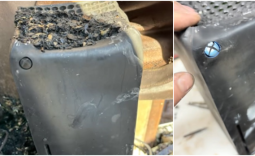 Xbox Series X survives a devastating house fire and still works!
 'PS5 is currently the Call of Duty box,' analyst says after Black Ops II re-release takes over PlayStation
 Colorful and MSI RTX 50 graphics card prices spike in China as GDDR6 and GDDR7 memory costs rise
 SEGA won't abandon its physical culture, but stresses importance of digital for sales growth
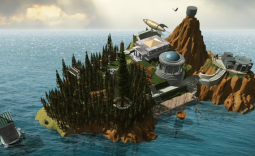 PC classic Myst returns with mysterious new Project Mudfish
 Minecraft now recommends 16GB of RAM and a much newer CPU
 007 First Light ditches Denuvo DRM just as first patch arrives packing a ton of bug fixes and some new content
 Microsoft's still working on Windows 11 File Explorer improvements, and it's now making deleting large files speedier
 Hacking group Anonymous targets Sony over deciding to kill PlayStation discs
 Logitech G512 X 98 Analog Mechanical Gaming Keyboard Review - An Innovative Two-in-One
 Thrustmaster T.Flight HOTAS 5 MSFS Edition Review
 SteelSeries Arctis Nova Pro Omni Wireless Headset Review - One Headset to Rule Them All
 SteelSeries Arctis Nova 7 Wireless Gen 2 Headset Review - New and Improved, But Is It Enough?
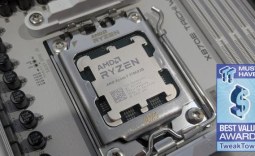 AMD Ryzen 7 7700X3D Review - Days of Future Past
 Samsung 990 2TB SSD Review - Ninth Gen QLC at PCIe Gen4 Speeds
 ASUS ExpertBook Ultra (Panther Lake) 14" Business Laptop Review
 ASUS ROG Raikiri II Xbox Wireless Controller Review - Ready to Take Control
 MOZA FMP18 Panel Bundle Review: authentic F/A-18 Hornet cockpit controls for flight sims
 Micron 6600 ION 245.76TB Enterprise SSD Review - Best in Class Programming Speeds
 Printer Not Working in Windows? How to fix detection, print queues and drivers
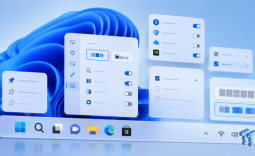 The Ultimate Guide to Personalizing Your Windows 11 Taskbar
 How to Turn Your Windows Laptop Into a Second Monitor with Miracast and Wireless Display in Minutes
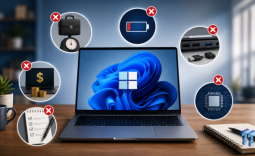 6 Mistakes to Avoid When Buying a Windows Laptop
 I capped Windows Update's bandwidth with Delivery Optimization, and my downloads stopped choking
 I use this decade-old free tool that finds files faster than Windows Search does
 I install and update most of my apps with this Windows command now, and I stopped downloading sketchy installers
 Hisense U6SF 65-inch MiniLED TV: High Performance Meets Leisurely Convenience
 I stopped digging through Windows menus after I set up this one folder
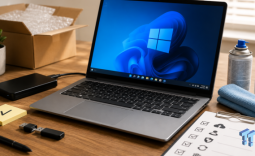 Don't sell your Windows laptop until you do these things