












Introduction & Enter the Acer XB280HK
For the past three weeks, I have been using the ASUS ROG Swift PG278Q monitor, which is, in my opinion, the best gaming monitor on the market. It provides a mix of 2560x1440 with 144Hz, but NVIDIA's G-SYNC technology is what simply tips it over the edge. Without G-SYNC, it's still the best gaming monitor, but G-SYNC is just the icing on top of an already delicious cake (and this is coming from someone who doesn't really like cake).
I have been a big fan of high refresh rates ever since pushing my CRTs to their limits back in the day of 3DFX and the start of SLI, but being able to game at 1440p at 144Hz... it is amazing. The problem is, trying to drive your setup - no matter how good it is - to 144 frames per second, while rendering 2560x1440, is a very hard job, even with GeForce GTX 980 video cards in SLI.
Enter the Acer XB280HK
NVIDIA is now enjoying the release of a second high-res G-SYNC capable monitor, thanks to Acer's new XB280HK. The Acer XB280HK is a 28-inch monitor too, but cranks the resolution up to 3840x2160, or 4K, or Ultra HD. Instead of 144Hz, we have 4K at 60Hz, which is a considerable drop in the refresh rate, but a big jump in pixels.
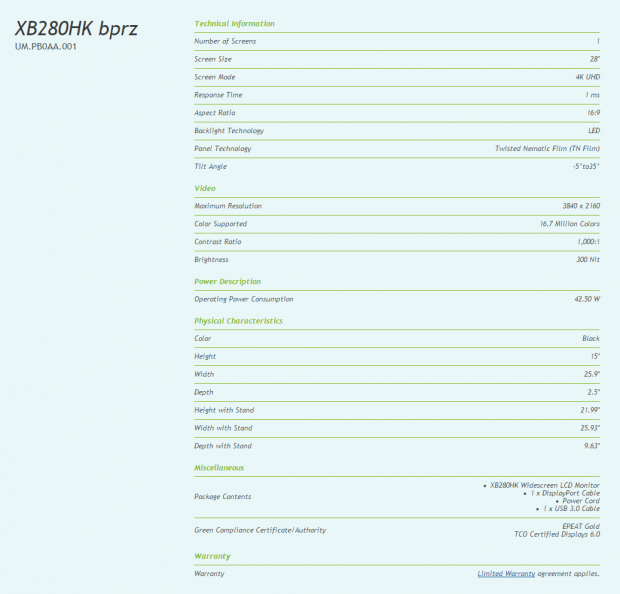
Acer's XB280HK is a well-specced monitor, so let's talk about what we have here today. The XB280HK is the world's first 4K2K display with NVIDIA's G-SYNC technology, which is really saying something, but we have some other things to talk about, too.
We have DisplayPort 1.2 driving the XB280HK, which seems to be the minimum requirement for G-SYNC. Acer has also provided four USB 3.0 ports for convenience, flicker-less technology, low dimming technology and something Acer calls 'ComfyView' technology, with the company explaining "the non-glare panel reduces reflection from light source".
Driving the 28-inch LED display is a TN-based panel with the 4K resolution of 3840x2160, with a 1ms response time. We have a contrast ratio of 1000:1, and 300nit brightness. It comes in black, with a height-adjustable stand, with the ability to tilt, too.
In the box, you receive the XB280HK monitor itself (duh), one DisplayPort cable, the power cable, and one USB 3.0 cable. Let's get into the performance of this monitor, and how it feels in games.
Our Latest Monitors Article Coverage
- ASUS ROG Strix XG129C Review: A $199 Gaming Monitor You Don't Play Games On
- KTC H49S66 5K2K (5120x1440) 49-inch 180Hz Gaming Monitor Review
- GIGABYTE GO27Q24G Gaming Monitor Review: Glossy OLED Gaming at 240Hz
- MSI MPG 322UR QD-OLED X24 Review: A Brighter, Tougher 4K 240Hz QD-OLED for $1099
- KOORUI 34E6UC Gaming Monitor Review - UltraWide Gaming at 180Hz on a Budget
Box Contents & The Acer XB280HK Revealed
The box that the Acer XB280HK comes in is actually quite nice, as I expected a plain box from Acer. The box itself shows off the monitor, and the fact that it is a "Gaming Monitor", as well as the NVIDIA G-SYNC technology powering it, and of course, the Ultra HD resolution.
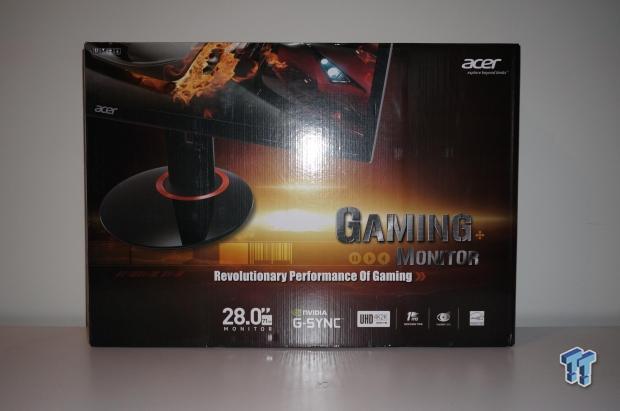
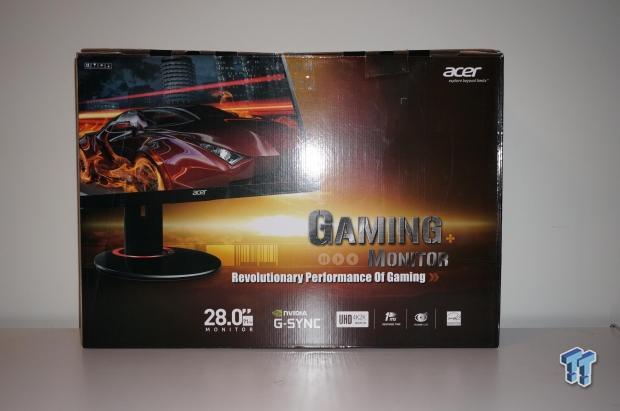
Here we have the front and back of the box.
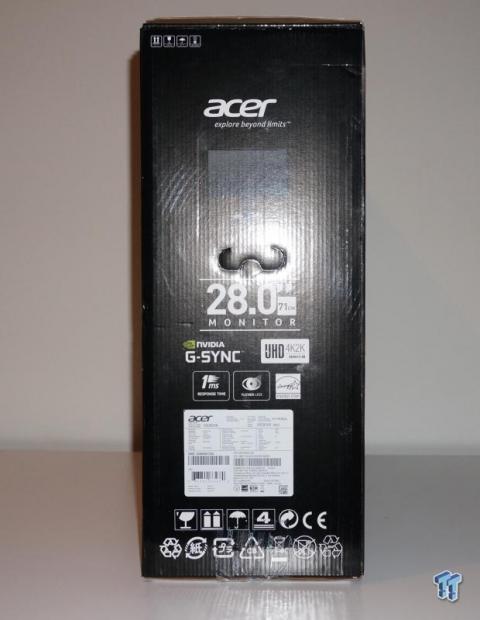
There's not much happening on the side, but it does have a nice handle to hold it, and transport it with.
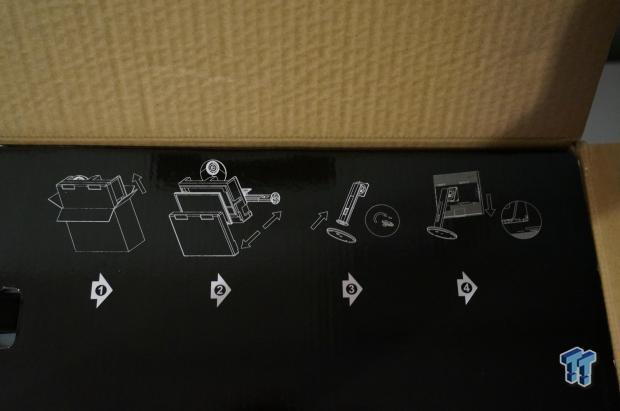
Opening the box, Acer shows you how to get the packaging out, the monitor out of the packaging itself, and how to get the screen snapped onto its base.

Here's the base, with the stand sitting on top and getting screwed into it - no screwdriver required, which is a very nice touch. It makes for an incredibly easy, and pain-free installation.
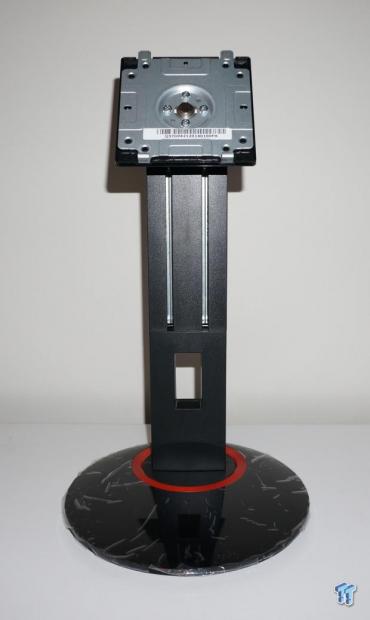
The base with the stand installed.
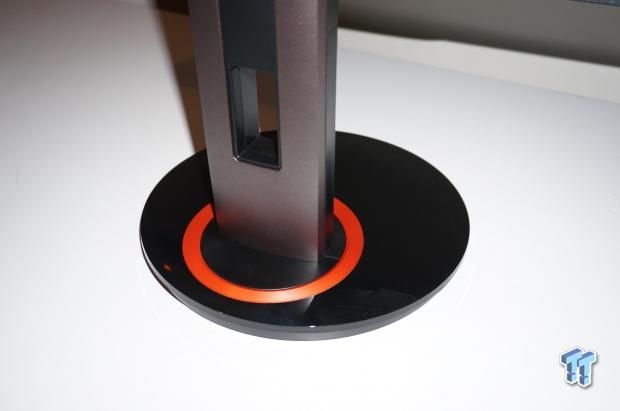
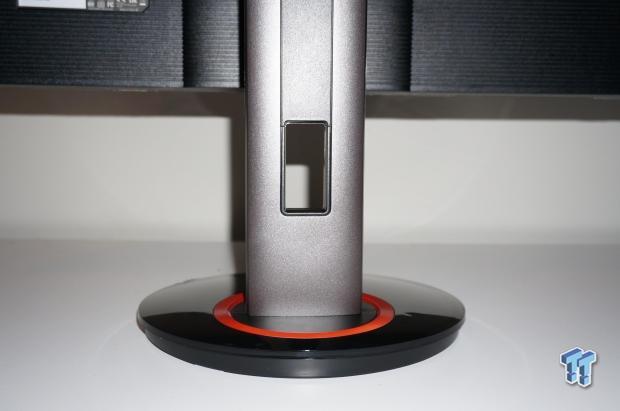
And again, where you can see the stylish black-and-red styling that Acer is going for with the XB280HK.
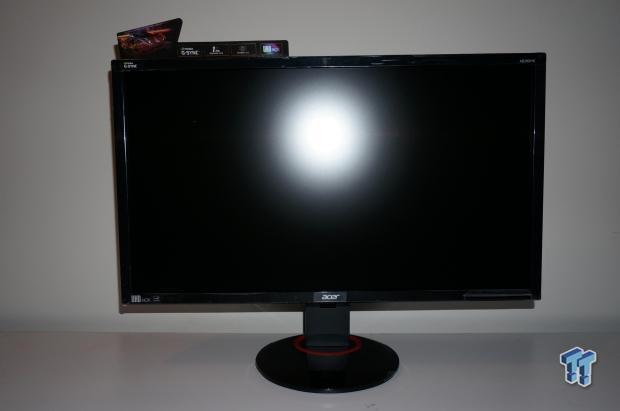
Voila! The Acer XB280HK monitor on its stand, looking directly at the front of it.
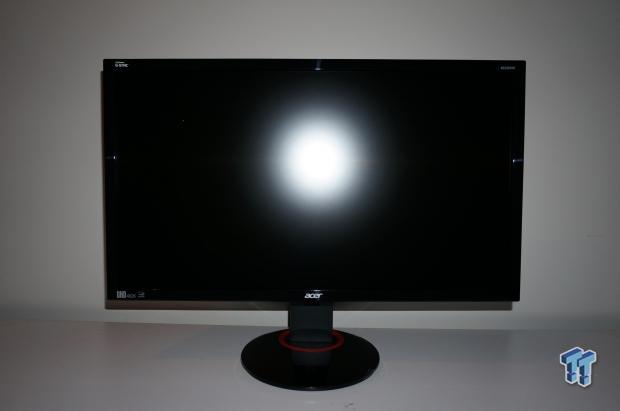
And again, but with the promotional/retail stickers taken off.
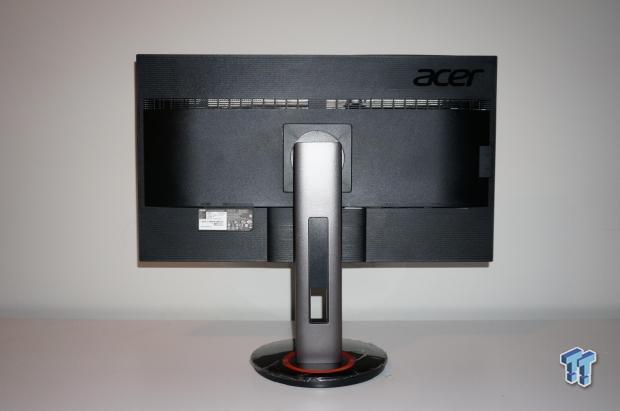
Here we have the XB280HK on its stand, taking a look at the rear of the monitor.
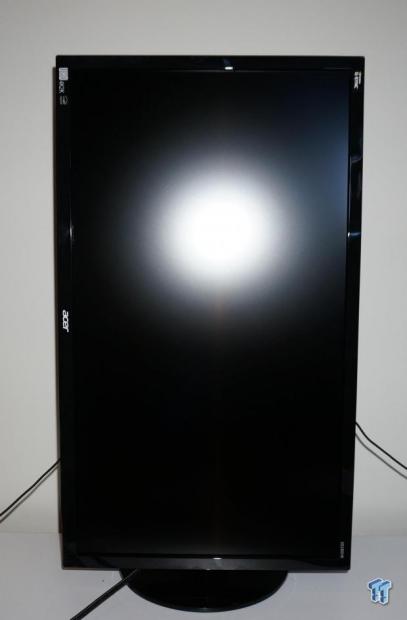
The Acer XB280HK can be used in portrait mode too, which is great for productivity, especially at the massive 4K resolution.
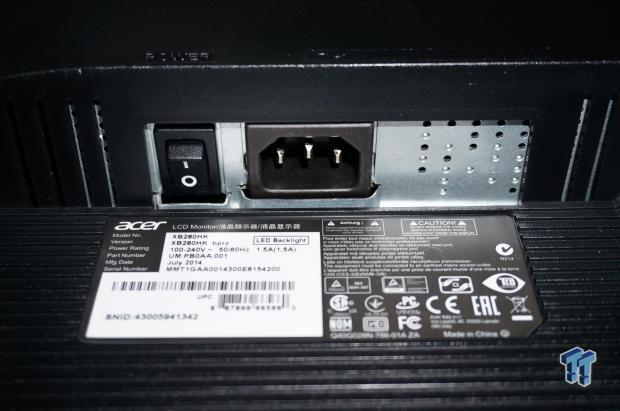
To the left of the rear of the XB280HK, we have the power socket and power switch.
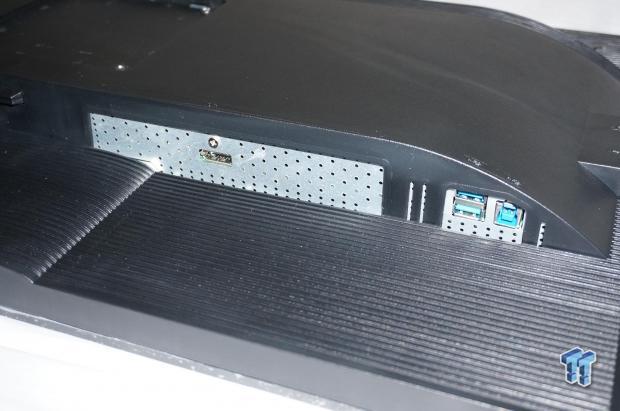
The single DisplayPort port, and two USB 3.0 ports on the right side of the XB280HK.
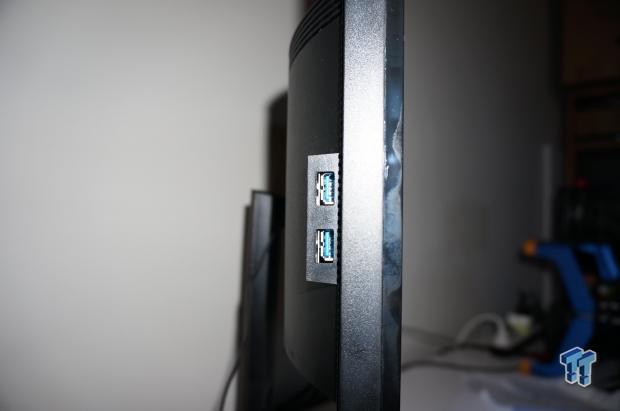
Here are the other two USB 3.0 ports, found on the left side of the XB280HK.
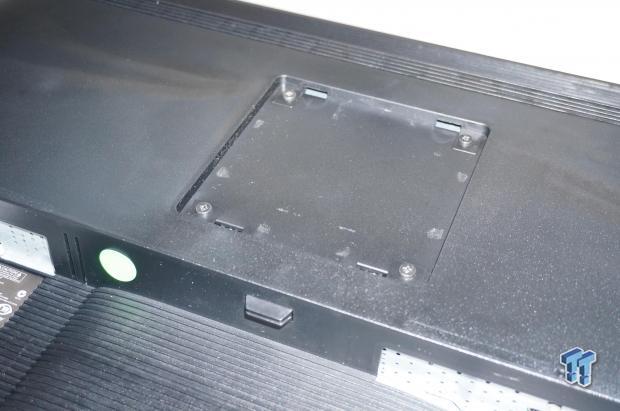
This is where you'll be putting the stand, directly into the back of this, with the plastic button down the bottom capable of being pressed, which unlocks the screen from the stand for disassembly.
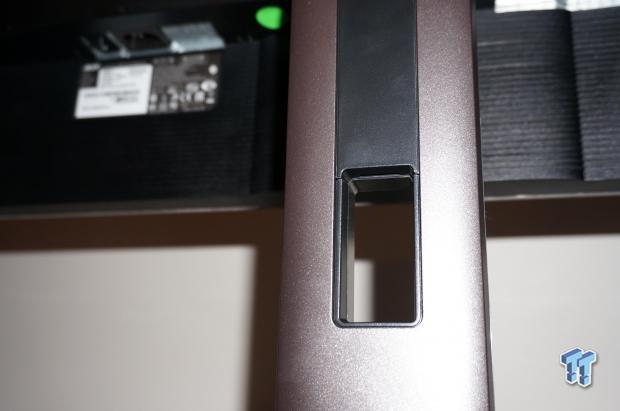
There's some cable management goodness on the back, so you can route through your power and DisplayPort cables - I've even routed through my keyboard cable, so it all goes through a single hole.
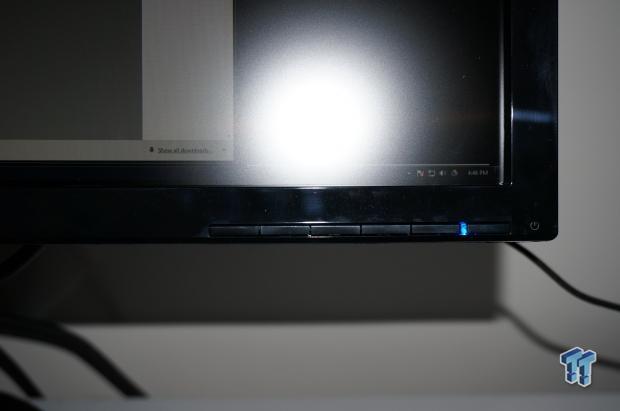
The buttons on the front of the XB280HK are easy to press, but I definitely prefer the super-awesome buttons on ASUS' ROG Swift display.
Desktop Use
For our testing, NVIDIA provided the Acer XB280HK, but for the rest of our system, here's what I'm running right now:
- CPU: Intel Core i7 4930K processor w/Corsair H110 cooler (stock clocks)
- Motherboard: ASUS Rampage IV Black Edition
- RAM: 16GB Corsair Vengeance Pro of 2400MHz DDR3
- GPU: NVIDIA GeForce GTX 980 (reference) in SLI
- Storage: 240GB Sandisk Extreme II and 480GB Sandisk Extreme II
- Chassis: InWin X-Frame Limited Edition
- PSU: Corsair AX1200i digital PSU
- Software: Windows 7 Ultimate x64
- Drivers: GeForce 344.16 WHQL
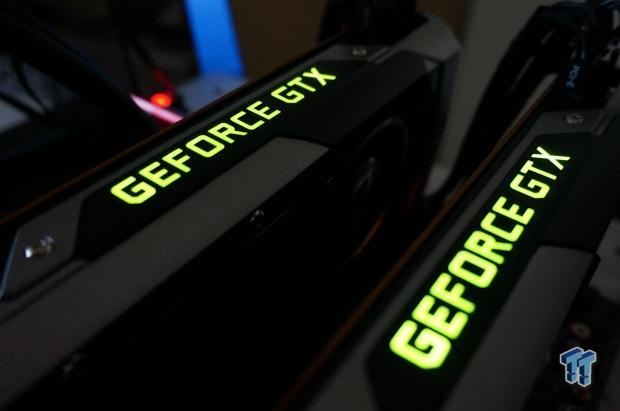
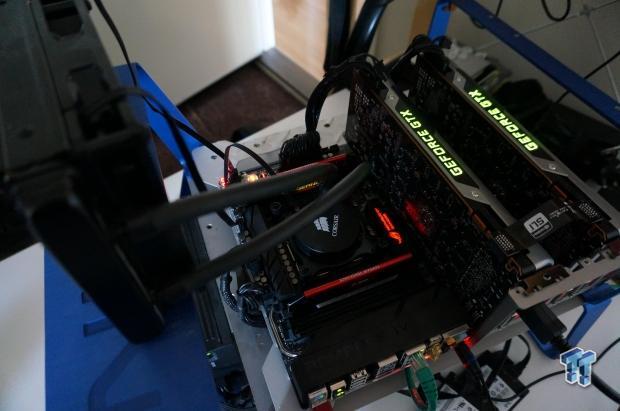
We'd like to thank all of our partners for their support, as this couldn't be possible without NVIDIA, ASUS, Corsair, Sandisk, or InWin. Without them, we wouldn't have the hardware here to test today, so I'd like to thank them all for providing us with the hardware here in my lab.
Desktop With 4K G-SYNC
3840x2160 is a massive amount of pixels being pushed onto your screen, but I feel that at 28 inches, the screen isn't big enough to do it justice. I do 90% of my work in Google Chrome and Word, so the additional desktop real estate is awesome, but it can sometimes feel a bit small.
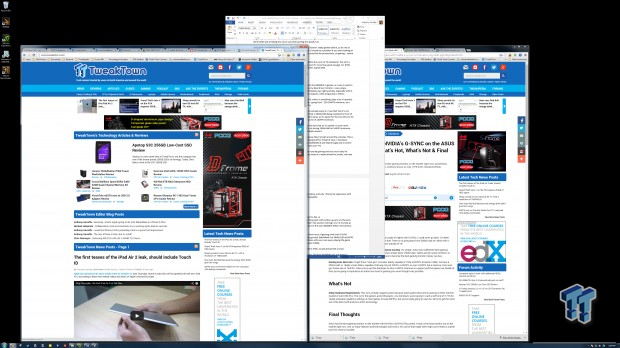
As I type this, I'm in Word at 100%, and it's about perfect. Better yet, this single A4 page that I'm typing on is using around 1/7 of my screen real estate, opening up enough room for me to have two Chrome windows side-by-side. The productivity side of 4K is amazing, even at 28 inches. I think 30-34 inch monitors are absolutely perfect for desktop use with 4K, but 28-inch is the bare, bare minimum.
After using the ASUS PQ321QE monitor, which is a 31.5-inch 4K monitor, the 28-inch feels small. But where the PQ321QE stood out with its bigger size, it lost out on splitting the display into two 30Hz displays, and joining them with MST.
This made gaming on the screen not so great, something that becomes even more apparent when a G-SYNC capable screen is sitting in front of you. Even though the ASUS PQ321QE was a "60Hz" display, it wasn't, it was two 30Hz displays joined at the seams in the middle of the display. This isn't the best solution, but more of a stop-gap solution.
What we have here today with the Acer XB280HK is a true 4K monitor with a true 60Hz refresh rate, backed up by NVIDIA's incredible G-SYNC technology. Even on the desktop, you can feel it is much more fluid, with it never slowing down, thanks to G-SYNC picking up the slack, but you notice G-SYNC's magic when you're gaming, which we're going to talk about shortly.
Moving the mouse around in circles on the desktop, or grabbing an Explorer window and throwing it around in circles resulted in a smooth-ish experience. Coming down from the 144Hz display makes everything else feel slower, which is the downside. But if you're shifting from one 60Hz display, which most will be, to the XB280HK, the results will astound you. It's still smooth, but the massive increase in resolution added with 60Hz, mixed up with G-SYNC is the sweet spot.
The ability to play four 1080p videos at once is something even better, as I was able to play Man of Steel, X-Men: Days of Future Past and Need for Speed - all in 1080p each - with enough space to read TweakTown on Chrome. Unbelievable. Nothing slowed down, everything was running beautifully smooth.
Viewing Angles & Sitting in Front of the XB280HK
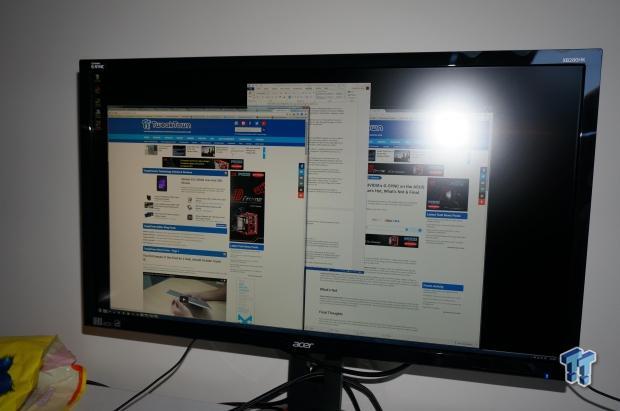
Acer has used a TN panel for this 4K monitor, with the LED backlight doing a good job of pushing out the brightness to the screen without showing big blotches of backlight bleed. I think the ROG Swift PG278Q did a better job at hiding this, but it was also pushing less pixels, too.
Consumers wondering about viewing angles is something I haven't really gotten before, as for me at least - I look at my display front on, and not from the side. It would be a problem if you were looking at it from the side, but why would you do that? This monitor would be for productivity, or gaming - where you'll be sitting directly in front of it, right?
But, even still, the viewing angles are not too bad at all, within the norm of TN standards. This isn't a super high-end panel like the IGZO-based ASUS PQ321QE, but it's more than good enough. For $799, you're getting a 4K-capable, G-SYNC powered monitor - that's a great deal.
Gaming With 4K G-SYNC on the Acer XB280HK
Gaming With 4K G-SYNC
This is where things get good. I didn't expect too much from the XB280HK in games, as I was so used to high refresh rates. Before having the ROG Swift PG278Q as my daily driver monitor, I was using a 1920x1080 display with 120Hz. The shift to the 2560x1440 display was night and day, especially with G-SYNC, so the move to the XB280HK is a step down in some respects, while a big jump in others.
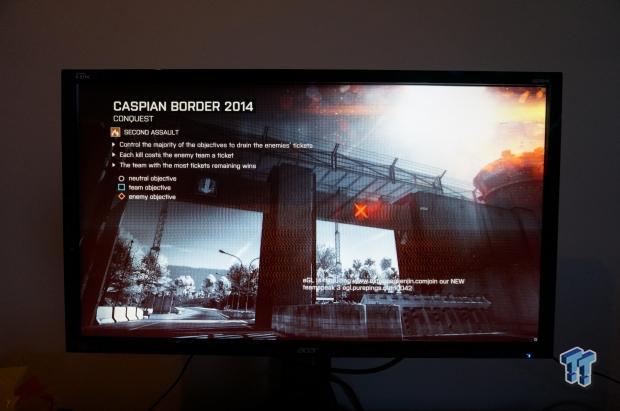
The increased resolution looks mind-blowing in Battlefield 4, which is something I play a lot of recently. For the first 30-60 minutes, the adjustment was truly hard - going from ~120-144FPS minimum, to a ceiling of 60FPS was one of the harder things to get used to.
After the first hour or so gaming with 4K at 60Hz, I began to actually enjoy it. I lose that 'but it's not 144Hz' feeling, and sank my eyes into the beautiful image that is 3840x2160 being rendered in front of me. It was actually better on my GPUs than the 1440p 144Hz setup, as it's easier for the two GPUs to hit 60FPS minimum - making G-SYNC even better - than it was to hit 144FPS minimum.
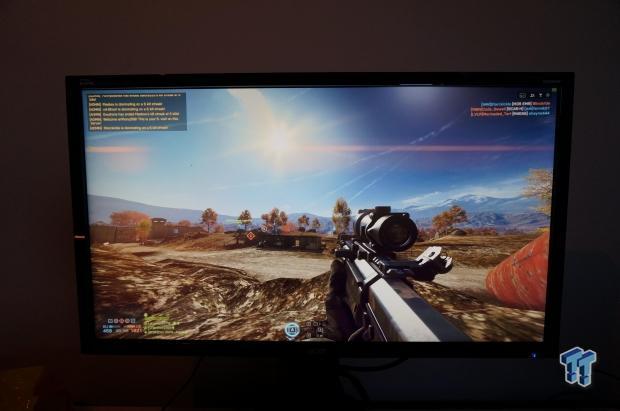
This is where the biggest improvement for me laid, was in the fact that an SLI system is much more capable of driving 3840x2160 at 60FPS minimum, than it is at driving 2560x1440 at 144FPS minimum. 144 frames per second is incredibly hard to render for multiple reasons.
First, games these days are hitting around 60FPS max, because they're built around the consoles. This is an inescapable problem, with game engines themselves being built for X field of view, Y hardware (consoles, so multi-GPU scaling is quite poor in games like Battlefield 4 and Watch Dogs) and Z control methods (console controller at whatever distance away from your TV).
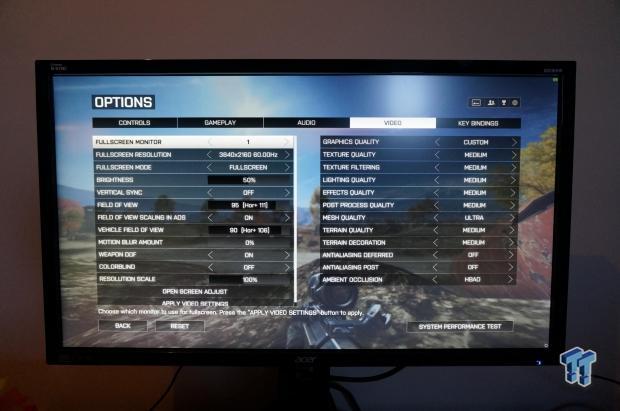
Without going into an entire editorial on the reason I hate console gaming and how much they've infected PC gaming, taking it over and pillaging it like it was meat on a dead animal for profits, we have to deal with it. This is where driving 60FPS is a better alternative, and why I found my experience with Battlefield 4, at 4K and 60Hz with G-SYNC, actually quite enjoyable.
What's Hot, What's Not & Final Thoughts
What's Hot
NVIDIA G-SYNC Is Amazing: This is the exact start to the What's Hot section of my look at the ASUS ROG Swift PG278Q, and it continues to be the start of the Acer XB280HK What's Hot section. G-SYNC is sexy as hell technology, and even better at 4K.
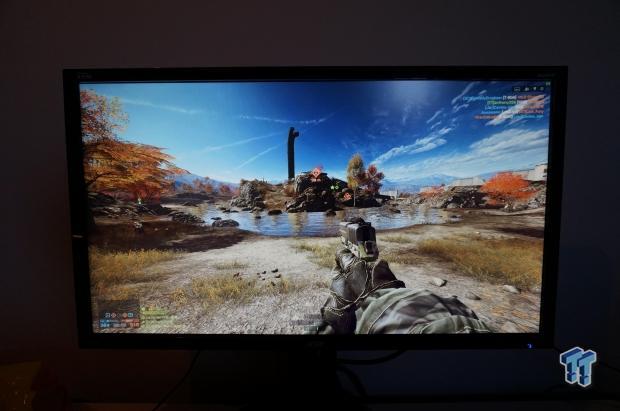
4K with G-SYNC is Unstoppable: After a few hours of gaming at 4K with G-SYNC helping those frame rates feel perfect at 60FPS, it's hard to go back. Battlefield 4 at 3840x2160 at 60FPS with G-SYNC enabled is something you simply need to witness with your own eyes, playing the game yourself - it's almost unbelievable if you're coming from even 1080p.
Coming from a 'next-gen' console, to the 4K goodness with G-SYNC, would almost feel surreal.
Great For Games, Even Better for Desktop: The Acer XB280HK isn't just great in games, as 3840x2160 is beautiful for productivity. The 28-inch size might not be perfect, but for most, it is almost prefect. The panel quality is very high for a TN-based panel, so your eyes won't be punished because it's a TN panel at 4K.
What's Not
Steep Hardware Requirements: This was my only complaint on my review of the ASUS ROG Swift, and it is something that bleeds into the Acer XB280HK, mostly because most gamers don't have the hardware to be gaming at 3840x2160 at 60FPS. G-SYNC does a lot to help, but you'll still ideally need two GeForce GTX 980s in SLI to get the most out of the XB280HK.
Final Thoughts
If the ASUS ROG Swift was the best gaming monitor, and it still is, then the Acer XB280HK is the best 4K gaming monitor. Acer has done an amazing job delivering the world's first 4K monitor with NVIDIA's G-SYNC technology, and even better, is that the company has done so at $799.
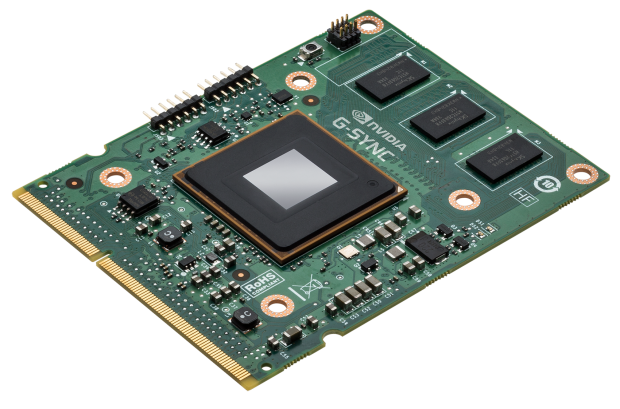
For $799, a decent 4K panel would be considered good value for money. But, most of those panels are TN, and aren't that great. Acer has used a TN panel here with the XB280HK, but it is definitely higher quality than most of the TN panels I've ever had my eyes witness.
On top of that, for $799, you're getting a 4K-capable 28-inch LED that has NVIDIA's game-changing G-SYNC technology. If you've got the right hardware, and let's face it, we're talking about the upper spectrum of displays here, it really pays off. My time with the Acer XB280HK was glorious, but I have the right hardware. The beautiful thing about G-SYNC is that even if you're getting close to the monitor's refresh rate, so in this case, 60Hz or 60FPS, G-SYNC will do the rest if you can get close.
This means you need to be hitting around 45-50FPS at 3840x2160, which can be achieved using a single GPU, if you were to turn the detail down in your games. I was running Battlefield 4 on a mix of medium/high and ultra settings, without a problem - hitting ~60FPS for most of the time. But when I didn't, G-SYNC was kicking in, keeping my gaming experience nice and fluid.
Wrapping it up, if the 2560x1440 resolution of the ROG Swift wasn't high enough, or you don't have the required hardware of hitting 144 frames per second at 2560x1440 (which is tough), then the Acer XB280HK definitely deserves your attention. Without G-SYNC, I would still find this monitor worthy of your money, but as I said earlier in the review, G-SYNC is simply the cherry on top of an already impressive display.
Now you have a choice: 2560x1440 at 144Hz, or 3840x2160 at 60Hz. This is a great time to be buying a monitor, as you have two insanely great choices, with NVIDIA sitting on both sides of the fence here thanks to its G-SYNC technology. The 4K resolution on Acer's XB280HK helps it become more of a multi-use monitor compared to the balls-against-the-wall gaming display that is the ASUS ROG Swift.
Now all I need is two more of these XB280HK's for some triple 4K G-SYNC gaming... but I think I'd need a few generations ahead in terms of GPUs, so come on NVIDIA, give me my GeForce GTX 10K series GPUs right now, please?
 ASUS ROG Strix XG129C Review: A $199 Gaming Monitor You Don't Play Games On
 KTC H49S66 5K2K (5120x1440) 49-inch 180Hz Gaming Monitor Review
 GIGABYTE GO27Q24G Gaming Monitor Review: Glossy OLED Gaming at 240Hz
 MSI MPG 322UR QD-OLED X24 Review: A Brighter, Tougher 4K 240Hz QD-OLED for $1099
 KOORUI 34E6UC Gaming Monitor Review - UltraWide Gaming at 180Hz on a Budget
 SteamOS now works on the Intel Arc B580 without workarounds on the latest beta
 GeForce RTX 3080 cards with 20GB of VRAM are being sold in second-hand markets
 Snapdragon X2 Elite Extreme outpaces Intel's Panther Lake by up to 87%
 Hydra unlocks VRAM overclocking and 125% power limits for all GeForce RTX 50 Series GPUs
 ASRock DeskMeet X300 build significantly outperforms the Steam Machine for the same price
 Star Citizen livestream full of bugs, glitches, and performance issues raises fresh concerns about the $1 billion game
 GTA 6 gameplay leaks ahead of its big reveal, showcasing full map, six-star wanted level, and more
 US Army is giving soldiers time off to play GTA 6 as an incentive
 GTA 6 nears $500 million in pre-order revenue with 77% sales on PS5, per analysis
 Crucial offers a $250 refund for a RAM kit that costs $1,800, forgets to ship back the working module
 Cooler Master V8 ACE 3DHP BLACK CPU Cooler Review
 Cooler Master HAF II 500 Mid-Tower Chassis Review
 Corsair HS35 v3 Wireless Gaming Headset Review - An Affordable Winner
 D-Link F518 5G Wi‑Fi 6 AX1800 Mobile Hotspot Review: All-Day Mobile Hotspot
 Bose Lifestyle Ultra Speaker Review - Impressively Detailed Room-Filling Sound
 MSI Z890 Gaming Plus WIFI6E Review - Z890 for under $200
 Mortal Kombat (1995) 4K Ultra HD Blu-ray Review
 CPS PCCOOLER YS1200 ATX 3.1 80 PLUS Gold PSU Review
 ASRock X870E Taichi White Review: a premium AM5 motherboard with 10G LAN and WiFi 7
 Using Multiple Monitors? Change these Windows settings for a Better Experience
 Windows Sandbox is The Windows Security Feature Most People Never Use
 I ditched the Windows 11 context menu for this open-source tool, and here's why
 Windows 11 may be encrypting your drive already, and I checked where my recovery key went
 GIGABYTE's 40 Days of INFINITY celebrates 40 Years of Innovation with stunning GeForce RTX graphics cards and rewards
 I swapped File Explorer for this free file manager and finally got the layout I wanted
 How to tell if someone has been using your Windows PC without your permission
 6 Task Manager tips for troubleshooting Windows performance problems
 ASUS ROG's 20th Anniversary Line-up of Premium PC Gaming Gear has Arrived - Here's Everything You Need to Know
 Six File Explorer tips every Windows user should know