Verbatim announces new Store 'n' Go Traveller is a 750GB 2.5" portable hard drive, available in black or silver. The Traveller is built to absorb shock if knocked or dropped giving more protection to the drive. It also has a tough rubber surrounding edge to give extra protection to the drive. With its SuperSpeed USB 3.0 interface, the Verbatim Traveller offers extremely high transfer rates when connected to USB 3.0 host systems. That makes it the ideal storage solution for private and professional use on the go.
The drive is plug 'n' play and requires no external power for operation. It is also 100 per cent backwards compatible with USB 2.0 systems. For added security Nero BackItUp and Burn Essentials software enables automatic or manual back up of files, folders and drives. The software also includes Nero Express which provides the facility to easily burn files to CD or DVD, and Nero RescueAgent which helps to recover files should they become damaged.
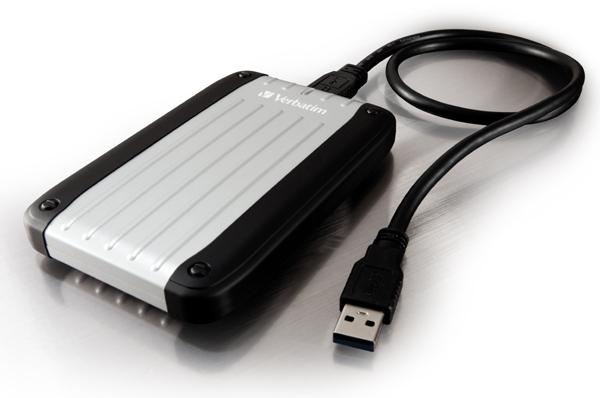
• Tough enclosure to make the drive more resistant to knocks whilst travelling;
• USB 3.0 SuperSpeed data transfer offering up to 4.8 Gigabit per second;
• USB plug 'n' play (no additional power required);
• 100% compatible with USB 2.0;
• Nero BackItUp and Burn Essentials software;
• Quick Start Guide printed in 27 languages.
Also on the drive is Green Button software which reduces energy consumption and extends the drive's life expectancy by automatically placing the drive into sleep mode after a programmed period of time or by the user manually clicking on the Green Button on the desktop.
Last updated: Apr 7, 2020 at 12:05 pm CDT
 United States: Find other tech and computer products like this over at
  United Kingdom: Find other tech and computer products like this over at
  Australia: Find other tech and computer products like this over at
  Canada: Find other tech and computer products like this over at
  Deutschland: Finde andere Technik- und Computerprodukte wie dieses auf