Our Verdict
While Zyxel doesn't have the prowess of a Netgear, Linksys or ASUS in the consumer networking space, behind the scenes, they have built a legit SMB networking platform that rivals Meraki, Netgear Insight and many others. More recently they have been moving into the consumer space with the launch of the Multy X and now Multy U mesh platforms.
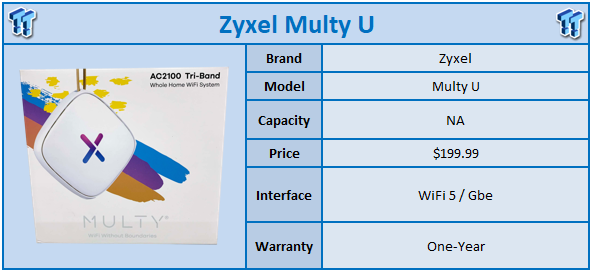
The Multy U is part of a quickly expanding ecosystem of solutions over at Zyxel. This platform is a tri-band AC2100 class solution offering 300MBps on the 2.4GHz band and 866Mbps on the 5GHz. A secondary 5GHz band is dedicated to backhaul between nodes and offers the same 866MBps. As for hardware this platform is built on Realtek silicon with the RTL8198CS SoC operating at 1GHz across two cores paired with 256MB of memory. 512MB of flash has been added for the firmware.
Setup of this platform is controlled via the Zyxel Multy App on Android and iOS. MSRP of the Zyxel Multy U comes in at $199.99 for a two-pack. Warranty is listed at one-year.
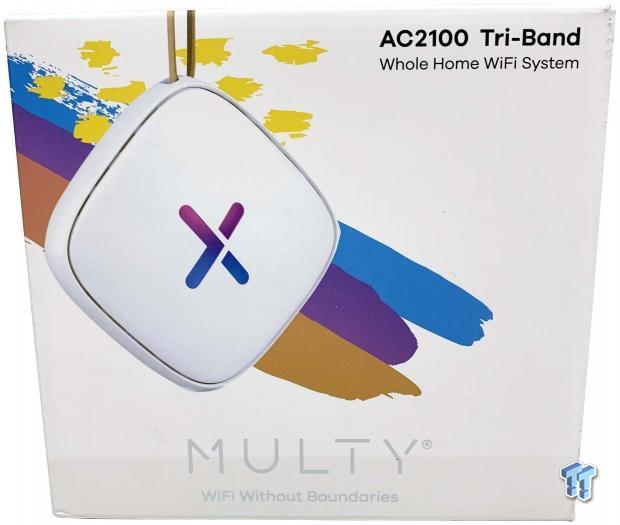
Packaging of the Multy U is quite different from what we have seen in the past in that each node is packaged separately. Even for devices that are purchased as a pack, they will come in separate boxes. The front offers a colorful presentation with the node centered to the top right we have branding.
Best Deals: Zyxel Multy U Pair - AC2100 Home Wi-Fi Mesh System


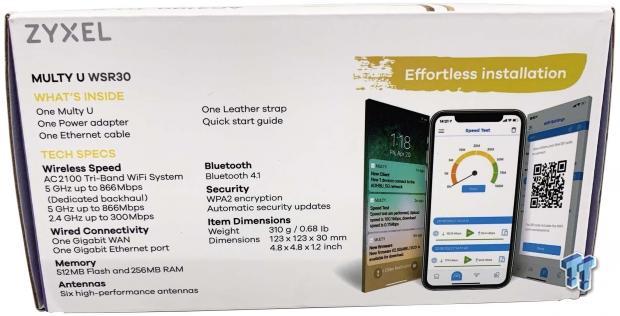
On the top edge of the box, you will find the specs and package list.
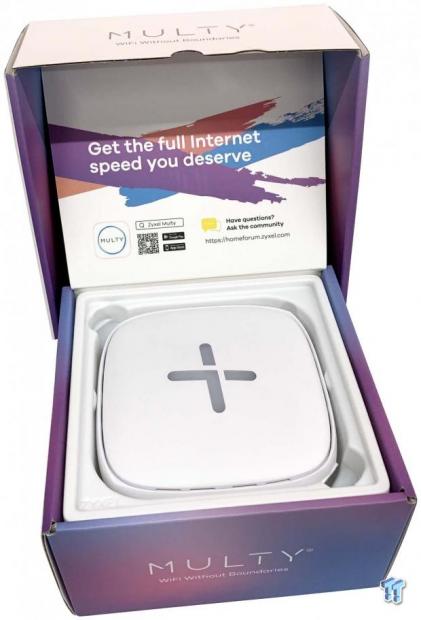
As noted, each node is separately packed with its power cord, and ethernet cable tucked away underneath.
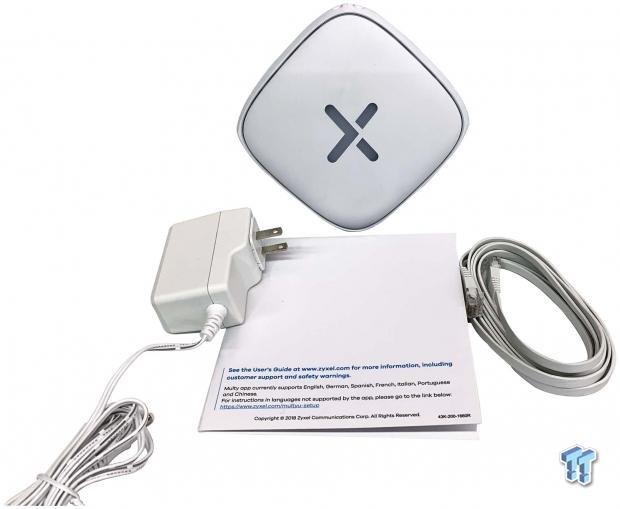
Scope of delivery includes the power cable, ethernet cable, and reading materials.
Our Latest Routers & Access Points Review Coverage
- MSI Roamii BE Pro Wi-Fi 7 Mesh System Review - Affordable price, good mid-range performance
- ASUS ROG Rapture GT-BE19000AI Gaming Router Review: Shiny and fast (except when it isn't)
- NETGEAR Orbi Wi-Fi 7 370 Dual Band Mesh System Review - Mid-Range Value
- NETGEAR Nighthawk 5G M7 Mobile WiFi 7 Router with eSIM MH7150 Review
- Engenius ECW520 Cloud7 2x2x2 Access Point Review: Serious Management Potential
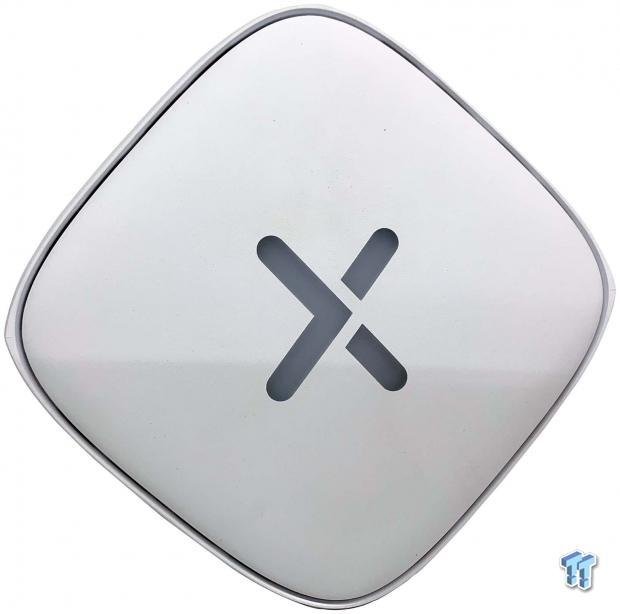
The Multy U offers a unique design with its rounded corners and diamond-shaped setup thanks to the stand on the back. Each node has a multicolored LED placed inside the X on the front - this aids with setup and status of the router afterward.
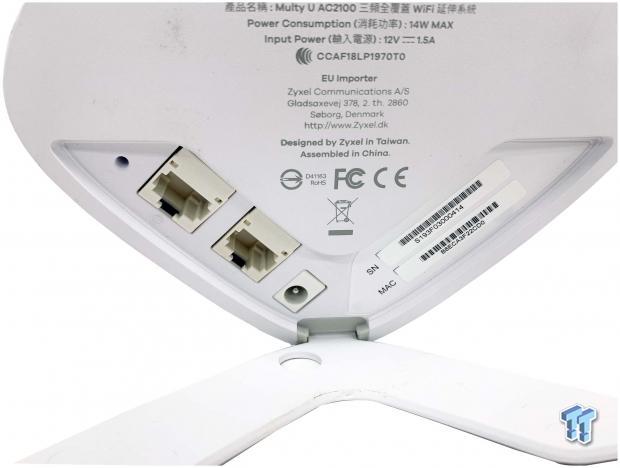
On the backside, we have reset WAN, LAN, and power input.
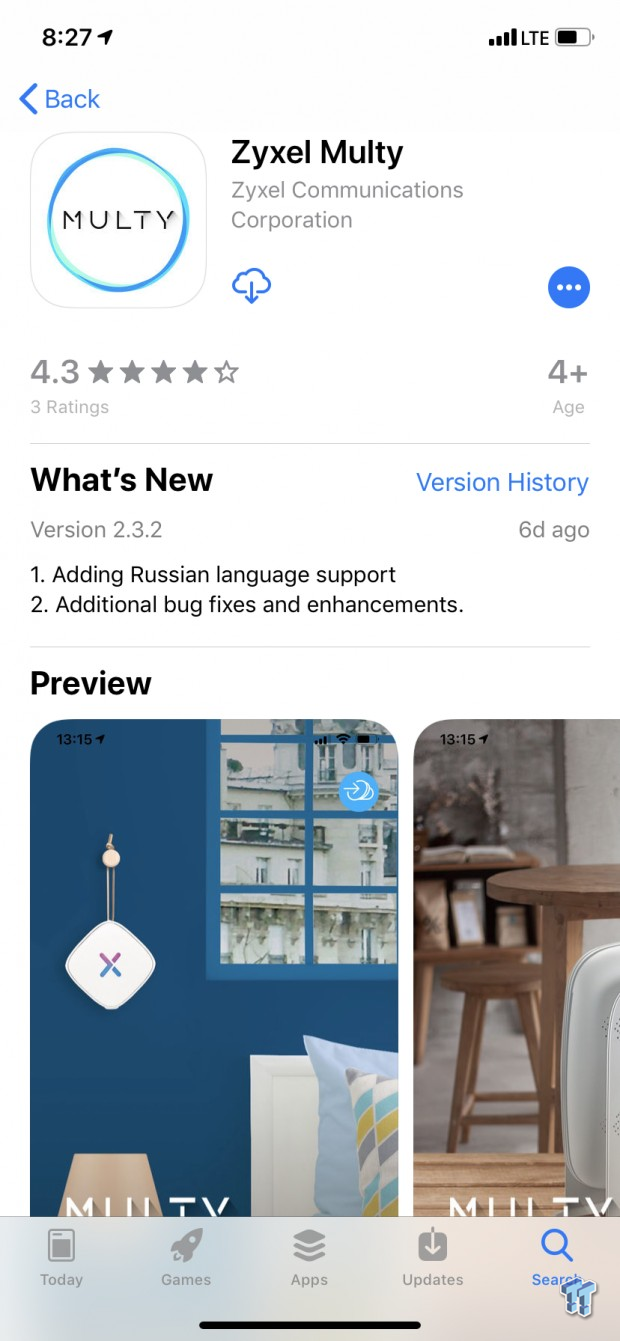
As mentioned, setup is run through the Multy app on iOS or Android. We are using iOS on an iPhoneXR.
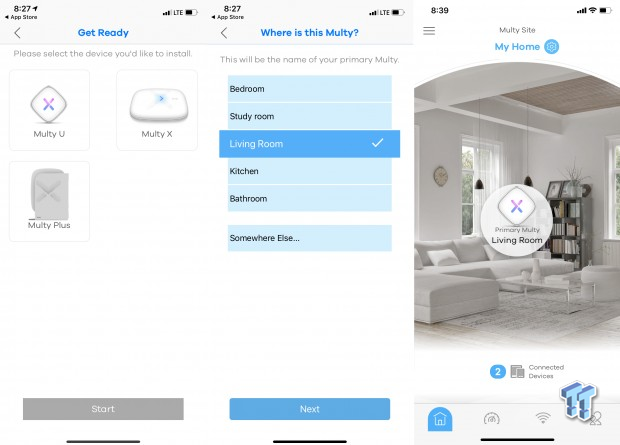
We start by selecting the system we are setting up and choosing where the initial node is in the home. After a few more step and a minute or so, the system will be ready.
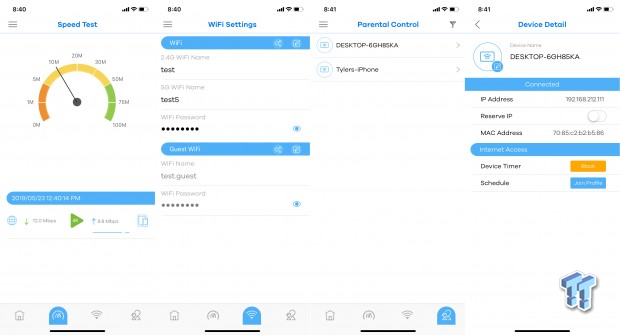
Each node is added individually by following the initial setup process. Once you have the system setup the app gives you access to controls along the bottom of the main menu. The first is a speedtest that offers results in both speed numbers but also gives you a color code for 1080p and 4K video streaming.
The next menu item is the Wi-Fi settings and password and the ability to have a guest network if needed. This is followed by device and parental control, which as you can see in the last image you can setup with a schedule or daily timer.
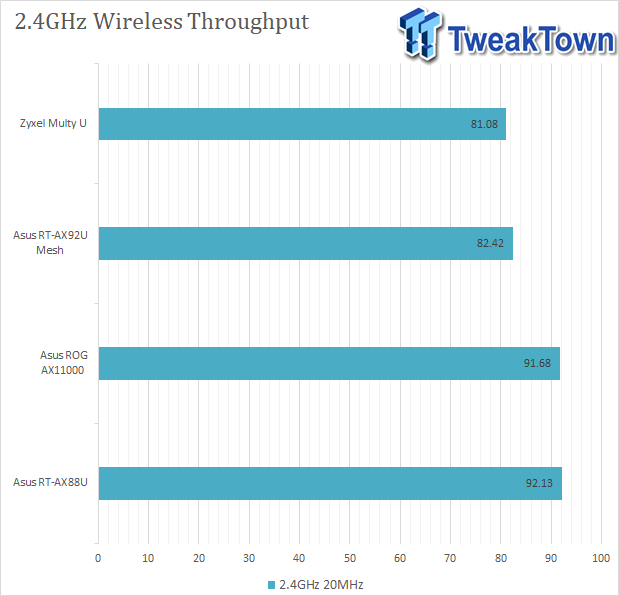
Testing the Zyxel, I ran through our default testing for Mesh platforms. This solution doesn't have more than one LAN port so there is no LAN to LAN throughput. I instead started with 2.4GHz wireless through and received 81Mbps.
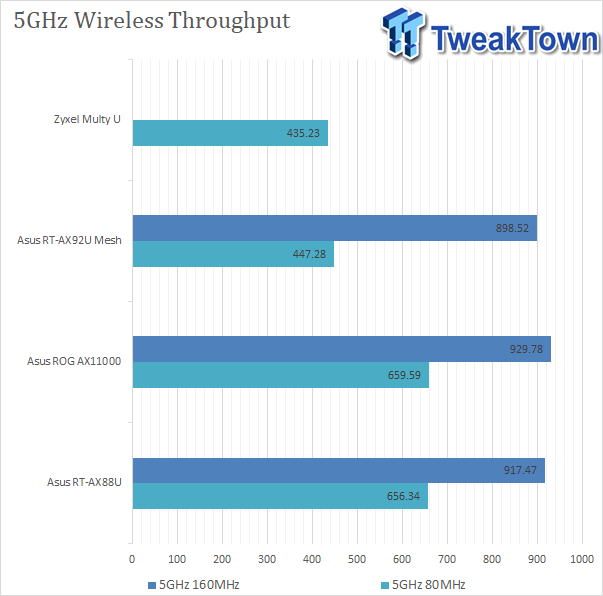
Moving over to 5GHz 80Mhz, we see 435Mps for the Multy U.
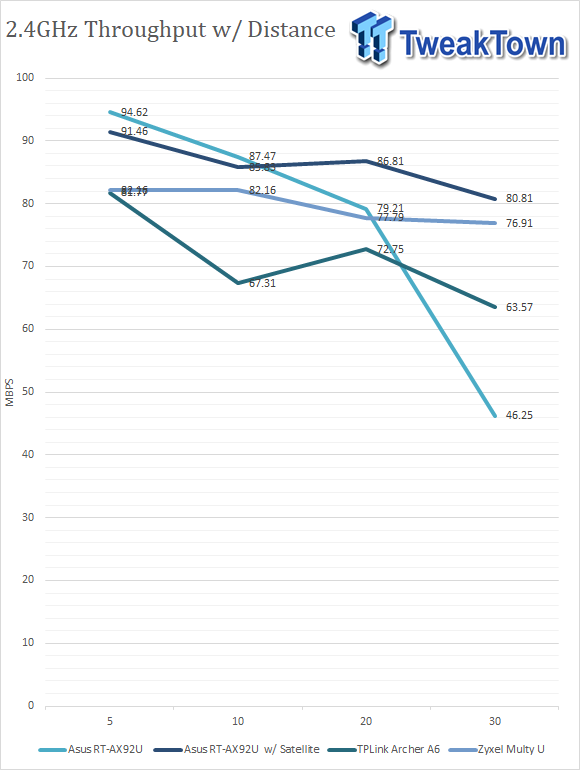
Over to mobile testing, the Multy U was a rather consistent device capable of decent 75-80Mbps from 5ft to 30ft.
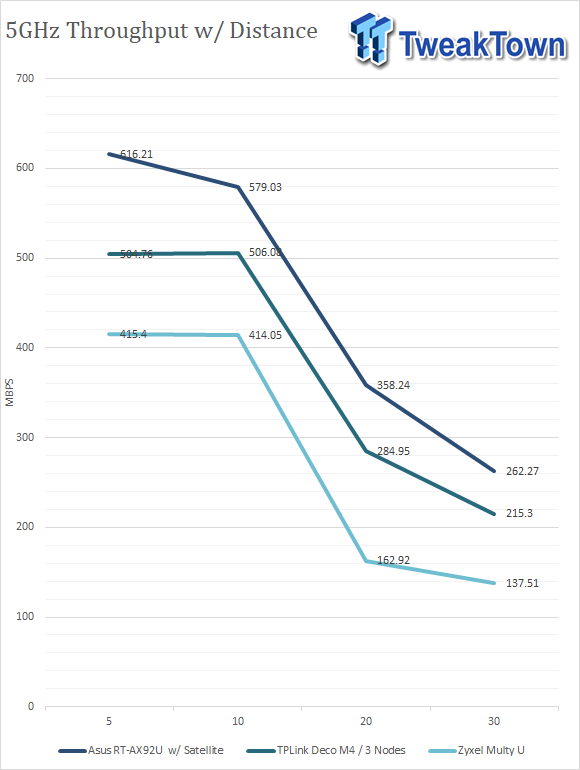
As for 5GHz, we started at a solid 415Mbps at 5ft and moving out to 10; we hold that performance. After hitting 20ft, we see performance drop to 162Mbps, and it holds there for the most part.
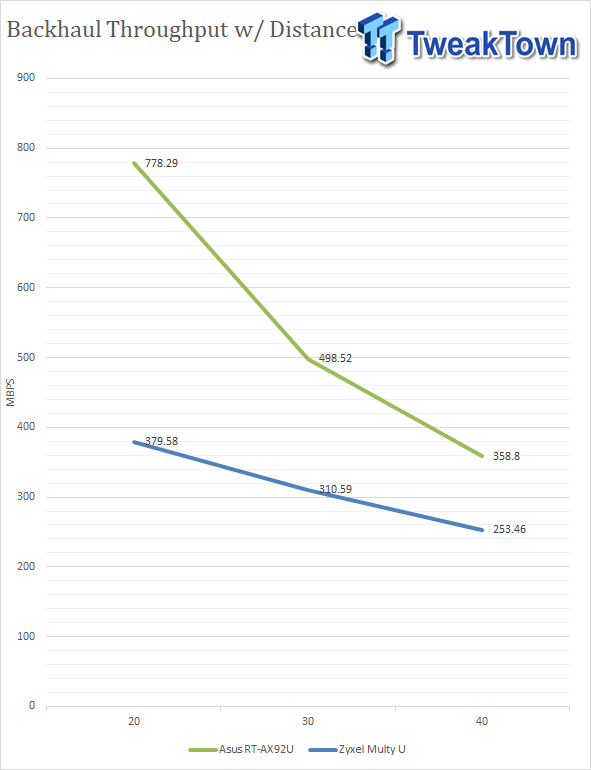
Backhaul performance was decent at 20ft holding 379Mbps. Moving out in 10Ft increments the performance has an equal roll-off.
Having tested so many routers in my own home network over the last 7 years here at TweakTown, I can instantly tell when a router is going to have a problem with my day to day activities. With the Zyxel, I myself had no issues in setup or daily use apart from the occasional buffering event from YouTube, but from my own research, it does appear the Android app does have issues with setup and deployment.
Build quality of these units is top-notch, the plastics feel great in hand, and the LEDs have amazing saturated color and overall look great on any desk or entertainment center. I'm still confused about why Zyxel included a leather lanyard with the platform apart from adding more to the aesthetics of the solution.
As for performance, I was happy with it in day to day use apart from that occasional bump in the road streaming YouTube, and in testing, I was able to get legit numbers from it for an AC2100 solution. Backhaul hit 350Mbps at 20ft which taking in all the performance overhead should support extending the 5GHz network on additional nodes and 5GHz performance itself reach 450Mbps, on par with my expectations for a 2x2 5GHz band.
As for pricing, the Zyxel Multy U has some real contenders as it's up against the Velop and Orbi. However, it does appear Zyxel has the upper hand coming in $50 cheaper than each of those solutions.
Tyler's Test System Specifications
- Motherboard: ASUS Prime Z370 (buy from Amazon)
- CPU: Intel Core i3 8350K (buy from Amazon)
- RAM: Corsair Vengeance 32GB 4x8GB DDR4 3200 (buy from Amazon)
- Cooler: Corsair Hydro H115i (buy from Amazon)
- Case: Corsair Air 540 (buy from Amazon)
- OS Storage: Samsung 960 EVO 250GB (buy from Amazon)
- Power Supply: Corsair RM850x (buy from Amazon)
- OS: Microsoft Windows 10 (buy from Amazon)
- Wi-Fi NIC: ASUS PCE-AC88 (buy from Amazon)
- 10Gbe NIC: ASUS XG-C100C (buy from Amazon)
- Thunderbolt 3: ASUS Thunderbolt EX3 (buy from Amazon)