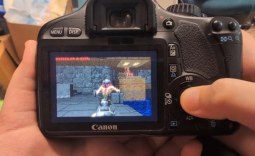
Canon is one of the biggest makers of DSLR cameras in the world, and it currently has a new app that launched called the EOS Webcam Utility Beta app. Anyone who has a Canon DSLR camera and needs a webcam for business or keeping in touch with family and friends can use the app to turn their DSLR into a very high-quality webcam. The new app is particularly welcome during the coronavirus pandemic as webcams can be hard to find.

The new EOS Webcam Utility Beta app will be appealing to owners of both new and old Canon DSLR cameras. While the newer cameras have HDMI outputs, additional software is still required to capture and stream live video. In some instances, capture cards are also needed.
The EOS Webcam Utility Beta eliminates the need for any additional hardware for compatible cameras. Only certain cameras are supported but the list is long. Supported cameras include the following:
- EOS-1D X Mark II
- EOS-1D X Mark III
- EOS 5D Mark IV
- EOS 5DS
- EOS 5DS R
- EOS 6D Mark II
- EOS 7D Mark II
- EOS 77D
- EOS 80D
- EOS 90D
- EOS-1D X Mark III
- EOS 5D Mark IV
- EOS 5DS
- EOS 5DS R
- EOS 6D Mark II
- EOS 7D Mark II
- EOS 77D
- EOS 80D
- EOS 90D
- EOS Rebel SL2
- EOS Rebel SL3
- EOS Rebel T6
- EOS Rebel T6i
- EOS Rebel T7
- EOS Rebel T7i
- EOS Rebel T100
- EOS M6 Mark II
- EOS M50
- EOS M200
- EOS R
- EOS RP
- PowerShot G5X Mark II
- PowerShot G7X Mark III
- PowerShot SX70 HS
If you search that long list of compatible cameras, you'll notice that there are both mirrorless cameras and Canon PowerShot cameras listed. To download the app, users need to hop over to the official page for the beta software here. Users can then find the Drivers & Downloads tab, select the software tab, and then find the EOS Webcam Utility Beta and download it. Users will also need a USB cable that works with their camera.