I really do love it when a new OS comes out. It is a time for experimentation. Finding the hidden tweaks to make the OS run faster, more secure and generally exactly the way you want it too.
As always there are numerous articles that give you ideas on how to get the most from your installs. But what about getting the most out of the features offered?
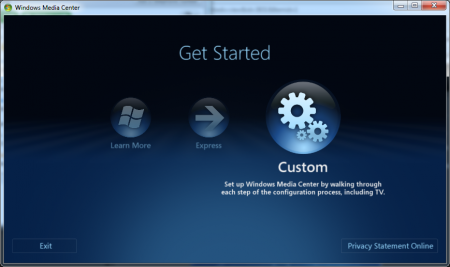
With the inclusion of Windows Media Center in Windows Vista many people (myself included) have used Microsoft's OS as a front end for a Home Theatre PC. The problem with Vista was that it was sort of clunky and slow. granted it was light years ahead of XP MCE but still not exactly what most were looking for.
In Windows 7 much of that has changed but there are still some areas that need to be addressed. This has been done by MissingRemote. They have taken a look at the way MCE launches and published a handy list of switches to add to the ehshell.exe (MCE's real name). These can do everything from remove the sounds and logo to preventing someone from shutting media center down.
Granted some of this can be done in the settings page but for the tweaker (computer tweaker) these are pretty cool.
Source