

Introduction
 32
32As you progress deeper into what could possibly be classified an addiction, your enthusiast drive will, at some point, lead you to rackmount systems. I'm not saying everyone will end up with a 42U seven foot computer case for your computer cases in your home office, but it's been known to happen... a few times in my case.
I bet a few of you are already knocking on the door. Let's see if this sounds about right. You have a handful of computers already built, but some are not hooked up to a keyboard, mouse or monitor. From time to time you need to plug them in, but most of the time you're just accessing them through remote desktop. These computers take up quite a bit of floor space and you've already moved them away from your main computer. If that's the case then it's probably time to rack and stack them.
Rackmount gear is notoriously expensive. Buying a full 42U rack from Dell, HP, EMC or just about anyone else is going to cost you an arm for the rack and a leg for shipping it to you. Even in low-tech Indiana, a full 42U on Craigslist for less than $100 dollars is an easy find. You just have to go get it, but that pales in comparison to the price of a brand new rack and the cost to ship them.
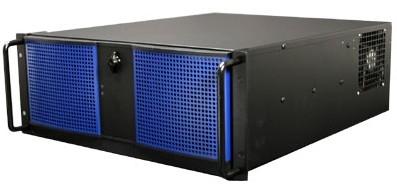
Now that you have the space, it's time to populate it. Several years ago I acquired an Antec Take-4, Antec's 4U rackmount solution. The case held up very well over the years and recently I needed to find another one. The great thing about rackmount cases is they tend to stay on the market for a very long time. The technology really hasn't changed a lot.
Today we're looking at my new Antec Take-4 case. I'm using these two cases in our new NAS server testbed that uses dual identical computers to stress NAS servers. Antec was gracious enough to send me another one and I would like to show it to you.
Specifications, Availability and Pricing
 32
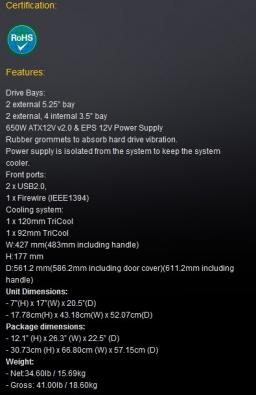
32Before we dive in, I want to tell you what a U is. The U in 4U is unit. Each unit is 1.5" tall so a 1U server is 1.5" tall. This is an important measurement in the server world because when you buy rack space in a datacenter you buy it in 1U increments. Since we aren't buying space outside of our office we aren't too worried about limiting our unit height, we have 42 to work with right now... well we did... that whole addition thing makes the racks fill up fast.
Most of us know Antec from its popular computer cases and most of us at one point or another have owned an Antec case. Antec also has a popular line of rackmount cases that come in several unit heights.
The features list above is for the Take-4 =650, Antec's largest case in this category. This case ships with a 650 watt power supply, but you can still find vanilla Take-4 cases in the wild without the power supply included. Since we're running an Intel Extreme Edition processor and a power hungry motherboard we opted for the standard Take-4 without the power supply.
The case ships with dual optical drive bays, six 3.5" HDD bays (two internal and four external) and a handful of front connection ports (2x USB 2.0 and 1x Firewire). The Take-4 also ships with all of the fan slots filled, one 120mm and one 92mm. Both fans come from Antec's TriCool line that has three selectable fan speed settings.
Packaging
 32
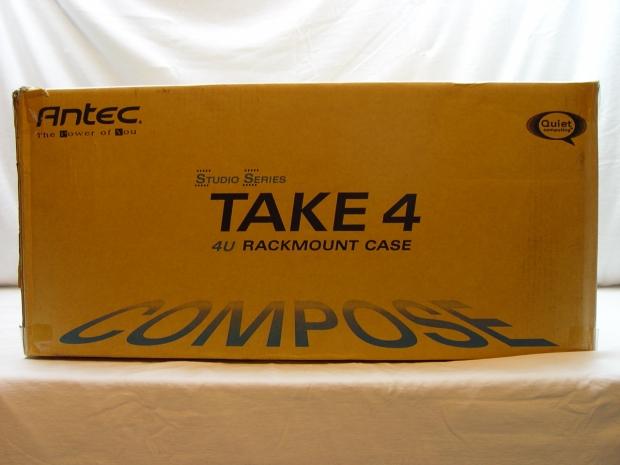
32Chances are you are shopping at Fry's for a rackmount case so the outer package is a no frills brown box.
 32
32You get a little color and just enough info to know what's in the box.
 32
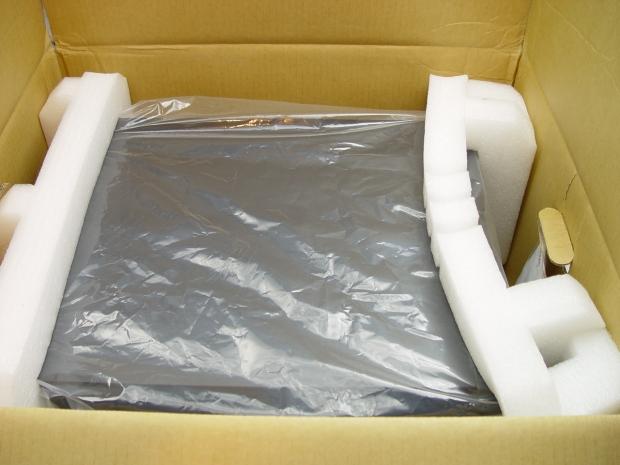
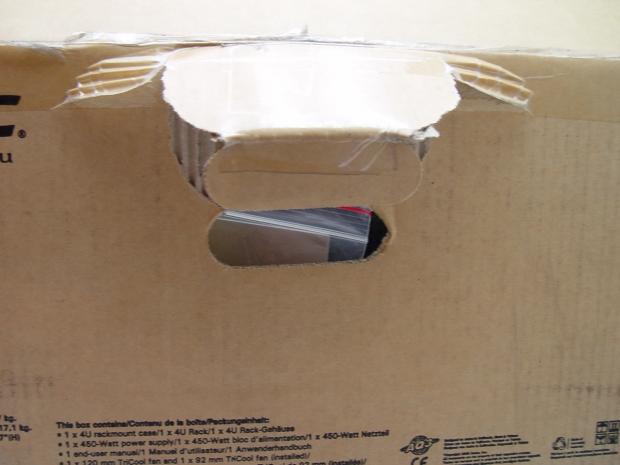
32It's always what's inside the box that's important. Antec did a really good job with the inner packaging. You might notice the bottom right corner of the box is a little out of line.
 32
32That's because I dropped the box down a flight of stairs. No worries though, the case survived and there wasn't a mark on it. This inadvertent box drop test just goes to show that Antec done a really good job with the packaging.
 32
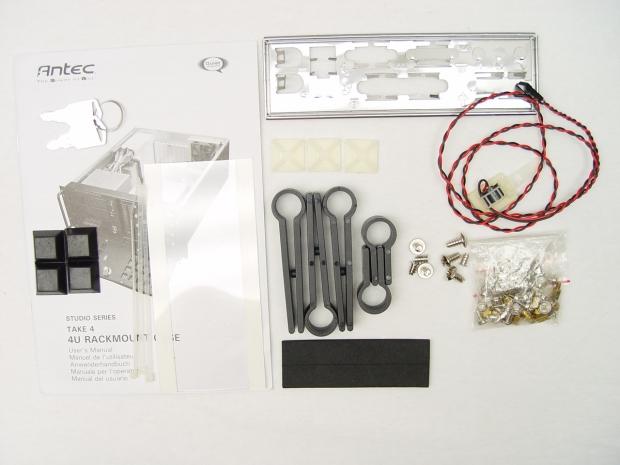
32When it comes to accessories you get more than what you'll need. There's nothing wrong with excess.
Antec Take-4 Rackmount Case
 32
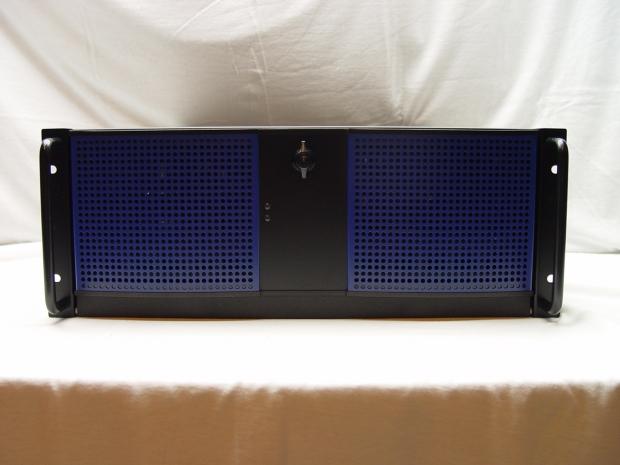
32Most rackmount cases are really boring and all black. That doesn't hold true for the Antec Take-4 as it has a nice blue insert that makes it stand out. On the front is a locking door and without the key you can't turn the server on, off or access the drive bays.
 32
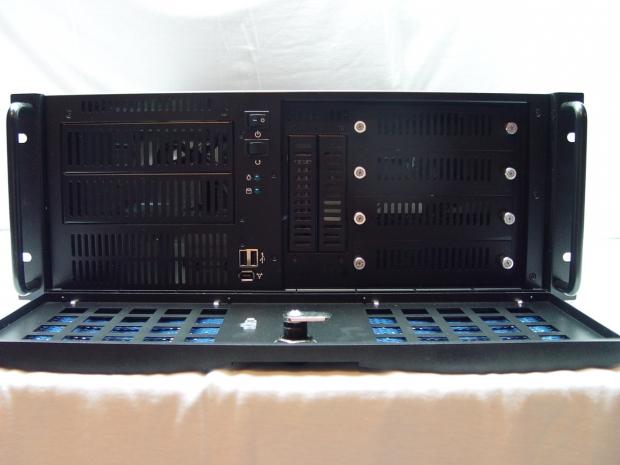
32The magic happens when you have the key. In the middle of the Take-4 are power and reset switches as well as dual USB 2.0 ports and a Firewire port. Your external 5.25" bays are on the left side and just below them is a cooling vent.
Dual 3.5" bays are right of center and can be used for floppy drives or with the panels in, internal 3.5" HDD bays.
On the far right are your four removable 3.5" HDD bays.
 32
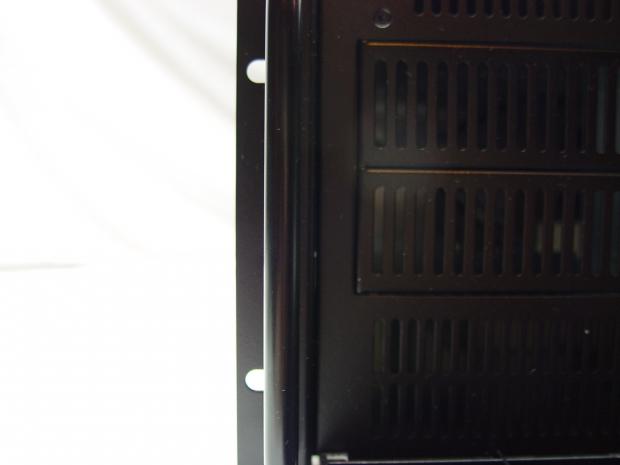
32This is a rackmount case so it has rack ears. Two handles are on either side of the case. The handles do obstruct the way you insert your screws somewhat so you'll want a regular screwdriver and not an interchangeable tip screwdriver with a bunch of tips in the handle.
 32
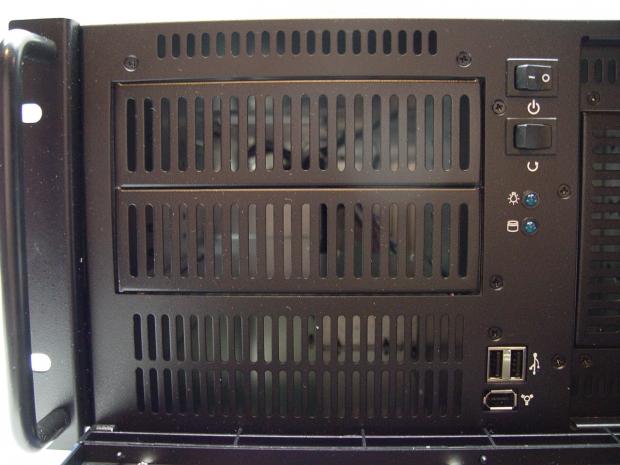
32Here we get a close up of the 5.25" bays, these are typically used for optical drives, but we're mounting an Icy Dock 6-in-1 SATA 2.5" bay unit in so we can hold a high volume of SSD performance.
 32
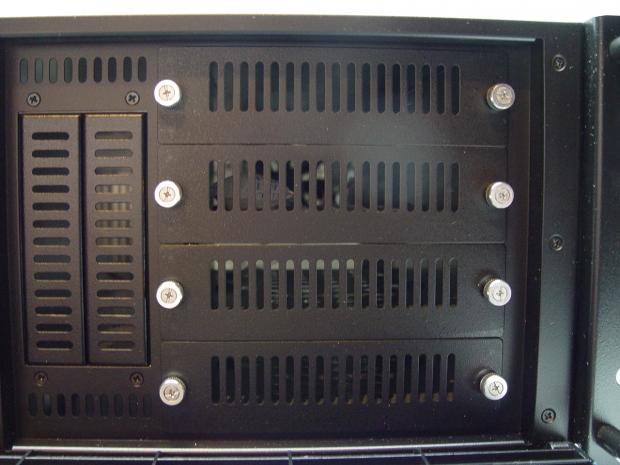
32On the other side are the four removable 3.5" bays. It should be noted this system does not use a backplane so when you pull the drives out you're pulling the cables out as well.
 32
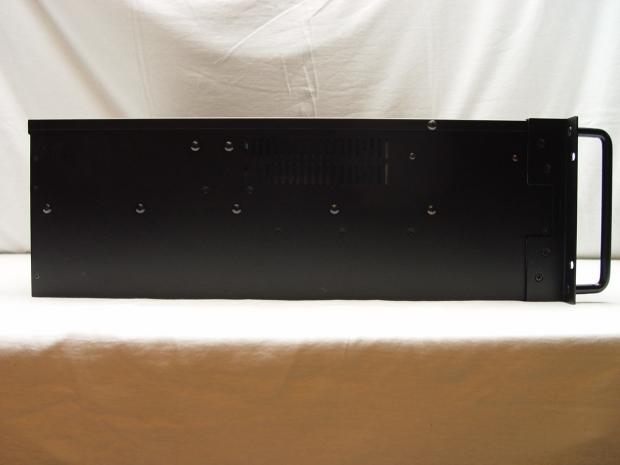
32Each side has mounting points for rack rails. Antec offers two rail kits that are adjustable for length.
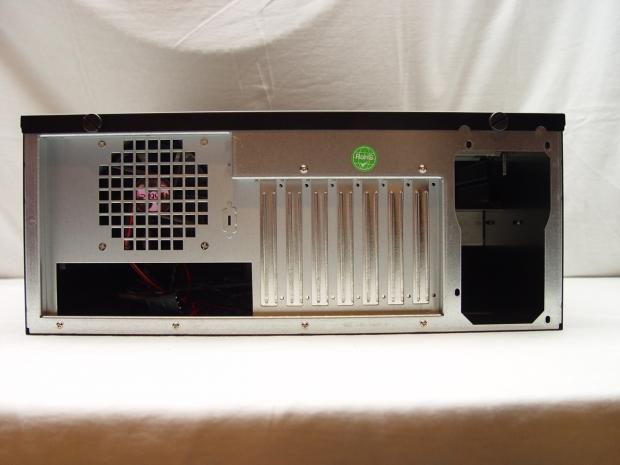 32
32The back of the case looks like a standard ATX form factor case. There is also a 92mm exhaust fan mounted back here.
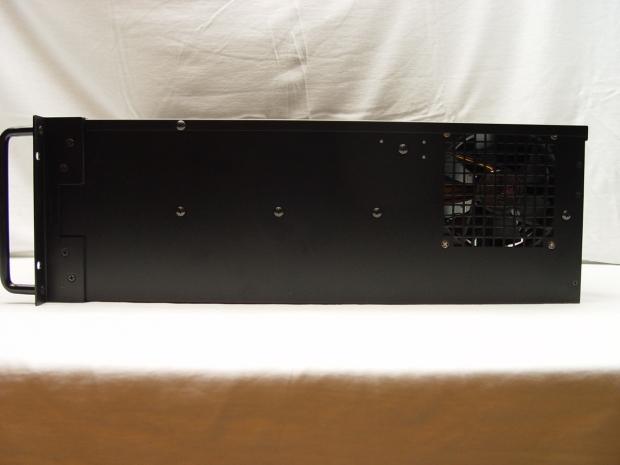 32
32A 120mm fan is on the other side. Both fans are very close to the CPU area of the motherboard as you'll see in a moment.
Inside the Antec Take-4
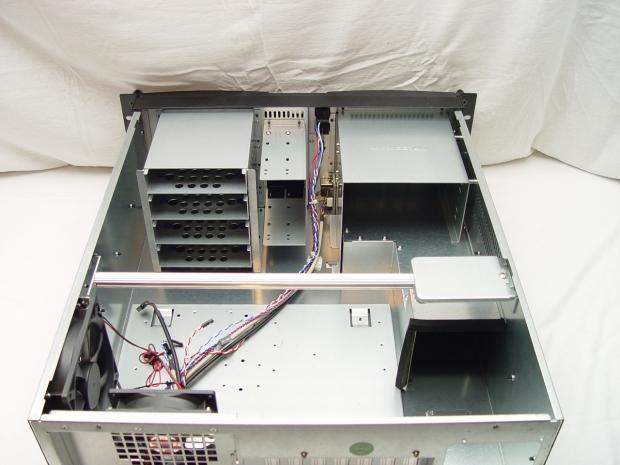 32
32You aren't going to find a lot of bells and whistles inside of a rackmount case normally, but Antec did what they could to spice things up a bit. There is a cross bar at the top of the case that adds strength to the case.
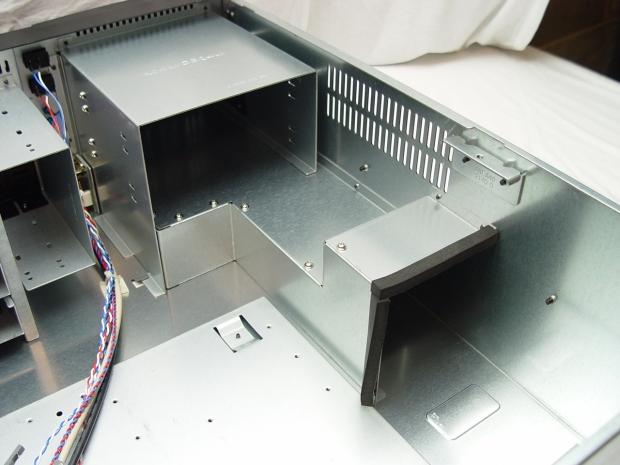 32
32Antec also build in a cooling duct for the power supply.
 32
32The air duct is removable should you need to install a power supply that's larger than 6.5". Given the Extreme Edition processor, high volume of HDD/SSDs and high stress the system will run under we're using a big fat power supply so the air duct has to go.
 32
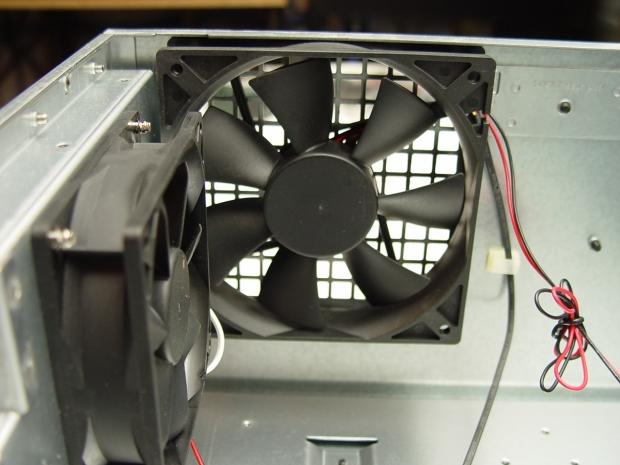
32Here we see the dual case fans included with the Take-4. Both have three user selectable settings - High, Medium and Low. The case fans also use 4-pin Molex connectors and adapters for 3-pin motherboard headers are not included.
 32
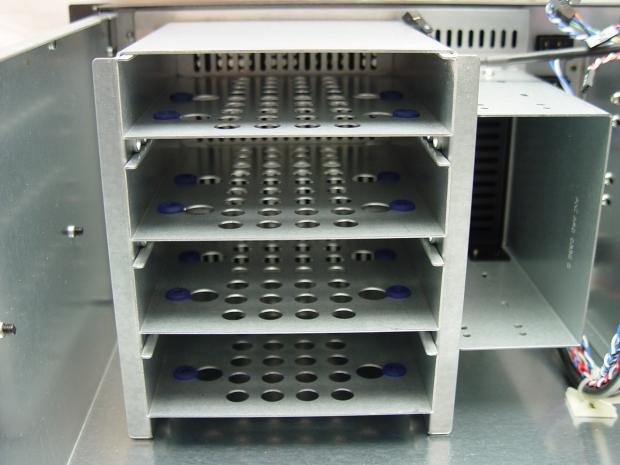
32The drive sleds have rubber grommets so your 3.5" HDDs are not in contact with any metal that can induce vibration and thus make additional noise.
 32
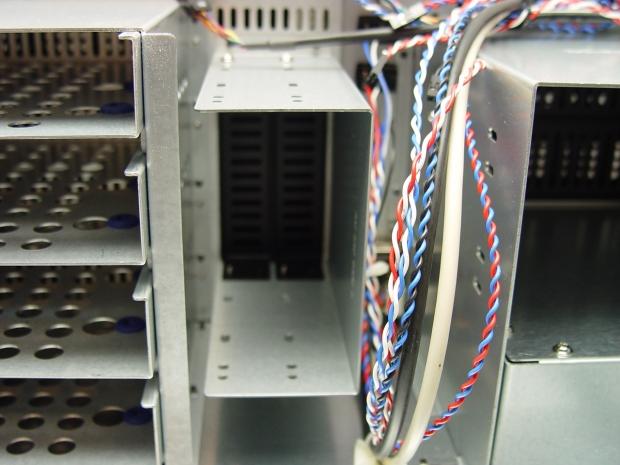
32There are also two 3.5" internal bays that can be used for HDDs or other 3.5" devices like floppy drives.
 32
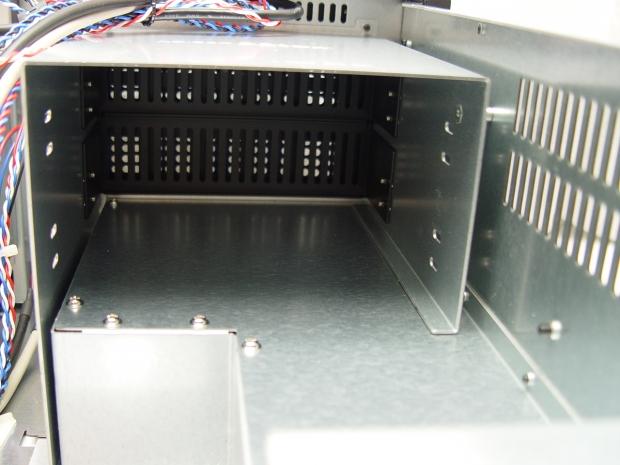
32Finally there are dual 5.25" optical bays just above the air duct.
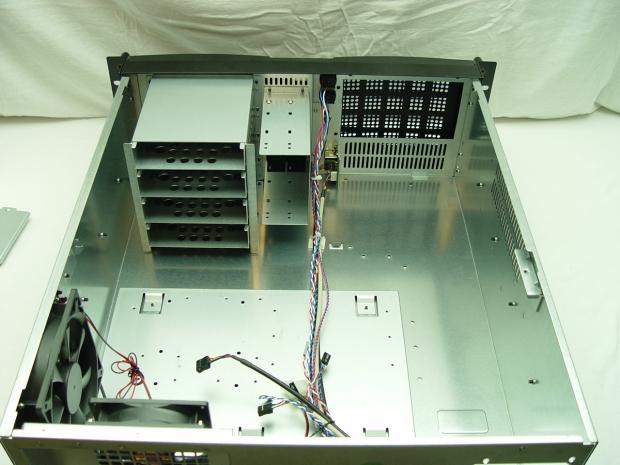 32
32As we mentioned the air duct is coming out and in this image, we can see it removed. The 5.25" bay will go back in after we mount the Icy Dock 6-in-1 SATA drive carrier.
The Build and Finished Product
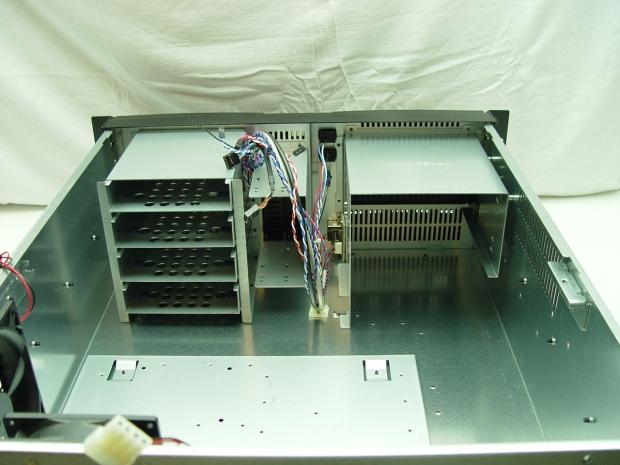 32
32With our 6-in-1 in place and the easily accessible 5.25" bay back in we can start our build.
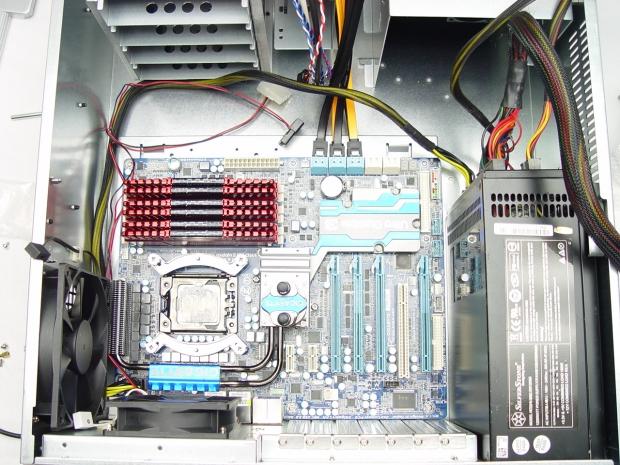 32
32Although confined to 4U and the size limits of a rackmount, Antec managed to give us quite a bit of room for the motherboard. In my two servers I'm using Gigabyte X58A-UD7 boards with ATX form factors. There is enough room for EATX if you need it and maybe even a little more.
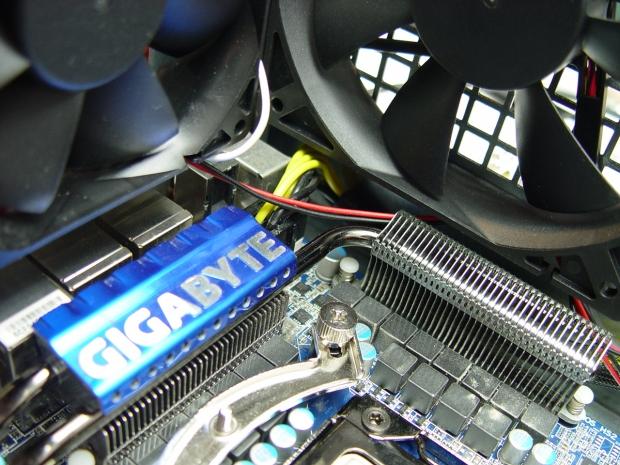 32
32The motherboard isn't butted up against the side of the case so your 8-pin power wire can go under the fan and not rest on the motherboard. The case fan wires can also fit along the same path. The cooling fans are set so they cool the power regulation circuits and also exhaust the hot CPU air.
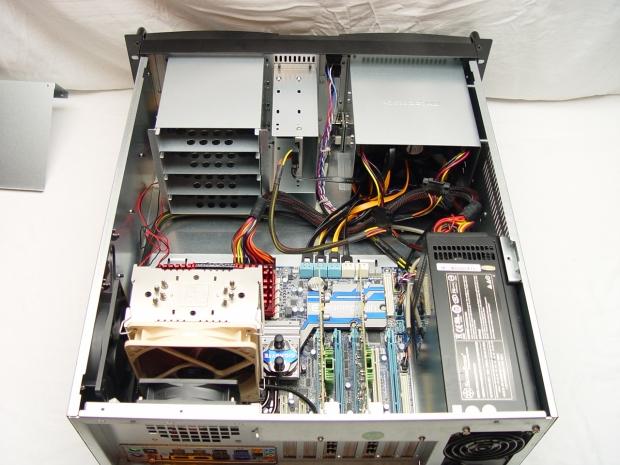 32
32Even with a fully modular power supply, we had a lot of spare cable length to get out of the way. With the air duct removed we had room to push most of the spare cabling into a corner.
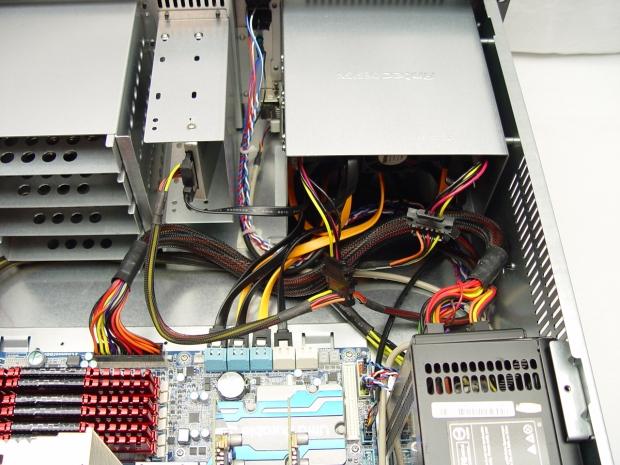 32
32I've never been very good at cable management; this is about as good as it gets for me.
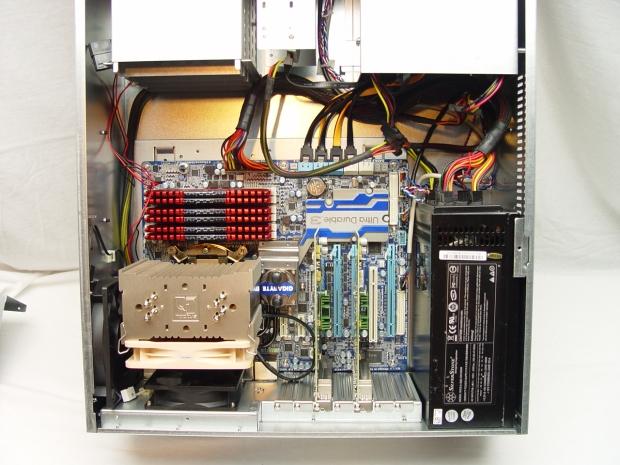 32
32In each system we have seven SSDs, two 6-port gigabit NICs, 48GB of Corsair Vengeance 1866MHz RAM and when in use peg all of the CPU cores to 100%. The Noctua coolers are standard practice in my office, but they don't fit well in a 4U case. We can't put the case covers on, but there is no reason to break from tradition, all of my case covers are neatly stacked in a corner of my office.
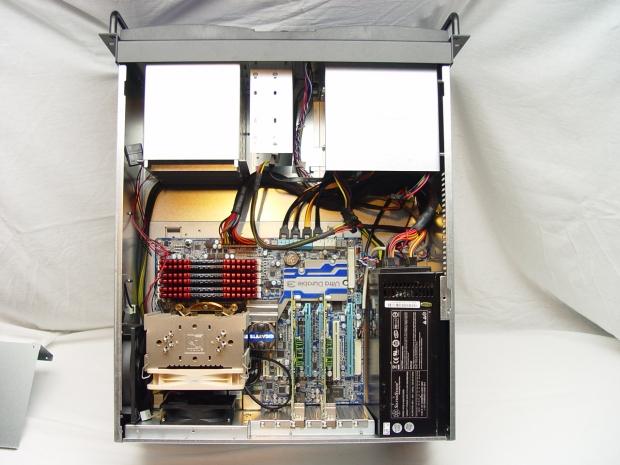 32
32This server is ready for production.
Final Thoughts
 32
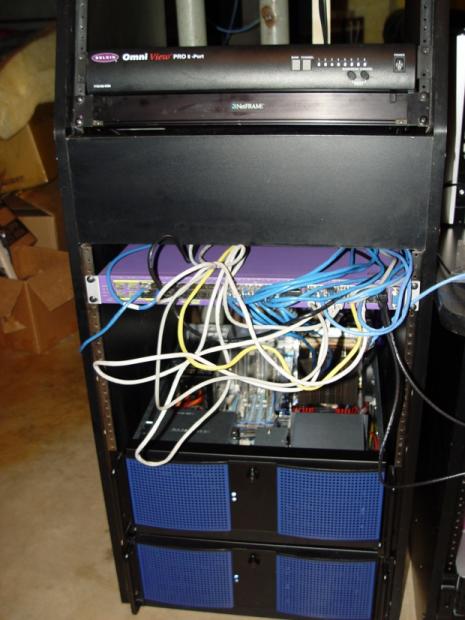
32Until I go pick up my new-to-me 42U rack I'm using one of my old studio racks for my setup. At some point I gave up on making my network cables equal length and started pulling them out of a storage tub. Like I said, cable management isn't really my thing.
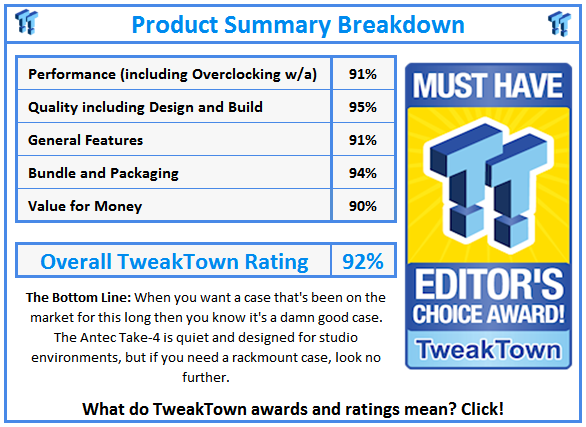
Antec's Take-4 has been around for several years and there's a good reason for that. The case is made very well and as we proved can even fall down a flight of steps without injury. As far as 4U cases go, Antec has one of the best on the market and they are easy to find online. The dash of color on the front takes them out of the boring category and the internal components make this a premium offering in a class of products typically void of anything premium besides a strong structure. Even though we didn't use it for this build, the power supply cooling duct is a very nice feature and allows your PSU to breathe cool air.
In the enterprise world entire racks are purchased at a time and not individual components, but it's nice to know that a company with Antec's reputation still offers us small timers a quality option for rolling out our own servers. Over the years I've had fifteen to twenty rackmount cases and the Antec Take-4 is the only one I kept after we moved two years ago. I think the quality of the case speaks for itself and it's easy to see why I would keep this one for future use. The future finally caught up to me and it was time to put this case back into production. Keep in mind my original Take-4 is at least seven years old and it looks identical to the new one, another testament to how well the Take-4 was built.
If you're ready to go down the path of ultimate enthusiast, you can't go wrong with the Antec Take-4. The case is built to last and can hold a lot of hardware. The drive sleds make building a high volume storage server easy and the other expansion options give you a high degree of flexibility. It would be nice to see a USB 3.0 version released, but we are talking about an old design that has stood the test of time.
 United
States: Find other tech and computer products like this
over at
United
States: Find other tech and computer products like this
over at  United
Kingdom: Find other tech and computer products like this
over at
United
Kingdom: Find other tech and computer products like this
over at  Australia:
Find other tech and computer products like this over at
Australia:
Find other tech and computer products like this over at  Canada:
Find other tech and computer products like this over at
Canada:
Find other tech and computer products like this over at  Deutschland:
Finde andere Technik- und Computerprodukte wie dieses auf
Deutschland:
Finde andere Technik- und Computerprodukte wie dieses auf  Dragon's Dogma 2 patch delivers some important fixes - but not the one everyone wants
 AMD's top Strix Point Halo APU could have 16 Zen 5 cores in 2 x CCDs, mirroring Ryzen 9000 CPUs
 FBI confirms Chinese hackers have infested US water and energy systems
 Microsoft's new Windows 11 'AI Explorer' feature set to anger AMD and Intel
 High-end PC maker gives advice that could fix Intel Core i9 CPUs crashing in games
 ASUS ROG Swift Pro PG248QP Gaming Monitor Review - Frames, frames, and more frames
 FlexiSpot C7B-Mesh Ergonomic Office Chair Review
 Samsung G8 34-inch QD-OLED Gaming Monitor Review - 175Hz for $900
 ASRock NUCBOX-155H Mini PC Review
 NuPhy Air96 V2 Wireless Mechanical Keyboard Review
 TEAM T-FORCE Siren DUO360 RGB Liquid CPU Cooler Review
 AVerMedia Live Streamer ULTRA HD Review
 AVerMedia Live Gamer 4K 2.1 Review
 XPG Invader X Mid-Tower Chassis Review
 Intel Core i9-14900KS CPU Review
 Everything you need to know about the latest ASUS NUC Mini PCs - NUC 14 Pro and ROG NUC
 How to Overclock Your GPU and Boost Your PC Gaming with ASUS GPU Tweak III
 ASUS's AMD Radeon RX 7000 Series GPU lineup has something for every gamer
 ASUS OLED Premium Care defends the ROG Swift OLED PG32UCDM gaming monitor from burn-in
 Patriot Viper Xtreme 5 Engineering Prototype 48GB Dual-Channel Memory Kit Preview