










Introduction
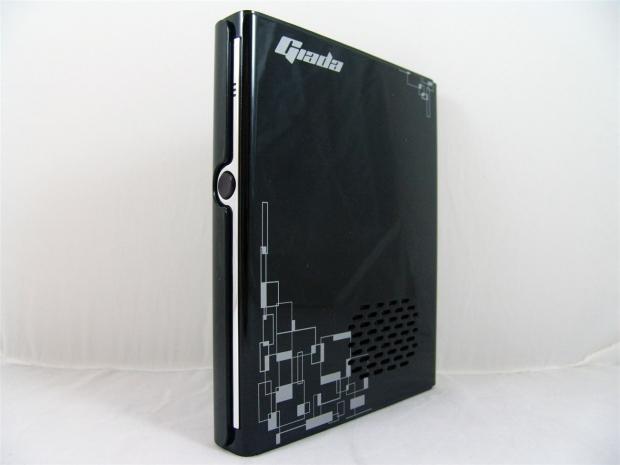
I know my knowledge on Mini PCs is somewhat limited to the few units I have tested along with what I can read about, but you really have to get your hands on a product to see what it is really capable of, versus what you can see in the store on the box, or via digital media and reviews.
Giada sort of came in out of the blue shortly after I reviewed the MC001-BD from Arctic, which at the time I thought was a feature-rich design, even if a bit slow with day to day tasks. In my mind, someone over at Giada thought we have a better product than that, let's see if TweakTown wants to have a look at what we have to offer.
Without any hesitation I accepted the offer for them to deliver me its idea of what a mini PC should be all about. Not only does Giada believe the mini PC should be small in stature as the naming would suggest, but they found a way to pack quite a bit of horsepower into this limited space, and even were able to control the thermals in such a compact package. This system moves up from the Intel Atom processor as an energy savings measure, onto some of the better mobile CPUs available today. That combined with a capable chipset and a few other components and tweaks, Giada is able to deliver a mini PC with the grunt of a regular sized desktop PC to make users a bit more comfortable moving over to such a device.
That brings us to why we are here today, and that is to get you acquainted with the i53 from Giada. I think you are going to be pleasantly surprised with some of the hidden capabilities, along with the components and software to make any user feel at home. Not only will this machine handle the day to day tasks we all demand, like social media, watching movies, listening to music, or replying to e-mail, this machine is actually pretty capable of even some light gaming to add a bit of extra entertainment into a tiny little PC.
So have a look at the specifications to wrap your mind around what is include with this version of the i53 so we can delve deeper into the offerings and abilities of this mini PC.
Specifications, Availability and Pricing
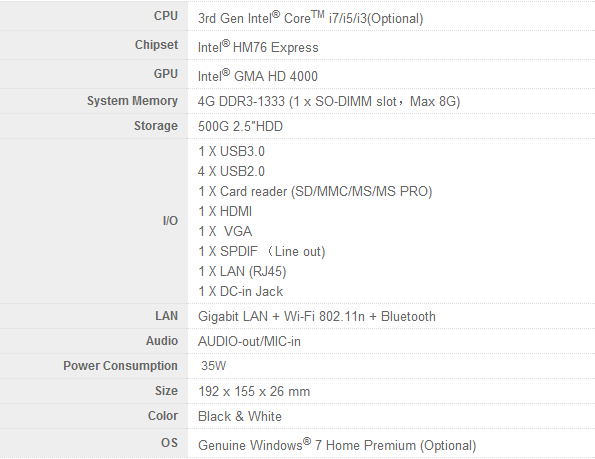
Following the specifications and adding specifics as we go, you will soon see this isn't your average low power draw mini PC. First of all, the i53 offers third generation Intel Core i7, i5, and i3 processors as the centerpiece of this design. Mine was shipped with the Intel i5-3370U processor combined with the Intel HM76 Express chipset. Along with the i5 included, Giada chose to actually use the onboard Intel GMA HD 4000 for the graphics demands. You are also given one stick of Ramaxel DDR3 at 1333MHz, and there is a maximum capacity of 8GB in total. Giada also chose to use a 500GB Hitachi HDD that has been short stroked to boost the performance of the 5400 RPM drive.
The I/O included offers everything you might need from USB 2.0, USB 3.0, a card reader, HDMI, SPDIF, Gigabit LAN, and even front panel audio jacks. Built in features include amenities such as 802.11n wireless connectivity and Bluetooth to make life easy and connectivity a snap even if you don't want to be hard wired. Along with the 32-bit Windows 7 Home Premium operating system, all of this draws 35W at peak levels, and is inside of a plastic case that is 7.5" tall, 6.1" deep and only 1" thick.
Our Latest SFF PCs Review Coverage
Externally, on the aesthetic level, you are given a shiny black plastic covering that has a metallic silver flake in it for that added bit of pop. On that base, Giada adds its name to one side along with some geometric designs applied to spice up the appearance even more. Something not covered in the specs is that this unit is actively cooled and therefore has ventilation on both sides to allow for the inflow of air as the laptop style cooler blows heated air out the back of the i53. Giada split the panel with a chrome strip to add a touch of class to the look. As for the back of the unit, you get HDMI, four USB 2.0 ports, a VGA connection, the LAN port, and a power jack to accept the brick sent with the i53.
Compared to some options, the Giada i53 as you see in this configuration isn't going to come cheap. I was able to locate this exact model and options package at a place called E-ITX.com, and there the pricing is set to $559.95 and that is before shipping. Now we all know you can build a cheaper system, but will it have this sort of grunt, or feature set? Likely that answer is no, and even if you find a mini PC close to this size and price point, I highly doubt it is as well equipped.
With all of the information at hand, I say we finally get to the images so that you can decide for yourself if the Giada i53 is at the right price for you. For me, I am already sold - just let me show you why.
Packaging
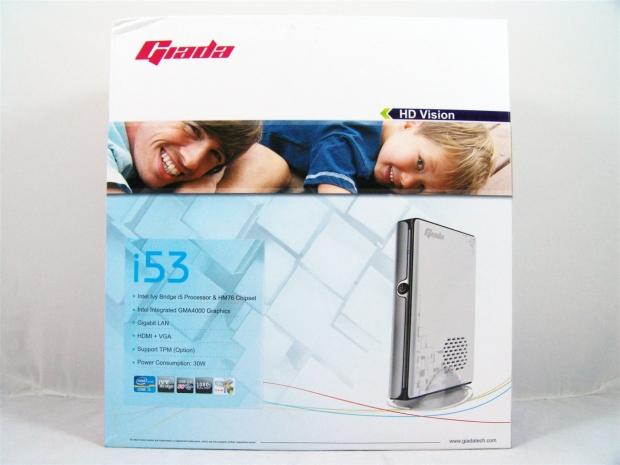
The packaging for the Giada i53 is bright and lively showing what looks like a father and his son happily placed over an image of the included mini PC. On the left there is also a basic list of features with branding and other features shown in the five square logos at the bottom.
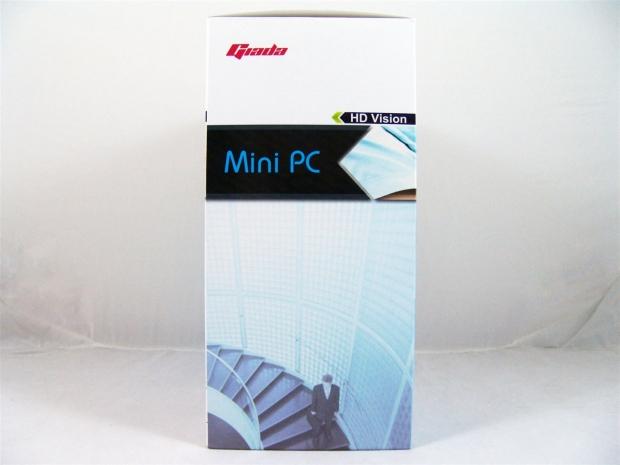
The side is just as lively, but oddly there is a man with a briefcase walking down some stairs. Maybe this is to show that he is on his way home from work to enjoy using his i53, I'm not truly sure.
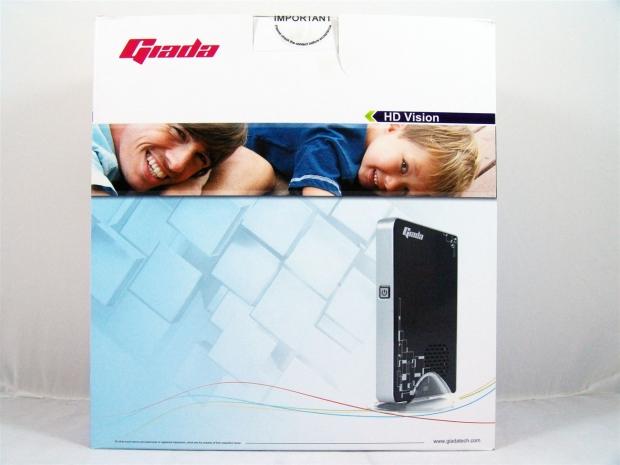
The back panel is a repeat of the front, but without the short list of features and specifications.
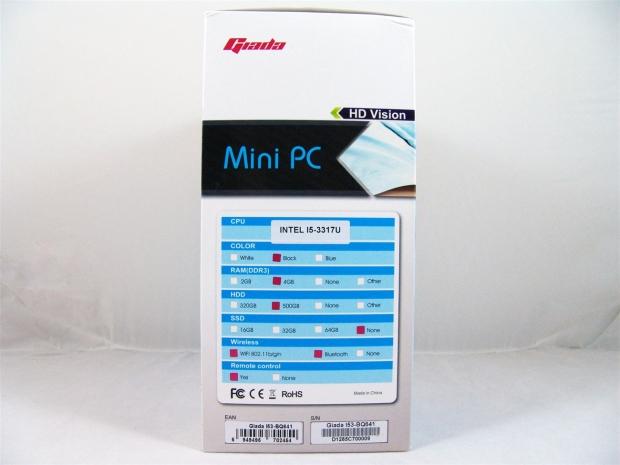
The last panel is also slightly similar to the opposing side, but here we have a very specific list of specifications to what is actually included in this Giada i53. It covers the CPU, the color of the i53, amount of memory, HDD capacity, what wireless devices it has, and if the unit comes with a remote control.
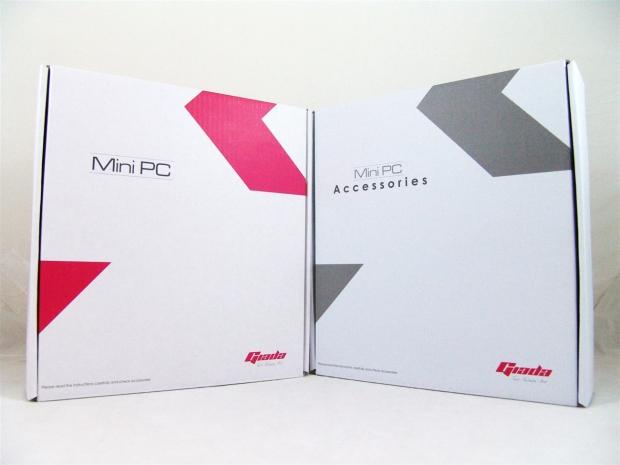
Inside of the main box you will find two thin boxes. The pink accented box contains the i53, while the grey accented box contains all of the accessories you will need to get hooked up, minus the keyboard, mouse, and monitor of course.
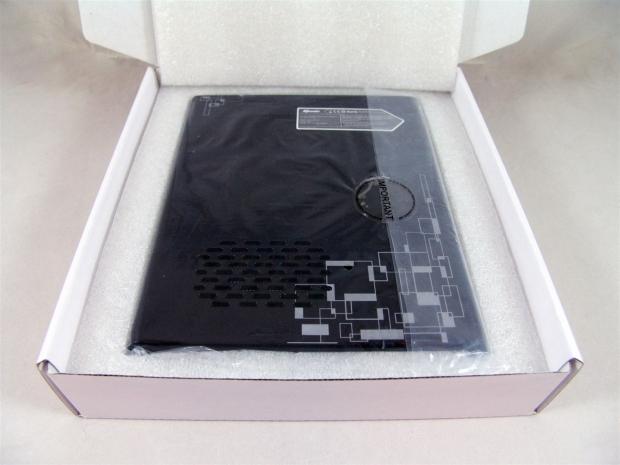
The i53 mini PC is shipped snugly inside of some high density foam, and also has a plastic bag it is put into to keep that shiny plastic exterior and designs from getting damaged in transit.
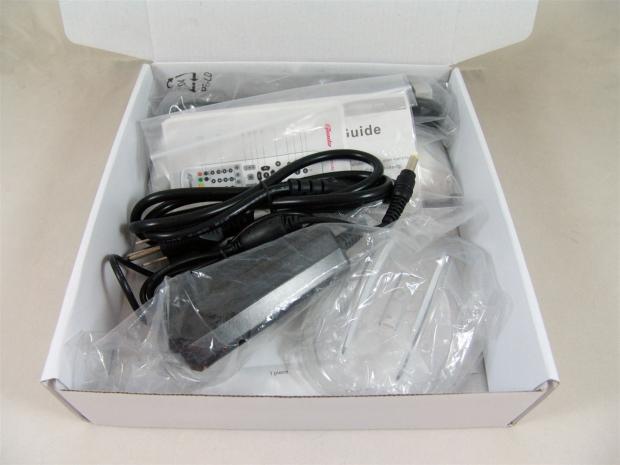
As for the hardware and goodies inside of the other box, most are separately wrapped in plastic or put into zip closed bags. There is nothing to keep the hardware still, and it does sort of roam around the box in transit. Nothing came damaged though, so this is good enough to get the job done.
Giada i53 Mini PC
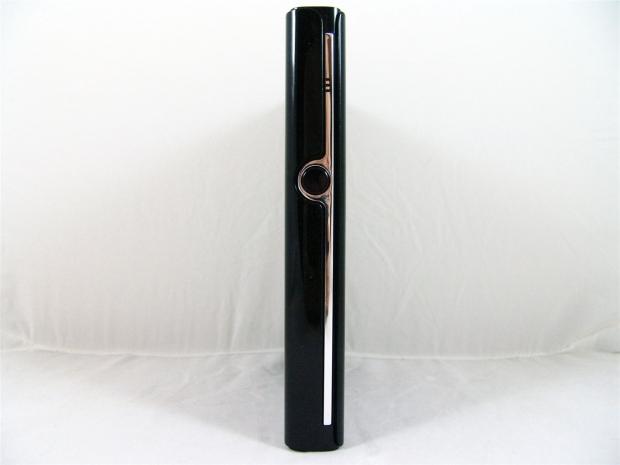
The front of the i53 stands seven inches tall and is only an inch thick. The left side panel wraps around the front until it runs into the offset chrome strip. This strip contains the activity LEDs and the black power button.
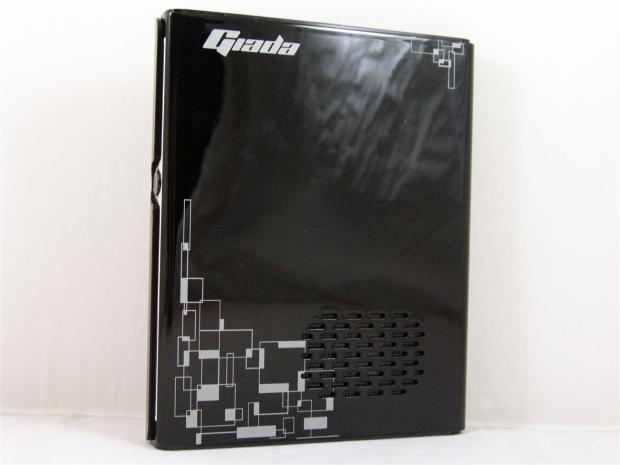
On the right you can't see the silver flake as much with the white backdrop, but you can see the Giada name and the geometric design applied to the lower section near one of the air intake vents.
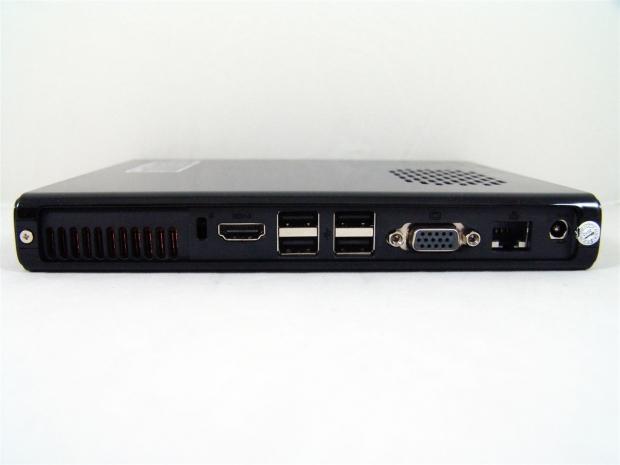
On the back you find the exhaust port for the active cooling along with the rear I/O. Here you can connect HDMI, four USB 2.0 devices, optional VGA port, Gigabit LAN, and the power jack at the right to finish it off.
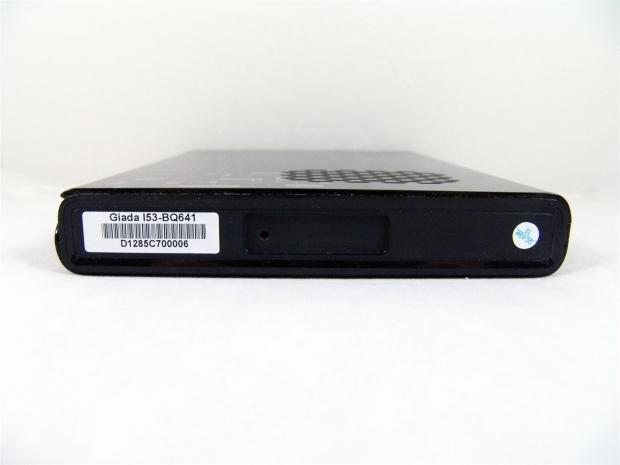
The bottom of the i53 has a sticker with the model and serial of the unit. Just to the right of it is a notch that is recessed to accept the base that is also included in the kit.
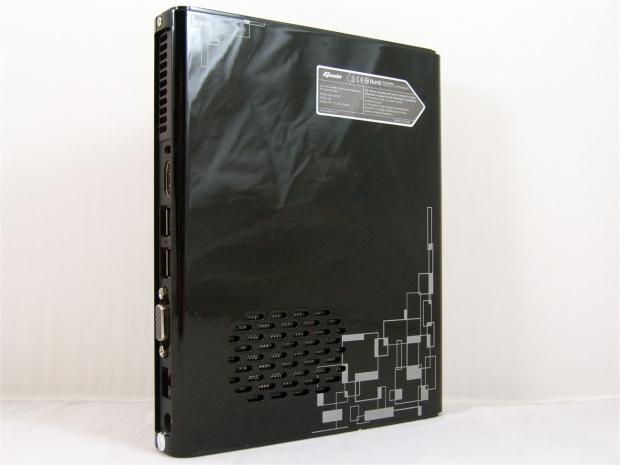
Both sides are pretty close to identical if not for the sticker applied to this side. On that sticker is Giada's name, its compliances when making the i53, and the fact that this is made in China. You should also notice that there is an air intake on this side as well to get as much cool air into the confined space as possible.
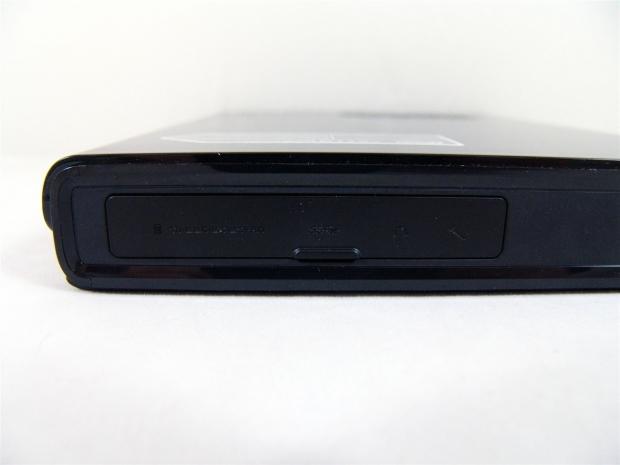
On the top the majority of the area is taken up with the cover over what we will call the front I/O panel. You can see if you look closely that the card reader types, USB 3.0 and audio jacks can be found here.
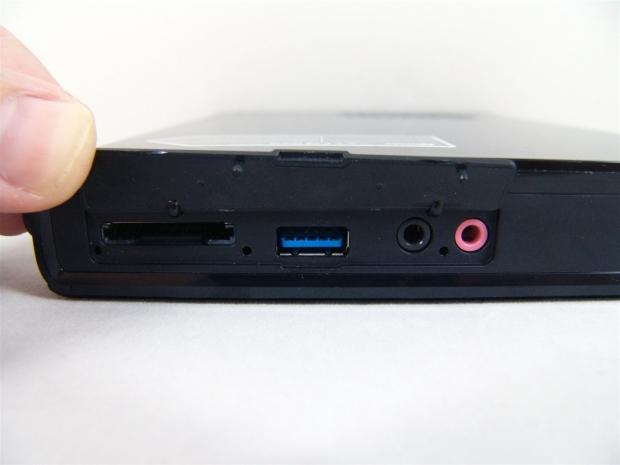
Excuse my thumb, but since the cover is designed to self-close without pressure to keep it open, I would not be able to show you this. As you can see the card reader, USB 3.0 and the 3.5mm jacks are all under the cover.
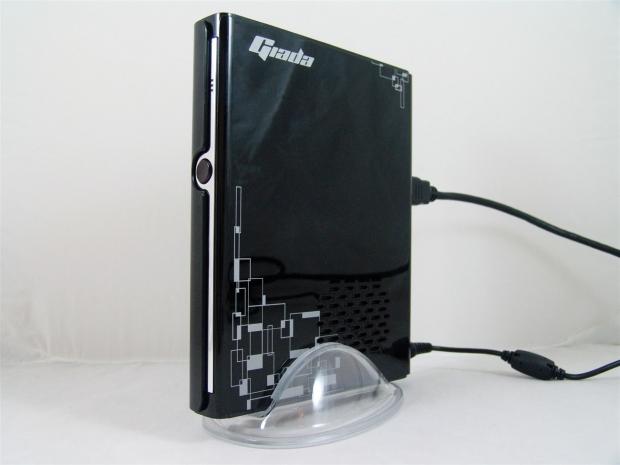
I jumped ahead a little bit just to show you what the i53 looked like as if it were on your desk. As it sits, with power and HDMI connected, I just need some peripherals and I am ready to go.
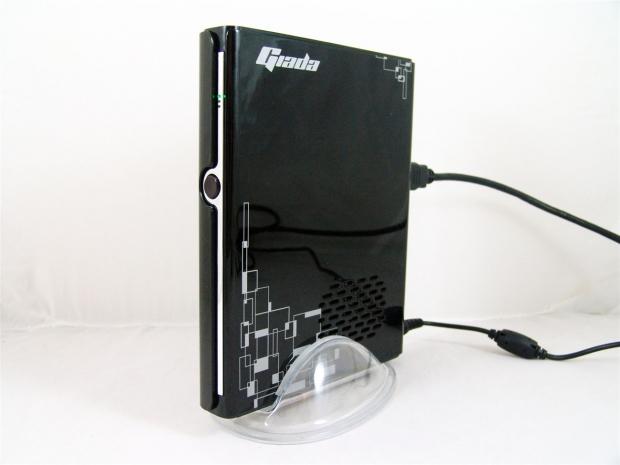
Before I open this up and expose its innards to you, I wanted to power it up and verify that everything was working and get the testing out of the way, just in case something was to go wrong. When you first push the power button, only the green LED at the top lights up.
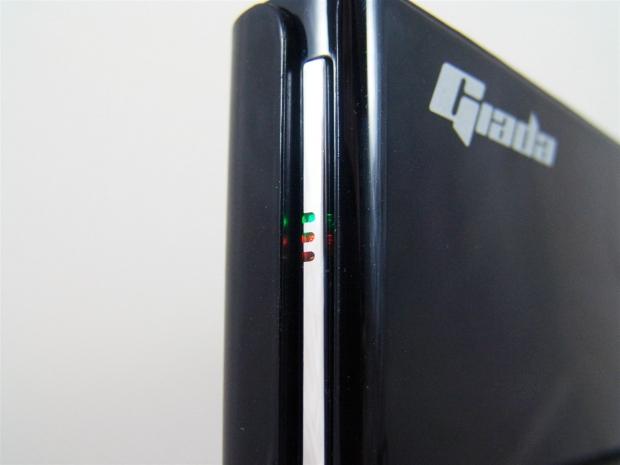
Once the Hitachi HDD starts to spin up, you get the red light to illuminate with its activity. The third light it took me a bit to get to light up, but once I used the remote, I noticed the blue flash as you pressed the buttons.
Inside the Giada i53 Mini PC
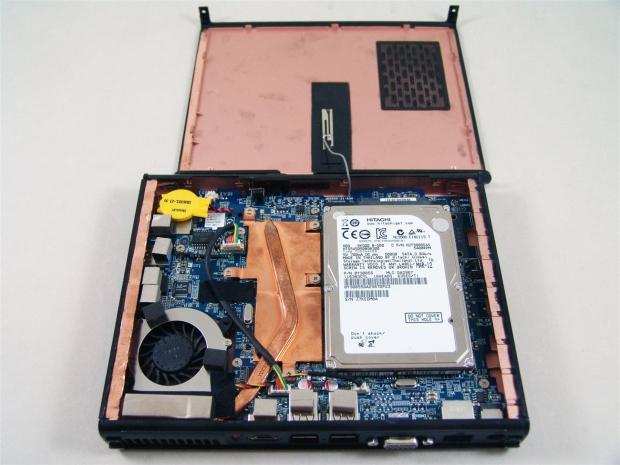
Getting the top cover off the i53 was relatively easy, just a pair of screws and a lot of finesse will allow it to come off. Be careful though, the antenna attached to the panel has a very short lead.
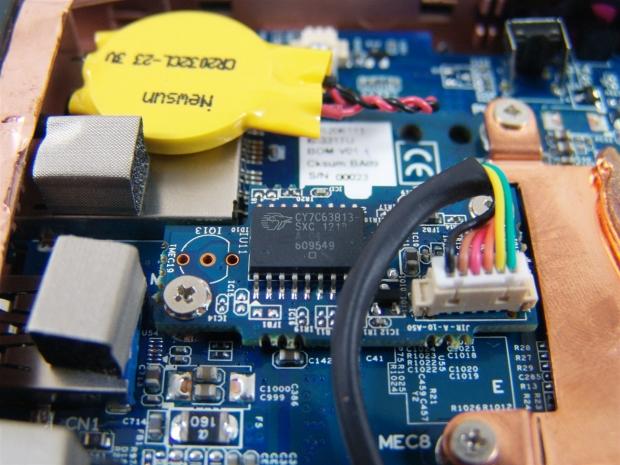
Just in front of the enclosed CMOS battery you will see there is an encore low speed USB peripheral controller with the black cable connecting this to the rear I/O USB ports.
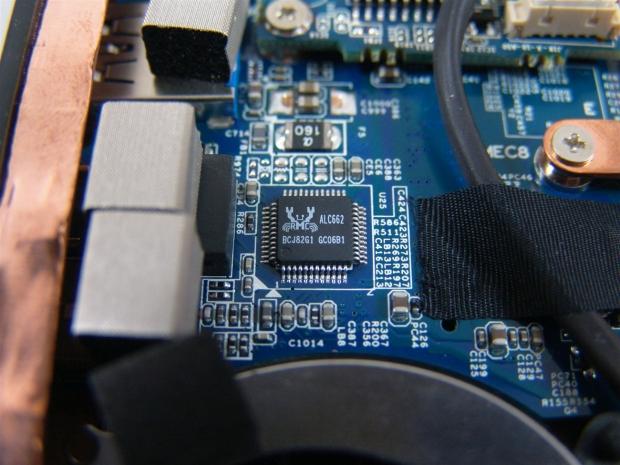
The Realtek ALC662 delivers 5.1 channel high definition audio with a sampling rate of up to 96 kHz. If you need to know all of the finer details have a look at Realtek, but I can tell you this is plenty to use for daily use or in the home theater environment.
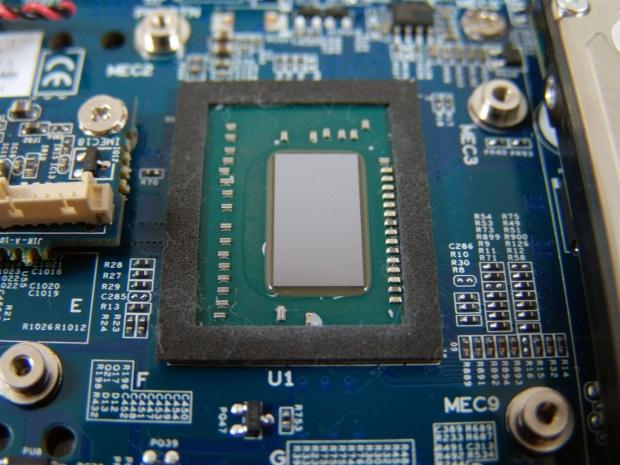
I removed the cooling from the chips to see what we could find underneath. Here is the Intel i5 3370U CPU with the integrated Intel GMA HD4000. Since there isn't an IHS, the only way to verify it at this point is from the screenshots later in the review.
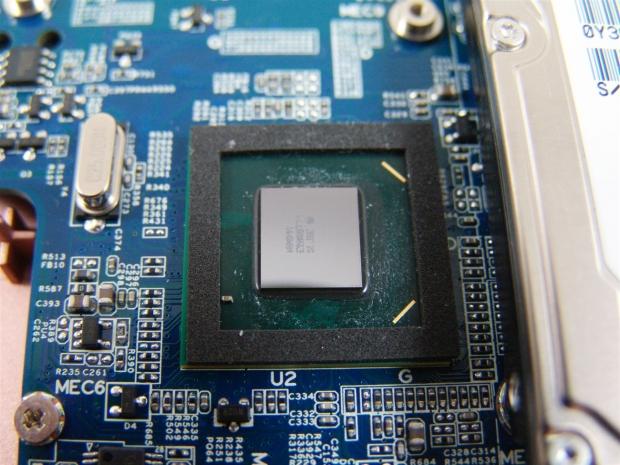
The second component under the cooling is the also naked Intel HM76 Express chipset that offers SATA III, plenty of USB support for the i53, as well as RST and anti-theft technology.
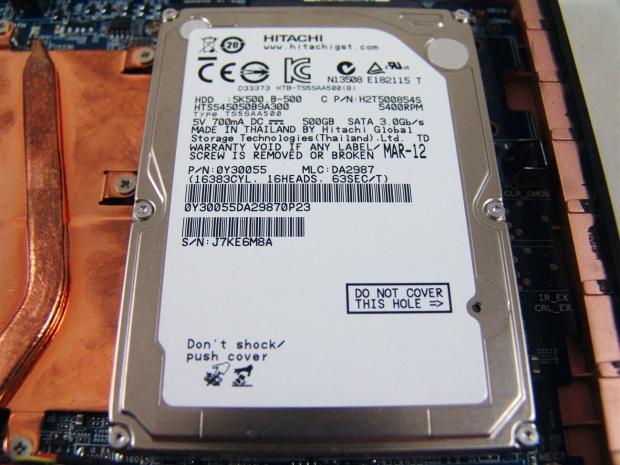
We also were given the HDD version rather than one with an SSD included. Even though the 5400 RPM Hitachi has been short stroked to improve its performance, this mini PC should really have an SSD over this option. If you need more space, off board storage is cheap enough, and with USB 3.0 you can have pretty fast transfer of images, music, or whatever you need to keep long term.

Getting the motherboard out of this tiny chassis is no easy task, and unless you are out of warranty or want to add extra memory to the i53, I don't recommend going this far. It is really easy to break things if you force your way through.
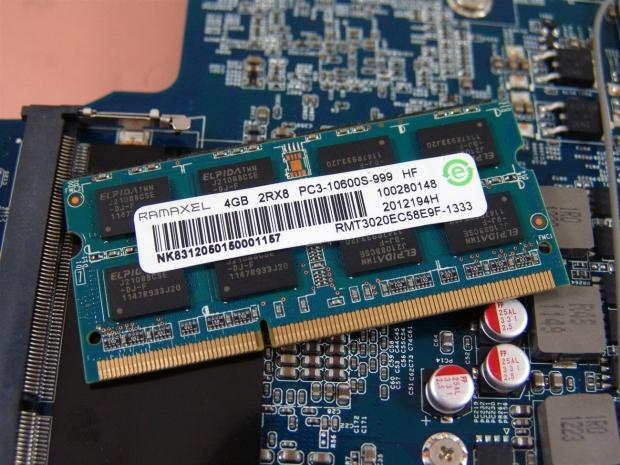
Removing the single 4GB stick of memory to see what they included, I found a stick of CAS 9 1333MHz Ramaxel memory with Elpida J2108BCSE ICs packed tightly on the PCB.
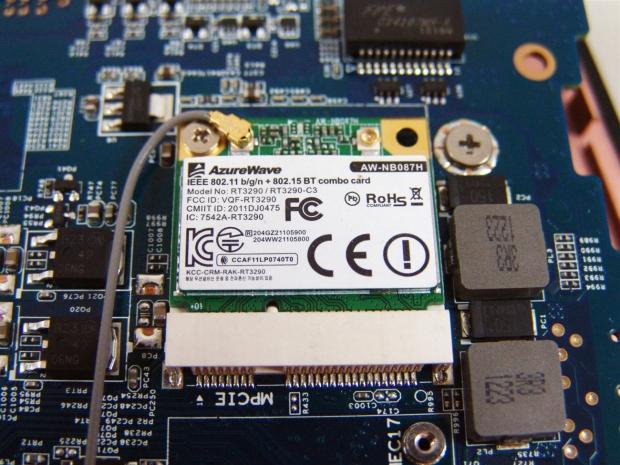
Also on the back of the motherboard you will find the AzureWave combo card. This is where you get the wireless IEEE 802.11 b/g/n and Bluetooth, which the card is installed into the Mini PCI-e slot.
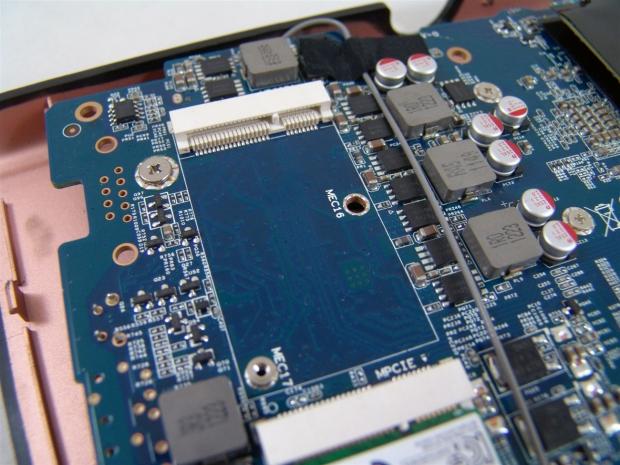
Near the wireless n and BT card, there is an empty slot that would gladly accept an m-SATA drive here. Of course you can use any device that would fit, but an m-SATA SSD would really improve performance a lot.
Accessories and Documentation
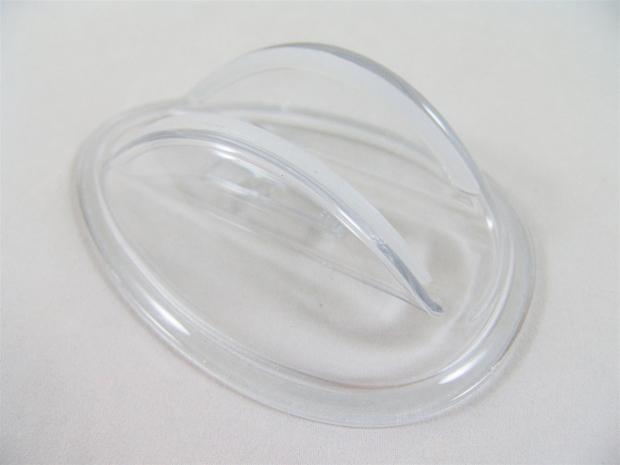
Even though I have already used this in a couple of images, the clear plastic base is worth showing on its own. The foot print is rather large for the stand, and the rubber pads on the inside that grip the i53 also protect it from scratches when using this.
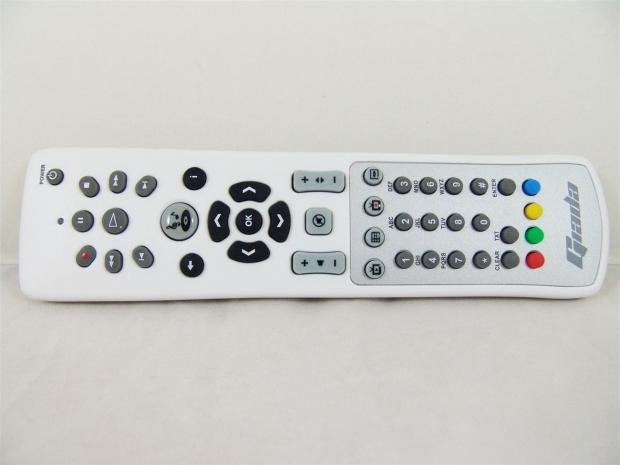
Giada sends a remote along that can negate the need for a mouse and keyboard as long as you have plenty of time on your hands and don't mind the alphanumeric style of typing this remote requires. It also has all the functionality you could want for an HTPC machine, which is really nice.
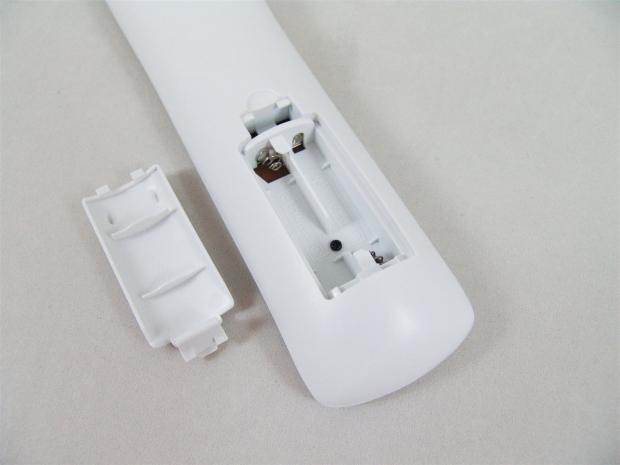
Batteries are not included for the remote control, but for future knowledge, and I think the box should have it noted, you do need a pair of AAA batteries to make the remote functional.
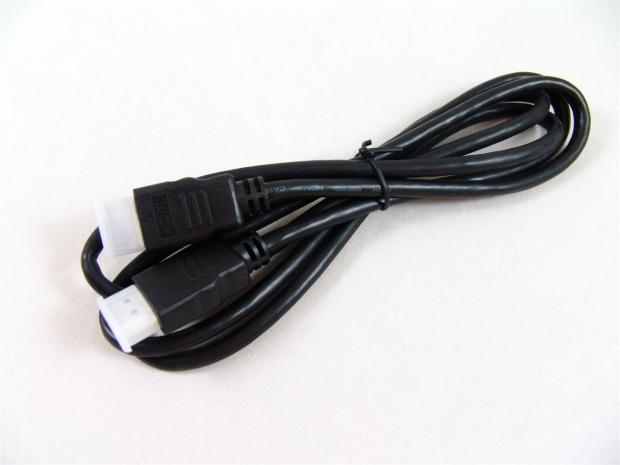
With most digital cables being created equal, you are given an HDMI cable to deliver clean video and audio signals to a monitor or TV.
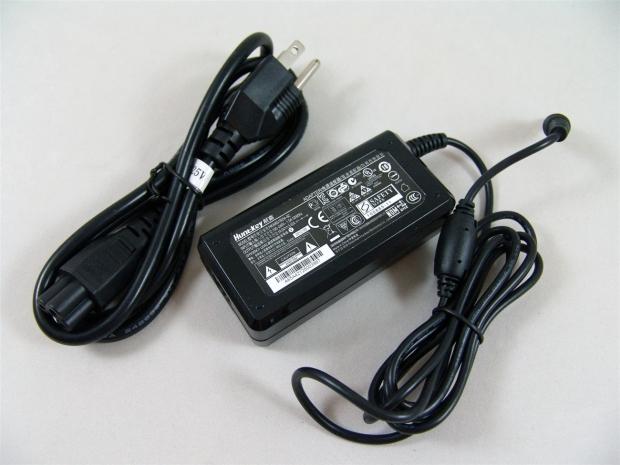
To deliver the 35W power requirements of the Giada i53, you are given a laptop style power brick with the breakaway power plug on one end, and a long lead with the jack to go to the back of the i53.
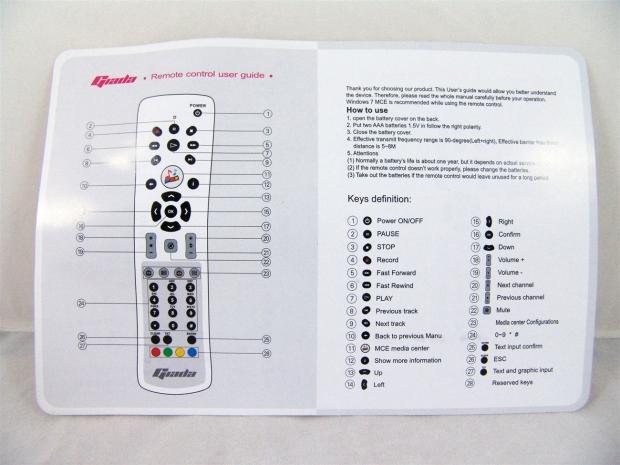
Part of the included paperwork is the remote control guide. This shows you with numbers denoting the buttons on the left, just what they all are for on the right.
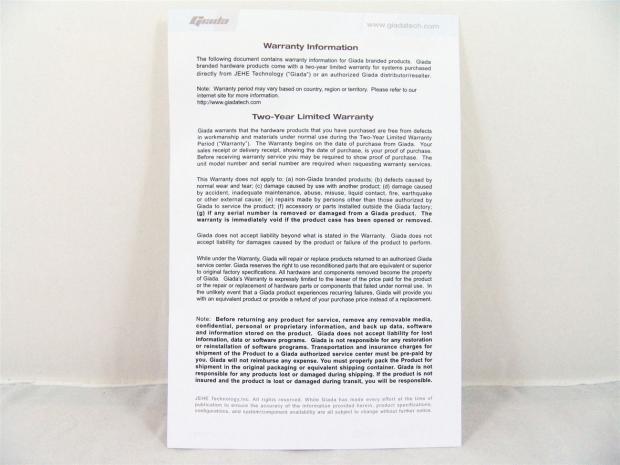
You are also given a warranty information card explaining what is and what is not covered under the two year limited warranty.
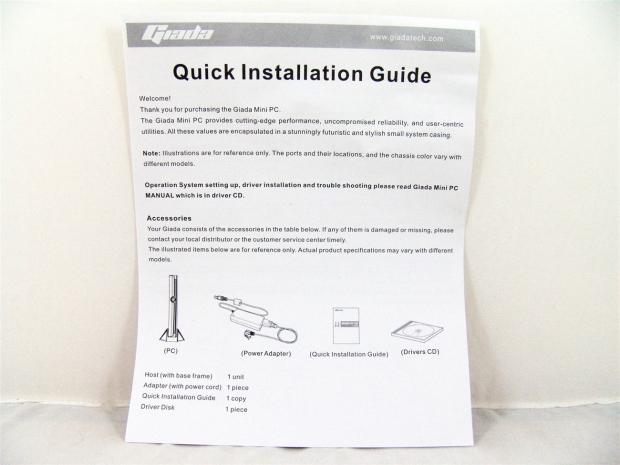
There is also a form of a quick guide for the i53, but the connections are pretty obvious to get underway, and aside from that I already showed you the power button, so you are all set really. I did notice they mention a driver CD, but I didn't have one included. If you need them, they are at giadatech.com.
At the Desktop Level
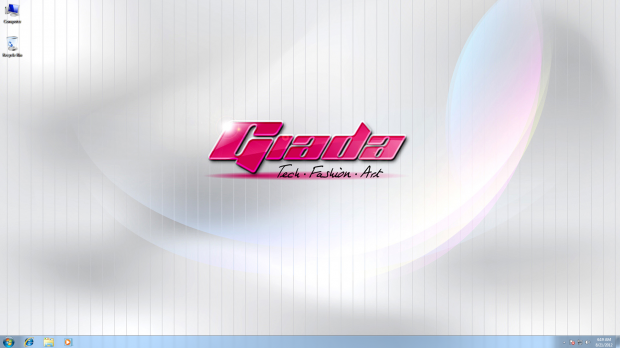
After a bit of loading time and getting the OS to allow you to see the desktop, this is what you see. Giada does some product placement even on the desktop with the grey stripes and the pink Giada name. Now let's start to verify what we have under the hood.
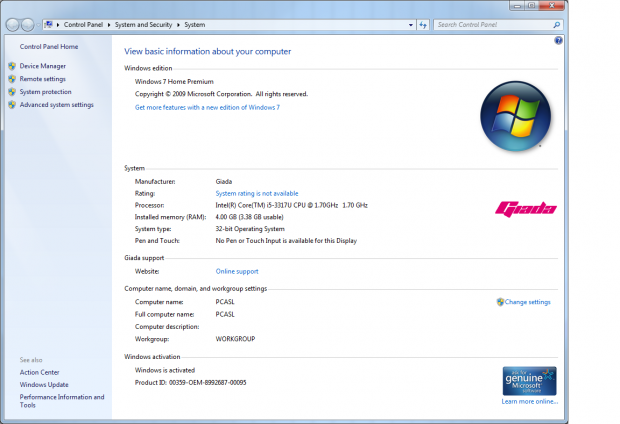
First thing I used to see what we have is to look at the Windows information screen. This tells us we are running 32-bit Windows 7 Home Premium. It also shows the i5 3370U at 1.7GHz, 4GB of memory, and with the key pre-loaded into the machine, we are in fact genuine on the first boot with internet access.
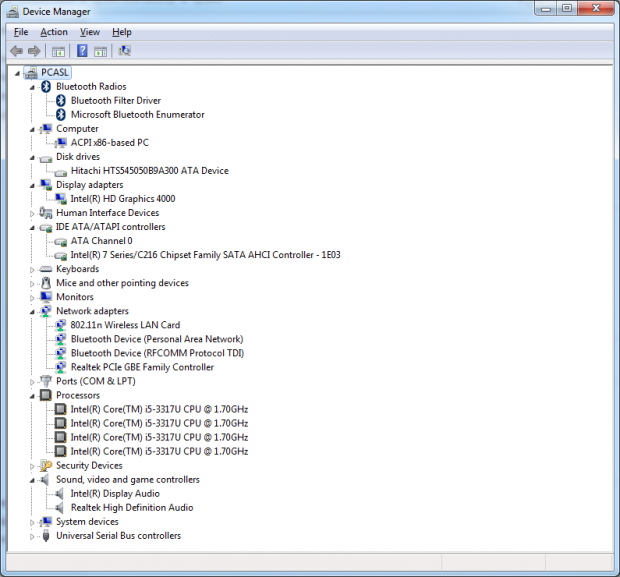
I also wanted to look in the device manager to see if all the drivers are in correctly, so that I don't have anything not working. You can also verify BT, the HDD, GPU, CPU, Chipset, wireless card, and the audio chip used if you don't want to peel it open as I did.
I also used CPU-Z to see if the processor was running correctly, and at what sort of voltage. You can also see the memory timings, the motherboard information, and what little is there in the HD 4000 graphics processor.
Looking at what Giada does to the 500GB Hitachi drive, you can see the two small partitions at the front of the drive to short stroke it for better performance. This means the heads move much less across the platter upping seek performance as well as adding a bit of speed. It's nothing close to SSD performance, though.
Thermal Testing
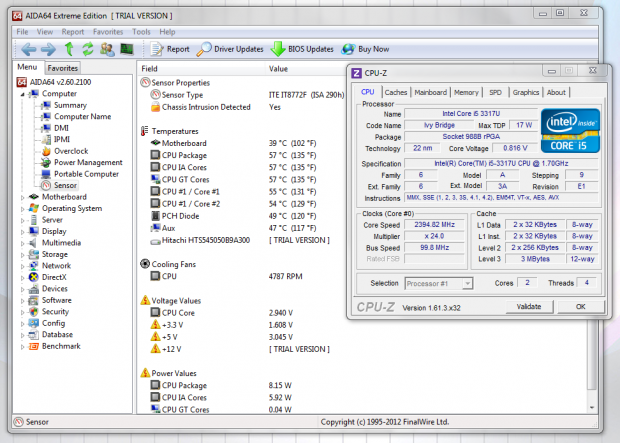
I had already opened RealTemp and seen what it was displaying for the "at idle" temperatures, but I also wanted a second opinion. AIDA64 shows the exact same numbers where the CPU is 57 degrees at rest. You can also see it shows we are pulling 8W currently to power the CPU.
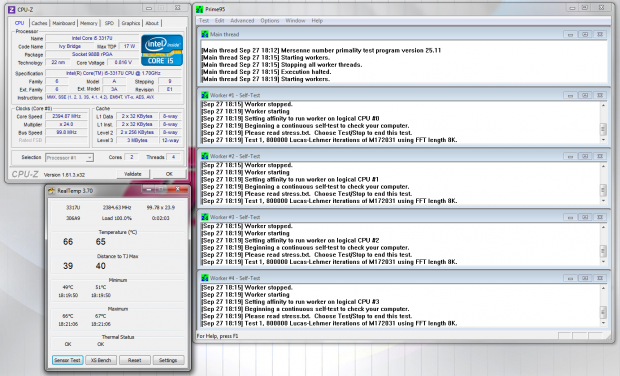
I wanted to really stress the CPU, and I was planning on grabbing a quick image and one with higher temperatures later on to show how long it takes to get that warm. What I found was that the temperature immediately shot to the 67 degrees you see here, and never went any higher.
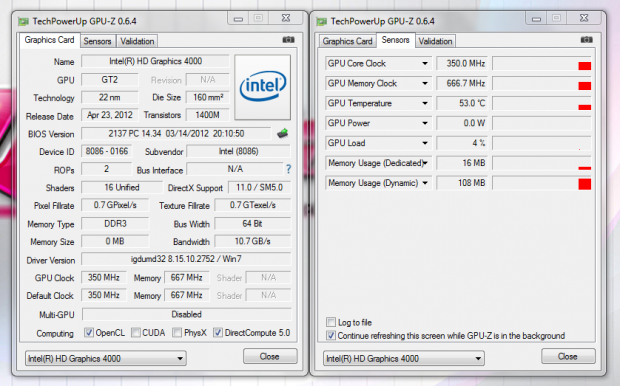
I also went with GPU-Z to see what the HD4000 was doing inside of the tiny little box, and you can see that even with 25 degree ambient temperatures, the GPU is just slightly cooler than the CPU at 53 degrees at idle just displaying the desktop and these windows.
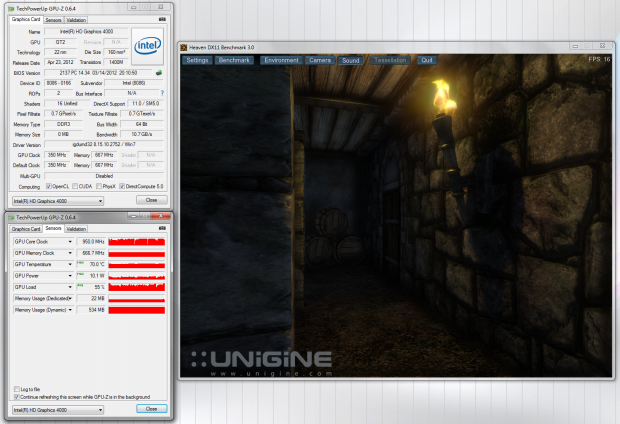
I ran Unigine to see what the HD4000 is capable of. Without tessellation running I made sure we were on DX11 and let the app run. After a few passes and with 16 FPS maximum, the GPU reached 70 degrees with an average load of only 55% to the GPU. While I am able to play some Valve titles and obviously flash based games, trying to play something like Battlefield 3 on here isn't going to happen.
Final Thoughts
I have to give credit where credit is due. Giada really does deliver a very powerful, tiny mini PC with the i53, and the fact that it does all this on just 35 watts of power is amazing. That isn't to say there aren't issues to be found. There isn't an optical drive choice at all, so if you want to play DVD or Blu-ray, you need a rip of it, or a USB connected device. Tied to that is the fact that most people will have a media library if they plan out an HTPC with this device. This would allow users to just stream movies to the i53, but I suggest if you plan to utilize the 1080p capability of the HD 4000, you are going to want a wired connection to stream such content, the wireless n will leave you paused at times through the play unless you plan ahead and stream a good portion before you planned to watch it.
The last and most detrimental to the overall performance of the i53 was that dog of a mechanical hard disk drive included. Even with the tweaks applied to increase performance, the load time from no power to desktop is almost enough time to go out and have a smoke before the unit is ready. Even once into the desktop, there is a bit of a wait as the devices all check out and get loaded. An SSD is the real solution to this and I strongly suggest you find that model when shopping, or add one in later.
Once the i53 was loaded and everything was finally at idle, the PC is pretty snappy and able to handle the day to day activities of most users. You can tend to Facebook, troll the internet, and do just about anything really as long as the graphics demands aren't too high. The CPU chosen is more than capable of handling itself, so for light gaming you are fine, but I don't think much more than flash games or something like Peggle on Steam is what they intended anyone to play. What I really like more than anything is that you can have a pretty capable mini PC in any room of the house without disrupting much. If this had a built in TV tuner and an optical drive, I could replace my ladies rig with this and the only reason she would feel any different is that the large case she is used to setting next to would be gone, and this shiny black, attractive looking Giada i53 would be sitting there instead. The i53 is so close to being the complete package for anyone, whether a light use desktop replacement, a PC for the garage or kitchen, or even put to use as an HTPC, it is able to do everything it is advertised to do, and not intrude on you while doing so.
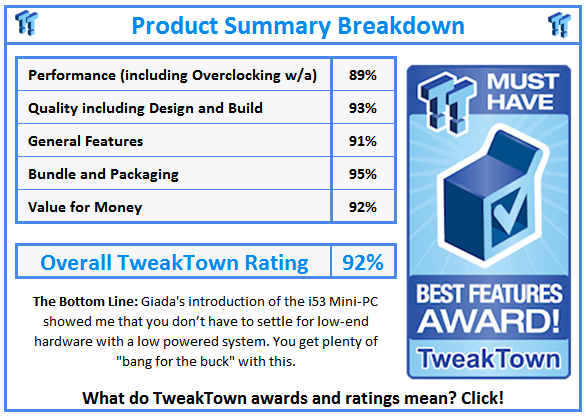
For me the Giada i53 is still very much worth the $550 or so it costs to get the version I tested. At the money I am pondering replacing my Arctic unit with this as soon as I find the appropriate BR drive for it. That combined with the fact that I have an extra SSD, or I could go with the m-SATA option and keep the Hitachi in place. Either way I need it to be a bit quicker from off to desktop, as I don't leave my HTPC powered on all the time. I really do think Giada is on to something really big in the smallest form I have seen.
With a few more options available to users, or some form of accessories you can add on, I think Giada can easily make a more recognizable name for themselves as long as they keep doing what they are doing now.


 MSI's Project Zero Delivers a Stunning Cable-Free Look to More Gamers
 GEEKOM IT15 AI (Intel Core Ultra 9 285H) Mini PC Review
 Acer Predator Orion 7000 (Core Ultra 9 285K + RTX 5090) Desktop Gaming PC Review
 Beelink EQi12 Mini PC Review
 GEEKOM A6 Mini PC Review - AMD Ryzen 7 power in a small package
 Zelda Ocarina of Time remake confirmed for 2026 launch on Switch 2
 ID Cooling shows off wooden PC cases and matching AIO coolers at Computex 2026
 Formula V Line's Ice Nova Pro 3 air cooler could be perfect for brass-themed PC builds
 SAMA's Computex 2026 lineup includes a curved-glass case and AIO coolers with swappable screens
 Master Chief crashes the Covenant's vacation in new Halo remake prequel missions
 Highlights from MSI's impressive 40th Anniversary Exhibition in Taipei
 Halo: Campaign Evolved PC requirements revealed, RTX 4080 and 32GB of RAM required for 4K 'Ultra' settings
 HP's new limited edition Ferrari laptop is made from carbon fiber and glass
 GeForce RTX 50 SUPER Series is now rumored to be coming in early 2027
 COLORFUL's new slim RTX 5070-powered iGame M15 and M16 Origo laptops automatically lock when you're away
 Navman MiVue Smart True 4K Surround Dashcam Review - Seeing In All Directions At Once
 IQUNIX Magi96 Pro Aluminum Low Profile Mechanical Keyboard Review - Premium Build, Satisfying Sound
 Asetek Forte S-Series Racing Simulator Bundle Review
 Razer Pro Type Ergo Wireless Split Ergonomic Keyboard Review - Built for Comfort and Support
 ASUS ROG Strix Morph 96 Wireless Gaming Keyboard Review - Great Performance, More Affordable
 SAPPHIRE Radeon RX 9070 GRE PULSE OC Review - A New 1440p Challenger Has Arrived
 NZXT H6 RGB+ Compact Dual-Chamber Chassis Review
 ASRock Radeon RX 9070 GRE Steel Legend Review - The RDNA 4 Mid-Range Reshuffle
 ASRock Z890 Taichi Aqua Motherboard Review - Flagship features without the flagship price
 GIGABYTE Z890I AORUS Ultra Motherboard Review - Mini-ITX with surprisingly good thermals
 The PowerToys utilities I keep enabled on every Windows 11 PC, and the ones I turned off within a week
 TweakTown's Best of Computex 2026 Awards - The Best Hardware, Gaming Gear, and AI
 Phison E37T SSD Controller Exclusive Preview - The Fastest DRAMless SSD Platform Yet
 USB Ports Not Working in Windows 11? Try These Fixes
 ASUS WiFi Routers and Networking Solutions Deliver Long-term Security and Reliability with No Additional Cost
 Second Monitor Not Detected in Windows 11? Try These Fixes
 Turn Your Old Smartphone Into a Dedicated Webcam for Your Windows PC
 The Send To menu is the right-click feature on Windows 11 that nobody bothers to customize
 Windows 11 will not let you pin a folder to the taskbar, but a 30-second workaround does
 ASUS ProArt Displays Unlock Creativity with Professional Monitors for Everyone