


Introduction and Specifications, Pricing and Availability
When Apple's iPad first hit the market, the entire computing world was turned upside down. How could something come out of nowhere, and on its first go, get it so right? The tablet market was created virtually from a single product, but we all know that competition is what the world needs - and more important what you and I need - the consumer.
Since then, we've seen two more iPads, a slew of Galaxy Tabs (when they're not banned from sale thanks to Apple's relentless patent lawsuits), and ASUS' popular Transformer range of tablets.
 53
53I personally owned the original ASUS Transformer, and while the hardware itself was really nice at the time, the software wasn't. It shipped with Android 3.0 Honeycomb which was the first tablet-orientated mobile operating system from Google. Since then, Google have come a long way with Android 4.0 Ice Cream Sandwich, which can slide onto smartphones as well as tablets, and still feel like a great OS. Honeycomb was a quick release from Google, as they hired a new guru to work on their UI.
Since then, we've seen Google's mobile OS grow into something more powerful than Apple's iOS, and it is on far, far more devices - from low-end feature phones, right up to the top-of-the-line tablets such as the ASUS Transformer Pad Infinity which we are taking a look at here today.
 53
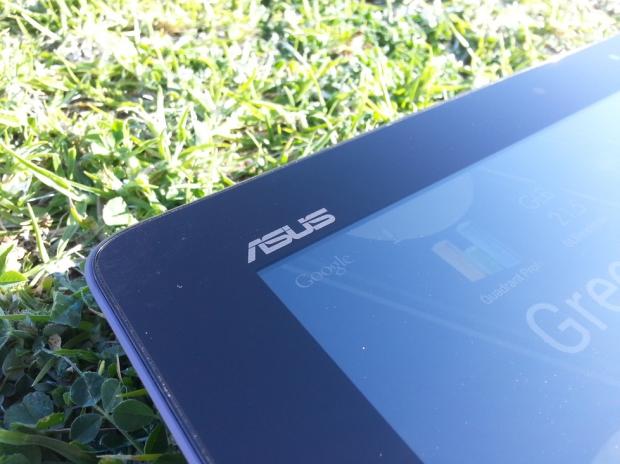
53ASUS positioned themselves quickly when the tablet market opened with the first Transformer, and have grown into these shoes very quickly - without losing its stepping. This is something that is not easy to do, especially when you're releasing more than one product. ASUS have plenty of tablets on the market, all competing with their competitors at different price points.
ASUS' Transformer line has grown considerably since the first generation, in build quality, specifications, and style, making ASUS one of the biggest tablet threats on the market today. ASUS' new Transformer range has a few different models, but we'll be looking at their super-duper high-end Transformer Pad Infinity today.
Specifications, Pricing and Availability
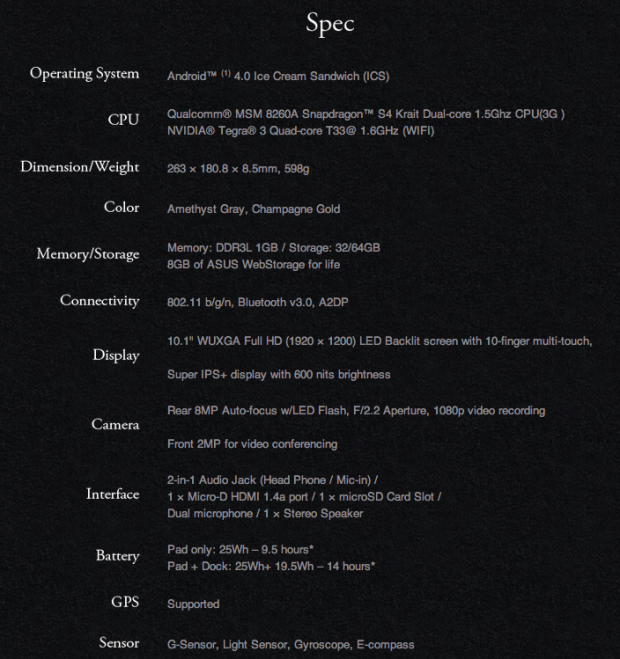
I hope you're sitting down for this one, because you should feel a little woosh of air as I explain the specs to you - that's just you getting blown away. ASUS' Transformer packs in NVIDIA's Tegra 3 quad-core SoC running at 1.6GHz, an absolutely gorgeous 1920x1200 Super IPS+ panel, SonicMaster audio technology, 1GB of DDR3 RAM, 32 or 64GB of on-board storage, an 8-megapixel rear-facing camera backed up by a 2-megapixel front-facer.
 53
53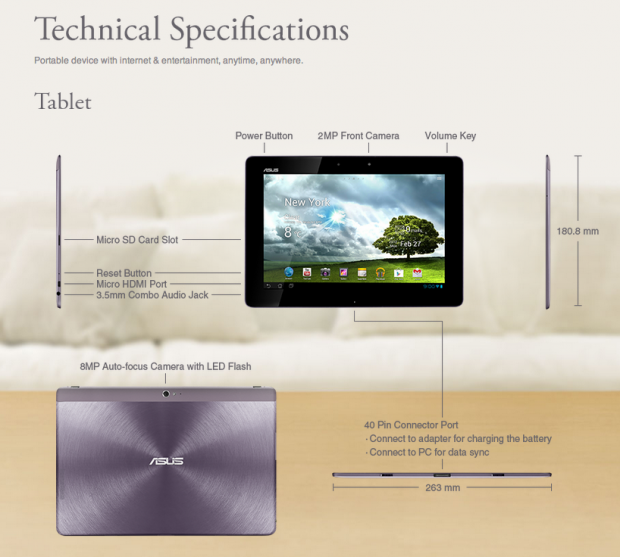 53
53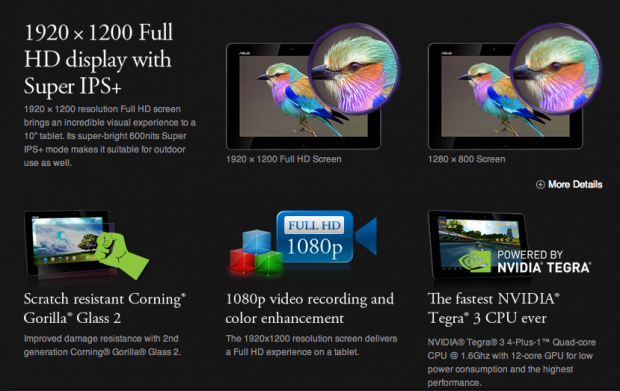 53
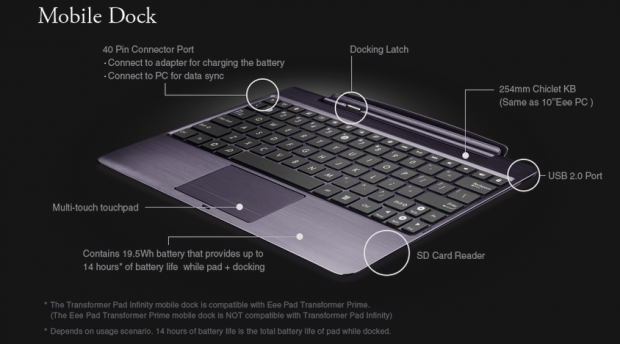
53Expandable storage is an option on the Pad Infinity, just in case that 32 or 64GB of internal storage isn't enough. Micro HDMI is on offer, as well as the usual 3.5mm audio jack. One of the standout features of this tablet, is ASUS' offering of their Mobile Dock. Most dock's act as a pure keyboard, while the tablet stays docked on top. ASUS' dock is much, much better.
 53
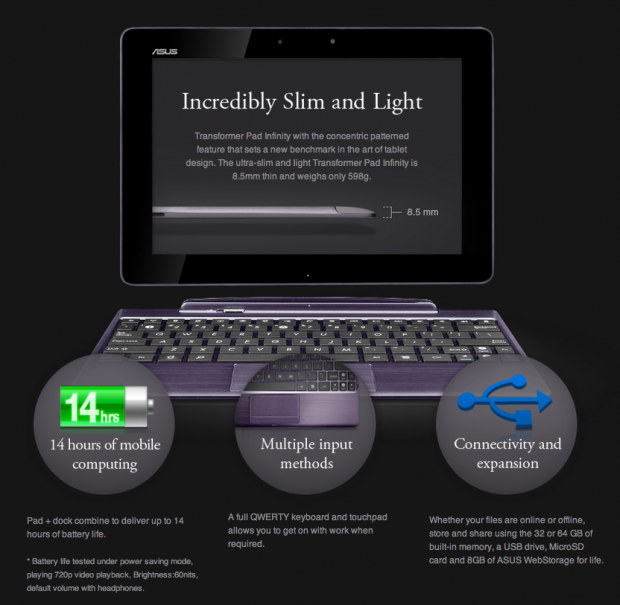
53ASUS' Mobile Dock offers up a 19.5Wh battery that provides up to 14 hours of battery life for your Pad Infinity when docked. It also offers an SD card reader, a chiclet keyboard, USB 2.0 port, and a multi-touch pad turning your Pad Infinity to a near-notebook. All of this is done with the 40-pin connector port on the bottom of your Pad Infinity. The dock itself features a docking latch, so that your tablet won't just fall out, it's physically locked to the Mobile Dock - a very nifty feature.
 53
53As you can see, the specs are quite astonishing. Apple's third-gen iPad has a higher-resolution screen at 2048x1536, but the Pad Infinity's screen is just as gorgeous, if not more than the iPad, in some cases.
Pricing on the Transformer Pad Infinity is not too bad at all with Newegg selling the 32GB for just $499.99. The Mobile Dock is $134.99, but Newegg have a combo special at the moment where they're selling the Infinity 32GB model with the Mobile Dock for $594.98 - a $40 discount, which is a great deal as far as I'm concerned.
Look and Feel
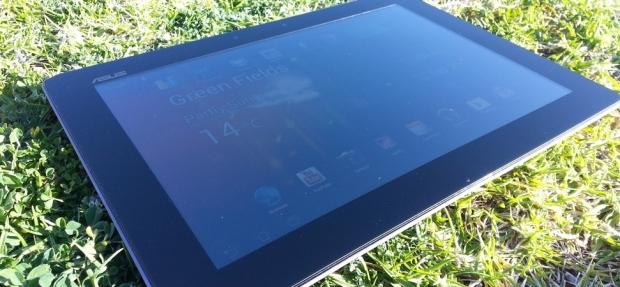
Once you've carefully taken the Transformer Pad Infinity out of the box, you can feel it has been crafted with some passion, love and care. It definitely looks great, and the front of it looks virtually no different to that of the original Transformer. The Transformer Pad Infinity is crafted out of aluminum, with the front sporting its gorgeous 10.1-inch SuperIPS+ display, oh and we should mention it's a Gorilla Glass display - safe from most general scratches and bumps.
 53
53ASUS have opted to use Corning's second-generation Gorilla Glass 2 technology, which has improved damage resistance. Corning's Gorilla Glass 2 technology is 20% thinner which allows devices to sport the scratch-resistant tech, but be even slimmer, feature better touch responsiveness, and brighter images - something that the Infinity has in spaces.
Squeezing all of this hardware into an 8.5mm-thin unit is an achievement that pays off. The Transformer Pad Infinity is one slim, slick looking unit. It definitely feels physically thinner than the third-gen iPad when holding it, albeit a bit weird to get used to after holding the 9.7-inch iPad for so long. ASUS have designed the Transformer Pad Infinity with landscape and their Mobile Dock in mind, and it shows. The Infinity looks odd holding it in landscape with its 10.1-inch screen, but it's doable - this is purely a user choice and user preference.
 53
53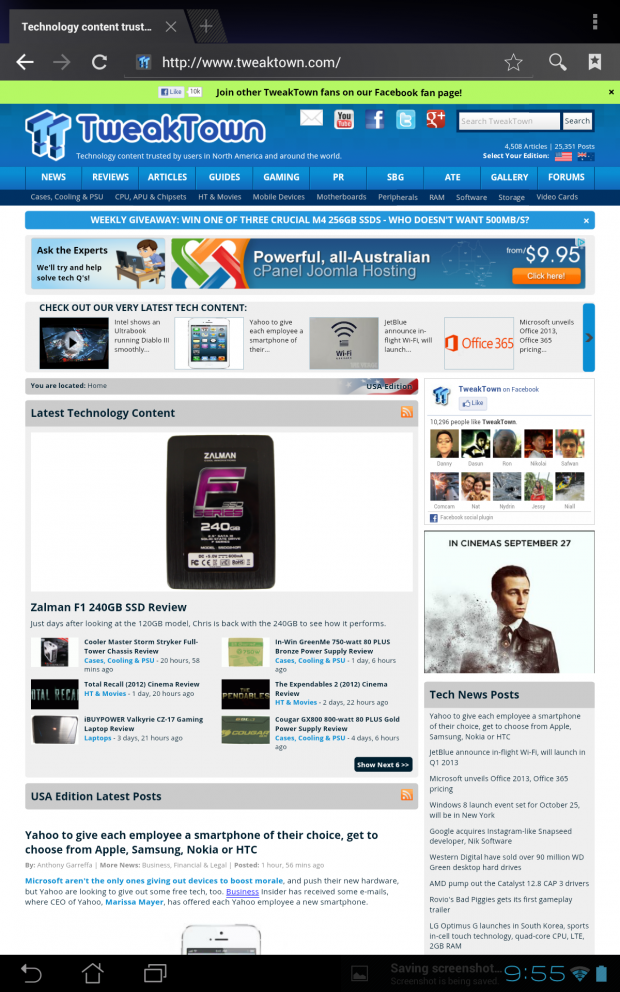 53
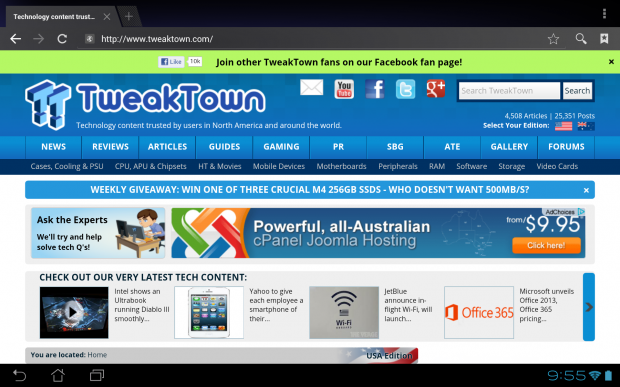
53Some shots of the Transformer Pad Infinity using Google Chrome in both landscape, and portrait.
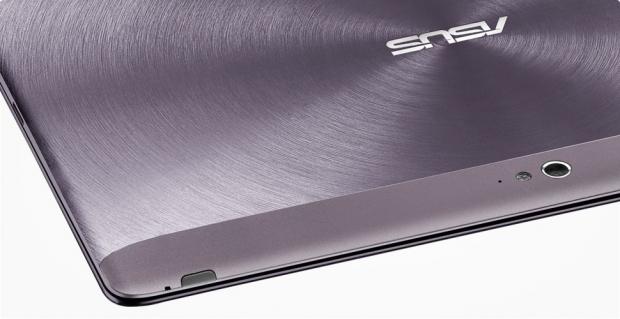
When holding the device, it may feel thin, but the material ASUS have decided to use on the rear of the Transformer Pad Infinity can get slippery in the right (or wrong?) conditions. ASUS have opted for an uninterrupted aluminum panel, which is machined perfectly - but while it may look good, is it as good as the rubberized texture that the original Transformer featured? That will be up to you. I think the finished back is beautiful, and feels great in my hand.
 53
53The Transformer Pad Infinity also feels quite light, given its large 10.1-inch screen. Weighing in at 598 grams, it is 62 grams lighter (or just over 10%) than the third-gen iPad. 10% lighter may not sound like a lot, but it really is quite noticeable, and I love it. I thought it would feel heavier, but it doesn't.
The Infinity's screen is pretty much a fingerprint magnet, period. Having the company's Nexus 7, as well as the iPad sitting next to it, the Infinity stands out of the bunch with fingerprint smudges galore. But as soon as you press that button to unlock the Infinity, and that gorgeous 1920x1200 SuperIPS+ display turns on, you melt away and flop into a land of display goodness. The screen really is gorgeous, and I cannot stress this enough - even against the "ermergersh Retina" display on the third-generation iPad, the Transformer Pad Infinity's screen is glorious.
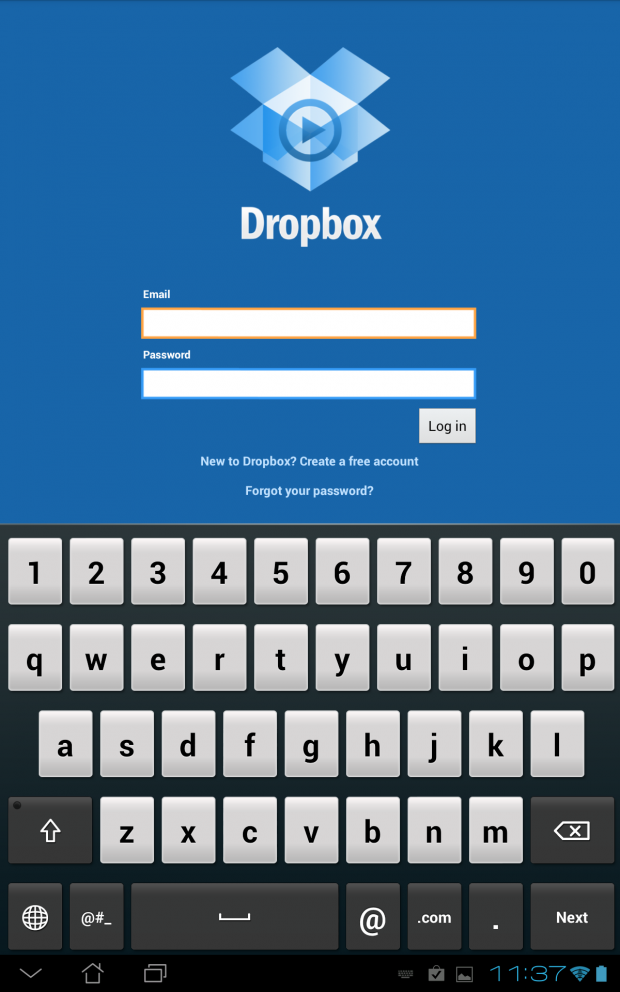
Typing on the Infinity's screen is about what you'd expect from a tablet - okay. It's not amazing, but it's not cumbersome. ASUS' Transformer Pad Infinity's software keyboard takes up half the screen, whether it's in landscape or portrait mode.
 53
53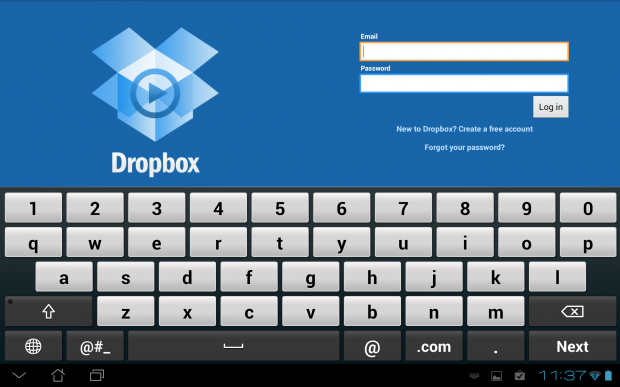 53
53Features
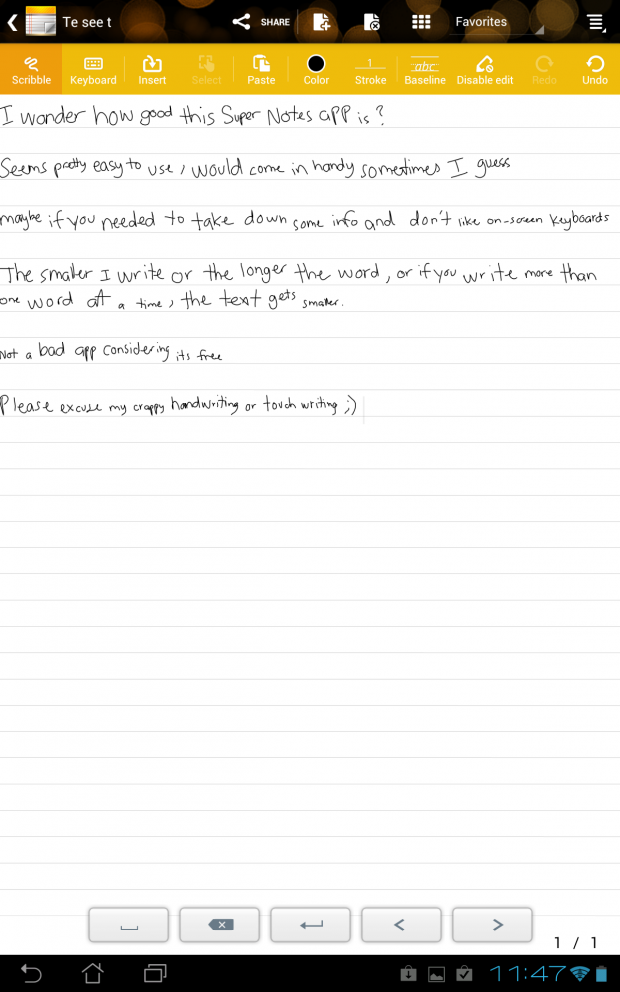
ASUS have given the Transformer Pad Infinity a wide range of features, with some ASUS-exclusive applications on the tablet. One of the more useful applications is SuperNote. SuperNote lets you take various notes, in different forms, such as handwriting or "scribble", the keyboard (on-screen, or when docked) as well as inserting methods (annotation, timestamp, take photo, voice recorder and more).
 53
53I messed around with SuperNote 'scribbling' a note in the screenshot above, and it works surprisingly well. Personally, I wouldn't use this type of feature, but if you wanted to quickly take down some notes, or draw something (for whatever reason) the app is there and it's simple to quickly jump into and jot down some notes, or a drawing.
 53
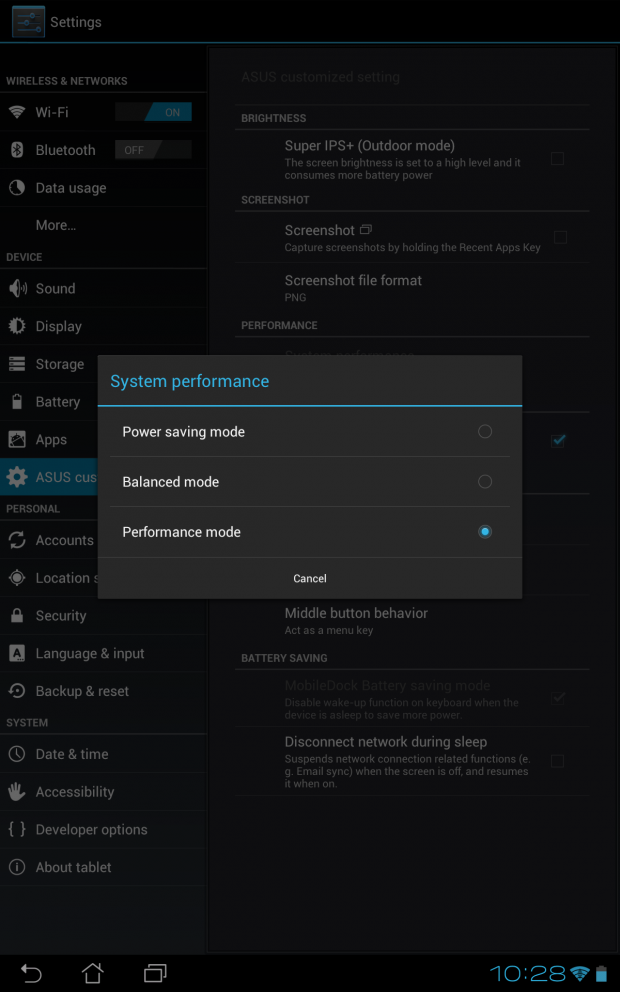
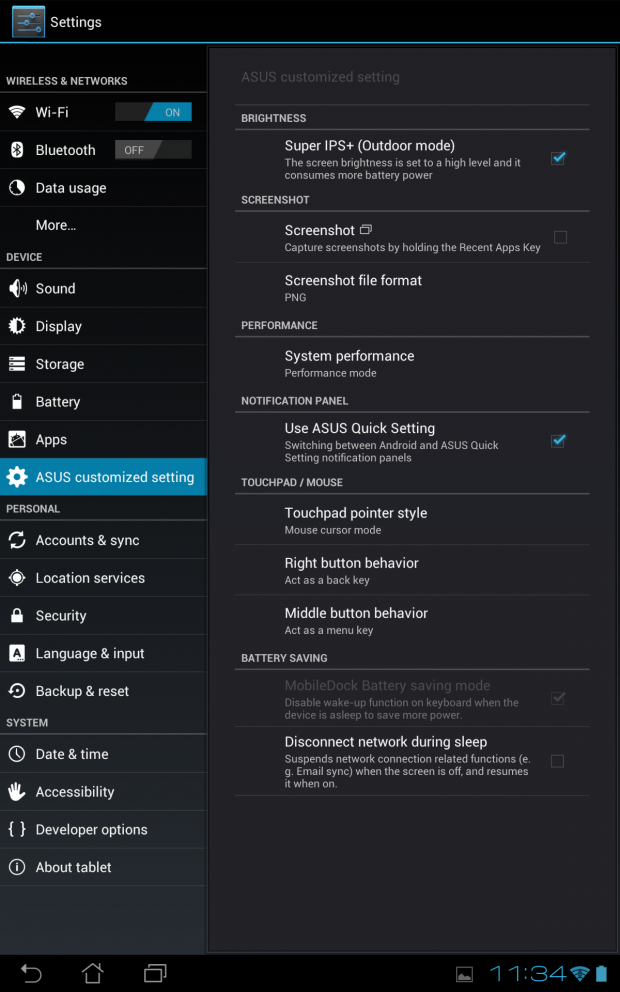
53ASUS have also included three buttons in the settings pane marked "Power Saver", "Balanced" and "Performance". The Infinity can be put into any of these modes, depending on the task at hand, and the tablet will distribute the power accordingly. For example, if you were to be using the above-mentioned SuperNote, you would switch to Power Saver - as you don't need the entire tablet cranking along, with the screen brightness cranked up.
 53
53That little touch is quite impressive from ASUS, and something I would really like to see pushed into more smart devices. Being able to change modes will ultimately personalize the device to your use, depending on the things you're doing with the tablet.
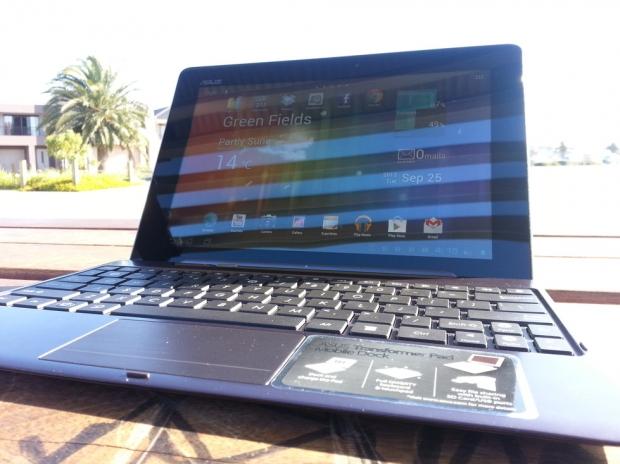
ASUS have stepped up with the display over the competition with not only the resolution, but the company has baked in various modes that the screen can be changed to, with the option of choosing "Super IPS+ mode (outdoor)" or "IPS mode" on the settings pane. When on IPS mode, the screen looks good - changing it to Super IPS+ mode, and wow, it blows you away. Colors are deep, text is sharp, the screen is five-by-five.
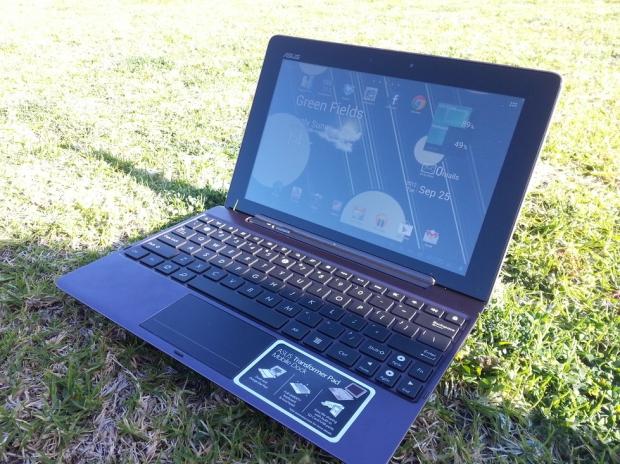
ASUS' Transformer Pad Infinity with its SuperIPS+ screen and its various options for use, can change to "Outdoor" mode and when outside, it really shines. It's not perfect, but it's a far cry from other tablets such as the company's Nexus 7, or Apple's iPad. The Infinity is far better at displaying its screen outside in daylight than its competitors. It works very well, with one of the only downfalls being its gloss screen which will still reflect, but on a slight angle the screen is close to perfect - kudos, ASUS.
 53
53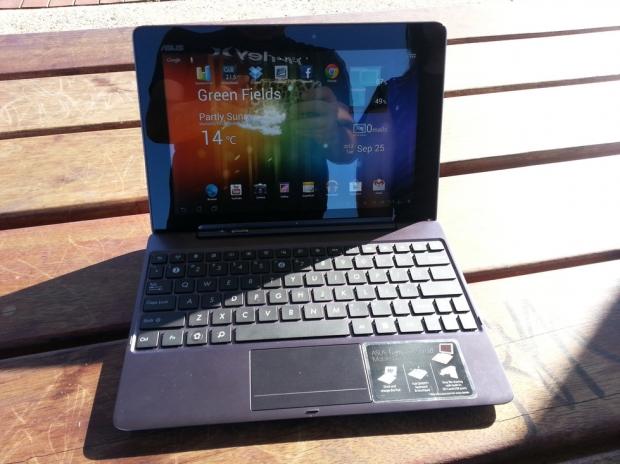 53
53Being outside in the daylight really shows just how great the Infinity's display is - so if you're wanting to use a tablet anywhere, inside and out, this is a big plus from me. The option to have a tablet that looks good (not perfect) outside, is a bonus - we all don't just sit in our houses tapping away on our tablets, some of us venture into the bright outdoors and want to be able to see our tablets, and not reflections of sunlight and glare.
Performance
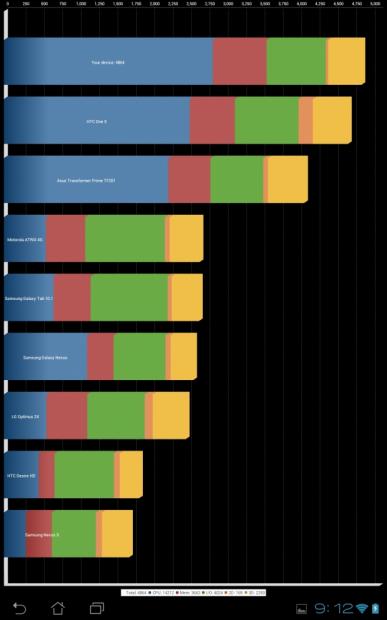
Getting benchmarks out of the way, we find the Transformer Pad Infinity's Tegra 3 SoC cranking along well here - beating out most other devices in Quadrant, but we know that benchmarking muscle isn't as much as it's cracked up to be in most cases. The Infinity is one of the fastest tablets on the market - on paper, at least - yet, it can sometimes lag and feel a little slow. This is most likely due to some bloat ASUS install on the tablet, and a mix of Ice Cream Sandwich - we should see these bugs ironed out as the Transformer Pad Infinity gets thrown into the world of Android 4.1 Jelly Bean in the coming weeks.
 53
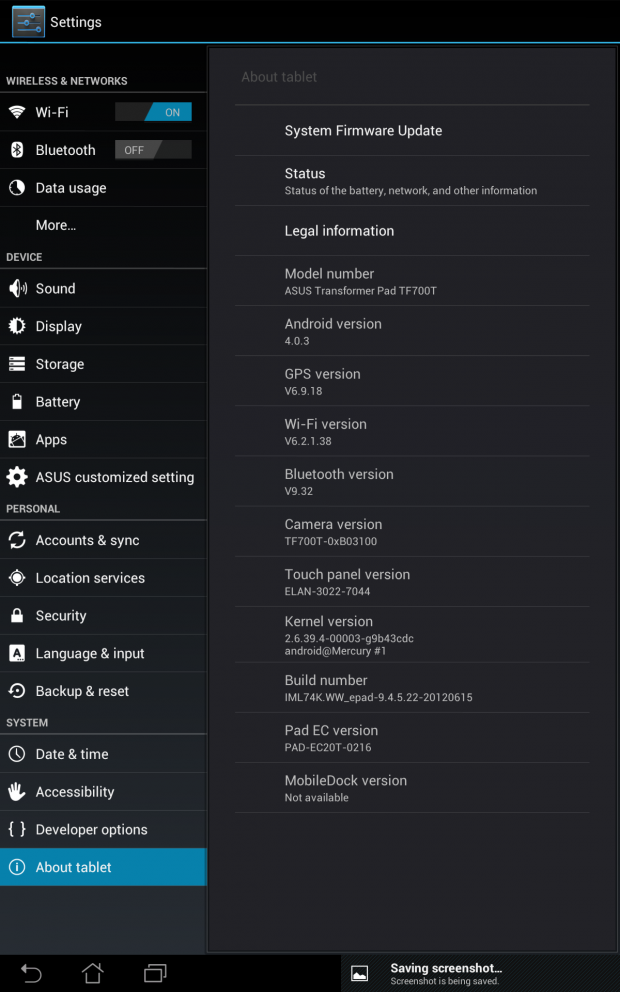
53Performance on the Transformer Pad Infinity I found to be a mixed bag - in some cases, it multi-tasked like a champion, slid between home screens with ease and played games like a pro. But there would be times I'd be using Chrome, or Facebook, and it would just hang. It would either crash the app, or it would hang for 20-30 seconds and then be alright afterwards.
 53
53One night I used it before I went to sleep, and it had just over 60% charge - when I woke up in the morning to check my e-mail, it had powered off. Weird. It did it just the once, and after I put it on charge - it charged up to 100% pretty quickly, meaning that it had not died overnight, but powered off and wouldn't power back up. I have absolutely no idea why it did this, but it did perplex me somewhat.
The Tegra 3 that drives the Transformer Pad Infinity is quite capable of delivering some great performance, multi-tasking, gaming, and everything in between. Apart from the couple of hiccups, the Transformer Pad Infinity impressed with its performance. But, I'd expect nothing less from a Tegra 3-powered tablet. The problem is, the Transformer Pad Infinity is close to $500 - and the Nexus 7 is powered by the same SoC, albeit clocked slower and still performs better with most tasks than the Infinity.
 53
53I really wish ASUS had opted to update the Transformer Pad Infinity to Android 4.1 Jelly Bean as soon as it came out, considering how they have a very close relationship with Google as they're the company who built their Nexus 7 for them - which I absolutely adored.
The Pad Infinity versus most other tablets is hard to compare performance-wise, too - as the Infinity rocks a 1920x1200 display, where most tablets are still stuck at HD resolutions of around 1280x720 - except for the third-gen iPad and its Retina display with 2048x1536 resolution. The Transformer Pad Infinity's screen still looks gorgeous, even next to the Retina-powered iPad - which is a very good selling point for ASUS. Something I found to really love.
 53
53The screen does look good, but it feels 'laggy'. I would use the Infinity in portrait for web browsing and when scrolling through Chrome, it would lag quite badly at times - almost if it was having a hard time just displaying the page. Considering the page is already loaded, I don't see how it's hard for a tablet with the power of a quad-core processor behind it to have performance issues, in a browser.
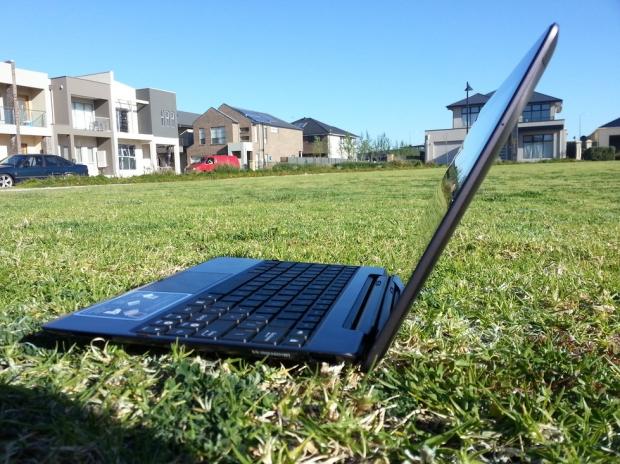
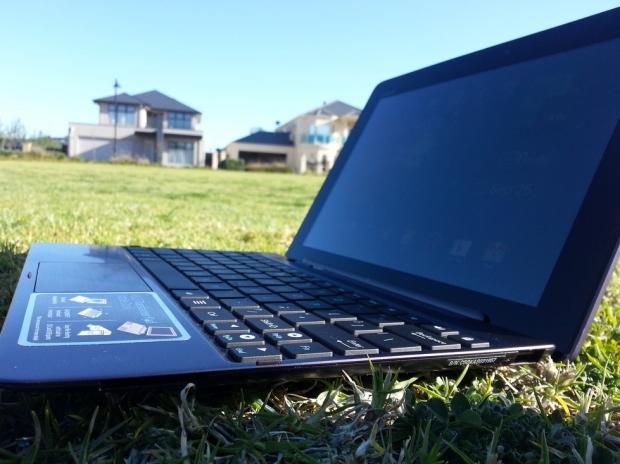
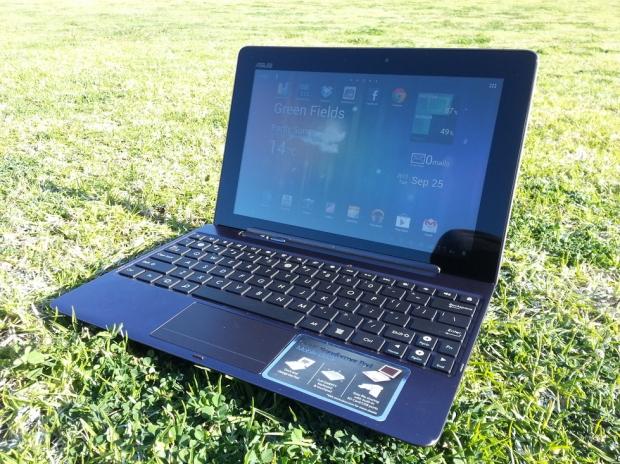
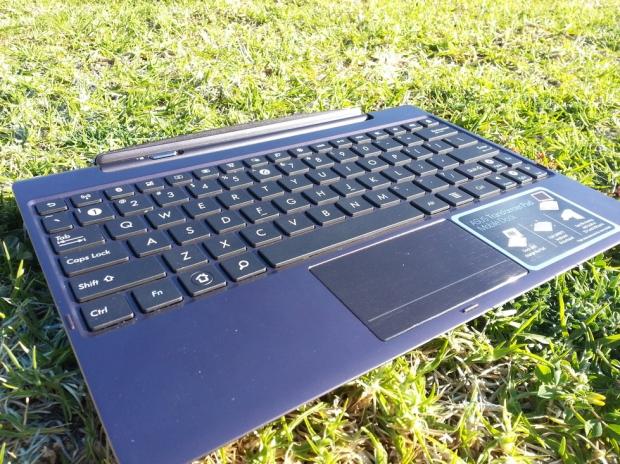
There's the aforementioned Mobile Dock, which is actually quite amazing. It is something that gives the ASUS range of tablets the edge against the competitors, not just as a keyboard, but as an extended battery - as well as a hub for your media via USB and its built-in card reader. The Mobile Dock doesn't feel like it weighs too much more, but when coupled with the Transformer Pad Infinity itself, it does make it quite a bit heavier - but then you have the benefit of turning the tablet into a quasi-notebook.
 53
53I type quite fast and precise, and I could even get the hang of using the Mobile Dock as a keyboard replacement - sure, I wouldn't use it as a permanent solution, but for travelling, it would be a perfect option. I think ASUS only have a limited time with these docks being a competitive edge, as Windows 8 will bring us tablets and hybrid devices sporting physical keyboards - although it is great to see ASUS thinking outside of the square here, and it truly pays off.
 53
53The Infinity's camera isn't too bad at all, capable of recording Full HD video, and capturing pictures with great quality with its 8-megapixel rear-facing camera. I've included a few shots below of the Infinity's snapping abilities.
 53
53 53
53 53
53 53
53 53
53 53
53The new iPhone 5 isn't the only kid on the block that can take panoramic shots, with ASUS' Transformer Pad Infinity capable of doing so, too. I captured a great panoramic shot with the Infinity, as you can see below.
 53
53As for video - capturing 1080p is a charm with the Transformer Pad Infinity - as always, I feel weird standing out in public using a tablet as video camera, but the camera is there for a reason. I thought the videos came out brilliantly, considering how thin these devices are getting.
Final Thoughts
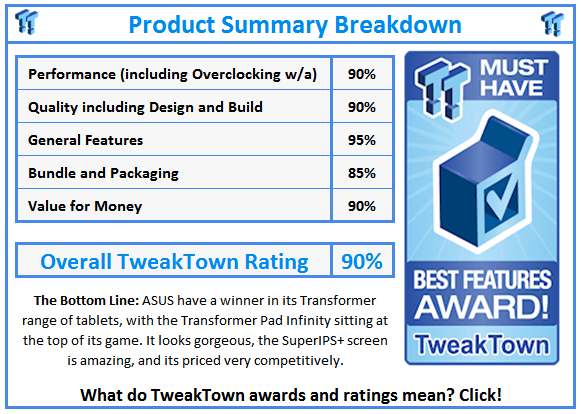
After a week with the Transformer Pad Infinity, I came away with split impressions. I really didn't like how it crashed and locked up on me those few times, nor the slight lag on the UI that I experienced - on the other hand, the screen is hands-down gorgeous, as is the style of the Infinity, as well as the feel.
For a 10.1-inch tablet, it doesn't feel so heavy in your hands after a while - but those first impressions will haunt you. It is surprisingly thin, considering its mammoth screen - but not too thin that it feels cheap. ASUS' Infinity tablet feels like it's worth every dollar you've spent on it.
The rear-facing camera is decent enough to take pictures or videos with, as its capable of capturing FullHD 1920x1080 video - although I did feel awkward walking around my local park and lake with a 10.1-inch tablet taking videos. At the cost of just a few dollars per device, I completely understand why ASUS throw cameras into their tablets - but this is purely a personal choice whether you'd use this or the smartphone or point-and-shoot (or DSLR!) that you own.
 53
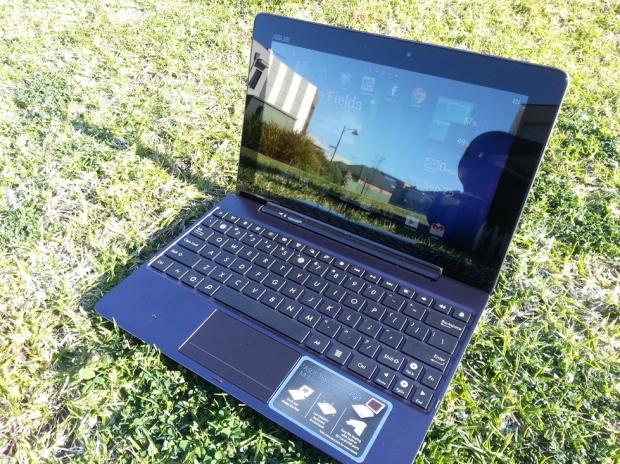
53Thanks to ASUS baking in that gorgeous Super IPS+ display, it really outshines the competition when it comes to using the tablet in broad daylight. I did a fair amount of photos and videos outside on a warm day in perfect blue sky conditions with the sun blasting down on me and the tablet - all while the Infinity laughed it off and displayed its brilliant screen. ASUS have done such an amazing thing by building in different screen options based on your use of the tablet at the time. Being able to use it in daylight may not be a feature everyone wants, or would specifically shop for - but it's something that edges ASUS away from the competition, that's for sure.
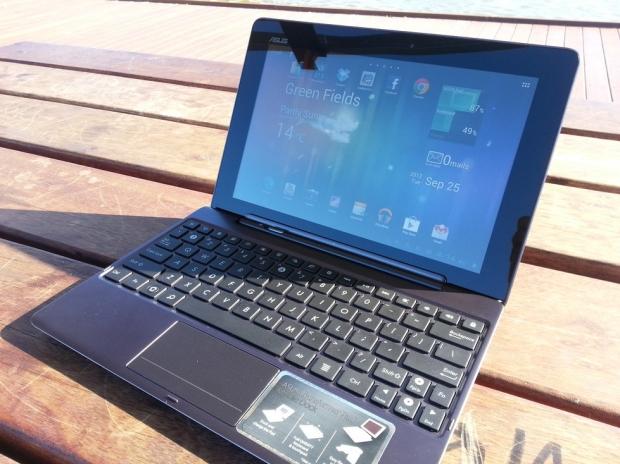
ASUS' Mobile Dock is also another perfect companion for the Transformer Pad Infinity, turning the tablet into a near-notebook. The added ability of a USB port, card reader and extended battery pits the Infinity leagues above other tablets - it's the unique features that the others don't offer that sets you apart - in this case, all the way over in the cool corner.
 53
53ASUS are really in their stride with tablets, after the initial use of the original Transformer last year I was pleasantly surprised to see just how much work the Taiwanese company have done on their Transformer range and I'm incredibly excited to see what they can do from here. If we're looking at 1920x1200 SuperIPS+ displays that work amazingly well in daylight, with a quad-core processor and various performance/outdoor/balanced modes - what will the next-gen of Transformer tablets provide? I'm truly excited at the prospects of this and can't wait to test future tablets from ASUS - especially with Windows 8 right around the corner.
If you're in the market for a fast, great-looking tablet with hands-down one of the best screens on any smart device I've ever used, you will definitely want to check out ASUS' Transformer Pad Infinity.
 United
States: Find other tech and computer products like this
over at
United
States: Find other tech and computer products like this
over at  United
Kingdom: Find other tech and computer products like this
over at
United
Kingdom: Find other tech and computer products like this
over at  Australia:
Find other tech and computer products like this over at
Australia:
Find other tech and computer products like this over at  Canada:
Find other tech and computer products like this over at
Canada:
Find other tech and computer products like this over at  Deutschland:
Finde andere Technik- und Computerprodukte wie dieses auf
Deutschland:
Finde andere Technik- und Computerprodukte wie dieses auf  Windows 10 users: Get ready to be bugged about creating a Microsoft Account
 TT Show Episode 31 - AI-Powered iPhone and PS5 Pro and an AI-Generated Romantic Comedy
 NASA is about to make Treasure Planet real with a solar sail mission
 AI discovers famous painting wasn't entirely painted by the credited artist
 Dubai government responds to claims cloud seeding caused historic flooding
 ASUS ROG Swift Pro PG248QP Gaming Monitor Review - Frames, frames, and more frames
 FlexiSpot C7B-Mesh Ergonomic Office Chair Review
 Samsung G8 34-inch QD-OLED Gaming Monitor Review - 175Hz for $900
 ASRock NUCBOX-155H Mini PC Review
 NuPhy Air96 V2 Wireless Mechanical Keyboard Review
 TEAM T-FORCE Siren DUO360 RGB Liquid CPU Cooler Review
 AVerMedia Live Streamer ULTRA HD Review
 AVerMedia Live Gamer 4K 2.1 Review
 XPG Invader X Mid-Tower Chassis Review
 Intel Core i9-14900KS CPU Review
 Everything you need to know about the latest ASUS NUC Mini PCs - NUC 14 Pro and ROG NUC
 How to Overclock Your GPU and Boost Your PC Gaming with ASUS GPU Tweak III
 ASUS's AMD Radeon RX 7000 Series GPU lineup has something for every gamer
 ASUS OLED Premium Care defends the ROG Swift OLED PG32UCDM gaming monitor from burn-in
 Patriot Viper Xtreme 5 Engineering Prototype 48GB Dual-Channel Memory Kit Preview