


Introduction and Specifications, Pricing and Availability
I've been salivating at the thought of getting a Nexus 7 for quite some time, as I really just wanted to test out Android 4.1 Jelly Bean. Do you remember when the 3DFX Voodoo Banshee video card came out, and it arrived with Half-Life: Day One? I was one of those people that literally rang every single retailer in my state (this was really pre-Internet) to get my hands on it. When I want something, I want it bad. This is how I felt with the Nexus 7.
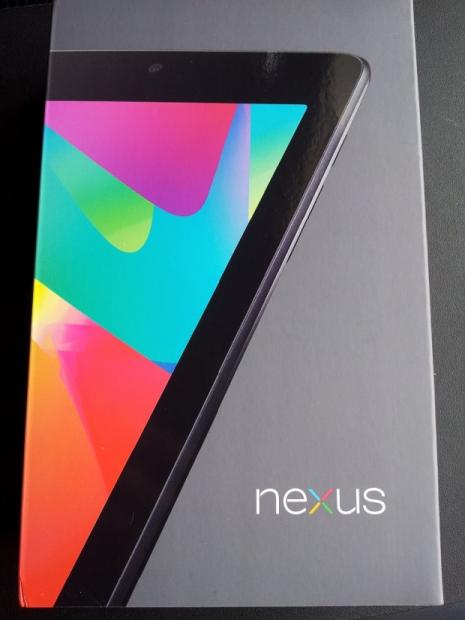
 18
18I didn't want a review sample of the Nexus 7, I wanted my own, so I purchased one last week and I have been having the time of my life since. ASUS worked very closely with Google on the Nexus 7, as Google wanted to get a tablet onto the market that could chomp into the sales of Amazon's Kindle Fire, at the $199 range.
What most people didn't expect is that it would hit the market sporting specs better than tablets priced over $500. It was also a surprise that this cheap $199 tablet featured Google's latest OS, Android 4.1 'Jelly Bean'. Jelly Bean really is the star of the Nexus 7 show, and I've come to absolutely fall in love with the deliciously-named OS since.
Jelly Bean has a bunch of new features built-in, as well as the usual fixes and improvements. We cover the important parts of it from a technical and software point of view.
Specifications, Pricing and Availability
For one of the cheapest tablets on the market, ASUS have packed in quite the feature set into the Nexus 7. If someone had said to me just six months ago, that we'd be seeing a company like ASUS building a 7-inch, quad-core tablet for under $200, I would've laughed. ASUS' Nexus 7 is definitely no laughing matter; it's more of a forced to be reckoned with.
 18
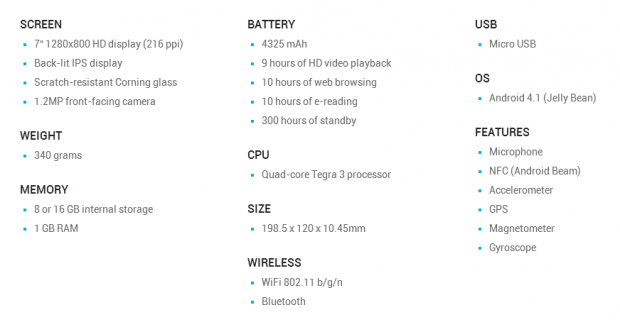
18Starting with the heart of the Nexus 7, we find NVIDIA's quad-core Tegra 3 SoC, a 7-inch 1280x800 backlit IPS display with scratch-resistant Corning glass, 8GB or 16GB of internal storage, a 1.2-megapixel front-facing camera, 1GB of RAM and a 4,325mAh battery. We have the usual network connectivity found in Wi-Fi 802.11 b/g/n, Bluetooth, a micro USB port for charging and syncing the tablet, a microphone, NFC (Android Beam), and the commonly found accelerometer, GPS, magnetometer and gyroscope. This all finds its way into a package weighing in at 340g and measuring in at 198.5x120x10.45mm.
One of the jewels in Nexus 7's crown is its operating system, Google's latest Android 4.1 Jelly Bean. Jelly Bean is the absolute bleeding edge of Google's Android OS, and truly is beautiful. Android 4.0 Ice Cream Sandwich is nice, but Jelly Bean feels like a very polished, very well thought-out upgrade to ICS. When I took the Nexus 7 out of the box, there was already an update to Android 4.1.1, which you should experience, too.
Pricing on the Nexus 7 is what makes it really stand out from the crowd, with the 8GB and 16GB models selling for $199 and $249, respectively. They're made available through Google's Play store, or your local retailer and e-tailers. There are no 3G or 4G options just yet, but there have been rumors of a model sporting 4G LTE support coming soon.
This is where ASUS and Google really have the Nexus 7 wrapped up, is with its low, entry-level pricing. Apple's closest pricing would be their older iPad 2 and even that is close to double the Nexus 7's asking price for their equivalent model.
You might find it hard getting your hands on a Nexus 7 depending on where you live, I couldn't get my hands on one until just recently as they had sold out - but there seems to be more stock floating around now. Another thing to remember is Google didn't quite expect the explosion of customers wanting these bad boys. This changes from city to city, country to country, as usual.
Look and Feel
 18
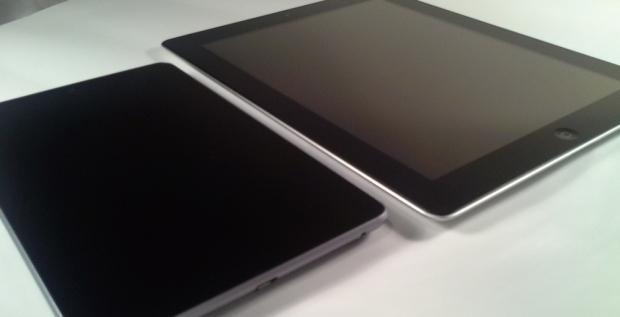
18The look and feel of the Nexus 7 will depend on other tablets that you've held, but it does look good, and it feels even better. At 7 inches, it feels only a little bigger than a large smartphone, such as the 5.3-inch Samsung Galaxy Note. Right out of the box, the Nexus 7 looks and feels like it is worth quite a lot more than its relatively entry-level price, and this continues throughout the entire experience with the Nexus 7. I did expect the Nexus 7 to feel a little lighter, coming from mainly the 10.1-inch size of the iPad, but the Nexus 7 feels better in the hands thanks to its smaller size.
 18
18ASUS' Nexus 7 sports a 7-inch, 1280x800 HD backlit IPS display that just looks absolutely gorgeous, sporting 216 pixels per inch on the display. Rounding out the front of the device, we find a 1.3-megapixel front-facing camera that can be used for video calls and self-shots.
The display looks great at a usual 10-inch (or so) distance from your face, meaning the 1280x800 resolution ASUS and Google have decided to go with is perfect on the 7-inch screen. Thanks to its IPS-based panel, viewing angles are great, too, so you don't have to be looking directly at the Nexus 7 for it to look perfect. Text is rendered onto the screen beautifully, but not as beautifully as the Retina-powered iPad, of course.
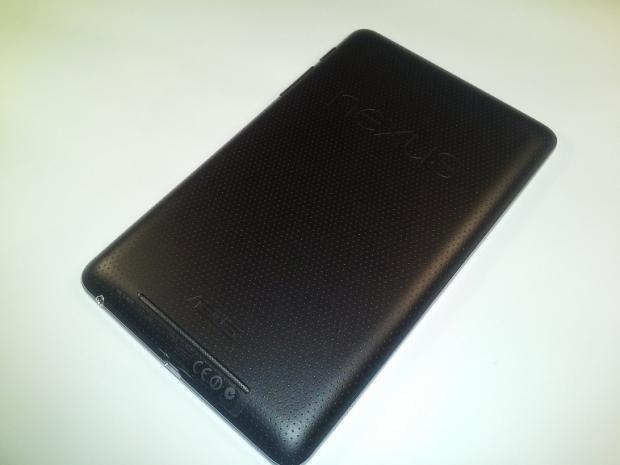
Flipping the Nexus 7 over we find speakers integrated into the bottom of the device through a long slit, just above that we find ASUS' logo, above the ASUS logo is the Nexus branding and just above the Nexus logo is a very small hole, which is the integrated microphone. This is all on a rubberized back which feels great in your hands. On the bottom of the Nexus 7, we find a 3.5mm headphone jack and a micro USB slot for charging and syncing. On the right hand side of the Nexus, we have the power button and volume rocker. All in all, front and back, the Nexus 7 has looks nailed down to a fine art.
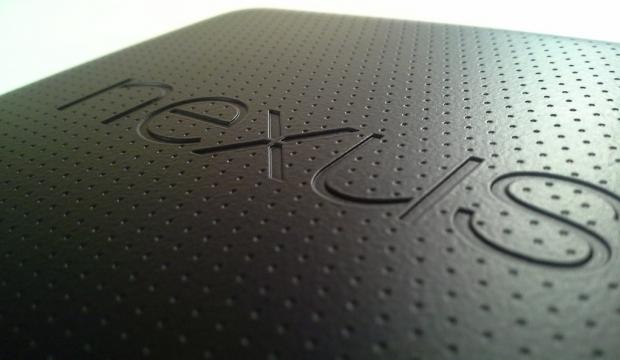 18
18Then we have the micro USB plug on the bottom of the device, along with the 3.5mm headphone/speaker jack.
 18
18The volume rocker and power button.
 18
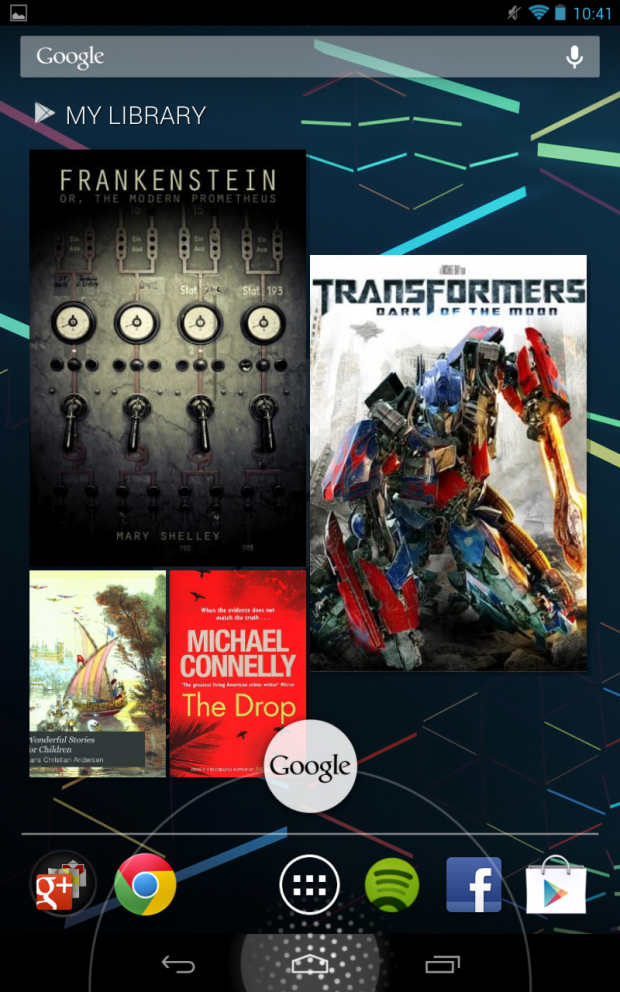
18Let's dive into how the display looks, shall we? ASUS and Google have decided to surprise customers with a copy of a HD movie on the Nexus 7, where they've put on offer the latest Transformers: Dark of the Moon flick. This was a nice surprise, and it streams surprisingly well from the Play store, whilst looking quite amazing.
Of course the display isn't Full HD, but it's a little over the 720p resolution sitting at 1280x800. Colors are vibrant, blacks look great, and we've already mentioned that the viewing angle is superb. Most people would expect for a $199 tablet, it would look, and feel, cheap. But don't let the low price fool you; the Nexus 7 is a beautiful piece of technology.
When looking at the Nexus 7 in any app, or on the home screen, the status bar takes up quite a lot of screen space. I feel that Google should offer some customization here, letting you shrink it down, disable it, move it to the sides or let you drag it up from the bottom of the tablet like you do with the notification bar at the top of the tablet (or any Android-based device with a notification bar). It wastes valuable screen space on a cramped 7-inch tablet. Because we're looking at a future of button less tablets, this is going to become more and more of a problem in the future. I hope that the next revision of Android looks into this, as I'd like some extra screen space, or some personalized customization options at least.
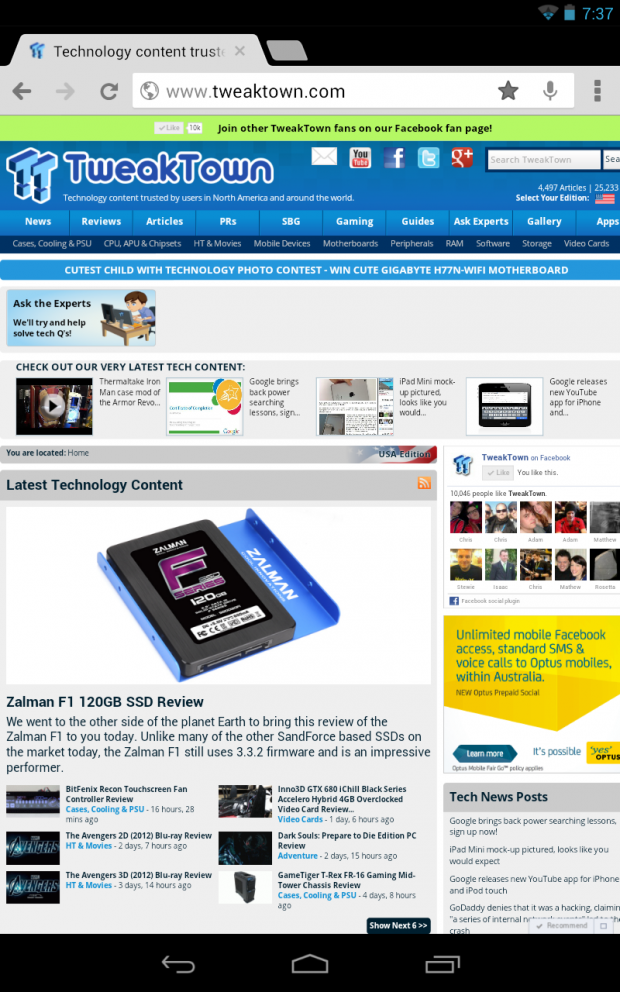 18
18Landscape on the Nexus 7 is definitely not as good for web browsing as portrait mode, but that's what a 7-inch tablet is really designed for, portrait use.
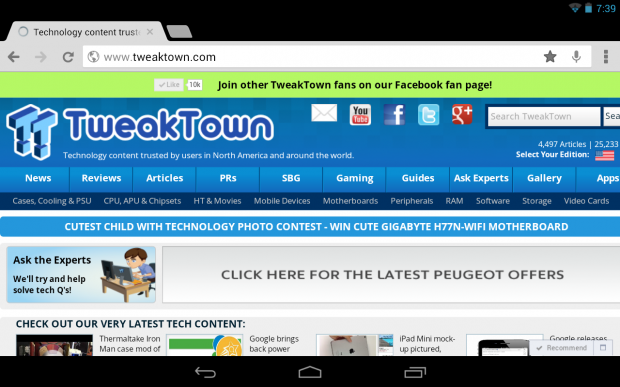 18
18Features
First and foremost, the stand out feature that the Nexus 7 has going for it, is its OS: Jelly Bean. Google made the decision to debut the latest version of their mobile OS, Android 4.1, on the Nexus 7 because of their collaboration with ASUS on the slate.
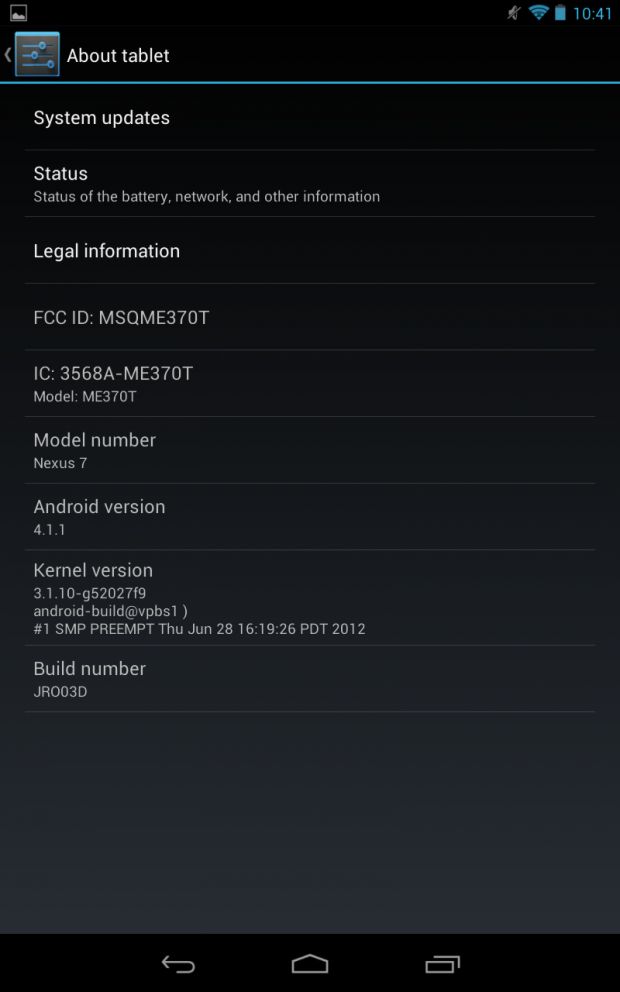 18
18Jelly Bean is beautiful, and it truly deserves its own review. What makes it stand out even more, is that it is a "pure Android" experience, as it's a purely stock Android OS. This is free of carrier modifications, or manufacturer UIs (skins such as TouchWiz from Samsung, or HTC's Sense). This is a pretty big deal considering the Nexus 7 is one of the most talked about tablets of 2012.
Another bonus ASUS and Google have thrown in with the Nexus 7 is that Nexus devices are sold with an unlockable bootloader, meaning users can root the device for example, without many issues.
Jelly Bean includes Google's "Project Butter", which is an initiative of Google to reduce latency in the OS. Google used "vsync timing" and triple buffering, improving touch responsiveness, as well as programming the display to run at a gorgeously smooth 60 frames per second. This can be felt on the device right away, when sliding between screens and going in between apps, it really does feel like butter.
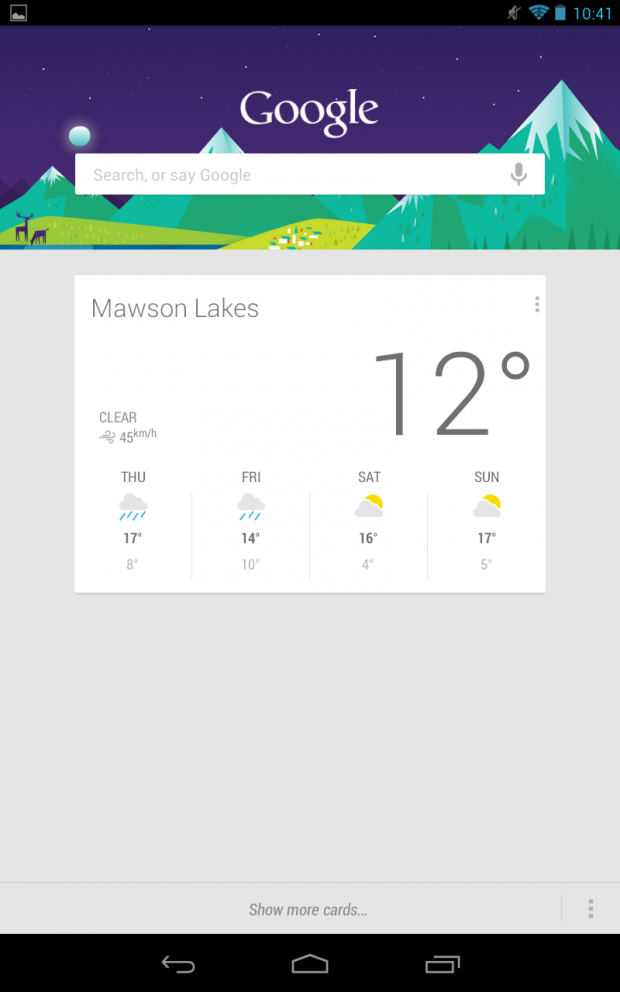
Also included with Jelly Bean is Google Now, which is a Siri-like intelligent personal assistant. Google's Now service provides "cards", which are forms of information on various topics. Google Now will display these cards when its thinks it's a relevant time to do so, and will display information such as weather, traffic conditions and sports results. Google Now can be accessed by pressing and holding down on the home button on the screen, and dragging out of the circle displayed.
 18
18Google Now will learn who you are, and what you do over time, and display relative information that you would personally like to see. The longer you use the Nexus 7 (or any other Jelly Bean-powered Android device), the more personal Google Now becomes. If you were to search for your favorite football teams scores manually frequently, this is the type of information Google Now would pull down automatically for you.
 18
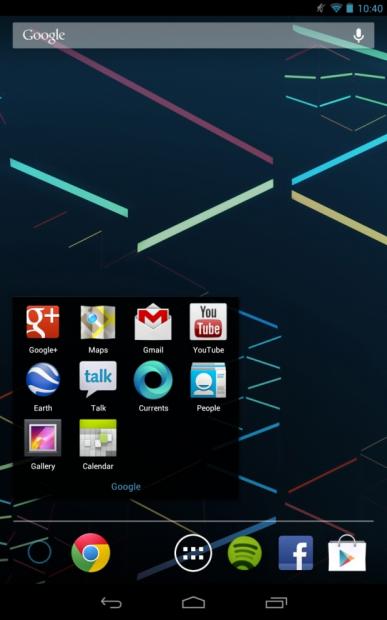
18Jelly Bean also introduces Google's Chrome web browser as its new stock browser, finally. After personally using Chrome for Android on my ICS-based Galaxy S II, it feels like such a letdown to use anything but Chrome. Thankfully, Google baked Chrome into Jelly Bean, meaning you can now sync your desktop version of Chrome to your Jelly Bean-powered device, and enjoy your bookmarks, saved passwords and more. It's also quite snappy compared to the usual stock browsers on other Android devices.
There is one thing that I don't quite understand, is that there is no camera app included on the Nexus 7. Sure, the Nexus 7 doesn't feature a rear-facing camera, but there is still a front-facing camera. Surely the base code to Jelly Bean would have a camera app, meaning ASUS have decided to leave it out. It's not a show-stopper, but it makes you question the decision to leave it out. I guess most people wouldn't run around taking pictures of themselves as much as taking pictures, or videos, of other things, but the option of the camera app on the Nexus 7 would've been nice.
There is a camera application that MoDaCo has put onto the Play Store, which isn't a killer app by any means, but it will give you access to the front-facing camera. I've taken some video and photos with it, so you can get an idea of the quality. I will note that it is really hard to take photos and videos with a front-facing camera, as you can't see what you're recording.
Another thing you'll notice on the Nexus 7 is that the home screen is locked into portrait mode. There is no option to change this without looking into third-party tools, or rooting the device. As a stock Nexus 7, it is completely locked down. Applications, including Google's own apps, are able to rotate into landscape mode, but once you go back to the home screen, it'll flip back to portrait mode. This isn't a big problem, but it is something worth noting. I would say that ASUS and Google made the executive decision based on its 7-inch size, but again, why not offer it as an option somewhere?
Performance
 18
18ASUS' Nexus 7 sports NVIDIA's Tegra 3 processor, which is a quad-core chip clocking in at 1.3GHz. Going between apps, and general multi-tasking just feels fluid. I have experienced no slowdown in my testing with the unit; it performs like a champion.
Jelly Bean and Project Butter - Apart from both of these names sounding absolutely delicious and making me want to go and eat some jelly beans and buttered popcorn, there's some intelligent design behind these technologies. One of the main components that make the Nexus 7's performance feel great is the above-mentioned Project Butter. Project Butter is a name Google have adopted for tuning Jelly Bean's internals, which render apps, touchscreen processing and more, to run at 60Hz.
The OS also uses triple buffering; making sure that there is a new frame ready for the upcoming display refresh. This doesn't translate into things feeling twice as fast, but it just makes things ultra-smooth. I'm guessing this is where Google adopted the "Project Butter" naming from.
Touchscreen responsiveness is something that is quite important to any touch-based device, obviously, and thanks to Project Butter and Android 4.1 Jelly Bean; responsiveness has never been better. This also goes hand-in-hand with NVIDIA's Tegra 3 SoC, which drops the clock speeds on its CPU cores depending on the activity of the device; Jelly Bean takes over as soon as it detects contact with the touchscreen. Thanks to the increased updating on the screen of 60 times per second, as soon as your finger even gently caresses the screen, it starts inputting the data and you see this as the reaction on the tablet is nearly instantaneous.
What this does is provide instantaneous reaction as soon as you even so much as touch the screen gently, making it not only feel fast, but save battery life at the same time. Jelly Bean also bakes in better touch-based tracking, where it'll go as far as predicting where your finger is going to slide next when the screen refreshes. All of this is done behind the curtains of Jelly Bean, but provides you with a top-notch tablet experience. All this for just $199.
I'm a big fan of Flipboard, and flipping between stories feels more fluid than any other tablet I've tried. This is all thanks to Project Butter, and NVIDIA's Tegra 3 processor, which work together so well that the touchscreen response is quite revolutionary.
General use of the Nexus 7 is surprisingly snappy - faster than my third-gen iPad, faster than any other Android-based tablet I've used, or any other smart device I've used, period. It really is lightning - and it shows, all over the tablet. Switching between apps, opening an app up, multi-tasking truly is wonderful on the Nexus 7.
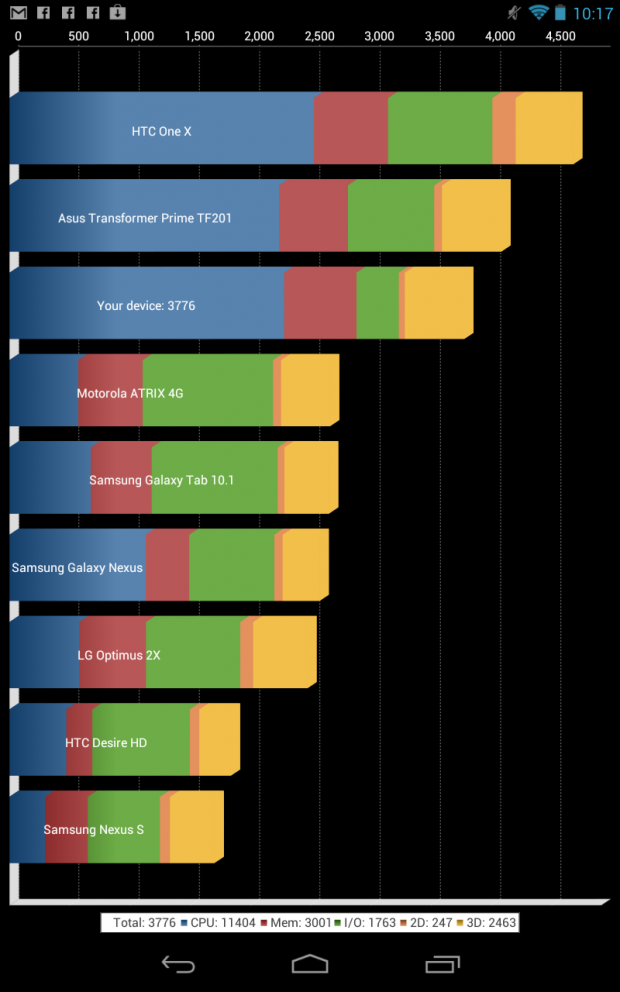
We threw the Nexus 7 through Quadrant Professional Edition, where it scored quite well thanks to its Tegra 3 processor. It scored an overall score of 3776, which is down from the other ASUS tablet, the Transformer Prime TF201, which scored just over 4000. HTC's One X is way out, as you can see below.
 18
18Google have said that the Nexus 7 will run for an insane 300 hours on standby, with my general use, I'm finding that the battery life on the Nexus 7 is nothing short of impressive.
ASUS' Nexus 7 only comes with the front-facing camera as mentioned earlier in the review, and here are some photos and videos I've taken in and around my house - mostly of my daughter playing with her recently-acquired bubble shooting gun, which she absolutely loves. It also is a great example of some fast-moving bubbles flying across the screen.
 18
18 18
18Remember, it's only a 1.2-megapixel camera, so the quality is by no means amazing. Video wise, it doesn't do too badly for a front-facing camera.
Final Thoughts
 18
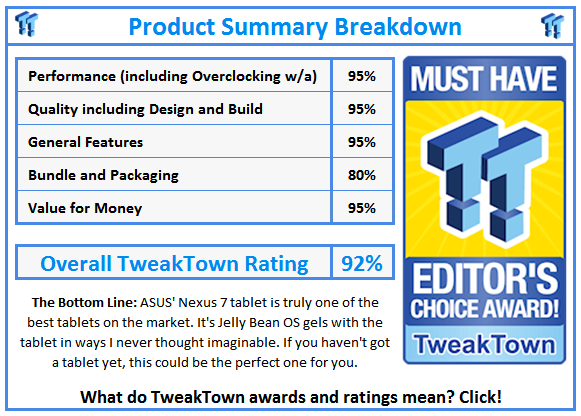
18ASUS and Google don't really need to try hard to make you like, or love, the Nexus 7; it will do it for you. ASUS' Nexus 7 looks great, feels great, and performs even better. I know I may be talking it up here, but even if it were $399, I still think it's a great contender for your money.
There are worse tablets on the market that are priced much higher, which begs the question; is the Nexus 7 priced too cheap, or are those tablets simply too expensive? The Nexus 7 is going to make other tablet makers very cautious of how they price their tablets in the future, and so they should. If the Nexus 7 can offer us a beautiful IPS display, quad-core processor, the latest OS, and come in at under $200, then other manufacturers need to be able to make their tablets known to the world in other ways.
Google and ASUS worked together closely with this, and it was rumored that ASUS worked at close to cost price to deliver the Nexus 7 at this price. Other manufacturers don't have this type of relationship with Google, but maybe they should be making some more calls, and ordering some more drinks for those who have relationships with anyone who has the power to get a cheap, fast, but great quality tablet to the market.
The Nexus 7 has now replaced my third-generation iPad as my at-home tablet. I use it to do everything when I'm at home instead of using my smartphone. It's just big enough to feel like a perfectly-sized tablet, but not too big to feel like I'm holding a portable computer. If you're impressed with how the iPad feels with its weight, and size, but feel like it's too big, check out the Nexus 7. If you think your iPad is fine with weight and size, I offer the same advice; check out the Nexus 7. It will really change your mind of how great a tablet can be at not only $199, but running on Android.
Most people who have tablets, have an iPad. Google know this, and this is most likely why they've pushed the Nexus 7 onto the market with ASUS. I think we're going to see a new beginning for Android, instead of the fragmented life it doesn't enjoy today. The included front-facing camera is barely worth mentioning, firstly because of its low-quality, secondly, because taking photos with a tablet is beyond annoying most of the time in this smartphone-heavy world, and thirdly it's front-facing and nearly impossible to take videos, or pictures with - apart from self-portraits.
ASUS and Google sweeten the already great deal on the Nexus 7 by throwing in $25 worth of Play store credit that you can spend on anything you want. Some great apps or games can be had for nothing, which is a bonus. When turning the tablet on, I did not expect that whatsoever, not at the price I paid for it. Considering that $500+ tablets don't give you $25 (or more) credit on the Play store, or Apple's iTunes Store, it really is a nice bonus.
Not only that, but you get a copy of Transformers: Dark of the Moon, too. If you haven't bought yourself a tablet yet, and want to dive into the tablet world, the Nexus 7 is the perfect choice for you. If you already have a tablet, and want to check out Jelly Bean, or want to sport a second, smaller tablet, the Nexus 7 is still an amazing buy.
I now use the Nexus 7 over my third-gen iPad, as Jelly Bean and its associated technologies (Project Butter) are just so amazing, I am now virtually Nexus 7-exclusive, it's that good. Don't just walk out and get a Nexus 7, run, run like the wind.
 United
States: Find other tech and computer products like this
over at
United
States: Find other tech and computer products like this
over at  United
Kingdom: Find other tech and computer products like this
over at
United
Kingdom: Find other tech and computer products like this
over at  Australia:
Find other tech and computer products like this over at
Australia:
Find other tech and computer products like this over at  Canada:
Find other tech and computer products like this over at
Canada:
Find other tech and computer products like this over at  Deutschland:
Finde andere Technik- und Computerprodukte wie dieses auf
Deutschland:
Finde andere Technik- und Computerprodukte wie dieses auf  Downloads to be cut in half for Windows 10 updates, as new slimmer upgrades start next month
 Missing the Fallout TV show? Play Fallout 4 instead, it's about to get a big current-gen update
 Are full-blown adverts coming to Windows 11's Start menu? We hope not, but it looks that way
 Unreal Engine 5.4 brings significant updates to ray tracing and rendering for 60 FPS gaming
 SK hynix plans $14.6 billion on new chip fab in South Korea to meet 'soaring demand' of HBM
 ACEMAGIC AD08 "Core i9 11900H" Mini PC Review
 Lenovo ThinkPad X1 Carbon Gen 12 Review
 ASUS ROG Swift Pro PG248QP Gaming Monitor Review - Frames, frames, and more frames
 FlexiSpot C7B-Mesh Ergonomic Office Chair Review
 Samsung G8 34-inch QD-OLED Gaming Monitor Review - 175Hz for $900
 ASRock NUCBOX-155H Mini PC Review
 NuPhy Air96 V2 Wireless Mechanical Keyboard Review
 TEAM T-FORCE Siren DUO360 RGB Liquid CPU Cooler Review
 AVerMedia Live Streamer ULTRA HD Review
 AVerMedia Live Gamer 4K 2.1 Review
 Building the Ultimate Home Entertainment Server with an ASUSTOR NAS and Viper Gaming NVMe SSDs
 Everything you need to know about the latest ASUS NUC Mini PCs - NUC 14 Pro and ROG NUC
 How to Overclock Your GPU and Boost Your PC Gaming with ASUS GPU Tweak III
 ASUS's AMD Radeon RX 7000 Series GPU lineup has something for every gamer
 ASUS OLED Premium Care defends the ROG Swift OLED PG32UCDM gaming monitor from burn-in