


Introduction
 42
42I guess I hadn't paid all that much attention to Sharkoon's website back when I had a look at the Rebel9 and the Nightfall cases. To be honest, until I got the emails about this sample, I wasn't really aware they were in the peripherals game as well. This time around I was sure to take more time and found out that they do sell a whole lot more than just cases. They list everything from cables and card readers, through flash memory and power supplies and headsets and peripherals. They really do have quite the product lineup. I may need to look at Sharkoon a little more often, they cover quite a bit for me to have a look at and with Sharkoon as a company, we are in the baby step stages, since this is only my third product I have seen, but I hope to bring you more of their products as time goes by.
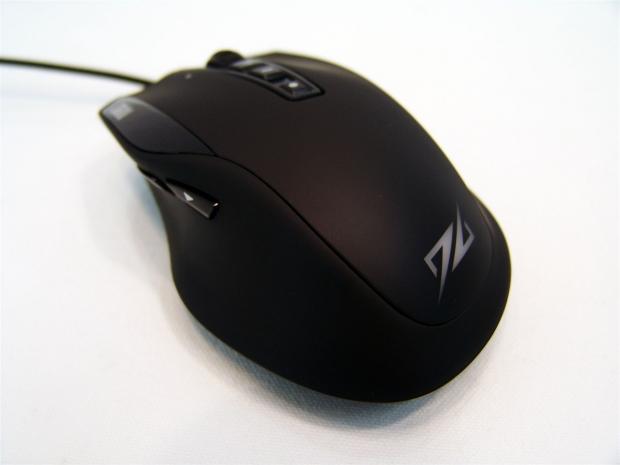
Back to the review at hand, this is my first look into the peripherals section of their lineup as I bring you this mouse. It is a laser mouse with tons of features, as seems to be the trend, Macros, switching the functions to things in almost any program; you can even make mouse button multimedia keys if you want. It also contains all of the usual suspects for a gaming mouse with a laser sensor (it has the Avago sensor), it has a weighting system, it has optional LED backlighting and it even has an LED display for the current DPI. It really does seem to cover what most gamers or even someone who can appreciate shortcuts to save time desire in a mouse.
As we get to seeing just how well this new mouse from Sharkoon stands up against the competition and as I introduce you to the DarkGlider laser gaming mouse, it seems like they have a pretty full feature set and to be honest, I just barely got started with that list. There is a lot more to cover and discuss as I take you through the DarkGlider, both inside and out, into the powered up looks, through the software and accessories, you are soon going to realize this is a very well appointed contender, even more so once we get into the pricing of this larger solution for those with medium to large hands.
That in mind, I say we get right to it, shall we?
Specifications, Availability and Pricing
 42
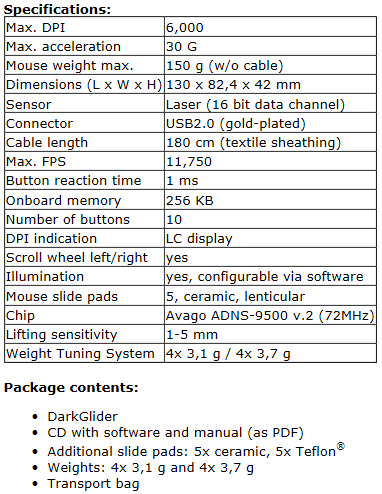
42On the inside of the DarkGlider there is an Avago ADNS-9500 V2 laser sensor, capable of up to 6000 DPI in 800 DPI leaps, as the tracking system. This is paired with a 16-bit MCU and 256KB of onboard memory to reserve profiles and settings, while the MCU does the communication. For long life in your right and left click buttons, the use of Omron switches was used while smaller pad switches are used for the seven other buttons on the mouse for things such as DPI switching and the tilt scroll wheel. There is an internal LED system that illuminates the logo on the mouse and this has options of 32 preset colors.
Externally you have nine total buttons around this ergonomically shaped, rubber coated mouse, but there is a total of 12 "œbuttons" if you include the tilt wheel and profile and DPI buttons. This is a right hand only mouse with page forward and page back buttons on the left side with a curved side that fits your thumb well. The top offers the right and left click buttons, a 4-way scroll wheel, DPI buttons, favorite's button and a backlit LCD display near your pointer finger to display the current DPI.
If you flip the mouse on its back you will find five lenticular (lens shaped) feet, with the option to swap them out for either ceramic or Teflon versions of these feet. There is also a weighting tray that comes out of the bottom with an eight piece weight set for fine tuning the perfect weight for you to use. Also with any mouse of this nature, there needs to be some serious software and even here Sharkoon has you covered.
Availability in the US currently is zilch, but it wasn't necessarily intended for the US market. With every release note I saw and even when they let the Dark Glider lose on the market, it was always accompanied by a pricing of 39.99 Euros. Doing some quick math; that equates to just under $50 at the current exchange rate and is a really good price point.
Thinking of it in those terms, I have to say this is one of the better appointed solutions available with this sensor in it. For those of you over the pond, this is much easier to locate and Google shows a few places holding near the MSRP, while others are demanding a bit more. So shop around, it is likely to save you a little extra in the wallet.
Packaging
 42
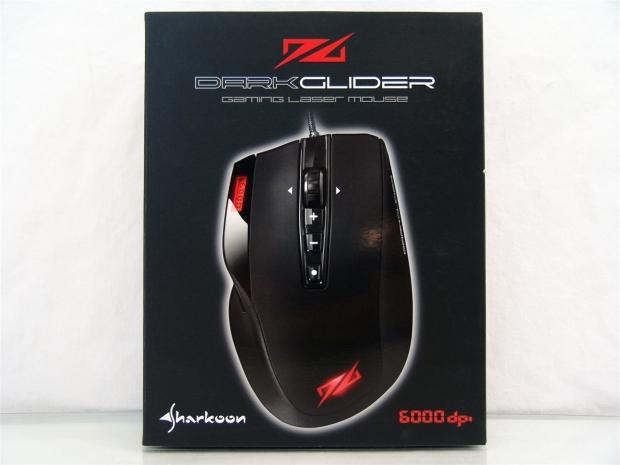
42Sharkoon delivers the DarkGlider in all black packaging with an illuminated image of the mouse front and center. At the top under the name it states this is a laser gaming mouse and at the bottom it shows the maximum DPI of 6000.
 42
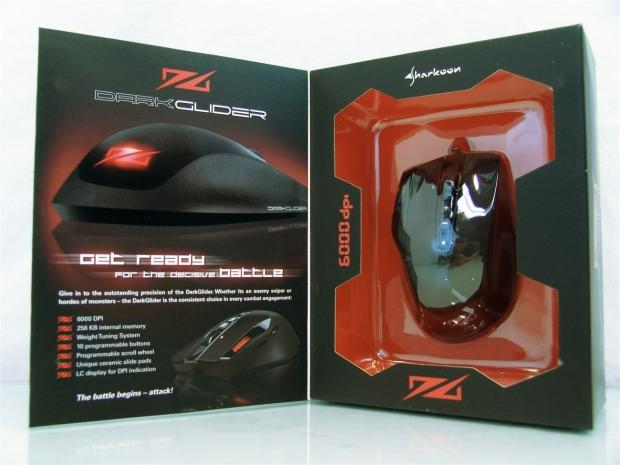
42The front opens to show you the mouse at table level, a list of features and yet another look at the DarkGlider, on the left half. The right side exposes the DarkGlider under a layer of plastic that holds the mouse in place during transit.
 42
42The right side of the package has just the log and Dark Glider naming.
 42
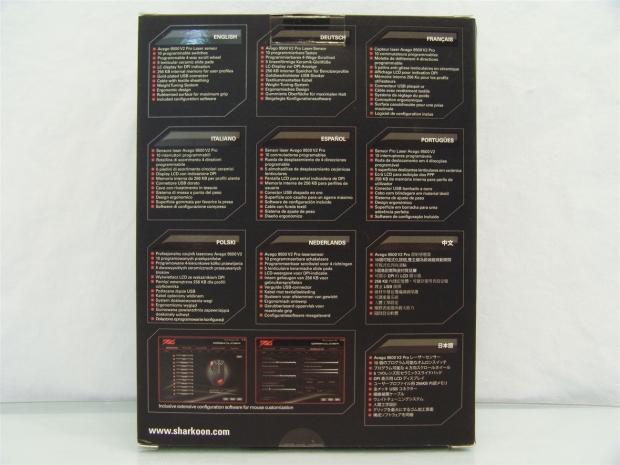
42On the back, in 13 languages, there is a full list of 12 features of the DarkGlider covered here along with the web address if you need support, drivers or have a broken product.
 42
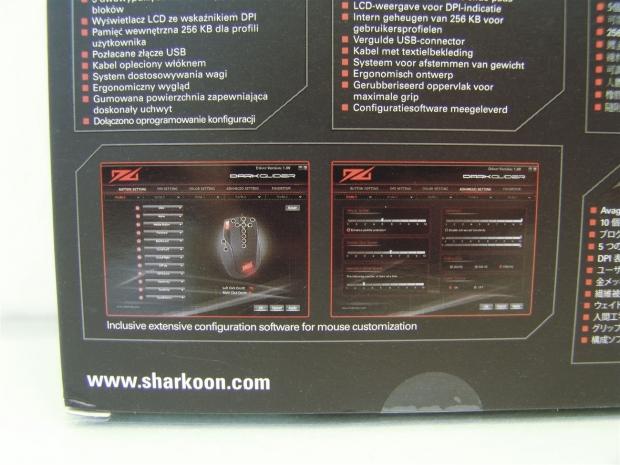
42At the bottom left of the panel they do give you a glimpse at the software. With such tiny images it is hard to see what is going on, but it does give you an idea of the re-programmability of the buttons and the settings you have access to changing.
 42
42Just like the other smaller side of the packaging, there isn't much to see here either.
 42
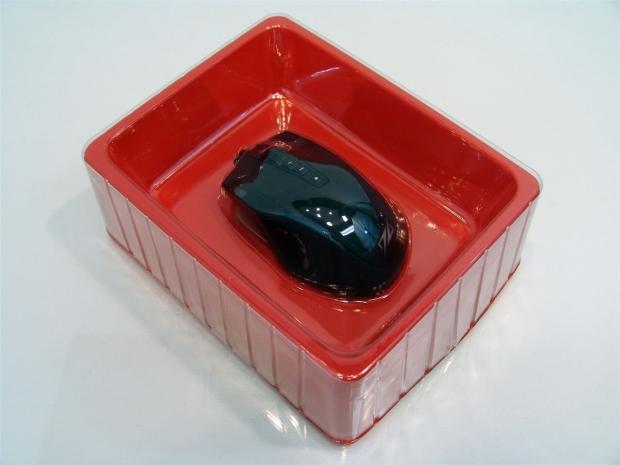
42Inside the box, the DarkGlider is sandwiched between a red tray that has high edges to take any hits before the mouse takes a hit, with a clear plastic top piece that is form fitted to the bottom tray and the mouse. Under the red tray is where all the goodies, driver CD and carrying case are found.
Sharkoon DarkGlider Laser Gaming Mouse
 42
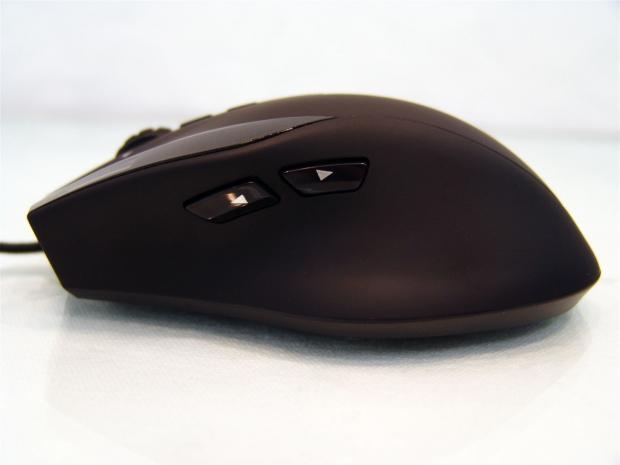
42Starting off looking at the left side of the DarkGlider, you get a rubberized coating that is applied to the entire top surface of the mouse. The side is gently curved from the back with a dip in the longitudinal direction to accept your thumb as you move and get access to the page forward and page back buttons.
 42
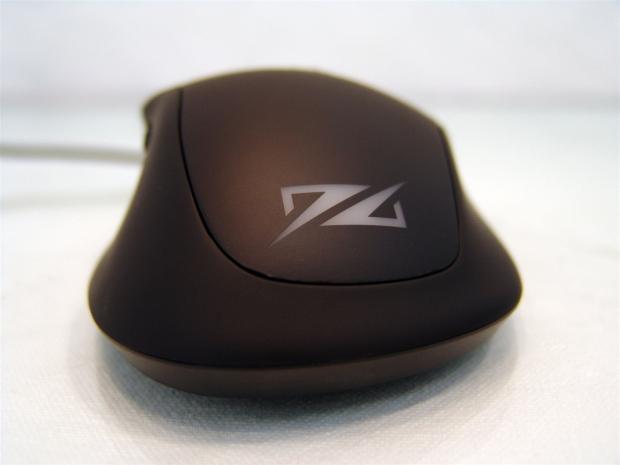
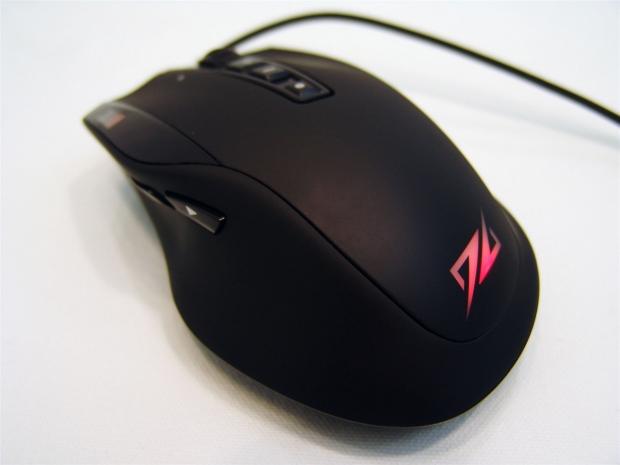
42From the back of the DarkGlider you have the logo backed with opaque plastic that will illuminate when powered on. As for the shape it's got some pretty wide hips, but that does tend to help keep your hand on top of the mouse and not sliding off the back.
 42
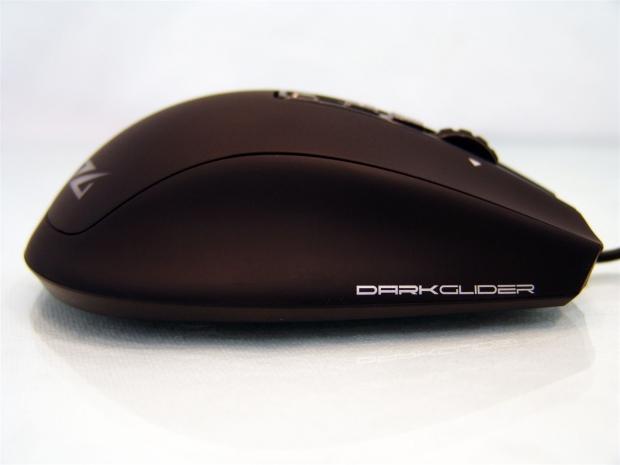
42The right side offers the name of the mouse in white paint near the front of the mouse. The curve on this side is a bit higher and the angle from the top is less dramatic than for your thumb. This allows for both the ring and pinky finger to rest on the side and not drag on the surface that your mouse is on.
 42
42The front of the mouse has a snubbed nose and is also cut on an angle to be sorter on the pointer finger than it is on the middle finger. When your hand is comfortably positioned on the mouse, only the largest hands will drape fingers over the front. You can also see that both the right and left click buttons are contoured so your fingers just rest in the valleys.
 42
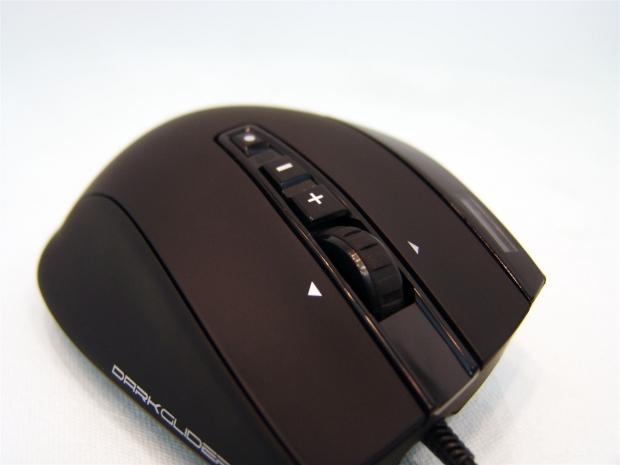
42Between the large right and left click buttons you find a favourites button at the back, a pair of buttons to raise and lower the DPI on the fly and scroll wheel that also tilts right and left. There is a plastic hub, but the edge of the scroll wheel is rubberized and the movement is chunky for accurate weapons changes.
 42
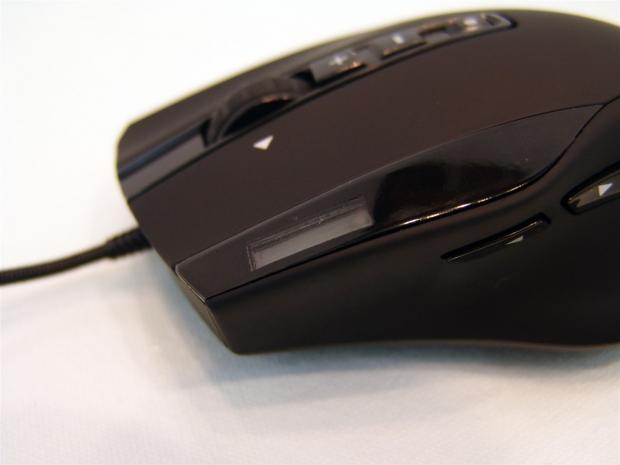
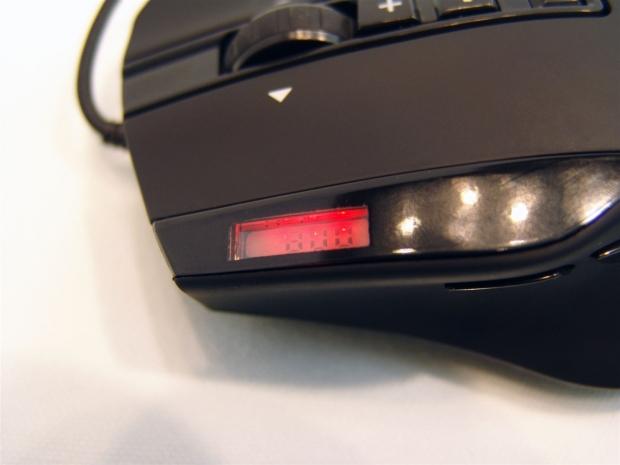
42Just to the left of the left click button, there is a shiny bit of black plastic that runs along side of the button and house a LCD screen that will display the DPI of the mouse and is backlit.
 42
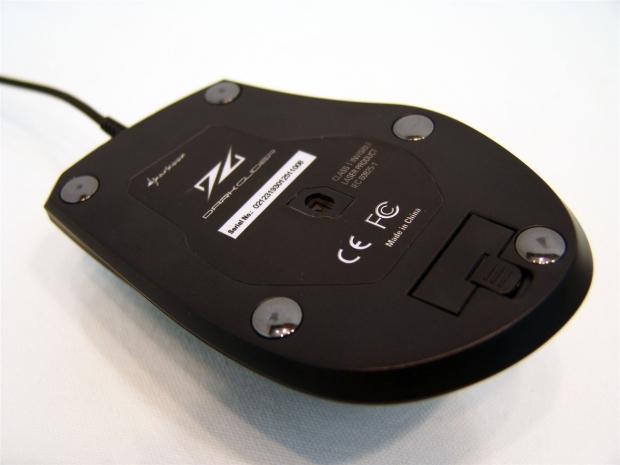
42Under the DarkGlider you see the manufacturer's sticker surrounding the laser and five rounded feet to support the mouse. These are the ceramic option of the feet and in the hardware section you can see the Teflon versions.
 42
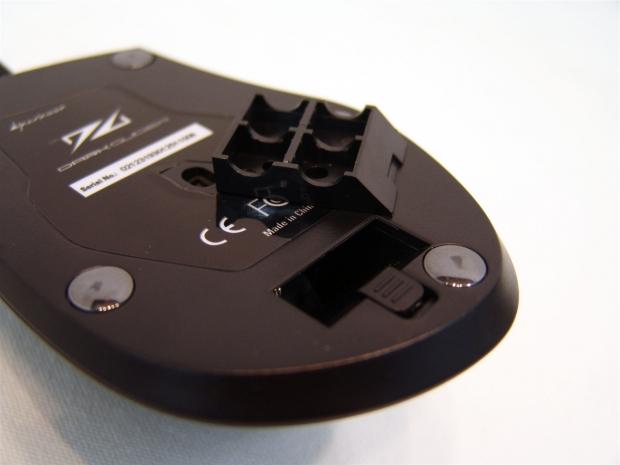
42Near the back of the mouse, you need to slide the latch to allow the four bin weight tray to come out so you can add additional weighting to give you the perfect feel on the desk.
 42
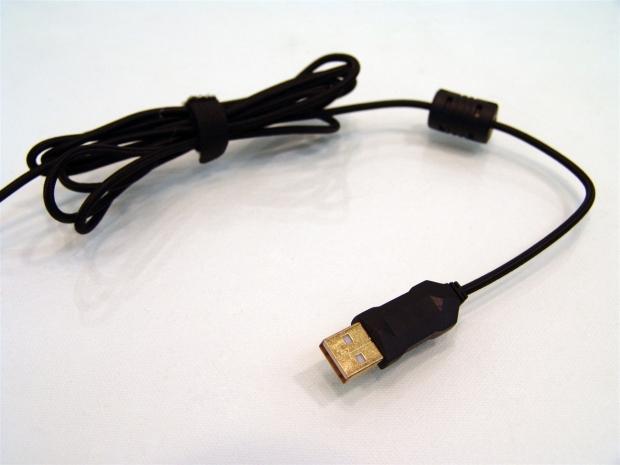
42To connect this DarkGlider to the PC, you have this gold plated USB 2.0 connector on a black braided cable. There is also a Velcro strap to tidy the wiring for travel or while it's at your desk as there is 180 centimeters of cable provided.
Accessories and Documentation
 42
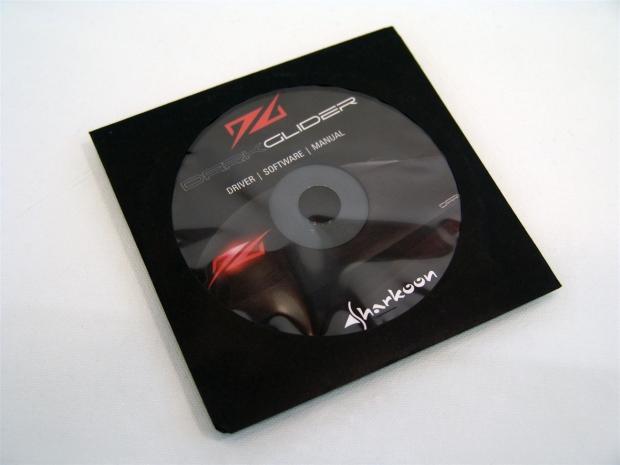
42Most manufacturers will tell you to go to the web site for drivers, but what if you don't have the internet connected? Well either way you can slide in the driver CD or go to the site and download them, but it is nice to have the CD.
 42
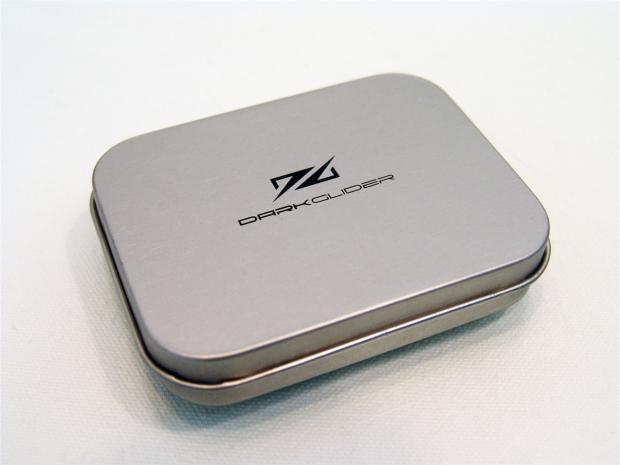
42There is also a tin included with the DarkGlider name and logo painted on the top of it. This has quite a bit inside of it for the mouse.
 42
42Opening the tin shows the extra sets of feet, there is another set of the ceramic feet (furthest away) and the Teflon ones (nearest) for a total of three sets of feet. The weights are square to fit in the tray and come in the 3.1g in the front and the rear four are 3.7g weights so you can mix and play with various combinations for the perfect weight.
 42
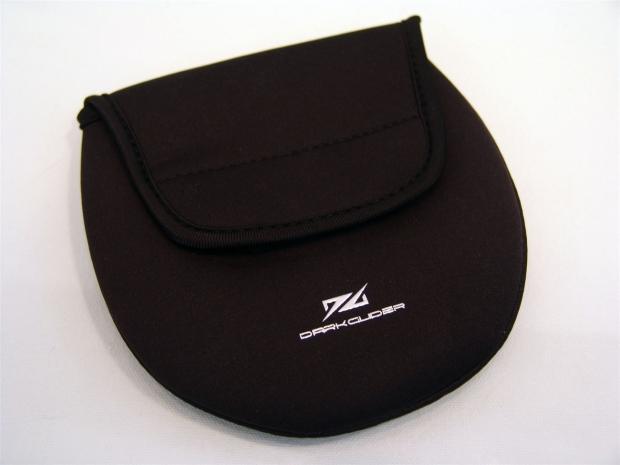
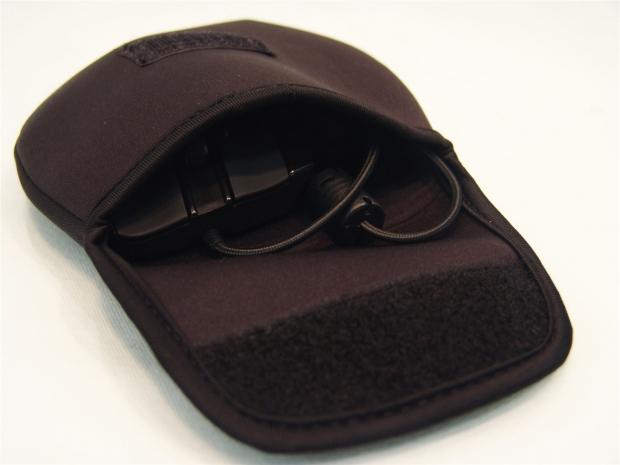
42You also receive a neoprene carrying case for the DarkGlider. This keeps it clean and safe while you put it in a backpack or carry bag for a LAN event.
 42
42The DarkGlider fits snugly with the cable slid in next to it. There isn't really any room for the tin in the neoprene, but it is pretty well protected on its own. Once everything is in the bag, just fold the flap over and attach the Velcro to keep it closed.
Inside the Sharkoon Dark Glider
 42
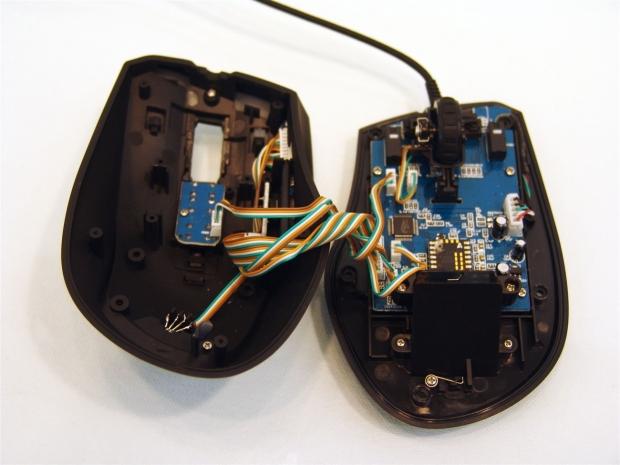
42Under each of the five feet there is a screw you need to remove. Once they are out of the way the mouse will almost fall apart in the two halves, there aren't any funny clips or anything to hold you up. You can see there is quite a bit of wiring talking between the two so don't go yanking at the mouse.
 42
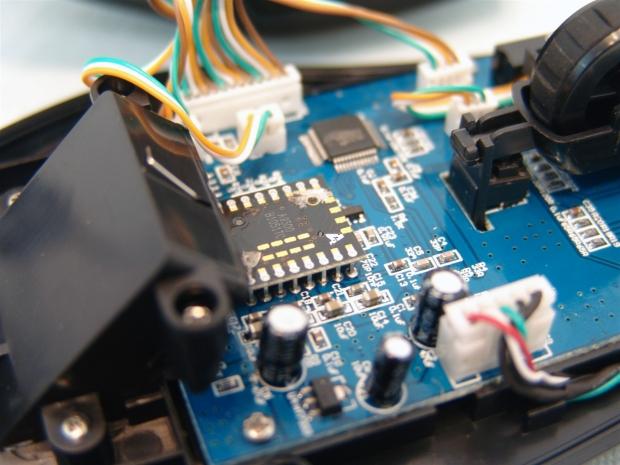
42With the weighting system used here, the Avago ADNS-9500 is fit almost under it as the PCB ends. Just above and right of the sensor is the 16-bit MCU controlling all the functions and talking to the PC.
 42
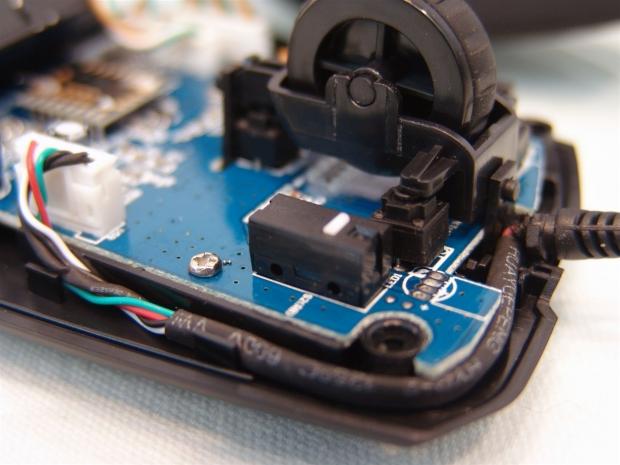
42Omron switches are used under the left and right click buttons, while the rest of the buttons use the round pad style switches, like you see for the tilt wheel function.
 42
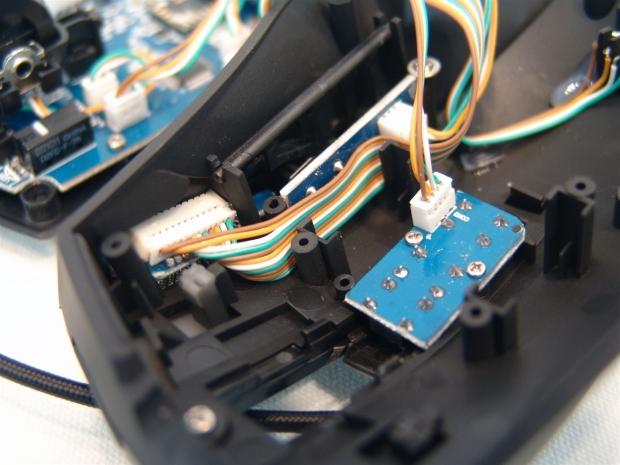
42As for the top half of the mouse, there are three sections to mention. Furthest left is the connection to the back of the LCD screen with the page forward and page back buttons on the PCB behind the ribbon cable. The PCB in the middle is what contains the DPI buttons and the favorite's button on the top side.
 42
42Stitching up the patient and seeing it come to life afterwards is always a great feeling. In this image of the DarkGlider you can see the DPI LCD display is now illuminated and it will always be red, this you cannot change. If you look close enough, it is displaying 800 DPI, which is the default and lowest setting.
 42
42Stepping back a bit you can barely see the glow of the LCD screen, but now you can see the logo is illuminated. This color can be changed to one of 31 other preset offerings.
Sharkoon 1337 Gaming Mouse Mat
 42
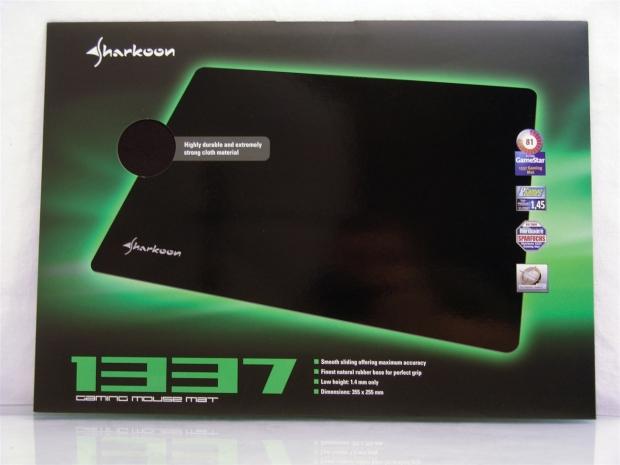
42Sharkoon included the 1337 gaming mat for me to try out with the Dark Glider. The mat is plain aside from the Sharkoon name on the left bottom corner and the packaging offers a feel of the mat in the cutout above the image all glowing with green light from behind it.
 42
42On the back of the packaging there is a description of who would benefit most using the 1337. It seems this mat should offer effortless gliding with the tight smooth weave of the top cloth. As for the features the 1337 is made from durable materials that provide maximum accuracy. It is backed with rubber so the mat won't slide and in total is only 1.4mm thick.
 42
42Here we have the DarkGlider on the 1337 gaming mat for a size perspective. The edges are plainly cut and we all know braided cables can do a number on lifting the top material from the backing. As of yet I haven't had any issues in the time I have had using the mouse and mat.
My personal feelings on this mat are that the surface is very slick and the ceramic and Teflon feet both slid very well on it. The edges held together so far, but the slickness of this mat makes moving the mouse so easy that it did take me some time to adjust as I was overshooting players for a couple of days, until I got the feel of the mat. With the right DPI setting and a fair bit of break in to get used to it, the 1337 gaming mat is everything it claims to be. It is accurate, smooth and seems pretty durable to me, but for my personal overall feel, it's almost too slick and sensitive with the DarkGlider for my needs.
Sharkoon DarkGlider Gaming Mouse Mat
 42
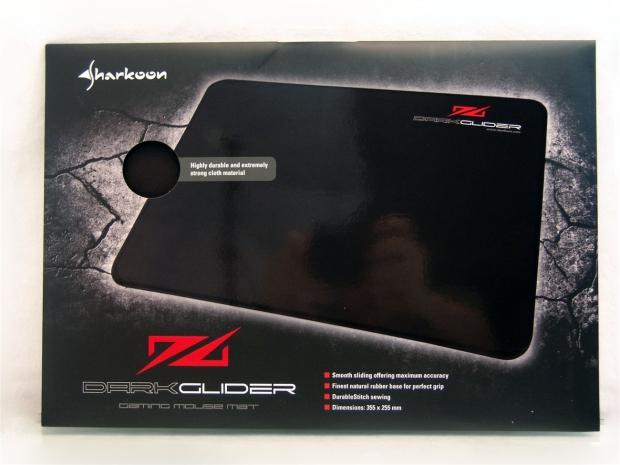
42Sharkoon also sent along the DarkGlider gaming mouse mat for me to try out. This one matches the mouse very well with the red logo and naming at the top right corner. Your version will not come with my arms on the mat, but you can get a feel for this coarse fabric of the mat through the hole at the left.
 42
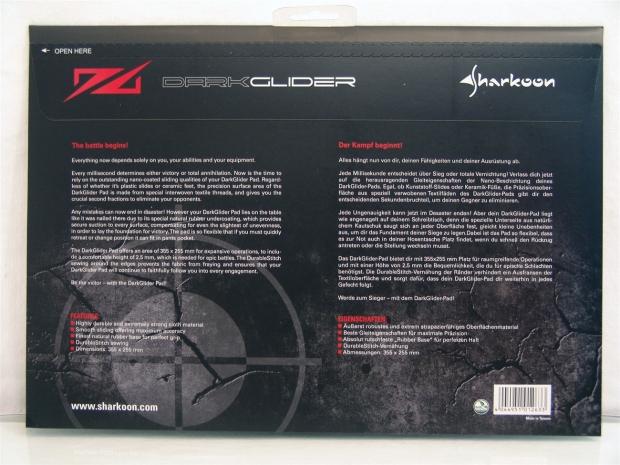
42On the back there is an in-depth description of how the makeup of this pad is made specifically for this mouse and can make the difference between life and death in the gaming realm. The features listed are very similar to the 1337 except for the DarkGlider mat has a stitched edging on the mat and this is made from special interwoven threads.
 42
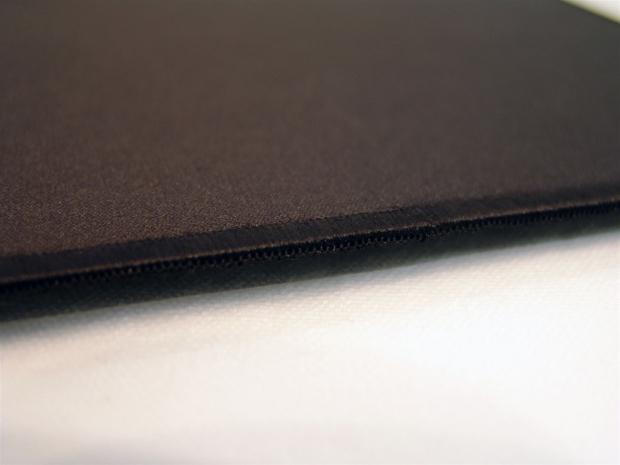
42I got closer to this mat to show that it isn't as shiny as the 1337 and the woven edge of the mat. The attention to the edging will keep the braided cord for wreaking havoc and the surface itself has just a touch more drag to it than the smoother 1337.
 42
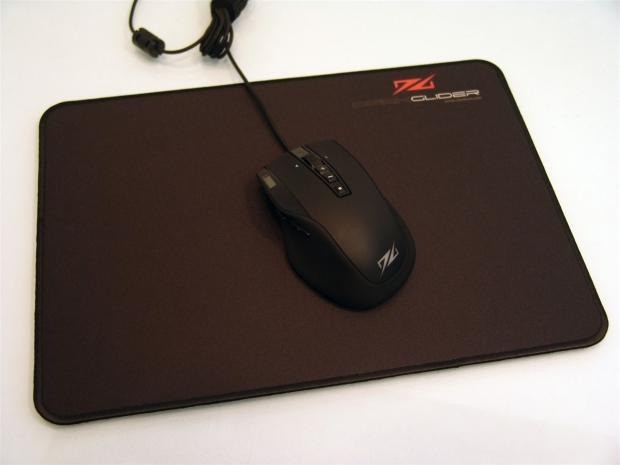
42Both mats are of the same dimensions and I only wish I had powered the DarkGlider mouse so that both logos would be red for the glamour shot.
I will say this, once I used the DarkGlider mat, aside from the matching logos and names, you can just tell this is the match between mouse and pad that you strive to achieve mixing and matching components for other makers. Sharkoon gives you a mat here that has enough traction to make the mouse almost stop on its own without dragging too much to make it tiring. There really wasn't a learning curve with this pad as I set the mouse to 3200 DPI and got into gaming. I wasn't over shooting, I wasn't really thinking about it, the mat and mouse just feels right to me. This mat will be on my desk for my preferences in gaming and photo editing, it seemed to work the best for me.
Software
 42
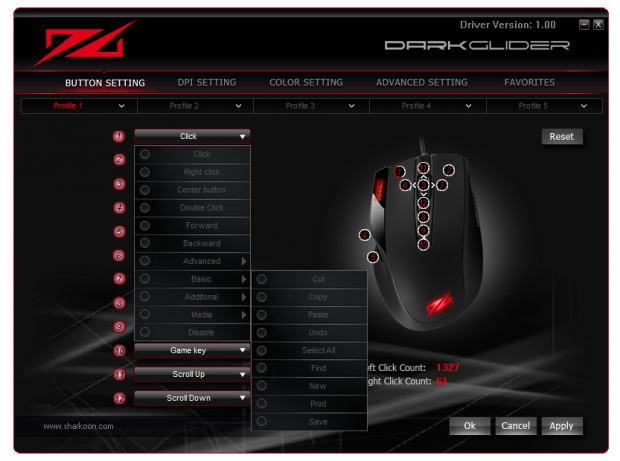
42Loading the software brings you to the Button Settings tab, since I had already covered what the buttons do, I moved right into the options for each button as far as what else you can make them do for you.
There are the basic options on the left sub panel, but as I got to the basic section with the arrow, another panel opens with even more options. You really can make this mouse do just about anything you can think of just by re-programming one or all of the five profiles. In the advance section is where you can program Macros, with time delay if needed.
 42
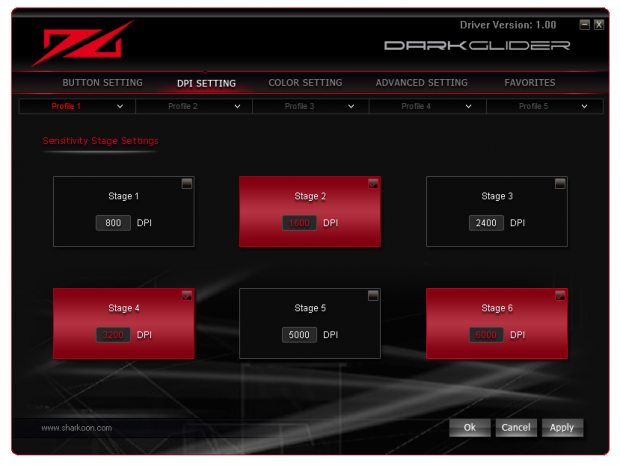
42Under the DPU settings you can select or deselect any of the preset jumps for the DarkGlider. To help explain what you are seeing here, I deselected the stages 1, 3 and 5 while leaving 2, 4 and 6 active. You can use them as you see fit, leave only one active or all of them active, it's up to you. As with the buttons, the DPI can be set for the various profiles.
 42
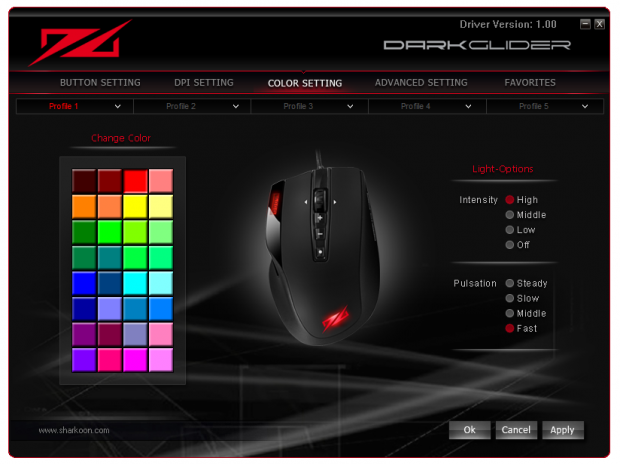
42The Color Settings tab is pretty obvious; this is where you pick one of 32 colors to illuminate the logo on the heel of the DarkGlider. On the right side you can change the intensity and the pulsation effects of the LED.
 42
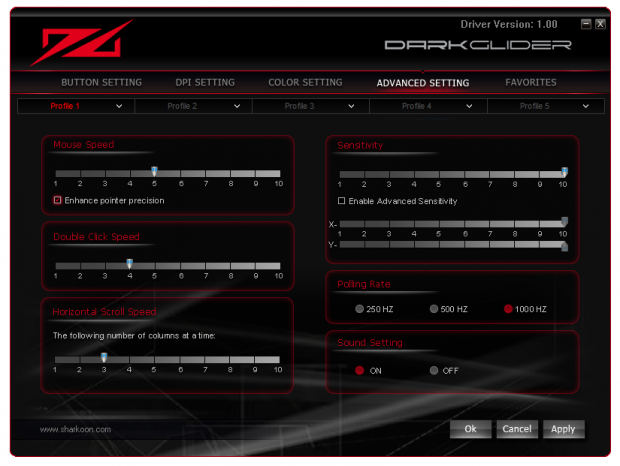
42The Advanced Settings is where you can adjust the mouse speed on a slider like in window and the option to enable pointer precision, which I believe is angle snapping. There is double click speed adjustment, scroll speed adjustment, sensitivity and in X and Y separate axis if you like that, the polling rate adjustment and the sound setting that allows for a boot jingle to play as your PC starts.
 42
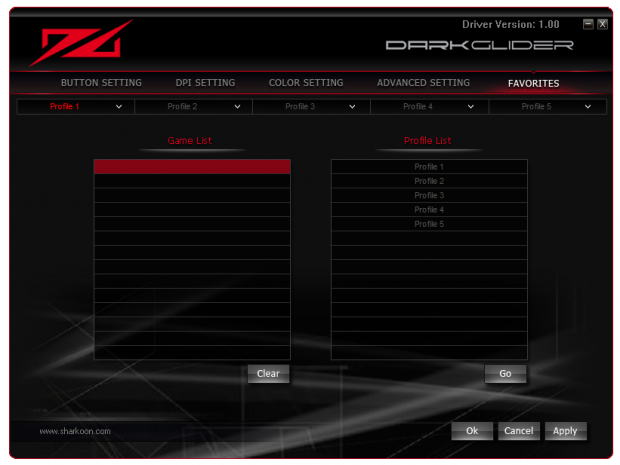
42Favorites are where you go to set games or application to various profiles. While the button on the mouse is labeled the game button, if you press it, it will bring up this screen of the software. For instance if I played a lot of BF3 and got a profile set just the way I want it, I can tell the software to always load that profile from the onboard memory when the games .exe starts.
Final Thoughts
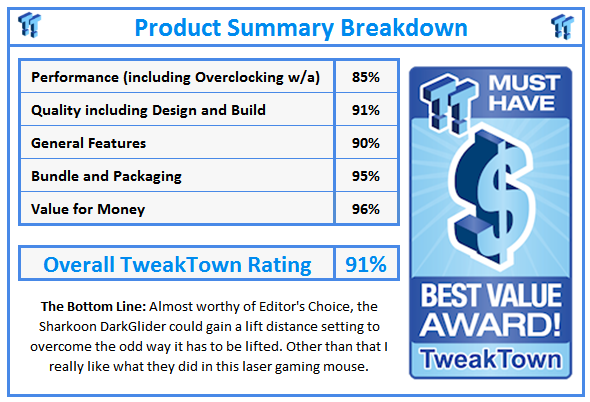
The DarkGlider from Sharkoon fit my hand well and it took really no time at all to get used to slinging it around on my desk. The weighting system with multiple sized weights help you to fine tune the mouse to your liking, just like I found it to feel best with two 3.1g weight and a pair of 3.7g weights. The DarkGlider has a good contoured feel when on the table, but it does lead to one issue that branches into two things. The mouse is so rounded and the contours on the side aren't deep enough to allow you to pick up the mouse and reposition it very well, especially in the heat of battle. I really had to force my grip to lift it and it usually didn't end well because of the high lift distance preset to the mouse. So if the lift is awkward, you crosshairs are moving too much to be accurate any more, there is always a bit of "œrebound time" where you had to resituate the mouse.
As long as you leave the mouse on the table or on one of the included mats, with a high enough DPI setting, you really don't have to lift the mouse all that much, but for low DPI snipers, be aware of this when tracking your pray on who is on the move.
The software side of things is very intuitive and pretty simple to navigate. The programmability of the buttons over the five profiles should take care of anything almost by default and if the presets don't cover your needs, set up a Macro to fill the gap. I also like mice with a visible DPI setting, that way I don't have to click around with buttons to see I was where I wanted to be, it just seemed wrong at that moment in the game. If it weren't for the LD issue, there really isn't anything I can complain about with the Dark Glider and when accompanied by the DarkGlider Gaming Mat, I really did enjoy gaming with it.
For those on this side of the pond, if you like what you seen and read about the Sharkoon, I suggest you get with a forum buddy and see if he can ship one over. Like I mentioned before, I don't know that there are any plans to sell them here, at least not right now. For those with local listings of the Sharkoon DarkGlider, if you have a large mouse mat or prefer to gamer at high DPI levels, the DarkGlider is worth a look. If you tend to prefer lower DPI levels and are thinking of a mat like the 1337 or DarkGlider mat, the lift distance and awkward way to lift it might be a deal breaker for you.
With a listing price of 39.99 Euros or right around $50, this is a well equipped solution that gives you everything most users desire.
 United
States: Find other tech and computer products like this
over at
United
States: Find other tech and computer products like this
over at  United
Kingdom: Find other tech and computer products like this
over at
United
Kingdom: Find other tech and computer products like this
over at  Australia:
Find other tech and computer products like this over at
Australia:
Find other tech and computer products like this over at  Canada:
Find other tech and computer products like this over at
Canada:
Find other tech and computer products like this over at  Deutschland:
Finde andere Technik- und Computerprodukte wie dieses auf
Deutschland:
Finde andere Technik- und Computerprodukte wie dieses auf 


 Apple's new 11-inch OLED iPad Pro might be hard to come by, and it's the display's fault
 Want to use Gemini AI on an older Android phone? It now works on OS versions before Android 12
 NASA warns of secret military presence in space disguised as civilian programs
 Microsoft makes ground in its war to stop Windows 11 running on old PCs
 Clues hint at what AI Explorer could do in Windows 11, but they might worry privacy activists
 Lenovo ThinkPad X1 Carbon Gen 12 Review
 ASUS ROG Swift Pro PG248QP Gaming Monitor Review - Frames, frames, and more frames
 FlexiSpot C7B-Mesh Ergonomic Office Chair Review
 Samsung G8 34-inch QD-OLED Gaming Monitor Review - 175Hz for $900
 ASRock NUCBOX-155H Mini PC Review
 NuPhy Air96 V2 Wireless Mechanical Keyboard Review
 TEAM T-FORCE Siren DUO360 RGB Liquid CPU Cooler Review
 AVerMedia Live Streamer ULTRA HD Review
 AVerMedia Live Gamer 4K 2.1 Review
 XPG Invader X Mid-Tower Chassis Review
 Everything you need to know about the latest ASUS NUC Mini PCs - NUC 14 Pro and ROG NUC
 How to Overclock Your GPU and Boost Your PC Gaming with ASUS GPU Tweak III
 ASUS's AMD Radeon RX 7000 Series GPU lineup has something for every gamer
 ASUS OLED Premium Care defends the ROG Swift OLED PG32UCDM gaming monitor from burn-in
 Patriot Viper Xtreme 5 Engineering Prototype 48GB Dual-Channel Memory Kit Preview