

Introduction
 29
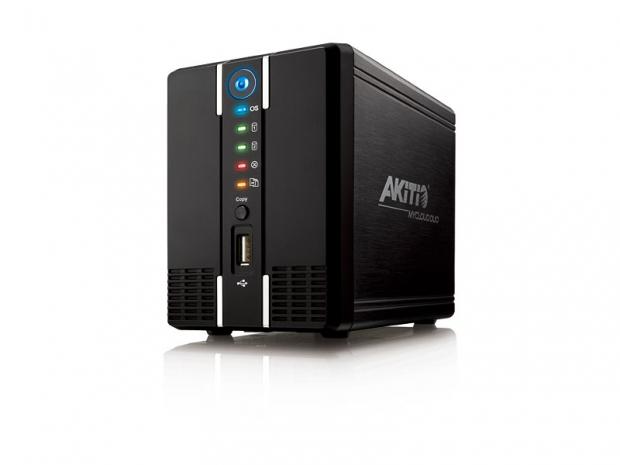
29Thecus has done it, so has QNAP and Synology, but now easy to configure, web interface, personal cloud storage from your home has moved to very low cost NAS appliances. The Akitio MyCloud Duo is more than just a standard dual bay NAS server. With full DLNA, application server and now MyCloud web connectivity, the Akitio appliance is a full featured storage unit with several features previously found on units that cost several times more.
Like everything else in life though, low-cost means that corners were cut somewhere. The Akitio MyCloud Duo looks like a budget product. Most of the unit is made from steel or aluminum, but a healthy dose of plastic is thrown in. Also, as with many of these products we've looked at in the past, the data bandwidth to and from the device is limited, even if the spec sheet claims gigabit Ethernet support.
Let's dive in and see if the Akitio MyCloud Duo is able to beat the odds and supply the claimed bandwidth and functions that make us look past some of the corner cutting shortcomings.
Specifications, Pricing and Availability
 29
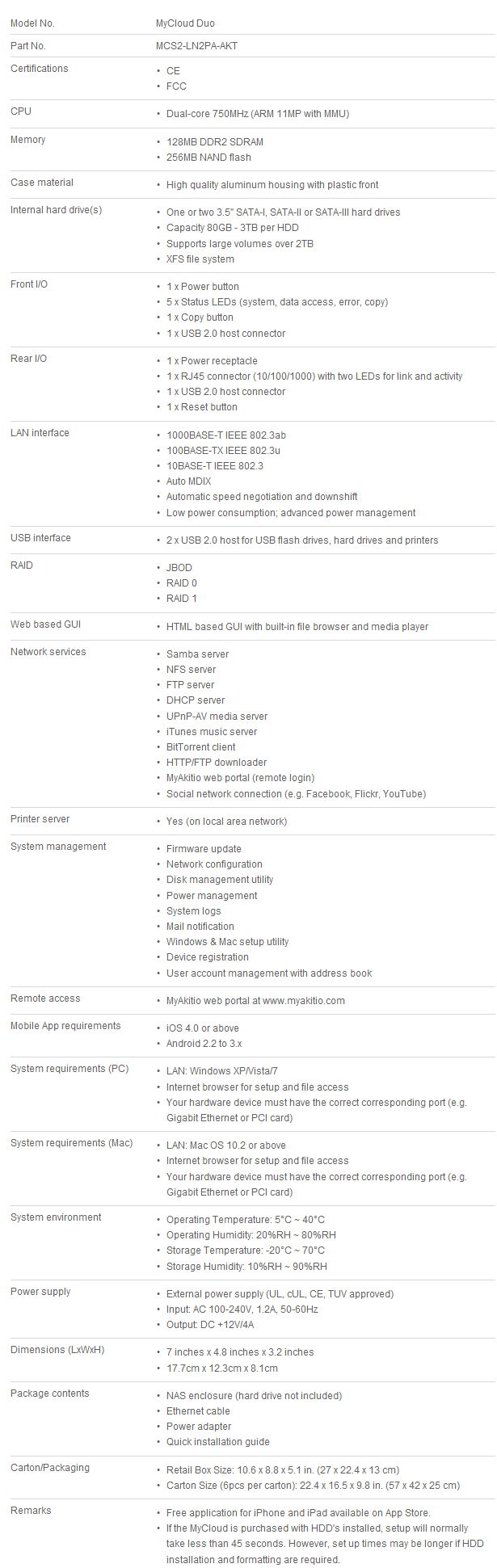
29The specifications list is certainly impressive with its massive list of features and functions. The duo part of the names comes from the dual HDDs that the unit is capable of holding. The unit will auto configure the RAID to RAID 1, full protection of your data, with just two clicks. During the RAID configuration setup you can select RAID 0, but we don't recommend that option, since your risk of losing data is increased.
The MyCloud Duo is stated to have gigabit Ethernet, but it'll be difficult for the 750MHz dual-core ARM processor to fill the pipeline with that amount of data. There is enough processing power to run a handful of background tasks, but the 128MB DDR2 DRAM is fairly small for a device you are asking to handle your Bit-Torrent, FTP, and media server tasks at the same time.
Akitio has their own web portal for your mobile connection back to your data. The site is myakitio.com and it works similar to the MyCloundNAS interface that QNAP released and we wrote about several months ago.
The difference in price between the QNAP unit we tested and the Akitio MyCloudNAS is massive. We managed to find the MyCloud Duo online for as low as $143 in the US. We also found a reference to a $129 price, but the web page was down when we inquired. The unit does not ship with drives so you'll need to purchase one or two SATA HDDs to get it up and running.
Packaging
 29
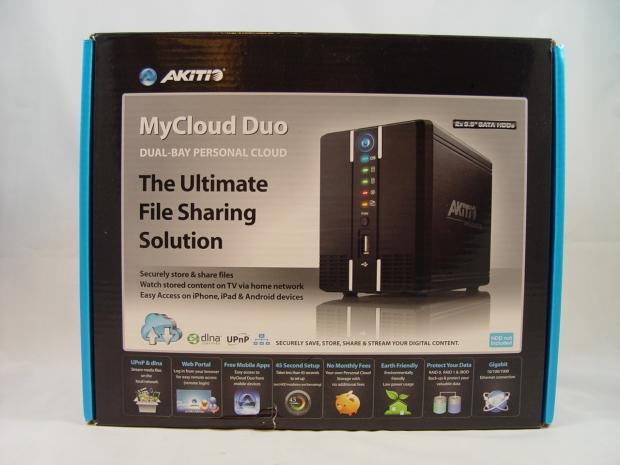
29Akitio put together a nice retail package for the MyCloud Duo. Several of the features are listed on the front of the box and you get a nice image of the main unit.
 29
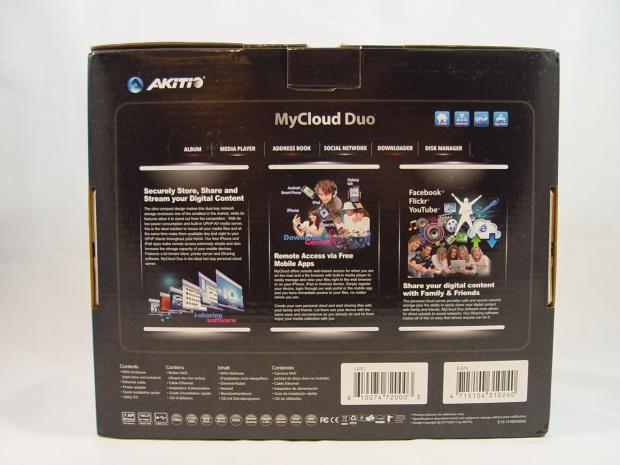
29Several of the main features are listed in detail on the back of the package.
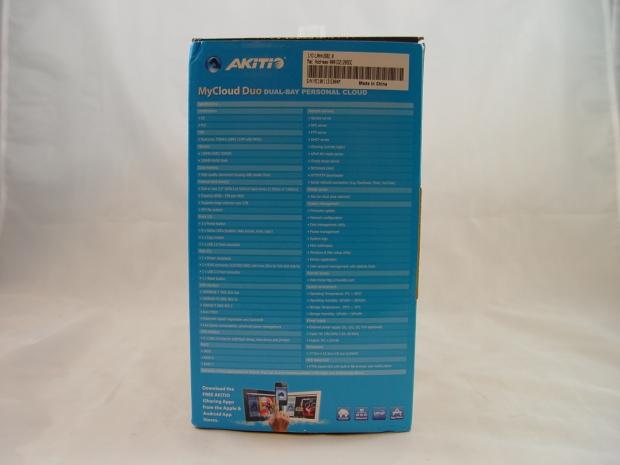 29
29A features list like the one on the previous page is listed on one side of the box.
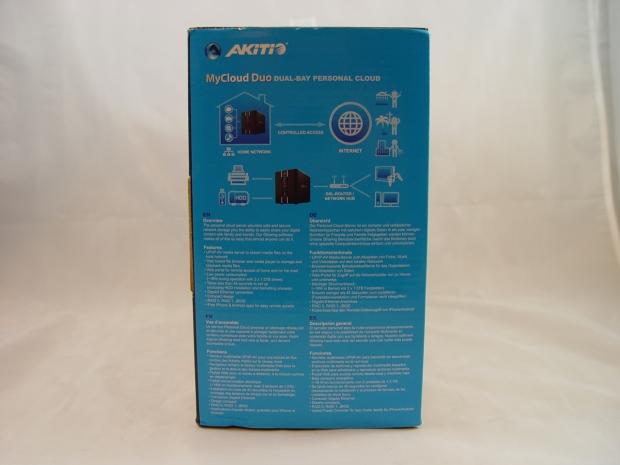 29
29On the other side a nice diagram of a typical use scenario has a nice graphic. Another set of features are also listed.
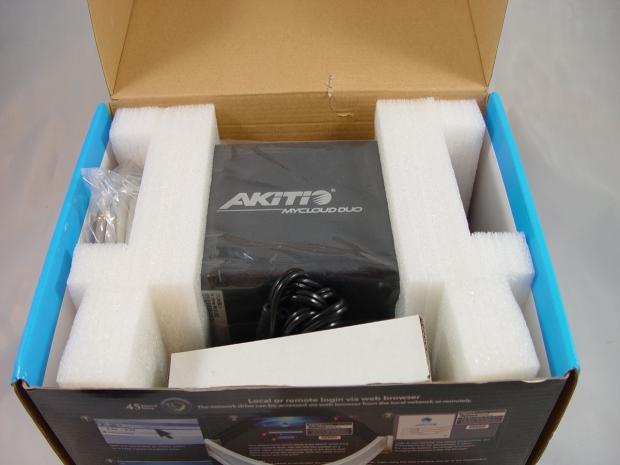 29
29Inside we found a nicely packed NAS with the accessories kept in separate compartments from the main unit so there is little chance of damage during shipping.
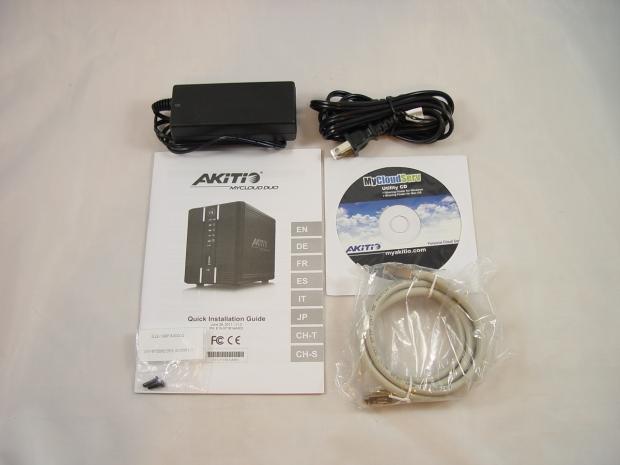 29
29The accessory package includes an external power supply, software disk, paper quick install manual and an Ethernet cable.
Akitio MyCloud Duo
 29
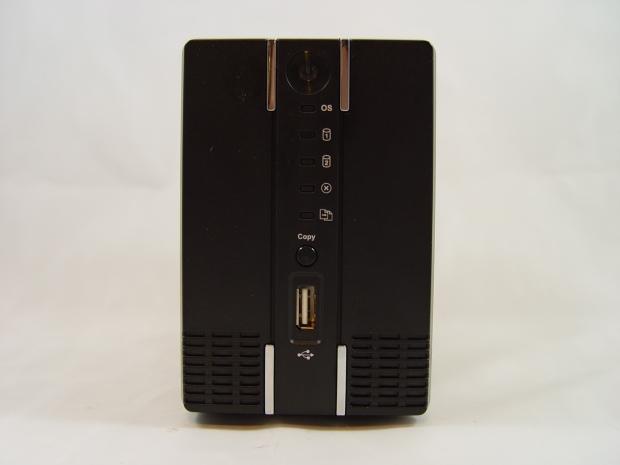
29The main unit looks the part. It is thin with a very small footprint. This design is possible since the power regulation unit is external. The drives are not easily hot swappable since you need to unscrew the front panel to get to the drives.
On the front we found a power button that lights up blue when the unit is on. A number of other LEDs light up activity and status lights. Also, you can easily copy data from a USB device with the Copy button on the front of the appliance.
 29
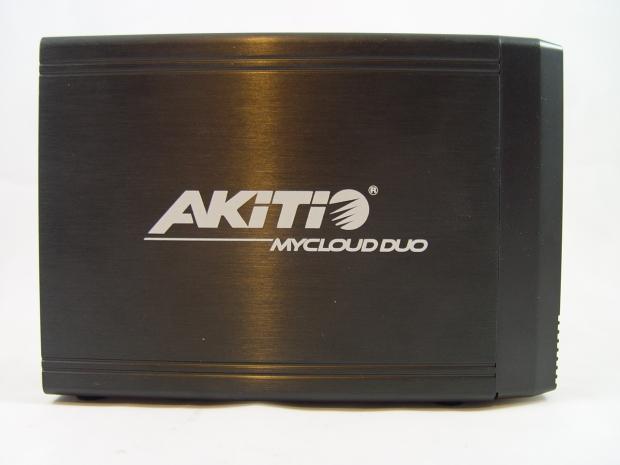
29The side of the MyCloud Duo is brushed metal.
 29
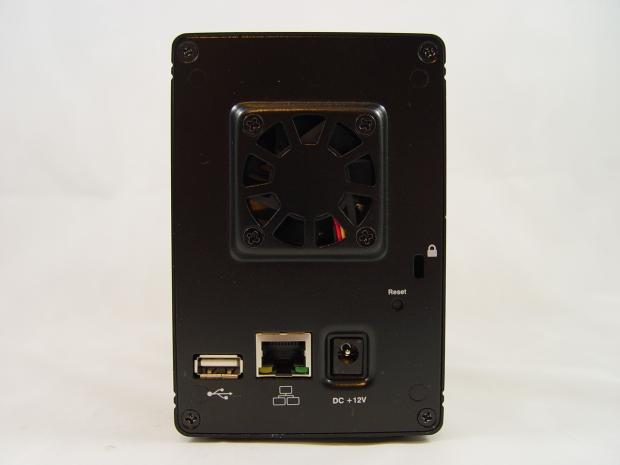
29A small fan keeps your drives cool. A second USB port is located on the back of the NAS, you can use this for a number of USB devices, but most will use this for printers since the NAS has built in print server functionality. The gigabit Ethernet port is located on the back, it also has status LEDs.
 29
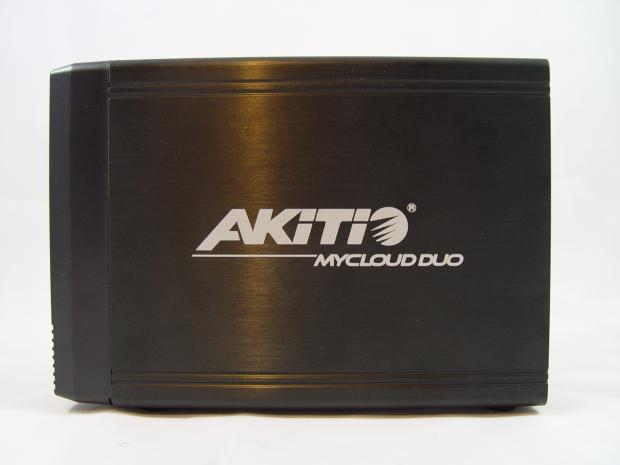
29The other side of the NAS is identical to the first side we looked at.
 29
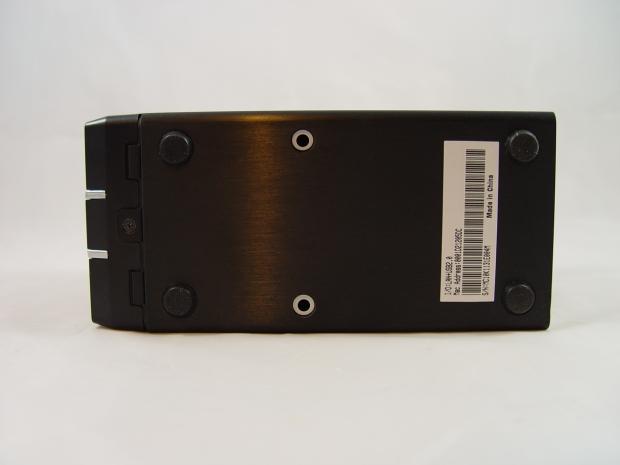
29Under the NAS we see the four rubber feet that keep the unit from transferring vibration from your drives to the desk. Here we also see the screw that must be removed to add or remove drives from the unit. The silver holes we see in the middle of the NAS are for securing your drive to the NAS.
 29
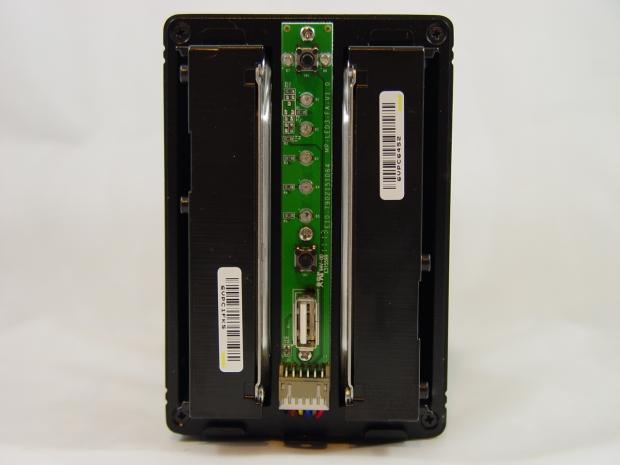
29With the front cover off and drives installed we see how the drives fit inside the MyCloud Duo.
Benchmarks - Test System and Setup
 29
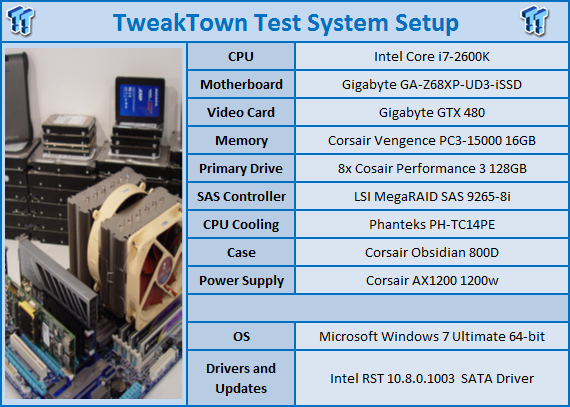
29We would like to thank the following companies for supplying and supporting us with our test system hardware and equipment: AVADirect, GIGABYTE, LSI, Corsair and Noctua.
 29
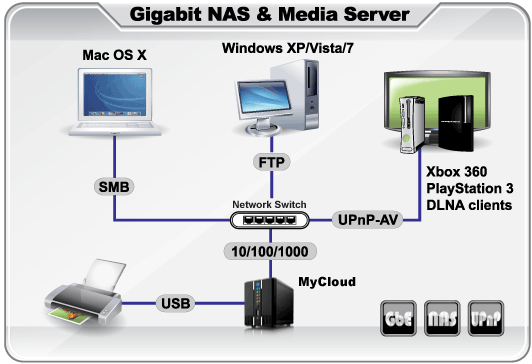
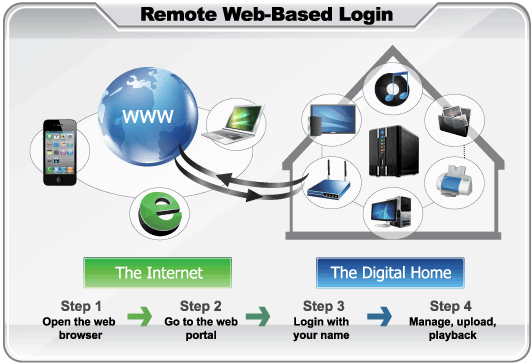
29There are a couple of ways to use your Akitio MyCloud Duo. The first is on your personal intranet, inside of your router with your home devices. These are your typical NAS functions.
 29
29NAS servers have been around for ages and they have always been 'web enabled'. Their cloud functions were always tedious to setup since you needed to setup ports in your router, DNS forwarding and a number of other settings. You still need to set your router, but advances in router technology make the process easier. The NAS is even easier to setup with the configuration wizard.
 29
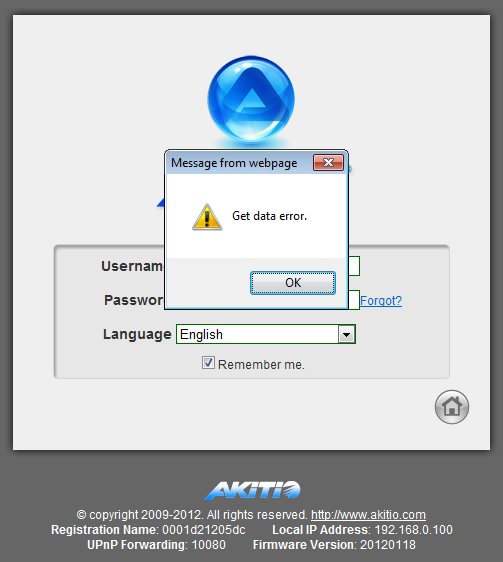
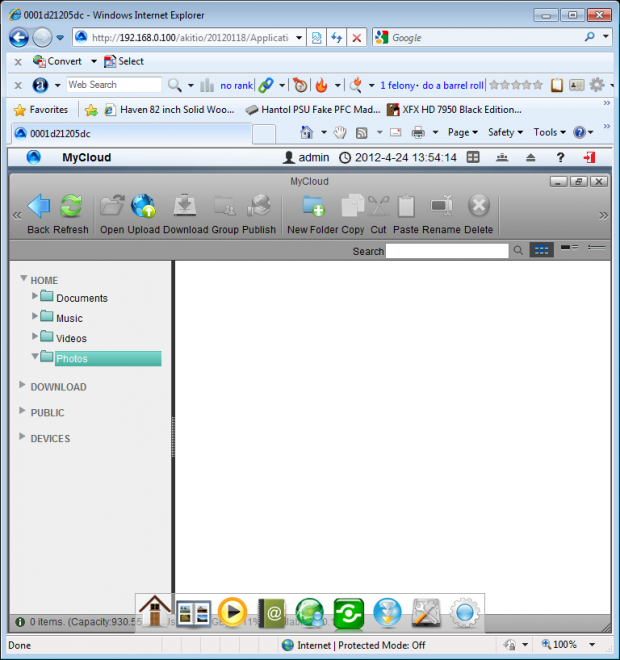
29Getting into the system is supposed to be fairly straight forward if you know the IP address. Here you can see that right from the start the MyCloud Duo didn't like playing nice with us. This was an intermittent issue. We'll discuss it in more detail later in the review.
 29
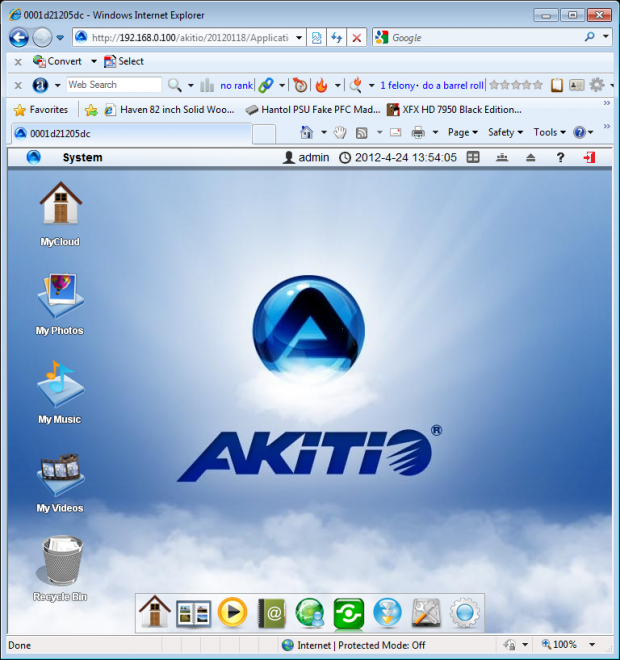
29Once inside the NAS you have a decent user interface, but it is fairly slow and you have to poke around to find what you want. This is a lot like the interface you also get when connected via the cloud.
 29
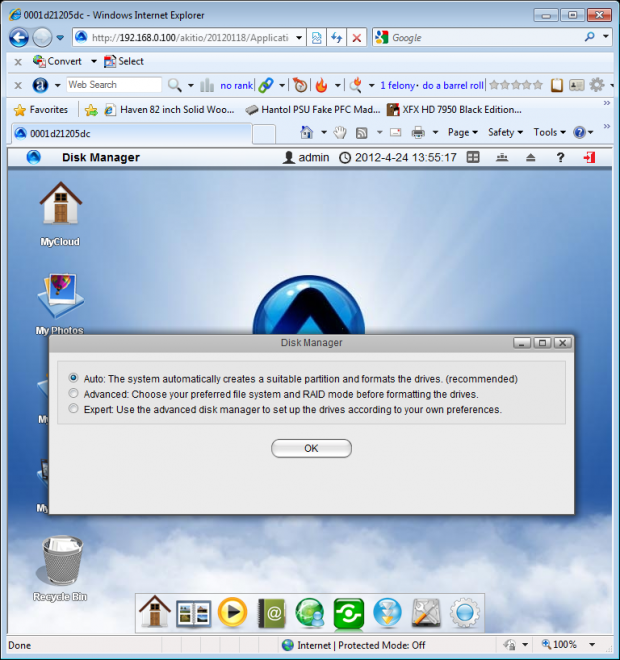
29Setting up your array is straight forward and easy. We chose to just use the AUTO function since we wanted redundant data. The NAS did take a very long time to perform the array build, something we didn't expect from a two drive, RAID 1 array.
 29
29Once everything was configured, programmed, arrays built we were able to spend time with the user interface. One thing we didn't like though was not having the ability to drag and drop to the interface window. Most NAS appliances don't allow you to do that either, but most are not built so heavily around a web interface either.
 29
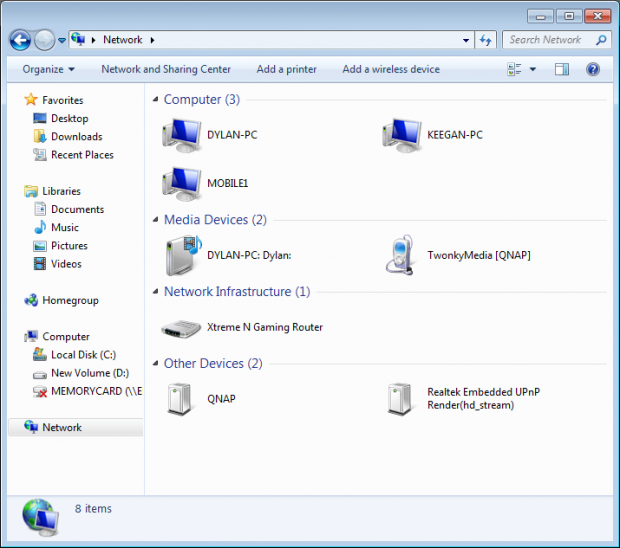
29My Network Places wasn't much of a help either as the MyCloud Duo rarely appeared here. From time to time it did show up. We ended up just mapping a few folders in My Computer so we could access data and start our testing.
Benchmarks - NASPT
NASPT
The Intel NAS Performance Toolkit (NASPT) is a file system exerciser and analysis tool designed to enable direct measurement of home network attached storage (NAS) performance. Designed to emulate the behavior of an actual application, NASPT uses a set of real world workload traces gathered from typical digital home applications. Traces of high definition video playback and recording, office productivity applications, video rendering/content creation and more provide a broad range of different application behaviors.
 29
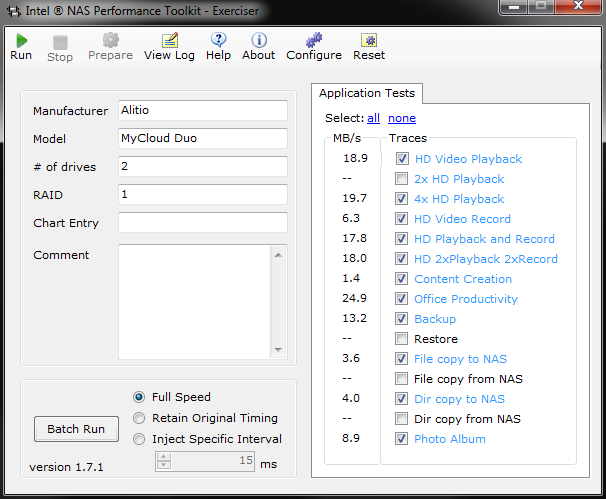
29I photoshopped the results you see above for NASPT. There is nothing diabolical though, the benchmark results are accurate. The Akitio MyCloud NAS has issue when the work load gets intense and just drops off the network all together. To get around this issue we had to run every test individually so we ended up with 11 images that I condensed back into one. In the tests that you see blank the Duo failed to complete the task resulting in us not achieving a score.
This drop off the network behavior led us to countless hours of trouble shooting, looking for firmware updates, checking cables, routers, switches and such, but regardless of what we changed, the problem was the Akitio device and nothing else. The Akitio device was tested in the same way all of our NAS servers and with the same cables, components and test systems.
When it comes to benchmarks we were able to perform the MyCloud Duo was quite a bit slower than what we expect to see on a device that claims gigabit Ethernet speed.
Benchmarks - File Transfers
File Transfers
 29
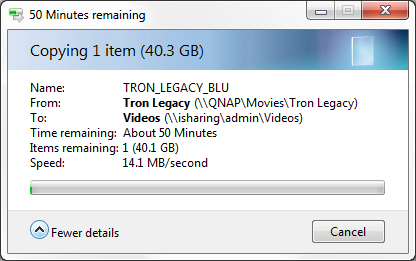
29Transferring files to the MyCloud Duo takes place at just under 15MB/s. We were able to transfer DVD size files easily and without issue but...
 29
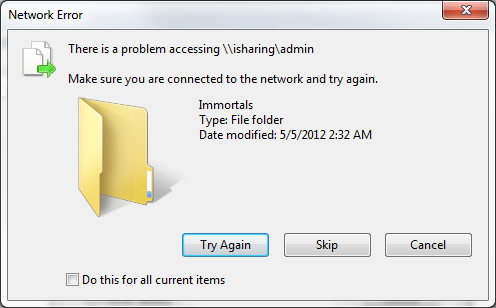
29Transferring any Blu-Ray ISO to the MyCloud Duo resulted in the NAS dropping off the network. It didn't matter what Blu-Ray ISO we tried or from what source.
 29
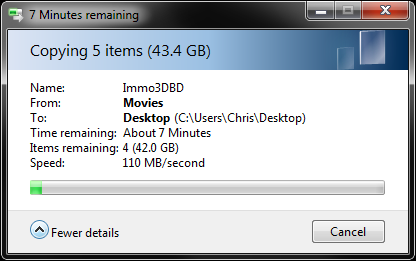
29To check our configuration we swapped cables around and used our house server on the cable / port that the Akitio was on. The result was a nice steady transfer that held a steady 100 to 110MB/s. These are true gigabit Ethernet speeds and the Akitio MyCloud Duo only gives you around 10% of that performance, when it actually works properly.
Final Thoughts
 29
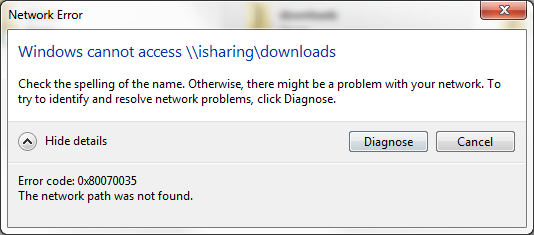
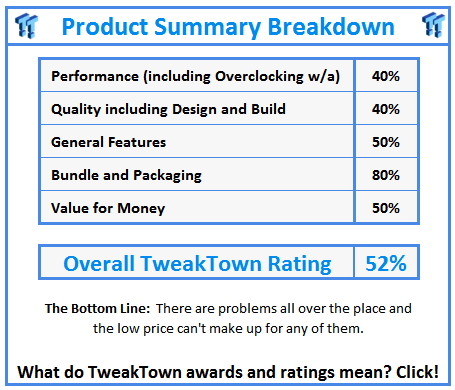
29Our experience with the Akitio MyCloud Duo was miserable and that comes just from the performance and user interface. Once you add in the dropping off the network, never being able to hit the NAS hard with file transfers or the intermittent "it just isn't there" problems, you can understand why we would recommend you stay far away.
Even if all of these low level issues were fixed that still leaves the file transfer performance. If Akitio didn't claim gigabit performance, we wouldn't really care so much, but 1000mb/s is available on nearly every NAS on the market and the Akitio can't get anywhere near those speeds.
On a positive note the price is only around $150. Then again you might feel like you wasted $150 if you get a product that performs and behaves like the review sample we received.
 United
States: Find other tech and computer products like this
over at
United
States: Find other tech and computer products like this
over at  United
Kingdom: Find other tech and computer products like this
over at
United
Kingdom: Find other tech and computer products like this
over at  Australia:
Find other tech and computer products like this over at
Australia:
Find other tech and computer products like this over at  Canada:
Find other tech and computer products like this over at
Canada:
Find other tech and computer products like this over at  Deutschland:
Finde andere Technik- und Computerprodukte wie dieses auf
Deutschland:
Finde andere Technik- und Computerprodukte wie dieses auf 


 Dragon's Dogma 2 patch delivers some important fixes - but not the one everyone wants
 AMD's top Strix Point Halo APU could have 16 Zen 5 cores in 2 x CCDs, mirroring Ryzen 9000 CPUs
 FBI confirms Chinese hackers have infested US water and energy systems
 Microsoft's new Windows 11 'AI Explorer' feature set to anger AMD and Intel
 High-end PC maker gives advice that could fix Intel Core i9 CPUs crashing in games
 ASUS ROG Swift Pro PG248QP Gaming Monitor Review - Frames, frames, and more frames
 FlexiSpot C7B-Mesh Ergonomic Office Chair Review
 Samsung G8 34-inch QD-OLED Gaming Monitor Review - 175Hz for $900
 ASRock NUCBOX-155H Mini PC Review
 NuPhy Air96 V2 Wireless Mechanical Keyboard Review
 TEAM T-FORCE Siren DUO360 RGB Liquid CPU Cooler Review
 AVerMedia Live Streamer ULTRA HD Review
 AVerMedia Live Gamer 4K 2.1 Review
 XPG Invader X Mid-Tower Chassis Review
 Intel Core i9-14900KS CPU Review
 Everything you need to know about the latest ASUS NUC Mini PCs - NUC 14 Pro and ROG NUC
 How to Overclock Your GPU and Boost Your PC Gaming with ASUS GPU Tweak III
 ASUS's AMD Radeon RX 7000 Series GPU lineup has something for every gamer
 ASUS OLED Premium Care defends the ROG Swift OLED PG32UCDM gaming monitor from burn-in
 Patriot Viper Xtreme 5 Engineering Prototype 48GB Dual-Channel Memory Kit Preview