


Introduction
 58
58For a case company, it really takes something special to get me on the edge of my seat in anticipation for it to arrive. It seems I go through quite a few "plain black boxes with options" to get to choose the cases that make me all warm and fuzzy inside. Up to now I don't think any company has had me feeling this as much as SilverStone has done this last year, and even beyond that. While every case they produced over that time weren't exactly what I was looking for, I did end up enjoying my time using them and eventually they won me over in time anyways.
This year more specifically, I have gotten to see some really ingenious layout designs and overall concepts. For those who don't frequent my writings, please refer to the RV03, the FT03, or even the PS06. In each of the three, there are some similarities in layout, materials and most importantly, craftsmanship while still offering three very unique chassis'.
Today is no different. For those who had the pleasure of seeing or using some of the earlier Temjin Series chassis, I envy you. I have always wanted to acquire a Temjin chassis before I was writing reviews, but at that time even, they were cost preventive in me getting one. My personal favorite was the TJ07, and at a very close second were the squarer TJ09 and TJ10 models. One thing all of these cases share is that they were ahead of their time in case tech and very pleasing to the eyes. The biggest thing about the TJ07 I liked was the compartmentalized interior to break up the heat sources and offer their own ways of cooling each major compartment.
Taking styling cues from the TJ07 and using aluminum like its predecessors, that is really where the similarities stop. Let me draw you a mental picture really quick. Take the outside of the TJ07, thicken its structure and panels and completely reverse the layout of the case so that the window is now on the right side of the case just like the RV02. Keep the clockwise, 90 degree turned, motherboard orientation and make it fully removable. To the left is a full run of optical drive bays and it leaves the bottom of the chassis with a huge box of room for the hard drive bays and up to two power supplies.
Make this all black and throw in a very well placed window, and you got the basic idea of what we are about to get a really good and long look at. While all this is still fresh in your head, we should venture off into the exact specifications so you can get a much more detailed idea of how the latest Temjin Series chassis from SilverStone is laid out. Get comfortable, settle in and enjoy the SST-TJ11B-W - hopefully as much as I do!
Specifications, Availability and Pricing
 58
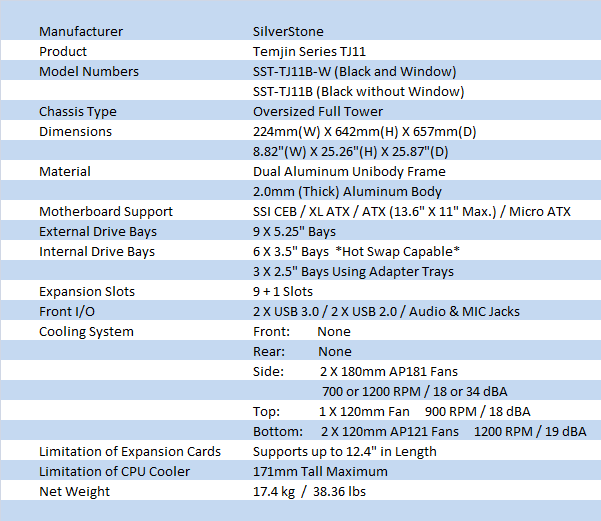
58As I mentioned, the TJ11 does take its inspiration from the TJ07, but there are enough things about this new version that really make it worthy to stand on its own. The TJ11, or SST-TJ11B-W, is an aluminum chassis built from a 2mm thick uni-body construction with some parts being well over 4mm thick. The B-W designation means that this chassis is of course black, inside and out, and the W designated means this is a windowed chassis. The rest of the outside is black and textured, offering a sleek and simple looking chassis, even though the window and components accessed are now switched to the right side. There are plenty of other changes to the outside as well, but the rest of the review will cover these in great detail.
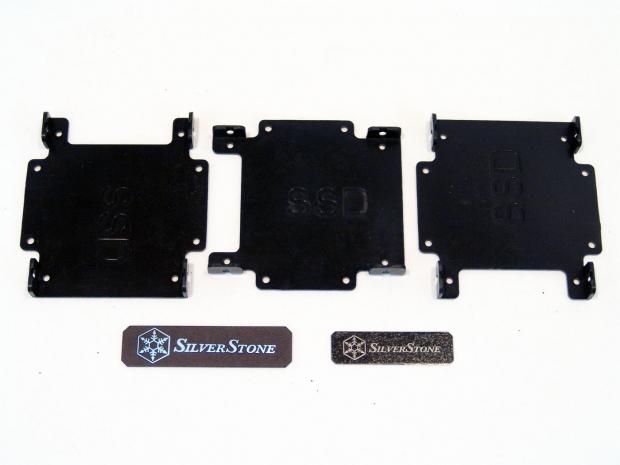
Inside, around, or hidden from sight with the TJ11, there is also quite a bit to go over, but I will cover the more important things now so you have an idea of what to try to spot in the rest of the review. Not only can this chassis take some large motherboards, you can build small in this case as well. Behind the front of the chassis there is room for nine 5.25" devices. In the bottom of the chassis, on the left looking in the door, there is a pair of hard drive racks. Both racks are capable of holding three drives and have hot swap connections built into the cages. These are removable, and they even are able to be installed in the 5.25" bays if room is needed for more important things. There is even a trio of 2.5" trays added in the kit to install SSDs to the back side of the optical drive assembly. In the top of this chassis, due to the rotated motherboard tray, you find the 9+1 expansion slot configuration under a removable cover.
Cooling the TJ11 is a job taken on by five fans installed with the case. Strapped to both of the hot swap hard drive cages you get 120mm Air Penetrator fans that can spin at 1200RPM with only 19 DBA of noise. Moving up the chassis, you will run into a pair of 180mm Air Penetrator fans. These fans are also connected to a switch for each fan. They allow you to set the fan speeds separately to either the HI setting of 1200 RPM and 34 dBA, or on LOW will give you 700 RPM and 18 dBA of noise. The last fan in the kit is installed in the top of the chassis, and here SilverStone includes a non-AP 120mm fan capable of 900 RPM and matching the others with an 18 dBA rating. All four of the AP fans come with dust filters, as well as another pair of filters to use on one or both of the possible PSUs that can be installed in this chassis. One last thing! There are maximums for both CPU cooler height and card length provided from SilverStone.
The TJ11 seems to be on its way to very good availability. Since it has released and hit the shelves it is already turning up at eleven locations. With that being said, I suggest you set down your beverage and don't take a drink just yet. The pricing of this chassis may actually make you spew liquid on your keyboard and monitor. The cheapest I can locate the TJ11 currently is at Amazon.com for $586.80, shipped! If that didn't scare you away at this point, figure in if you don't use that link, the average pricing is a lot closer to $650 US and keeps going in some locations. At this point, even if the price is a bit shocking and it excludes you from possible ownership, I still think you should stick with me, as this is a seriously nice chassis to see, and I feel it is worth a look either way!
Packaging
The Packaging
 58
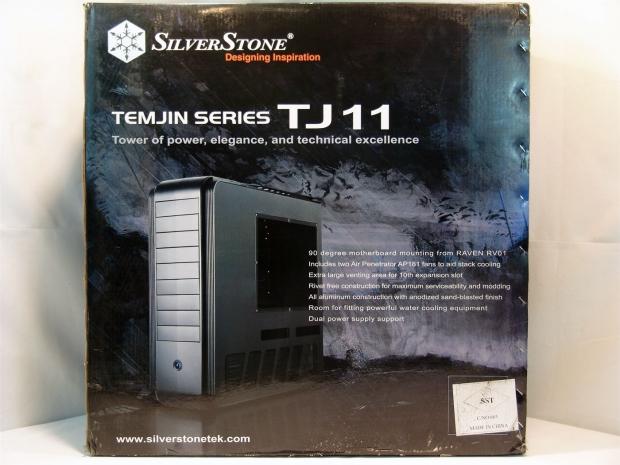
58The tower of power, elegance and technical elegance is shipped in a very large box with a dark background of a stormy nature scene. Predominantly in the front is the first look at the Temjin TJ11.
 58
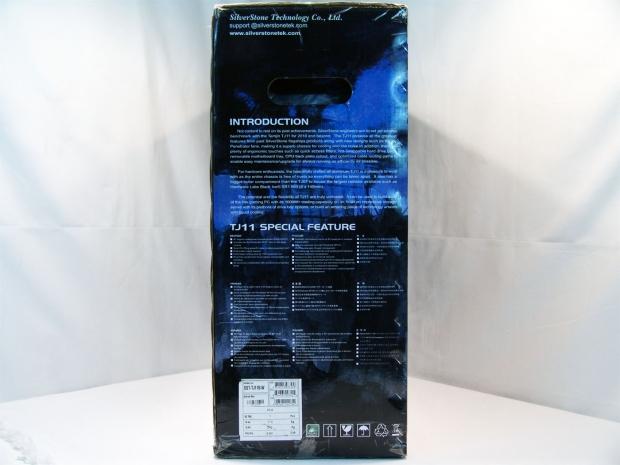
58The right side has a brief description of what goes into the TJ11 followed by a seven point feature list in varying languages.
 58
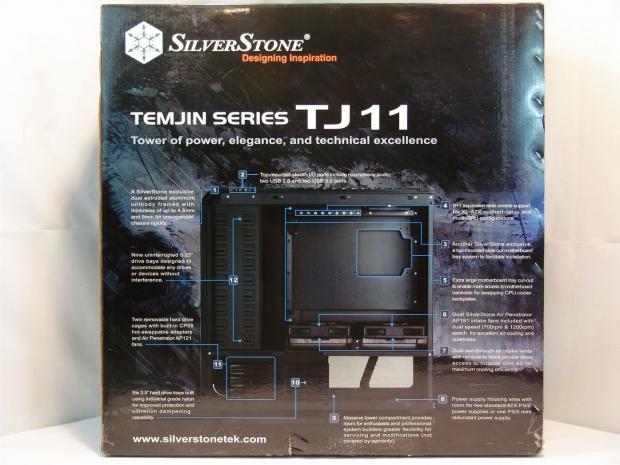
58The rear of the packaging holds a twelve point feature list for just the interior of the chassis. Go ahead and blow this image up to full size, there is a lot to cover inside the chassis, but I will get to all this later in the review.
 58
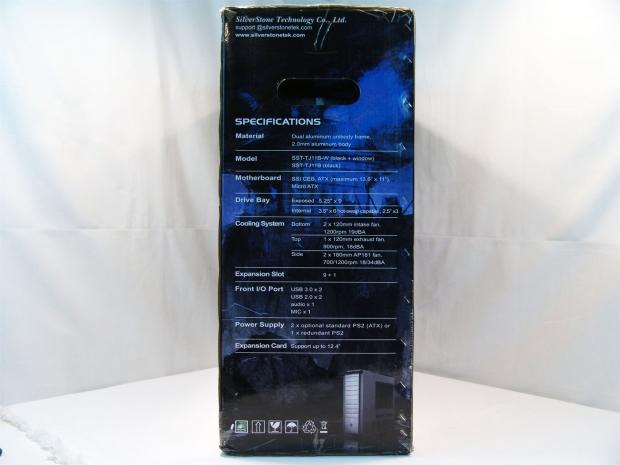
58The left side of the TJ11 box houses the specifications list. A few things to note on this list are the material and thickness used, the hot swap hard drive bays, the 9+1 expansion slots and the ability to house two PSUs.
 58
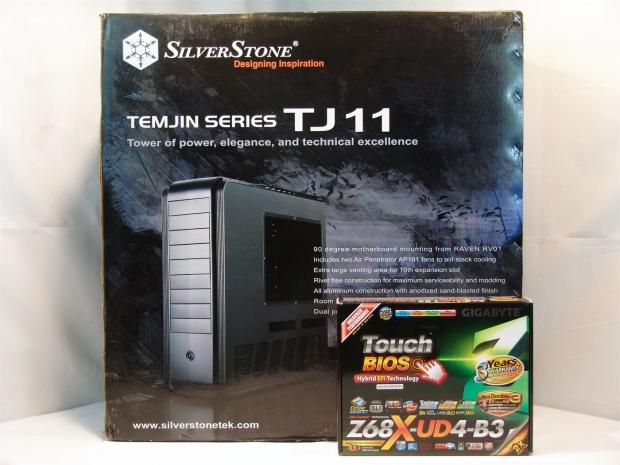
58I had this ATX motherboard box very handy next to where I take my images. Just in case you still didn't have an idea of just how large this box is, this should give you a much better idea.
 58
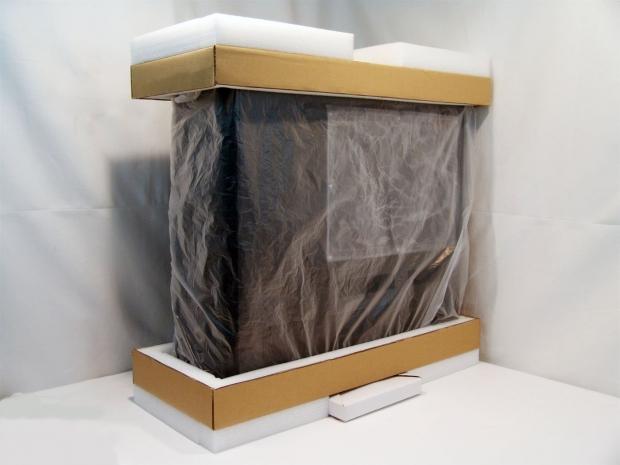
58Inside the box you will find that the TJ11 is secured in the center of the box with a mix of thick cardboard and high density foam, with a plastic liner to keep scratches from happening in transit. Under the inner packaging you will find a white box full of hardware tucked into the bottom half.
 58
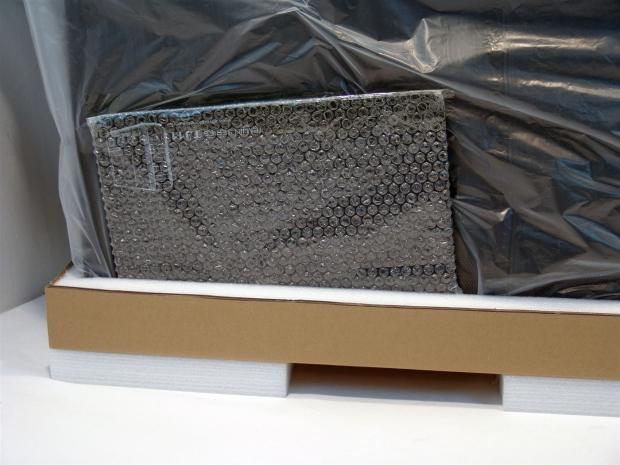
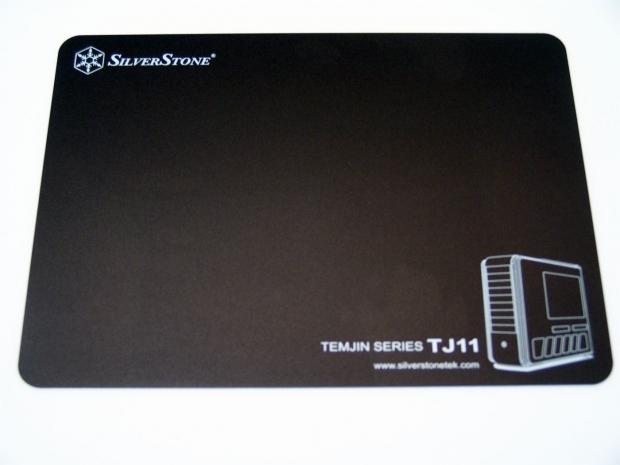
58Wrapped in bubbles and slid into the bottom cap, SilverStone ships an aluminum mouse pad that matches the chassis with naming of both SilverStone and the TJ11, but also has an image of the chassis on it to boot.
The SilverStone SST-TJ11B-W Tower Chassis
 58
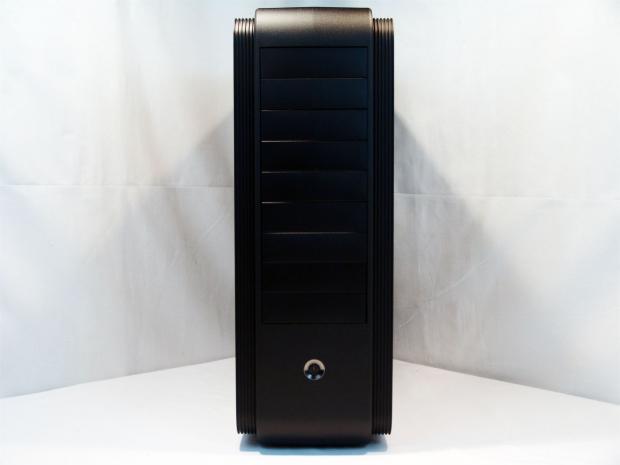
58The front of the TJ11 has an art deco feel with its smooth surfaces, stepped back edges, and sleek accent lines that really set off this chassis own style. The sides are flanked with a lowered aluminum edging that wraps from the bottom, up the front, and down the edges of the top. On the face, you find simply six 5.25" bay covers and a large power button with a chromed accent ring around it.
 58
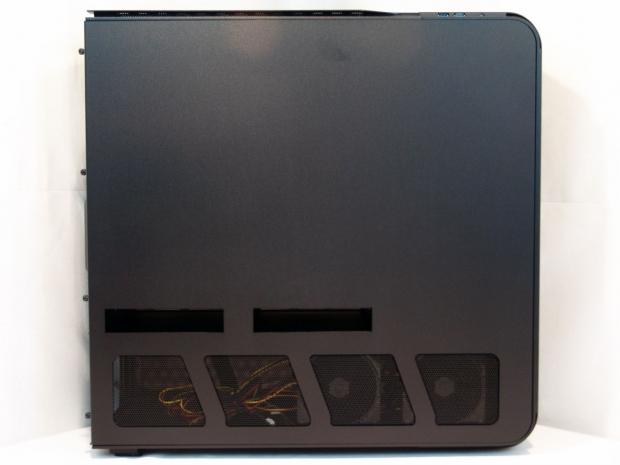
58The left of the TJ11 is behind the motherboard tray. Even so it offers slots for ventilation in the middle, and angled cubes cut with steel mesh inserted to allow for air to flow easily in the bottom compartment.
 58
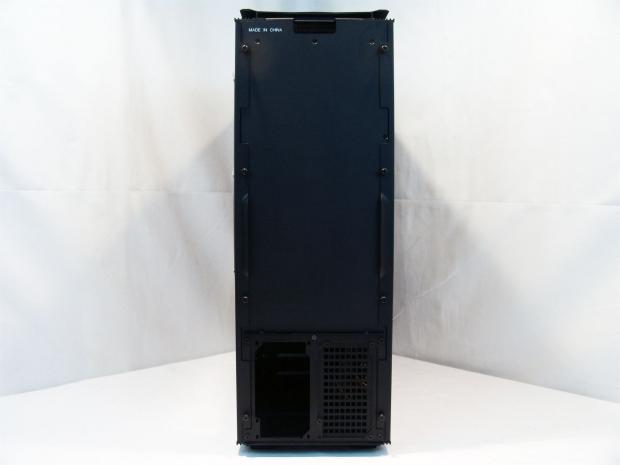
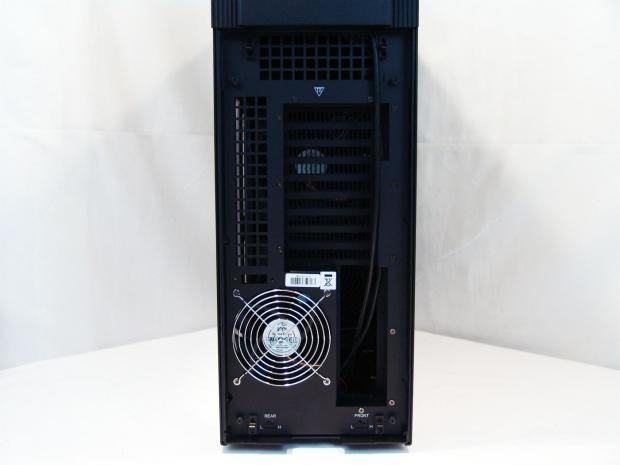
58With the rotated motherboard tray design, the rear of the chassis is very plain. At the top there is a painted "Made in China" and at the bottom is one of the two power supply mounting plates. Notice the PSU will sit on its side; this helps slide the second PSU in right next to it.
 58
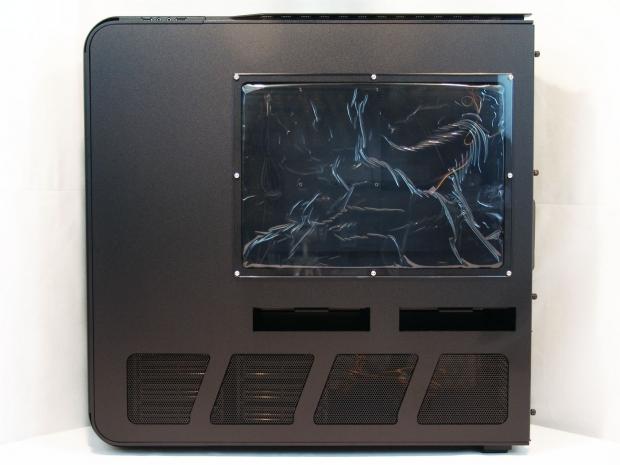
58The right side matches the left except for one major change. This side has this very well placed window that uses eight screws that are Allen wrench driven and coated with a chrome finish.
 58
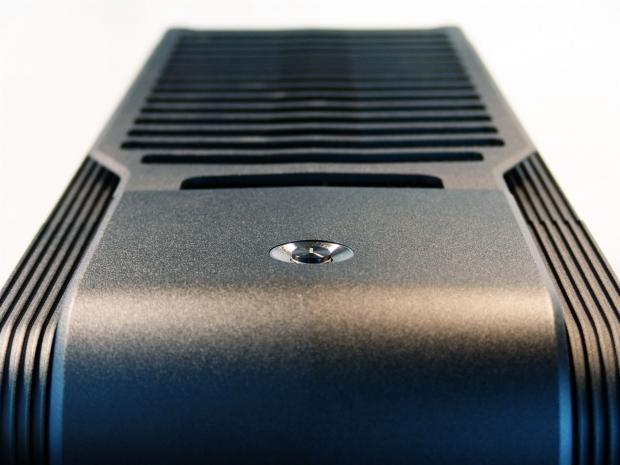
58The top of the chassis wraps with a curve down to the front bezel, and just before this piece hit the removable rear top panel of venting seen here; there is yet another power button on top of the case. Having two buttons allows for this chassis to be sat on a desk or on the floor while allowing easy access to the powering of the PC.
 58
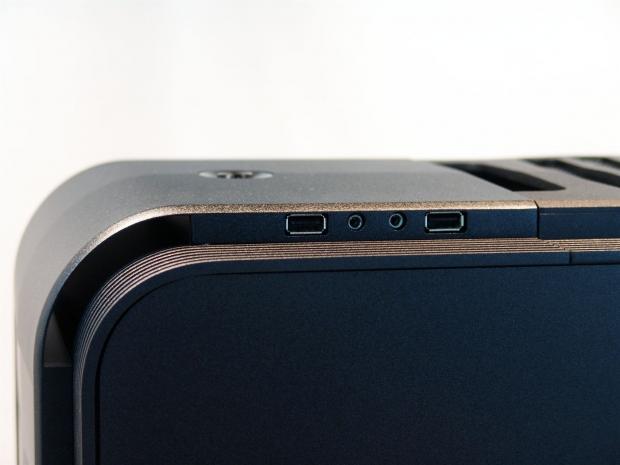
58On the right of that power button, tucked in the side above the stepped sides, you will find both the microphone and headphone jacked flanked on either side with USB 2.0 ports.
 58
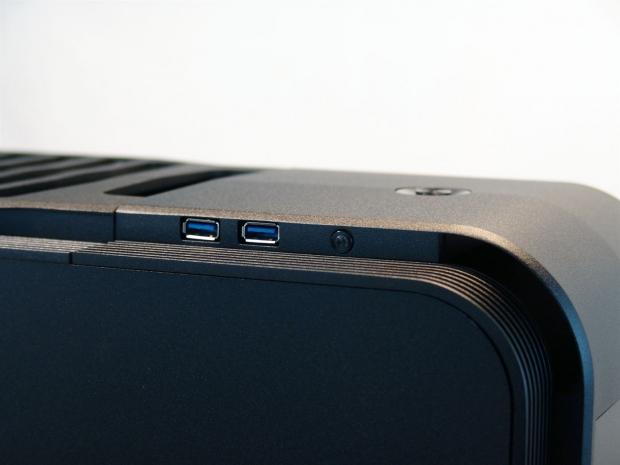
58Tucked in the same spot, on the left side of the top, you will find connectivity for a pair of USB 3.0 ports and a tiny black reset button. The power buttons will light to display system power, but this reset button is LED backed for hard drive activity display.
 58
58Removing the top panel and reorienting the case, this is the "rear" I/O, which is technically the top I/O for the motherboard. There is a bunch of venting with large square openings, the 9+1 expansion slots, a 120mm fan, and a pair of switches to control the 180mm AP fans inside.
 58
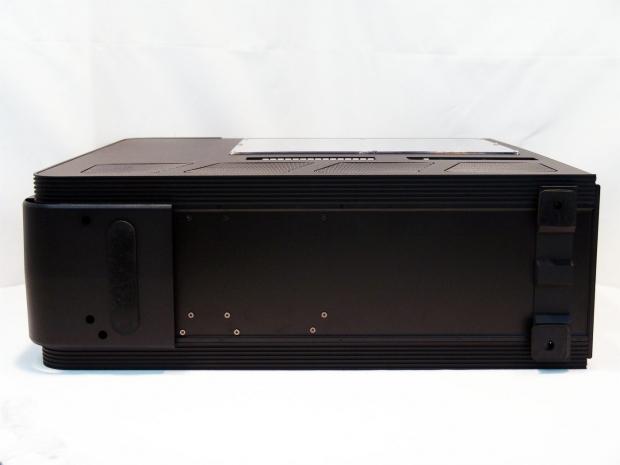
58Under the chassis, the curve of the front wraps under the chassis and is padded with a large rubber foot. The rear of the chassis has a stack of four stepped rubber pads to make each foot. The screws you see here at the bottom are to remove the hard drive bays. I will get to it in detail later, but keep these screws in mind.
Inside The SilverStone SST-TJ11B-W Tower Chassis
 58
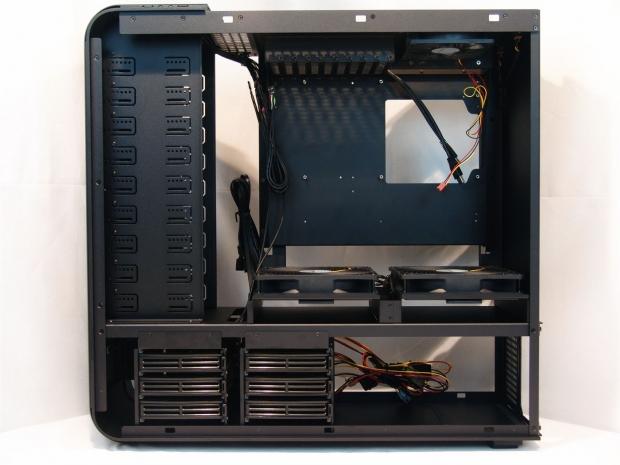
58Here is the TJ11 with both panels removed so we can have our first look inside. I will just let you sit and absorb what all is going on, as I am going to cover each part individually.
 58
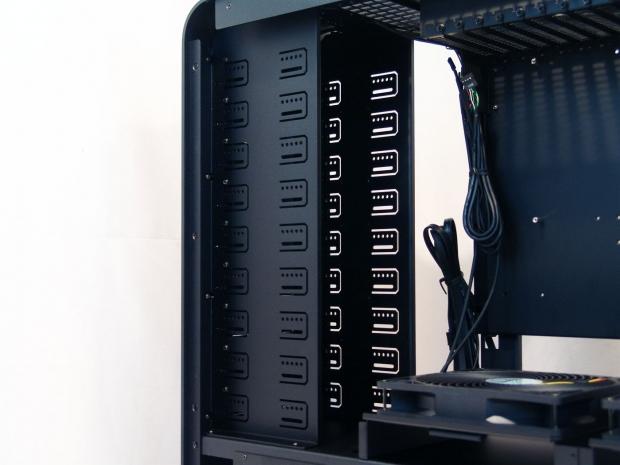
58Behind the front panel there is room for up to 9 5.25" devices, but only six go through the face of the TJ11. The bottom three can be used if you choose to remove one of the hard drive racks and use it in here, as they are designed to go right in here.
 58
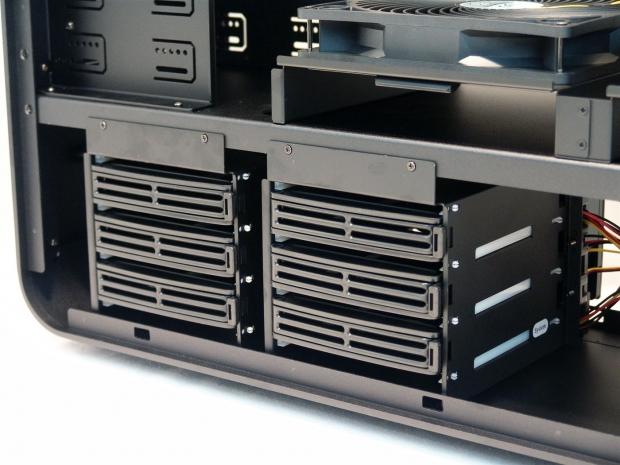
58These are the drive racks I just mentioned. Each rack has three trays for hard drives with quick releases on the front to allow easy access to hot swapping hard drives here. I will also show these closer in the hardware section, after I removed them.
 58
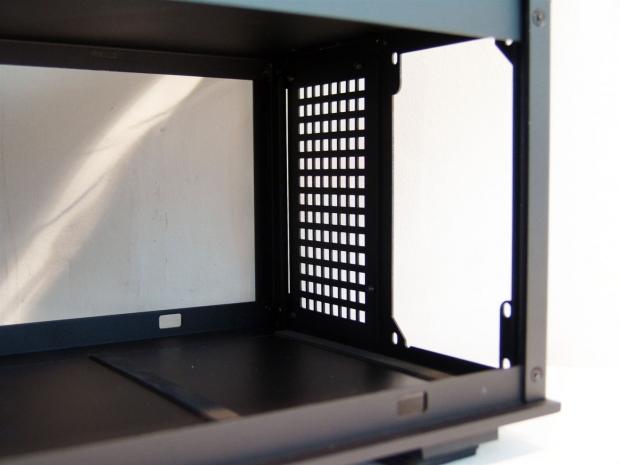
58To the right of the hard drive racks, SilverStone lines the floor with two strips of rubber so that the power supply or supplies don't get scratched on their sides. I will cover the routing and you will see the amount of room here is much bigger than this image portrays.
 58
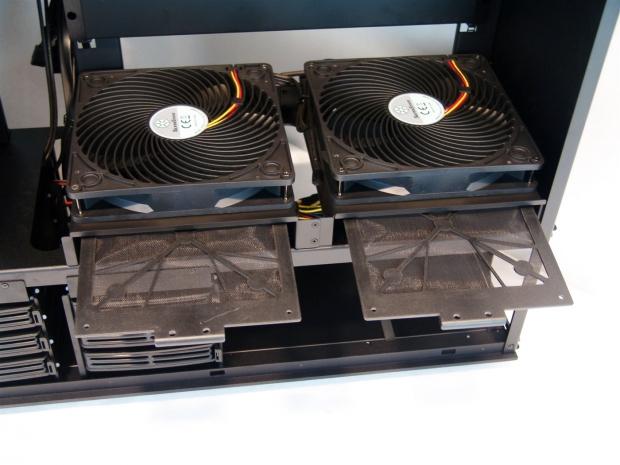
58Just above where the power supplies go in there are a pair of slots that run through the body of the case. These allow the pair of 180mm AP fans to get a good supply of cooler air into the motherboard compartment. To keep dust out, there is a pair of dust filters that you can remove for easy cleaning.
 58
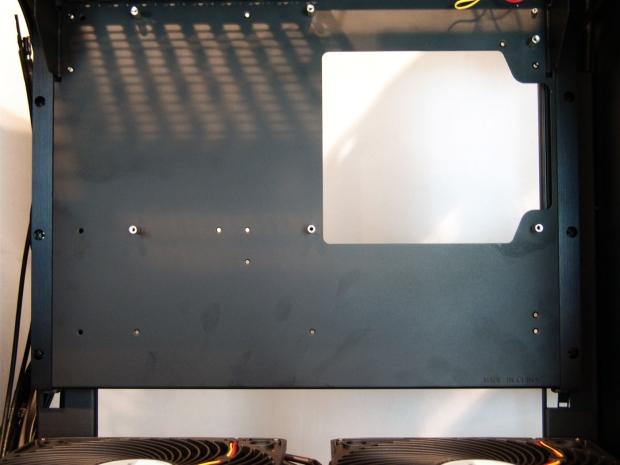
58The motherboard tray is rotated to the right ninety degrees to allow convection to work its magic with all the heat generated inside going straight out the top like a chimney. Some of the risers do come pre-installed around the rather large CPU cooler access hole
 58
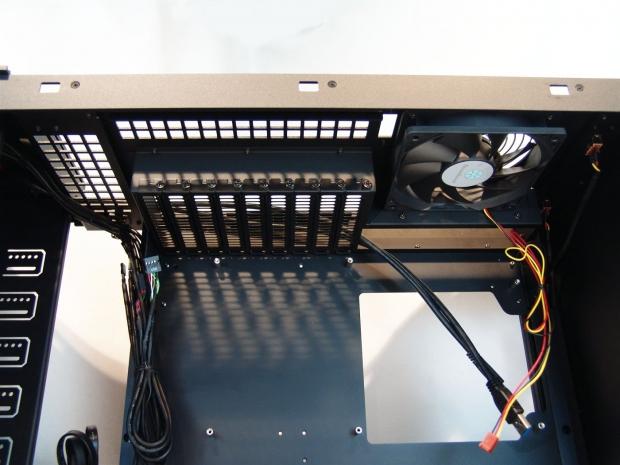
58Looking at the motherboard I/O area, you can see the expansion slots use screws to hold cards securely into place while hanging here, and that they include a 120mm fan to aid the flow of air out the top.
 58
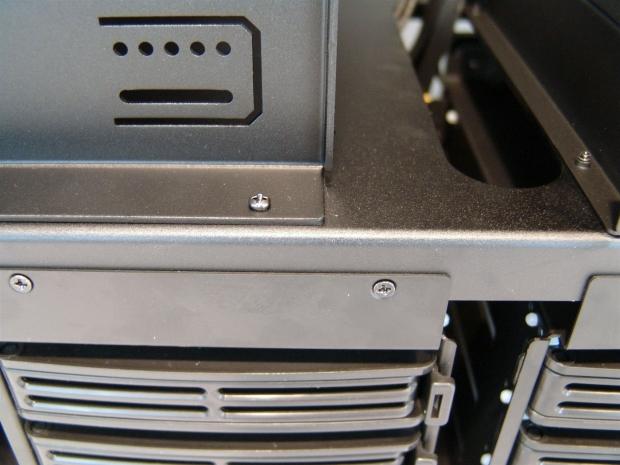
58I know this image is slightly random, but I just wanted to accentuate the fact that this chassis is completely screwed together. Not a single rivet was harmed in the assembly of this chassis.
 58
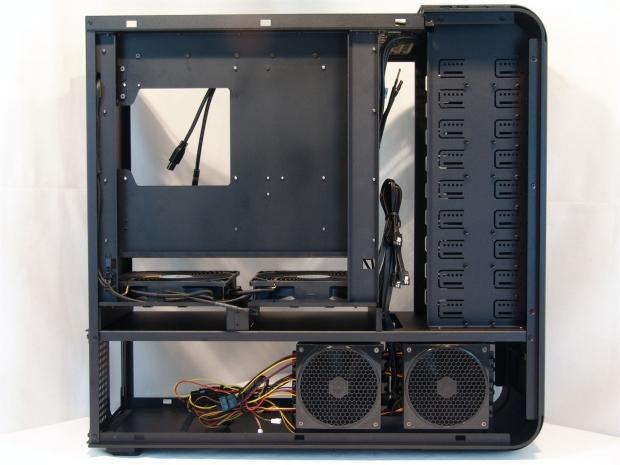
58Looking behind the motherboard tray and the rest of the chassis there are a couple things I'd like to point out. The chassis is pre-wired internally to keep them out of the way, the odd looking places for screws on the optical drive bays, and the pair of 120mm AP fans to cool the hard drive bays.
 58
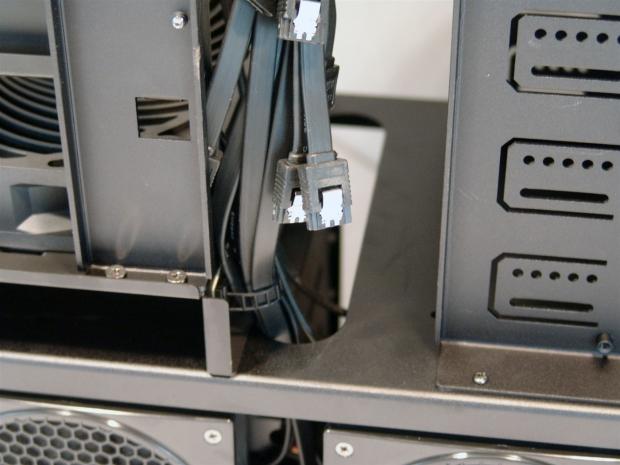
58If you look just beyond the SATA cables you can see an oval pass through hole for some of you cabling needs. There is another in between the 180mm AP fans that allows you to get power to the motherboard and cards cleanly.
 58
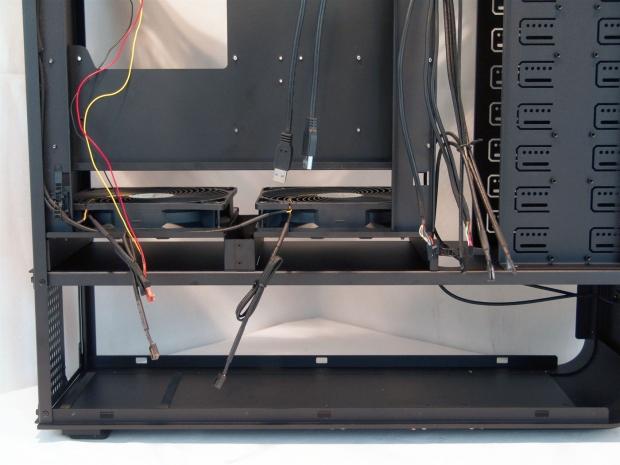
58The case wiring is short in comparison to what we typically see in a case. SilverStone does a really good job of giving you just enough wiring, but not too much to look a mess later in the build. On the left there are the 3-pin plugs for the 180mm fans and the top 120mm fan. Hanging down in the middle are a pair of USB 3.0 cables to connect to the rear I/O, and on the right are all the power, activity, and USB motherboard connections.
Accessories and Documentation
 58
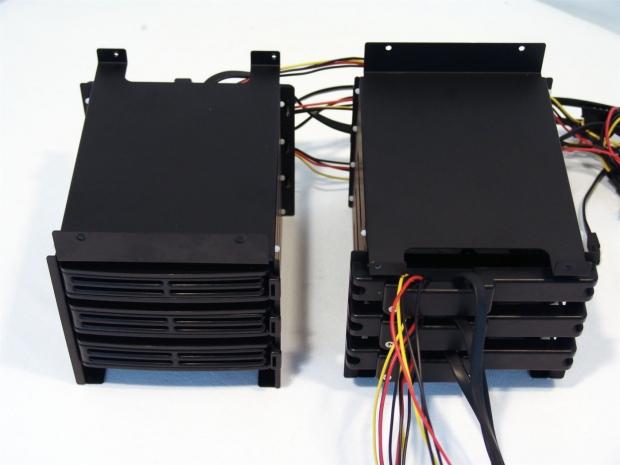
58After removing the hard drive racks, I spun one each way so you can see the front and the back without the case or the fans blocking your view.
 58
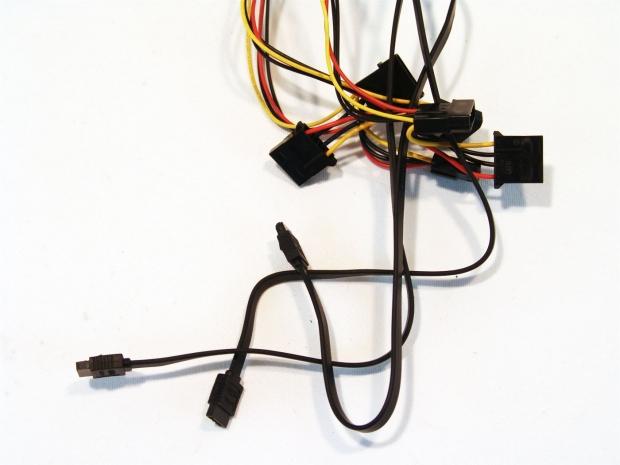
58This is the wiring you will find attached to each of the two racks. There are six Molex connections that allow the drives to be daisy chained for power, and each rack comes with three black SATA cables.
 58
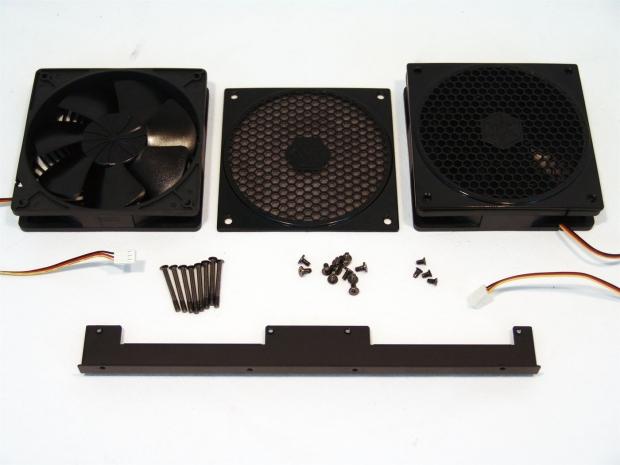
58This is the rest of the goods that finish the assembly. I show this because it does take a few screws being removed and a bit of looking around to get all this hardware out of the chassis.
 58
58The black, textured, aluminum mouse pad is a bit small for my personal use, but it is a nice add-in that spreads some SilverStone to other places on your desktop.
 58
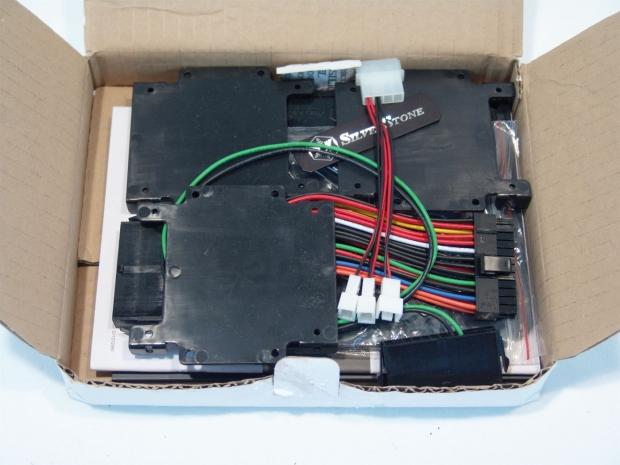
58The white box that comes packed in the bottom cap of the inner packaging is packed to the top with parts to add to the TJ11 to cover just about any need you might have for your build.
 58
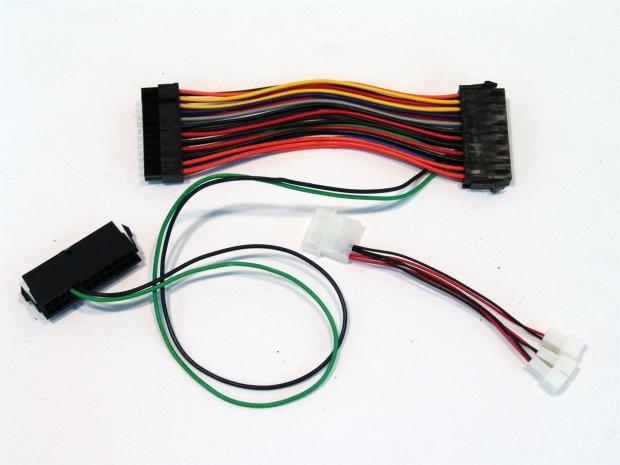
58Part of the hardware is this power supply adapter that connects the green and black wires to jump both power supplies into action at one time. SilverStone also includes a Molex to 3-pin fan adapter that can power up to three fans in the chassis.
 58
58Remember the mentioning of the odd screw holes in the back of the optical drive rack? Well there are to allow these three plastic 2.5" drive trays to be mounted out of sight. You also get a pair of different sized case badges. If you want to use them fine, if not, that's fine too, but it's nice that they leave you that choice.
 58
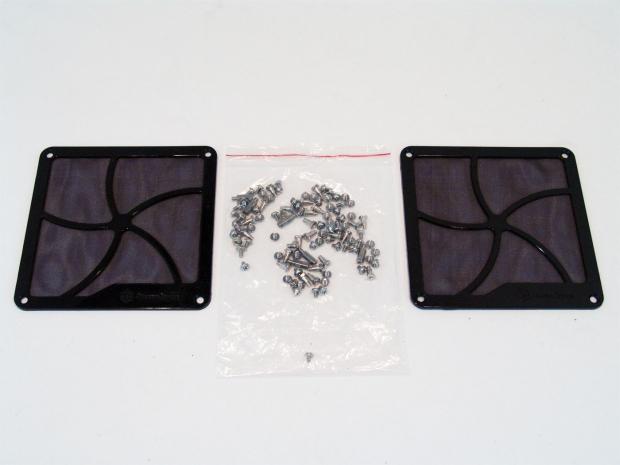
58You also get a pair of magnetic dust covers to stick to the intake of you power supplies. They will already be behind the outer mesh, but a little added filtration is always appreciated. The large bag in the middle holds all the screws and risers needed to get you all your components installed and secure.
 58
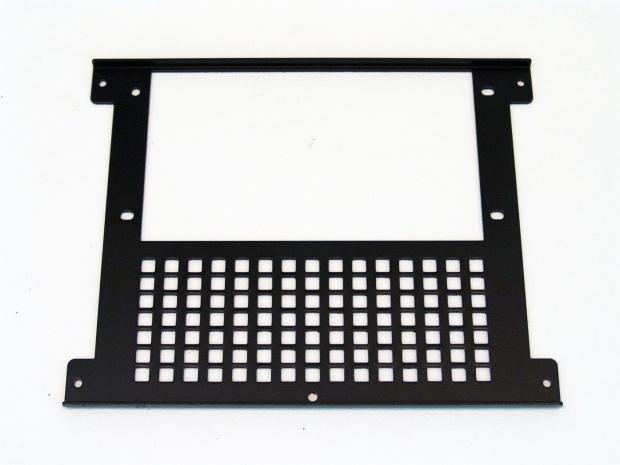
58This is the cover that came off the case from the factory. In the box is another that looks just like this, but the large area with square holes is removable to allow for two power supplies to be mounted to it.
 58
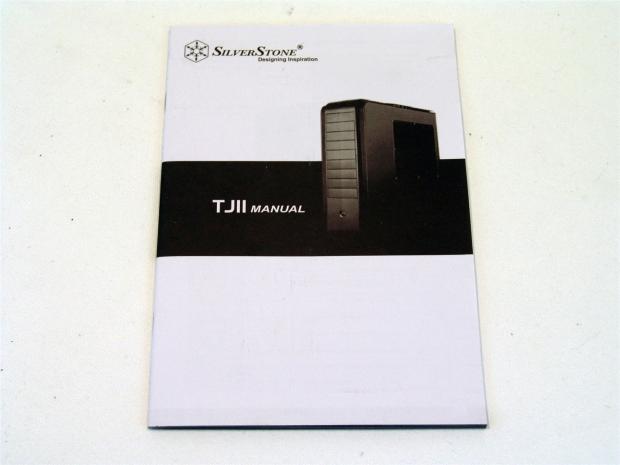
58I had to peek in this manual a couple of times to make sure I was removing things right, and just to be sure I could get my components in the TJ11 just the way I wanted to. I found that this manual is very well versed and offers great images and diagrams to follow.
The Build and Finished Product
 58
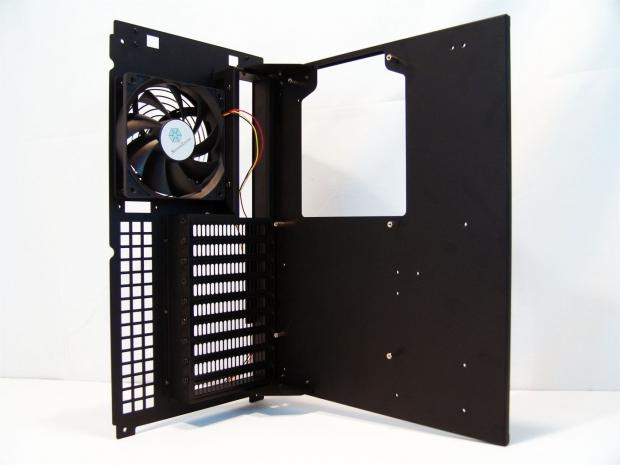
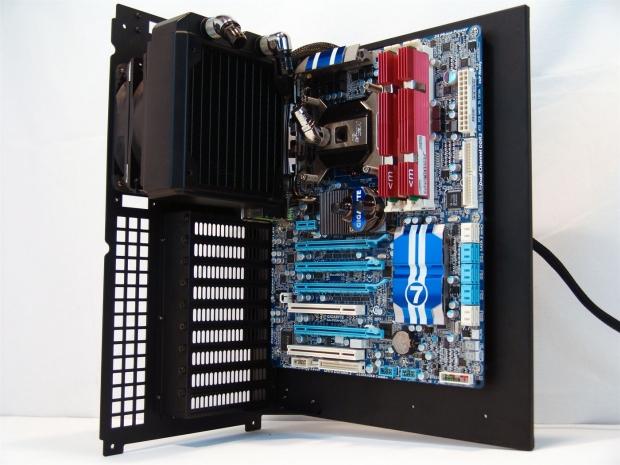
58The first thing I did after getting the hard drive racks out was to remove this motherboard tray. Removing thumbscrews under the top cover will allow this tray to slide up and out of the TJ11. You can see also that the 9+1 slots are really 9+ 0.5 or 0.25. The slot under the fan is for an accessory that is sold separately!
 58
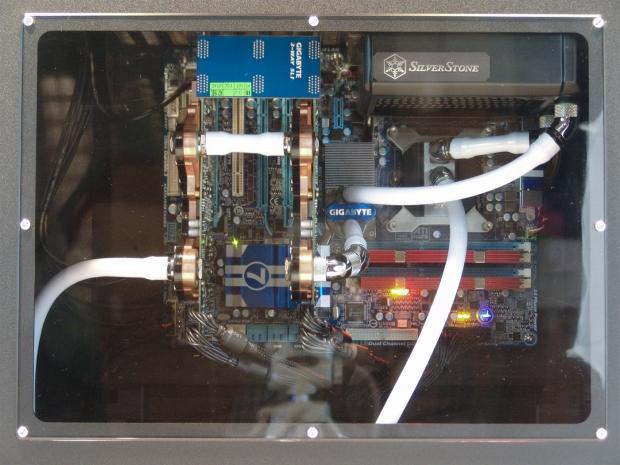
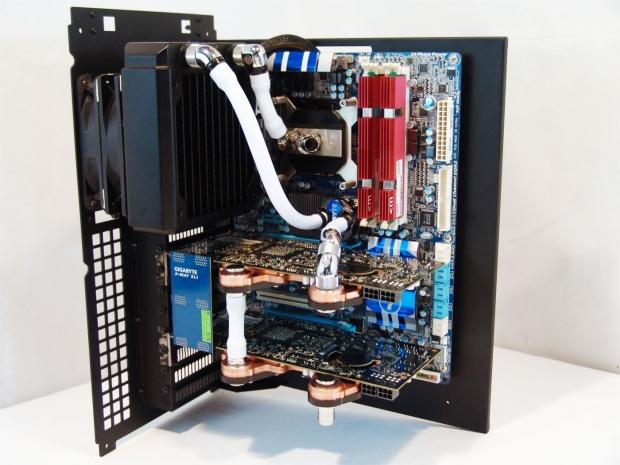
58Fast forward about ten minutes and I had the motherboard installed, and you can see, I have a water cooled build in motion here.
 58
58After about another hour of trial and error I am now ready to slide the motherboard tray back in. When I did slide it in, I made the realization that the radiator sits "just" proud of the tray. Removing the screws and allowing it to settle to the board just a bit corrected this, but it reminds you to check all the angles.
 58
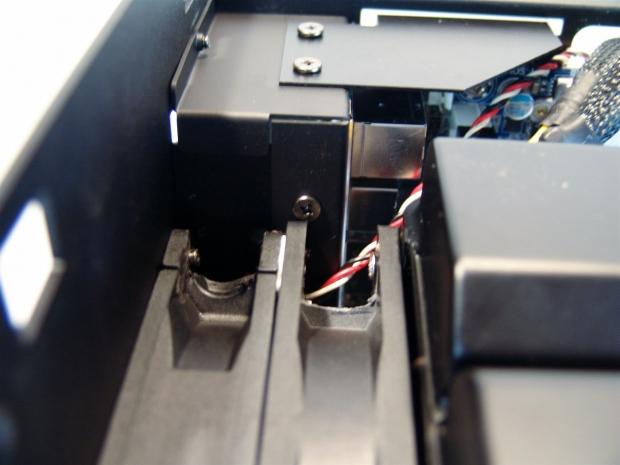
58I figured for those with keen sight, you would spot the dual fans behind the radiator. On fan was gutted to use as a spacer because this radiator wouldn't clear the rear I/O area without the extra spacing installed.
 58
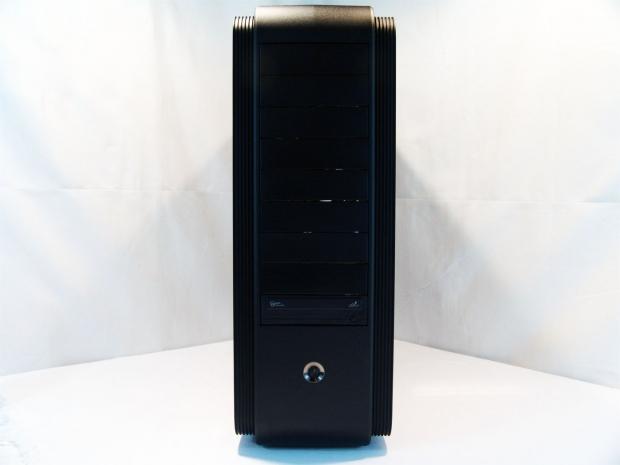
58The front of the chassis doesn't change too much with my basic installation. Also since this is going to be sitting on my desk, I installed the optical drive as low as possible for easy access.
 58
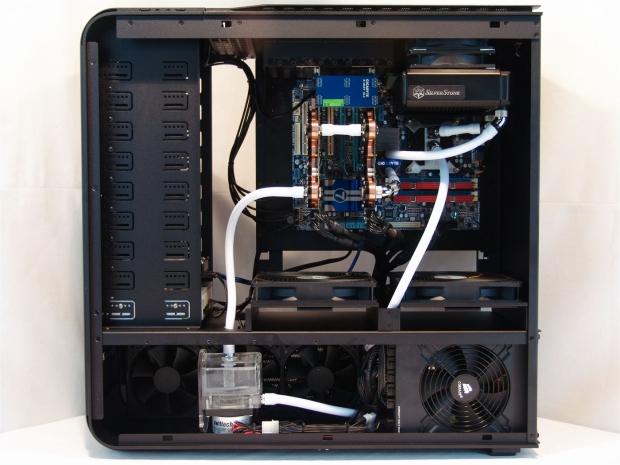
58Here is the TJ11 with a triple radiator in the bottom along with an AX1200 PSU, which isn't a small power supply, and I had plenty of room for all of it. Using the pair of holes through the midsection of the chassis keeps the wiring and the tubing clean in their routing.
 58
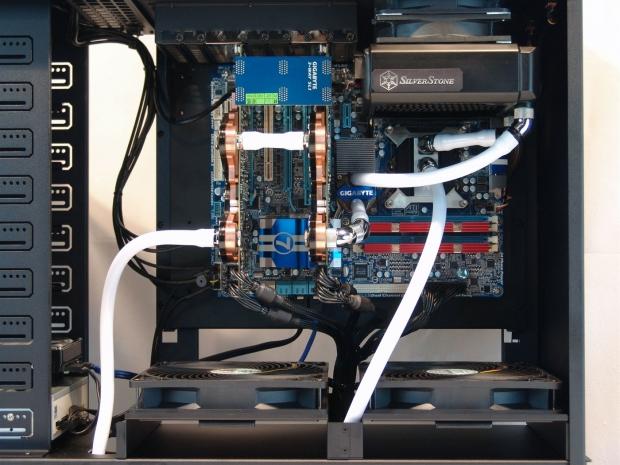
58I just wanted to get a little closer so you can see just how clean the wiring is, and for those who appreciate a clean water loop, this shot was for you!
 58
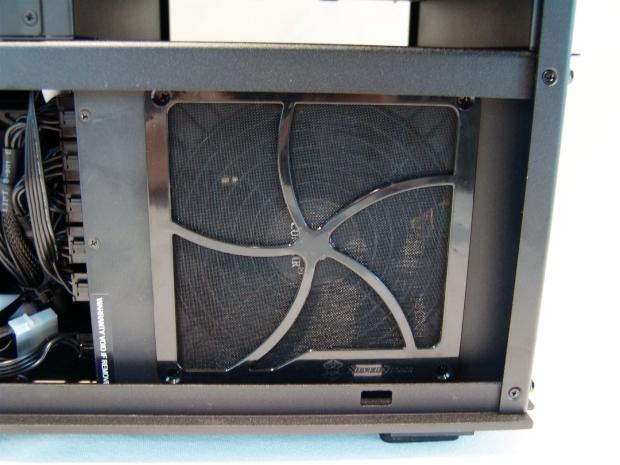
58Since SilverStone provides it, why not use it. Since this dust cover is magnetic, it really takes no effort to stick it over the fan on your power supply. It does offer holes to be mounted, but the screws you see are actually in the PSU not the filter.
 58
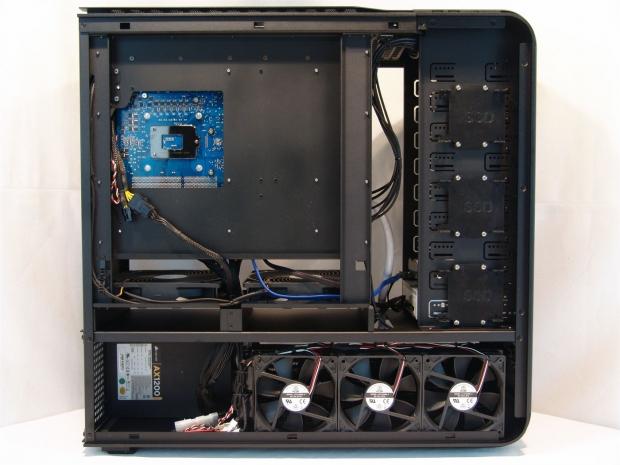
58Looking in the back of the case you can see there isn't wiring going all over to get things powered up. You can also see that my triple rad. with fans on both sides still allowed room for the large PSU to the left. I tied up some wiring for cleanliness, but had no issues getting them where they needed to go.
The Build and Finished Product Continued
 58
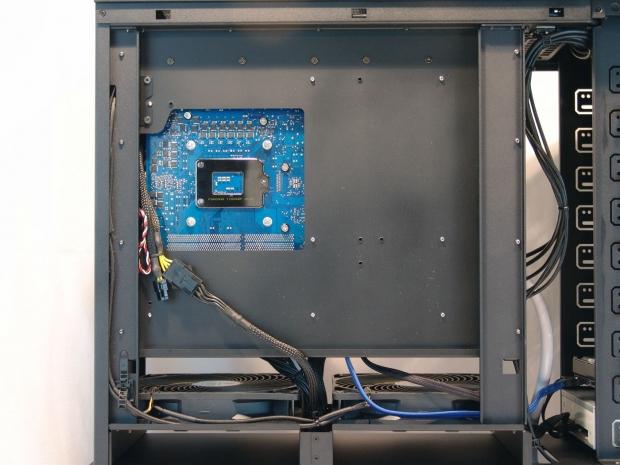
58Behind the motherboard tray, there isn't a whole lot of room for wiring. I did have enough room to run the 8-pin EPS wire, and use an adapter for length. Now this fit fine, but anything thicker will cause issues with the bottom of the motherboard tray or the supports on both sides.
 58
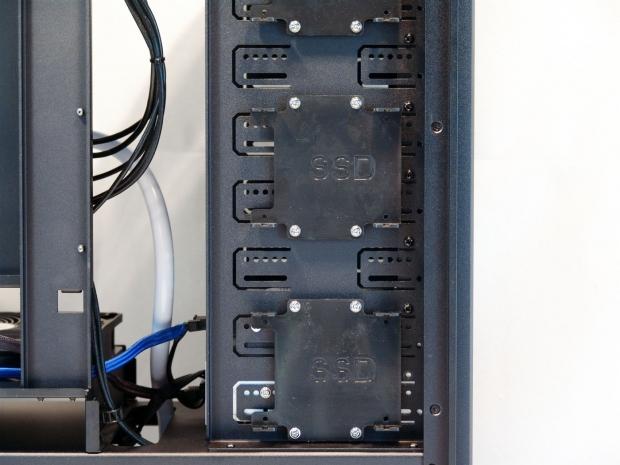
58I didn't grab any drives for this as I wasn't using them for the build, but I thought I should still highlight this inconspicuous placement to keep your SSDs out of sight.
 58
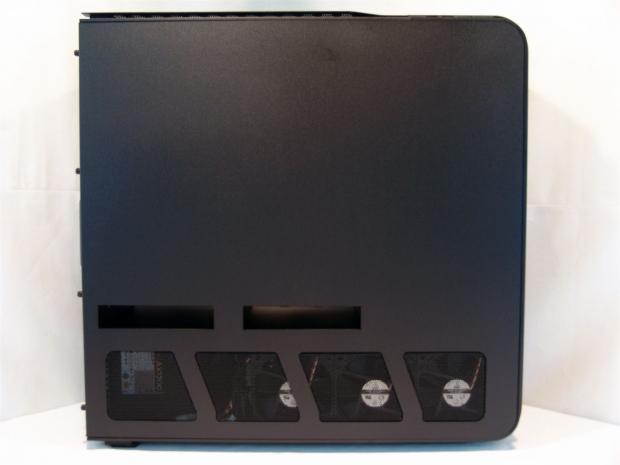
58You can see the radiator lines up really well with the mesh, and the TJ11 was designed to do just this. I am disappointed at the fact that there isn't any sort of radiator support supplied. Again, there is one for SilverStone cases, but it is only available at an extra cost.
 58
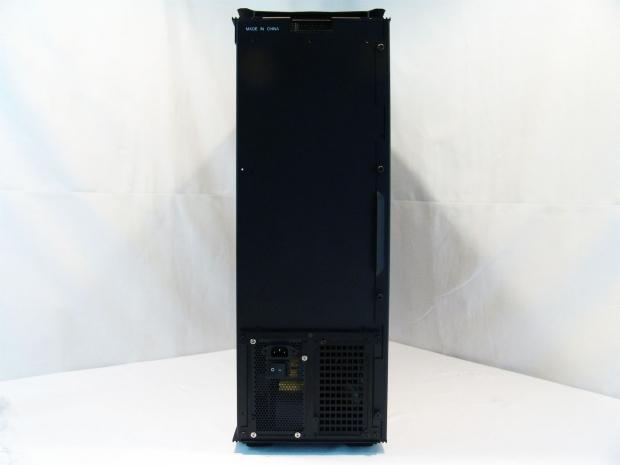
58There isn't much going on behind the chassis, in fact the only thing to change was the PSU now being installed.
 58
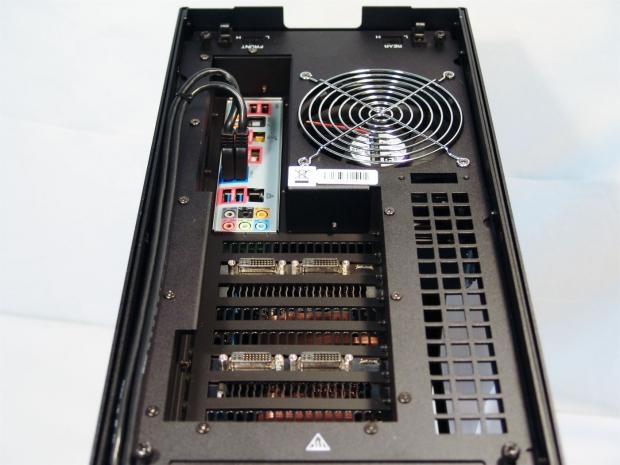
58The top of the chassis fills out with the board in place. The pair of USB 3.0 cables are long enough to get here easily and as you can see still tuck away and stay out of your way. Something else I noticed is that this seems deeper from the cover than did the Raven. This allows for regular DVI cables and HDMI cables, where before you had to look for 90 degree connections.
 58
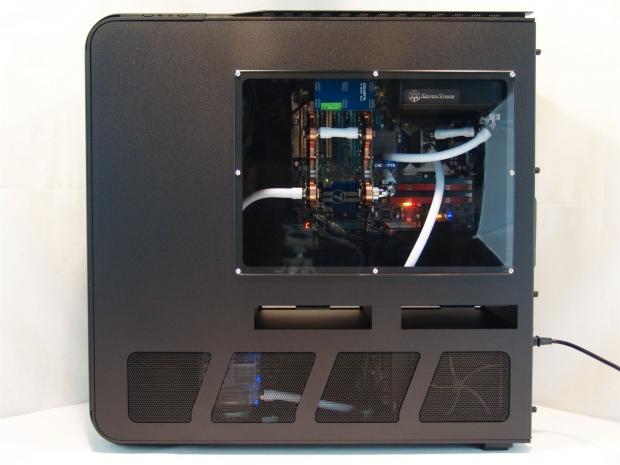
58Powered up and testing the fans, I thought this was a great opportunity to step back and appreciate the TJ11 a little more.
 58
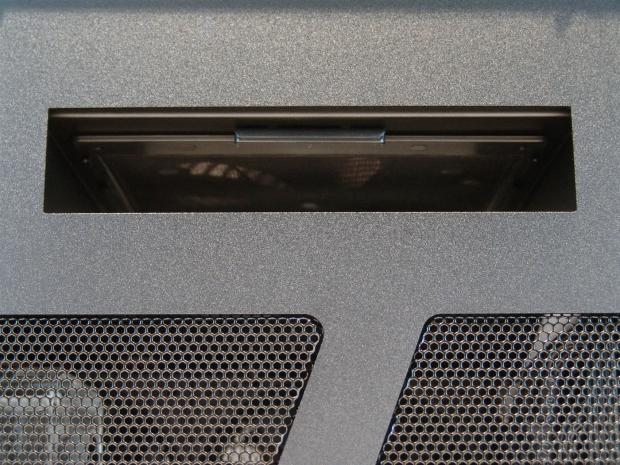
58Even with the doors on, with a little effort to grab the edge of the filters, they are removable for simple maintenance.
 58
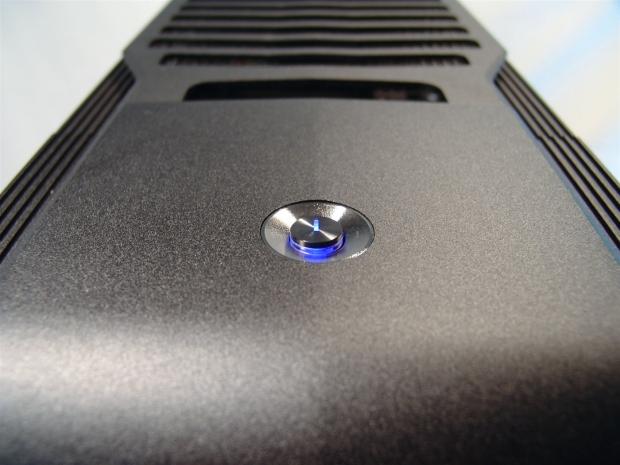
58The power button at the top of the chassis has clear plastic under it and the line at the top is removed so that the blue LED light can shine through.
 58
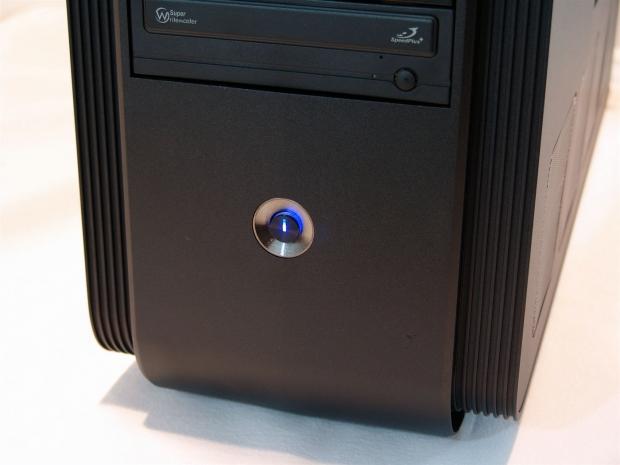
58The power button at the bottom of the front is built the exact same way and shines with blue LED whenever the PC is powered on. Aside from the occasional flicker of blue LED from the reset button, this is the only case lighting of the TJ11 as it ships.
Final Thoughts
The one thing that will keep this chassis in the hands of only the richest users, or those who are just looking to take their build to that higher level "come hell or high water", is the pricing. There is no amount of text in the world that can make me justify this pricing; you either have it in your budget or you don't. Then again, this case isn't exactly designed for the average user as my build clearly shows. The TJ11 is seriously well thought out design and is the only case in two years that made me replace my Corsair 800D. That's right, this TJ11 now has a welcomed, top tier placement of my all time favorite case. I have a feeling this may be another chassis that will have a long stay right where it is, as I believe it will be another couple of years before any other manufacturer will offer something like this, or even for SilverStone to have much room to improve on this themselves. At least not anytime real soon!
On the plus side of things, there are a lot of features that I truly ended up liking about the TJ11. The styling is like no other chassis except maybe the TJ07. I like the way the chassis is sectioned off on the inside, and I really like the sheer amount of room there is to get any build done pretty easily. Optional room for two power supplies, modular hot swap hard drive bays and a rotated motherboard orientation really brings this chassis up a notch or two, and we didn't even get into how good this chassis looks full of components! Really, every time I look around the TJ11, I find more and more to like about this Temjin.
Cooling is well addressed for those wanting to stay with air cooling. The pair of 120mm AP fans strapped to the hard drive bays is mostly blocked by the hot swap hardware and the cables, but at least there is air flow offered to keep the connections and drive cooler than if there were none offered. The pair of 180mm AP fans in the middle is a much better design to dump cool air into the chassis than my 800D offered. The TJ11 has the pass through venting in both doors to allow these fans to pull in nothing but cool air without passing other compartments, and does keep things cooler inside because of this design. To me, the rear or top 120mm fan was sort of an afterthought - I would have preferred a matching 120mmAP fan, but at least we got something.
This sort of leads me to my short list of disappointments. For those who want to use water cooling, you need to devise a support. SilverStone makes the exact piece needed for this (RADSUPPORT T09), but doesn't include it with this premium priced kit! The same can be said for the very specific +1 expansion slot, which isn't an expansion slot in the typical sense. It was specifically built to allow their CLEARCMOS product to be installed, and again this comes at an additional cost! I would have also liked to see an 8-pin EPS extension. While the AX1200 doesn't have the longest cables in the world of PSUs, I missed powering this by 3-4". Now it's easy to get one of these two, but yet again, it's more money invested. These may have been simple oversights in inclusion, but I would much rather have had these parts included with the TJ11 over the aluminum mouse pad, personally.
With the three things that I nit picked out of the way, I still feel that the chassis is the top pick of the year! This chassis is so well laid out, so pleasing to look at and use, not to mention this is one case you know all your friends aren't going to be sporting this summer. With my head in the clouds full of unicorns and rainbows about the TJ11 from SilverStone, I need to float back to Earth for the reality check. Right now Amazon.com is running the best all inclusive deal with a price of $586.80 with free shipping right now. The sad thing is that this is far below the average which is much closer to $650 and there isn't shipping included with some of these deals. Make sure you shop around if this is in your mind for must have cases in your next build.
For the scoring, I needed to make an assessment of the first five categories for the chassis as it sits on its own, and how these features play against all of the others. I think this chassis does very well for the first five and is more of a reflection of how I truly feel about the case. With the fact that this case is so highly priced, even though it outscored my 800D in the first five, doubling the price of the chassis has to be reflected somewhere. While I feel it is full deserving of the award, I had to equate the TJ11s pricing against all other cases, and here the TJ11 takes a bit of a hit to the overall score, but to me is still an awesome case worthy of your attention if you can afford one.

 United
States: Find other tech and computer products like this
over at
United
States: Find other tech and computer products like this
over at  United
Kingdom: Find other tech and computer products like this
over at
United
Kingdom: Find other tech and computer products like this
over at  Australia:
Find other tech and computer products like this over at
Australia:
Find other tech and computer products like this over at  Canada:
Find other tech and computer products like this over at
Canada:
Find other tech and computer products like this over at  Deutschland:
Finde andere Technik- und Computerprodukte wie dieses auf
Deutschland:
Finde andere Technik- und Computerprodukte wie dieses auf  NVIDIA AI GPUs trained Meta's new Llama 3 model for the cloud, edge, and RTX PCs
 Meta launches early versions of Llama 3 to fight with OpenAI and Google in the AI battle
 AI startup: AMD Instinct MI300X is 'far superior' option to NVIDIA Hopper H100 AI GPU
 Samsung unveils world's fastest LPDDR5X memory: 10.7Gbps speeds, 32GB capacities per package
 SK hynix and TSMC to work together with HBM4 and next-gen semiconductor packaging technology
 FlexiSpot C7B-Mesh Ergonomic Office Chair Review
 Samsung G8 34-inch QD-OLED Gaming Monitor Review - 175Hz for $900
 ASRock NUCBOX-155H Mini PC Review
 NuPhy Air96 V2 Wireless Mechanical Keyboard Review
 TEAM T-FORCE Siren DUO360 RGB Liquid CPU Cooler Review
 AVerMedia Live Streamer ULTRA HD Review
 AVerMedia Live Gamer 4K 2.1 Review
 XPG Invader X Mid-Tower Chassis Review
 Intel Core i9-14900KS CPU Review
 Arbiter Polar 65 Magnetic Gaming Keyboard Review
 Everything you need to know about the latest ASUS NUC Mini PCs - NUC 14 Pro and ROG NUC
 How to Overclock Your GPU and Boost Your PC Gaming with ASUS GPU Tweak III
 ASUS's AMD Radeon RX 7000 Series GPU lineup has something for every gamer
 ASUS OLED Premium Care defends the ROG Swift OLED PG32UCDM gaming monitor from burn-in
 Patriot Viper Xtreme 5 Engineering Prototype 48GB Dual-Channel Memory Kit Preview