

Introduction
 36
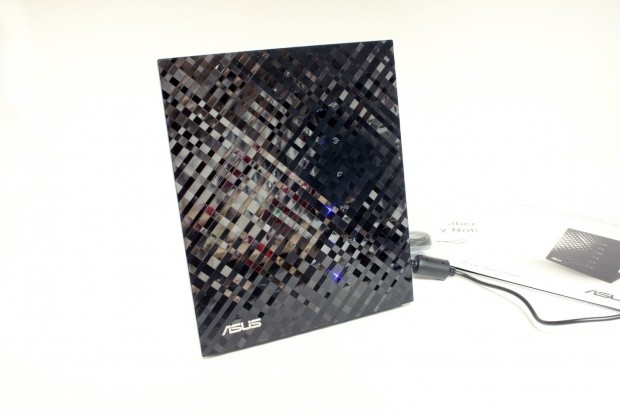
36The home networking market is one that is booming with technology, but is quite stagnant in terms of aesthetics. If you look things over you really are getting the same shell even if you get more features or more speed from your choice of router. It has gotten so bad lately that many people are not bothering to worry about "what it looks like" anymore.
For us it has become like trying to describe cereal boxes. It is very difficult to find something new with each product we test. True, sometimes you get a flashy LCD screen, or different color lights, but that is about it.
Enter the ASUS RT-N56U; this new product from ASUS is like no other networking product I have seen. In fact, at first glance you would never know it was a Gigabit, N-Spec, Dual Band wireless router with two USB 2.0 ports that can be used for networking, printing or to connect a USB HDD for network storage.
It is also hard to believe that you get all of this for only $129.99 from Newegg.com. So now all we have to do is see if it performs as good as it looks. Here we go!
The Box and What's Inside
Package and Contents
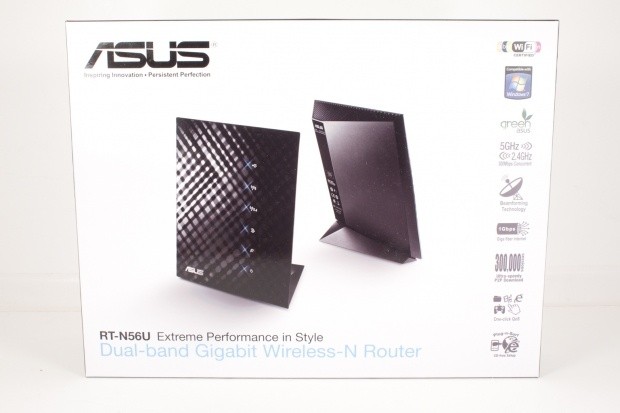
When you look at the packaging of the RT-N56U you will know right away that this product is a little different than the rest. You can see the difference in design along with the different packaging philosophy.
 36
36All of the badges are located along the right side of the box with the majority being black and white unlike many that go for multi-colored menagerie. The background is a simple white which makes the image of the RT-N56U stand out even better.
 36
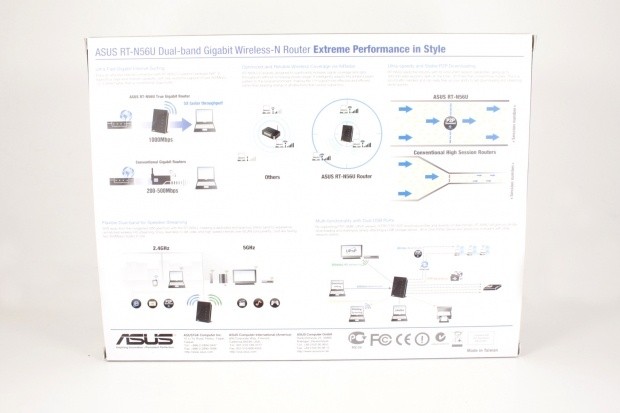
36The back of the box is a little more informative and has several diagrams to show why the features available on the RT-N56U are better.
 36
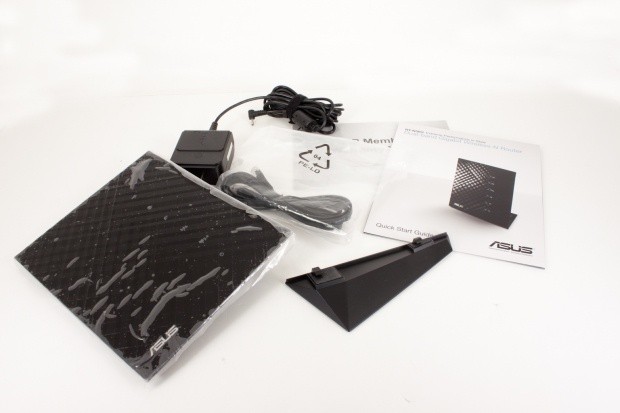
36The fare in the box is light; you do get a power cord, a flat Cat 5 cable (a very nice touch) and a stand. One item that I wish would show up in more home networking products is a second Cat 5 cable.
With the RT-N56U there is one glaring item that I wish ASUS would have included. Given the flat design of the RT-N56U, there should have been a wall mount for this. When I showed the RT-N56U to a few people all of them asked if it could be wall mounted.
The RT-N56U
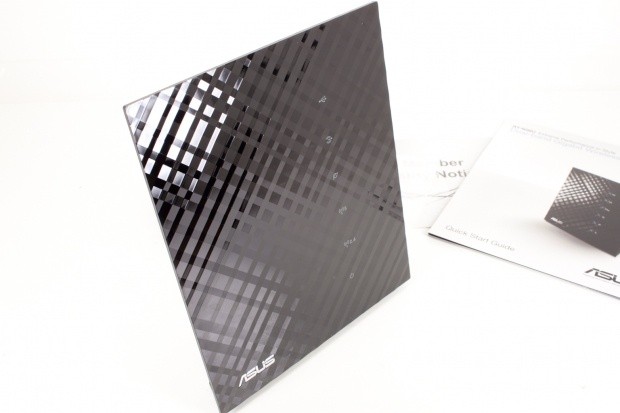
My first thought when I looked at the RT-N56U was that this was one of the coolest looking networking products I have ever seen. The flat face with the crenelated surface has a very distinct look about it. It also helps to accent the glow of the blue LEDs without making them overpowering. This is a problem on many of today's routers. The LEDs are so bright they really light up a room and can be annoying if you are playing a game in the dark.
36We really can't say enough about the front surface, it is just very attractive.
 36
36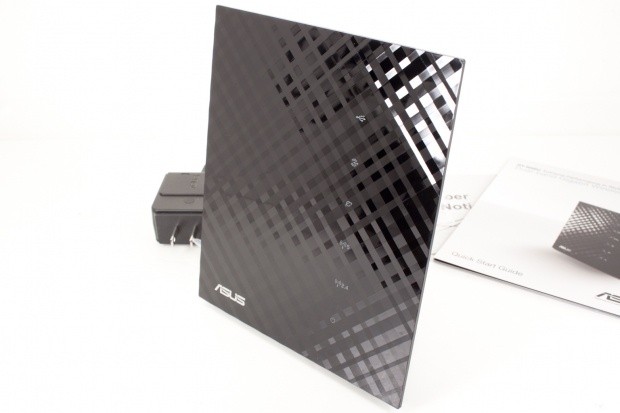 36
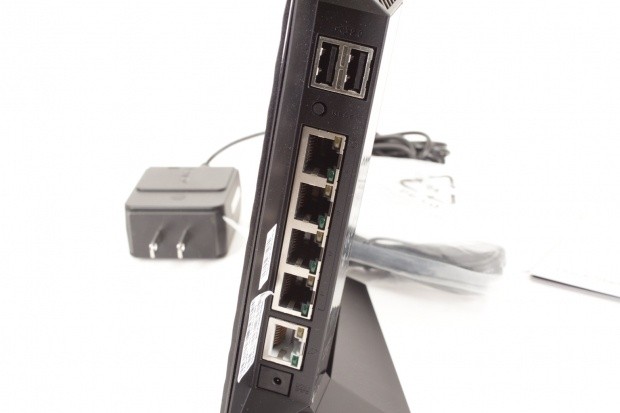
36Of course the RT-N56U is not all good looks, you do get function with the form. There are four GBe (Gigabit Ethernet) ports for your LAN and one GBe for your connection to the outside world. The two USB ports can be used to connect printers and external drives to add even more functionality to the RT-N56U.
 36
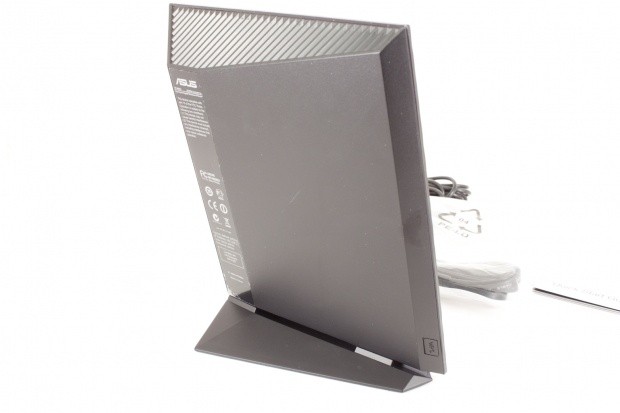
36The back has a nicely angled shape to it. We also see that the top is fully vented to help keep things cool. The small button visible on the lower right hand corner is the WPS button. This can make setting up a new wireless network very simple.
 36
36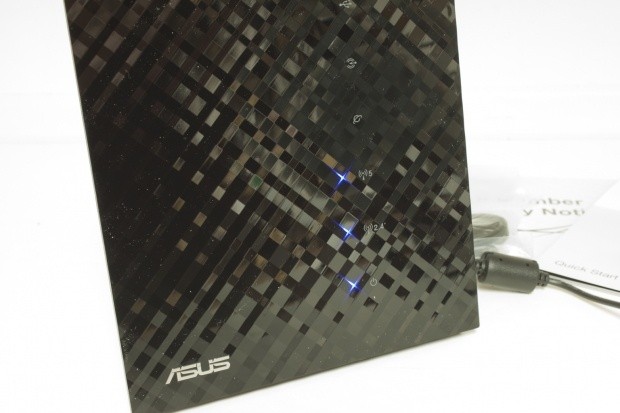 36
36Setup and WebUI
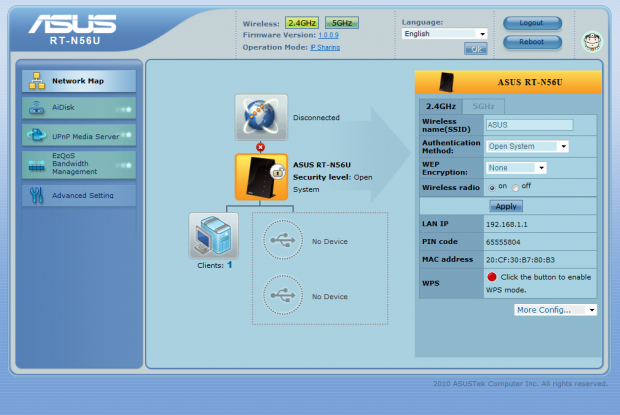
Unlike some of the other wireless routers we have tested from ASUS, we did not see a setup wizard in the UI. This was something of a disappointment as I have felt that ASUS was on the right track with their wizards in previous models.
 36
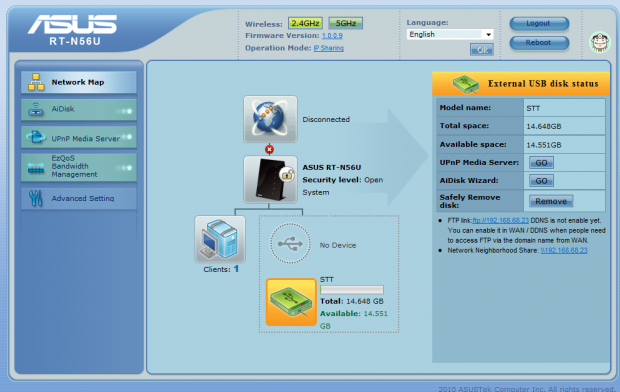
36Of course, with as simple as ASUS has made their UI, I imagine that they felt there was little need for a setup wizard to be forced into the RT-N56U. What you see above is the basic Welcome screen. It is setup to allow you to see your device and network "at a glance". We have it disconnected for these images, but you will also see your Internet connection in addition to systems on the network and USB devices directly attached.
 36
36After the Network map we come to the AI Disk Wizard. In order to use this handy little feature you will have to have a USB device attached. Once you do the Wizard will be visible to you.
 36
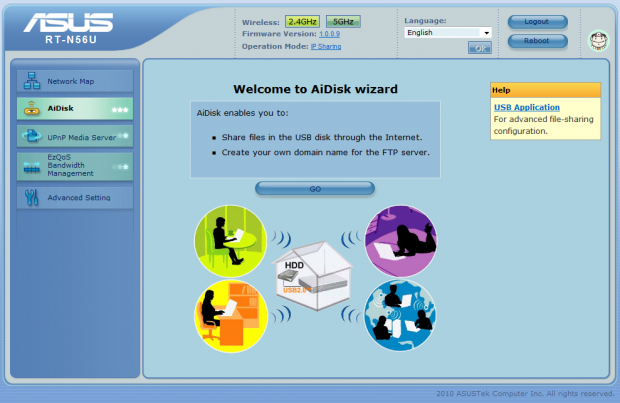
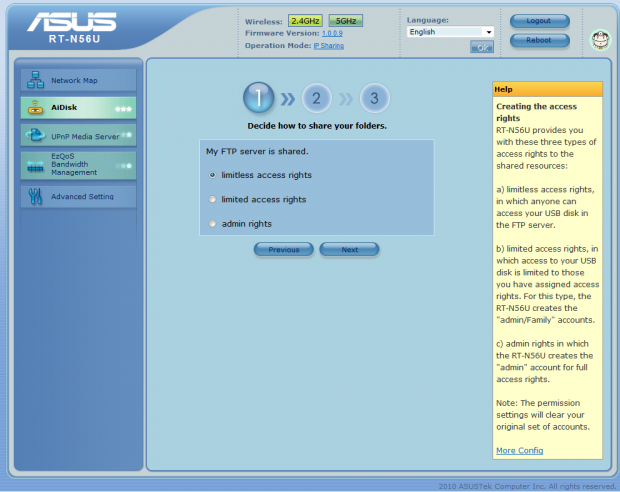
36AiDisk is a very streamlined way to setup basic file sharing from your RT-N56U. It is a great feature and one that is becoming more common place in home networking gear. After you click the "Go" button it is just a few steps and you will have a very inexpensive NAS complete with wireless.
 36
36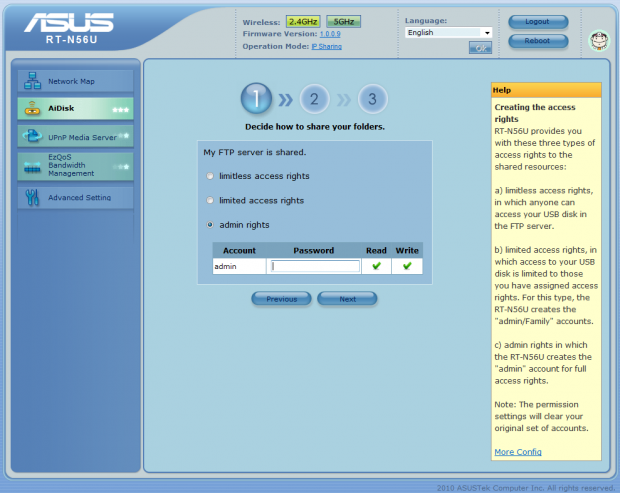 36
36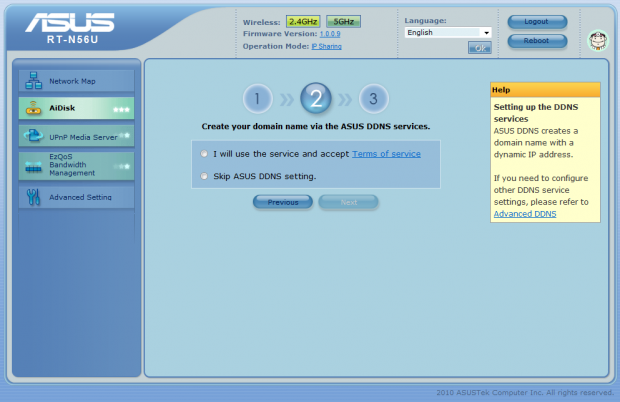 36
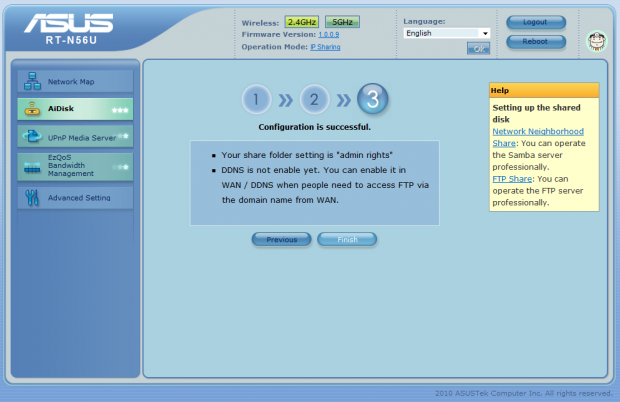
36As you can see from the steps shown here, you do not have to do much to get the AiDisk up and running.
 36
36ASUS gives you multiple options for security right from this simple wizard. You can also head into the advanced section for more granular control.
 36
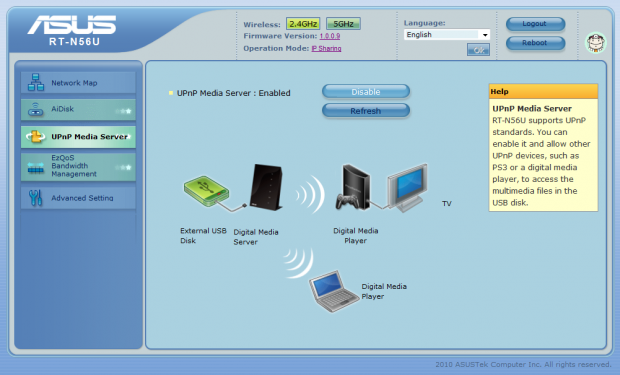
36The Universal Plug and Play feature is one that is both a benefit and a danger. On the one hand it can make setting up a media server (with the use of the AiDisk feature) a snap. On the other, it can be a security hole and one that can be exploited.
 36
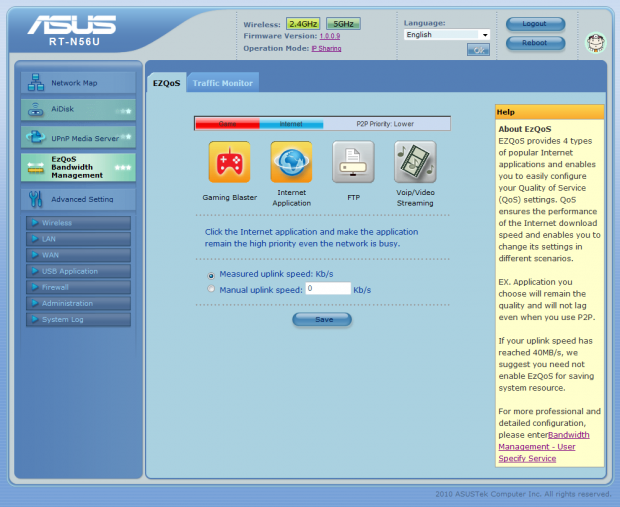
36For Quality of Service, ASUS is giving you a very visual way to shape your traffic. All you have to do is click the Icon of the items you want to give priority and you are set.
 36
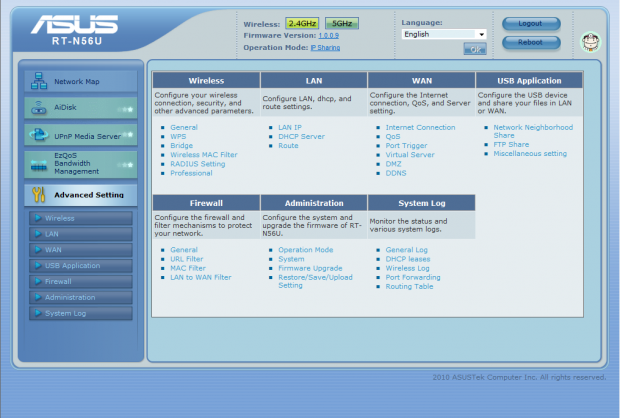
36Of course, you cannot get by on the simple wizards alone. ASUS has made sure to include more advanced options for greater control over your RT-N56U and also to allow the more experienced users to feel at home, too.
 36
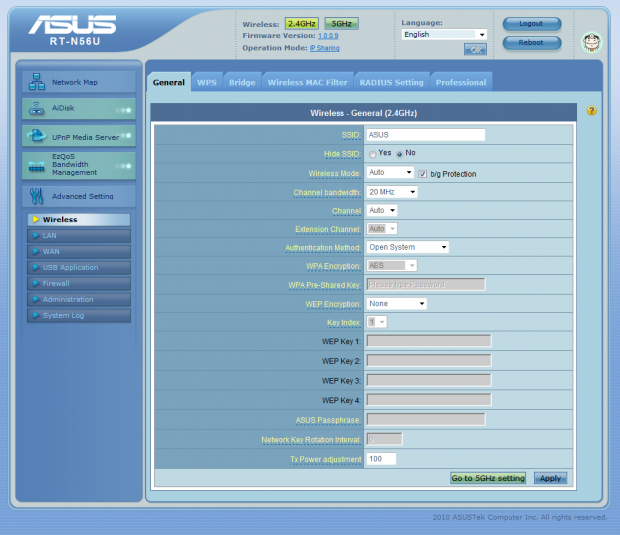
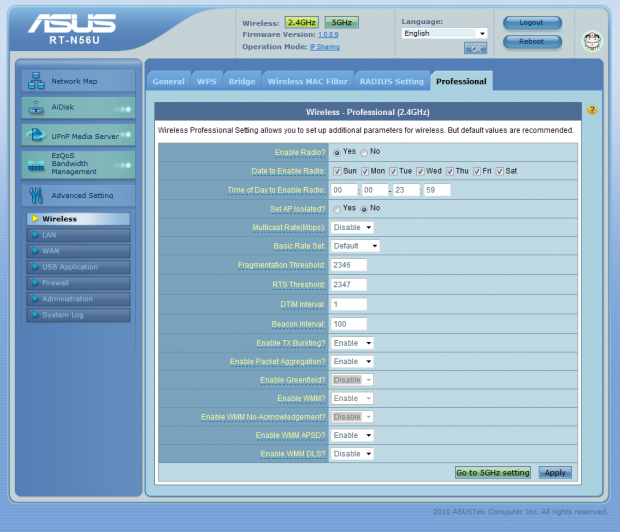
36As with most ASUS routers we have worked with, the next item up on the list are the wireless pages. These are pretty standard with the exception of the extra band you can configure. For those of you that are not familiar with the 5GHz range, it is excellent for connecting HTPC and other high traffic systems. When using this you are not impacting your regular network at all.
 36
36Setup and WebUI - Cont.
Setup and WebUI - Continued
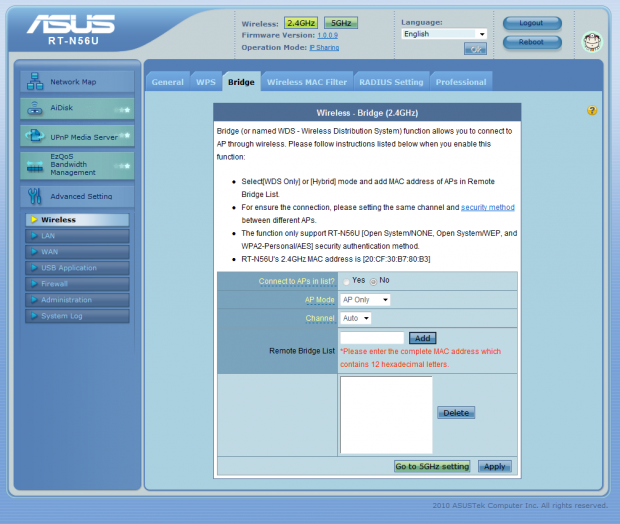
On the bridge page you can setup a WDS (wireless distribution system) network. This allows you to connect multiple wireless access points without the need to cable your house or office.
 36
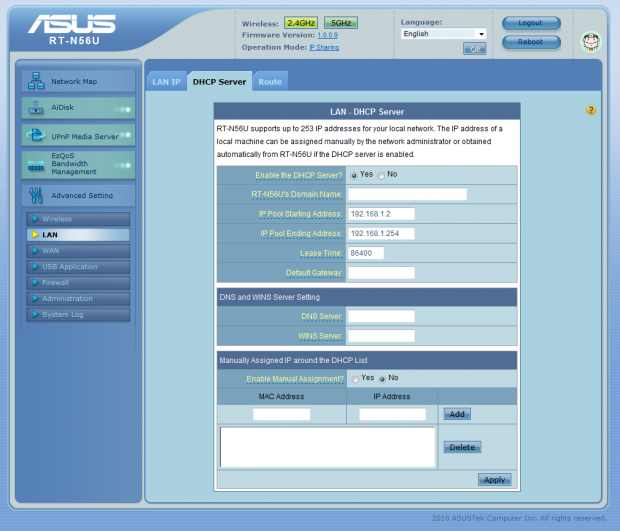
36The LAN tab is very simple with not much to cover. You can configure the static IP, DHCP server and setup some static routes if needed (great for site to site VPN connections).
 36
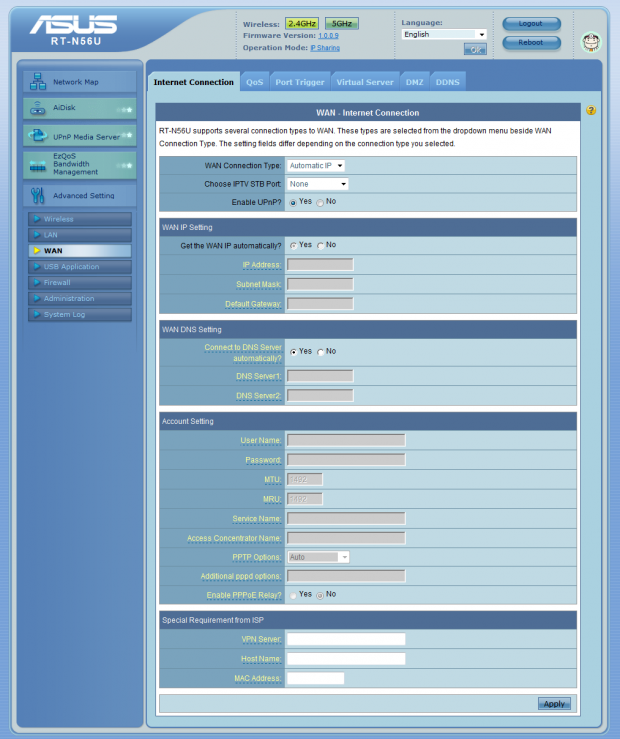
36The WAN pages help control the access to your internal network from the outside world. Here is where you would setup your ISP information along with port triggers (allow specific application packets to open ports dynamically), setup port mapping for internal services, advanced QoS features and much more.
 36
36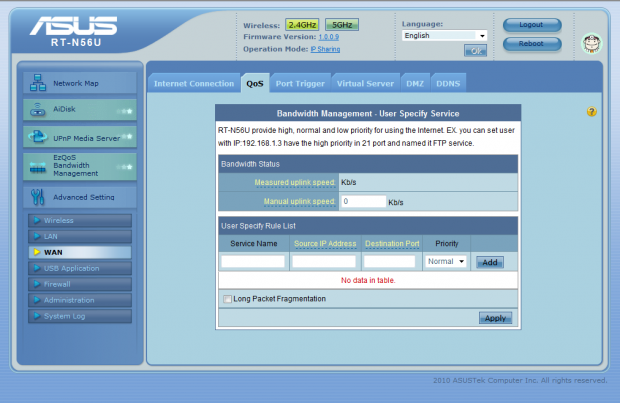 36
36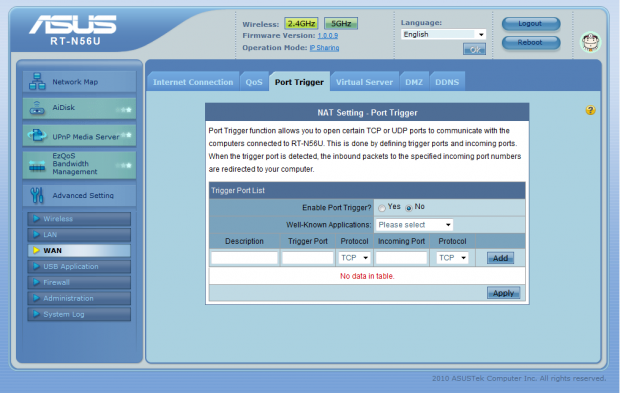 36
36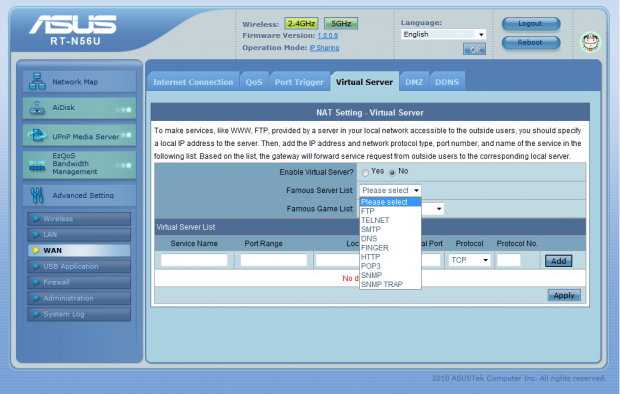 36
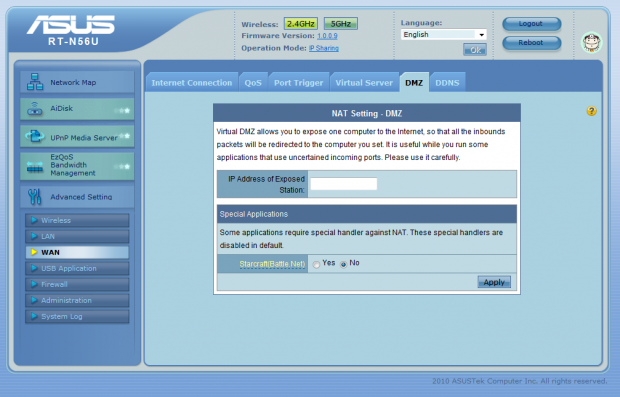
36The DMZ tab is something that most home users will never bother with. This allows you to place a system in front of your firewall and allow unrestricted access to that server. This can be dangerous, so we would caution you in using it.
 36
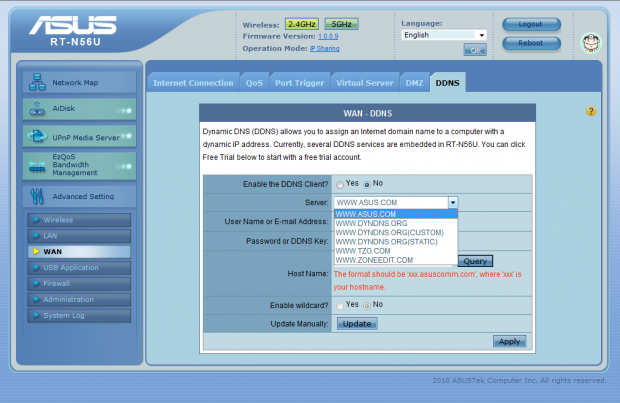
36DDNS (Dynamic DNS) is a great feature for people that want to have services (FTP, Personal Web pages, etc) on the internet, but cannot afford to pay for their own static IP address. As you can see, you can set the RT-N56U to use quite a few services to make sure that if your IP updates, your site will still be available.
 36
36Between the WAN tab and the Firewall tab there is a USB application tab. This is just an extension of the AiDisk feature with more granular controls.
 36
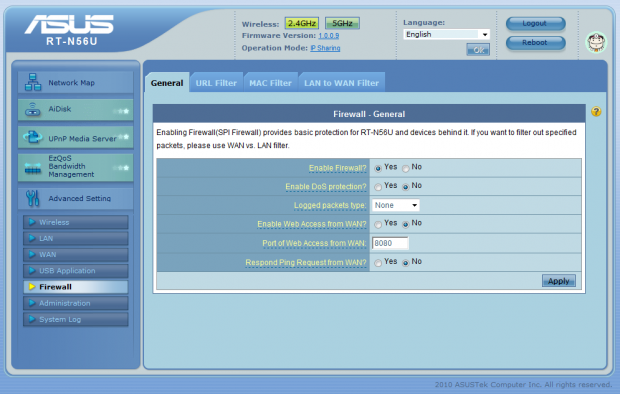
36The Firewall section is all about protection. You can enable some handy little items here to help keep your home network running (of course, most are not needed by the average home network).
 36
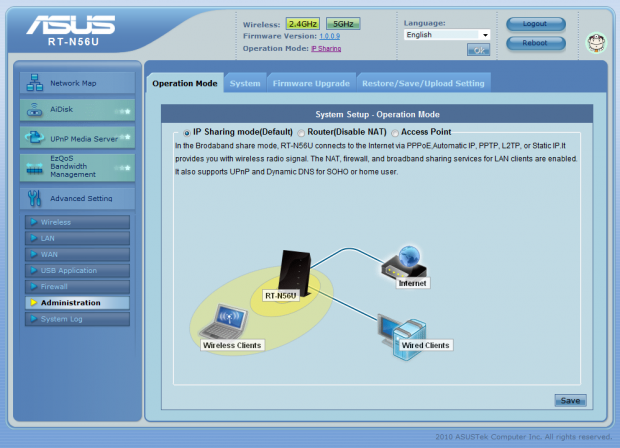
36The Administration area is just that. You can control the modes of the RT-N56U. It can operate as an Edge appliance with protection for your home network in the form of a firewall and also NAT (Network Address Translation). You can also set it up as a bridge (which ASUS calls Router mode) to place this inline behind another router or device that connects you to the internet. There is no NAT, so all services are available to both sides of the network.
The final mode is the Access Point. This puts the RT-N56U in place as a simple wireless device with no firewall, NAT or other services. It will serve up both 5GHz and 2.4GHz wireless to your home and that is it.
 36
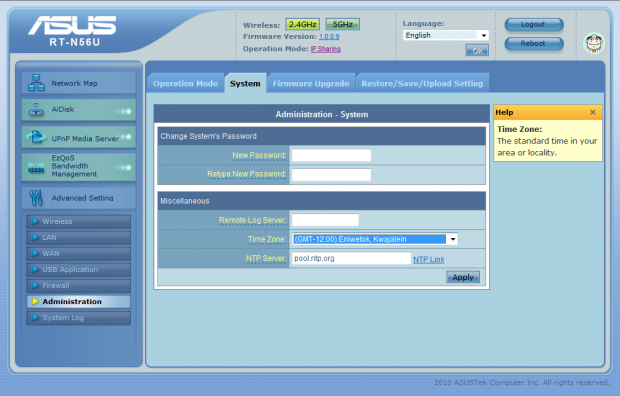
36In the system section you can set the time zone and also change the Admin Password.
Performance
Bandwidth
We used PerformanceTest 6.1 by PassMark which you can find out more information about here. It has a handy Advanced Networking section which is perfect for our testing.
Doing our best to emulate a real-world performance scenario, I setup a server running Windows 2008 R2 (x64) Server (2x Xeon Quad Core 3.0 GHz 1333MHz FSB, 4GB DDR2 FB-DIMMS, 2x 146GB SAS drives in RAID 1) and the client PC was an MSI Wind 200 with built-in Intel 802.11n (Intel WiFi Link 5100 AGN) adapter.
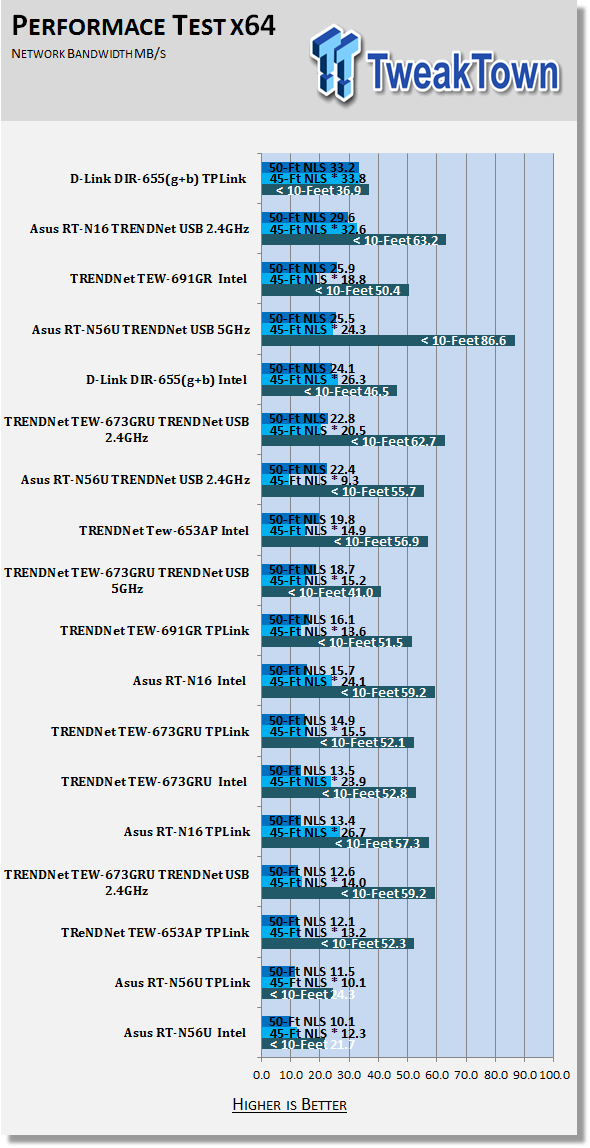
The results were gathered by sending data from the MSI netbook to the server at different distances with the built in adapter, a TPLink TL-WN821N, and then a TRENDNet TEW-664UB adapter for both 2.4GHz and 5GHz speeds. Average transmission speeds were recorded for each.
Connection Speed
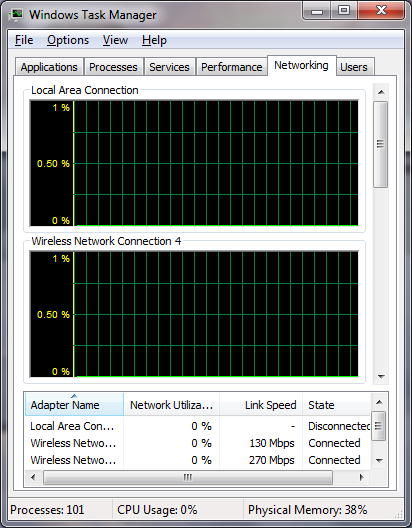
The connections speeds for the 2.4GHz channel varied between 52Kbps and 144Kbps. The lower speeds were during periods of low network traffic, so that did not bother us too much. For the 5GHz channel we saw speeds of 270Kbps to 300Kbps. It was quite a shock to see this after the lower speed 2.4GHz.
 36
36The performance was not where we thought it would be, although the short range performance was outstanding and generally faster than the other routers we have tested. When we left line-of-site things slowed down a little. We were able to compensate for some of that by using the 5GHz channel and also with some channel tuning. But I would have liked to see things running a little faster.
 36
36*signal travelling through wet wall and main house electrical panel
Gaming
Gaming performance was good, especially with the Gaming QoS on. Our ping times without the QoS were in the mid-60s for a busy game server. When we kicked the Easy QoS on we saw them drop into the 40s. Now, it is important to remember that your results here may vary depending on your network speed and also the distance to the server in question. With that said, the ASUS RT-N56U will not be the piece that holds you back.
Multi-Media
The multi-media experience over the 2.4GHz band was a little rough, but that was because in the area around my house there are over 10 wireless access points running 2.4GHz. Even though I run a different channel and secondary channel, their signal interferes with mine. This caused a few stutters when the audio (from the HD MKV file) got a little complex.
Once we kicked over to the relatively clean 5GHz channel, this was removed and things cleared up. We had no issues with Netflix, Hulu or with pulling HD video over the wireless network. It seems that the 5GHz range is certainly the way to go for your home entertainment systems.
Final Thoughts
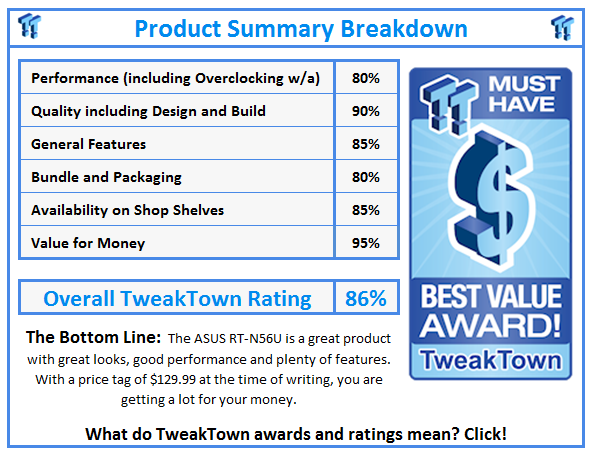
The ASUS RT-N56U is a nice looking piece of hardware. It also can perform for you within certain limitations. These limitations seem to be range and penetration (of walls etc.). As long as you are inside the line of site you can maintain great connection speeds and also excellent throughput. It is when you break that line of site that we have an issue.
Still, considering this is a piece of hardware that would look good in an exposed area in your house, you might be able to get away with having it out in the open. On the UI and feature side the RT-N56U has plenty to help make this one of the more versatile wireless routers we have tested. The UI itself is designed with the consumer in mind. They have kept things simple so that almost anyone can work it. Outside of that the network map page is good for seeing the status of your network at any time.
I have to say that while I like the flexibility of your more traditional Web UIs, I do like the streamlined flavor that ASUS has. Of course, for the traditionalist there are still the advanced pages for you to work with. Overall, the RT-N56U is a great product at a good price.
 United
States: Find other tech and computer products like this
over at
United
States: Find other tech and computer products like this
over at  United
Kingdom: Find other tech and computer products like this
over at
United
Kingdom: Find other tech and computer products like this
over at  Australia:
Find other tech and computer products like this over at
Australia:
Find other tech and computer products like this over at  Canada:
Find other tech and computer products like this over at
Canada:
Find other tech and computer products like this over at  Deutschland:
Finde andere Technik- und Computerprodukte wie dieses auf
Deutschland:
Finde andere Technik- und Computerprodukte wie dieses auf 


 Bethesda promises some 'really good updates' for Starfield are going to be revealed soon
 Microsoft has more best-sellers on PlayStation Store than Sony does
 PS5 Pro CPU upgrade to be more hype than performance
 Microsoft wants you to use AI to jazz up images in Windows 11 Photos app - but there's a twist
 Ready for Zen 5? MSI has dropped a heavy hint that AMD's next-gen Ryzen CPUs could arrive soon
 FlexiSpot C7B-Mesh Ergonomic Office Chair Review
 Samsung G8 34-inch QD-OLED Gaming Monitor Review - 175Hz for $900
 ASRock NUCBOX-155H Mini PC Review
 NuPhy Air96 V2 Wireless Mechanical Keyboard Review
 TEAM T-FORCE Siren DUO360 RGB Liquid CPU Cooler Review
 AVerMedia Live Streamer ULTRA HD Review
 AVerMedia Live Gamer 4K 2.1 Review
 XPG Invader X Mid-Tower Chassis Review
 Intel Core i9-14900KS CPU Review
 Arbiter Polar 65 Magnetic Gaming Keyboard Review
 Everything you need to know about the latest ASUS NUC Mini PCs - NUC 14 Pro and ROG NUC
 How to Overclock Your GPU and Boost Your PC Gaming with ASUS GPU Tweak III
 ASUS's AMD Radeon RX 7000 Series GPU lineup has something for every gamer
 ASUS OLED Premium Care defends the ROG Swift OLED PG32UCDM gaming monitor from burn-in
 Patriot Viper Xtreme 5 Engineering Prototype 48GB Dual-Channel Memory Kit Preview