

Introduction
Puget Systems has been building performance PCs since December 2000. Originally operating out of founder Jon Bach's home, the company has expanded over the years and now occupies a purpose-built 14,000 sqft. facility in Auburn, Washington, USA. Focused not only on building custom spec'd PCs, but also fully supporting them post-sale, Puget has been racking up awards from all sorts of publications.
The company was gracious enough to provide us with an ultra-quiet Serenity gaming PC for this review. While not Puget's flagship gaming box (that would be the Deluge), the Serenity represents a solid upper mid-level system for enthusiasts who also value quiet performance. Also, please note that the Serenity reviewed here has a few upgrades from the base configuration. For information about the Serenity's base config, go here.
Our Serenity test unit sports an Intel Core i7 860 processor running at the stock 2.8GHz clock speed mounted on an ASUS P7P55D-E Pro motherboard. A Gelid Tranquillo CPU cooler keeps the processor thermally happy. Four gigs of Kingston DDR3-1333 occupy two memory slots and a PowerColor Radeon HD 5750 1GB Silent video card provides graphics processing. Our Serenity boasts a dual hard drive configuration consisting of an Intel X25-M 34nm Gen 2 160GB SATA II 2.5inch Solid-State Drive that hosts the Windows 7 Home Premium 64-bit OS and a Western Digital Caviar Green 1.5TB for data storage. It also has a Lite-On 8X Blu-ray drive and Cyberlink's PowerDVD 10 Ultra 3D for Blu-ray playback. The system is housed in an Antec P183 case with "Gunmetal" finish and gets its juice from an Antec CP-850 850W power supply.


Externally, we get a host of I/O ports to keep even the most accessory-hungry among us happy; 2xUSB 2.0, eSATA, headphone, and mic jacks on the front. The rear has 6xUSB 2.0, 2xUSB 3.0, 1394, 2x eSATA, Ethernet, 6-channel audio, Coaxial and Optical out, 2xDVI out, HDMI out, legacy PS/2 connections for mouse and keyboard and DisplayPort.


Internally, our Serenity has four free optical bays, a free floppy/media card reader bay and three free hard drive bays, should you desire to add some aftermarket parts. Five whisper-quiet 120mm fans keep air moving through the system.
Puget Systems provides a 1-year parts and lifetime labor warranty on the Serenity.
Specifications, Pricing and Availability

All Puget Systems computers are available at www.pugetsystems.com. Build the system to your preferred specification using the online configurator. A Puget tech will then review your order, notify you of any potential hardware conflicts, or suggest any changes to give you an optimal computing experience.
Once your order is placed, you can log in to your account where you get detailed information regarding how far along your system is in the build process. Your technician/builder checks off each step in the build process as it happens and this info is updated in real-time on your account page. Your system undergoes two separate phases of testing before final quality control, and the relevant benchmarks appear on your account page as well.
We were very impressed with Puget's build-status update feature. It's one of the most thorough accountings of the build process we've ever seen and it's quite nice to always know what's going on with your machine. Most importantly, Puget's thorough testing and benchmarking before it leaves the shop help ensure you'll have a trouble-free experience once it arrives at your doorstep.
As configured, the Puget Serenity goes for $2814.42 USD as of August 2010.
Packaging, Internals and Set-Up
Packaging


The Serenity arrived in a large white box with Puget's logo emblazoned on two sides. Opening it up, we see that the system is double-boxed.


The inner box is the reused Antec chassis box and it's cushioned on all eight corners by thick foam. Puget wraps the internal box with an additional cardboard sleeve that makes sliding it out of the outer box much easier. This is much appreciated, as having something to grab onto makes it far easier to pull out (and helps curb the urge to just turn the box upside down and shake until the computer comes out).


The Antec chassis retains its protective film and we find a sticker warning that the machine has been packed internally with Instapak foam (a liquid foam that expands to fill an area and then hardens), which must be removed before operating the computer. For the clueless, Puget provides a link to an online explanation of the process. Since the chassis features a "tool-less" design, we didn't have to hunt down a screwdriver to get the side panel off. We merely turned two thumbscrews.
Internals

With the side panel off, we see said Instapak.

It pulls right out, revealing the immaculately clean internals of the machine. The wiring job is top-notch; the cables are all the proper length to minimize clutter, everything important is secured with zip ties, much of the cabling is neatly hidden away, and most importantly, there's no rat's nest dangling in the middle to restrict airflow.
We also see more of the case's "tool-less" design. The hard drive bay and access panel that houses the front fan are secured with thumbscrews that make removal simple. The panels not only have pull rings attached, but a small clip secures each ring to prevent any noise-generating vibration.
The motherboard has two free RAM slots and plenty of free expansion slots if you wish to add a soundcard or Wi-Fi card down the track.
What Is All This Stuff!?

Puget includes a binder containing a thank-you letter from CEO Jon Bach, a spec sheet and pages upon pages of benchmarks specific to your machine. The company also includes a few of its business cards in an envelope emblazoned with a note letting you know much of Puget's new business comes via word-of-mouth.


In the accessory box Puget includes all the spare parts left over from the build, including extra cables, screws, etc. Though the buyer might not need these, they're nice to have on hand just in case.

The customer also gets hard copies of the important software and drivers installed on the machine.

And most importantly, a numbered Restore Disc specific to each individual machine. If you've ever had a hard drive failure, you know what a pain it can be to have to not only reload the OS, but have to track down the correct drivers for all the hardware as well. Puget alleviates this issue by putting everything one would need to restore the machine's software config to factory condition on one simple disc. Nice.

Puget also provides a modest logo badge in the accessory box, leaving the option of where (and if) to affix it up to the user.
General Hands-On Usage and Performance
General Hands-On Usage
Here's a CPU-Z screenshot showing some detailed specs of what's running under the Serenity's hood:

One of the most striking features of the Serenity is what's missing; namely, noise... of any kind. This machine is so silent that, were it not for the status light on the front of the chassis, you'd have a hard time knowing if it were on or off.
We didn't have a decibel meter on-hand when we were testing the Serenity, but let's put it this way; even with the Serenity sitting at ear-level on top of a desk, any noise the machine might have made was drowned-out by the humming of a refrigerator down the hallway. This held true even when stressing the system with intensive gaming and encoding tasks.
So what makes the Serenity so quiet? One factor is Puget's choice of chassis for the Serenity. The Antec P183's dual chamber design provides physical separation between the power supply and the rest of the internals, which helps prevent heat from the PSU from entering the upper chamber. Puget tops off the Serenity's nearly silent performance with layers of acoustic-dampening foam on the interior walls of the case. But as anyone who has ever tried to build a silent PC knows, dampening material will only get you so far.
The key to the Serenity's silence lies in proper design and proper component selection. Apart from hard drives, the noisiest components in a system are generally the video card and the cooling fans. With the Serenity, Puget has chosen components that don't require an excessive amount of airflow to remain cool; i.e. the passively cooled HD 5750. And, by choosing the quietest fans available, the necessary air flows across the internal components while maintaining the system's miniscule noise signature.
Furthermore, Puget wisely takes advantage of solid-state hard drive technology to compliment the system's design goals. As we've described previously, solid-state drives generate no sound, thereby removing another traditional source of mechanical noise.
We receive a second, and much appreciated benefit from the SSD that most other high-end hardware can't quite replicate. With greatly reduced read, write and seek times, an SSD does wonders for the performance of Windows 7. Windows 7 finally feels like the fast, responsive and powerful operating system that it should be, instead of the sluggish, bloated performance that we often experience with Windows 7 on a standard 7200RPM platter drive.
With that said, the Serenity takes a paltry 41 seconds to boot up (15 seconds of which was the BIOS POST). Again, we credit this in large part to the SSD.
Please note: At this point of the review it should be mentioned that we won't be comparing the Serenity to any other systems in today's benchmark results. We will, however, be retaining the results for comparison in all our future desktop gaming system reviews as we build up a database of comparatives using our standard benchmark charts.
Our system arrived with no bloat ware of any kind; not even an anti-virus trial (we prefer AVG's free software anyway). The only icons on the desktop upon first boot were the Recycle Bin and a shortcut to CyberLink PowerDVD 10.
Overall, the Serenity provided a quite enjoyable computing experience with everyday tasks. We experienced no crashes or hangs of any kind and programs opened and closed briskly.
Audio Performance
We ran the Serenity through the standard media encoding test regime here at TweakTown, which includes music and video transcoding.
All systems are tested "as is", which means operating systems and drivers can and do vary and some come pre-installed with applications that may or may not affect performance.
Any anti-virus or security applications are disabled and uninstalled before any testing is started, as they can affect test numbers.
For the iTunes encoding test we took the White Stripes - Under Great White Northern Lights album in MP3 format and encode it to AAC format using iTunes and time the results with a stopwatch.
The Serenity performed this task in 72 seconds.
Video Performance
For the movie-encoding test, we took the Microsoft Magic of Flight VC-1 WMV (1080p HD) video with six-channel audio and transcode it to XviD (1080p HD) with LAME MP3 two-channel audio and an MP4 container using MediaCoder 0.7.3.4616 32-bit edition.
The Serenity took a mere 91 seconds to complete this, which is remarkably fast. The video itself is 122 seconds long, so we're getting better-than-real-time transcoding speed on this task. We chalk this excellent performance up to the Core i7's 64-bit, multi-threaded processing capability.
To test its Blu-ray playback, we hooked the Serenity into a home theater using the HD 5750's HDMI output. Though not in a traditional HTPC form-factor, the Serenity performed admirably in this context due to its silent operation. We watched a couple of scenes from Tropic Thunder using the included CyberLink PowerDVD 10 and the Serenity performed as it should.
The only glitch we encountered was a recurring message from CyberLink that a software update was available, even after we performed the update. However, this appears to be a glitch on CyberLink's end rather than Puget's.
Though we didn't test this, we'd like to point out that with its silent performance, multi-core processor, internal expandability and FireWire and eSATA connections, the Serenity would make an excellent machine for music recording and production.
Benchmarks - CINEBENCH R10 64-bit
CINEBENCH R10 64-bit
Version and / or Patch Used: Release 10
Developer Homepage: http://www.maxon.net/
Product Homepage: http://www.maxon.net

CINEBENCH is a real-world test suite that assesses your computer's performance capabilities. MAXON CINEBENCH is based on MAXON's award-winning animation software, CINEMA 4D, which is used extensively by studios and production houses worldwide for 3D content creation. MAXON software has been used in blockbuster movies such as Spider-Man, Star Wars, The Chronicles of Narnia and many more.
MAXON CINEBENCH runs several tests on your computer to measure the performance of the main processor and the graphics card under real world circumstances. The benchmark application makes use of up to 16 CPUs or CPU cores and is available for Windows (32-bit and 64-Bit) and Macintosh (PPC and Intel-based).
Though both system processors share the same clock speed, the Serenity completed the multi-core rendering test in exactly half the time it took the ASRock Core 100HT-BD (OC'd to 2.8GHz) that we recently reviewed to do so; a mere 50 seconds to render the bike. In addition to the Serenity having six more logical cores than the dual-core ASRock, the Puget has the added advantage of a solid-state HDD and a more robust video card, too.
Benchmarks - Super Pi
Super Pi
Version and / or Patch Used: 1.5 Mod XS
Developer Homepage: http://pw1.netcom.com/~hjsmith/Pi/Super_Pi.html
Product Homepage: http://pw1.netcom.com/~hjsmith/Pi/Super_Pi.html
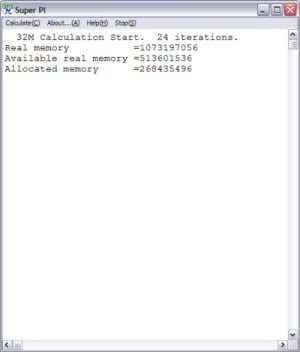
Developed by some folks from the University of Tokyo, Super PI is a small utility that does just as the name implies. It figures PI to a set number of decimal places. Since PI is an infinite number to the right of the decimal point, the utility measures the time it takes to figure a set number of places. It runs the calculations a set number of times and gives a time for the completion of the task. This is a simple and effective way to measure the raw number crunching power of the processor being used to compile the results.
The Serenity calculated pi out to the 1 millionth digit in a jaw-dropping 12.67 seconds. This should be more than enough grunt to handle most, if not all the tasks a user wanting a system like this would call upon.
Gaming Performance
So what kind of gaming performance can you expect from a silent PC? Turns out, quite a bit.
FutureMark 3DMark Vantage

3DMark Vantage is an industry-standard PC gaming performance benchmark from FutureMark, designed for Windows 7 and Vista. It includes two graphics tests, two CPU tests, several feature tests and support for the latest hardware.
3DMark Vantage is based on a rendering engine developed specifically to take full advantage of DirectX10.
The Puget Serenity racked up a score of 8358 on this benchmark using the Performance preset.
Batman: Arkham Asylum

Using Arkham Asylum's built-in benchmarking tool (included in Patch 1.1), we achieved maximum playable settings at 1920x1080 with 4xAA and "Very High" performance settings. Though 8xAA proved too much for this system to handle, edge shimmer was noticeable only if you looked really hard for it.
Frame rates were as follows. 44 max, 18 min, with an average of 29.
Far Cry 2

We had a bit of an odd result when benchmarking this title. Though we got average frame rates in the low-30s when gaming at 1920x1080, the game had a very noticeable stutter. This was true when using both the game's built-in benchmarking tool, as well as measuring FPS with FRAPS while gaming normally.
Knocking down the AA didn't seem to fix this issue, but going down to 1680x1050 (a rather small difference) fixed the issue. At this res, with 4xAA and "Very High" texture settings, the Serenity cranked out an average of 34 FPS, with a max of 62 and a min of 13.
Battlefield: Bad Company 2

This title proved to be a real hardware churner. We benchmarked using FRAPS on the Jeep ride sequence of the opening Operation Aurora mission. This segment features lots of fast-moving action with a fair amount of smoke and explosions-elements known for taxing GPUs because of the complicated physics involved.
With maximum playable settings at 1280x768, with 4xAA and "Very High" textures, we got an average of 35FPS, with a max of 53 and a min of 15. By turning down the AA, we could get a higher playable res, but image realism suffered and 1280x768 (which still qualifies as HD, anyway) looked just fine, even on a 27" monitor.
BioShock

The Serenity put in an all-star performance in BioShock, churning out 122FPS on average, with highs and lows of 168 and 72, respectively. This was with settings of 1920x1080, with a full 8xAA and "high" textures.
For an in-depth review of the capabilities of the HD 5750, see here.
Final Thoughts
Puget's Serenity, as configured, goes for just over $2800USD. While that may seem a bit steep for a machine that delivers mid-range gaming performance (albeit on the high end of the scale), remember that solid-state drives still command a pretty penny. Throw in a premium i7 860 processor, a Blu-ray drive, as well as a HD 5750 video card, and you see how these upgrades quickly add up on top of the system's very reasonable $1500USD base price. And if you demand high-end gaming performance from a silent PC, Puget offers a second HD 5750 card as an option.
What you're not paying a huge premium for is the system's silent performance. Though Puget does offer some additional sound dampening upgrades, the machine's silent performance owes mostly to good design and careful component selection rather than layers and layers of foam or pricey specialized hardware (yes, an SSD might qualify as both pricey and specialized, but it's an upgrade and the 1.5TB platter drive was whisper quiet as well). This approach provides substantial benefits for the customer. Puget's designers and techs figure out what works best in the R&D phase, allowing the buyer to get the most bang for his or her buck.
Does everyone need a silent computer? No. However, for those who desire such a thing, the Serenity delivers solid gaming performance, an excellent multimedia experience and superb performance of day-to-day computing tasks-all in an almost completely silent package-for a very reasonable price. Combined with Puget's well-respected post-sale support (including a 1-year warranty, lifetime tech support and free shipping in both directions for repairs during the first 30-days of ownership), the Puget Serenity delivers solid, reliable performance in a package that your ears won't even know is there.

 United
States: Find other tech and computer products like this
over at
United
States: Find other tech and computer products like this
over at  United
Kingdom: Find other tech and computer products like this
over at
United
Kingdom: Find other tech and computer products like this
over at  Australia:
Find other tech and computer products like this over at
Australia:
Find other tech and computer products like this over at  Canada:
Find other tech and computer products like this over at
Canada:
Find other tech and computer products like this over at  Deutschland:
Finde andere Technik- und Computerprodukte wie dieses auf
Deutschland:
Finde andere Technik- und Computerprodukte wie dieses auf 


 Dragon's Dogma 2 patch delivers some important fixes - but not the one everyone wants
 AMD's top Strix Point Halo APU could have 16 Zen 5 cores in 2 x CCDs, mirroring Ryzen 9000 CPUs
 FBI confirms Chinese hackers have infested US water and energy systems
 Microsoft's new Windows 11 'AI Explorer' feature set to anger AMD and Intel
 High-end PC maker gives advice that could fix Intel Core i9 CPUs crashing in games
 ASUS ROG Swift Pro PG248QP Gaming Monitor Review - Frames, frames, and more frames
 FlexiSpot C7B-Mesh Ergonomic Office Chair Review
 Samsung G8 34-inch QD-OLED Gaming Monitor Review - 175Hz for $900
 ASRock NUCBOX-155H Mini PC Review
 NuPhy Air96 V2 Wireless Mechanical Keyboard Review
 TEAM T-FORCE Siren DUO360 RGB Liquid CPU Cooler Review
 AVerMedia Live Streamer ULTRA HD Review
 AVerMedia Live Gamer 4K 2.1 Review
 XPG Invader X Mid-Tower Chassis Review
 Intel Core i9-14900KS CPU Review
 Everything you need to know about the latest ASUS NUC Mini PCs - NUC 14 Pro and ROG NUC
 How to Overclock Your GPU and Boost Your PC Gaming with ASUS GPU Tweak III
 ASUS's AMD Radeon RX 7000 Series GPU lineup has something for every gamer
 ASUS OLED Premium Care defends the ROG Swift OLED PG32UCDM gaming monitor from burn-in
 Patriot Viper Xtreme 5 Engineering Prototype 48GB Dual-Channel Memory Kit Preview