

Introduction

ASUS has been hard at work making themselves a global brand name. In recent years they have moved forward with a large number of products. In keeping with their already high standard for their components ASUS has produced some great networking products as well.
We have had their WL-500gP V2 in house recently and although it lacked in speed, it had features found in more expensive products. Now we have their RT-N15 SuperSpeed N Gigabit Wireless Router. This wireless device claims a 300Mbps speed and a host of other features. We dive in and see if the RT-N15 can keep up.
The Package

The box for the RT-N15 is fairly standard stuff for today's wireless products. It includes the various standards and features. One of the biggest features is its EZQoS which we saw on the WL-500gP V2 and will cover in more detail below.

Inside the box we find, in addition to the RT-N15, a quick start guide, power pack, Utilities and Manual CD-ROM and a 10-Foot network cable.

The Router

The RT-N15 is interesting in that it has no external antennas. They are completely absent; I was surprised at this and more than a little happy. The RT-N15 makes a great fashion statement, with its white sides, built in stand and blue LEDs.

Flipping the RT-N15, we find that there are the usual ports on the back. One WAN and four LAN; but what makes the RT-N15 different from most routers is the Gigabit ports. Yup, all four LAN ports are Gigabit Ethernet to keep the internal speed of your network moving along.

Also on the back is an easy config button that allows you to configure your wireless connection through the use of a simple setup utility.


Setup and Installation
As with the WL-500g Premium V2, setup of the RT-N15 was very simple. After you connect your new router to your network you simply open your favourite browser and it will automatically direct you to the quick setup utility. The first part of this is an auto detection of your connection type (Static, Dynamic, PPPOE, etc).

The setup utility is great for getting started as it walks you through all of the basic steps to get you through to the internet. However, it still lacks one major thing; it does not prompt you to change the Admin username and password. This is a serious security flaw that is found on most routers and one that ASUS needs to correct to complete the EZSetup utility.


Web Based Interface
The RT-N15 uses the same default IP for access that the majority of routers do; 192.168.1.1. After the quick setup runs you can login and change the configuration to your heart's content. One of the first things I would recommend doing (right after you change your Admin password) is to upgrade your firmware. Once you have done this you will have a new and much easier to navigate web setup utility.

ASUS' new Web Interface includes a nice network map; this allows you to graphically see the number of systems connected, the firmware version and important information about your wireless setup without the need to drill down into the application.

The new firmware also has an easy to find button for the EZQoS which allows you to very easily adjust the bandwidth control for whatever type of traffic you use most. The four profiles available are Game Blaster, Internet Application, FTP (Data) and VoIP/Video Streaming. You can have multiple profiles selected and the RT-N15 will segment the bandwidth to make sure you have enough for each.

Next up is all of your advanced configuration options. These are mostly supporting options for the main settings in addition to administrative functions for your router.

Additional features that can be found are advanced firewall settings to protect from DoS attacks; these are under the basic firewall settings. It is nice to see that ASUS feels these should be standard.

Next we see more bandwidth control features with long packet fragmentation settings. This is represented by a number between 1 and100 (representing the percentage of fragmentation); the smaller the number, the better the performance. However, not all packets like to be fragmented. Some packets, like VPN packets, do not like to be broken up. I would recommend between 45 to 65 for best stability and performance.

ASUS also provides a simple one click solution to change the operation mode of the RT-N15 and you can also set this up under the wireless bridge section.

ASUS also provides common advanced settings for wireless security such as MAC filtering and WPS setup.


Testing
We used PerformanceTest 6.1 by PassMark which you can find out more information about here. It has a handy Advanced Networking section which is perfect for our testing.
Doing our best to emulate a real-world performance scenario, I setup a server running Windows 2008 (x64) Server, (2x Xeon Quad Core 3.0 GHz 1333MHz FSB, 4GB DDR2 FB-DIMMS, 2x 146GB SAS drives in RAID 1) and the client PC was an ASUS G2S -X1 With built-in Intel 802.11n adapter. The results were gathered by sending data from the ASUS notebook to the server at different distances with the built in adapter and a TP-Link TL-WN821N average transmission speeds were recorded for each.
We compared the ASUS RT-N15 against the D-Link DIR-655 set to allow n and g connections only. All wireless tests were completed with WPA2 Personal (with the AES cipher, as it has been proven to provide better performance). The router was placed in the exact same position as well as the notebook at its various testing locations for fair comparison.
- Connection Speed
I was rather impressed with the listed connection speeds of the ASUS RT-N15; on both adapters with n and g enabled I was able to connect at 144Mbps which was faster than the 130Mbps I saw with the D-Link DIR-655. Range was also very good considering the lack of the normal antenna. With only n enabled I was able to reach 300Mbps connection speed on both adapters.
- Bandwidth
As usual, to test the speed of the RT-N15 I chose three common working points inside my house. One was in the lab within 10 feet of the routers; the next was in the bedroom roughly 35 feet away and requiring the signal to travel through a wall containing the main house electrical panel and a "wet wall". The last was outside on the back porch, roughly 45 feet from the router. Both the second and third positions were out of the direct line of sight of the router.

*signal travelling through wet wall and main house electrical panel
The ASUS RT-N15 was able to keep up with the D-Link DIR-655, even without any visible antennas.
- Latency
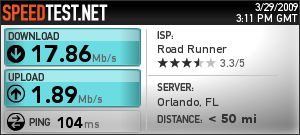
Gaming performance and router latency is always going to be something to think about when picking out a high-speed router. The ASUS RT-N15 has got you covered there. In both of our latency tests the RT-N15 showed it is more than capable of meeting your gaming needs and also was able to keep a low ping score for normal traffic.

Our latency / gaming tests were performed with ASUS' Gaming Blaster enabled. Gaming was on a Counter Strike Source server with more than half of the available slots in use.
Final Thoughts
When I first looked at the ASUS RT-15 I thought it looked a little cheap. With the complete lack of antennas I was sure that my range and performance would be terrible. However, I was more than pleasantly surprised to find out that neither was true. ASUS has packed some serious features and performance into this little white box. You certainly can expect great performance right out of the box.
The quick setup utility is one of the best I have used; it only lacks a prompt to change the admin user password to be complete. The WPS setup for Vista systems is simple to use and very fast to get your wireless network up and running quickly. With a price tag of 89.99 U.S. Dollars at Newegg, it is comparable with other products in its performance group and has a few extra features and options up its sleeve. The RT-N15 might even replace my DIR-655 as the primary wireless device in the house.

 United
States: Find other tech and computer products like this
over at
United
States: Find other tech and computer products like this
over at  United
Kingdom: Find other tech and computer products like this
over at
United
Kingdom: Find other tech and computer products like this
over at  Australia:
Find other tech and computer products like this over at
Australia:
Find other tech and computer products like this over at  Canada:
Find other tech and computer products like this over at
Canada:
Find other tech and computer products like this over at  Deutschland:
Finde andere Technik- und Computerprodukte wie dieses auf
Deutschland:
Finde andere Technik- und Computerprodukte wie dieses auf 


 Intel's next-gen 'Beechnut City' validation platform: ready for Xeon 6 Granite Rapids CPU
 US government to give Samsung up to $6.4 billion for Texas, USA fabs, R&D center
 Samsung co-CEO visits Taiwan in 'low-key manner' to promote HBM, meets with TSMC
 Overwatch 2 Season 10 'Venture Forth' launches tomorrow, check out the trailer here
 Spectra Cube tape storage solution for cloud providers: mind-boggling 75,000TB storage library
 NuPhy Air96 V2 Wireless Mechanical Keyboard Review
 TEAM T-FORCE Siren DUO360 RGB Liquid CPU Cooler Review
 AVerMedia Live Streamer ULTRA HD Review
 AVerMedia Live Gamer 4K 2.1 Review
 XPG Invader X Mid-Tower Chassis Review
 Intel Core i9-14900KS CPU Review
 Arbiter Polar 65 Magnetic Gaming Keyboard Review
 ASUS ROG Falchion RX Low Profile Keyboard Review
 MSI MPG 321URX QD-OLED Gaming Monitor Review - 4K gaming at its best
 UGREEN NASync DXP480T All-Flash NAS Review
 Everything you need to know about the latest ASUS NUC Mini PCs - NUC 14 Pro and ROG NUC
 How to Overclock Your GPU and Boost Your PC Gaming with ASUS GPU Tweak III
 ASUS's AMD Radeon RX 7000 Series GPU lineup has something for every gamer
 ASUS OLED Premium Care defends the ROG Swift OLED PG32UCDM gaming monitor from burn-in
 Patriot Viper Xtreme 5 Engineering Prototype 48GB Dual-Channel Memory Kit Preview